7 min read
Compliance table to the spec: a requirements matrix for acceptance
A compliance table to the spec links spec items, actual characteristics and documents so equipment acceptance in the public sector goes faster.
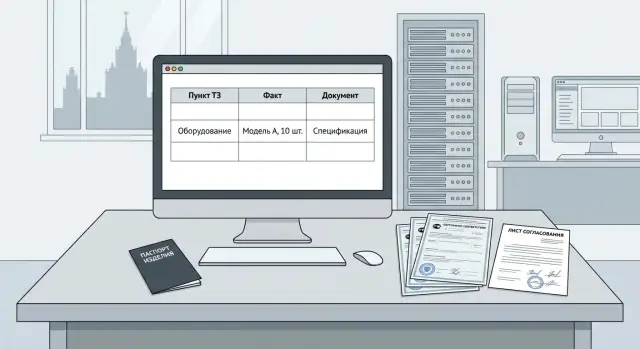
Why acceptance stalls without a requirements matrix
Acceptance is almost always delayed not because of the equipment itself but because of proof. The spec says one thing, the product datasheet another, the commercial offer a third, and the needed page in a document is only found after long searching. When there’s no clear link “spec item — how it’s proven — where to find it,” the commission spends time clarifying, and the supplier spends time writing emails and rebuilding the document package.
In practice acceptance works like a checklist. If the checklist isn’t assembled, questions start to repeat in circles. Usually they ask the same things: exactly where in the documents the parameter is confirmed (and on which page), whether a characteristic applies to a specific model or to the whole lineup, what exactly is being supplied (model, configuration, options, licenses), which document confirms origin, manufacturer status and certification, and why identical parameters in the spec and in the documents are phrased differently.
Without a compliance table, answers are almost always produced “manually”: someone searches a PDF, someone remembers where it was in a catalogue, someone makes screenshots. The predictable result: documents returned for clarification, repeated requests from the commission, prolonged approvals, and sometimes even the risk of partial rejection. In the public sector this easily becomes official correspondence, schedule shifts and extra workload for both sides.
A requirements matrix is especially needed when there are many line items and many sources of proof. This is typical for supplies of PCs, all-in-ones and servers: every configuration has its own parameters (CPU, memory, drives, ports, form-factor), plus requirements for documents, warranty and support. Software is a separate risk area where exact edition names, license type, validity period and contents of the delivery matter.
For Kazakhstan, items about local content and manufacturer status are often added. Even with a full set of papers, acceptance will be slow if they cannot be quickly “tied” to each spec item in one line.
What a requirements matrix is and how it saves time
A requirements matrix (compliance table to the spec) is a simple document where each item of the technical specification becomes a clear check: what exactly must be proven, how it is proven, and where to find it. Essentially, it’s an acceptance map: one spec item — one check — one proof.
In working form it answers three questions without lengthy interpretation: what the wording in the spec is, what the actual characteristic of the supplied product is, and which document proves it (with page, section or line number). Then acceptance stops being a search through folders and days of correspondence.
The matrix is useful to all participants. For the supplier it helps to spot weak points in advance (for example, the spec requires a specific interface but the datasheet does not highlight it). For the purchaser and acceptance commission it makes conformity checks fast and unambiguous. For accounting and those responsible for commissioning, it clarifies which documents close the delivery and will be needed for records, warranty and audits.
The biggest time savings occur before acceptance. If the matrix is prepared before shipment, disputed points can be resolved calmly: request a manufacturer letter, attach the needed page of the spec, change the configuration or agree an equivalent. For PC and server deliveries in the public sector this is especially important: the commission usually checks not only the “hardware” but also the correctness of supporting documents.
It’s sensible to prepare the matrix early: immediately after contract signature (to remove ambiguous spec wording), before shipment (to verify the document set and actual configuration) and before commissioning (to avoid searching for proofs retroactively).
Agree the format beforehand and make it convenient for review. Most often it’s a table (Excel/Sheets): it’s easy to filter items, tick checks and track versions. On acceptance a printed copy is often requested, especially if signatures are collected on paper. Practically, keep the matrix file and bring a printout to the commission with the same rows and references to documents.
A simple example: the spec states “RAM at least 32 GB.” In the matrix you record the actual value “32 GB DDR4” and add the proof — the supply specification or product datasheet with the exact page. The commission doesn’t need to open ten files: they go row by row and close acceptance faster.
Which documents to collect in advance for spec items
The matrix needs “anchors”: documents where the commission can quickly find proof for each item. The logic is simple: for each row prepare the source and the exact location (document and page/section).
Start with the procurement package. Besides the spec itself there are often annexes: a specification, draft contract, clarifications on bidder questions. Sometimes a critical detail appears there (for example, wording on completeness or warranty period). Keep these files together and in the matrix reference not only the spec but also the annex and clause.
Next, assemble the supplier package: the commercial offer and the final supply specification that exactly matches what will go to the site. If the configuration changed in negotiations (for example RAM size or drive type), fix the final version and use it as the primary document for items and quantities.
Technical characteristics are best confirmed from primary product sources: the product datasheet, manual, technical description or official model specification. For the matrix it’s important that the document is a stable version (usually PDF) so you can confidently indicate a page or section. If the spec includes completeness requirements, a packing list or “contents of delivery” section is useful.
A separate group is regulatory documents, if requested in the spec: certificates and declarations, and any mandatory confirmations required by the purchaser’s industry. Here validity period, exact model name and matching to your specification matter.
If the spec sets warranty and service conditions, prepare warranty commitments and support rules: timescales, contact procedure, service geography, what’s included and what’s not. In the public sector these are often checked as carefully as technical characteristics.
Sometimes procurements require confirmation of origin and manufacturer status. Place these documents in the folder and mark in the matrix which spec items they relate to.
Before shipment run a short check: all documents are current versions, model names and part numbers match the specification, and each matrix row has an exact reference “document — section/page.”
Minimal working format for the table
A minimal compliance table should answer two acceptance questions: where in the spec the requirement is written and where the proof is. If a row lacks a reference to a document and a precise place (page or section), that row usually doesn’t help and only slows the review.
Keep the basic set of columns the same for PCs, all-in-ones and servers. The main thing is that for each row it’s clear: what was requested, what was supplied, and how it’s proven.
| Spec item ID | Requirement (brief) | Fact (as in spec/datasheet) | Conformity (yes/no/partial) | Supporting document | Page/section |
|---|---|---|---|---|---|
| 2.1.3 | RAM at least 32 GB | 32 GB DDR4 | Yes | Batch specification | p. 2 |
| 4.2.1 | 2U server, 2 PSUs | 2U, 2 PSU | Yes | Product datasheet | section 1.4 |
Add extra columns only if you will actually fill them. Usually “Comment” (e.g., about an equivalent), “Checked by”, “Check date”, “Batch/serial numbers” (if acceptance is across multiple shipments) are enough.
If the spec is large, don’t renumber rows manually. It’s easier to repeat the document structure: section-subsection-item (for example 3.2.4). Then the reviewer can quickly find the original text and you won’t lose rows when editing.
Track versions separately. In the table header note date and spec number (or procurement documentation), specification date, contract/supply number, batch number. This helps when the spec was updated by amendment or the specification changed before shipment.
Step-by-step: how to prepare the requirements matrix before shipment
Start not with the table but by parsing the spec text. The goal is that any spec item can be quickly checked by the commission against a single document and a specific page.
First, break the spec into testable requirements. Usability rule: one matrix row = one requirement. If a spec sentence contains “CPU not lower than…”, “RAM at least…”, “presence of ports…”, split into three rows. That way you won’t lose part of a check and won’t get a dispute “item partially fulfilled.”
Mark items that most often delay acceptance: measurable parameters (frequency, capacity, form-factor), brand or model bindings, compatibility (for example with existing infrastructure), software and license requirements, and service (times, format, availability of service network).
A working sequence usually fits in 1–2 iterations:
- Turn the spec into a list of lines with identifiers (item number + short requirement name).
- Fill the “actual value” strictly from the final supply specification. Don’t write “suitable” or “complies” without numbers.
- For each item add the proof: document name and exact location (page, section, clause).
- Conduct an internal check by roles: procurement confirms completeness, engineering — characteristics and compatibility, contracts — spec wording and contractual conditions, service — support points.
Before shipment assemble a “package for acceptance” in a format convenient for the commission to flip through: the matrix, specification, datasheets/manuals, warranty terms, regulatory documents (if required), and a cover letter. Then at acceptance the questions reduce to: “here’s the item, here’s the document, here’s the page.”
How to fill rows for different types of requirements
One row in the table should answer three questions: what the spec requires, what you actually supply, and where that is shown in the document. The more precise the formulations and page references, the fewer disputes at acceptance.
Numeric parameters
Numbers require literal accuracy. If the spec states “not less than 3.6 GHz”, the matrix should contain the exact value with units as in the product datasheet or specification. Take values from the primary source: official model specification, datasheet/manual, or packing list. If a parameter depends on configuration (e.g., RAM size or drive type), record your delivered configuration and the part number.
Functional requirements
Functions like TPM, Secure Boot, RAID often cause questions because “supported” is not the same as “enabled.” In the row separate support from configuration/enabled state. Usually indicate the type/version of the function, link to the document, and plan on-site confirmation (BIOS/UEFI screenshot, utility report, configuration act). If RAID level is required, state the level and how it is proven.
Completeness requirements
Close completeness itemization by listing parts individually. Instead of “full kit” enumerate what must be included: power cable, fasteners, adapters, rack rails (if required), printed documentation, media/keys. Proof usually comes from packing lists, delivery notes or the “Contents of delivery” section. For licenses — license documents and supplier letters on transfer.
Compatibility
Describe compatibility with OS, domain or peripherals as a verification rather than a promise. For example: “Verified: OS install version X, domain join, printing to printer model Y.” Attach a short test protocol or an on-site commissioning act with date, location and serial numbers as proof.
Service and warranty
For warranty and SLA ensure numbers match the contract. In the row indicate the period and conditions (on-site or depot, response time) and reference the clause/page in the warranty document or contract.
Example: matrix for supplying equipment to a government agency
Scenario: a government body procures 30 PCs, 10 all-in-ones and 1 server for a small server room. The commission needs to quickly see that each spec item is closed and proven by a document. A compliance table where requirement, actual characteristic and exact proof are side by side works well.
The most conflict-prone items are usually not “CPU frequency” but things that are hard to verify on site or easily interpreted differently: ports (USB-C, COM, video outputs), network interfaces (speed and number of ports, separate management port), licenses (what is included, per-device details and proof), form-factor (rack height U, mounting requirements).
To avoid inflating the file, keep a single matrix and show differences by positions (PC, all-in-one, server) in separate columns. The commission then sees that the requirement is closed for each position without three almost-identical documents.
Below is a minimal fragment (values are illustrative; structure is what matters):
| Spec item | Requirement | PC (item 1) | All-in-one (item 2) | Server (item 3) | Proof (document, page) | Note for acceptance |
|---|---|---|---|---|---|---|
| 3.2 | Ports: at least N USB, presence of video output | Complies, list of ports | Complies, list of ports | Not applicable | Datasheet/manual, p. X | Show photo of front/back panel or diagram from datasheet |
| 3.5 | Network: 1 Gbps, number of ports | 1x 1G | 1x 1G | 2x 1G (or 10G if in spec) | Specification, p. Y | Verify on-site in BIOS/adapter label |
| 4.1 | OS/software license | License type, edition | License type, edition | License type, edition | License documents, supplier letter, registry/card | Indicate where the key or proof is stored |
| 5.3 | Form-factor/mounting | Tower/SFF (as in spec) | All-in-one, screen size | Rack, U height | Technical description, p. Z | For server note rail requirement if specified |
Documents that most often clear issues on the first pass: the product datasheet or official specification (with ports and interfaces), technical description for the specific model, license documents (with position — quantity — license type), and for public procurement — confirmations explicitly listed in the procurement conditions.
Short pre-acceptance checklist
A final check before handing over the equipment takes 15–30 minutes but often saves days of correspondence when the commission has a question about one or two items.
Check that:
- All spec items are reflected in the matrix, including small details like ports, cables, software and completeness.
- Each row has a proof: the document is fully named (title, date/version) and a precise page or section is indicated.
- Units of measure match the spec (GB vs GiB, MHz vs GHz, W, mm, number of ports). If the document uses other units, include a conversion and a short note.
- Wording does not conflict: if the spec requires “not less than”, the matrix shouldn’t say “up to”.
- Model name and configuration are identical everywhere: matrix, specification, invoice/delivery note, product datasheet, certificates.
- For configurable items a single final configuration is fixed (CPU, RAM, drives, network, PSU, form-factor) and it does not “float” between documents.
- Items that are checked only when powered on are separately noted (BIOS/UEFI version, TPM, network settings, licenses, RAID settings) and it’s clear who and how will confirm them.
- Completeness is enumerated and assembled (including rails/fasteners for servers if required in the spec).
- The matrix is readable for the commission: no empty cells, no “see overall” or references without pages.
- The file is ready for printing and signing if the procedure requires it: version, date, page numbering, signature fields.
Simple guideline: if the spec says “RAM at least 32 GB” and the datasheet shows “32GB (2x16)”, the matrix should state “32 GB” with the page reference. Then the question “where is it visible?” rarely appears.
Typical mistakes that prolong acceptance
The problem is usually not the delivery but how requirements are documented. If the compliance table is done “for show”, the commission wastes time on clarifications, letters and repeated checks.
A frequent scenario: a batch contains several similar configurations but the matrix condenses them into one row. For example, some PCs have one RAM size, others another, but the table states a single value without mapping to specification positions or serial numbers. Acceptance then cannot determine which value applies to each unit.
What almost always slows the process:
- Different configurations and part numbers mixed in one row without binding to specification positions.
- Marketing materials used as proof instead of the product datasheet, manual or official specification.
- The document exists but no page/clause number shows the required parameter.
- “No worse than” requirements replaced by vague statements like “suitable/complies” without measurable parameters.
- Forgotten software and license requirements: where are the keys, proof of rights, transfer acts/letters.
Another cause of delay is lack of a matrix owner. When multiple people edit the table without tracking, versions multiply. The commission asks a question, the supplier answers against a different draft, and approval loops around.
Next steps: how to embed the matrix into the supply process
The matrix works only when it becomes part of routine work, not a document produced “on the eve of acceptance.” It’s easiest to make it a mandatory artifact for each delivery alongside the specification and document package.
Start by agreeing the format with the purchaser before shipment: which columns are required, which documents the acceptance considers sufficient, how to mark equivalents and tolerances. One short call often saves days of e-mailing.
Then keep a simple order: assign a matrix owner (one person responsible for the version), gather supporting materials under spec items, maintain separate sections per position (PCs, all-in-ones, servers, software), and don’t ship anything you can’t prove with a matrix row. A practical deadline is to have the matrix ready 3–5 business days before shipment to allow time to close gaps.
If procurement requires confirmations about manufacturer status and quality, clarify in advance with the manufacturer what they can provide for your procurement process. For example, GSE.kz (gse.kz) as a domestic manufacturer since 2015 with ISO 9001, ISO 14001 and ISO 45001 certificates usually includes such confirmations in the package, but you still need to tie them in the matrix to specific spec items and pages.
Frequently asked questions
What is a requirements matrix and why is it needed at acceptance?
A requirements matrix is a table where each item of the technical specification maps to one check: what was requested, what is actually supplied, and which document (with page or section) proves it. It removes the “where is it written?” dispute and turns acceptance into a clear row-by-row process.
When is the best time to prepare the compliance table to the spec?
The best time is immediately after signing the contract, to resolve ambiguous wording in advance and understand which proofs are missing. The second mandatory moment is a few days before shipment, when the final specification and document set are fixed. If you prepare the matrix at the last minute, gaps usually appear that are hard to close without delaying delivery.
Which columns should a minimal working matrix include?
At minimum, six columns are enough: spec item identifier, short requirement text, actual value, conformity status, supporting document, and page/section. If there’s no precise reference to a location in a document, that row usually doesn’t help the commission and provokes extra questions.
How to correctly indicate supporting documents and pages?
Specify the exact document and exact place: page, section, or clause so the reviewer can open the file and immediately see the parameter. If a document lacks stable page numbering, reference the section and the table/paragraph name so the link won’t “break” after the PDF is resaved.
What if different configurations of the same model are being supplied?
Record facts strictly according to your final supply specification, not “by model family” or “on average.” If the batch contains multiple configurations, the matrix must show which characteristic applies to which line in the specification; otherwise acceptance won’t know what is confirmed for each unit.
How to close software and license requirements in the matrix?
For software, record precise edition names, license type, quantity, validity period and how the right is transferred (key, account, certificate, letter). Don’t write “OS included” — write the exact edition and how the usage right is evidenced so the commission can verify it against the spec and transfer documents.
How to confirm functional requirements like TPM, Secure Boot or RAID?
Separate “supported” from “configured/enabled.” If the spec requires TPM, Secure Boot or RAID, indicate where in the documentation the presence of the feature is shown, and separately provide on-site confirmation — a configuration act or a verification record tied to serial numbers.
Which documents are usually needed to confirm origin and manufacturer status in Kazakhstan?
If the spec requests local content, origin or manufacturer status, prepare those documents in advance and link them to specific spec items. For example, for a domestic manufacturer in Kazakhstan they often check confirmation of status and valid quality management certificates; the matrix should show which document and exactly where this is proved.
How to avoid confusion with matrix and document versions?
Assign a single owner of the matrix and record versions: date, spec/version number, contract number and lot. When several people edit the table without control, multiple versions appear and the commission asks about one edition while the supplier answers from another — this almost always delays the process.
What to do if a spec item cannot be confirmed by standard documents?
First check whether the requirement is stated in a testable, unambiguous way and whether it might be clarified in annexes or procurement clarifications. If you cannot provide standard documentary proof, agree with the purchaser in advance on an equivalent or an on-site verification method and document that agreement, rather than trying to “close” the row with vague wording.
