8 min read
Replacing Storage without Downtime for Lenovo ThinkSystem DM Series
Step-by-step scenario for replacing storage without downtime using Lenovo ThinkSystem DM Series: network prep, migration methods, failover tests and latency control.
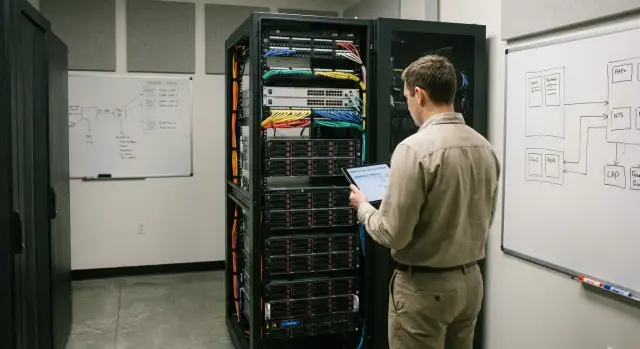
What replacing storage without downtime looks like in practice
In practice, replacing storage without downtime means users keep working and core services (mail, databases, file shares, virtual desktops) don’t stop. There are still small waves of risk: brief path switchover, LUN re-registration, multipath updates or a short pause in a specific application if it is sensitive to latency.
It’s important to understand: this is not just “buying a new all-flash array.” The project relies on a set of components: the array itself, SAN and Ethernet networks, hypervisor, applications, backup and monitoring. If one element underperforms, the plan falls apart not at the array but in its dependencies: incorrect zoning/masking, overloaded uplinks, outdated HBA drivers, unsupported multipath versions, or forgotten backup integrations.
Usually three things break a "no-downtime" migration: the network (no spare bandwidth or configuration errors), unaccounted application dependencies (for example, a DB cluster that reacts to disk identifier changes), and change windows (agreed time is different from the actually available time or personnel).
To keep the project manageable, prepare a set of artifacts in advance. The minimum looks like this:
- diagram of current and target architecture (SAN, Ethernet, zones, paths)
- step-by-step work plan with checkpoints and responsible persons
- rollback plan that can be executed quickly without heroics
- risk matrix and stop conditions (for latency, errors, availability)
- communications plan for the cutover period
Example: the virtual infrastructure keeps running, data is copied in the background to the new array, then during an agreed window paths are switched, VM accessibility and latency metrics are checked, and only after confirmation the load is moved completely.
Preliminary assessment and success criteria
To make a no-downtime storage replacement predictable, first record the baseline. This is not a formality but a way to spot bottlenecks early and agree on what counts as success.
Start with a list of all systems that depend on storage: virtualization clusters, databases, file services, VDI, backup and replication. Note not only names but criticality, owners, and whether the service cannot even be briefly restarted.
Next, capture workload snapshots for typical days and peak periods: average and peak IOPS, read/write latency, throughput, queue depth, and block sizes. Problems often come not from average traffic but from short spikes during backups or index rebuilds in databases.
Inventory connections and compatibility separately: FC/iSCSI/NFS/SMB, multipath scheme, HBA and driver versions, MPIO/DSM settings, jumbo frames parameters (if used), and all zones, VLANs and ACLs that affect access.
Before planning work, agree with the business on constraints and risks: target RPO/RTO, acceptable windows for restarting specific components (e.g., a backup agent), and what to do if migration takes longer.
Success criteria are better defined as measurable:
- latency does not exceed the agreed threshold at peak
- IOPS and throughput are not below baseline
- zero path errors and correct multipath operation
- RPO/RTO met in a test scenario
- data integrity confirmed and successful recovery tests
If an integrator runs the project (for example, GSE.kz), it’s convenient to formalize these metrics as an acceptance protocol: “before” and “after,” with dates and measurement sources.
Preparing the networks: SAN and Ethernet without weak points
The network is often the main risk in a "replace storage without downtime" scenario. An all-flash array can deliver low latency only if the paths to it are stable, predictable, and free of hidden bottlenecks.
The first decision is protocol and topology. For SAN this is usually FC or iSCSI. In both cases isolate storage traffic: separate VLANs for iSCSI and a separate fabric (or clearly separated VSANs) for FC. Don’t mix backup, replication and user traffic in one broad domain without clear rules.
Then verify redundancy not only on diagrams but on actual ports. Two switches and two independent paths from each host to each controller are the basic minimum. Spread ports across different line cards/modules and different switches so a single failure doesn’t remove all paths at once.
Before migration, review settings that commonly degrade performance:
- MTU: a single size across the entire path (for iSCSI jumbo frames are common, but only if consistent everywhere)
- Flow control: enable deliberately, especially in Ethernet, to avoid micro-loss and latency spikes
- QoS: necessary if storage traffic shares infrastructure with other critical traffic
- LACP: useful for aggregation, but check hashing and path symmetry
- Host multipathing: ensure all paths are visible and there’s no “only one active” scenario
For FC, verify zoning and aliases: no extra zones, overlaps, incorrect WWPNs, and conformity to the principle “one initiator group — one target set.” For iSCSI check addressing, routing, ACLs and that discovery does not expose the array to inappropriate networks.
The change plan must allow rollback in minutes. Agree in advance who changes zones/VLANs/ports, the change window and what triggers rollback.
A short example: one uplink between an access switch and the core still has a different MTU. Background copies run fine, but during peak IOPS rare packet loss and latency spikes occur. The cure is to verify parameters end-to-end before work begins.
Preparing the Lenovo ThinkSystem DM Series before migration
Treat the new Lenovo ThinkSystem DM Series as if tomorrow it will host the most critical services. The goal is to eliminate surprises with networking, access and workload placement before data moves.
Start with basic “hygiene.” Verify time on controllers and in the domain: correct DNS and NTP matter for logs, Kerberos and auditing. Then confirm connectivity between nodes, switches and hosts: pings, MTU (if using jumbo frames), correct VLANs and no asymmetric routing.
Next configure storage structures for migration: aggregates/pools, volumes and efficiency policies. With all-flash there is a temptation to enable deduplication and compression by default, but agree beforehand where this is acceptable to avoid unexpected latency at startup. Plan LUN/volume placement across controllers and ports so load is evenly distributed and doesn’t stick to one path.
A practical minimum checklist before moving data:
- Verify DNS/NTP and reachability of management and data networks.
- Create a test volume or LUN, attach to a host, and validate multipath.
- Preconfigure initiator groups (FC/iSCSI) and export rules (NFS) or permissions (SMB) by template.
- Ensure names, block sizes, alignment and access policies meet application requirements.
- Reserve capacity for service tasks (snapshots, journals, temporary copies) and expected data growth.
If an integrator like GSE.kz runs the project, agree on a placement map in advance: which services go to which ports and controllers and what headroom for capacity and performance is needed in the first weeks after migration. This saves time during the cutover and reduces the risk of load imbalances.
Migration plan: methods and order of work
The migration plan should be a short, precise document: which method we use to move data to the Lenovo ThinkSystem DM Series all-flash, in what order, how we verify results and how we roll back if needed. Without this, a no-downtime replacement becomes a set of disconnected actions.
How to choose a migration method
The method depends on where the data “lives” and who manages it: the host, the hypervisor or the storage itself. Usually pick one primary path and one fallback.
- Host-based migration: copying at the OS level. Suitable for file data and simple services but requires discipline with permissions, paths and sync timing.
- Storage-based migration: moving volumes/LUNs handled by storage arrays. Convenient for large datasets and repeatability, but verify zoning, mapping and multipath compatibility in advance.
- Replication: catch up data first, then perform a short cutover. Good for large volumes and minimizing the cutover window.
- vMotion/Storage vMotion: often the calmest path if virtualization is primary. Watch for traffic and latency peaks.
Order of work: what to migrate first
Start with test and less critical workloads to validate the process and configuration templates. Typical order: test VMs and utility services, then file resources, then simple-architecture applications, and only after that databases and high-load systems.
Define beforehand where quiesce (I/O freeze) is required, where a snapshot is enough, and what the brief cutover moment will be. Even online migrations usually need a small interval to change mount points or reattach datastores.
Also agree naming rules: volumes/LUNs, datastores, host groups and mappings. A clear scheme reduces the risk of connecting the wrong resources.
The rollback plan must be realistic, not formal: what we restore (mappings, paths, mount points), how we verify integrity and how to ensure rollback won’t overwrite fresher data. Minimum — checkpoints, an action list and criteria for continue vs. rollback.
Step-by-step migration without stopping services
Bring the new array online in parallel with the old one. First ensure identical visibility of volumes from all required hosts, validate multipath and path-balancing policies. Hosts should not notice path failover when one path is lost.
Move in small batches to catch issues early and avoid impacting critical systems.
Practical sequence of actions
-
Deploy the new array in the production segment: connect all SAN fabrics and required Ethernet VLANs, enable target policies on hosts and confirm each server has at least two independent paths.
-
Run a pilot on 1–2 non-critical services. Record baseline numbers before starting (latency, IOPS, throughput) and compare after move. For example: move one file resource and a small clustered volume overnight, check response time and logs in the morning.
-
Migrate in batches: one service or group of volumes at a time. After each batch record: what moved, volume size, duration, metrics gathered and any configuration changes.
-
Do the final sync and mount-point switch in a short window. The goal is to change as few parameters as possible at cutover and have data already up to date.
-
After cutover validate the application from a user perspective: logins, key operations, reports. Then update diagrams, inventory, LUN/volume descriptions, and monitoring thresholds and object names so new metrics don’t get lost among old ones.
Performance control at every stage
Measure performance the same way before, during and after migration. Rule: same load scenario, same run time and same measurement points. Then you compare numbers, not impressions.
A good basic test is a typical workday: several VMs, a database or file service, plus background tasks (backups, antivirus, reports). Gather results on the old array, after connecting the Lenovo ThinkSystem DM Series all-flash, and again after final cutover.
Metrics to collect
Gather metrics from three perspectives: hosts, network and storage. Otherwise you may miss the real cause of degradation.
- Latency: average and p95, split for read and write.
- IOPS and throughput (MB/s): for the same periods as latency.
- Queue depth: on LUNs/volumes and on the host side to find the bottleneck.
- Hosts: CPU ready (for virtualization), storage queue, multipath errors and flapping.
- Storage: controller load, cache, state of disk groups/aggregates and background processes (rebuild, tiering, deduplication).
Acceptance and what to do on degradation
Fix acceptance thresholds in advance, numerically. Example for critical services: p95 latency no worse than 20% above baseline, and IOPS under the same load profile do not drop.
If you see degradation, follow steps:
- Compare p95 and queue depth: queue growth at the same load usually indicates a path bottleneck (HBA, SAN, ports, MTU, or wrong multipath policy).
- Check if test overlapped with storage background tasks (initialization, rebuild, snapshots, replication).
- Ensure hosts aren’t limited by CPU ready or virtualization limits—then the problem isn’t storage.
- Temporarily reduce migration parallelism so production IOPS aren’t consumed.
Example: during data copy p95 rose from 2 ms to 6 ms. Host queue grows, no multipath errors. The array shows high controller load and active background operations. Often moving background tasks, throttling migration speed and rerunning the test confirms improvement.
Failover and recovery tests: what must be checked
Run failover tests before the cutover while the old array is still active. This verifies services will survive a cable, port or node failure after migration.
Minimum test set
Start with failures that commonly happen: poor contact, accidentally pulled patchcord, disabled port on a switch. For each test observe not only ping but application behavior: hangs, I/O errors, latency spikes.
- Single path failure: disconnect one cable or port at the host or switch and confirm I/O continues over the second path without manual intervention.
- Switch or fabric failure: take one SAN switch (or one Ethernet branch for IP access) offline and verify volumes remain accessible.
- Planned controller failover: perform the vendor’s controller takeover and observe key services (DB, file shares, virtualization).
- Recovery to normal: after restoring power/link confirm the system returns to normal and does not require workarounds.
How to decide a test passed
A successful test is not “seems to work.” Define acceptance: allowable pause (if any), no OS log errors, stable latency and predictable application behavior.
A practical approach: record time, what was disabled, symptoms on hosts and storage, and metric changes. If latency explodes or sessions are lost, the cause is often multipath configuration, asymmetric network or wrong timeouts. Fix those before the final cutover and repeat the test.
Common mistakes in replacing storage without downtime
Even with a good migration plan, issues mostly come from small network details and hidden workloads. In a no-downtime replacement, mistakes usually do not cause a full outage but lead to long latencies, application timeouts and stressful windows.
One frequent trap is mixing storage and user traffic on the same network without isolation. Backups, updates and bulk copies then compete with iSCSI/NFS/SMB or replication and users experience unexplained slowness.
A second common problem is inconsistent MTU. For example, servers have jumbo frames enabled while an intermediate switch or uplink remains at MTU 1500. This appears as random performance drops, retransmissions and unstable latency spikes during migration.
Another category is “seems like two paths, but really one.” That happens when both paths traverse the same switch, stack, module or even identical ports. On paper there is redundancy, but any planned work or failure becomes an incident.
Also migrating without baseline measurements is painful. If you don’t record baseline IOPS, latency and port loads, it’s hard to prove improvement or quickly find regression causes.
Finally, forgotten dependencies that wake up at night: backup windows, antivirus scans, monitoring agents, ETL and batch jobs. The storage and network may be configured correctly but migration coincides with a background activity spike.
A short checklist that catches most problems early:
- Are storage and user networks separated (VLAN/physical separation, QoS where needed)?
- Is MTU identical end-to-end: server, switch, uplinks, array ports?
- Are paths truly independent (different switches/modules/power, no single point of failure)?
- Are there "before" metrics and a clear "after" threshold for comparison?
- Are nightly jobs and backup windows considered when choosing migration time and pace?
Short pre-cutover checklist
Before final cutover to the Lenovo ThinkSystem DM Series all-flash, pause for 20–30 minutes and confirm facts. In projects requiring a no-downtime replacement, most problems come from haste and miscommunication, not the array.
Start with the organizational part. The change window must be agreed not only with IT but with service owners. Appoint one decision-maker and one communications lead during the work, and have vendor, network and virtualization admin contacts ready.
Then go through technical checks:
- A recent backup exists and you have tested recovery for at least one critical service (e.g., a database or file resource).
- Network validated by tests: two independent paths, correct SAN zones or VLANs, proper MTU, no errors or discards on ports.
- Baseline measurements recorded: latency, IOPS and throughput for key workloads and a clear latency target.
- Rollback plan documented: what is restored, how long it takes, and who executes steps.
- Failover tests already performed: one path, one switch or one controller was disabled and results recorded.
Also agree on stop criteria. Example: latency above the agreed threshold for more than 10 minutes, I/O errors in the OS, or rising FC/iSCSI timeouts.
If in doubt, run a mini-test: switch one non-critical volume and observe it under normal load for 15 minutes. This often catches small network issues before everything is at stake.
Example scenario: migration in an office and data center
Scenario: two virtualization clusters run in the office and the data center. They host latency-sensitive databases, a file service and several applications. Peak load is in the morning when users log in and open files. Goal: replace storage without downtime and without noticeable degradation.
First bring the new Lenovo ThinkSystem DM Series all-flash up in a test contour: connect to the same SAN and Ethernet segments, verify multipath, access policies, driver versions and standard operations (snapshots, cloning, restore). Aim for predictable latency and confirm monitoring collects metrics before and after.
Then proceed in phases: on the first night move about 20–30% of workloads, avoiding the most critical ones. After each night pause to catch “quiet” issues: rare path errors, queue-related drops, wrong MTU or zoning.
Operational control is based on several signals and predefined thresholds to pause migration:
- p95 read/write latency for key LUNs/volumes
- increase in multipath errors, port flaps, CRCs
- queue depth on HBA/FC ports and hosts
- actual IOPS and throughput versus baseline
- application complaints (timeouts, increased response times)
Failover tests are scheduled in an agreed window: first simulate a fabric failure (isolation), then perform a controller failover with takeover/giveback. Ensure services don’t crash and latency/errors remain within acceptable limits.
The final report records baseline and attained IOPS and latencies (including p95), port load, path error statistics, duration of each stage, actual risks and decisions (pauses, rollbacks). Also update operational standards: monitoring thresholds, alerting rules, check schedules and regular failure test scenarios.
Post-migration: consolidate results and next steps
When data is on the new array and services run, the project isn’t over. The worst surprises often surface days later when load changes: backups, month-end jobs or heavy reports.
For the first 1–2 weeks run a stabilization phase: compare latency and IOPS to baseline daily, check path errors and queue behavior. Set alerts and simple reports to catch deviations before users notice.
Practical minimum during stabilization:
- alert thresholds for read/write latency and pool capacity
- monitoring of MPIO paths, ports and switch errors
- daily metric snapshots for the most critical volumes
- verify backup schedules and heavy job windows
- short change log: what was configured and when
Then optimize. After migration leftover settings often remain: old cache policies, uneven port loading, temporary migration volumes. Remove unused LUNs/volumes, rebalance front-end ports and ensure volume sizes match real application needs.
A separate step is handover to support. Prepare runbooks for typical incidents (path loss, RAID degradation, pool fullness, latency increase), a contact list and a schedule for periodic failure tests. This is vital if the migration was done quickly and some decisions were made on the fly.
Create a 6–12 month growth and development plan: expected capacity growth, performance headroom, reserve for new services and second-site or replication requirements. If finance notices faster month-end closes after the move, expect requests for new analytic workloads and extra load in a few months.
If you need help with assessment, acceptance testing, monitoring and operational procedures, GSE.kz (gse.kz) as a systems integrator can join the plan and final verification. They can also cover related infrastructure — servers and virtualization platforms — as a vendor and integrator in Kazakhstan.
Frequently asked questions
Can storage be replaced with no service downtime at all?
No, it is not possible to eliminate all switchovers entirely. With a solid plan, users can keep working while the team performs only brief path switchovers or the final data synchronization.
Where should you start when preparing to replace storage?
First, document every system that uses the storage and identify its owners. Then collect baseline metrics, check the network, driver compatibility, and multipath configuration, and prepare a rollback plan.
Which metrics should be measured before migration?
Check average and peak IOPS, read and write latency, throughput, and queue depth. Compare matching periods before and after the move, including backup time.
How should you prepare the SAN or Ethernet network?
Give each host at least two independent paths to the controllers through different switches. For iSCSI, use separate VLANs; for FC, check zoning, WWPNs, and the absence of shared points of failure.
What should you check on Lenovo ThinkSystem DM Series before the move?
First configure DNS, NTP, and the management and data networks. Create a test volume or LUN, connect it to a host, verify every path, and preconfigure access for FC, iSCSI, NFS, or SMB.
In what order should workloads be migrated?
Start with test virtual machines and non-critical services. Then migrate file resources and simple applications, leaving databases and heavily loaded systems until the team has validated the process.
How do you choose a migration method?
Storage vMotion is often suitable for virtual machines. For large volumes, use replication or storage-based migration; for file services, an OS-level copy may work. The choice depends on the applications, data volume, and acceptable switchover window.
What failover tests are needed before the final switchover?
Disconnect one path, then one fabric or switch in a coordinated test. Confirm that I/O continues, applications do not lose sessions, and latency and errors remain within acceptable limits.
What should you do if latency increases after the move?
Immediately stop the current batch and check the host queue, controller load, port errors, and background array tasks. Common causes include MTU, multipath configuration, an overloaded path, or a concurrent backup.
What should be monitored after migration is complete?
For the first one to two weeks, compare latency and IOPS with baseline values every day, and monitor paths, ports, and pool utilization. Check backup schedules, update monitoring, and record every change in the log.
