8 min read
Registry Database Servers: Latency and Reliability
How to choose hardware and settings for registry database servers to reduce latency and avoid slow queries. Checklist and common mistakes.
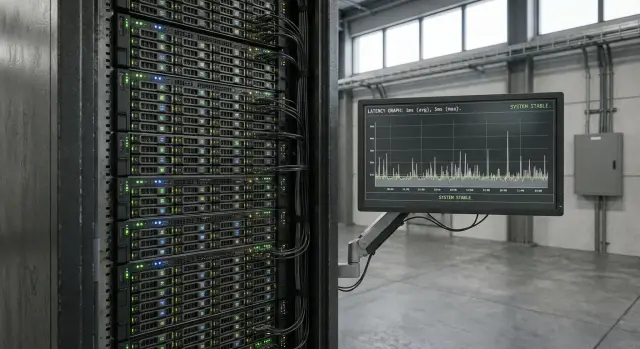
Why registries can stall even on a powerful server
Registry databases often run OLTP workloads: many short operations that must finish quickly and predictably. So even a “top-tier” server can produce slow queries if the bottleneck isn’t core count but latency at each step of a transaction.
Typical picture: average response time looks fine, but occasional spikes appear. A user sees a record open in 200–300 ms, then suddenly in 3–5 seconds. Usually this isn’t CPU load but waits: disk reads, transaction log flushes, locks, contention for memory.
Signs that the problem is latency and “narrow places,” not lack of CPU:
- fast queries sometimes “hang” for seconds;
- transactions take long to commit even at low load;
- the I/O and lock wait queues grow;
- response time “floats” during the day without an obvious cause.
It’s important to distinguish a registry from reporting and analytics. Analytics likes wide scans and parallelism — extra cores often help. A registry, however, hits fast single reads, stable log writes and minimal pauses from contention.
Reliability matters as much as speed. One power failure, a memory error or a failed disk can cause rollbacks, long recovery and downtime that are more noticeable than any millisecond gain. When choosing hardware look at predictable latency and fault tolerance (ECC, redundancy, proper controller behavior). For government and large organizations these requirements are often specified up front; system integrators like GSE.kz typically start with latency and failure scenario analysis, then pick the configuration.
Where to start: which latencies you should actually measure
Before buying a server for registry databases, agree on what you call “slow.” Registries almost always suffer not from "power" but from latency at narrow points: CPU, memory, disks, network, transaction locks and log writes.
Start with metrics that reflect real user experience. Average response time can deceive: it may be “normal” while requests hang for a second once a minute. Tail latencies matter more: p95 and p99 for response time (or key operations). If p99 is high, the system feels unstable even with a good average.
Break latency down by layers to know where to dig:
- p95 and p99 response times by operation type (read, write, search, update);
- disk latency (especially writes), IOPS and queue depth;
- lock waits and commit time;
- CPU load and percentage of time waiting for I/O (iowait);
- network latency and packet loss between app and DBMS.
Short example: a registry performs many small transactions with frequent commits. Average request is 30 ms, but p99 jumps to 800 ms at peak hours. Often the cause isn’t cores but the transaction log writing to a slow volume or being limited by the disk queue. Some requests wait for the write to finish and users see stalls.
Ask your dev and ops teams: average transaction size, commit frequency, peak times (by hour or events), which operations are critical, and acceptable p95/p99. These answers guide metrics, tests and hardware discussion.
CPU and NUMA: when "more cores" doesn’t speed things up
Many registries are limited not by core count but by how fast a single core executes a short sequence of operations. For these workloads clock speed and IPC (work per cycle) matter more than thread count. This is especially true with many short queries, locks, indexes and active transaction logs.
NUMA adds another risk. On dual-socket (and sometimes single-socket) systems memory is split into nodes. If the DBMS runs on cores of one node while data resides in memory on another, some accesses traverse an interconnect and become slower and less predictable. On graphs this shows as rare but painful response spikes.
Aggressive power saving can also harm stability. Turbo modes and deep C-states save energy but sometimes cause frequency jitter and micro-pauses on wake. For registries that need even latencies it’s often better to fix a predictable CPU mode.
To keep the server fast and steady, allocate resources by role:
- cores for main DBMS worker threads and separate reserve for background tasks (vacuum, backups, replication);
- memory pinned to the NUMA nodes where DBMS threads run;
- dedicated resources for transaction log and disk servicing so they don’t "steal" CPU time.
Example: after adding a second CPU requests didn’t speed up but spikes appeared. Cache ended up on the other NUMA node. Fixing process and memory affinity restored steady response without buying extra CPUs.
Memory: capacity, ECC and speed as the basis of steady response
RAM size affects not average latency but worst-case tail latencies. When working data and indexes fit in the DBMS cache and OS file cache, queries are served from memory. If RAM is insufficient, disk reads start and even fast NVMe causes a noticeable increase in p95 and p99, especially under parallel load.
ECC is important for registries where the cost of an error is high. Silent bit flips are rare but can corrupt a page, produce odd query results or crash processes. ECC doesn’t replace backups and replication, but it reduces surprise failures and makes behavior more predictable.
Memory speed and channel population affect peak latencies when the server hits RAM bandwidth limits. If you populate few modules and leave channels empty you lose throughput. In real workloads this shows as sawtooth latency during bursts of writes, index recalculations or large scans. It’s better to choose modules to match the platform rather than adding random sticks later.
To estimate capacity:
- estimate the working set: the most frequent tables and their indexes that should stay in memory;
- add DBMS buffers and OS needs (plus room for connections and background tasks);
- allow growth for 12–24 months and headroom for peaks;
- check slot and frequency limits for future upgrades.
Example: a registry with active records for the last six months and heavy indexes. While these fit in RAM, searches and updates are fast. When indexes are evicted, queries incur random disk reads and latency jumps. Often ECC memory in full-channel configuration helps more than a couple of extra cores.
Disks and storage: the main cause of slow queries
In registries slowdowns usually begin in storage, not CPU. A query can be simple, but if it waits on a disk you’ll see long pauses and floating response times even on a multi-core server.
The biggest difference is latency. SATA SSDs are usually faster than HDDs, but for latency and concurrency they often lag NVMe. Class of drive matters: consumer SSDs can show sharp drops under sustained writes; server drives deliver stable latency and predictable behavior. For a registry predictable latency usually matters more than peak MB/s.
A practice that often helps: separate the transaction log and data. The log (WAL/redo) is constant synchronous writes and needs minimal latency. Data and indexes have different patterns and need steady behavior under mixed load.
Typical layout:
- transaction log on a separate fast NVMe;
- data and indexes on another pool or set of drives;
- temp files and sorts on their own devices so they don’t impact the log.
RAID and controllers also affect latency. A write-cache controller with power-loss protection (battery or supercapacitor) in write-back mode can greatly reduce write latency. Without PLP write-back is unsafe: a crash may lose acknowledged operations and corrupt consistency.
Check write endurance (DWPD) and power-loss protection. For registries with many small writes a low-DWPD SSD may wear out quickly, fail or throttle. Example: the system runs fine by day, but in the evening latency increases—not because of load, but because a drive is overheating or throttling from wear.
If you build servers (for example, racks for DBMS and registries), ask the vendor for a clear scheme: which devices for logs, which for data, write mode and power-loss protection.
Reliability: what must keep working during failures
For registries predictability matters. Even a great server is pointless if one failure stops the system for hours or worse, corrupts data.
What should survive without service interruption?
Start with: which components must keep working when hardware fails. Usually this includes the boot disk and DBMS logs so the server can start and the DBMS recover quickly, main data storage, power supplies and at least one application node.
Practical baseline:
- mirror (RAID 1) for the system volume and logs so the server boots and DBMS recovers after a disk fault;
- a separate array or volume for data where stable latency matters more than raw capacity;
- a standby node (hot standby or second server) if downtime for hardware replacement is unacceptable;
- dual power supplies and a sane power scheme, since power failures happen more often than imagined.
RAID helps with disk failure but not admin errors, logical corruption or malware. So RAID is not a substitute for backups. Backups must be restorable, not just “somewhere stored.”
Replication and clustering: they reduce downtime, not latency
Replication and clusters mostly reduce downtime: you can failover to another copy while the primary is repaired. They rarely fix low-latency problems: if queries are slow due to disks or bad indexes, replicas will be slow too.
Agree two figures with the business. RPO — how much data you can afford to lose (e.g., 5 minutes). RTO — how fast the system must be back (e.g., 30 minutes). These affect choices: are nightly backups enough, is replication needed, do you require a second node in the same DC.
If you buy servers and support in Kazakhstan, check how fast spare parts and on-site service are available so your RTO isn’t only theoretical.
Network and communications: keep latency from "floating"
Even a powerful DB server can be made unpredictable by the network. The problem isn’t raw throughput but jumps in latency due to congestion, switch queues, port errors or traffic taking different paths (e.g., some requests via one switch, others via another).
A simple discipline often helps: separate flows so they don’t interfere. If clients, replication and backups share one network, a nightly backup can easily cause queues and jitter, producing “sudden” slow queries during the day.
Practical minimum checks:
- separate network (or VLAN) for client requests;
- separate network for replication and control traffic;
- separate network for backups;
- consistent routing and link speed for all cluster nodes;
- check for port errors and drops (even rare ones).
When to consider 10/25/40/100GbE? If the DB actively writes and reads (replication, backups, ingests) gigabit can be a bottleneck not by average traffic but by peaks: short bursts create queues and latency spikes. In such systems stability matters more than peak — predictable 1–2 ms is better than rare drops to tens of ms.
Example: the registry is fast by day but when a backup starts at midday rare timeouts appear. Moving backup traffic to a separate interface and upgrading to 10GbE often smooths responses without changing servers.
DBMS and workload: hardware can’t fix basic design issues
Even the most expensive server won’t help if queries constantly contend with each other. A frequent cause of slow response is locks and contention for the same rows or tables. This happens when the application updates records in different orders, keeps transactions open too long or performs bulk writes at peak times.
Indexes and statistics often yield more improvement than a CPU swap. Without proper indexes the DBMS performs extra reads, and stale stats lead to bad plans. In registries this shows up on multi-field searches, date filters and reports that suddenly scan large table portions.
Transaction size and commit frequency hit the log and I/O directly. Small frequent commits increase log pressure and create ragged latencies. Huge transactions increase locks, recovery time and the risk of long pauses.
Another trap is connections. If each request opens a new connection or the pool lacks limits, the server may get hundreds of sessions and waste time on context switching and waits.
Minimum checks before buying new hardware:
- find top queries by time and by frequency;
- check indexes and up-to-date statistics;
- measure transaction durations and lock wait portion;
- configure a connection pool and hard parallelism limits;
- identify operations that can be moved to background and batched.
Example: a registry updates a status table during the day and runs a full read report at night. During the day locks increase, at night I/O and queue lengths spike. Fixing an index, moving heavy work out of peak hours and tuning the connection pool often beats adding cores.
If you procure servers through GSE.kz, ask for workload-based lab tests, not only synthetic benchmarks.
Step-by-step approach to picking a configuration without guessing
People buying registry DB servers usually err not in CPU model but by buying “moderately powerful” without understanding which operations matter. To avoid guessing follow this plan: measure, design, verify.
First describe the registry’s daily workload: key lookups, bulk updates, package uploads, report generation, nightly reconciliations. For each operation define acceptable response time and the number of concurrent users or jobs.
Don’t rely on averages. Capture p95 and p99 and correlate with load: CPU peaks, memory pressure, disk queues, network pauses. Slowness often appears as short spikes visible in p99.
Practical steps:
- profile the load: critical queries, data size, growth and maintenance windows;
- record current p95/p99 and signs of the bottleneck (CPU, RAM, I/O, network);
- choose hardware for the bottleneck: ECC memory with headroom, NVMe for active data and logs, a clear RAID for drive failure, and redundant networking;
- separate roles: data apart from transaction log, backups not on the same disk, plan replication and monitoring from the start;
- run load tests and agree on target metrics before mass purchase.
Small example: if p99 drops during mass updates and disk queue grows, adding cores won’t help. Moving the transaction log to a dedicated NVMe and preventing backup competition during working hours will.
If you buy servers and support in Kazakhstan, it’s convenient when vendor and integrator can assemble, test and maintain the configuration under SLA. That reduces the risk of the registry depending on a single “lucky” tuning.
Common mistakes when choosing servers for registries
The most frequent mistake is buying a server “by cores and gigabytes” without understanding where latency originates. Registry workloads often bottleneck on disk, transaction logs and small pauses from power management, not on computation.
A typical scenario: choose a powerful CPU, a large RAID of HDDs or “general-purpose” SSDs and expect fast responses. But the transaction log writes small blocks and needs stable low latency. If it shares the array with data and background tasks, peak latencies become application stalls.
Common operational issues:
- data and transaction log share storage without write priority, and background jobs crush interactive requests;
- choosing drives by average speed rather than 99th-percentile latency (critical for NVMe and logs);
- leaving power-saving defaults: CPU enters deep C-states, frequency jumps and response becomes uneven;
- not tuning the OS or hypervisor I/O scheduler, creating unnecessary I/O queuing;
- doing backups “for the record” but never testing restores at realistic volume and time.
Another frequent mistake is ignoring growth. Registries grow not only in size but in IOPS, backup duration and index rebuilds. Without headroom for space and maintenance windows, the system becomes “slow for no visible reason” a year later.
Quick checklist before purchase and deployment
Before ordering a registry server specify what you want to improve. “Faster” without numbers usually ends in a post-deployment dispute.
Agree metrics: target p95 and p99 response times, acceptable downtime, and RPO/RTO. This filters out irrelevant configurations and clarifies the price of reliability.
Then test hardware by latency and fault tolerance rather than core count:
- CPU: performance on your queries; high clock often beats extra cores; fewer sockets can give steadier latency; plan for NUMA and reserve for peak windows (reports, bulk loads).
- Memory: enough capacity with growth headroom; ECC only; modules populated by channels to avoid bandwidth loss.
- Drives: NVMe for hot data and logs; check write endurance (TBW/DWPD) and power-loss protection to avoid long recovery after failure.
- Reliability: mirror where needed, plan for disk/BPS/fan failures and document restore procedures—don’t just schedule backups.
- Infrastructure: network bandwidth for replication; monitoring of latency (disk, network, CPU) and event logging to find root causes.
Practical test: run a typical heavy query until the system nears peak. If p99 jumps, storage or NUMA is usually the culprit, not "too few cores."
Case study: reduce latency without overbuying hardware
Typical case: a corporate or government registry with morning peaks (mass checks, certificate issuance) and month-end peaks (closing periods, reports). On paper everything is fine: many cores and enough RAM, but users report rare "hangs." Queries are usually fast but sometimes 10–30x slower.
Analysis almost always points to storage, not CPU. The p99 collapses because the transaction log (WAL) and data share the same volume, producing I/O queue growth. Simple operations then wait on disk.
Fix applied: move the WAL to a separate fast NVMe, keep data on another volume, and separate temp files and backups so heavy operations don’t affect production. On the server set the performance power profile and verify NUMA: bind DBMS processes and memory to reduce cross-socket traffic.
Result: average response changes little, but p95 and p99 become much steadier and morning peaks pass without stalls. At the same time you get a clear reliability plan: what happens if one drive fails and how fast to recover.
To prove effect, agree on before/after metrics:
- p95 and p99 response times and commit times;
- read/write latencies and disk queue depth;
- checkpoint frequency and WAL volume;
- RTO/RPO and restore time on a test.
Always run a recovery test on a copy: if restore takes hours, that’s a latency too—just at the worst possible time.
Next steps: move from selection to a working system
To avoid a server that’s “fast on paper” start with verifiable requirements. Fix target latencies for typical operations (record read, key search, bulk load) and decide which percentiles matter: p95 and p99 are usually more honest than the mean. Also specify reliability: acceptable downtime, recovery time and expected growth in 3–5 years.
Then agree the architecture. Sometimes a single server with good storage and memory gives better response than a complex weak cluster. If downtime is unacceptable decide where redundancy is needed: power, drives, a second node, separate site or replication.
Before purchase run a pilot with similar data and queries. Measure not only “is it faster” but how the system behaves on failures:
- run load tests and capture p95/p99 for key operations;
- test recovery: disk failure, reboot, failover to standby;
- measure backup and restore times at target volume;
- ensure monitoring covers CPU, memory, I/O, network and DBMS latencies;
- freeze the configuration and results to avoid debates based on impressions.
If local supply, service and timelines in Kazakhstan matter, discuss options based on GSE S200 Series and system integration with 24/7 national support. That reduces the risk of “hardware exists but no one is responsible.”
Final step—an operational manual. It should include maintenance windows, access rules, backup schedule, restore tests, alert responses and clear RTO/RPO. Then the chosen configuration becomes an operational system, not a one-off project.
Frequently asked questions
Why can a registry be slow on a powerful server when CPU is barely loaded?
Most often a registry bottlenecks not on CPU, but on waits: transaction log writes, random disk reads, transaction locks, I/O queues, and spikes caused by NUMA or power-saving. So the CPU can be idle while users still see multi-second pauses.
Which metrics should I measure first to find the bottleneck?
Focus on p95 and p99 response times for key operations rather than the average. Also check commit time, disk write latency, I/O queue depth, lock wait time and network latency between the application and the DBMS.
When does "more cores" not speed up a registry?
For short OLTP operations single‑core performance and stable frequency matter more than a high core count. Extra cores only help when queries truly parallelize and there is no bottleneck in the log, disk or locking.
What is NUMA and how does it cause latency spikes?
NUMA means processors have "local" memory and accessing another node’s memory is slower and less predictable. If the DBMS and its memory are distributed poorly, you’ll see rare but painful p99 spikes even though average latency looks fine.
Why does a registry need a lot of RAM and why is ECC important?
If working data and indexes don’t fit in RAM, the system shifts to disk reads and tail latencies grow sharply. ECC reduces the risk of silent memory errors that can corrupt pages, crash processes or require heavy recovery—risks that are usually far worse than a few lost milliseconds.
Why are disks usually responsible for slow queries?
The most common scenario is the transaction log sharing the same volume with data, competing with normal reads/writes and background tasks. Move the log to a separate low-latency device and keep data and temp files on their own volumes so log writes don’t sit in a queue.
How do I choose SSD/NVMe for a registry so I don’t see slowdowns after a few months?
Look at latency and stability under sustained writes, not only MB/s. For registries you need predictable response, write endurance (TBW/DWPD) and power-loss protection. Consumer SSDs can degrade under constant small writes and frequent commits, causing big slowdowns after months.
What basic reliability scheme does a registry need to avoid hours of downtime?
At minimum, survive a single disk or power supply failure without taking the service down, and have a recovery procedure that meets your time requirements. RAID protects against disk failures but not logical mistakes or ransomware; reliable, tested backups and restore procedures are mandatory.
How can the network spoil DB latency and what should I check first?
Network causes instability via queuing, port errors and mixing traffic types (client, replication, backups) on one link. Often separating traffic by VLAN/interface and moving heavy backups off the production network is enough to smooth responses.
Where should I start choosing server configuration for a registry to avoid guessing?
Agree target p95/p99 for operations and RPO/RTO, then profile load to find which wait causes the tail. Choose hardware to address the bottleneck (ECC RAM with headroom, NVMe for logs and hot data, clear RAID strategy, redundant network) and validate with load tests on your actual queries and data.
