6 min read
Registering equipment as assets: what data IT should collect
Registering equipment on the asset register: which fields IT should collect in advance (serial numbers, configuration, warranty) and where to get them so accounting can quickly record fixed assets.
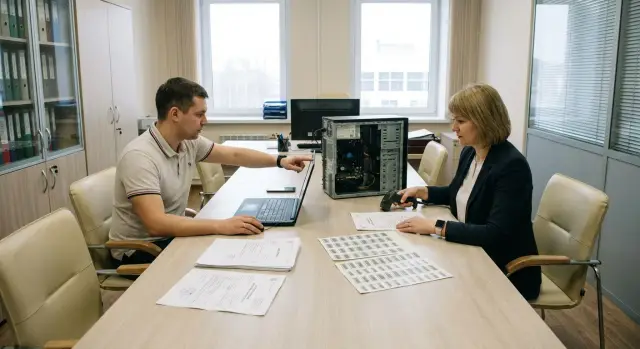
Why IT should prepare data before accounting arrives
Putting equipment on the books in simple terms means officially registering it as an institution’s property. Each item gets a record, value, date, place of use and a responsible person. Without this, equipment is often formally considered “not accepted,” even if it’s already on desks and working.
IT is often brought in too late: equipment has been delivered, documents signed, users are waiting, and accounting asks for data that no one collected. As a result IT scrambles to find serial numbers on cases, checks contents against boxes and confirms warranty details with the supplier. Days are lost.
It’s important to distinguish acceptance from commissioning. Acceptance answers “was this actually delivered to us,” while commissioning and asset registration answer “we recorded it, assigned responsibility and can move, repair and write it off according to the rules.” If the second step stalls, everything else stops: inventory numbers, assignment to rooms, normal support.
Typical delays are almost always the same: missing serial numbers and exact models for each unit, supplied contents that don’t match documents (for example different RAM or SSD), no warranty and service details, unclear where the device is installed and who is responsible for it.
Example: a batch of PCs and monitors arrives at a school. IT quickly sets up workstations, but accounting won’t record fixed assets until they see a table in the format “unit – serial number – contents – price.” If those fields are collected in advance, the entry takes hours, not weeks, and there’s no “return the equipment until paperwork is done” situation.
What data is needed for asset registration: minimum and optional
To avoid asset registration stalling on clarifications, IT should collect a set of fields that accounting will enter as fixed assets. If some data is missing, the process usually pauses until the supplier, MTO or acceptance commission replies.
Minimum: to create the asset record
The minimum set is defined by accounting (often together with the acceptance commission), but IT can prepare the technical parts in advance. Usually an item won’t be created without these fields:
- object name and type (PC, server, MFP, etc.)
- manufacturer, model, serial number (from the label and, if needed, from BIOS/UEFI)
- acceptance date and supporting document (invoice/act, contract)
- cost and quantity (per supply line)
- materially responsible person and place of use (room/department)
Agree in advance who and when assigns the inventory number. In some institutions accounting does it, in others MTO follows internal rules. IT should in any case record the link “inventory number – serial number.”
Optional: what saves time later
Extended fields are not always mandatory for the first entry, but they greatly help with support, moves and write‑offs. They’re easier to collect right away while the equipment is at acceptance and labels are present.
Typically these include: full contents (what was included and in what quantity), key specs (CPU, RAM, storage), MAC addresses of network interfaces, warranty details (term, start date and rule for when it begins), service details (where to contact and under what procedure), and a note about preinstalled software or image.
Roles are easier to split like this: accounting sets the mandatory minimum for records, MTO is responsible for initial checks and quantity discrepancies, IT handles identification and technical parameters, the commission confirms correspondence with the delivery. Documents won’t be returned because the same fields are filled in different formats.
Identification fields: what exactly to record for each unit
Create a card for each unit with the same fields. The rule is simple: one field = one meaning. Then accounting won’t have to guess what you meant by “number.”
Object name should be identical in all files and documents: type + brand/series + key attribute. For example: “PC system unit, L200, 2nd generation” or “Server rack, S200.” Don’t use “Computer 1” or “New monitor.”
Model, part number, SKU often appear together but are different. The model is usually on the label and in the product manual. Part numbers and SKUs are typically in commercial documents (specification, invoice, packing list) and procurement systems. In the registry it’s better to store them separately: model for physical identification, part number/SKU for matching the supply.
Serial number should be recorded from the case (and when necessary confirmed from BIOS/UEFI):
- PC and server: label on the case, sometimes a service tag
- monitor: sticker on the rear panel
- MFP/printer: sticker on the case or inside a service cover
If there are different number types (SN, service tag, factory number), standardize them in one notation: “type + value” (for example, SN: XXXXX, ServiceTag: YYYYY).
Price, quantity, currency and unit of measure typically come from MTO (invoice, specification, contract). IT should verify that “1 pc” in the documents actually corresponds to one physical unit, not a kit of several items.
Contents and composition: how to describe to avoid disputes later
A frequent cause of disputes during entry and subsequent checks is uncertainty about what counts as one accounting object and what is a separate line. IT should agree rules with accounting in advance and record them consistently across supplies.
If the system unit, monitor, keyboard and mouse were purchased as one kit and appear as a single line (e.g. “PC assembled”), describe the composition in the asset card. If each part is a separate line in the documents, or components have different warranty terms, it’s usually simpler to create separate asset records.
How to record the supply composition
What matters here is reproducibility, not elegance: a year later it should be clear what was delivered originally. It’s enough to record:
- list of components and quantities
- key specs (CPU, RAM, storage, and GPU if needed; for monitors — diagonal and panel type)
- serial numbers for components that have them (monitor, UPS, sometimes the drive)
- a flag “single kit” or “separate assets”
- data source (invoice, specification, product passport, label on the case)
Don’t hide component serial numbers in a long comment. Enter them as separate lines within the composition even if they are not separate accounting objects. This simplifies reconciliation during inventories.
Options and replacements after registration
If you add RAM, SSD or a GPU after asset registration, record it as a composition change: date, justification (request/act), what it was and what it became, and who performed the work. Then the upgrade won’t look like an “error in the original data.”
Warranty and service: fields that save time when things break
After registration, any failure quickly turns into a chain of questions: is it a warranty case, where to send a request, where the device is located and who is responsible. These answers are best included in the asset card from the start.
Warranty term alone says little without the start date. It may start from delivery date, acceptance act, commissioning date or sale date (per manufacturer documents). So record not only “12/36 months” but also the rule for when it begins.
A practical set of fields per unit:
- warranty: term, start date, end date, start condition (which document defines it)
- documents: invoice/act number and date, warranty card number (if any), where scans are stored
- service: who accepts requests (manufacturer, supplier, service partner), contacts, working hours, address for drop‑off
- contractual terms: 24/7 support, response times, repair deadlines, loaner equipment (if specified in the contract)
- bindings: serial number, inventory number, installation location, responsible person
The link “serial number + installation location + service contact” is particularly useful: it makes it quicker to open a request and attach the right documents.
Documents and data sources: where IT gets each field from
To avoid repeated clarifications, agree in advance which document each field comes from. Then accounting sees a clear set of primary documents, and IT can quickly confirm where serial numbers, composition and cost were taken from.
Price, nomenclature and supplier details usually come from the contract, specification and invoice. The tax invoice (if applicable) resolves questions about sums and VAT. If the specification lists models too generically (for example just “PC”), request a breakdown from the supplier: model, configuration, quantity, serial numbers (if available at shipment).
Acts are needed to record receipt and conformity with the supply. In practice, the acceptance certificate and the commissioning act are most often used: the first confirms that the equipment was received and checked, the second that it was put into use and assigned.
If regulations require a commission, find this out before acceptance. The commission protocol and the commissioning order are often needed to formally fix a kit composition (for example PC + monitor + UPS as a single kit) or when internal rules require a separate decision.
For public procurement and audits it’s useful to collect product passports and certificates (compliance, origin, quality) in advance. Local manufacturers and integrators, including GSE.kz (gse.kz), usually provide these documents as part of the supply. Attach them to the batch card so you don’t have to gather them later on request.
To avoid version chaos, create a single storage location and a simple naming rule: a folder per shipment (date, contract number, supplier), inside — primary documents, acts, manufacturer documents. One file registry (what it is, date, version, who uploaded it) noticeably reduces “send another scan” requests.
Location and responsible parties: so inventory doesn’t get lost
Even with perfect documents, equipment begins to “disappear” after installation: it’s moved to another room, the user changes, it goes to repair. Capture the link to location and responsible people right away.
Minimum fields per unit:
- installation address: building (block), floor, room, department
- materially responsible person (MRP): full name and position (per order)
- user: full name and position (if different from MRP)
- inventory number: number, date assigned, who assigned it
- labeling: where the tag is placed and what is on it
Separate “user” and “responsible person”: users change often, MRP is usually tied to a room or department.
Agree when the inventory number will be assigned. IT should not stick tags “as they come”: wait for the final number and record it in the registry the same day.
Movements between rooms should not live in email threads. A short rule is enough: any move = request (or memo), date, old location, new location, who handed over and who accepted.
Step‑by‑step process for IT: how to prepare data before acceptance
It’s easiest to prepare data before equipment arrival and only confirm and fill missing fields at acceptance.
- Before delivery, agree a template of fields with accounting: what’s mandatory for asset registration, what the commission requires, and the format for dates, numbers and names.
- Define a single format: how models are written, how serial numbers are recorded, how the link to inventory number is stored.
- At acceptance, make quick confirmations: photo of the label, photo of the box with markings, a note on completeness. This helps if a label fades or boxes go to the warehouse.
- Fill the template for each unit, not “by batch.” After filling, check for duplicate serial numbers or identical rows.
- Give accounting and the commission a single package: the data file plus scans of documents (invoices, receipts, warranty cards, acts). For each line it should be clear where the information came from.
Common mistakes that cause accounting to stop the entry
Entry is most often stopped when IT data doesn’t match the supply documents. Then accounting cannot confirm what was actually accepted.
Typical problems:
- serial number recorded with errors (0 vs O, 1 vs I, extra spaces, missing hyphens)
- serial numbers of kit components mixed up (the monitor’s SN recorded in the system unit card and vice versa)
- no clear specification of kit contents (unclear what counts as the asset and what to write off on replacement)
- warranty recorded “by word of mouth” without documentary proof
- different devices merged into one asset without agreement (for example different‑spec PCs treated as a single kit)
Simple discipline helps avoid repeated returns: capture serial numbers by photo, record system unit and monitor separately, attach a compact specification of characteristics, record warranty only from a confirmed source and agree in advance what counts as one accounting object.
Short checklist before handing data to accounting
Before sending data, check five points:
- Batch reconciliation: each unit in the registry appears in the invoice and specification, quantities match.
- Identification: serial numbers are confirmed by label photo and recorded in a single format.
- Description: contents and specs are described consistently across the batch.
- Documents: contract, invoice, acts, specification and manufacturer documents are collected in one place.
- Operation and service: each unit has an installation location and responsible person, plus confirmed warranty and service contact details.
Practical example: how to process a batch of PCs without delays
A school receives a shipment: 30 system units and 30 monitors for a computer lab. Equipment needs to be installed quickly, but accounting must register everything as assets without returns.
A few days before acceptance IT prepares a template table with 60 rows (each unit separately) and a short on‑site acceptance sheet. Roles are distributed in advance: who records serial numbers, who checks contents, who notes room assignments.
Serial numbers are not collected “in bulk.” The rule is: device in hand — row completed — label checked. For contents, make a short note: what was in the box and what went immediately to the room.
IT then links each unit to a location: room, workstation number and responsible person. A month later this saves hours when searching for a specific monitor by serial number.
Accounting receives the file and document scans at once, creates cards without back‑and‑forth, and IT has a tidy registry for support.
Next steps: how to embed the process and reduce manual work
To avoid asset registration becoming a crisis, lock in a simple standard: the same fields, one format, one data owner.
A minimal set of rules that can be implemented quickly:
- approve a field template (minimum for asset entry + extended fields) and make it mandatory for every delivery
- adopt uniform naming rules (model, department, installation location) and restrict free text where a fixed format is needed
- split responsibilities: IT collects technical fields, MTO/warehouse records completeness, accounting confirms accounting details
- make data collection part of acceptance: no filled template — package is not considered complete
- agree the data format with the supplier in advance: a list of devices with model, serial number, configuration, warranty term and service contacts
If equipment is supplied by GSE.kz, it makes sense to request specifications and data lists for PCs, all‑in‑ones and servers in advance. This simplifies preparing the template and closing the entry without excessive manual copying.
Frequently asked questions
What should IT collect first so accounting can record equipment as assets?
Prepare the data right at acceptance while boxes and labels are still present. The usual minimum includes name, manufacturer and model, serial number, supporting document and acceptance date, the cost per line, place of use and the materially responsible person. If these fields are collected for each unit, accounting will create asset cards without extra requests.
What is the difference between equipment acceptance and commissioning/asset registration?
Acceptance confirms that the equipment was actually delivered and matches the documents. Commissioning and recording as assets fix where the device is located, who is responsible, its inventory number and how it can be moved, repaired and written off. If the “commissioning” stage is delayed, inventory numbering, support and inventories all stall.
How to record serial numbers correctly to avoid errors later?
Read the serial number from the label on the case and, if in doubt, verify it in BIOS/UEFI or by service tag. Capture it by photo so you don’t mix similar characters (0 and O, 1 and I). Use a single recording format in the registry, for example with a prefix showing the number type, so accounting clearly understands which identifier you provided.
Who should assign the inventory number and what should IT do?
Agree on the rule in advance: in some organizations the inventory number is assigned by accounting, in others by MTO/warehouse under internal rules. For IT it’s important to immediately record the link between inventory number, serial number and installation location. Then during repairs and inventories there’s no guessing which physical unit is in the records.
When should a PC and a monitor be treated as one asset and when as separate fixed assets?
Follow how the supply is documented and what you agreed with accounting. If “PC assembled” is a single line in the documents, record its composition in the asset card so it’s clear what was included originally. If the monitor, system unit and peripherals appear as separate lines or have different warranty terms, it’s usually simpler to create separate asset records.
Do I need to give accounting MAC addresses and technical specs, or is that just for IT?
MAC addresses, CPU/RAM/SSD configuration and image or preinstalled software help IT with support and replacements, but they are not always required for initial accounting entry. It’s worth collecting them at acceptance because some data later can be hard to recover without disassembly or system access. Accounting may find these fields useful to distinguish similar models within a batch.
How to record warranty correctly so it’s easy to check later?
Record not only the term but also the rule for when it starts: from delivery date, acceptance act, commissioning date or the manufacturer’s sales date. Without this the same “36 months” can be counted differently and disputes arise. It’s better to fix the start date and the source used to determine it.
Where should supporting documents be stored so they aren’t collected again?
Keep a single storage location per shipment: contract, specification, invoice, acceptance acts, product passports and warranty documents. In the registry for each unit indicate the document numbers and dates so accounting doesn’t have to search through correspondence. This is especially important for audits and for quickly opening a service request.
What to do if RAM/SSD or other configuration was changed after asset registration?
Record upgrades as changes to the configuration with a date and justification, not as an “error correction.” That way it’s clear what configuration existed at commissioning and what was added later (RAM/SSD/GPU). This reduces inventory disputes and helps IT know the current configuration of a specific unit.
What to do if IT data doesn’t match the invoice or specification and accounting stopped the entry?
First check for a recording mistake: serial numbers are often confused because of characters and spaces, and components are mixed up because of similar names. Then document the discrepancy in an acceptance note and ask the supplier for an updated specification or confirmation of any replacement. If the equipment is from a local manufacturer or an integrator such as GSE.kz, you can usually get a list of models and serial numbers for the batch and close discrepancies faster without manual data recovery.
