6 min read
Red Hat vs SUSE: Comparing Server Subscriptions by Key Criteria
We compare Red Hat and SUSE server subscriptions: sockets vs cores, guest VMs, repositories, SLAs and version lifecycles to help you choose.
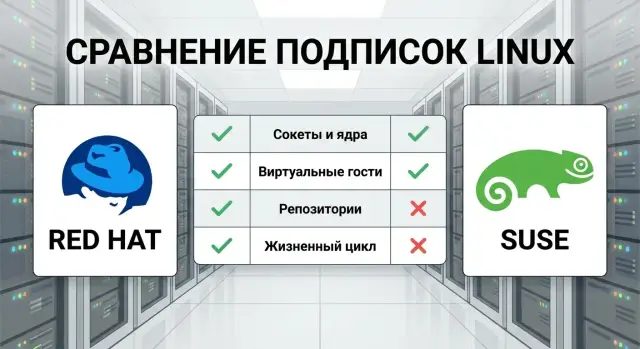
What to compare in subscriptions, and why it matters
Comparing only the sticker price of Red Hat and SUSE subscriptions is almost useless. The same number on an invoice can mean very different things: some vendors count sockets, others count cores; some include guest VMs, others charge separately. What looks cheaper at first may become more expensive over time.
You should compare subscription and support terms for your scenario: how many physical servers and VMs you have, whether you run a cluster, which updates you need and how long you plan to stay on one version.
Different teams ask different questions. Procurement needs to know exactly what is bought and how it scales. Admins need access to the right repositories and updates. Security teams care about patch speed, support lifetime and post-EOL options.
A mistake here costs real money: unexpected purchases, audit delays, or even downtime if updates or support are unavailable when needed.
The criteria below are simple and checkable: accounting metric (sockets or cores), rules for guest VMs and clusters, access to repositories and update channels, version lifecycle and support level.
Key terms: avoid confusion over names and packages
In "Red Hat vs SUSE: server subscriptions" people more often get confused by terms than by prices. The same concepts are called different things: subscription, entitlement, access to updates, support level. Agree on terms first to make comparisons easier.
A subscription usually has two layers: the legal right to use a set of products and the practical part — access to updates and support. The term entitlement often appears — a unit of the right that "covers" a server or virtual environment according to vendor rules.
In short:
- Subscription: a bundle of rights and services for a period (often 1 year).
- Support: engineer assistance, incident handling and response levels.
- Updates: security fixes, bug fixes and package updates.
- Entitlement: the licensing unit (sockets, cores, hosts, etc.).
In virtualization two terms matter: host — the physical server with a hypervisor; guest VM — a virtual machine on that host. Licensing may be by host, by guest, or follow cluster/migration rules.
Repositories are sources of packages and patches. Always check which repos are available by default, which are separate channels, and what remains available after the subscription ends.
Version lifecycle is the support calendar. EOL (end of life) means official fixes and patches stop. That affects budget and risk: staying on an old version may require paid extensions, special update channels, or a migration project.
Criterion 1: sockets and cores — how to count a server correctly
A common error in enterprise Linux subscriptions is misunderstanding the "unit of account." There are three typical approaches: per host, per CPU socket, or per core. The same hardware can lead to very different costs under each rule.
Example: one server with 2 CPUs, 16 cores each. If counted by sockets you pay for 2 sockets regardless of cores. If counted by cores you pay for 32 cores and a CPU upgrade will almost always change the calculation.
Upgrades are a renewal risk. Today you have 2x16, next year you add 2x24 CPUs. With core-based accounting the number of licensed units rises even without adding servers. Even with socket-based models check for limits: commercial terms may cap cores per socket or restrict CPU types.
Before comparing prices, confirm the commercial offer: the unit of account, what counts as a "server", what happens if you replace CPUs or increase cores, and whether licenses are bound to specific hardware or allow transfers.
A practical tip: keep an inventory and update it before renewals. Usually model, sockets, cores, role (host, database, app) and upgrade plans are enough to make comparisons factual rather than approximate.
Criterion 2: guest VMs and clusters
In virtualization you can easily overpay or lose support at the worst moment. The key question: is the subscription for the physical host (where the hypervisor runs) or for each guest VM?
If you have many small VMs it’s often cheaper to license by host: you cover physical servers rather than each VM. But for a few large VMs that rarely migrate, per-VM licensing can sometimes be more sensible.
Clusters and VM migration change the picture. If VMs can move between nodes, subscriptions usually must cover all hosts where a VM may land — including standby nodes. That includes a node that’s idle most of the time but will take load during an outage.
About DR sites: even if used rarely, clarify whether hosts there need continuous subscriptions or can be covered temporarily. Terms depend on whether the DR is cold or hot and where the load actually runs.
Ask before buying: is there a limit on VMs covered by a host subscription, is migration allowed without recalculation, which hypervisors are supported (KVM, VMware, etc.), do management and infra nodes need separate coverage, and how are powered-off VMs or templates treated.
Example: a 3-node cluster runs 40 VMs and any VM may move to any node. Plan coverage for all three hosts, not just the two "active" ones, or you risk being out of compliance during maintenance or failure.
Criterion 3: repositories, update channels and package access
The subscription price seems clear until you find that access to needed packages and updates is handled differently. This is one of the most practical criteria: repositories determine how quickly you close vulnerabilities and how easily you add features.
Base repositories usually contain the kernel, core libraries and standard server roles. Specialized components are often in separate channels: high availability (HA), storage, container tooling, drivers, or management modules. The base set covers typical tasks; specialized parts may require add-ons or higher subscription levels.
Differentiate security updates from functional updates. In enterprises you often want security fixes fast and functional updates in a controlled change window. Ask whether your subscription supports separate update policies.
Questions to ask: which repositories are available immediately, which require add-ons, which channels are needed for your stack (HA, storage, containers, backups), how to provide updates in an isolated network without internet, is mirroring allowed, and are there limits on internal cache servers.
Example: you run 40 VMs, half use containers and a couple of nodes are in HA. If the subscription only covers the base repo, container or HA packages may need a separate channel and increase costs.
Plan mirrors and caching. Typically one internal mirror per site or region, a whitelist of channels, clear rules on automatic vs scheduled updates, and a recovery plan after failure are sufficient.
If a system integrator deploys the environment, include the repository scheme and update policy in the project to make the subscription work in production, not just on paper.
Criterion 4: version lifecycle and update planning
Version lifecycle affects risk and total cost more than people expect. There are usually phases: full support, extended support (often paid and with fewer updates), and limited security-only modes.
Check dates for the specific OS version. RHEL and SLES have similar concepts but different details: standard support length, phase transitions, and extended support terms differ.
Staying near EOL is risky: fewer fixes, higher incompatibility risk with new hardware and software, and any change becomes an emergency project.
Minor releases come regularly. For you that means continuous testing: even without a major upgrade the kernel, drivers and library versions change.
Choose an update policy consciously: frequent small updates or rare large upgrades. The latter is easier to track but harder to migrate.
To plan updates and budget, fix: EOL dates for target versions, a test window for minor releases (e.g., quarterly), the window for a major upgrade (usually months), dependent systems (backup, monitoring, security agents, drivers), and rollback and contingency time for incompatibilities.
Support and SLA: what determines a subscription’s real value
The price itself says little. You buy not only updates but a predictable way to get help when a server fails or an update breaks a service. Treat support terms with the same care as accounting rules.
Support levels and response times
The main difference is schedule: 8x5 (business hours) or 24x7. More important are definitions of critical incidents, target response times and how compliance is measured.
Agree in advance: response and escalation times per criticality level, what counts as a “resolution” (advice, workaround or fix), who communicates with the vendor (your team or an integrator), holiday and timezone handling, available channels (portal, phone), and any log collection requirements.
Compatibility, drivers and security
Much work is not about "Linux itself" but about hardware and modules. Confirm whether your server model and controllers are supported, where driver/firmware responsibility lies, and who helps with new racks or GPUs.
Security: how quickly are vulnerabilities patched, what about third-party modules, and what to do if a critical fix is required but a full version update is impossible.
To avoid overpaying, separate prod and dev/test. Test environments often need a lower SLA if that fits internal rules.
Include service scope, responsibility boundaries (OS, hypervisor, hardware), incident reporting format and clear SLA fulfillment criteria in the contract.
How to compare subscriptions step by step
Comparisons fail when you lack consistent input: what you license, where it runs and what support you need. Use the same checklist for both vendors and record answers in one table.
Start with inventory. Not just "10 servers" but roles and criticality: database, virtualization, web, monitoring; prod or dev; DR. This reveals where 24x7 support is needed and where basic coverage suffices.
Then record accounting metrics: sockets and cores per host, standalone or clustered, number of guest VMs and migration frequency. If you don’t know whether licensing applies to host, guest or cluster, your comparison will be wrong.
A working scheme for numbers:
- Group infrastructure: prod, dev/test, DR, special nodes (hypervisors, clusters).
- For each group list: hosts, sockets and cores, average VM count, required response time.
- Mark required repositories and add-on components.
- Align chosen versions’ lifecycles with a 12–36 month plan.
- Calculate 2–3 scenarios (minimum, current, growth) and compare costs, downtime risk and admin effort.
If VMs migrate often, a "partial host coverage" scenario can look cheaper until rules kick in. Discuss calculations with an integrator who sees the whole architecture.
Example calculation: a small cluster and a few dozen VMs
Typical mid-size office: 2 physical virtualization servers in a cluster and 30 VMs. Six VMs run critical services (AD, mail, DB, monitoring); 24 VMs handle internal tasks (file shares, testbeds, small web services).
Assumptions
Assume each physical server has 2 sockets. That directly affects cost if the license counts sockets.
Decide how you handle a host failure. In a cluster with live migration, subscriptions should cover both servers fully, even if one seems standby. Otherwise, during an outage some VMs will run on a host without coverage.
Calculation logic:
- Count physical hosts: 2 servers x 2 sockets = 4 sockets to cover.
- Check guest VM rules: are guests included in host subscriptions or need separate licenses?
- For critical VMs consider a higher support level if subscriptions allow it.
- For non-critical VMs basic coverage with regular security updates is usually enough.
Repositories and update plan
Often you need more than the base OS repositories: cluster, storage, drivers, backup and sometimes DB or middleware channels. Differences show up in available packages, add-on rules and dependency handling.
To avoid upgrade emergencies, follow a rule: create new VMs on a current minor release and quarterly check how close your branch is to EOL. Track VM, role, OS version, criticality and planned migration date.
Common mistakes in choosing and renewing subscriptions
The costliest mistake is licensing "the hardware as-is" and forgetting servers change. You upgrade CPUs, cores increase, you add sockets — and the accounting model suddenly yields a different result at renewal.
Second trap: buy per-VM subscriptions without checking host, cluster and migration rules. Live migration or new hosts can leave parts of your infrastructure uncovered.
Third: repositories and update access. On paper "everything is included," but in practice channels may be blocked by proxy, security or subscription level. Patches get delayed, and risks rise.
Others overpay by mixing environments. Prod, test and dev need different rules. Putting everything on the highest SLA inflates costs without benefit.
Many compare only annual price. Total cost of ownership matters: downtime, engineer time, patching speed and how calmly you handle EOL.
Before renewal, do a quick check: reconcile host configs and upgrade plans, describe VM migrations and coverage rules, verify repo availability in your network, split prod and non-prod by support needs, and check version support end dates with an update window.
Quick checklist before purchase: 10 minutes to avoid mistakes
Before comparing Red Hat and SUSE by price, fix your inputs. Most overpayments stem from counting infrastructure differently.
A quick test: open your architecture (hosts, clusters, virtualization) and run through five points. If each has a short answer, you’re ready for accurate costing.
- Define the accounting unit for your scenario: sockets, cores, physical host or VM. Record it as the rule.
- List all hosts and clusters, including DR. Note where VMs can move during HA, maintenance or outage.
- List required repositories and components. A common pitfall is buying the base level and later finding key packages are in separate channels.
- Match version lifecycle to your update plan. If updates are "sometime," add buffer: projects and audits can take months.
- Separate environments by support level: production, dev/test, sandboxes.
Then run a growth calculation (+20–30% VMs or extra hosts). If costs jump, recheck the sensitive parameter (cores or migration rules).
Next steps: make a decision without missing deadlines
Set a goal: predictable cost, virtualization flexibility, access to repos, or a long lifecycle. The winner is the option that fits your operations, not necessarily the brand.
Set a short deadline (e.g., 2 weeks) and follow the plan: up-to-date inventory (servers, CPUs, VMs, clusters, roles), 2–3 cost scenarios (current, one-year plan, growth), and a small pilot on a representative host. The pilot should validate registration, repo access, patch delivery speed and real support behavior for your timezone and channel.
If you’re also refreshing hardware, check compatibility and how future configs affect socket/core accounting. It often helps when one partner handles hardware delivery and integration — for example, GSE.kz as a supplier and integrator in Kazakhstan can cover servers, integration and 24/7 support, aligning hardware, updates and SLA in one scope.
Frequently asked questions
What matters most to compare in Red Hat and SUSE subscriptions besides price?
Compare the accounting unit (sockets, cores, hosts or VMs), rules for virtualization and clusters, access to repositories and update channels, the lifecycle of the chosen OS version, and support terms (hours, response times, escalation). Price alone rarely reflects total costs.
What's the difference between socket-based and core-based accounting, and where do people usually make mistakes?
Sockets are the number of physical CPU sockets in a server; cores are the total CPU cores across all processors. If licensing is by sockets, upgrading to CPUs with more cores usually won't change the license count. If licensing is by cores, costs can rise even without adding servers. Always confirm which metric is specified in the commercial offer for your scenario.
What data do I need to gather for a correct subscription calculation?
At minimum collect: server model, number of sockets, number of cores, role (hypervisor host or regular server), environment (prod or dev/test) and planned upgrades during the subscription period. With this you can calculate current and growth scenarios and avoid surprises at renewal.
Do I need to cover all hosts in a cluster with subscriptions if VMs migrate?
If VMs can migrate between cluster nodes, you usually need subscriptions for all hosts where a VM may land, including standby nodes. Otherwise, in an outage or maintenance, some VMs may run on hosts without proper coverage, creating downtime and audit problems.
How should I account for a DR site (backup environment) in the subscription?
Most of the time, yes. Even a cold or rarely used DR site affects coverage rules and support. Clarify upfront whether DR hosts require permanent subscriptions or if temporary scenarios are allowed, and how those are formalized. It’s better to sort this before purchase than to dispute it after an incident.
Why do repositories and update channels affect costs and risks so much?
Check which repositories are included at your subscription level and which are provided as add-ons or separate channels that may cost extra. Also confirm how to provide access in an isolated network without internet and whether mirroring or internal cache servers are allowed. Repository access determines how reliably and quickly you can apply patches.
How to organize updates so security patches arrive fast, while features are updated on schedule?
Separate the needs into two streams: fast security fixes and planned functional updates. Ask if security patches can be received and applied without pulling in unwanted functional changes, and define a testing workflow before rolling updates to production. This reduces the chance that a security update will break a service.
How does the version lifecycle (EOL) affect subscription choice?
Tie your plan to specific OS versions and their dates: end of main support, terms of extended support and what happens after EOL. If you expect to run a version for years, budget time and money for migration or extended support. Staying close to EOL increases risks and often leads to costly emergency projects.
What should I watch for in support and SLA so I don't overpay?
Look beyond 8x5 or 24x7 labels. Check definitions of incident criticality, target response times, escalation rules and what counts as a “resolution” (a workaround, advice, or a fix). Clarify responsibility boundaries: OS, hypervisor, drivers, firmware and microcode. These details determine whether you’ll get practical help for hardware or virtualization issues.
How to quickly and without disputes decide between Red Hat and SUSE subscriptions?
Use a single calculation template for both vendors: inventory, accounting rules, required repositories, SLA needs and version lifecycles. Run at least two scenarios: “current” and “growth” (e.g., +20–30% VMs or adding a host). Compare total costs and the risk of non-compliance in clusters. If hardware refresh is part of the purchase, having one partner deliver hardware, integration and support can simplify matching hardware, updates and SLA.
