6 min read
RAID Controllers for Servers: Smart Array, PERC, MegaRAID
RAID controllers for servers: comparison of HPE Smart Array, Dell PERC and Broadcom MegaRAID — cache, BBU, write policies and tuning for virtualization and databases.
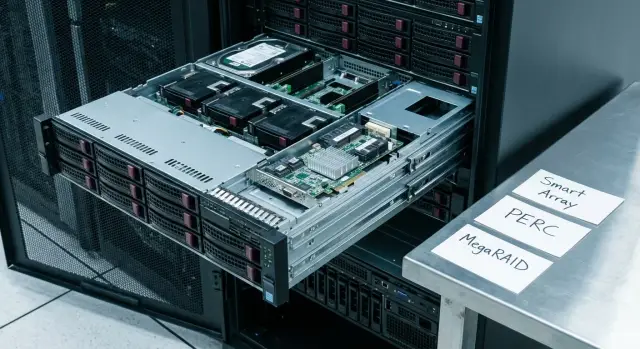
Why compare RAID controllers at all
A RAID controller is often treated as “just the box that builds RAID.” In reality it decides how writes go to disks, how cache behaves, what happens on power loss and how long array rebuilds take. So controllers deserve the same careful comparison as CPUs or disks.
Problems usually appear not in synthetic tests but after deployment, when load becomes real: VMs start to "stutter" due to write latency, a database drops IOPS at peaks and hits queue limits, rebuilds take too long and "eat" performance. A separate risk is power loss: with incorrect cache settings you can lose recent writes.
Even identical disks can produce different results on different controllers. Caching algorithms, cache size and type, write policy (write-through or write-back), queue handling and firmware defaults differ. On one controller the same SSDs may look fast and smooth in latency, while on another they feel "spiky", especially under mixed load (VMs plus DB).
Three things usually matter most: predictability (stable latencies), write performance (especially for logs and small blocks) and reliability, including maintenance of cache protection modules. Comparing controllers helps reveal whether you get top synthetic numbers or behavior that won’t surprise you on a Friday night.
It’s useful to remember the boundary of responsibility. The controller is responsible for RAID logic, cache and write safety. But the final result also depends on disks, RAID level, OS and hypervisor settings, filesystem and database parameters. In a rack with virtualization and a couple of DBs, a wrong cache policy can easily turn fast disks into a source of constant micro-lags, even when the hardware is formally the same.
Smart Array, PERC, MegaRAID: what they are and where you meet them
All three families solve the same task: manage server disks to provide the required RAID, predictable performance and data protection. Differences are mostly in management, feature sets and implementation details.
Smart Array is common in HPE servers, PERC in Dell, and MegaRAID in Broadcom solutions and OEM variants. A typical stack that affects results looks like this: controller (or HBA/passthrough), its cache, cache protection module, backplane (SAS/SATA, sometimes with an expander) and the drives themselves (HDD/SSD, SAS/SATA; NVMe usually follows a separate scheme).
Terms not to confuse:
- write-back and write-through: cached writes versus direct-to-disk writes.
- read-ahead: prefetching reads, which is not always useful.
- stripe (stripe size): how data is sliced across disks.
- patrol read/consistency check: background checks that can affect load.
Any comparison has a simple limitation: the same controller can behave differently with different firmware, drivers, disks and settings. Tie conclusions to a specific model, firmware version and scenario: virtualization, database, file server or mixed workload.
Controller cache: how it affects speed and latency
Controller cache is fast memory on the card that absorbs some operations while disks are busy. The main benefit is almost always for writes: cache smooths spikes, reduces latency and helps the server avoid "stumbling" on small synchronous operations.
The key switch is the write policy.
In write-back the controller acknowledges the write as soon as data lands in cache and later flushes it to disks. This gives better throughput and lower latency, especially for virtualization and databases, but requires cache protection in case of power loss.
In write-through acknowledgment happens only after data is written to disks. It won’t be faster, but the risk of losing cached data is minimal.
Practical guidance:
- Write-back — for VMs, databases and file services with many small writes, if cache is protected.
- Write-through — if cache protection is absent/faulty or during troubleshooting.
Cache size matters, but it’s not magic. A large cache helps when load comes in bursty batches: dozens of VMs writing logs, updating data or creating snapshots. For a typical database cache is useful, but it won’t fix a weak disk subsystem: it only delays the queue by seconds.
About read-ahead. Prefetching makes sense for sequential access (reports, backups). For random VM and OLTP DB profiles it can be harmful, filling cache with useless blocks. Often the safest option is adaptive, where the controller tries to distinguish sequential from random access.
Battery and cache protection module: risks and maintenance
Cache speeds up writes in write-back because data first lands in cache and is later written to disks. One condition: the controller must preserve the cache on sudden power loss. For that you need a cache protection module — a battery or supercapacitor.
Names can be confusing.
BBU (battery backup unit) — a battery that keeps cache "alive."
FBWC (flash-backed write cache) on HPE means that on power loss cache contents are saved to flash, and a battery or supercapacitor supplies the energy for that transfer.
CacheVault on Broadcom MegaRAID and Dell PERC is usually implemented as a supercapacitor plus a flash module that preserves cache without requiring long battery operation.
The weak point here is not speed but maintenance. Batteries lose capacity over time. Supercapacitors generally last longer but also age and can fail. In practice this shows up sharply: the controller stops trusting cache protection.
Signs that the module needs inspection:
- monitoring or logs show Battery/Capacitor failed, Cache protection not present, Cache disabled;
- cache is disabled or marked Degraded;
- controller switches to write-through and latencies suddenly increase;
- after reboot initialization time rises and warnings about saved cache appear.
Why switch to write-through? It’s a protective mode: writes go directly to disks to avoid data loss when cache cannot be preserved. For virtualization and databases such a switch is usually noticed immediately.
Simple practice: check cache protection status during every planned maintenance, monitor alerts and schedule replacements by policy rather than after a failure. If servers are delivered and commissioned through an integrator (for example, in projects by GSE.kz), it’s convenient to record cache checks and protection status in the acceptance report so you don’t hunt for the cause of performance drops under production load.
RAID levels and basic choices for VMs and databases
Choosing RAID is not about "bigger number means better." For virtualization and databases latency, predictability and array behavior during rebuilds matter more. For DBs the write-ahead log and synchronous fsyncs are especially sensitive: any extra latency is immediately visible.
What is commonly chosen and why
- RAID10 for VMs and "live" DBs: low write latency, faster rebuilds and fewer surprises.
- RAID6 for large file stores and backups: saves disks but writes and rebuilds are typically heavier.
- RAID5 — when workload is mostly reads and you accept trade-offs on writes and rebuild.
RAID10 almost always wins on write latency. RAID5/6 during rebuild loads disks more, and the risk window grows: the longer the rebuild, the higher the chance of a second failure (especially on large HDDs).
Hot spare and stripe size
Hot spare is valuable when downtime is unacceptable: the controller starts rebuild immediately. Global spare is useful if you have multiple arrays and need flexibility. Dedicated spare makes sense for a single critical array (for example, a DB) so the spare isn't consumed by another pool.
Choose stripe size by a simple rule: the more small operations, the smaller the stripe. Practical guidelines:
- 64K–128K for virtualization and mixed loads.
- 128K–256K for sequential flows (backups, large files).
If unsure, start with 128K and check latency on a test VM and test DB.
Step-by-step tuning for virtualization and DBs
Menus in HPE Smart Array, Dell PERC and Broadcom MegaRAID are similar, but option names may differ. The logic is the same: separate workloads and enable write cache only where safe.
Before tuning check the basics: controller mode (hardware RAID if needed), current firmware versions for controller and backplane, disk compatibility, cache protection health (BBU/CacheVault/FBWC), correct drivers and host monitoring utilities.
Then follow the steps.
First, create separate arrays for different workload types. For databases it’s better to dedicate a group of disks, and keep a separate pool for general VM storage. Example: DB on RAID10 SSDs (low latency), VM datastore on RAID10 or RAID6 depending on IOPS and redundancy needs.
Next set the write policy. For virtualization and DBs write-back is usually required — but only if cache protection is healthy. If the battery or module is discharged, controllers often force write-through and performance drops sharply. It’s better to detect that in advance.
Then check read settings. Read-ahead helps sequential operations (e.g., backups) but may not help database random reads. If there is an I/O policy choice, pick low-latency-focused modes for DBs and throughput-focused modes for file workloads.
Final block — maintenance and monitoring: choose a quick or full init based on your maintenance window, enable regular consistency checks (patrol read), and configure alerts for array degradation, disk errors and cache status. Then run short tests: VM workload alone, DB workload alone, and compare latencies.
Firmware, drivers and monitoring: so you don’t learn about a problem too late
Firmware and driver must be a pair
Controllers can behave differently after updates. A common mistake: update controller firmware but leave the OS/hypervisor driver old (or vice versa). The result can be odd latencies, false disk alerts, cache problems or unexpected array reconstructions.
Before updating check compatibility for your exact combo: controller model, firmware version, driver version and hypervisor (for example ESXi) or OS (Windows Server, Linux). In production schedule a maintenance window and keep a rollback plan.
Checks that don’t spike production load
Patrol read and consistency checks help find weak drives and latent errors before they become failures. But these checks read a lot of data and add load. Schedule them overnight or on weekends, and for busy DBs use a less frequent, predictable schedule. After enabling such checks observe how latencies change.
Rebuild almost always reduces performance. To survive a rebuild without service interruption, configure rebuild priority and background limits, keep a hot spare and don’t delay drive replacement.
Monitoring should show more than OK/Degraded. Minimum metrics: read and write latency (avg and peaks), queue depth, cache mode (write-back or write-through), disk errors (media errors, timeouts, predictive failures), and events like rebuilds, degradations and cache/battery issues.
Common mistakes and traps when choosing and tuning
Biggest problems are rarely the controller model and more often small decisions at purchase and setup time.
Dangerous cache settings
A typical mistake is enabling write-back for speed while leaving cache unprotected. If BBU or supercapacitor module is faulty, missing or unchecked, power loss can lose recent writes. Rule: enable write-back only when controller confirms cache protection is healthy.
Another trap is not checking what happens when cache protection degrades. Many controllers automatically switch to write-through and performance drops sharply and unexpectedly.
Disks and arrays: when "almost the same"
Mixing drives of different models, firmware or batches often yields unstable performance: fast today, pauses tomorrow. This is especially visible in virtualization and databases where predictable latency matters more than MB/s.
A particular pain is a single large RAID5/6 "for everything": hypervisor, VM storage and DB logs. Background tasks, rebuilds and write spikes then affect everyone. Where possible separate workloads and choose RAID according to IOPS profile.
Before go-live check at least three things: cache protection is healthy and write-back is not forced contrary to status, drives are of the same class without random mixed models, and VMs and DBs are not placed on the same volume without reason.
Monitoring and maintenance people forget
Good hardware won’t help if you learn about degradation from users. Set alerts for array degradation, disk errors, cache and battery status, and verify alerts actually reach people.
Don’t schedule checks and rebuilds during prime time. In a rack with VDI and a small DB, checks during business hours easily create VM "freezes." In integration projects (including with GSE.kz) these operations are planned for night or weekend windows and documented.
Quick checklist before production
Before starting production ensure the controller not only sees disks but runs in a safe mode.
Start with cache protection: is there a BBU/CacheVault/FBWC and what is its health. Normal status is "OK." "Learn" means training (the controller may temporarily limit modes). "Replace" or temperature/capacity warnings mean stop and replace the module before go-live.
Then verify write policy. Write-back gives better performance but should be enabled only when cache protection is confirmed healthy. If protection is not normal, prefer write-through even if tests show lower throughput.
Short pre-launch list:
- write mode matches cache protection state;
- hot spare is configured and the replacement process is documented (who, how many hours, where spare is kept);
- rebuild and check schedules don’t fall into peak windows;
- array composition and drive bay order are recorded;
- alerts tested with a synthetic event.
A simple practical test pays off: during a safe window pull one drive, confirm the array degrades, alert arrives, rebuild starts and latencies remain acceptable. Problems surface earlier than during a real failure.
Example scenario: virtualization plus DB in one rack
Imagine a rack in an office or small datacenter: two physical virtualization hosts and one critical VM with a database (SQL Server or PostgreSQL). Daytime has many small operations (accounting, reports), nighttime has backups and batch jobs. Here what matters is not benchmark speed but stable latency and predictable maintenance.
Separating arrays helps avoid "everything affecting everything." A common layout:
- OS/hypervisor: RAID1 of 2 SSDs.
- Datastore for VMs: RAID10 (SSD or fast SAS).
- Database: separate array.
- For DB: data on RAID10, logs (log/WAL) on separate RAID1 or RAID10, backups on a separate volume or external storage.
Main objective is stable latency. Cache typically should run in write-back, but only with healthy cache protection. If protection is absent or degraded, it’s safer to keep write-through than risk "acknowledged" writes being lost on power failure.
For reads adaptive read-ahead is often suitable. Aggressive read-ahead is frequently harmful for DBs: queries are random and extra reading clogs queues. For VM storage it can help on sequential tasks, but measure by latency, not MB/s.
Plan maintenance: quarterly check of cache protection and error report, monthly patrol read/consistency check in an agreed window, and keep 1–2 spare drives of the same model and capacity.
Next steps: how to choose and validate before purchase
Treat the controller as a distinct risk node. HPE Smart Array, Dell PERC and Broadcom MegaRAID may have similar names, but actual configurations differ: cache size, protection method, supported modes, and sometimes feature limits.
First record exactly what you are buying: the specific controller model and options, not just the server model. Ask a few time-saving questions: how much cache and how it’s protected, how the protection module is serviced and how degradation is detected, whether pass-through/HBA modes are supported if needed, whether compatibility with your OS/hypervisor version is confirmed, what drives are planned and is there a validated drive list.
If you have a lab or pilot, test not only throughput but behavior under failure: measure latency under your profile (mix of VMs and a DB) and run a rebuild. Important is to see how latencies grow and what happens on a second degradation.
If needed involve an integrator at design stage. In Kazakhstan GSE.kz, as a manufacturer and system integrator, typically helps verify compatibility, pick a configuration for the load profile and plan maintenance (including cache protection modules and spare drives) so you don’t solve these issues in production.
Frequently asked questions
Why compare RAID controllers at all if RAID is "the same everywhere"?
You should compare them because of predictability of latency and behavior during failures. Two controllers can show similar numbers in benchmarks, but in real virtualization or database workloads one may keep steady writes while the other becomes “jittery”, especially under peaks and background tasks like rebuild.
Are Smart Array, PERC and MegaRAID different technologies or just different names?
Smart Array is common in HPE servers, PERC in Dell, and MegaRAID in Broadcom and various OEM solutions. Fundamentally they solve the same problem; differences are usually in management, firmware, cache implementation, cache protection module and default settings.
Which write policy to choose: write-back or write-through?
Write-back is usually the best choice for virtualization and OLTP databases: lower write latency and fewer micro-lags. But enable it only when cache protection is healthy and the controller confirms it; otherwise prefer write-through even if it's noticeably slower.
Why does the controller need a battery or CacheVault/FBWC, and what happens if they degrade?
Cache protection is needed so that if power fails unexpectedly, data already acknowledged in write-back is not lost. If the protection module is faulty or missing, the controller often switches to write-through and performance can drop sharply exactly when you least need it.
How to tell that the cache protection module needs inspection or replacement?
Watch for messages in logs and monitoring: battery/capacitor errors, “Cache disabled/Degraded”, “Cache protection not present”, or unexpected switch to write-through. Practical rule: check cache protection status during every planned maintenance and replace the module on a schedule rather than after a failure.
Which RAID is better for virtualization and databases: RAID10 or RAID5/6?
For virtualization and live databases, RAID10 is often chosen because of low write latency and gentler recovery behavior. RAID6 is typically used for large file stores and backups where disk efficiency matters, but you must accept heavier writes and longer rebuilds.
How to choose stripe size and avoid mistakes?
A common starting point is 64K–128K for virtualization and mixed workloads, and 128K–256K for sequential flows like backups. If unsure, start with 128K as a baseline, then validate by measuring latency on a test VM or test database.
Why does rebuild affect the system so much and how to reduce its impact?
Rebuilds consume performance because disks handle recovery work alongside normal requests. To reduce impact, keep a hot spare, configure rebuild priority and background limits, and replace failing drives promptly.
Do I have to update RAID controller firmware and driver together?
Update firmware and drivers as a pair; otherwise you risk strange latencies, false disk alerts, cache issues or unexpected reconstructions. Before updating, record controller model, firmware version, driver version and hypervisor/OS version, and in production schedule a maintenance window with a rollback plan.
What must be checked before putting a RAID server into production?
At minimum, verify cache mode and its protection, ensure hot spare is configured and you know the replacement process, schedule patrol read/consistency checks outside peak hours, and test alerts with a synthetic event. If servers are deployed via an integrator, record these checks in the handover to avoid chasing performance drops under real load.
