7 min read
Protecting corporate email from phishing: how to compare solutions
Protecting corporate email from phishing: comparing Proofpoint, Barracuda and Microsoft Defender on your mail, measuring false positives and the investigation process.
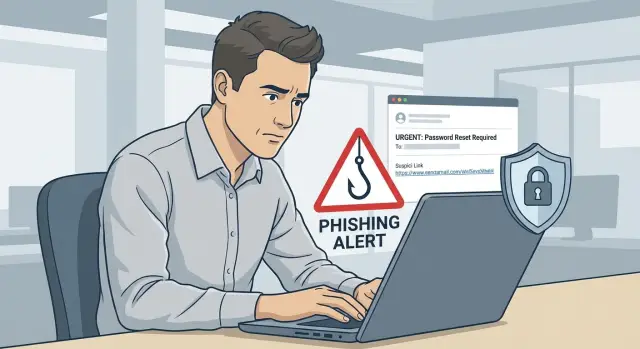
Where the problem starts: phishing and losses from filtering errors
Phishing rarely looks like an obvious forgery. More often it's a normal-looking email: an invoice, a request to “check access”, a bank notification or an “urgent” message from a manager. Even with corporate mail protection in place, some attacks still get through. Attackers adapt to your processes and writing style.
Messages bypass filters for quite mundane reasons: attacks evolve faster than rules; links point to legitimate cloud services; attachments look safe until opened; and sometimes the message itself is “clean” but pushes the person to take a dangerous action via social engineering (transfer money, enter credentials).
The reverse side is no less dangerous: false positives. When a filter blocks legitimate messages or sends them to quarantine, the business pays twice. Deadlines slip, suppliers don't get responses, sales lose leads, accounting doesn't see invoices, and IT spends time on manual triage. Over time people stop trusting the protection and look for workarounds: forwarding to personal mail, asking to "release this message", ignoring warnings.
That's why the phrase “test on your mail” is more important than it seems. It's not about the vendor's demo set, but a real mix of your mail: typical invoices, correspondence with government bodies and partners, notifications from internal systems, newsletters, documents with macros (if you have them). Only then you can see where protection hinders work and where it actually catches attacks.
Companies usually choose one of the approaches: specialized mail gateways, cloud filters, built-in protection in the Microsoft ecosystem (Microsoft Defender for Office 365), or a combined multi-layer scheme.
Start comparison not from “who has more features”, but from the cost of error: how much does one missed phishing cost and how much does one extra false positive cost in your daily correspondence.
Approaches to mail protection: gateway, cloud and built-in tools
Corporate mail anti-phishing is most often built in one of three ways: a separate gateway in front of your mail, a cloud service that integrates into the mail flow, or the protection tools of the mail platform itself (for example, Microsoft Defender for Office 365 in Microsoft 365).
A gateway is placed at the mail ingress and egress. Its advantage is intercepting traffic before messages reach mailboxes and working consistently across domains and mail systems. But it heavily depends on routing, SPF/DKIM/DMARC and how carefully exceptions are configured for legitimate mailings.
Cloud protection is usually easier to connect and updates faster. It often excels at analyzing new campaigns and sender reputation. Limitations more often relate to integration with your environment and access to telemetry: what exactly you can view, investigate and block.
Built-in tools are convenient because they "live" inside the mail platform and better understand context: who writes to whom, which sign-ins were suspicious, and what policies apply to groups. But a fair comparison requires equal policies, permissions and delivery scenarios.
Regardless of the approach, protection typically covers several stages: delivery checks (reputation, anti-spam, DMARC and spoofing protection), link handling, attachment handling, and reducing risk through people (training and an easy report channel).
To make the comparison fair, equalize what can be equalized: identical test messages, the same quarantine policies, the same trusted sender list and the same "unblock on request" process. Quality will still depend on your environment: the share of external correspondence, user types, mail clients used (Outlook, mobile), and employee habits (for example, forwarding invoices to others).
And the main thing: there is no 100% protection. Even a good filter makes mistakes, so evaluate not only blocking but also how quickly you find what was missed and how safely you triage disputed messages without stopping the business.
How to prepare a fair comparison of solutions
A fair comparison starts with agreements. Otherwise a pilot quickly turns into a dispute of preferences: one person wants “nothing gets through”, another wants “work is not hindered”. Both goals matter in mail protection, but they need to be turned into measurable criteria in advance.
Define 1–2 main pilot goals and translate them into verifiable expectations. For example: reduce the number of phishing messages reaching users; cut down manual triage of suspicious mail; meet internal audit or regulator requirements.
Fix the pilot scope in advance:
- which domains and flows are in scope (incoming, outgoing, internal);
- which user groups are tested (for example, finance, procurement, senior management) and why;
- which message types are considered critical (invoices, orders, bank notifications, contractor messages);
- how to handle "special cases": mailings, CRM notifications, messages from government portals.
Choose a period that shows different scenarios. Usually 2–6 weeks is enough to capture normal mail, mailing peaks and a few real phishing attempts. A pilot lasting a couple of days often yields pretty statistics that fall apart in the first working week.
Assign roles and rules for disputed cases:
- Security sets risk criteria, priorities and the final assessment.
- Mail admins handle routing, policies and logging.
- Service Desk accepts user reports and performs the initial classification.
- Business process owners confirm that important messages do not break operations.
A simple example: finance complains that “invoices from a supplier are missing”. Without a business owner you won't know whether a delay is acceptable for security or an unacceptable downtime that needs to be compensated by rules and a clear triage process.
How to build a test set of messages without extra risk
The test set should resemble real mail. Otherwise solutions will show “nice” results on artificial samples and surprises will appear in production.
Collect messages over the same period (e.g., 2–4 weeks) and from different departments. The set should usually include incoming mail from external senders, internal correspondence, outgoing messages (to see what breaks due to rules), mass notifications and business-critical templates: invoices, acts, commercial offers, logistics.
Then comes the most important part—confidentiality. You don't need to store content in the clear. Keep semantic indicators and anonymize data:
- replace full names, phone numbers, national IDs and contract numbers with neutral masks;
- keep the subject, attachment type (PDF, DOCX, ZIP) and size;
- keep the sender domain and the forwarding chain but remove the local part of addresses;
- record presence of links and their domains without saving personal parameters.
Separately collect the “good” messages that are often blocked: invoices from real suppliers, tender invitations, messages from government agencies, bank notifications. They best show your future false positive level.
Also capture a baseline of current state: what passes today, what is blocked, what goes to quarantine and how long triage takes. This way you compare solutions to reality, not impressions.
Metrics: how to measure false positives and false negatives
Start by agreeing on terms. The same filter can look strong if you only count blocks, and weak if you consider how many useful messages it breaks.
Begin with a simple set of indicators across all pilot mail (from mail system events and filter decisions): share of blocks, share of quarantine, share of deliveries with warnings, share of normal deliveries, share of disputed decisions (when a rule fired but the final result after investigation was different).
Then define what counts as a false positive. An error is not "a user didn't like the message", but a message that by your policy should have been delivered without business harm. It's useful to immediately break down errors by source and type: government, banks, suppliers, internal notifications, service mailings.
Track false negatives only for confirmed cases, otherwise the metric becomes a dispute. Sources are typically: incidents, employee reports, SOC findings during investigations, and messages that led to clicks or credential entry. In reports, separately mark confirmed phishing, malicious attachments, domain spoofing or display name impersonation that policies didn't stop.
Also measure response time: from message receipt to first action (isolation, hunting for similar messages) and to incident closure. If a branch employee received a "supplier invoice" it's important how many minutes pass before similar messages are removed elsewhere and rules are updated to prevent repeats tomorrow.
Step-by-step pilot plan on real traffic
A pilot on real traffic is needed to understand how solutions behave on your mail, not lab examples. This is especially important if the goal is to protect corporate mail from phishing without paralyzing work with excessive blocks.
Start with a safe setup: parallel mode (messages are delivered but also analyzed by a second solution) or a pilot group. Typically 5–10% of employees are enough for the pilot, chosen to represent typical scenarios: finance, procurement, HR, IT and management.
Stick to a simple plan:
- Enable parallel mode or pilot group so the main flow isn't disrupted for the whole company.
- Configure as identical policies as possible: spam, phishing, attachments, links, quarantine, notifications. Where identical settings are impossible, document differences in writing.
- Define escalation: who decides to "release or not" and within what time. For finance and HR, set a stricter approval flow in advance.
- Collect daily statistics and examples: what landed in quarantine, what was missed, and what users complained about. Save not only numbers but several real messages for analysis.
- Calibrate weekly: fix rules based on found errors and check whether you didn't worsen other metrics.
A practical example: an accountant receives an "invoice from a supplier" with an attachment. Solution A put the message in quarantine, solution B let it through, and the employee complained to IT. According to process, security reviews the mail within an hour, verifies the sender and thread, decides whether to release it, and logs the reason in the pilot journal.
Investigation process: from employee report to incident closure
A frequent cause of mail protection failure is not a “weak filter” but the lack of a clear process after a message reaches a person. An employee sees a strange invoice or an urgent password reset and doesn't know where to send it. The message gets ignored or forwarded and the risk increases.
A single intake for reports
Provide one clear channel for any suspicious mail: a "Report phishing" button in the mail client or a single address that converts the message into a ticket. It's important the employee doesn't have to think who to contact and that the report doesn't get lost in chats.
When a report arrives, collect data immediately while the message still exists and links haven't expired. A minimal set that typically answers most questions:
- full message headers and original source (eml);
- attachments in original form (without opening);
- all URLs from the message (including buttons);
- a short screenshot and description: "what they asked to do";
- business context: whether the invoice was expected and who the employee thinks the sender is.
Standard actions and recording the reason
A simple playbook helps analysts make consistent decisions. Typical options: declare safe and explain to the user (if false positive), delete or move to quarantine, remove similar messages from other mailboxes, block the domain or sender, add indicators to rules.
Keep a decision log: why a message was classified as phishing or legitimate, which indicators triggered, and 1–2 examples for training. This reduces disputes between security and business and speeds up handling recurring cases.
To reduce manual work, prepare response templates and queues (for example, "finance", "HR", "IT") and priority levels. A "director" message asking for urgent payment should be checked faster than an external marketing mailing.
Common mistakes when comparing Proofpoint, Barracuda and Defender
The most common reason for wrong conclusions is comparing solutions under different conditions. One is set to strict, another runs almost "as shipped", the third already has many exceptions. As a result you compare not products but a random mix of policies.
Another pitfall is trying at all costs to reduce user complaints about "excessive blocks". When senders and domains are widely added to allow lists during the pilot, the filter quickly loses meaning. Yes, false positives drop, but real protection drops with them.
Also avoid looking only at the number of stopped messages. Quality matters more: what exactly was stopped, how many dangerous messages got through, and how long the team needs to handle a complaint and restore access to a legitimate message safely.
What most often ruins pilot results
- different rules and modes (quarantine, "tag", "delete") for each solution;
- too many exceptions for the sake of user comfort;
- counting "how many blocked" without verifying whether those were real threats;
- testing only on external mail without typical legitimate flows: invoices, HR mailings, tenders, internal notifications;
- roles not assigned: who can unblock, who confirms risk and what reasons are acceptable.
An example where comparison breaks
Finance receives invoices from a supplier while simultaneously several employees get a phishing message pretending to be IT asking to "update password". If the pilot excludes the supplier domain entirely, the invoice will always pass. But with that exception a similar spoofed domain or a compromised mailbox might also get through.
Before testing, agree on rules for releasing messages: for example, release only after a quick check of headers, domain, attachments and confirmation with the sender via a second channel. This preserves both security and fairness of comparison.
Short checklist before choosing a solution
To avoid getting lost in feature tables and marketing, fix a few practical items that make the comparison repeatable.
Quantify pilot goals. For example: "halve the share of missed phishing" and "keep legitimate message blocks under 0.1% for invoices, contracts and government mail." Without boundaries any team will end with a vague "overall fine" verdict.
Prepare test messages to avoid creating new risks. Document anonymization in advance: what you replace (contract numbers, national IDs, bank details, names) and what you keep (message structure, attachments, common wording).
Normalize reasons for blocking to a single language. If different solutions call the same cause differently, you won't be able to compare results and explain them to the business.
At the end you should have a set of artifacts that everyone understands:
- goals and success criteria: target values for false positives and false negatives, pilot duration, participating departments;
- test message set: sources, anonymization rules, who stores and who accesses it;
- unified categories: reason labels (spoofing, malicious attachment, suspicious link, "gray" message) and the rule who assigns them;
- false positive report: broken down by critical types (invoices, procurement, HR documents, bank notifications) and by important senders;
- deployment plan: who decides on exceptions, who investigates incidents and how fast a user gets a message back if the filter was wrong.
If at least one of these points is not fixed, the pilot usually ends in a dispute, not a choice.
Example scenario: supplier invoice and phishing pretending to be IT
Monday morning. Finance complains that "invoices are missing": a supplier sent invoices but some messages didn't arrive. At the same time several employees get an email claiming to be from IT: "Your password expired, update it via the link." This is a typical situation where protection must be precise without blocking work.
To run the case through the pilot fairly, take real messages (or their safe copies) and pass them through each solution under identical conditions. Record what happens to two flows: legitimate invoices and the phishing mailing.
Check results by a clear handling scenario:
- what is blocked immediately (never reaches the user);
- what goes to quarantine and needs release;
- what passes to the mailbox with no warnings;
- how clear are the reasons for the filter action;
- how long it takes IT or security to triage one message.
Then calculate the "cost" of false positives on invoices. Even if a message is not malicious, payment delay can cost: missed deadlines, penalties, halted shipments. Add time for IT requests, waiting for release, switching to messengers and forwards. This hidden cost often annoys the business more than rare phishing messages.
Present the conclusion not as a fight over "who won", but as a list of process changes: on what conditions invoices get exceptions, which rules are tightened for IT-like messages, how employees report suspicious mail, what notifications should be rewritten so people don't ignore them.
What to do next: deployment, quality control and support
After the pilot, record results so business, IT and security interpret them the same. The most practical format is one table with metrics (false positives and false negatives), example messages where solutions erred, and effort: time spent on triage, rule changes and user communication.
Then decide the target architecture. A common option: keep basic policies and identities in Microsoft 365, and offload part of protection to a perimeter or cloud solution (for deeper attachment and URL analysis). Decide in advance where quarantine is centralized and who owns policies. Without this, mail protection turns into a fight between teams.
Formalize procedures so you don't "fix" incidents manually every time:
- how quarantine is handled and who can release messages;
- how exceptions are documented and when they are reviewed;
- reaction times to an employee report and to mass mailings;
- how you explain blocks to the business and reasons for them;
- how change logs are kept: what was changed, why and what effect it had.
Rollout is better phased: monitoring and soft policies first, then tightening, and only after that automatic actions (deletion, isolation, forced checks). Appoint an owner of filtration quality: their job is to review reports weekly, triage top errors and prevent exception sprawl.
If you want to run a pilot "on your mail" without spending weeks on organizational details, companies often outsource this to a system integrator. For example, GSE.kz (gse.kz) helps design and implement IT and security solutions, set up investigation processes and provide ongoing support, including 24/7 assistance through a service network.
Frequently asked questions
Where to start comparing email anti-phishing protections so it's fair?
Start by calculating the “cost of an error”: how much a single missed phishing message costs you and how much one extra false positive costs in everyday correspondence. Then compare solutions on your typical mail flows and with identical policies—otherwise you compare not the products but the differences in configuration.
How long should a mail filter pilot last to get useful statistics?
2–6 weeks is optimal to see normal workdays, peaks of mass mailings, invoices, HR messages and at least a few real attack attempts. A 2–3 day pilot often produces attractive statistics that break down as soon as real traffic and user complaints appear.
How to run a pilot on real traffic without paralysing work?
The safest option is parallel mode or a pilot group, where the second solution analyzes messages but does not break delivery for the whole company. This way you collect facts about blocks and misses without stopping finance, procurement or sales due to misconfiguration.
How to correctly count false positives and false negatives in mail protection?
A false positive is a legitimate message that, by your policy, should have been delivered without harming the business but was deleted, sent to quarantine, or effectively neutralized by warnings. Track false negatives only for confirmed cases, otherwise the metric turns into an argument; use incidents, employee reports and SOC findings as sources of confirmation.
How to collect a test set of messages without leaking confidential information?
Collect messages so you keep structure and indicators but remove confidential data: names, phone numbers, national IDs, contract numbers and bank details. Keep the message type, sender domains, attachment types, presence of links and the forwarding chain—these are the features filters most often err on.
Why is it dangerous to bulk add senders to an allow list during a pilot?
Mass-adding senders to an allow list quickly reduces complaints but also quickly reduces real protection, because attackers can spoof similar domains or use compromised accounts. It's better to release disputed messages through a fast verification process and make targeted exceptions with a clear review deadline.
What exactly needs to be "equalized" when comparing Proofpoint, Barracuda and Microsoft Defender?
Modes of action should be the same (quarantine, tag, delete), trusted sender lists, link and attachment rules, and the "unblock on request" scenario. If one solution quarantines and another only tags, you will get incomparable figures and wrong conclusions.
How not to "break" supplier invoices when tightening anti-phishing?
Invoices and tender messages are a common source of false positives, so treat them as a separate category and evaluate them apart from general spam. A good practice is to agree with finance on an investigation rule: who checks headers and domain, how the invoice is confirmed via a second channel, and how quickly a message must be released.
How to build the investigation process after an employee reports a suspicious message?
Make one clear reporting channel so the employee doesn't choose between chats and random addresses, and agree on the minimal data set for investigation (original message source, headers, attachments, URLs). Speed and repeatability matter: recorded decisions, classification reason and actions to find similar messages across other users.
When does it make sense to involve a system integrator for mail protection deployment?
When you need to quickly run a pilot on your mail, set up routing, policies, quarantine and investigation processes so they work for both security and the business. Such projects are often done by a system integrator who provides implementation and ongoing support; GSE.kz (gse.kz) can handle design, deployment and support, including configuring processes and quality control of filtering.
