8 min read
Proof of Delivery in a Mobile App: Signature, Photo, Geotag
Proof of Delivery in a mobile app: how to set up signature, photo, geotag and timestamp, store materials and manage access rights.
Why Proof of Delivery is needed and what problems it solves
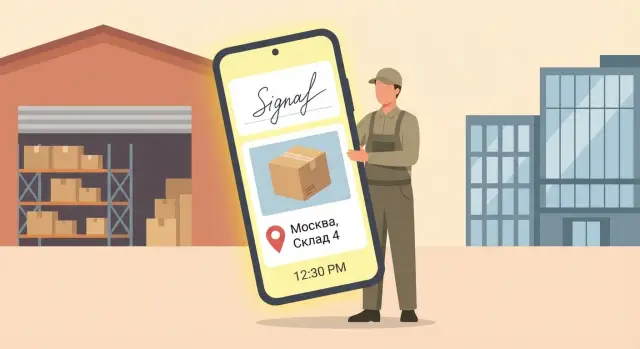
Proof of Delivery (POD) in a mobile app is a set of confirmations that an order was actually handed to the recipient at a specific place and time. It is essential where the difference between “delivered” and “not received” is costly: money, reputation and staff time.
Most often POD resolves disputes like:
- “The courier left it at the door, but the package is missing.”
- “The signature is from the wrong person; a neighbor or security took the item.”
- “Delivered to the wrong address or at the wrong time.”
- “The box was already damaged when handed over.”
Customers, security, audit and accounting usually expect not a single piece of evidence but a bundle. It's important to know: who received it, what exactly was handed over, where and when it happened, and whether these data can be trusted. When everything is collected in one place, it's easier to handle claims and confirm fulfillment of contractual obligations.
One screenshot from a messenger almost never saves you. It's easy to fake, often doesn't show exact time, lacks coordinates, and the photo may not be tied to a specific order. Messengers also don't provide proper access controls: messages can be forwarded, deleted or lost, and conversation history is rarely considered a reliable source in disputes.
A good POD reduces returns and losses simply by removing "grey areas." If a courier knows a signature and a photo with a geotag and timestamp are required, they are less likely to leave the order "by word of mouth." And if a dispute does arise, support doesn't have to guess or call everyone. Evidence sits in the delivery card and helps quickly decide whether to replace the item or reject an unfounded claim.
What constitutes the evidence: signature, photo, geotag, time
POD in a mobile app is usually built on four pillars: recipient signature, photo, geotag and time. Each element is useful on its own, but the set reduces the number of disputed cases. A signature confirms consent, a photo shows the fact and condition, coordinates and time tie the event to place and moment.
Collect the signature in a way that makes it clear who signed and what for. Typically you record the signature image, full name (typed or selected from a directory), and what was handed over: invoice number, number of items. If substitution is a risk, a simple method helps: show a short confirmation on the screen like “received without claims” and save it together with the signature.
A photo is the most visual evidence, but only if there's context in the frame. For example: the parcel at the door with a visible apartment number, a reception desk, plus a label or document with the shipment number. Personal data can be obscured, but an identifier should usually remain. A close-up of the box alone is often not enough.
A geotag should be stored not just as a "point" but with measurement quality. Coordinates, accuracy (in meters), source (GPS or network) and a flag about high-precision mode greatly help during investigation. If accuracy is poor (for example, in a shopping mall), that should be visible in the record, not hidden.
A timestamp is best recorded in two ways: device time and server time. Phone time may be wrong, while server time provides a single timeline. When they differ, disputes are resolved faster.
It's also useful to store delivery status (delivered, partial, refused), the courier's comment, and, if needed, document details (for example, last 4 digits) — without extra personal data.
Signature in the app: how to collect it correctly
The signature in a POD mobile app should be simple for the recipient and reliable for disputes. If the signature screen looks like an "empty field," people rush, draw a random line, and later claim they "didn't sign anything."
Make the screen clear at first glance: a short hint about what the signature confirms (receipt, number of items, visible damage). A consent checkbox for recording the fact of receipt and processing data fits next to it. Provide “clear” and “re-sign” buttons so the whole document doesn't need to be canceled over a single mistake.
To give the electronic delivery signature weight, consider a light identity check. Don't overcomplicate the process for everyone. Usually it's enough to choose “recipient” or “representative” and enter the full name. Verifying a document (for example, last 4 digits) is appropriate for expensive cargo, medicines, electronics or deliveries to organizations by proxy.
Sometimes the signature can't be obtained. Then it's important not to leave a "hole" in the evidence. Give the courier a quick refusal scenario: reason, alternative confirmation and a comment.
A practical rule set might look like this:
- Signature is available only after verifying the delivery contents (items, quantity, condition).
- If the recipient refuses to sign, a reason is selected and a note is added.
- An alternative is enabled: security staff signature, an SMS code, and the "left at the door" scenario is allowed only with a photo.
- The recipient types their full name and signs in the box below.
- Before completion, show a confirmation screen so the person sees what is being recorded.
Protection against substitution is often solved by interface discipline: after pressing "confirm" the document cannot be edited, the signature cannot be redrawn, and cancellation is possible only through a separate action with a reason. In disputes this is usually more important than a "pretty" signature: it shows that data were not changed after confirmation.
Photo as evidence: shooting rules and typical requirements
A photo in POD works as simple but strong evidence: it shows what was handed over, in what condition and where it was placed. To actually help in a dispute, photos must be taken according to clear rules.
Photograph what unambiguously ties the delivery to the place and the order. Usually 1–3 photos are enough, but formalize standards for your delivery types.
Common shots: the item with labeling visible (serial number, barcode), packaging and seals (if any), the handover location (door with apartment number, reception desk, pickup area), and a fragment of a document on-site (invoice or acceptance sheet) — only what's necessary. Photographing the recipient is allowed only with explicit consent and if unavoidable.
Quality matters. The photo should be sharp, without strong glare, and with readable details. One clear shot is better than five similar ones. Simple rule for couriers: if the text on the label isn't readable at first glance, retake the photo.
Don't capture unnecessary personal data. For example, when shooting an invoice, cover extra lines with a hand or sticker, leaving the order number and signature.
For storage, it's common to keep the original and a "light" copy for quick viewing in the app. Compression is acceptable if key details (numbers, seals) are not lost. Access should be role-based: dispatcher sees all, warehouse — only their orders, client — only their deliveries.
Geotag: how it works and how to interpret accuracy
A geotag in a POD mobile app is usually taken from phone sensors and geolocation services. The app requests coordinates, and the system picks the best source: GPS, mobile network or Wi‑Fi. So sometimes the point ends up "nearby but not exact": satellites are hard to see, the phone saves battery, or coordinates updated with delay.
Record not only latitude and longitude but also measurement quality. In the delivery card, save accuracy in meters and the coordinate source (GPS or network). Then, when investigating a dispute, it's clear how much the point can be trusted: 8 m and GPS is usually more reliable than 150 m and network.
Poor GPS is most common indoors, in warehouses, elevators or underground parking. To reduce "empty" geotags, set simple rules in advance:
- wait 10–20 seconds for coordinates to update
- enable high-accuracy location on the phone
- if possible, step out to the entrance or a window
- retry if accuracy is worse than the threshold
A geotag honestly shows the phone's location but does not prove the handover into someone's hands. The courier could leave the box at the door or hand it to the wrong person. Therefore the geotag should be treated as contextual evidence, not the sole proof, and this should be reflected in client-facing rules: "coordinates confirm the location of the delivery action; accuracy depends on reception conditions; decisive evidence is the signature, photo and timestamp."
Example: delivery to a business center. There is a signature and a photo, but the geotag drifted a block away with 120 m accuracy (network). In a dispute this looks reasonable: GPS inside a building is often unavailable, and the geotag should not outweigh other evidence.
Timestamp: how to avoid disputes about date and time
If POD time is taken only from the smartphone, it's a weak point. Device clocks can be set manually, drift after battery issues or become incorrect with rare network access. In a dispute one side can simply say: "the time is wrong, we don't accept the evidence."
It's more reliable when the key timestamp is set by the server. The logic is simple: the app records the action, and the server confirms its time using synchronized clocks. Even if the courier is offline, the event can be stored locally and when uploaded the server adds the time of receipt and marks that the event was created offline.
To avoid timezone confusion, store time in two forms: UTC (a single standard) and as "local time + offset." That way a change of timezone on the phone won't break the overall picture.
Practices that help in dispute handling:
- apply a server timestamp to every important action
- save device time as a reference
- store timezone and offset at the time of the action
- record connection status (online or offline) and the moment of upload to the server
Link timestamps to specific actions, not to the delivery as a whole. Separate marks should exist for photo, signature and status changes (for example, "arrived", "handed over", "received"). Example: the client claims the courier arrived after closing. You show: photo at 17:48 server time, signature at 17:50, status "delivered" sent at 17:51 — and the dispute usually ends quickly.
How to implement POD in the app: a step-by-step plan
Don't start with the "Signature" screen; start with rules. Different delivery types need different evidence. For "left with security" it's more important to have a photo and comment; for "handed to recipient" you need signature and full name; for high-value goods you need the full set (signature, photo, geotag, time).
1) First agree what counts as evidence
Make a single table of requirements: which fields are mandatory, who fills them, what can be skipped and in which cases. This reduces disputes between logistics, sales and claims teams.
Then translate rules into app flows. Define field sets by delivery status (successful, partial, return), configure signature, photo and comment collection, add on-screen hints and minimum quality checks (no empty signature, minimum number of photos, warning when location is off). Predefine report formats: what is visible in the order card and what is exported for claims handling.
2) Document exceptions and offline separately
Most problems happen in non-standard situations: recipient absent, refusal, reschedule. For each such case assign a separate status and required fields. For example, a photo of a closed door is not always useful, but a comment and precise time often are.
Include an offline mode: the app should save POD locally and send it later from a queue without losing timestamps and attachments. This is critical for basements, remote points and warehouses.
Pilot to see how it works in practice: the courier made a delivery offline, network appeared in the evening, data synced, and the report still contains everything needed for a claim. Only after this scale to the whole device fleet. Large organizations typically need unified standards and support, including local infrastructure and access control.
Storage and access rights: who can see what and how long to keep it
If POD is collected correctly but stored without rules, disputes will still arise. Decide in advance where signatures, photos, geotags and timestamps are kept, who can see them and what they can do with them.
Materials are needed by different people, and access rights should differ. A simple approach is role-based:
- Courier: view their deliveries, add comments if needed, no deletion rights.
- Dispatcher or operations manager: view and search all deliveries, export reports, no evidence editing.
- Customer: access only their orders, usually view-only (downloading originals may be restricted if risky).
- Security or quality control: full view, right to request clarifications, access to the activity log.
- Administrator: manage roles, retention settings and recovery.
Retention should be tied to real risks. Minimum — the whole period during which claims are possible, plus a buffer. For internal control keep evidence longer to spot repeated issues with couriers, addresses or warehouses.
You also need an audit log: who and when opened an order card, downloaded a file, added a comment or changed a status. This reduces internal fraud risk and helps investigate incidents without guessing.
Finally, backups. Evidence must survive a phone failure, network outage and even a server crash. Check not only that backups exist but that restoration is tested: how long it takes to restore data for a specific delivery.
Frequent mistakes and traps when collecting evidence
The most common problem with POD is not "no data," but data collected in a way that cannot be clearly shown to a customer, lawyer or security team. Think not only about how to collect signature, photo, geotag and timestamp, but also how to do it correctly and understandably for all parties.
First trap — no consent or clear explanation of why you collect signature, photos and geodata. The recipient sees the camera and a signature request but doesn't know who will store the materials and how. They refuse, the courier rushes, and the quality of evidence drops.
Second trap — photos with extra personal data. Couriers sometimes photograph passports "for reliability," and bystanders' faces, bank card numbers on a table, or documents on a notice board get into the frame. This doesn't help in a dispute and creates personal data risks and grounds for complaints.
Third — location disabled but the process is completed anyway. The app then shows a delivery as "successful" with no coordinates and the dispute returns to the courier's word. If geolocation is mandatory for your scenario, its absence must be visible and explained: why there's no location, what the courier did, who allowed the completion.
Fourth — the ability to edit status retroactively without a trace. Even with an honest team, lack of change history weakens evidence: status can be set later and it's impossible to verify.
Fifth — mixing personal and work accounts or devices. When one phone is used by two people or a courier uses a personal account, accountability is lost and investigations get harder.
A practical minimum to avoid these problems:
- Show a short explanation before collecting signature and photos: what is recorded and why.
- Provide shooting rules: no documents, no extra people, focus on the parcel and handover place.
- Define when a delivery can be completed without a geotag and record the reason.
- Enable an event log: who and when changed a status and from which device.
- Separate work accounts and devices, and grant access by roles.
Short pre-launch checklist
Before enabling POD for all couriers, run several test deliveries (successful and problematic) and check that evidence is collected reliably in different conditions: poor coverage, weak GPS, dark entrance, a rushed recipient.
Check each test delivery card: there should be a clear status (delivered, partial, refused, address not found) and recorded time and coordinates. The main thing is that each order should have at least one unambiguous piece of evidence that actually helps in a dispute.
- Each delivery correctly records status, timestamp and geotag.
- There is a recipient signature or a properly documented refusal with a reason.
- The photo is legible and linked to the specific order (object and handover place visible).
- Materials are sent to the server and open in the order card.
- Access rights are configured: role-based viewing, export limited, actions logged.
Separately test photo quality. It should be sharp enough to read key details: invoice, labeled box, door number, handover place. If you have multiple addresses in one building, ask the courier to capture a frame that excludes confusion (for example, the entrance sign or office number).
Final quick test — access and retention. Open evidence under different roles (courier, dispatcher, security) and ensure unnecessary people can't see personal data, and exports or forwarding are either prohibited or recorded in the log. This is often more important than the signature itself: evidence must be not only collected but also protected.
Case study: a disputed delivery and how POD helps
Deliveries to business centers often seem straightforward until the recipient changes. The courier arrives at 18:20 and reception says: “Not Ivan but Anna from office 9 received it; he had to leave.”
For POD to work in a dispute, the courier records the handover on the spot. He takes a photo of the parcel in the recipient's hands against the reception desk, asks Anna to sign on the screen and adds a short comment: “Received by Anna on Ivan's request, reception desk B.C.” The app saves time and geotag, and the order card shows a clear chain of events.
The next day the client opens a dispute: “We didn't receive anything.” The dispatcher doesn't call the courier asking to "remember who it was." They find the order, open attachments and see the signature, photo, timestamp and a mapped point with accuracy. That's usually enough to close the case.
When sharing evidence with the client, avoid exposing extra data. The dispatcher sends a brief report: date and time of delivery, address and floor, recipient name from the comment, one photo and the signature. Without courier movement history or extra personal data.
After such a case, update rules:
- Always note a comment when the recipient is replaced and who initiated the replacement.
- Take photos showing the handover place (desk, sign, office door).
- Ask the recipient to state their name aloud and verify it against the order before signing.
- Check that the geotag was saved (if not — record the reason).
- Do not accept a signature captured “on behalf of someone” without a note and confirmation.
Next steps: pilot, regulations and choosing infrastructure
To make POD reduce disputes, start with requirements. Different delivery types (B2B, B2C, medical institutions, warehouses) need different evidence sets and retention periods.
Collect inputs in advance: what counts as successful delivery, which proofs are mandatory, and who can see them. Define exceptions (for example, the customer doesn't want to be photographed) and what replaces them.
Pilot: validate hypotheses quickly
Run a pilot with one courier group and one route for fair comparison. Set simple metrics and a timeframe (for example, 2–4 weeks) and track results.
- Choose 10–20 couriers and 1–2 delivery types.
- Measure the number of disputes and time to resolve them.
- Note failure reasons: no network, poor photo, signature refusal.
- Collect feedback: what prevents POD from being done every time.
- After the pilot, update rules and on-screen hints in the app.
Regulations and infrastructure: so evidence is accepted
A regulation ensures evidence is uniform and usable in claims. Describe when photos are mandatory, when identity checks are required (for example, issuing expensive goods) and who approves exceptions.
For infrastructure decide where materials are stored, how to separate access and how to quickly find evidence by order. Check basics: retention and deletion rules (legal and internal), role-based access, protections (encryption, audit log, backups) and operation with poor connectivity with subsequent uploading.
If you need a server component to store POD and integrate with accounting systems, discuss the project with a systems integrator. For example, GSE.kz (gse.kz) can help build infrastructure and support, including local servers when controlling storage and transparency of the supply chain is important.
Frequently asked questions
What is Proof of Delivery (POD) and why is it needed?
POD is used to resolve "delivered/not received" disputes with facts rather than words. It records what was handed over, to whom, where and when, and helps make quicker decisions on claims without long calls and searching for witnesses.
What data should be included in POD by default?
The usual minimal set is signature, photo, geotag and timestamp. Individually they are useful, but together they create a coherent picture: the signature confirms acceptance, the photo shows condition and context, and coordinates and time tie the event to a place and moment.
Why does an electronic signature in the app sometimes not help in a dispute and how to fix it?
Most often the signature is "weak" when it's unclear what exactly the person is confirming and who signed. Show a short confirmation text on the screen, record the full name (recipient or representative) and link the signature to the specific order and its contents so that once "confirm" is pressed the data cannot be changed unnoticed.
What photos are actually considered proof of delivery?
A photo is useful if the frame ties both the place and the order. Photograph the item or packaging with the delivery identifier (for example, the order number or label) and the context of the handover (door, reception desk, pick-up area), avoiding unnecessary personal data in the frame.
Can you trust a geotag if it shows "nearby but not exactly there"?
A point on the map shows where the phone was when the event was recorded and always has an error margin. If you save accuracy in meters and the coordinate source, discrepancies are easier to explain: GPS inside buildings is often poor, so the geotag should be treated as context rather than the sole proof.
How to record time correctly to avoid disputes about date and hour?
It's most reliable when key events receive a server timestamp, while device time is stored as a reference. This avoids cases where phone clocks are wrong. Store both UTC and local time with offset so timezone changes don't break the timeline.
How to begin implementing POD in a mobile app?
Start by defining the rules: which evidence is mandatory for different delivery types and statuses (delivered, partial, refused, rescheduled). Then implement those rules in the app scenarios, add an offline mode with a sending queue, and pilot to ensure data reliably reaches the server and appears in the order card.
What to do if the recipient refuses to sign or is not present?
If a signature cannot be obtained, do not leave a "gap" in the evidence. Give the courier a quick refusal flow: reason, comment and alternative proof (for example, a photo of the drop-off location or a note that a representative accepted it), so the event remains verifiable.
Who should have access to POD materials and how to organize it securely?
Basic rule — role-based access and prohibition of evidence deletion by the performer. The courier sees their deliveries, dispatchers and quality control see full data for their tasks, and any views, downloads and status changes must be recorded in an audit log to reduce the risk of internal tampering.
What are the most common mistakes when collecting POD and how to avoid them?
Most problems stem from missing clear consent, excessive personal data in photos, missing geotags without reason, and the ability to change statuses retroactively. Fix this with short on-screen explanations, shooting rules, explicit exception reasons, and immutability of confirmed records.
