8 min read
Preparing Corporate Documents for RAG: A Checklist
Preparing corporate documents for RAG: a checklist for OCR, cleaning, deduplication, versions and metadata so search and answers are stable and understandable.
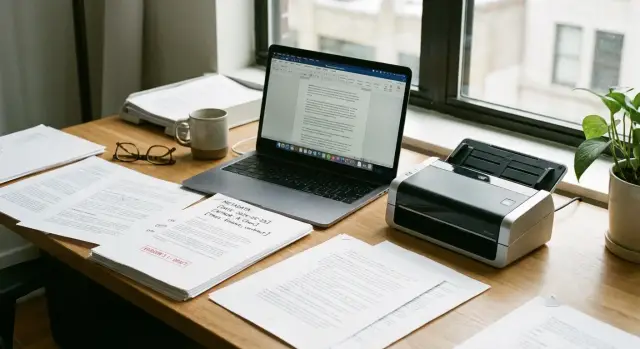
Why prepare documents before RAG
RAG works only as well as your source documents. If a knowledge base mixes scans, different formats, copies and drafts, the model will answer confidently but not always correctly. So preparing documents for RAG starts not with the model, but with organizing the content.
When data is "dirty", retrieval finds the wrong fragment or pulls pieces without context. As a result, RAG may quote a table without its header, bring up an old version of a regulation, or assemble an answer from two similar documents that actually contradict each other.
You usually see this through simple symptoms:
- "Can't find it" even though the document exists.
- "Quotes the wrong thing", inserting a similar paragraph from another file.
- "Confuses versions", answering based on an outdated order or contract.
- Gives overly general answers because text turned into "garbage" after poor OCR.
Imagine an employee asking about the validity period of an access policy. In the folder there are three PDFs: a stamped scan, an editable DOCX and the final archived version. Without deduplication and versioning the system might pick the scan with recognition errors or a two-year-old document. The answer will sound plausible, but lead to a wrong decision.
Preparation is also needed for governance. When answers must be predictable, agree in advance on roles and responsibilities: the content owner decides what is the "truth" and what may be published; InfoSec decides what can be indexed and who can see it; archive or document flow defines storage rules and statuses "draft/active/expired"; IT configures the pipeline (OCR, cleaning, indexing, updates).
If these rules aren't formalized, RAG quickly becomes "search across everything", where accuracy depends on luck, not data.
Inventory: what you have and where it lives
RAG almost always breaks not because of the model but because you "fed" it a random set of files. Start with a map of sources: what knowledge exists, who is responsible, and which source is considered authoritative.
Documents typically spread across file shares and network drives, email, ECM/EDM systems, archives in separate folders, and sometimes personal employee folders. It is important to record not only location but also the update mechanism: who adds files, how often, and whether there is approval.
Next, sort content by type. For a corporate knowledge base this is often orders and directives, regulations and policies, contracts and amendments, instructions and checklists, official letters and correspondence. For each group choose a "source of truth" in advance — one channel considered primary when versions conflict. For example, a signed PDF in ECM may be the source of truth for orders, while an approved page in the procedures database is the source for instructions.
Decide upfront what may be indexed. In the registry add a simple tag: "indexable", "indexable with masking", "not indexable". This is especially important for contracts, personal data, financial terms, internal correspondence and anything subject to access restrictions.
To make results auditable, keep a registry (at least a table) with basic fields: source and storage path (plus access type - read or export), document types and approximate volumes, owner and contact, "source of truth" and currency rule, indexing status and restrictions.
Example: at a manufacturing company like GSE.kz, service support and 24/7 process regulations might sit on a network drive, while orders and procurement documents live in ECM. If you don't fix the source of truth, RAG can easily start quoting a draft from a shared folder instead of the approved version.
The outcome of this stage is a registry of sources and responsibilities that makes clear what to index, where to take it from and who confirms currency.
OCR: making text searchable and citable
If a knowledge base contains many scans, RAG starts answering unpredictably: it doesn't find the needed phrase, mixes up numbers, or can't provide an exact quotation. Good OCR turns an image into text so you can confidently search, compare and cite the source later.
How to choose OCR and set unified rules
Choose an engine not by a demo but by your typical documents. For corporate RAG preparation critical factors are languages (Russian, Kazakh, English), table quality and support for PDFs that mix digital text and scans.
Agree on processing standards before launch, otherwise quality will vary:
- Input quality: 300 dpi is usually enough; 200 dpi often causes many errors with small fonts.
- Page geometry: rotation, skew, cropped margins.
- Noise: background, stamps, scanner streaks, gray backgrounds.
- Rules for multi-page PDFs: what counts as one document and how to store pages.
- Tables: a mode that preserves structure at least at the row/column level.
Example: if you have scanned server specifications and acceptance certificates, one misrecognized digit in a model number, RAM amount or node count changes the meaning. Tables and numbers should be validated more strictly than ordinary text.
What to store and how to monitor quality
Practically, keep three layers: the original file (as received), the recognized text (for indexing) and a PDF with an OCR layer (so you can highlight a quote and verify visually).
Quality is easy to record with simple metrics you can automate: share of "garbage" characters, suspicious gaps, frequency of numeric errors (e.g., 0/O, 1/I), percentage of pages with almost no text.
A minimal log per file helps investigate incidents and repeat processing consistently:
- Date and time of processing.
- OCR engine version and processing profile.
- Language(s) used for recognition.
- Status (success, partial success, error) and reason.
- Quality assessment (for example, percentage of "garbage" or a "needs review" flag).
This way OCR stops being a "black box" and becomes a controllable stage you can rely on for search and citation.
Text cleaning: less noise, more meaning
After OCR, text often looks "as it came out": odd hyphenation, extra spaces, repeated headers on each page. Leaving that in makes search latch onto noise and answers become unpredictable. Preparing documents for RAG almost always requires careful cleaning.
First, normalize text: unified encoding (e.g., UTF-8) and removal of broken characters, glue hyphenated words inside sentences while preserving paragraphs, normalize spaces and tabs, remove service page numbering and separators like "Page 3 of 12", unify list markers so items don't "break".
Then remove repetitive noise: headers, identical footers, "Scanned" stamps, repeated confidentiality notices if they are the same on every page. Otherwise the model will quote them instead of the substance. A simple test: if a phrase appears on every page and doesn't change document meaning, consider removing it.
Handle tables, forms and appendices with separate rules. For tables keep the "label-value" structure (at least with delimiters), otherwise numbers and captions will mix. In forms don't drop field labels even if they look like templates: people ask questions using those labels.
For bilingual documents (e.g., Russian and Kazakh) decide in advance whether to store languages separately or mark language at the fragment level. The main point is not to mix two languages within a single fragment, otherwise retrieval will miss more often.
Be careful not to over-clean. Don't remove user reference points: dates and order/contract numbers, cross-references ("clause 4.2", "section 7"), version and edition marks, codes and inventory numbers, notes with exceptions ("except in cases...").
Example: in a 40-page regulation the department header repeats at the top and "Page X" at the bottom. Remove the header and the "Page" marker, but keep "Edition 2 dated 12.03.2024" and references like "see clause 3.1". Then RAG answers to the point and can correctly cite the required clause.
Deduplication: so answers don't repeat the same thing
If the knowledge base contains copies of the same file, RAG often cites different versions of the same text and repeats the same content. Deduplication is therefore a required step in document preparation for RAG.
First decide what you call a duplicate. Typically there are three kinds: exact file copies, near-copies (e.g., the same document after OCR or with different formatting), and "templates" where dates, numbers or details change but the rest of the text is identical.
How to find duplicates
Combine methods, because a single approach won't catch everything:
- File hash (byte-for-byte exact copies).
- Normalized-text hash (after OCR and cleaning).
- Text-similarity comparison (for near-copies).
- Matching key fields (title, number, date, department, author).
- Separate handling of attachments from email and chat messages.
After detecting duplicates, don't just "delete extras"; preserve the relation "original - copies." Store a list of sources (where found), upload dates and, if possible, system identifiers (for example, order or contract number). This helps explain to users why a particular file is shown.
How to choose what to show
Set priority rules in advance: the approved active version ranks above a draft; the original from DMS/ECM ranks above a forwarded email copy; a file with clear metadata ranks above an unnamed scan; a complete document ranks above an incomplete one.
A common case is emails with threads and attachments. The email body may be repeated dozens of times through forwards while the attachment remains the same. Deduplicate email bodies and attachments separately so answers don't quote the same instruction from every message in a thread.
Versioning: how not to answer from outdated documents
RAG is useful only to the extent that documents it answers from are current. If the knowledge base contains various editions of a policy, regulation or change order without clear links, the model easily quotes an old rule. So versioning must be decided before indexing, not after the first user complaints.
First agree on what counts as a "version" for your organization. For some it's a new document revision, for others a separate change order, and for others a file with a new date. Choose one approach and stick to it across the corpus, otherwise the process will quickly become chaotic.
A minimal set of version fields should be the same for all document types (and stored as metadata, not only in the filename): version or revision number and document identifier, approval date and effective date, status (draft, active, cancelled), owner and approver, and links in the change chain ("replaces" and "replaced by").
A key point for RAG is to strictly mark outdated items. Cancelled and superseded documents should either be excluded from search or have a filter that by default returns only "active" status. Otherwise answers will jump between editions and users will stop trusting the system.
Keep history as a clear chain: document A replaced by B, and B replaced by C. Then if a user asks "why the rule changed", you can answer based on the current version and, if needed, show what was replaced.
Example: IT updated the workstation issuance regulation. If the repository contains two files "Regulation_2023" and "Regulation_2024" with no statuses or effective dates, RAG can quote old timelines or responsibility lists. If 2023 is marked "cancelled" and 2024 marked "active" with a "replaces" field filled, answers will be predictable even with similar wording.
Metadata: what to add so search is predictable
Once text is recognized and cleaned, metadata solves the main problem: why the same query finds the right document today but not tomorrow. For RAG this is crucial because the model must not only "find something" but rely on the correct source.
Fix a minimal standard so every file has the same basic fields: document type (regulation, instruction, contract, letter, report), originating department and owner, publication date and version, status (draft, active, cancelled), identifier (number, code, ticket if any).
Next add fields that help search. They don't have to be perfect, but must be consistent: topics, key terms, product and system names, regions and sites. If a company has three production sites, record them identically across documents, otherwise search will fragment across variants.
Also design metadata for filters and access rules. They let you filter out noise before RAG starts selecting fragments:
- access level (internal, department-only, leadership-only);
- confidentiality class (ordinary, restricted, trade secret);
- retention period and review date;
- applicability (sector: education, finance, public sector);
- document language.
The most common chaos cause is inconsistent naming. Controlled vocabularies (lookup lists) save the day: department names, systems, product names, regions, document types. Then "IT Department", "IT" and "DIT" don't become three different filters.
Split filling rules into what can be extracted automatically and what requires human input. Minimum automation: upload date, source, format, language, duplicates by hash; semi-automatic: document type and department (by folder, template, stamp); manual: owner, status, applicability and confidentiality; plus a short validation before publishing to the knowledge base.
Chunking for RAG: so the model finds the exact piece
Chunking solves a simple task: the model should see not the whole document but the fragment that contains the answer, and still retain meaning. This part of preparation most strongly affects retrieval predictability.
Split documents along natural boundaries: sections, clauses, subclauses, logical blocks. A good sign of a correct chunk is that it can be read independently and the topic is clear. If a paragraph refers to a definition above, add the heading and one or two contextual sentences to the chunk.
To avoid breaking meaning, watch for "linked" elements. Definitions are best kept with the clause where they are used. Don't split tables by rows if you lose column headers or units. Attachments and forms are often more convenient as separate chunks but with an explicit link to the main document.
In each chunk keep minimum data needed to verify an answer: document title and type, exact clause or section number (for example, 3.2.1), version or approval date, source (where the original is stored, file identifier), and access/confidentiality flags.
Verification of citations is mandatory. A simple test: ask a question, get an answer and ensure it cites a specific clause, not "somewhere in the document." If a server-rack maintenance instruction lists the maintenance order, the citation should point to the exact section and version, otherwise you risk following outdated rules.
Sometimes separate indexes by content type help. Policies and orders are better searched separately from support tickets and correspondence, and technical manuals separately from procurement templates. That reduces noise and yields more stable answers.
Access and security: so RAG answers only what is permitted
If RAG searches all documents at once, it will sooner or later return a fragment a user shouldn't see. Therefore access must be embedded not only in the UI but in the knowledge base itself so forbidden pieces never enter search or answers.
Plan access levels in advance. Usually a combination of role (employee, lawyer, accountant), department, project and document level (internal, restricted, confidential) is sufficient. A document may be visible to everyone while an attachment is visible only to finance. That's fine if rights are set at the file and, when necessary, fragment level.
The main rule against leaks: filter by metadata twice. First before retrieval so the system doesn't search closed sources. Second before generation in case a disputed fragment appears due to mislabeling or outdated rights.
Index and store "special" categories separately: personal data, finance, medical records, official secrets. These typically require stricter access rules, shorter retention, field masking (for example, national ID/phone), or a complete ban on use in RAG.
Include logging to investigate incidents. Minimum logs: who made the query and with what role, the query text (or a safe hash if queries are sensitive), which documents and fragments were used as sources, and the answer shown to the user.
Before launch, run checks with test accounts across roles. A simple scenario: a project A employee asks about project B budget. The correct outcome is either denial or a general answer without figures and without links to restricted sources. If any closed fragment leaked, permissions, metadata or filters are misconfigured.
Common mistakes and pitfalls when preparing a knowledge base
The most costly problems usually start not with the model but with how document preparation is organized. If the base was assembled "as is", answers will sometimes be accurate, sometimes odd, and you won't be able to explain why.
A frequent mistake is uncontrolled OCR. Text appears, but numbers, dates, order numbers and tables are recognized with errors. As a result, search doesn't find the right document and the model cites incorrect values. Scans are affected by page skew, low contrast, stamps and handwritten notes in margins.
Equally dangerous are mixed versions. Folders contain "final", "final2", "latest" and RAG answers from any of them. Without status (draft, active, archive) and an owner, the system has no guidance. In practice this leads to answers based on outdated regulations or forms, which is especially painful in procurement, HR rules and InfoSec.
Another trap is false "improvements" to text. Aggressive cleaning removes numbering, clauses and application references. Merging different documents into one file dirties context and the model mixes requirements from different policies. Sometimes repeated blocks are removed along with important exceptions and notes.
Signs that preparation is going wrong:
- identical answers with different citations from different files;
- the model often "clarifies" but doesn't show a specific clause;
- search can't find documents by exact phrasing;
- citations contain broken words, odd characters, or corrupted tables;
- old and new procedures appear simultaneously for one question.
Catch this with simple checks without complex analytics. Run 10–15 real user questions and verify whether sources match expectations. Then do a selective manual review.
Quick tests that catch about 80% of problems:
- exact-phrase query from a document and compare the found fragment;
- search by document number, date, tax ID, amount and check recognition;
- check one document in three places: original, OCR text, and RAG fragments;
- compare two versions of one regulation on key clauses;
- inspect the top-20 most-cited sources for "garbage" and duplicates.
And most importantly: without an update process and assigned owners, quality will decline every month even if the start was perfect.
Checklist, example and next steps
Run a quick pass before indexing. This saves days of debugging when RAG suddenly quotes "garbage" from scans or mixes versions.
Short pre-indexing checklist:
- OCR verified: text copies correctly, encoding is normal, tables and headings are readable.
- Cleaning done: headers/footers, repeated headings, blank pages and broken characters removed.
- Duplicates resolved: identical files and near-identical copies consolidated into one source.
- Versions labeled: it's clear which document is current and which is archived.
- Metadata and access set: owner, date, department, document type and permission levels.
Next, run a simple quality check while fixes are still cheap. Take 10–20 typical user questions and list which documents (and which sections) should be the source of the answer. If answers cite something else, the problem is usually OCR, chunking, metadata or versions.
Mini-test questions examples:
- "What is the current procurement approval procedure?"
- "What are the SLA response times for level-1 incidents?"
- "Who approves leave and what documents are required?"
- "What password requirements apply this year?"
To keep answers current, create an update regulation. Define reindexing frequency (for example, weekly) and an out-of-schedule trigger: publishing a new order, policy update, or a contract template change. Also assign an owner who confirms: the version is final and may be exposed to search.
Example scenario: a security regulation was updated. The document goes through OCR (if it was a scan), cleaning, gets metadata "InfoSec, regulation, version 3.2, date", the old version is archived with a note "not current". Then reindexing runs and a control question about passwords should reference only the new version.
It's sensible to start with a pilot on one document type (for example, policies and regulations), refine the pipeline until answers are predictable, then expand to contracts, emails and tech documentation. If infrastructure for RAG (servers, storage, security zones) and 24/7 support are needed, it's often easier to involve a system integrator: for example, GSE.kz as a manufacturer and integrator can cover some infrastructure and support tasks so the pilot doesn't depend on disparate vendors.
Frequently asked questions
Where to start preparing documents for RAG if everything is currently "in different folders"?
Start with an inventory: create a registry of sources, owners and the "source of truth" for each document type. If you index everything at once, RAG will confidently cite drafts, copies from emails and outdated versions, and you won't be able to explain why it answered that way.
Why does RAG "not find" a document even though it definitely exists?
Usually the reason is that text wasn't extracted (a scan with no OCR), the text is "dirty" after poor recognition, or the document ended up in a closed environment and was filtered by permissions. Check: is there an OCR layer, is encoding normal, are line breaks and characters cleaned correctly, and are access metadata and indexing status correct?
How to decide which file is the "truth" when there are several similar versions?
Decide priorities in advance: the approved active version beats a draft; a source from ECM/DMS beats a forwarded copy; a full document beats an incomplete one; a file with clear metadata beats an unnamed scan. Then record this in metadata (status and version) so search returns only "active" by default.
How to choose OCR and avoid chaos in recognition quality?
Look at your typical documents and risks: languages (Russian/Kazakh/English), table quality and mixed PDFs, and stability of number/date recognition. Define a single processing profile (rotation, denoise, input quality) and keep a processing log so you can reproduce results and investigate errors.
Do I need to keep originals if OCR text for search already exists?
Keep at least three layers: the original file, the recognized text for indexing, and a PDF with an OCR layer for visual verification of citations. This way you can quickly prove where a phrase came from and reprocess the document with the same settings if quality is poor.
What can be safely removed during text cleaning, and what is better to keep?
Remove content that carries no meaning and repeats: headers/footers, page numbers, identical headings, service stamps and "garbage" characters. Do not remove reference elements people use to clarify rules: clause numbers, dates and document numbers, links like "clause 4.2", version marks and exceptions in notes.
How to effectively find duplicates if documents arrive as PDF, DOCX and via email?
Combine methods: file hashes for exact copies, normalized-text hashes for OCR versions, and similarity comparison for "almost identical" files. It's important not just to delete copies but to keep the relation "original—copies" and sources so it's clear why a user is shown a particular document.
How to set up versioning so RAG doesn't answer based on outdated orders and regulations?
Introduce unified version fields as metadata: document identifier, revision number, approval date and effective date, status (draft/active/cancelled) and relations "replaces/replaced by". By default exclude cancelled versions from search or strictly filter them out, otherwise answers will jump between editions.
How to do chunking correctly so the model finds the right clause?
Split by natural boundaries: sections, clauses and logical blocks so a fragment is understandable on its own. Keep context in each chunk for verification: document title, clause number, version or approval date, and access tags; without that the model often answers correctly in meaning but cites "somewhere in the document."
How to ensure RAG doesn't show the user information they shouldn't see?
Filter by permissions twice: before retrieval so the system doesn't search closed sources, and before generation so a disputed fragment doesn't get shown due to a metadata error. Prelabel confidentiality classes and roles, and for sensitive categories use masking or ban indexing altogether; this reduces leak risk even with active RAG use.
