8 min read
Port description standards on switches: Cisco, Aruba, CMDB
Port description standards for switches ensure consistent labels for Cisco and Aruba and allow automatic exports to CMDB without manual confusion.
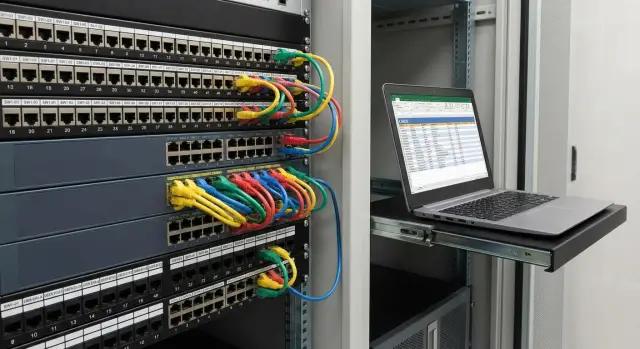
What's wrong with port descriptions when there's no single standard
When switches lack a common description format, the description field becomes a playground for creativity. One engineer writes “PC бух”, another “Buh-1”, a third writes “кабинет 203”, and a fourth leaves it empty. After a few months these labels stop helping and start getting in the way.
The issue is not only style but meaning. In one cabinet a description means the user, in another — the location, in a third — the service (for example, telephony), and sometimes it’s just a temporary note “check”. Descriptions also age quickly: an employee moves, a patchcord is moved, VLAN changes, and nobody updates the description.
Without a standard the same problems recur: finding the right port takes ages (especially over the phone), changes risk touching the wrong interface, audits become manual checks, and during night incidents people act by guesswork because the labels are not trusted. New engineers and contractors interpret such descriptions differently and draw different conclusions.
A unified port description standard produces a simple effect: fewer guesses, more confidence. A single line should tell what the port is, where it is, who owns it, and whether it can be touched. This speeds up migrations, reduces errors during bulk changes and simplifies resolving disputes.
The pain is greatest where the network is spread across sites: branches, rented offices, schools and clinics, remote server rooms. Add contractors, shift rotations and engineer turnover, and label quality degrades even faster.
For operations and security the most useful data answers “what is it”, “where is it” and “who is responsible”. Typically critical are:
- the endpoint identifier (outlet, panel, rack port),
- location (building, floor, room or cabinet),
- device type (PC, printer, IP phone, camera, AP),
- owner (department, service),
- importance flag (for example, “critical, do not disconnect without approval”).
A simple example: at 02:30 the branch point-of-sale (POS) stops working. If ports are labeled “POS-3, Branch A, POS area, IT owner”, the right interface is found immediately. If it just says “cash register” and ten others nearby are the same, time is wasted on guessing and unnecessary shutdowns.
Which fields are needed: the minimum for support and audit
Port description standards begin not with a pretty template but with an answer to: what information must an engineer find within 30 seconds to restore connectivity or complete an audit.
Where to store it and what is the source of truth
description on the port is convenient because it’s right next to the interface and visible in the CLI. But the string is short, easily corrupted by hand, and not suitable for a "big catalog".
A separate table (for example, a file) helps at the start, but quickly diverges: someone updates the switch but forgets the table.
A practical approach: keep a minimal set in description for fast actions, and use the CMDB as the source of truth. CMDB contains an extended port card, change history and relations (port - patch panel - outlet - workstation - device - owner).
Minimum set of fields for support and audit
Don't try to fit everything in description. Keep only fields that unambiguously lead to the place and device. Often the following is enough:
- site and zone: office/branch, floor or wing (short code),
- location: room or cabinet (for example, Rm210 or IDF3),
- rack and unit (if applicable): R12 U34,
- patch panel and port: PP-07:24,
- outlet or point: WA-2.15 or OUT-033.
If an active device sits on the port, add the device identifier (hostname or inventory number) and a very short role: AP, PRN, CAM, USER, UPLINK.
It’s important to separate “physical” from “logical”. The physical port describes the place and connection. VLAN, trunk, PoE and port role belong in the configuration and as CMDB attributes. This reduces confusion when VLANs change but the physical port stays the same.
What not to write: passwords, document numbers with restricted access, personal data (full names, phones), or internal security details. Too much detail that quickly ages also harms: full department names, long change-request comments, and “temporary” notes without expiry.
To make a standard work across Cisco and Aruba, agree on terms in advance: unified abbreviations, object code formats, rules for spaces and separators. It helps to keep a small glossary (10–20 terms) and a blacklist of forbidden words so descriptions are predictable and can be exported to CMDB without manual cleanup.
Naming rules template: string format and examples
To help support and export to CMDB, use a single string format: fixed field order, one separator and consistent case.
A convenient approach is short codes separated by | (or ;). Fix case early: codes in UPPERCASE, free text (if any) in normal case.
Basic string structure
A human-readable and script-friendly template:
LOC|RACK|OWNER|DEV|ROLE|REMOTE|NOTE
Where:
LOC— location (city, site, floor),RACK— cabinet/rack,OWNER— department or service owner,DEV— device class,ROLE— port type (ACCESS/TRUNK),REMOTE— what it connects to,NOTE— short comment.
To make it easy to follow, agree on:
- one separator (for all models, e.g.
|), - abbreviation dictionary (PC, PRN, IPP, CAM, AP, SRV, UPS, POS),
- location format (e.g.
ALA-A1-F03orAST-B2-F01), - length limit (target 60–80 chars, no spaces inside codes).
Examples: access port
An access port should be labeled so you can tell in 5 seconds where it is, who it belongs to, what’s connected and why.
Examples:
ALA-A1-F03|TR12-U18|FIN|PC|ACCESS|WS-03421|"POS"
AST-HC-F02|TR03-U10|IT|PRN|ACCESS|HP-M402-2F|"room 214"
ALA-A1-F01|TR01-U05|SEC|CAM|ACCESS|CAM-ENT-07|"entrance"
Device identifiers (WS-03421, CAM-ENT-07) are best taken from inventory labels or CMDB so they match everywhere.
Examples: trunk/uplink
For trunk/uplink the remote device and exact remote port matter most. That speeds up finding loops, VLAN issues or LACP errors.
ALA-A1-F03|TR12-U48|NET|SW|TRUNK|SW-ALA-A1-AGG01:Gi1/0/24|LACP
AST-B2-F01|TR02-U52|NET|RTR|TRUNK|RTR-AST-EDGE01:Te0/0/0|WAN
If the string is too long, shorten it without losing meaning: trim NOTE, use owner codes (FIN, HR, SEC, EDU), keep LOC compact. Don’t remove REMOTE for uplinks or the unique identifier for access ports — they’re the most useful fields during incidents and audits.
Cisco: how to work with description and avoid confusion
On Cisco the quickest way to add meaning is interface description. It’s visible in command output, captured in config backups and convenient for CMDB exports.
Don’t confuse roles: description should be an operational hint, not the full documentation. The CMDB remains the source of truth, and the port should contain the minimum that helps find the cable end and the port’s role.
To keep consistency, define rules by interface types:
- Access port: shows the outlet or device and a clear identifier.
- Trunk: where the uplink goes and who the neighbor is (switch, router, inter-floor node).
- Port-channel: describe the logical channel (where it goes), and mark physical members as PoX members.
- SVI (VLAN interface): describe the VLAN role simply (users, voice, cameras), without lengthy technical text.
CDP/LLDP are useful as checks: they help confirm the neighbor and the remote port. But they are a poor sole source: a neighbor can be powered off, protocols disabled by policy, or only the model may be visible without a helpful name. A good scheme: description states intent, CDP/LLDP confirms the fact.
A common failure happens during moves. Rule of thumb: if you move a cable or change a port role — update the description in the same step. Otherwise after a month the port will still say “printer” while an important service is already connected.
For reviewing descriptions, keep a short set of typical checks (command names depend on IOS version but the idea is the same): list ports with description, find interfaces with empty or too-short descriptions, compare CDP/LLDP neighbors with description, and spot-check configs of disputed ports.
Example: if a port moved from “PRN-3F-305” (printer on 3rd floor) to an uplink to a neighbor switch, its description must change the same day. Otherwise support sees “printer”, disables the port “for repair”, and more than the printer goes down.
Aruba: port description nuances and a unified style
Aruba has practical differences between AOS-CX (modern switches) and older lines (often AOS-Switch): command interfaces and admin habits differ. But the standard’s intent is the same: port description should live in the interface config so it appears in backups, audits and CMDB exports.
In the policy it’s better to fix the rule (description is read from running-config or interface output) rather than specific commands. Don’t keep notes “in heads” or separate files.
LLDP: a good helper but not a replacement for description
LLDP is useful because it shows the neighbor automatically — helpful when descriptions were forgotten. But don’t rely on LLDP 100%: it can be disabled, the neighbor may be unmanaged, or converters/phones may provide incomplete data.
Practical approach: keep in description what should be connected and where the port logically goes, and use LLDP as verification of what is actually connected. This reduces “gray” ports and disputes when reconciling with CMDB.
Stack and chassis: how not to lose meaning after replacements
In a stack or chassis numbering can change after module replacement, member reordering or topology changes. To avoid stale descriptions, include not only the port number but its purpose in the description.
A format that works both on Cisco and Aruba:
SITE(site or city),RACK/ROOM(rack or room),TO(where it goes: device, patch panel, outlet),ROLE(USER, AP, IPPHONE, CCTV, UPLINK),TICKET/DATE(optional, useful for change history).
Add a rule for PoE ports so support immediately understands the risk of cutting power. Short tags are enough: POE + load type (AP/IPPHONE/CCTV) and, if desired, a criticality flag (CRIT).
Example: ALA-DC1|R12|NET|AP|ACCESS|AP-3F-NE|POE CRIT. Even if the port moves from 1/1/10 to 1/1/12 after rack work, the intent remains and Cisco/Aruba records will look consistent.
How to roll out the standard: a 2–4 week plan
Introduce a unified port description standard as a short project with clear roles. The goal: any engineer can understand within 30 seconds what’s connected, where and who owns it.
Weekly rollout plan
A comfortable pace is 2–4 weeks, depending on number of sites and switches.
- Week 1: agree on scope. Ops says what is needed for support, security states what is important for investigations, procurement and audit define which fields must match inventory. Decide what is mandatory and what is optional.
- Week 1: approve the dictionary and reference lists. Lock abbreviations (AP, CAM, PRN, etc.) and a location reference (city, site, floor, rack) once and then only extend it.
- Week 2: prepare templates for common cases. Create 5–6 templates: workstation, printer, AP, camera, uplink, server/rack. Add 2–3 examples each to avoid varying interpretations.
- Week 3: pilot on one site. Walk real ports, add descriptions, and gather feedback: which fields are missing, what is too long, where order confuses people.
- Week 4: roll out to other sites and finalize the process. Assign the standard owner and the change entry point.
Mass rollouts fail more often due to quality control than configuration. Simple success criteria: descriptions exist on all access ports and uplinks, location uses the reference list only, roles and device types use the same words, no personal data, and any physical change requires updating the description as a mandatory step.
Enforce: whoever changes a physical connection updates the description the same day, and the team lead performs weekly spot checks. This keeps the standard alive for years, not just two weeks.
Collecting and exporting data to CMDB: what to automate
For descriptions to truly help support and audit, back them with facts: what is connected now, where it resides, what asset it maps to and how trustworthy the data is. These should be regularly exported to CMDB.
Data sources to collect automatically
Collect several signals and carefully correlate them:
- switch configurations (including
description, VLAN, access/trunk mode, speed/duplex), - LLDP/CDP (neighbor device, neighbor port, sometimes name/model),
- MAC address table (which MAC is on which port and VLAN),
- ARP (IP–MAC mapping, useful at L3 boundaries),
- PoE status (class/power, actual power usage).
Inventory labels on outlets and workplace markings are also valuable. They aren’t a network source, but they answer the main question: where is the physical point.
How to map a port to an asset reliably
The most reliable mapping is the chain: switch port → outlet/point → endpoint device. Serial numbers of endpoints are often unavailable, so in practice use MAC + IP + LLDP + location combination.
Example: on Gi1/0/24 a new MAC appears, ARP shows an IP, PoE reports 6–8W consumption — likely an IP phone. If description already contains the room and outlet, CMDB can link the port to the point and mark the record as “auto-discovered” until a technician confirms the model.
Separate attributes and relations. Attributes change often (VLAN, PoE), while relations describe structure.
- Port attributes: interface name,
description, admin/oper status, VLAN/trunk, PoE, last MAC. - Relations: port → switch, port → outlet/patch panel, port → discovered device (by MAC), device → location.
Typical cadence: daily collection for the background state, event-triggered collection (when description, VLAN or LLDP neighbor changes), and manual confirmation for critical areas.
Preparing exports: format, duplicate control, confidence
Agree on keys for exports: unique port identifier (e.g. switch_serial + interface), a unified location name format and rules for description. Duplicates often occur due to switch renames or different site naming.
Add a "confidence" field: “confirmed” (checked manually or by document) vs “auto-discovered” (from LLDP/MAC/ARP). This prevents CMDB from becoming a disputed "truth" and shows what can be trusted without verification.
Example: office and branches where finding the right port fast matters
An office has 3 floors plus 5 small branches. Various contractors installed the network: Cisco on one floor, Aruba on another, mixed gear in branches. Some ports lack description, others read “user”, “pc”, “uplink??”. When an employee loses connectivity or their phone loses power, finding the port becomes a scavenger hunt.
Goal: implement unified rules so one line reveals what’s connected, the outlet location and the owner. Then export data to CMDB and link the switch port to outlet, workstation and device.
How it looks in practice
The team chooses one string format (same for Cisco and Aruba), e.g. Location | Outlet | Device type | Identifier | Owner/service | Comment. Fill by priority: uplinks, Wi‑Fi, telephony, critical rooms, then mass update workstations.
Example descriptions:
- HQ-2F | A-2-14 | PC | WS-0421 | Sales | User Ivanov
- HQ-2F | A-2-14 | IPPHONE | EXT-3124 | Voice | PoE
- HQ-1F | LOBBY-01 | AP | AP-1F-LOBBY | WiFi | Ceiling
- HQ-3F | SRV-01 | PRINTER | PRN-3F-01 | Office | Room 312
- HQ-SRV | RACK-2U14 | UPLINK | to-CORE-01 | NET | trunk
You can see where the standard leaks: examples include personal names (User Ivanov) and free-text that quickly diverges. In practice keep description to department/service and inventory ID; personal names belong in service systems if needed.
Reconciling with reality
To keep CMDB accurate, do short on-site and network checks. Usually a 10–20% floor sample plus all uplinks is enough.
Fast helpers: outlet continuity testing and matching port numbers on patch panels, LLDP neighbors (shows if a phone, AP or neighbor switch is actually on the port), PoE consumption (if the port powers a device it’s not empty), floor plans and workplace lists.
A good result: 90–95% of ports have clear descriptions, finding “where the user sits” takes minutes instead of hours. You’ll see fewer mistaken shutdowns, faster equipment replacement, simpler audits and relocation planning.
Common mistakes and pitfalls with naming rules
The most common mistake is trying to “describe everything at once.” description becomes a field with room, full name, serial, VLAN and move history. A month later half the text is wrong and nobody has time to fix it. Keep in the port only what the team will physically manage; put the rest in CMDB.
Second trap: each engineer’s personal style: kab-312, 312k, Room312. Different separators, case, abbreviations and field order make search and export painful. The data exists but is hard to reconcile.
People also mix physical and logical info. One description lists where the cable goes (patch panel, outlet) and how it’s configured (VLAN, voice/data). Logic changes more often than physical connections, so such descriptions age quickly. Rule: description answers “what is this connection point and who owns it,” while network parameters live in config and CMDB.
Another source of chaos is copy-paste during moves. Cable moved to another port but description left unchanged. After a few incidents the team stops trusting descriptions and stops reading them.
Signs the standard has "leaked":
- 3–4 formats appear in one cabinet,
- many “TEMP”, “TEST”, “old” labels that persist for years,
descriptionlonger than terminal line and gets truncated in view,- the same room is written in multiple ways,
- CMDB is filled but field matches are unstable.
Automation can harm if there’s no validation. A script exported description to CMDB without checking format or required values. The result: a rich but unreliable database.
Mini-scenario: a workstation in room 214 was moved to a neighbor port but the description remained. Support sees “214-Printer”, goes to replace a printer, but there’s an IP phone there now. Fix: assign an owner of the standard, validate format before commit, and monthly audit of nonconforming ports.
Quick checks and next steps
After finishing a site or a major change do a quick review. Goal: one description line should tell where it goes, who owns it and where to find the device.
Checklist (20–40 minutes per cabinet):
- completeness: active ports have no empty
description, - consistent format: same field order and abbreviations,
- clear locations: office, floor, room, rack readable by on-call staff,
- uniqueness: avoid many identical labels like “PC” or “USER”,
- uplink sanity: uplinks and trunks are marked as such.
On switches watch two anomalies: active ports with empty description (link up, traffic present) and copy-paste descriptions that don’t match reality (e.g. same room on different floors). In mixed Cisco/Aruba networks a frequent find is different names for the same place ("Floor2" vs "2et"), which breaks searches by description.
In CMDB do the same: remove junk and link records. Look for duplicate ports (one physical port recorded several times), ports without location or rack, and “dead” assets shown as connected but actually powered off or decommissioned.
Next steps: finalize the string format and abbreviation list as an internal standard, pilot on 1–2 cabinets and collect exceptions, set up regular data collection (interfaces, status, descriptions) and reconcile with CMDB, run monthly spot checks and correct deviations.
If the network is heterogeneous (Cisco, Aruba and other vendors), it’s easier to keep the standard when there is a single process owner and decent integration with inventory and support. System integrators’ experience can help: for example, GSE.kz (gse.kz) provides system integration and 24/7 support, and supplies equipment and infrastructure solutions for organizations in Kazakhstan.
Frequently asked questions
Why bother with a single standard for port descriptions if you can just label things “somehow”?
Write descriptions so that within half a minute it’s clear “what it is,” “where it is,” and “who owns it.” Without that, the `description` field becomes random notes people stop trusting, and finding the right port during an incident takes extra time.
Which fields absolutely must be in `description` to help support?
Keep a minimal set that unambiguously leads to the location and point: site/object code, rack or room, and the point identifier (patch panel/port or outlet). If an active device is connected, add a short class (AP/PRN/CAM/PC) and its identifier matching inventory or CMDB.
What should be stored in `description` and what in CMDB?
Keep the “physical meaning” and quick hints in `description`, and put details and history in the CMDB. Simple rule: if VLAN or port policy changed, `description` may remain the same; if the cable, purpose, or endpoint changed, update the `description` immediately.
What must never be written in a port description?
Don’t put personal data, phone numbers, full names, passwords, internal security notes, or document numbers with restricted access. Also avoid long histories and temporary notes without an expiry—they quickly become false and clutter searches.
How to make descriptions identical on Cisco and Aruba?
Pick a single line format with fixed field order and one separator, for example `|`, and lock the case and abbreviation dictionary. Then create 5–6 templates (workstation, printer, AP, camera, uplink) and use only them to avoid many variants of the same item.
How should access-port descriptions differ from uplink/trunk descriptions?
For access ports prioritize location and endpoint: where the outlet or panel is and what device or role is connected. For trunk/uplink prioritize the neighbor and the exact remote port so loops, LACP issues and VLAN problems are found faster. If the line is short, shorten the NOTE field but don’t remove the remote-side field.
How to label port-channel and its physical members correctly?
Describe the port-channel as a single logical channel: where it goes and what connection it is. On physical members add a short marker that this port is a member of a specific Po (so it’s obvious not to reuse it accidentally during rack work).
Can LLDP/CDP replace `description`?
Use LLDP/CDP as a verification of what is actually connected now and whether it matches `description`. Don’t rely solely on LLDP/CDP because it may be disabled, the neighbor might be unmanaged, or intermediate devices can make the data incomplete.
How to implement the standard so it doesn’t die after two weeks?
A 2–4 week rollout usually works: agree required fields and the dictionary, create a few templates, run a pilot on one site, then roll out. The most important part is process: whoever changes the physical connection must update `description` the same day, and there must be regular spot checks.
What should be regularly exported to CMDB to keep data useful and trustworthy?
Automate collection of configs (including `description`), port statuses, LLDP/CDP, MAC tables, ARP and PoE, and store relations “port—outlet—device—owner” in the CMDB. Agree on a unique port key (for example switch_serial + interface) and add a confidence flag: confirmed by hand or discovered automatically.
