7 min read
Plan-fact for department budgets: linking requests, purchases and payments
Plan-fact for department budgets: how to link requests, purchases and payments in one system so managers see limits and balances without manual spreadsheets.
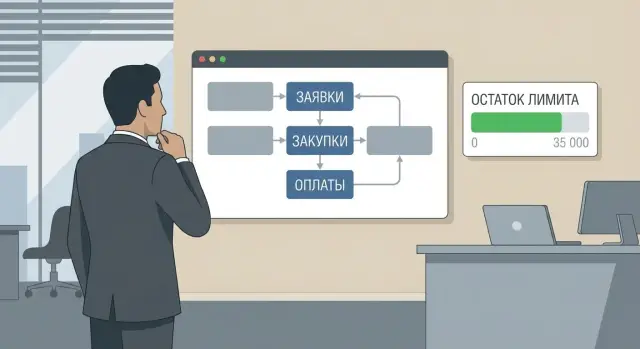
Why plan-fact doesn’t match and limits become unclear
A manager needs a simple answer: how much money is still available for their department. In practice, the “remaining” amount often differs between the report, requests and accounting. As a result, decisions are made blindly: some overcautiously stop necessary purchases, while others spend more than was approved.
Most often the problem is the gap between the intent to spend and the actual payment. A request reflects the need, an order records the obligation, and a payment closes the fact. If these three parts live in different places or lack unified status logic, the numbers turn into a set that can’t be verified.
Data “gets lost” at several points. A request can be approved but an order only partially placed. An order can be created and later have its amount or supplier changed without the budget updating. A payment can be one sum covering several orders, and it’s hard to allocate it to articles and CFOs without predefined rules.
Manual Excel summaries make things worse. They look neat but update with delay, depend on one person and their formulas, don’t show obligations (what is already “committed” but not yet paid) and handle corrections poorly.
Late reconciliations are also risky. When plan and fact are compared once a month, overspend is discovered too late: obligations are signed, deliveries are on the way, cancellation costs money and reputation.
A working plan-fact answers four questions without manual notes: how much was allocated, how much is already reserved by requests and orders, how much is paid, and how much remains available. For example, if IT plans to buy servers or workstations, a manager should see not only paid invoices but also the amount of confirmed orders that will “eat” the limit next week.
When these answers are visible immediately, control becomes calmer: limits are clear, decisions are faster, and approvals follow rules rather than email and guesswork.
What to prepare before configuration: roles, statuses, rules
For plan-fact by department budgets to work, agree first on process, not reports. Who is responsible for what, at which moments numbers are considered “real”, and what data must be present in each document. Without that, the system will calculate honestly but by different rules for different people, and limits will again become a matter of dispute.
Roles: who keeps the process on track
Usually four roles are enough:
- Requester creates the request, selects the department and article, describes the need and amount.
- Department manager confirms that the expense is needed and fits the limit.
- Procurement turns the need into a purchase (RFQ, contract, order) and records conditions.
- Finance (budget/treasury) monitors limits, reserves and payments, and confirms payments.
If one person combines roles, that’s fine. What matters is that the role is defined and actions are consistent for everyone.
Statuses: when money is “committed” and “spent”
Main agreement: which document statuses affect available balance. Typical set:
- Draft: does not affect anything.
- Approved: a reserve appears, the limit is reduced by the request amount.
- Placed (ordered/contract signed): the obligation is confirmed by a procurement document.
- Paid: the fact, money has left, the obligation closes.
The meaning is simple: a manager should see not only payments but also what has already been “promised to spend”.
Rules: where the single source of truth is and what must not be bypassed
Choose one source of truth: the system. Emails, chats and spreadsheets can be attachments but not the place where amounts or statuses change. Otherwise you’ll get two realities: the system shows the limit available, while email already “committed” it.
Fix a few short rules: who can change the amount after approval, when recheck by the manager is required, what to do in case of partial delivery or partial payment.
Minimum data to start
To link requests, purchases and payments without guesses, every document should share the same “skeleton”:
- department (whose limit is spent);
- budget article (what we spend on);
- amount and currency;
- limit period (month/quarter/year);
- counterparty (when known) and basis (contract/invoice).
Starting with this set and discipline on statuses makes reserve and fact calculations much easier to configure. Managers will see limit balances without reconciliations and the phrase “our Excel says otherwise”.
Catalogs without chaos: articles, CFOs and limit periods
Catalogs solve half the problems that make numbers jump for managers. If articles, departments and periods are set up differently, plan and fact will diverge even with perfect discipline on requests and payments.
How to arrange budget articles
Start with a single common catalog of budget articles and short rules on what belongs where. It’s important that an article means the same thing in a request, order and payment. If accounting uses “stationery” while departments write “office expenses” and “paper”, totals will inevitably diverge.
A practical approach is two levels: a broad article (e.g., “IT equipment”) and a detail ("PCs", "servers", "monitors"). Then managers see meaningful totals while procurement and finance retain necessary detail.
To avoid duplicates, keep simple rules: one meaning — one name, fixed code, prohibition on creating new articles without approval, and a “temporary article” for disputed expenses with mandatory reclassification later.
Departments, CFOs and projects: don’t overcomplicate
Build structure around who is responsible for the limit. Often the combination “department + CFO” is enough. Add projects only where separate control is genuinely needed, otherwise requests will start spreading across random projects.
Example: “IT service” holds the limit for article “IT equipment”, while “Astana Branch” holds the limit for “Telecom and Internet”. If a branch employee creates a request for a laptop, they choose article “IT equipment” and CFO “Astana Branch”. The branch manager sees their limit decrease even if central IT runs the procurement.
Limit periods and carryovers
Define the limit period once and stick to it (year, quarter or month). Predefine rules for carryover: what happens with unused limit and what happens with overspend.
A common simple rule works: a limit applies within the period; carryover is possible only after approval and recorded by a separate adjustment. Then budget balances don’t get “drawn” but are explained by clear decisions.
How to set limits and changes: plan, approval, adjustments
For plan-fact to work, a limit must be entered into the system before requests appear and be “live”: with an effective date, owner and change history.
The plan is usually created as a budget by article and department (CFO) for a period. Agree on the level of detail in advance so you don’t end up with hundreds of tiny lines.
Plan and limit approval
A basic flow looks like this:
- the initiator enters the plan by articles and period;
- finance checks rules (article, period, CFO, justification);
- an approver marks the “approved limit” with a dedicated status;
- after approval the limit becomes available for reservation;
- any changes go only through an “adjustment” document, not by editing the approved number.
Key point: an approved limit must not be overwritten. It can only be changed by a separate document so the history remains clear: who, when and why changed the amount.
Adjustments, returns and cancellations
After a request is approved, the limit is usually not decreased by payment immediately but moved to reserve. This protects against several requests consuming the same remaining balance.
Plan in advance how the system reacts to typical events: cancellation of a request or purchase (reserve returned), partial execution (part of reserve becomes fact, the rest remains), deadline shifts (only via agreed adjustment), supplier return (reduces fact and restores available limit), article or department change (only via a change document with approval flow).
Simple rule of thumb: a manager opens the limit and sees three numbers (approved, reserved, paid) and understands why the remaining balance is what it is.
Step-by-step: how to link request, purchase and payment in the system
A continuous chain of documents is needed so managers see clear limit balances. Then amounts don’t get lost between stages and reports show not only paid money but future obligations.
The chain logic: intent (request) -> obligation (reserve/order) -> confirmation of receipt (acceptance/act) -> payment. If any link isn’t connected to the previous one, limits start to jump.
Five steps that must be linked by a single basis
- The need is recorded as a request. It should immediately specify department, article, period and expected amount. Before approval the system should check available limit accounting for already reserved amounts.
- After approval a reserve appears. Money hasn’t left yet, but it can’t be spent again. If procurement is staged, create reserves by phases.
- An order to the supplier (PO) is issued with control over amount and currency. The order inherits article, CFO and project (if used) from the request. Define rules for currency conversion in advance.
- Receipt is confirmed (acceptance, act, waybill). For partial delivery, receipt should also be partial.
- Invoice and payment are linked to the order and article. Advances, partial payments and supplementary payments should reference a specific order or receipt so the fact closes the obligation automatically.
What usually breaks the chain
A common error is making a payment “manually” against an article without linking to an order. Another is changing article or department mid-chain. If details need changing, do it through an agreed correction so history stays transparent.
How to calculate the remaining limit: plan, reserve and fact
Managers must see the real picture, so the system should separate three layers: plan (approved limit), reserve (obligations) and fact (payments).
Three layers that must not be mixed
Plan — how much the department is allowed to spend in the period by article and CFO. Reserve — how much has already been promised to spend even if money hasn’t been transferred. Fact — how much has actually been paid.
A convenient formula:
Remaining = Plan - Reserve - Fact.
This way a manager does not see “available” money that is already taken by requests and contracts.
Partial deliveries and partial payments
Partial deliveries can be tracked as a separate “received/supplied” metric, but they affect the remaining limit only according to chosen rules. The clearest approach for management control: keep the reserve at the obligation amount until the order is closed, and decrease remaining by payments as they occur.
Example: limit 10,000,000 KZT, contract 8,000,000 KZT, payment 3,000,000 KZT. Remaining = 10,000,000 - 8,000,000 - 3,000,000 = -1,000,000 KZT. This signals obligations already exceed the limit even if money hasn’t fully left yet.
VAT, exchange differences, rounding
To prevent jumps:
- pick a single reporting currency (for example, KZT); foreign currency documents are converted at a fixed rate on the obligation date and again on the payment date;
- record exchange differences by a separate adjustment or article so the reason for deviation is visible;
- agree how VAT is treated: limits are either set “including VAT” or “excluding VAT” and reserve and fact are calculated the same way;
- rounding must be consistent across documents and reports.
Reports for managers: what to show so it’s clear
Managers don’t need an operation log. They need to quickly understand how much money is still available, what is already committed, and where there is a risk of exceeding the limit.
What a manager should see in half a minute
Start with one summary page for the department and period. At the top show four indicators: plan, reserved, paid, remaining today. Use “today” so decisions can be made immediately.
Below, show what makes up the remainder: top articles nearing zero; a list of obligations with document breakdown; payment facts with dates; a simple forecast “what if we pay all approved and placed items”; and a block about process problems (stalled statuses, overdue approvals).
Key point — reserve breakdown. A single “obligations” number doesn’t help. You need a list of documents that hold the limit: what can be accelerated, what can be cancelled, and what cannot be touched.
Filters and highlights
Filters should be consistent across reports. Minimum: period, project, supplier, requester.
Highlights help spot risk:
- remaining below threshold (e.g., 10% of the limit);
- document “in approval” longer than normal;
- an order/contract exists but no expected payment date;
- invoice’s article doesn’t match the request.
Practical example: equipment purchase within a limit
Imagine IT has an approved quarterly limit of 12,000,000 KZT for article “Computer equipment”. The manager needs to see not only what has been paid but also what is already committed so funds are not double-allocated.
An employee creates a request for 10 office PCs (e.g., L200 line) and 10 monitors with an expected amount of 11,500,000 KZT. After approval the request gets status “Approved” and the system reserves the amount as an obligation. The remaining balance changes immediately because money is already earmarked for the upcoming purchase.
Procurement runs a tender and gets a lower price: 10,900,000 KZT. With proper document linkage the order ties to the request and the reserve is recalculated to the order amount. The 600,000 KZT difference returns to the available limit without manual edits.
Delivery comes in parts: first 6 sets, then 4 more. One order entails two payments: a 30% advance and a final payment after closing documents. Paid amount accumulates with payments, while “committed” stays equal to the obligation until the order is fully closed.
For the manager the clearest result is four numbers by article and period:
| Metric | Amount, KZT |
|---|---|
| Plan (limit) | 12,000,000 |
| Committed (reserve from requests/orders) | 10,900,000 |
| Paid (fact) | 3,270,000 (30% advance) |
| Remaining (available) | 1,100,000 |
When the final payment and delivery close, “Paid” will match the order amount and “Committed” will drop to zero or move to closed status. The manager sees the picture without surprises: limit, current obligations, actual payments and the real amount available to spend.
Common mistakes: why limits show the wrong amounts
Usually the issue is not formulas but rules. If you don’t agree when an obligation appears, where it belongs and how it is cancelled, the remaining limit will almost always diverge from expectations.
1) Reserve is created too early or too late
If reserve is set at request creation, the limit is consumed even for ideas that may never be approved. If reserve is only set at payment, the manager sees free money for too long while procurement is already in progress.
Better pick one clear moment for reserve (for example, status “Approved” or order creation) and define explicit events that release or convert reserves into facts.
2) Requests, orders and payments use different articles and departments
Classic case: request uses “Office expenses”, order uses “Computer equipment”, payment posts to a third article. In reports the reserve sits under one line and the fact under another, so each article’s totals are wrong.
Fix a rule: article and department (CFO) must persist through the chain without manual changes. If change is needed, perform it through approval and log it as an adjustment.
3) No rules for cancellations and returns, reserve isn’t freed
If a request is rejected, an order cancelled, goods returned or supplier issues a reversal, the limit should be released predictably. Otherwise a reserve may hang for months and understate the available balance.
At minimum have two scenarios: cancellation before order (reserve removed) and cancellation after order/partial payment (recalculate reserve and fact according to documents).
4) Payments made without linking to an order, fact lands in the wrong place
If a payment goes out without reference to order/contract/request, the fact is hard to attribute to the correct article and department. Then the manager sees an unexpected write-off in another article or an “empty” fact while a reserve remains.
Working rule: payment inherits budget analytics from its basis. Manual entry of analytics in payment should be an exception, not the norm.
5) Mixing accrual-based plan and cash-based fact without explanation
Sometimes the plan is set on accruals (expected invoices and documents) while fact is counted by payments. Then one month looks free and another suddenly goes negative, even though operations were smooth.
If different approaches are used, show them explicitly: separate obligations/reserve, separate paid, and a line explaining the accounting logic.
Pre-launch checklist and next implementation steps
Before launch agree one thing: what exactly the manager will consider “remaining” and which documents affect it. If the formula and rules aren’t agreed, plan-fact quickly becomes an argument.
Pre-launch checklist
- Catalogs: budget articles, CFOs, limit periods and reservation rules.
- Document chain: requests, purchases and payments must have mandatory fields (article, CFO, period, responsible, basis) and unified status logic.
- Remainder formula: what is in plan, what counts as reserve, what counts as fact. Separately — returns and reversals.
- Partial operations: partial delivery, partial payment, reconfirmation and adjustments must correctly change reserve and fact.
- Reconciliation control: run 5–10 typical scenarios and reconcile results with accounting/treasury.
It’s useful to run a short “trial day” in real rhythm: 2–3 requests from different departments, one purchase with partial delivery and one payment in two installments. This quickly reveals missing fields, unclear statuses and where the chain breaks.
Next implementation steps
A simple plan helps:
-
Choose a platform where rules and reports can be enforced.
-
Appoint a process owner (usually finance) and data owners (departments) to resolve disputed cases.
-
Describe the minimal set of reports for managers: limit, reserve, fact, remaining and a breakdown of “what reserved it”.
-
If you need help configuring processes and integrating procurement, payments and support, involve a system integrator. For example, GSE.kz does system integration and infrastructure solutions, which can be useful when budget control must be linked to real procurement and operations.
When these steps are done, rollout goes smoother: users see a clear remaining amount and finance gets manageable control over obligations and payments.
Frequently asked questions
Why does the remaining limit differ between the report, requests and accounting?
Most often you are looking at different “layers” of money in different places. Requests show need, orders show obligation, payments show the fact — and without a single chain of documents these amounts don’t add up into one verifiable balance. Agree on one rule: when a reserve appears and when it’s released, and calculate the remainder the same way in all reports.
What is more important to monitor: payments or obligations from requests and orders?
An obligation arises before a payment. If reserves aren’t taken into account, a manager sees “free” money that is already committed by approved requests or orders. A practical approach is to show three numbers together: approved, reserved, paid — then the remaining amount becomes clear immediately.
At which status should money be “reserved” against the limit?
The clearest management rule: reserve money when a request is approved or when an order is created, and treat payment as the fact. Choose one of these events and use it everywhere; otherwise the limit will be consumed too early or will suddenly go negative on payment. For most companies it’s convenient to reserve on status “Approved”.
How to avoid payments going to the wrong article and breaking the plan-fact?
Agree that the source of budget analytics is the payment’s basis: the order, contract or acceptance record linked to the request. Then the payment automatically inherits the budget article and CFO, and the fact is posted to the same place as the reserve. Manual input in the payment should be an exception with mandatory verification.
How to account for partial deliveries and partial payments correctly?
Treat partial deliveries as an execution indicator, but usually control the limit through obligation and payment. Reserve is kept at the order amount, while the fact accumulates through payments until the order is closed. This way the manager sees the overspend risk in advance even if delivery is not complete.
What to do with VAT, currency and exchange differences so figures don’t jump?
Agree rules in advance: limits are set either including VAT or excluding VAT, and reserve and fact are calculated the same way. For currency choose one reporting currency (for example, KZT) and define the exchange rate on the obligation date and on the payment date; record exchange differences separately so the reason for deviations is visible. This removes “jumps” caused by revaluation and rounding.
How to handle changes after approval so there are no disputes?
Make one place to change amounts and statuses — the system, not email or Excel. If a sum can be changed after approval, do it through a separate correction document with a clear reason and re-approval if needed. This preserves history and eliminates disputes about “who changed what”.
Which roles are needed so plan-fact works and doesn’t rely on one person?
Four roles are enough: requester, department manager, procurement, and finance/treasury. What matters is not the number of people but clarity: who creates the request, who confirms the need, who records the procurement obligation, and who approves the payment. Even if roles are combined, actions must be consistent for everyone.
Which reports does a manager need to quickly understand the limit situation?
Start with one dashboard page for a department and period showing four numbers: plan, reserved, paid, remaining today. Add a breakdown of reserves by documents — a single “obligation” number is not enough to decide. Also show stalled statuses and mismatches between request, order and payment articles/CFO.
How to start implementing without drowning in settings and rework?
Run a short test with 5–10 typical scenarios: approve a request, a purchase with a reduced price, partial delivery, payment in two installments, cancellation and return. Compare final figures with finance and accounting and adjust status rules and required fields while volume is small. If you need full integration of procurement, payments and infrastructure, you can involve a system integrator such as GSE.kz, but first agree the internal accounting rules.
What are common reasons limits show the wrong amounts?
Usually the difference is not in formulas but in rules. If you don’t agree when an obligation appears, where it belongs and how it’s cancelled, the remaining limit will almost always diverge from expectations.
