8 min read
Performance testing before purchase: benchmarks and reporting
Performance testing before purchase helps you compare servers and PCs using real workloads: which benchmarks to run and how to prepare the report.
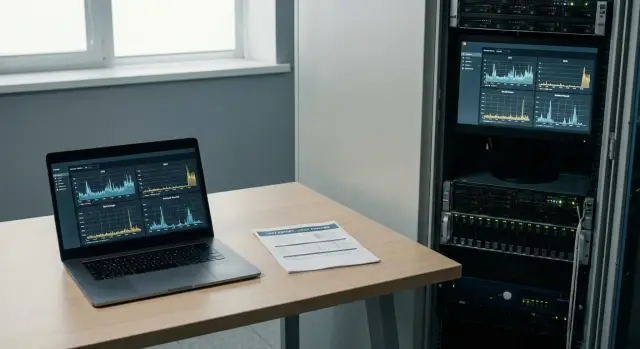
Why test before purchase and what counts as real load
Datasheet specs are useful, but they rarely answer the main question: how will the hardware behave on your tasks. CPU frequency, memory size and claims like “up to X IOPS” don’t show what happens with concurrent users, request queues, peak loads and the specific bottlenecks of your infrastructure.
“Real load” is not an abstract stress test but the set of actions people and systems perform daily. Usually it’s a mix of office apps, database work, file operations, email, virtual desktops, 1C/ERP, analytics, video surveillance, medical or educational systems. It’s important to describe not only “what runs” but how many users run it concurrently, at what hours, with what file sizes and which delays are acceptable for you.
Without testing, teams most often make three mistakes. First, they overpay for a “powerful CPU” while being limited by disk or network. Second, they choose a configuration that’s just enough on average but “collapses” at peak. Third, they compare suppliers under different conditions: software versions, drivers, BIOS/UEFI settings, power modes and even OS power plans differ.
Evaluate not only average speed but what users and admins actually feel. Useful indicators are: p95/p99 latencies (how often slowdowns occur), stability between runs, behavior as load grows and at peak, headroom on resources (CPU/RAM/disk/network) during working hours and recovery speed after spikes.
Sometimes a simple pilot on 1–2 devices is enough — for example, when updating office PCs or adding standard servers to an existing cluster and requirements are clear. But if a system is critical (finance, public services, healthcare, learning platforms), you plan to scale or downtime is expensive, you need a bench with repeatable scenarios, fixed settings and identical OS images.
A practical approach: first define 3–5 working scenarios, then add 1–2 synthetic tests for diagnostics to quickly find bottlenecks. This way performance testing before purchase gives both an honest comparison of suppliers by performance and an explanation why one option is faster or more stable than another.
Preparation: goals, criteria and identical test conditions
Testing doesn’t start with running a benchmark but with a short document that records what will be measured and under which conditions. Without that, results easily turn into an argument about settings instead of a useful comparison.
Define 3–5 goals that reflect users and services: application response time, throughput (operations per second), time to complete a typical task, stability under load and predictability (how much results vary between runs). If there’s one goal, the winning option is often not the one with the largest numbers but the one that is “fast enough and without failures”.
Then describe user and task profiles. For PCs this might be an office worker (browser, mail, documents), an operator with multiple windows and a database, or an engineer with heavy computations or graphics. For servers: database, virtualization, file services, analytics, terminal sessions. The same “fast CPU” behaves differently depending on whether the workload is CPU-, disk- or network-bound.
What to fix so supplier comparisons are fair
Before starting, lock the same conditions for all participants and record them as bench and run requirements. Minimum items to record:
- Configuration and modes: OS version, power plans, BIOS/UEFI settings, updates, drivers.
- Storage and network: disk type and capacity, RAID mode, network speed and ports, identical cables and switches.
- Background factors: what is disabled (e.g. indexing and scans), which services must be enabled.
- Methodology: number of runs, warm-up before measurements, test order, rules for recording “failures”.
- Result format: which metrics to submit (average, p95/p99, minimum), units and which logs to attach.
Set acceptance criteria in advance: “minimum” (cannot be below) and “desired” (target). For example: “response time not worse than X”, “no more than Y% dropouts”, “task completes within Z minutes”. This removes the question of what to do with an option that is “sometimes fast but unstable”.
Choose a run window. It’s good when all suppliers are tested at comparable times and durations, and some runs are repeated on different days. That makes it easier to separate real hardware differences from random factors.
If local support and predictable deliveries matter (often true for government and large organizations), add a separate service block to the technical criteria: support conditions, replacement times, spare parts availability and response SLAs. This isn’t “performance” but it directly affects the final decision.
Benchmarks for servers: CPU, memory, disk, network
Pick server benchmarks to answer one question: where will the bottleneck be for your tasks. For pre-purchase testing, not only peak numbers matter but stability under prolonged load, because a server runs for hours not minutes.
CPU: single-thread, multi-thread and stability
Test the CPU in two modes. Single-thread results matter for databases, license-limited apps and sequential tasks. Multi-thread shows potential for virtualization, analytics and parallel services.
Add a long run of 2–8 hours and check that frequency doesn’t fall due to overheating or power limits. If logs show errors or performance “wanders”, that’s more significant than a pretty average number.
Memory: bandwidth, latency and fullness
Memory tests look at bandwidth and latency, but not in isolation. In practice a server often runs with high RAM usage: active cache, many threads and parallel services.
Run tests both on a “fresh” system and with memory filled to 70–90%. This shows how performance changes and whether there are problems with channel configuration, frequencies or module mix.
Disk and network: more than megabytes per second
For disks typically four things matter: sequential read/write, random operations (IOPS), latencies and stability over long runs. For network, besides throughput, check stream stability and CPU load at high speeds.
To keep comparisons fair, record at minimum:
- firmware versions for BIOS/BMC and power settings;
- RAID scheme, controller type, block size and cache settings;
- packet sizes and thread counts for network tests;
- temperature, CPU frequencies and signs of throttling;
- errors: ECC, disk, network, unexpected reboots.
If evaluating servers for government or large organizations, ask suppliers to repeat the same runs under comparable conditions and attach raw logs. That simplifies verification and increases trust in the final numbers.
Benchmarks for PCs and workstations: from office to heavy tasks
For PCs predictability in your scenarios matters more than the highest score. The same machine can be fast in synthetic tests but drop during a video call with many tabs or long renders due to heat.
For office scenarios choose checks that reflect responsiveness under multitasking: app launches, window switching, browser with heavy pages, documents and video calls. Run the same action set (by script or checklist) and record execution times and number of “stalls”.
For graphics separate 2D and basic 3D. In 2D look at large projects with layers, scaling and filters. In 3D consider not only peak FPS but stability while rotating a model, working with textures and shadows. When comparing workstations with different GPUs, align driver versions and quality settings.
Engineering and analytic tasks often stress CPU, memory and storage simultaneously. A good sign is when large tables recalculate without long pauses and simulations do not make it impossible to open documentation or email concurrently.
To avoid spreading effort, assemble a small “test basket” per role. For example: an office profile (browser, documents, video call, file copy), a graphics profile (2D project plus a simple 3D scene) and an engineering/analytics profile (calculation or simulation plus a large spreadsheet). Also add disk checks by “time to result” (opening and saving a typical project) and a long run of 30–60 minutes to detect frequency drops.
Measure data storage by concrete time: how many seconds to open a typical project and save after edits. If a department has large libraries or caches, measure operations with folders containing tens of thousands of files.
Noise, heat and throttling are part of performance. A supplier can show excellent short-run numbers, but after 15 minutes frequencies drop and fans disturb the office. Record temperatures and frequencies at the start and end of a run, stability (crashes, freezes, artifacts) and identical power and energy-saving conditions.
A simple guideline: for accounting and contact centers key metrics are switching speed between browser, CRM and video; for project teams — stability under long load and fast saves of large files. Pick PC workload scenarios accordingly rather than chasing one universal score.
Scenarios closer to real work: synthetic plus applied tasks
Synthetic tests are useful to quickly understand hardware limits and compare configurations on a single scale. They show differences in CPU, memory or disk, but can be misleading when drawing conclusions about real user work. Real workloads are rarely even and repetitive.
To make tests closer to reality, add applied checks: measure the time of a typical operation your organization performs daily. Such a result is clearer for managers and easier to defend at a procurement committee: not “15% faster” but “the report generates in 2 minutes instead of 3”.
A few simple applied tests usually give the most value: for servers — restoring a database from backup and running a set of typical queries, deploying a VM or container and starting a standard service; for PCs — opening a large file and exporting to PDF; for workstations — rendering a short scene or batch-processing 50–100 photos; for all — copying a large set of files and measuring indexing or search time.
Next, include mixed loads. In reality CPU, disk and network are loaded together: a server receives requests, writes logs to disk and sends data over the network. Testing sequentially can miss bottlenecks. Under mixed load the winner is often not the fastest synthetic system but the one that maintains pace without dropouts.
Look at response as well as speed. Users need smooth operation without rare long freezes. Record not only average time but variability (min/max or standard deviation) and p95/p99, and observe behavior under load: do pauses appear, does queue depth grow, does speed drop after 10–15 minutes.
Short tests are good for initial comparison and detecting obvious issues. Long runs reveal throttling, heating, background task impact and storage stability. It’s often practical to combine 10–15 minute quick runs with 2–4 hour long runs.
If you test suppliers with the same scenarios, ask them to repeat the same scenario on identical settings. For local manufacturers this is especially useful: you verify not peak numbers but sustained stability under your typical load.
Step-by-step testing plan: from bench to repeatable runs
Repeatability is the main thing. Pre-purchase performance testing should answer a simple question: who gives the best result under identical conditions and how stable are those results.
Assemble a small bench you can quickly rebuild and verify. Record everything that affects numbers: BIOS/UEFI model and version, power mode, Turbo and energy settings, drivers, OS and hypervisor versions (if present), and room temperature. If testing multiple suppliers, agree in advance that configuration changes are not allowed without recording them in the protocol.
A typical working sequence that yields comparable results:
- Create a baseline: the same OS image, identical settings, power profiles and user accounts, plus a list of software and driver versions.
- Prepare test data in advance and keep it as a “golden set” (the same database, file archive, VM set).
- Warm up the system and check background tasks: updates, antivirus scans, indexing, telemetry, backups.
- Run each scenario several times and record spread, not just the best run. Usually 3 runs are enough with calculations of average and deviation.
- Add a long run (one hour or more if the window allows) and check stability: throttling, frequency drops, disk errors, network degradation.
Organize runs in batches: one scenario — one launch method — one set of logs. That makes it easier to repeat the test later when another participant appears or firmware is updated.
To avoid turning comparison into a dispute, decide in advance what you will record in the report. The minimum set usually is: full hardware and software configuration (including firmware versions), result of each run and summary values, stability metrics (temperatures, frequencies, errors, reboots) and raw logs with timestamps.
A practical example: choosing two rack servers of similar price for virtualization. Short tests show close numbers, but a long run reveals that one server reduces frequency after 30–40 minutes due to cooling. You can see averages drop and spread increase.
In the end, collect all artifacts in a folder per participant: config, logs, screenshots and a summary table. If a local manufacturer and integrator like GSE.kz supplies equipment, ask them to attach factory reports and serial numbers to your package so there are no doubts about what was tested.
How to present results to fairly compare suppliers
A strong test report is not for show but so any comparison can be repeated. In “comparing suppliers by performance” disputes usually start not over numbers but over the conditions under which they were obtained.
Start with a single bench description template. Record exact CPU and drive models, RAM amount and frequency, BIOS and firmware versions, drivers, OS and updates, and power modes. Specify RAID settings, fan profiles, power limits and security features that affect performance.
Then present results by scenarios rather than “one is better than the other”. Break into 3–5 working scenarios (e.g., database, virtualization, file server, office PC load) and show a set of metrics for each. One average value is insufficient — it hides dropouts.
Minimum table fields that make the comparison fair:
- average and median;
- p95 (and p99 for sensitive scenarios);
- spread (min–max or standard deviation) and number of runs;
- measurement units and methodology (what was counted: IOPS, ms latency, queries/sec);
- acceptance threshold (what counts as pass/fail for your case).
Keep a “limitations log” next to numbers. If there was CPU throttling, overheating, SMART warnings, network retries or unexpected background activity, mark it with time and symptom. These details often explain why two otherwise identical servers behave differently.
Finish with a brief 5–7 line conclusion: which scenarios met thresholds, where risks are and why. Example: “Supplier A suits virtualization (stable p95) but fails disk latency at peak; Supplier B has higher average but large spread due to throttling.” This format is easier to defend at procurement.
Practical example: choosing servers for a typical organization
A 150-person organization plans infrastructure refresh: a file service, a server for 1C and a database, plus backups. Two suppliers present similar specs on paper, but it’s important to see how they work in practice. Performance testing before purchase helps here.
Describe three recurring scenarios that create real load. In the morning everyone logs in, 1C starts, documents are opened and active file work occurs. Report period sees heavy DB queries and form printing. At night backups and integrity checks run, often stressing disk and network.
To be fair, the bench uses identical conditions: same OS and DB versions, same 1C settings, identical test data and network scheme. If suppliers offer different disk classes or RAID, record them as separate variants, not mixed in one test.
Measure not only benchmark scores but metrics felt in daily work: response times of key operations (1C login, posting a document, building a report), disk latency and queue depth, CPU and memory usage (including swap), network speed and loss, application errors and timeouts in logs.
Convert results into understandable statements. For example: “morning peak: 150 concurrent 1C sessions, average document posting 1.2s, p95 — 2.0s.” For backups: “full 2 TB copy completed in 3 hours, fits the night window.” This yields a practical metric “cost per completed scenario”: relate the cost of a kit to what it actually delivers under set latencies.
Decide by rule: minimum requirements are met, there is headroom for growth (often 20–30% on key bottlenecks) and support conditions are clear. In Kazakhstan delivery times and nationwide service are often critical, so evaluate the service block alongside numbers.
Common mistakes and traps that spoil results
Even good benchmarks are useless if comparison conditions drift. In pre-purchase testing teams err less in test choice and more in discipline: what exactly was measured, on which hardware and with which settings.
The worst case is comparing different configurations as if they were the same offer. One supplier uses a faster SSD or more memory channels, the other a basic build, and the table looks like a fair comparison. Before starting, fix exact CPU model, RAM amount and frequency, disk type (SATA/NVMe), network cards and power limits for PCs.
BIOS/UEFI and power-saving settings are often overlooked. One switch (power profile, Turbo, C-states, power limits) can make a big difference. If settings aren’t recorded, you can’t explain why “yesterday was faster”.
Typical traps that make results unusable:
- One run instead of a series: without 3–5 repeats you don’t see spread and random failures.
- Mixing OS, driver and microcode versions: updates change speed and stability.
- Evaluating only average speed: averages can hide painful latencies.
- Background load: antivirus, updates, telemetry, backups during tests.
- Different bench conditions: one test on “cold” hardware, another in a cramped cabinet without ventilation.
Another class of errors is ignoring real operation. Temperature, power and noise matter: under overheating the system throttles, unstable power reduces frequency, and a loud system may be unacceptable for an office or lab.
A practical example: two servers show equal CPU scores in synthetic tests, but one’s disk latency grows under load and short performance dropouts appear due to overheating or aggressive power saving. If the report only has averages, you’ll miss this until pilot deployment.
To avoid surprises add three items to the protocol: a fixed “passport” of configuration, a log of software versions and power modes, and stability indicators (min, p95, temperature and frequencies under load). Then comparisons are fair and repeatable.
Quick checklist before signing and next steps
Before signing a contract make sure you compare not pretty numbers but what will affect users and services daily. Performance testing before purchase must reflect your typical tasks and rare peaks; otherwise the winner will be the option tuned for synthetics.
Five control points:
- Load scenarios match real life: typical operations, peak hours, data growth, backups, updates.
- Conditions are identical for all suppliers: OS and driver versions, BIOS settings, power modes, identical cooling and noise limits, comparable security profiles.
- Each scenario has metrics and acceptance thresholds: response time, throughput, p95/p99 latencies, long-run stability, number of errors.
- Reproducibility is confirmed: minimum 3 runs, clear averaging method, record deviations and causes.
- Raw artifacts are available: test logs, bench configuration and run parameters so results can be reproduced.
If any point is uncertain, stop and clarify the methodology. It’s cheaper than arguing after delivery about why “the demo was faster”.
Next steps that usually give the most honest answer:
-
Agree a short pilot for 1–2 weeks in production conditions. Choose 1–2 typical teams or services and fix what you’ll measure each day.
-
Define “red flags”: overheating and throttling, unstable drivers, latency spikes, unexpected memory use, noise or dropouts under mixed load.
-
Present the results as a table “scenario — metric — threshold — result — comment” and add a “test conditions” section so supplier comparisons are protected from disputes.
If you plan a pilot and want help selecting configurations for your scenarios, it’s easier to discuss methodology and bench composition with a supplier willing to run repeatable tests and provide support. For example, GSE.kz as a manufacturer and integrator in Kazakhstan can provide S200 server platforms and L200 workstations, and you can test them under the same conditions as alternatives and compare results to your acceptance thresholds.
Frequently asked questions
What exactly should be considered “real workload” when testing before purchase?
Start with what your users and services do every day: launch applications, typical database queries, file work, email, VDI/terminal sessions, backups, reports in 1C/ERP. Then add numbers: how many concurrent users, when peaks happen, file/database sizes, and what latencies are acceptable (for example, “document posting within 2 seconds at p95”).
How many scenarios are needed so the test is useful but not endless?
It’s optimal to choose **3–5 working scenarios** that actually determine the procurement (office, 1C/DB, file server, virtualization, analytics). Add **1–2 synthetic tests** as diagnostics to quickly reveal the bottleneck (CPU/memory/disk/network) if an applied scenario fails.
Why is looking only at average speed and “scores” not enough?
The average hides rare but painful stalls. So record: - **p95/p99** — how often long delays occur; - **spread** between runs (min–max or standard deviation); - **errors and timeouts** in logs. If p95/p99 are poor, users will complain even with a “good” average.
What should be agreed in advance to ensure a fair comparison of suppliers?
Fix identical conditions for everyone: - OS version, updates, drivers, microcode (if applicable); - BIOS/UEFI settings and power profile; - identical storage/RAID (scheme, block size, caching) and identical network (ports, switch, cables); - identical versions of application software and the same test data set. Record any differences in the protocol; otherwise comparisons turn into arguments about settings.
How many runs are needed to trust the results?
Do at least **3 runs** of each scenario and calculate not just the best result but the average/median and spread. It’s useful to repeat runs at different times or days to catch random factors (background updates, temperature, different power modes).
How do I tell if a server or workstation “falls apart” under long load?
Check: - CPU frequencies over time (do they drop due to limits/overheat); - temperatures and fan speeds; - system logs for errors (ECC, disk, network); - disk and network stability under long streams. A short test may look good, but after 20–40 minutes throttling and performance drops can start.
Which disk and network metrics really matter for choosing servers?
For disks, not only MB/s matters but latency and stability under load: - random operations and **latency** (including p95/p99); - queue depth (if it grows, the system cannot keep up); - stability of results in a long run. For network, besides throughput, watch losses/retries and CPU load at high speeds.
How to format the report so it will be accepted and not disputed?
Present results as “scenario → metric → threshold → actual → comment”. Keep in the table: - average/median; - p95 (and p99 for sensitive scenarios); - number of runs and spread; - units and a short description of the methodology. Keep a separate “limitations log”: throttling, overheating, SMART, network errors, unexpected background tasks.
How to set acceptance criteria (thresholds) correctly to avoid a bad choice?
Set two levels: - **minimum** — anything below fails acceptance; - **target** — desirable (helps pick the best among passing options). Tie thresholds to tangible things: response time of an operation, duration of a typical task, acceptable share of slowdowns, backup windows, noise/temperature limits for workstations.
When is a short pilot enough and when do you need a full bench and support evaluation?
A 1–2 device pilot is usually enough when updating typical PCs or adding standard servers into an understood architecture. A full test bench is needed if: - the system is critical (finance, public services, healthcare, learning platforms); - you plan to scale and grow data; - downtime is expensive and repeatable scenarios are required. Also evaluate service: response and replacement times and nationwide support availability — these matter as much as peak numbers.
