8 min read
A procurement lot for PCs, monitors and peripherals in Kazakhstan: how to assemble
A lot for PCs, monitors and peripherals in Kazakhstan public procurement: when to combine items, when to split them, and how to speed up the tender and simplify acceptance without extra risks.
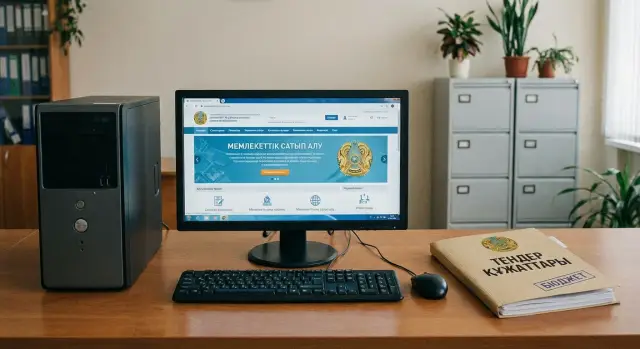
Where problems usually start when procuring PCs, monitors and peripherals
Problems most often begin not at delivery, but when you decide what exactly counts as a "workstation" and how to describe it in the documentation. Where the buyer thinks "we need a kit", suppliers often see a set of different items with different markets, lead times and warranties. Because of that, even a well‑designed lot may either pass quickly or get stuck for a long time on clarifications.
A single lot can speed up procurement: fewer line items, easier to compare offers, one contract, and one supplier responsible for compatibility. But the same approach can slow the tender if the "kit" includes items that make more sense to buy separately (for example, specialized monitors or printers), or if requirements for each part are too narrow. Then part of the market is filtered out, the risk of complaints rises, and prices often grow because participants include extra risk premiums.
Questions and complaints usually come from wording that looks minor but directly affects eligibility:
- unclear completeness (what is included and in what quantity)
- mixing different classes of products in one description (office PC plus "server" requirements, standard monitor plus graphic design specs)
- requirements "for a specific model" expressed through rare parameters
- lack of a clear warranty and support scheme (length, who accepts claims, where to apply)
- a single overall delivery deadline while parts of the kit objectively arrive at different times
The lot composition directly influences competition. If a lot is assembled "so it’s easy to accept" but without market awareness, you may get only 1–2 bidders. If the lot is broken down too finely, you get more participants, but acceptance, paperwork and coordination workload increase.
The most painful stage is acceptance. If it’s not specified how operational checks are performed (power on, port tests, presence of cables, OS language, seals, serial numbers), disputes begin on site. The supplier believes "the goods were delivered", while the buyer says "the workstation is not ready".
Warranty is a separate risk zone. When a kit is assembled from different brands and the supplier acts as an "assembler", it’s important to understand in advance who and how will repair equipment across the country. Manufacturers and integrators with local support networks make this easier, but the documentation still needs clear rules.
Terms in plain language: lot, positions and completeness
Half of disputes arise not because of "bad hardware" but because of words in the documentation. If everyone understands lot, position and kit the same way, the tender goes faster and acceptance doesn’t turn into long correspondence.
Lot, position, kit, batch — what’s the difference
These terms help answer a simple question: what exactly are you buying and how will it be counted in the warehouse.
Lot — the procurement unit: offers are submitted and contracts are signed per lot. In a procurement of workstations, one lot can include one or multiple positions.
Position — a specific purchase item within a lot (for example, a system unit, a monitor, a keyboard). Positions affect pricing and how you verify delivery.
Kit — a pre‑described set that must arrive together and operate as one workstation (PC + monitor + keyboard + mouse + cables).
Unit of measure — how you count the item: "pcs" or "kit". Mistakes here quickly turn into disputes over how many items should be accepted.
Batch — how items are actually delivered (all at once or in multiple shipments). This is logistics rather than the purchase subject, but the batch affects acceptance timing.
When "delivery as a kit" is justified
Requiring delivery as a kit is usually justified if you buy ready workstations and want to accept on the principle: arrive, connect, power on — it works. Then it’s logical to measure in "kits" and to fix the composition and minimum characteristics of each element in the specification.
Do not confuse "kit" with an "obligatory single brand". If you don’t lock the brand, the supplier may assemble the kit from different manufacturers, and this will be formally acceptable. If you require unified responsibility for compatibility and a single warranty model, describe those conditions: one responsible supplier, a unified warranty model and confirmation of compatibility.
What counts as peripherals in the procurement
Peripherals usually mean what a workstation cannot start or work comfortably without: keyboard, mouse, power and connection cables. Depending on tasks, this may also include a network cable, headset, webcam, UPS.
The most common acceptance dispute concerns cables. If they were omitted from the specification but later expected to "just plug in from the box", trouble follows. A safe formulation is simple: list peripherals in the kit composition and explicitly state that cables must be included and of sufficient length for workstation connection (if that is indeed required).
How wording affects acceptance
Acceptance is based on the words in the specification, not on "common sense". The difference between "24" monitor with cables" and "24" monitor" often means the difference between "non‑compliance" and "all good".
To reduce ambiguity:
- fix the kit composition in one clear line and repeat it in delivery requirements
- describe in advance what will be checked: external inspection, completeness, serial numbers, power on, absence of dead pixels (if important)
- separate "must be in the kit" from "must be compatible"
- if equivalents are allowed, specify criteria "no worse than" and list key parameters
If you accept 25 workstations for a classroom and cables or adapters are not specified in the kit, the delivery may "formally pass" but the class won’t start on the day of acceptance. It’s easier to clearly describe completeness once than to argue later who should buy missing items.
When it’s better to combine PC, monitor and peripherals in one lot
Combining is reasonable when you buy not separate hardware but a complete workstation that must behave the same for all users. This often speeds procurement and reduces dispute risk: one supplier is responsible for the result.
The main advantage of a single lot is compatibility and unified responsibility. If the monitor doesn’t match the video output, there aren’t enough ports for keyboard and mouse, or drivers behave unstably, it’s easier to demand a solution from one party than to figure out whose part failed. This is especially important during acceptance when quick confirmation of operability matters.
Combining is convenient when you have a single delivery point and uniform conditions: items arrive at one warehouse on one date, pass inspection and are then distributed to rooms. One supplier usually handles packing, labeling kits and coordinating unloading, reducing idle time and confusion, especially with phased deliveries.
Another strong argument is a clear warranty and service model. When a single procedure applies to PC, monitor and peripherals and one contact handles claims, less time is spent on correspondence and there are fewer chances to be redirected "to another vendor".
A single lot usually works well if:
- standard identical workstations are procured (e.g., 30–100 pcs)
- acceptance is done on the principle "power on and it works"
- unified delivery dates and unified service across the batch are needed
- single supplier responsibility for compatibility is critical
Example: a school procures a computer lab. If PCs and monitors come from different suppliers, you can face mismatched cables, adapters and settings. With a single lot it’s simpler to demand a full kit, unified connection and support.
When it’s better to split: situations where one lot hinders
Sometimes a combined lot looks convenient on paper but later slows the tender and complicates acceptance. The reason is often differences in delivery or service conditions rather than the hardware itself.
If positions have different deadlines or phased commissioning, it’s better to split. A typical case: computers are needed by quarter start, but monitors and peripherals can arrive later. In one lot you tie everything to the longest item, and a delay in one part shifts the whole delivery and closing documents.
Splitting is useful when you’re buying only part of the equipment. For example, system units already exist and you need only monitors and keyboards. If you artificially combine everything in one lot, unnecessary PC requirements appear in the spec, bidders include extra risks and costs.
Another reason to split is a too heterogeneous set. When a lot mixes office PCs, specialized monitors, UPS units and rare accessories, the number of suppliers able to cover the entire kit falls. The tender may fail or go into complaints over questionable requirements.
Also consider warranty and service. Different equipment groups often have different warranty terms, on‑site visit rules and replacement procedures. In a single lot it’s easier to have disputes at acceptance: what counts as a fault, what are reaction times, who confirms replacement.
Splitting is usually justified if at least one of the following applies:
- different delivery times or phased commissioning
- separate budgets or different funding programs
- buying only monitors or peripherals to complement the existing fleet
- different warranty or service requirements
- high heterogeneity of positions that narrows the pool of participants
On the acceptance side it’s also simpler: each lot has clearer composition, documents and check criteria. Service obligations are easier to control when responsibility boundaries are not blurred.
How to align requirements so you don’t argue at acceptance
Disputes at acceptance most often arise from mismatches: the documents say one thing, the supplier understood another, and the warehouse/IT specialist checks against a third version. When forming procurement, describe in advance what will actually be checked.
Start with compatibility. For monitors the critical factors are usually diagonal, panel type, resolution, refresh rate, interfaces (HDMI, DisplayPort, VGA) and the presence of required cables. For PCs it’s important to decide in advance how the monitor connects: if you expect DisplayPort but the PC lists only HDMI, acceptance will treat it as "incomplete." The same applies to adapters and power: if it’s not listed, it’s hard to prove later who should have provided them.
For peripherals use measurable traits that are easy to check on delivery. For keyboard and mouse it’s usually enough to state: connection type (USB/radio/Bluetooth), layout (RU/KZ/EN, if important), presence of a receiver for wireless, basic OS compatibility.
Specify kit contents separately. This saves time at the warehouse and prevents the "it was implied" argument. A convenient list format allows the acceptance team to tick items off quickly for each workstation:
- PC (system unit or all‑in‑one) and power cable
- monitor with stand, power cable and the required signal cable
- keyboard and mouse (with connection type), batteries for wireless if needed
- documents: warranty terms, serial number list, user manual in Russian (if required)
- licenses and media if software is included with a clear verification method
To avoid tying to brands, describe quality through verifiable parameters: minimum specifications, compatibility, safety requirements, warranty length, and availability of service support in Kazakhstan.
A simple test before finalization: can a person who didn’t write the specification accept the delivery in 15 minutes using one sheet, without disputes and "interpretations"?
Step by step: how to form a lot and specification for your task
To make procurement faster and avoid acceptance disputes, start not from models but from how the equipment will be used. This produces clear requirements and logical kit completeness.
5 steps that work in most cases
-
Describe 2–3 usage scenarios in simple terms: office work, classroom, reception desk, accounting. For each, fix the main points: hours per day, key applications, need for network access, noise or desk space limits.
-
Separate mandatory and desirable requirements. Mandatory ones must be measurable: CPU class, RAM size, storage type, monitor diagonal and resolution, presence of Wi‑Fi or LAN. Desirables can be phrased as "no lower than" but without ambiguity.
-
Decide what counts as a kit and what is a separate position. If you need a turnkey solution and one supplier to ensure compatibility, combine (PC + monitor + keyboard/mouse). If monitors already exist or peripherals vary by department, list them as separate positions.
-
Describe kit completeness and logistics so acceptance is straightforward. Indicate the contents per workstation, box labeling (if important), factory packaging requirements, delivery schedule by batches and cable requirements.
-
Prepare acceptance rules immediately: what will be visually inspected, what will be tested by powering on, and which documents the supplier must provide.
A short rule of thumb: for a classroom it’s often better to describe "one workstation" as a kit so you don’t chase cable and connector mismatches. For an administrative building you may separate monitors if some rooms need different screen sizes.
What to include in acceptance and documents
List in advance:
- checks to perform (completeness, no damage, power on, match characteristics in OS/BIOS)
- documents required (warranty terms, serial numbers, manuals, certificates if needed)
- warranty and service terms and where to apply claims
- on‑site tasks if needed (installation and basic configuration)
Typical mistakes that prolong the tender
Long procurements are usually slowed not by price or delivery but by wording. Problems surface at two stages: supplier questions and acceptance.
One frequent mistake is mixing different equipment classes without logic. For example, listing "PCs for accounting" and "PCs for graphics" in one lot but using a common requirement set. Either office machines become overpriced or more powerful units fail on some parameters. It’s easier to split by purpose or make two clearly defined sets.
A second problem is requirements that can’t be checked at acceptance or are vague. Phrases like "high performance", "reliable PSU", "quality monitor" almost always cause disputes. If a characteristic can’t be measured or documented, replace it with a verifiable trait: CPU model, memory size, panel type, warranty terms, serial numbers.
Another slowdown is overly detailed specs that look like they target a single model. Rare combinations of parameters (down to exact port counts, cable lengths and chassis dimensions without reason) quickly generate questions and complaints. Keep only what actually affects your use and acceptance.
And then there are the "forgotten little things". Power cables, HDMI/DP, adapters for existing projectors, VESA mounts, mouse and keyboard are often omitted and later cause arguments about what "should have been in the kit."
Short pre‑publication checklist
Spend 20–30 minutes checking details before publishing. This is the simplest way to speed up the tender and accept the delivery calmly.
- Kit composition is unambiguous. For each position it’s clear what’s included: PC/system unit, monitor, keyboard, mouse, cables, power units, documents.
- Compatibility is confirmed, not assumed. Check video outputs on the PC and inputs on the monitor, required cables, adapters and power needs.
- Each requirement is verifiable at acceptance. The commission should be able to see, measure or confirm declared parameters with a document.
- Logistics do not conflict with the lot. Delivery times and addresses are realistic. If part of the equipment ships to a different city or time, better to split or clearly describe phases.
- Warranty and service are written without double meanings. Specify terms, the claims procedure, replacement rules and who is responsible for the kit.
Mini‑scenario: you buy 40 PCs while rooms still have monitors with VGA. If the PC spec lists only HDMI, acceptance will be disputed. The solution is one of three: require VGA, include an adapter, or change the kit plan in advance.
Practical example: 25 workstations for a classroom
A school needs 25 identical workstations so everyone sees the same image, connectors and settings in class. In such tasks the dispute is less about price and more about how to describe the workstation so the tender completes quickly and acceptance doesn’t drag on for a month.
Option A: single lot as kits
One lot where each workstation is described as a kit (PC + monitor + keyboard + mouse, sometimes headphones). The benefit is simple: one supplier is responsible for compatibility and making all 25 stations identical.
The risk is also clear: if any kit part is delayed, the whole delivery remains formally open. Another common issue is small discrepancies: keyboards of a different model or monitors of a different diagonal arrive, and the commission has to treat it as a kit non‑conformity.
Option B: two lots
System units separately, monitors and peripherals separately. The advantage is reducing dependence on one bottleneck: if monitors are delayed, PCs can be accepted and put into storage. The downside is more coordination and a higher risk of incompatibility (e.g., PCs without the needed video output or monitors without the correct cable).
In practice, for a school the rule is: if you need identical workstations installed on the same day and to launch the class quickly, choose a kit. If you have storage, time and the ability to control compatibility separately, splitting can work.
To make acceptance smooth, ask the supplier for simple confirmations you can check easily:
- packing lists per box (what’s inside and quantity)
- table of serial numbers for PCs and monitors
- acceptance act broken down by classroom or rows (25 kits = 25 lines)
- completeness marks (power cables, signal cables, documents)
Next steps: how to prepare and not complicate procurement
Before announcing procurement, do a short preparation. It often saves weeks on clarifications and disputes.
Start by collecting needs. Don’t ask every employee for an "ideal PC". Collect 3–5 typical scenarios: office work with 1C and browser, large spreadsheets, classroom, reception desk, video calls. Document approvals in writing and keep them as the basis for requirements.
Then run the specification through the checklist. This step usually reveals small issues that later stall the tender: mismatches in interfaces (HDMI/DP), forgotten monitor power cables, different keyboard layouts, unspecified OS edition, vague phrases like "fast processor."
Agree on acceptance in advance: who will receive the goods and which checks will actually be performed.
If Kazakhstan‑based production, transparent supply chain and unified support matter to you, discuss configurations with a local manufacturer or integrator. For example, GSE.kz manufactures computers, all‑in‑ones and servers in Kazakhstan and provides systems integration and support — convenient when you need not only hardware delivery but ongoing service across the organization.
Frequently asked questions
What should be considered "one workstation" in a procurement?
Usually a workstation is **a PC (or an all‑in‑one) + monitor + keyboard + mouse + all necessary cables and power units**, so it can be connected and its operation verified immediately. If you want to accept by "kits", fix the composition and quantities per workstation directly in the specification and delivery requirements.
When does it make sense to require delivery as a complete kit?
Requiring delivery as a **complete kit** makes sense when you need **identical standard workstations** and acceptance is meant to follow the principle "plug in — it works". This reduces compatibility risks and makes one supplier responsible for the result and service across the whole delivery.
When is it better to split a single lot into several?
Split the lot if parts have **different delivery times**, different budgets, or you are buying only monitors/peripherals to complement existing PCs. Also split when the set is very heterogeneous: a single lot can narrow the pool of suppliers and prolong the tender with questions and complaints.
Which specification phrases most often cause disputes at acceptance?
Write requirements so they can be quickly checked during acceptance: video outputs and inputs, required cables, basic characteristics, documentation and serial numbers. Don’t leave adapters, power, or keyboard layout to "assumption" — those small items are often the cause of disputes.
How to avoid compatibility issues between PC and monitor in advance?
The safest method is to reconcile **how the PC will be connected to the monitor** and what will actually be in the box. If you expect DisplayPort, state it and require the signal cable; if rooms still use VGA, require VGA or an adapter in the kit — otherwise the mismatch will show up at acceptance.
How to specify cables and small items correctly so you don’t have to buy them later?
List precisely what is included per workstation: power cable, signal cable and all accessories without which the device can’t be connected and used. If cable length matters for your layout, state it explicitly — otherwise expectations will almost always differ.
Can I require one brand for the whole kit (PC+monitor+peripherals)?
If you don’t mandate a single brand, the supplier can assemble the kit from different manufacturers and this will be formally acceptable. If you need unified responsibility, describe the condition instead of a brand: one accountable supplier for compatibility and a single warranty/claims procedure for the whole kit.
What must be written about warranty and service to avoid confusion?
Specify warranty period, the procedure for filing claims (where to submit a request), response times, and what counts as replacement/repair for the kit. It’s especially important to determine who services equipment across the country if deliveries go to different cities—this reduces cases where you are passed between different service providers.
Which acceptance checks should be included in the documents in advance?
Describe a simple acceptance regimen in advance: external inspection, check of kit completeness, verification of serial numbers, power on and a basic check in the OS/BIOS (what the commission can realistically do). The closer the checks are to what can be done in 10–15 minutes on site, the less likely the acceptance becomes a drawn‑out dispute.
Is it worth discussing configurations with a local manufacturer or integrator in advance?
Yes — if you value **local production, a clear supply chain and unified support**, you can consider that as an organizational condition for delivery and service without limiting requirements to a single model. For example, GSE.kz as a local manufacturer and systems integrator in Kazakhstan supplies PCs, all‑in‑ones and servers and provides support, which is convenient when you need a single contractor for delivery and subsequent maintenance.
