7 min read
Palo Alto PA-3200 Series Pilot: Risk-Free Monitoring
Risk‑free Palo Alto PA‑3200 pilot: monitoring activation scenario, logs to collect for rule assessment, and readiness criteria for switching inline.
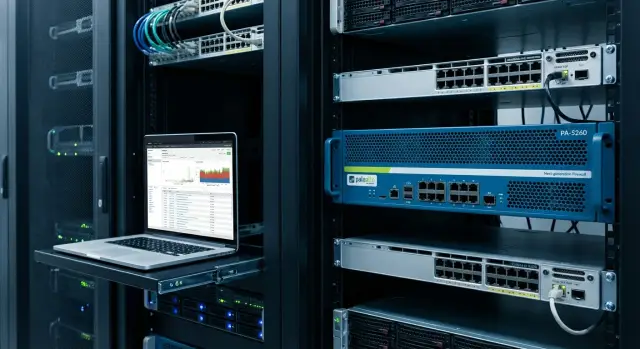
Pilot goal: observe traffic without affecting the network
A risk-free pilot means you get an honest picture of real traffic and future rules without creating new failure points. The NGFW observes, counts and logs — it does not make access decisions that services depend on. In a Palo Alto PA-3200 pilot, situations that could stop business or harm data are unacceptable.
Commonly considered unacceptable are:
- downtime of critical systems (mail, ERP, telephony, VDI, government services)
- hidden degradation (increased latency, session drops, MTU issues)
- accidental blocks from immature rules or wrong application identification
- loss of visibility (part of the traffic not captured, leading to wrong conclusions)
- changes that are hard to quickly roll back
Why observe first instead of blocking: the first weeks almost always reveal unexpected dependencies. For example, accounting may use a familiar app that internally connects to a license server on a nonstandard port and pulls updates from the cloud. If you enable bans immediately, you’ll learn this from support calls rather than a neat report.
The pilot should answer basic questions: which applications are actually used, who runs them, which segments exchange traffic, which services are critical and what maintenance windows are acceptable. It’s also important to see the "noise": scans, mistaken DNS queries, legacy protocols, admin traffic.
The output of the pilot is not "we installed hardware", but a package of artifacts: a visibility report, a draft policy (allows and denies with justification), a list of exceptions for critical services and a clear cutover plan with rollback and responsible parties.
Preparation before connection: topology, roles, baseline
Before starting the pilot agree on inputs, not settings. If you don’t know where and what traffic can be captured, you will collect nice logs that do not answer business or security questions.
Start with a practical network diagram: where the core is, where the perimeter is, whether there is a DMZ, how branches are connected, internet links and redundancy. Mark TAP or SPAN candidate points and check constraints: port speed, likelihood of drops on SPAN, VLAN support, and whether mirroring in both directions is possible.
Assign roles and contacts for the pilot. Prefer one owner per responsibility domain and a clear incident channel:
- Network: SPAN/TAP, VLANs, routing, switch changes
- Security: expectations for app control, threats, logging requirements
- Service owners: critical applications, maintenance windows, acceptable risks
- NOC/on‑call: monitoring, initial reaction, escalation
Record a baseline of current infrastructure: typical latency and loss (working hours and night), link utilization, number of concurrent sessions and peaks. Choose 3–5 critical checks (e.g., logging into ERP, mail access, user VPN, contact‑center calls) and note expected response times.
Prepare a rollback plan even for observation mode: who and how disables mirroring, how long it takes, acceptable windows, and which signs trigger pilot stop. Example: if enabling SPAN on the core causes port errors or packet loss increases, pause the pilot and move the capture point.
Activation scenario in monitoring mode (TAP or SPAN)
For the pilot it is important to get real traffic visibility without becoming a single point of failure. Start with passive connection: the NGFW sees packets and logs, but does not participate in forwarding.
TAP and SPAN solve the same problem but with different data quality. TAP is often preferable: it copies traffic at the physical layer and is less dependent on switch settings. SPAN (mirror) is easier to enable, but it can drop packets under load and may not preserve VLAN tags or line errors correctly.
Choose the capture point depending on the goal:
- for perimeter visibility, mirror near the internet gateway
- for segmentation and "east‑west" flows, on aggregation or the core/distribution border
- the router‑to‑switch link is useful when L3 flows of a specific node matter, but asymmetry is more common there
Practical monitoring setup on PA‑3200:
- dedicate separate NGFW interfaces to receive copied traffic (no L3 addresses and no role in routing)
- configure TAP or SPAN so the copy arrives only on those ports
- create a dedicated zone like tap/monitor and direct traffic into it
- ensure the device does not send packets back into the network (no physical loops and no L2 bridging)
- limit mirror volume with filters (VLAN, subnet, specific uplink) to avoid overloading the SPAN
Before starting log collection check four things.
First, symmetry: does the NGFW see both directions of the same session? Otherwise some applications will be misidentified.
Second, incomplete flows: SPAN can miss packets and this must be considered in conclusions.
Third, SPAN overload: watch for drops on the switch and traffic spikes.
Fourth, VLAN tags: if they are not preserved, segments will be "mixed" and reports will be wrong.
This mode gives observation without affecting packet forwarding and helps prepare rules for a later inline switch.
Basic PA‑3200 setup before log collection
Configure the PA‑3200 so it is safe to manage and provides an accurate picture. The pilot matters not only for packets but also to avoid introducing new risks via device access.
Separate interfaces logically: a dedicated management port and separate ports for monitoring (TAP/SPAN). Assign the management interface an address in a dedicated admin subnet or a separate VLAN, without routing into user segments. Allow management access only from specific admin IPs, not "from the whole network".
Check time and synchronization. For incident analysis and rule design, logs from the NGFW, switches and servers must match time. Enable NTP, set a common timezone and verify timestamps in Traffic and Threat logs align with your SIEM or at least with domain controller logs.
Minimum steps before start:
- configure Management IP, gateway and DNS; restrict access by IP and protocols (HTTPS, SSH)
- enable NTP and set timezone; verify sync
- create separate accounts: admin, log‑viewer operator, audit (read‑only)
- enable admin action logging and keep logs locally for the pilot period
- plan interface and zone naming (for example: Z-Users, Z-Servers, Z-DC, Z-Guest)
Define zones and names upfront even if the device is not inline yet. If SPAN arrives "from aggregation" and you name the zone simply "SPAN1", you will need to redo rules and reports when switching inline. If you already map the monitoring interface to the future zone (e.g., "Z-Users"), policy design from logs becomes easier.
Log set for the pilot: what to enable and what to look for
The pilot’s monitoring goal is simple: gather evidence of what rules will be needed and understand risk without touching traffic. Agree in advance which logs are mandatory, where they are stored and who reviews them daily.
Traffic: the foundation for future rules
In Traffic logs, correct fields matter more than event count. They show what actually runs on the network and what will break at the first deny. For reporting, regularly export and review:
- app and app‑category: what is recognized and what remains unknown or incomplete
- src/dst, zone and interface: where flows originate and terminate and where to place rule boundaries
- user (if directory integration exists): who or which groups generate risky traffic
- bytes and session duration: heavy flows that may need exceptions
- session end reason: indicator of path problems, timeouts and asymmetry
Example: accounting (user/group) regularly uses a cloud CRM, but the application is identified inconsistently and some sessions end with timeouts. This signals the need to plan rules, DNS and future decryption policy before going inline.
Threat, URL and DNS: separate noise from real risks
In Threat logs, focus less on single spikes and more on repetition and host correlation. Flag items that require reaction before inline: high/critical severity, repeated exploitation attempts from one source, command‑and‑control patterns and clear malware hits on common protocols.
Noise usually comes from scans, ad domains, misbehaving IoT devices and outdated agents. A practical approach: confirm that traffic repeats and relates to your assets before planning a block.
For URL visibility, watch categories used during work hours and unexpected categories from inside the network. For DNS track frequent queries, NXDOMAINs and new domains with short history.
Also enable System and Config logs: they reveal overloads, process restarts, policy changes and who made them. If SSL decryption is planned later, collect baseline metrics now: TLS share, popular SNI/domains and apps that often fail inspection (banks, medical systems, update services).
Rule assessment and design from logs
While PA‑3200 is in monitoring, the goal is to collect facts, not guess rules. Analyze a 7–14 day window to cover weekdays, peaks, nightly backups and rare but important flows. One day almost always deceives.
Start with a clear breakdown: top apps, top directions (zones, subnets, server segments), top users or service accounts and top sessions by volume. This is the skeleton of the future policy.
How to turn logs into a draft policy
It’s easier to go from broad to precise and record each assumption:
- create draft allow rules for critical routes (e.g., users -> mail, branches -> ERP, app servers -> DB) without trying to immediately "narrow" everything
- replace broad definitions with App‑ID where reliable (specific application instead of tcp/443), add restrictions by zone, addresses and users
- introduce targeted denies for clearly unnecessary access (admin access from user networks, unauthorized remote tools) and for flows flagged by Threat
- for disputed items use temporary exceptions with a reason and expiry (for example, tag TEMP‑14D + comment and service owner)
- mark rules that require business approval: SaaS restrictions, external integrations, updates, EDI, telephony, video conferencing
Handle "unknown" applications separately. If App‑ID yields a generic result (like ssl or web‑browsing), check if there is enough data to identify the app, whether traffic is tunneled or proxied, and whether decryption is appropriate. Sometimes there is no perfect App‑ID (CDNs, universal clients). Then build rules by purpose: server, domain, segment, user.
Example: regular nightly traffic from the accounting subnet to the cloud on tcp/443 appears as "ssl" but judging by destinations and schedule looks like EDI exchange. Mark this rule to confirm with the process owner and keep a temporary allow until approved, rather than banning it outright.
Stability control: device health and metrics
Even in monitoring the pilot can "slip" due to overload, mirror loss or overly noisy logs. It’s important to prove not only correctness of future rules but also that the device reliably sees traffic during real peaks.
Watch performance and table growth. Load should be predictable: no sudden CPU spikes, no constant session growth and no hitting dataplane limits.
Metrics to check daily (and at peaks):
- management plane and dataplane CPU, signs of dataplane overload (queues, processing latency)
- number of active sessions and session creation rate
- PPS and throughput per interface, growth of tables (ARP/route, session table), log write speed
- interface drops and drop reasons (buffer overflow, errors, oversubscription)
- disk/log storage usage and log delivery delays to SIEM (if used)
Also verify no visibility loss due to SPAN/TAP. SPAN often drops traffic under switch port overload or misconfiguration (mirroring multiple sources into a narrow port). Compare ingress counters on the source and on the mirror port to detect missing packet types during peaks.
Capture at least one operational cycle: nightly backups, payment windows, day‑end processing, large reports, OS updates. If PPS and sessions rise in these windows but there are no drops and resources hold, that’s a positive sign.
Configure simple alerts during the pilot: CPU/sessions above threshold, drops on the monitoring interface, disk full, log writing stopped, or management unreachable. This prevents silent degradation and ensures conclusions are not drawn from incomplete traffic.
Example scenario: pilot in a network with branches and critical services
Organization: HQ, 6 branches, connectivity via IPsec VPN, internet egress through a perimeter in the data center. Critical services: corporate mail, government systems access, accounting and online banking client. A rule mistake can easily stop work, so the pilot is passive.
Connection scenario: on the perimeter enable SPAN/TAP from external and internal interfaces of the border router/switch; for branch traffic mirror the interface where VPN tunnels terminate. This provides internet and interbranch visibility without changing existing routing.
Within 3–5 working days unexpected items commonly appear: unlisted applications during work hours, shadow clouds, old protocols and ciphers, mass RDP/SSH from office subnets, access to government systems from nonstandard nodes.
Then it’s more important to prepare a short package for agreement than to attempt a perfect policy: which flows are business‑required, which are suspicious, and which need exceptions.
Practical result format:
- "allow": application + source/destination + user/group (if available) for mail, accounting, government systems
- "allow with conditions": only through a proxy, only by time, only from a terminal subnet
- "deny": shadow clouds, unauthorized remote access
- exceptions: legacy protocols allowed only for a specific server and only temporarily
- questions for owners: what is this host for, why this port, who is responsible
This turns the pilot into a controlled plan: what to enable immediately when switching inline and what to leave for a second phase during a maintenance window.
Criteria for readiness to switch inline
Switching the NGFW inline is not "press a button and watch." Agree criteria in advance so the decision is calm and verifiable.
Minimum readiness criteria
- Functional: main flows covered by explicit rules, exceptions documented and justified, no blind spots (unknown sources, segments, applications)
- Risk: rollback plan confirmed (who does what and within how many minutes), test plan for the maintenance window and named responsible contacts
- Operational: device and channel monitoring configured, alerts for key events, clear incident procedures (who monitors logs, who changes rules, who authorizes rollback), admin action logging enabled
- User impact: tests show no effect on critical services for availability and performance; user complaints are reproducible and explainable, not random "works sometimes" issues
- Technical: inline architecture chosen and tested (L2/L3, VR, ECMP etc.), single points of failure identified and addressed (redundancy, bypass, clustering), compatibility with existing routing and network protection confirmed
Make criteria measurable: agree thresholds beforehand — share of traffic covered by rules without temporary allow‑any, number of new apps in logs per day, Threat hits for allowed services, time to resolve an incident.
Gate before inline during a maintenance window
Before switching run a short checklist:
-
execute a test list of business scenarios (5–10 actions that must work)
-
ensure console/management access during the work and a clear contact channel with on‑call staff
-
confirm rules are repeatable: description, owner, and review date
-
rehearse rollback on a lab or less critical segment
-
record which logs and metrics will be checked at 15, 60 and 240 minutes after activation
If any item is questionable, delay inline by a week rather than introduce temporary allows that turn into permanent exceptions.
Common pilot mistakes and how to avoid them
A frequent issue is pilots that look quiet and safe but rely on data that does not represent real traffic. This is especially common when pilots use SPAN and teams write rules solely from logs.
Typical story: part of sessions to a critical service are invisible on the mirror port, so the rule seems unnecessary. After switching inline, connections break because production traffic is larger and different.
Common errors:
- Relying on an incomplete SPAN. Verify the switch can mirror under peak load. Compare counters on the source and mirror and watch drops. Use TAP where accuracy is critical.
- Blocking too early. Keep policies allow+log at the start; introduce blocks only after owner checks. If risk must be reduced quickly, apply narrow denies for confirmed malicious traffic.
- Ignoring asymmetry and NAT. In monitoring some flows may appear only one way and addresses may be transformed. Later rules won’t match reality. Check route symmetry, NAT points and align logs with the location where NGFW will be installed.
- Mixing test and production changes. Document every change: separate maintenance windows, comments on rules, mandatory config log checks so you can track what changed.
- Underestimating exception approval. Pilots usually produce more exceptions than expected. Assign owners and agree response times and request formats or the pilot will stall on disputed accesses.
If you detect mirror loss, ambiguous sessions due to asymmetry or chaos in changes, stop and tidy up. It's cheaper than fixing outages after the inline switch.
Short checklist and next steps after the pilot
To get actionable results and avoid "collecting logs for logs' sake", keep a short checklist and update it during work:
- monitoring point: where TAP/SPAN is connected, which VLANs/segments are visible and what is definitely missing
- baseline: traffic volumes by time of day, typical apps, peaks, critical directions
- logs and retention: which logs are enabled, retention period, access rights, how pilot events are tagged
- reporting: format of daily summaries and the final report, deadlines, success/failure criteria
- responsibilities: service owner, network, security, NGFW admin, on‑call and escalation channel
Then assemble the final package so the inline decision is not based on guesswork:
- "who talks to whom": directions, ports and volumes, what is latency‑critical
- top applications by App‑ID: what runs, what is masked, where unknown apps appear
- rule candidates: what can be explicitly allowed, where exceptions are required
- risks and exceptions: unencrypted services, nonstandard ports, legacy clients, DNS/NTP dependencies
- post‑activation logging plan: what to keep collecting and who monitors the first 72 hours
Plan a gradual activation: start with allow‑only logging, then targeted denies for clearly malicious or forbidden traffic, then tighten by zone and application. For each phase agree rollback criteria: who decides and how long it takes.
Engage a systems integrator when you need inline design (routing, L2/L3), resilience (HA, power, links) and operational processes and training. If the pilot runs in a live network with critical services, rehearse incident actions in advance.
If you need to run the full path from pilot to safe inline (including activation scheme, HA and on‑call procedures), it’s practical to work with the GSE.kz team so pilot artifacts feed directly into the production activation and support plan.
Frequently asked questions
How to start a PA-3200 pilot without risking service availability?
The safest start is passive mode using TAP or SPAN: the PA-3200 receives a copy of traffic and writes logs but does not sit "in the path" of packets. This gives a real picture of applications and flows without the risk of stopping services due to rule errors or routing specifics.
Which is better for a pilot: TAP or SPAN, and why?
TAP usually gives a more accurate picture because it copies traffic at the physical level and depends less on switch load and settings. SPAN is easier to enable, but under load it can drop packets and sometimes misdeliver VLAN tags, making reports less reliable.
Where is the best monitoring point to see the required flows?
Capture traffic where it answers your questions: for perimeter — near the internet gateway; for east‑west visibility — on aggregation or the core/distribution border; for branches — where VPN tunnels terminate. Verify that the NGFW sees both directions of a session; otherwise some applications will be misidentified.
What mistakes most often spoil data quality in monitoring mode?
Most common issues are asymmetry (only one side of a session visible), SPAN packet losses at peaks, and loss of VLAN tags. These do not break the network directly but break pilot conclusions: you may write rules from incomplete or "mixed" traffic and risk outages when switching inline.
Which logs are mandatory to collect during the pilot and why?
Enable Traffic, Threat, URL/DNS (if used), plus System and Config logs so you see both traffic and device state/changes. The pilot’s minimum value is answering “who talks to whom”, “which applications actually run”, and “what will be critical at the first block”.
Which fields in Traffic logs are important to design future rules?
Look not only at top applications but also at the share of unknown/incomplete, session end reason, long sessions and heavy flows by bytes. If you see many timeouts, disconnects or undefined apps, fix symmetry, capture point and mirror quality before turning this into rules.
How to turn logs into a policy draft without making unnecessary blocks?
Start with a skeletal policy: explicit allows for critical routes and services, then refine using App‑ID where recognition is stable. Put disputed flows into temporary exceptions with a reason, owner and expiry so they are not forgotten forever.
Should anything be blocked during the pilot, or only observe?
During the pilot it is better not to block almost anything: the first weeks reveal hidden dependencies, and early bans turn the pilot into a stream of incidents. If you must reduce risk quickly, apply narrow bans for confirmed malicious traffic and record everything else for owner review.
How to know the monitoring pilot is stable and the data can be trusted?
Stability is shown by device metrics and mirror quality: predictable load, no drops on monitoring interfaces and enough disk for logs. Also capture at least one heavy operational cycle — nightly backups, payment windows, month‑end processing — and confirm visibility remains during peaks.
By what criteria do you decide it's possible to switch to inline?
Switch to inline when main flows are covered by clear rules, exceptions are documented and agreed, and rollback/activation plans are tested and measurable. Before inline you must have a test plan for the maintenance window and agreement on who decides and executes rollback; a systems integrator like GSE.kz can help with activation design, high availability and on‑call procedures.
