7 min read
Secure Development with OWASP: Practices for Internal Systems
OWASP-based secure development for internal systems: secret management, input validation, API permissions, security code review, error handling and checklists.
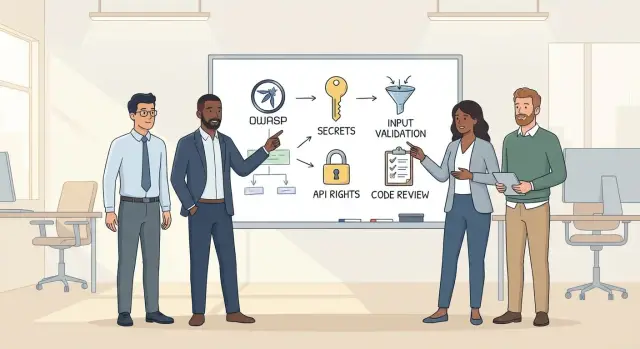
Why OWASP matters for internal systems in practice
Internal systems are often assumed to be “safe by default”: only accessible from the office, users are known, data is “not public.” In reality, these systems become attractive targets because they are checked less often and compromises accumulate faster.
Attacks don’t only come from “outside.” Typical scenarios are mundane: phishing that compromises an account, a contractor retaining access after a project, a service accidentally exposed to the internet due to misconfiguration, or sometimes an insider causing harm. Another frequent source of issues is automation: scripts, integrations and bots make many requests and easily bypass manual checks.
Consequences for internal systems rarely look like a “cyber catastrophe,” but they are costly: leaks of personal or commercial data, forged details in requests, modified reference data and roles (after which access “spreads”), service downtime due to data deletion, encryption or overload.
OWASP is useful because it gives the team a common language. When a developer, tester and product owner say “input validation,” “object-level authorization” or “secrets not in code,” they mean the same thing. That greatly reduces debates like “but it’s only for employees.”
It’s important to set boundaries: OWASP secure development inside a team is not about achieving “perfect security,” but about forming durable habits. These are practices that can realistically fit into daily work: where to store secrets, how to validate input, how to separate “authenticated” and “authorized,” and how to do risk-focused reviews. Even this minimum covers most common vulnerabilities in internal systems.
Quick threat model: what we protect and from whom
To avoid OWASP practices becoming “checklist theater,” start with a short threat model. It takes 30–60 minutes and helps agree on what to protect and which attacks are realistic for you.
First, list the types of data that flow through the system and where they are stored. A few categories are usually enough: personal data of employees or customers, financial data (accounts, limits, requests, prices), internal documents (contracts, specs), credentials and permissions (roles, tokens, keys, logs), and technical data (logs, dumps, exports).
Next, record roles and the “normal actions” for each. Internal systems often break not because of an outsider hacker but because a normal user gains extra capabilities: sees other people’s requests, changes statuses, exports employee lists.
Then sketch the entry map: where things come into the system. This is not an architecture diagram but a list of points where mistakes happen easily: web UI, mobile access, APIs for other departments, integrations with accounting or HR, file imports, job queues, admin panels.
Finally, pick the “worst” scenarios and prioritize. A simple set of questions helps:
- What would cause the most damage: leak, tampering, or business disruption?
- Which entry point is easiest to reach and hardest to control?
- Where are consequences quiet (an issue that goes unnoticed for a long time)?
- What can be repeated at scale (one button or a script)?
Example: an internal equipment tracking system added an API for write-offs. The scariest scenario isn’t a “hack” but wrong write-offs of other people’s items by tampering with an identifier in the request. Priorities become obvious: strict operation-level permission checks, action audit logs and limits on bulk changes.
Secrets storage: rules you can actually follow
Secrets in an internal system aren’t only admin passwords. Leaks often start with “temporary” tokens and test keys left in code. The easiest start is a clear list of what you consider a secret.
Usually that includes passwords and PINs, session tokens, JWT and refresh tokens, API keys and cloud keys, certificates and private keys, database and queue connection strings.
A rule that saves headaches: secrets must not live in code, repositories, tickets, chats or documentation. Even in a private corporate Git, secrets are copied, forked, backed up and sometimes shared with contractors.
A practical minimum without big changes:
-
Store secrets outside the repository: environment variables or separate config files that are not committed.
-
Separate credentials: developers, CI and production should use different keys. A test token must not open production.
-
Give least privilege: a key should only access the necessary service and only for required operations.
Rotation and revocation should be a clear procedure. If a key is “forever,” it is almost never changed. Set lifetimes (for example, 60–90 days) and rotate keys immediately on staff departures, contractor changes, or suspected leaks.
If a leak occurs, follow a plan: revoke the key and issue a new one, find where it leaked (commit, log, chat), check activity tied to the key, update all usages, and add checks to prevent recurrence.
A particular trap is logs, dumps and error reports. Don’t log Authorization headers, cookies, connection strings or fields like password. Mask values and use safe logging templates so a secret can’t accidentally end up in an error message.
Input validation and safe output: the basic standard
Internal systems are often assumed safe because they’re inside the company network. But one mistake in input handling quickly becomes a vulnerability, even if the user is “internal.” For OWASP secure development the basic standard is simple: accept only what you expect and output only what’s safe to show.
An allowlist (whitelist) approach works better than trying to block “bad” input. Instead of “ban strange characters,” define precise rules: type, length, format, and value range. Reject anything that doesn’t meet the rules.
Validate data at the system boundary: URL parameters, headers, JSON body, files, values from queues and integrations. Every input is untrusted, even if it came from another internal service.
Normalize before validation. Normalize strings (trim spaces, unify encoding), dates (one format), and phone numbers (one mask). Otherwise you validate one thing but store or process another.
Common attacks are prevented by discipline. Injections (SQL/NoSQL) disappear with parameterized queries and banning dynamic query assembly from strings. XSS appears easily in internal admin panels if user fields are displayed without escaping. Command injection happens when input is passed directly to a shell for convenience.
Show neutral errors: simple message and code to the user, details (stack, SQL, config) only in logs.
Quick checklist for a new endpoint (e.g., creating a helpdesk ticket):
- Define the contract: required fields, types, lengths, allowed values.
- Normalize input before validation (trim, case normalization, date formats).
- Reject extra fields and unknown parameters.
- Use safe calls: parameterized queries, no shell execution.
- Return neutral errors; write details to logs.
API permissions: don’t confuse “logged in” with “allowed”
A common mistake in internal systems: if someone is logged in, they can do almost everything. This confuses authentication and authorization. Authentication answers “who are you?”; authorization answers “what are you allowed to do?”. For OWASP secure development, separate these concerns always, even if the system is “internal.”
Example: a warehouse employee logs in, but that doesn’t mean they can export financial reports or change other users’ permissions. If authorization is implemented only by hiding UI buttons, a direct API request bypasses that restriction for anyone who knows the endpoint.
A useful rule is least privilege. Roles should be narrow and meaningful: not just “user” and “admin,” but roles aligned with real tasks. The same applies to service accounts: separate accounts for integrations, separate keys, separate rights, no “super-token” that does everything.
Be especially careful with high-risk areas: admin functions, bulk operations (mass delete, bulk status change), exports, reports, and operations with personal data. These are where checks are often skipped because “only admins use them.”
Permission checks should be present on every API method: read, update, delete, export. Prefer checking a specific permission on the object (for example, “can edit a ticket in their own department”) rather than relying on a role label.
Add access tests for each role to make this real:
- Positive: role X can perform action Y.
- Negative: role X cannot perform action Z.
- Cross-object checks: can’t read or change another department’s records.
- Exports and reports: separate access, not inherited from UI buttons.
- Service accounts: limited rights and denial on unrelated endpoints.
Rolling out practices in the team without stopping development
To keep OWASP practices from becoming a six-month project, start small and make security part of the regular workflow. Don’t try to “fix everything at once.” Agree on a minimum the team can realistically do every week.
A typical working approach:
- Record a minimal standard: where and how to store secrets, what counts as valid input, how to check API rights, what to log and what to avoid logging.
- Add a short “release-ready” checklist in each task description. It should take 30–60 seconds, otherwise people stop reading it.
- Include basic checks in the build: linters, scanning for common mistakes, simple security scans of dependencies. These should be “gates” catching repeat issues before review.
- Appoint an owner for security requirements within the team. This isn’t a new role but someone who ensures a consistent standard.
- Start measuring progress: how many issues found before release vs after, and average time to fix.
Mini-example: a developer adds a new internal endpoint. The checklist ensures secrets aren’t in configs, input fields have format and length limits, and access is restricted not just by being logged in but by permissions. The build catches accidental token output in logs.
If mean fix time goes down and post-release findings decrease, you’re moving in the right direction.
Security-focused code review: what to look for
Security code review shouldn’t be a once-a-year audit. In daily team practice it’s one of the cheapest ways to keep OWASP secure development going while changes are small and easy to fix.
What to check in every PR
Start with a short set of repeated checks that become habit and barely slow reviews:
- Validation and transformations: where input is validated, are there limits on length and format, and is internal data trusted?
- Permissions: are authentication and authorization separated, and are object-level checks present?
- Errors and logs: did details leak to responses or logs (tokens, personal data), and are status codes appropriate?
- External services: are there timeouts, retries, protection against hangs and defined behavior when a service is down?
- Defaults: are safe limits enabled from the start, not “we’ll add them later”?
Spot “red flags” separately. They often look like convenient shortcuts that later become bypasses:
- Conditions like
if (isAdmin || debug)or hidden branches enabled by a query parameter. - Authorization only in the UI, not on the server.
- Unsafe defaults (e.g., “all authenticated users” access instead of a specific role).
- Logging the entire request, including headers and tokens.
Keep PRs small and use a description template: what changed, which permissions are affected, and how external service failures behave. If something is controversial, note the risk and a remediation plan with a deadline. Example: “New endpoint calls external service without timeout; risk: worker hang; fix: 2–3s timeout and clear user response.”
Common mistakes that make internal systems vulnerable
The main trap is believing “we are behind VPN, so we can simplify.” In practice incidents often come from within: shared accounts, contractor access, phishing, or configuration mistakes. OWASP is useful specifically for the internal perimeter.
Common mistakes:
- Different rules across environments: dev and test are lax, and these settings, keys and habits migrate unnoticed to prod.
- Same passwords, tokens and keys across dev/test/prod. One leaked test secret can become access to production.
- Authorization only implemented in one place (UI or a single service). A direct API call or an alternate service path opens what the UI hides.
- Overbroad roles like admin/superuser. Handy at the start, but later every access becomes all-powerful and it’s hard to know who should do what.
- Logs containing personal data, tokens, document numbers and exception texts with query details. Logs are often more widely accessible than databases and kept longer.
Simple scenario: someone gets an admin role to edit a reference. A month later the account is used to export reports; another month later the password appears in correspondence. Result: access to everything, although only one small operation was intended.
Quick risk reduction steps: separate secrets by environment, enforce server-side permission checks on every endpoint, replace a single “admin” role with granular permissions, and agree that logs never include tokens or sensitive data.
Short pre-release checklist
Before deploying an internal service, pause and run a short set of checks. This doesn’t replace testing but catches common mistakes and helps make OWASP practices habitual.
Verify and record the results in the release task:
- Secrets: repository contains no passwords, tokens or keys (including example configs). Access is granted on a least-privilege basis and rotation exists for critical keys.
- Input and output: key fields have allowlist validation (format, length, range). Same rules apply in API and UI; error messages don’t reveal implementation details.
- API permissions: every endpoint enforces not only authentication but also authorization. Negative tests prove a role without rights cannot access it.
- Logs and errors: logs contain no secrets or personal data, even on exceptions. Error codes are clear; debugging details remain internal.
- Dependencies: update plans are in place and critical vulnerabilities aren’t postponed. If a library can’t be updated immediately, a compensating control is applied.
Mini-check: a new report export endpoint. Try calling it as a user without the role, send an overly long parameter, and trigger an error—check that the token didn’t end up in logs. If all three pass, the chance of unpleasant surprises after release is much lower.
Real example: a new endpoint in an internal system
A team adds an “export employees” endpoint to an internal HR service. The idea: managers want a CSV for payroll checks and schedules.
Risks are straightforward but unpleasant: leaking personal data (names, national IDs, contacts); the wrong role gaining access (logged in doesn’t equal permission to view everyone); and search filters (department, name, dateFrom) becoming injection points or ways to bypass scope.
The team follows an OWASP-based secure pattern without making life harder:
- Define roles and rights: HR sees everything, a manager sees only their department, payroll sees only relevant fields.
- Check permissions on each API request, not just once at login.
- Validate input with an allowlist: permitted filter fields, allowed formats, date ranges.
- Add limits: max export size, pagination, rate limits.
- Build exports safely: fixed column set, escape values, correct headers, and no raw SQL in filters.
Review looks beyond code: ensure logs don’t contain personal data or secrets, errors don’t reveal DB structure or internals, and there are access tests (negative scenarios for each role). If exporting to a file, ensure the filename isn’t built from user input and temporary files are removed.
If an incident occurs (for example, a manager exported all employees), the team updates the release checklist: add an explicit scoping check and a mandatory test that verifies the API returns only the permitted subset.
Next steps: lock practices in and improve the process
To keep OWASP practices from being one-off, pick 2–3 improvements for the next two weeks and add them to the sprint as normal tasks. A good sign is when each item has an owner and a clear acceptance criterion.
A quick set that yields noticeable results:
- Move secrets to a single store and forbid them in code and configs.
- Add a standard input validation approach for all new endpoints.
- Enforce permission checks at every API method (not just login checks).
- Fix a minimal review checklist: secrets, input, permissions, logging.
A short 45–60 minute workshop helps: focus on unified rules—where keys live, which fields to validate, how to define roles and permissions, and what logs are acceptable. Write the rules on one page and agree they are mandatory for new changes.
Also prepare two short runbooks for stressful moments:
- If a key leaks: who revokes, where we rotate, how we check traces and who to notify.
- If a vulnerability is found: how we patch, assess risk, deploy the fix, and run a postmortem.
Sometimes it’s worth bringing external help. This makes sense if the system is growing faster than the process, there are many integrations and permissions, multiple environments, or you need environment isolation and careful deployments.
If you also need infrastructure and implementation, GSE.kz can help as a system integrator: select and deliver servers and workstations, organize deployment and support, and provide basic security measures for development and production environments.
Frequently asked questions
Why do internal systems need OWASP if they are behind a VPN?
OWASP helps remove the illusion of “internal equals safe.” It provides clear practices that address common failures in internal services: secret leaks, weak authorization, input-handling errors, and careless logging.
What real threats most often break internal services?
The most common risk is not an outsider breach but a compromised account, excessive permissions for a normal role, an old contractor access left active, or an accidental public exposure of a service. Treat all entry points as potential risks: UI, API, file imports, integrations and background jobs.
How to quickly create a threat model without making it a big project?
Run a short 30–60 minute session: list the data, roles and entry points, then pick 2–3 worst-case scenarios (leak, tampering, service outage). That’s usually enough to prioritize permission checks, auditing and restrictions on bulk actions.
What exactly counts as a “secret” and where must it not be stored?
A secret is not only an admin password but also tokens, API keys, private keys, connection strings and cookies. Simple rule: secrets must not be in code, repositories, tickets, chats or logs. Store them outside the repo and separate them by environment (dev/test/prod).
How to organize key rotation and what to do if a secret is leaked?
Make rotation a routine task: set key lifetimes and a clear revocation process. If you suspect a leak, first revoke the secret and issue a new one, then find the leak source and audit actions performed with the compromised secret.
What minimal input validation standard should the team adopt?
Use an allowlist approach: define expected type, length, format and value ranges, and reject anything that doesn’t match. Validate at system boundaries and normalize data before validation so you validate what you actually store and process.
How to practically reduce the risk of SQL injection and XSS in an internal admin UI?
Use parameterized queries and avoid building queries from strings, escape output in UIs, and never pass user input directly to the shell. Show neutral error messages to users; keep technical details in internal logs only.
Why isn’t “logged in” sufficient for API access?
Authentication answers “who are you?”, authorization answers “what are you allowed to do?”. Check permissions on every API method. Don’t rely on UI visibility of buttons—server-side must verify the right to act on the specific object, otherwise changing an identifier in a request can expose other people’s data.
What should I check first in a security-focused code review?
Keep a short, repeatable checklist: secrets, input, permissions, errors and logs, and watch for convenient shortcuts like debug branches or logging the whole request. Small PRs and an author note about affected roles/data speed up reviews.
How to roll out OWASP practices without stopping development and when to involve an integrator?
Start with a minimal, sustainable routine: a short release checklist in tasks, basic build-time checks and an assigned team owner for the standard. If you need to strengthen infrastructure (servers, segmentation, monitoring), a system integrator like GSE.kz can handle that while the team focuses on code.
