6 min read
osquery for inventory and security: queries and tasks
osquery for inventory and security: useful queries for startup, USB, patches and services, and a clear way to turn results into IT tasks.
Why osquery for inventory and security
osquery is useful when you want facts from workstations and servers instead of guesses and manual spreadsheets. It helps quickly answer simple but important questions: what's installed, what's running, and what changed since yesterday.
An antivirus usually sees only part of the picture. It catches known threats but doesn't always explain why a new startup entry appeared, where an extra service came from, or why a device stopped updating. Inventory “by lists” often becomes outdated within a week: someone installed a utility, plugged in a USB modem, disabled the update service — and this wasn't recorded.
osquery's strength is that results are easy to turn into clear IT tasks. The most useful output is not “all data at once” but deviations:
- unknown or unaccounted devices and software
- suspicious startup points and persistence mechanisms
- USB and removable media connections outside policy
- lagging patches and updates
- critical services that are stopped or misconfigured
A simple example: in a school or government office you might see a new startup entry appear on several PCs and the update service disabled. This is not an “incident in a vacuum” but a concrete plan: check the installation source, remove the extra item, restore policies, update systems and prevent recurrence.
Remember the limits: osquery doesn't “fix” or block by itself. It gives a quick snapshot of reality so you can decide and act through your management and support tools.
How osquery works in simple terms
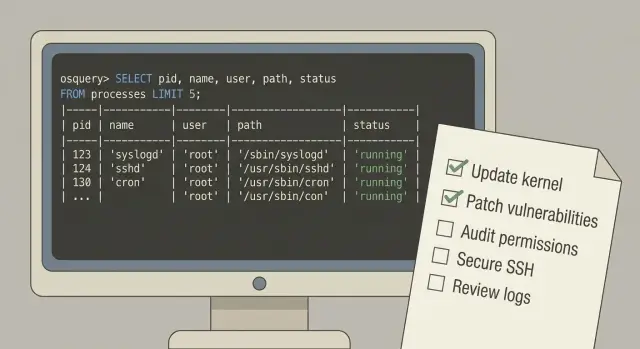
osquery is an agent that turns a computer into a set of tables similar to a database. You run an SQL query and the agent returns facts: what's running, what's installed, which users exist, which devices were connected.
It fits workstations, servers, VDI and test machines. It's especially handy when the fleet is diverse: office PCs, rack servers, virtual desktops. The data source is the host itself.
Commonly used “tables” include processes and services, packages and updates, users and groups, network settings, and devices (including USB). Importantly, you don't scan the network — you ask each computer about its state.
There are two main modes. First, periodic polls: for example, gather startup items or the status of critical services hourly to see changes. Second, ad-hoc checks for incidents: when you need to answer “who is running this process now?” or “which machines saw this USB drive?”. Usually you need both: periodic monitoring catches drift, ad-hoc helps investigations.
To get started calmly, agree in advance on a minimal set of checks and how to store results. A practical minimum for the first 2–3 weeks:
- inventory of OS and installed packages
- audit of startup items and scheduled tasks
- control of USB connections
- patch level and dates of last updates
- state of several critical services (e.g., antivirus, logging)
This way you get value quickly and won't drown in data in the first week.
Step by step: how to deploy and run first checks
Start with goals, not queries. osquery can be used in many ways: build an asset list, check policy compliance, run regular baselines or assist investigations. If you mix everything at once, you'll drown in data.
Then split the fleet into understandable device groups. Usually 3–6 groups are enough: finance, regular office PCs, admins, laptops, critical servers. This makes it easier to set different check frequencies and understand where deviations matter.
Run a pilot on a small group and check two things: load and data quality. For example, take 20–50 workstations and a couple of servers, run a few simple queries (software, startup, USB, patches) and look for gaps, odd values and CPU or disk spikes.
Minimal pilot plan:
- define 3–5 checks that will show value within a week
- identify device groups and responsible owners
- schedule run frequency (one-off and recurring)
- decide where to store results and who analyzes them
- produce a short report: what was found, what will be fixed, what needs clarification
Choose centralized collection from the start. Results should be aggregated, stored and accessible to those who make decisions. Otherwise checks turn into manual back-and-forth.
Also record basic rules: what exactly you store, how long, who can access it, how to mark false positives and how to create tasks from findings.
Inventory: quick queries that deliver value
Start with checks that answer simple questions: what is this computer, who manages it, what's installed and what it opens to the network. This gives visibility across the fleet and quickly highlights “not matching the standard.”
1) Basic asset facts
Collect the minimum: hostname, OS and version, uptime. Add serial number where possible.
SELECT hostname, cpu_brand, physical_memory FROM system_info;
SELECT name, version, build, platform FROM os_version;
SELECT * FROM uptime;
If serial number is empty on some devices or hostnames “jump” between formats, that's already a task: bring inventory and naming rules to standard.
2) Users and local admins
A weak spot is “silent” local admins. Check who exists on the machine and where that's unusual.
SELECT username, type, shell FROM users;
SELECT user, groupname FROM user_groups WHERE groupname IN ('Administrators','sudo');
3) Installed software and suspicious items
Pull a list of packages with versions (table depends on OS). Then compare deviations rather than the full list.
SELECT name, version FROM programs ORDER BY name;
4) Basic network facts
You need interfaces and what is listening on ports now, tied to processes.
SELECT interface, address, mask FROM interface_addresses;
SELECT pid, port, protocol, address FROM listening_ports;
SELECT pid, name, path FROM processes;
To keep reports from becoming a giant dump, predefine norms: allowed OSes and minimum versions, rules for local admins, baseline software per role and expected open ports. Then show only differences: device - deviation - risk - who should act.
Examples: startup items and persistence
Startup is used by admins (agents, updaters) and by attackers (persistence). osquery makes it easy to gather a unified list of start points and then turn them into tasks: remove, allow, or investigate.
Windows: Run keys, startup folders, scheduled tasks
Start with Run and RunOnce registry keys, then check scheduled tasks and shortcuts in startup folders.
-- Run / RunOnce
SELECT key, name, data
FROM registry
WHERE key IN (
  'HKEY_LOCAL_MACHINE\\Software\\Microsoft\\Windows\\CurrentVersion\\Run',
  'HKEY_LOCAL_MACHINE\\Software\\Microsoft\\Windows\\CurrentVersion\\RunOnce',
  'HKEY_CURRENT_USER\\Software\\Microsoft\\Windows\\CurrentVersion\\Run',
  'HKEY_CURRENT_USER\\Software\\Microsoft\\Windows\\CurrentVersion\\RunOnce'
);

-- Scheduled tasks
SELECT name, path, action, enabled, state, last_run_time
FROM scheduled_tasks
WHERE enabled = 1;

-- Startup folders (example: find files)
SELECT path, size, mtime
FROM file
WHERE path LIKE 'C:\\ProgramData\\Microsoft\\Windows\\Start Menu\\Programs\\Startup\\%'
   OR path LIKE 'C:\\Users\\%\\AppData\\Roaming\\Microsoft\\Windows\\Start Menu\\Programs\\Startup\\%';
macOS and Linux: launchd, cron, systemd
On macOS collect launchd items, on Linux check cron and systemd units.
-- macOS: launchd
SELECT name, program, program_arguments, run_at_load, keep_alive, path
FROM launchd
WHERE run_at_load = 1 OR keep_alive = 1;

-- Linux: cron
SELECT username, command, path
FROM crontab;

-- Linux: systemd (enabled units)
SELECT name, description, fragment_path, unit_file_state
FROM systemd_units
WHERE unit_file_state = 'enabled';
Frequent red flags to triage first: launches from user-writable directories (AppData, Downloads, /tmp, home), temporary folders, odd arguments (base64, hidden windows, chains via cmd/powershell/bash), “system-like” name with a non-system path.
Turn results into actions quickly: remove the startup entry and file (after confirmation), add a corporate agent to exceptions with an owner, open an incident and collect context (device owner, time of appearance, related process), set monitoring for new startup items in these locations.
Examples: USB and removable media
USB is a frequent channel for data leaks and infections, but also a normal work tool. The goal is not to “ban everything” but to see facts: what was connected, where, when and who is responsible.
Useful queries
For a quick snapshot of connected devices (where supported) start with the usb_devices table. It shows basics like VID, PID and sometimes serial number.
SELECT
  vendor, vendor_id, model, model_id, serial,
  removable, uuid
FROM usb_devices;
Connection history depends on the OS. For example, on macOS you can look at usb_device_history and filter new connections in the last N days.
SELECT
  vendor, model, serial, time
FROM usb_device_history
WHERE time > (strftime('%s','now') - 14*24*60*60)
ORDER BY time DESC;
On Windows it's often easier to rely on registry artifacts. The idea is to look for USBSTOR keys and extract identifiers and timestamps.
SELECT
  key, name, data, mtime
FROM registry
WHERE key LIKE 'HKEY_LOCAL_MACHINE\\SYSTEM\\CurrentControlSet\\Enum\\USBSTOR\\%'
ORDER BY mtime DESC;
Turning findings into tasks
A single record of a new USB device isn't an incident, but it's a good reason to create a clear task. Match the host to an owner or department from inventory, CMDB or HR directory to avoid wasting time asking “whose laptop is this?”.
Common follow-ups: confirm usage and context (which PC, which user, when), ask for justification if USB is restricted for the group, create an exception for a specific device (by serial), tighten policy for selected groups (block or read-only), schedule regular checks for “new USB in N days” for critical segments.
Examples: patches and update level
Patches and updates often cause silent incidents: a vulnerability is patched on most machines while a few remain on an old build or missing KB. Start simply: OS version, build number and signs that updates haven't been applied for a long time.
Basic level: OS version and build
Collect what is almost always available first:
SELECT name, version, build, platform, arch
FROM os_version;
On Windows this row often reveals outliers: same version but different build, or an outdated branch.
Windows and Linux: signs of installed updates
On Windows you can record installed updates if the patches table exists in your osquery build:
SELECT hotfix_id, installed_on, caption
FROM patches
ORDER BY installed_on DESC;
For Linux it's usually more useful to look at package versions and compare them to your minimum allowed version:
SELECT name, version, source, install_time
FROM packages
WHERE name IN ('openssl','sudo','openssh-server')
ORDER BY name;
A useful heuristic is “not updated for X days”. If install_time is populated, find machines where key packages haven't changed for too long:
SELECT name, version, datetime(install_time, 'unixepoch') AS installed
FROM packages
WHERE name IN ('openssl','sudo')
  AND install_time < (strftime('%s','now') - 60*60*24*90);
Turn results into actions: schedule maintenance windows for groups on outdated builds or missing KBs, agree on test updates on a pilot group (especially for critical systems), document exceptions with a review date, make minimum versions a rule and check them regularly.
Examples: critical services and their state
Critical services are those you quickly lose control without: authentication, protection, backups, log collection. Each organization has its own list. Common items include domain services and DNS, EDR/antivirus agent, backup agent, SIEM agent, remote management service (if used).
Task is simple: verify the service is running, start type wasn't changed to Manual/Disabled, and the binary path looks expected.
-- Windows: status and startup for selected services
SELECT name, display_name, status, start_type, pid, user_account, path
FROM services
WHERE name IN ('WinDefend','W32Time','Dnscache');

-- Windows: suspicious path change (not from System32, Program Files, etc.)
SELECT name, status, start_type, path
FROM services
WHERE start_type != 'DISABLED'
  AND path NOT LIKE 'C:\\Windows\\System32%'
  AND path NOT LIKE 'C:\\Program Files%'
  AND path NOT LIKE '"C:\\Program Files%';

-- Linux: important systemd units (example)
SELECT name, load_state, active_state, sub_state, fragment_path
FROM systemd_units
WHERE name IN ('sshd.service','rsyslog.service');
If you want integrity checks at the facts level, record path and launch arguments, and on Windows also check the executable's signature.
-- Windows: check service file signature (if table is available)
SELECT s.name, s.path, a.subject_name, a.issuer_name, a.result
FROM services s
LEFT JOIN authenticode a ON a.path = TRIM(s.path, '"')
WHERE s.name IN ('WinDefend');
Separate risk from routine. A disabled or manual-start service is typically an incident. A changed binary path or invalid signature is a reason to investigate.
How to turn osquery results into IT tasks
Results are useful only when it's clear what to do, who does it and when things should improve. Translate queries into standard task types.
Useful categories:
- incident: clear risk or attack artifact (e.g., unknown startup on a critical server)
- deviation from standard: configured outside baseline
- technical debt: old versions, overdue patches, forgotten exceptions
- request for clarification: insufficient data, need to confirm with owner
Make the ticket self-explanatory so the assignee doesn't have to guess context. A working ticket template:
- what was found: specific row/value (service, path, device, KB, version)
- where: list of hosts or group
- why it matters: risk or business impact (downtime, leaks, regulatory)
- what to do: exact action
- fixed criterion: how to verify with a repeat query and what result is normal
Prioritize by four factors: system criticality, scale (1 host or 300), likelihood of abuse (USB, startup), regulatory requirements. Keep simple SLAs: urgent (within an hour) for incidents, fast (within a day) for widespread deviations, planned (next sprint or maintenance window) for technical debt.
Assign owners by task nature: InfoSec handles incidents and policy, Windows/Linux admins fix configuration and patches, service desk makes initial contact with users (e.g., who connected the USB drive).
Common mistakes and pitfalls with osquery
The most common problem is starting with dozens of checks. Data volume grows, reports expand, and actions disappear. It's far more practical to pick 5–10 questions that affect risk and workload: startup, USB, patches, critical services.
A second trap is that results are hard to correlate. One host's hostname is uppercase, another includes a domain suffix, some duplicates exist after reinstall — and device groups are empty. Without simple normalization (uniform hostname format, unique identifier, tags like “office”, “server”, “POS”) you'll argue about whose machine it is rather than the risk.
Another noise source is mixing “suspicious” and “forbidden”. A scheduled task startup may be normal for a corporate agent or persistence for malware. Same for USB: a flash drive may be allowed for an accountant but not for a server. You need rules and an exceptions list, otherwise every finding becomes a thread.
How not to drown in data
Instead of one-off reports, compare with last week: what appeared, what disappeared, what changed. Otherwise you might find 30 unpatched machines today and a week later not know whether things improved or you just looked at a different set of hosts.
Why tasks stall
Even good findings die without an owner. osquery shows new USB allowed on some workstations and unexpected startup items on a few PCs. If you don't assign responsibility (IT ops, InfoSec, service owner) and agree on deadlines, the result stays in a table.
Good discipline looks like:
- limit the initial query set and define “red” events
- normalize hosts and groups, remove duplicates
- maintain an exceptions list with reason and review date
- keep history and watch changes, not just a single snapshot
- immediately link a finding to an owner and next step
Short checklist: what to verify before production rollout
Before enabling osquery everywhere, agree on rules: what data you collect, who sees it and what to do with findings. Otherwise useful signals become noise.
Minimum set giving quick effect:
- Define device groups and owners: at least “employee laptops”, “servers”, “kiosks/shared PCs”. For each group, record OS, role, department or owner.
- Prepare 5 mandatory checks and verify they work on your OSes: startup, USB and removable media, patch/update level, critical services state, local administrators list.
- Set thresholds so findings are unambiguous: “new in 7 days”, “not updated for 30 days”, “service stopped”, “user added to admins”. Thresholds should be the same per device group.
- Prepare a ticket template and priority rule (e.g., server + critical service = high).
- Test quality on a pilot: 10–20 devices should reproduce in production under the same logic.
A practical test before go-live: take one finding (e.g., new startup on a laptop) and run it through to a closed task. If there are unclear steps, fix the process beforehand.
Real example: from finding to action plan
An organization sees a spike in reports: several employees see odd windows and an antivirus service is stopped on a terminal server. Suspicion falls on flash drives because some problems began after file exchanges with contractors. osquery helps gather facts and narrow the scope quickly.
Focus on accounting and terminal servers for the last 14 days. Run three short checks: which USB devices were connected, what appeared in startup, and which protective services are disabled.
Common starter queries that often give leads:
-- USB: what's connected now (useful for "right now")
SELECT * FROM usb_devices;

-- Startup: new/suspicious items
SELECT name, path, source FROM startup_items;

-- Services: what's stopped among important ones
SELECT name, status, start_type FROM services
WHERE status != 'RUNNING';

-- Patches (Windows): what's installed and when
SELECT hotfix_id, installed_on FROM patches;
When results are gathered, convert them to tasks with owner and deadline: temporarily restrict USB for finance (allow only listed devices), remove discovered startup entries and check files on disk, restore and ensure protective services run, catch up updates on terminal servers and workstations.
To avoid repeating the same monthly analysis, make checks permanent (USB, startup, service status, patch level), set simple thresholds and agree who reacts and how fast.
Next steps: embed the practice and avoid drowning in data
To make osquery truly helpful, don't chase hundreds of checks. Start with a small set that leads to clear actions: startup, USB, patches, critical services. Pre-assign an owner for each finding type: who fixes and who verifies closure.
Practical starter approach:
- Choose 10–15 queries and define what is a deviation
- Assign responsibles by category (workstations, servers, IT, InfoSec) and response times
- Run a pilot on one group (e.g., 50 PCs in one department) and measure: how many findings, how many closed in a week, what's noise
- Remove excess and add what commonly appears in the pilot
Make reports as short as possible: show only deviations and status. Ideally each row becomes a task with fields: device, finding, risk, owner, deadline, confirmation.
If you implement this in a large infrastructure, plan how results flow into support and change processes. In projects requiring equipment delivery and system integration, this is often handled end-to-end: for example, GSE.kz as a manufacturer and system integrator can help plan deployment, select infrastructure (including workstations and servers) and provide 24/7 support.
Frequently asked questions
What is osquery and how is it useful for inventory?
osquery is a host agent that provides facts about the system through SQL queries: processes, services, packages, users, network, devices. Its value is that you ask each computer about its current state and get the same data format for different OSes and machine types.
Why use osquery if there is already antivirus or EDR?
Antivirus and EDR primarily detect and block threats, but they don't always answer accounting questions like “what changed in the last week” or “where did this new startup entry appear?”. osquery doesn't heal or block, but it quickly shows changes and deviations that can be turned into concrete tasks for IT and InfoSec.
How to start deploying osquery without drowning in data?
Start with goals and a small pilot, not dozens of queries. A practical start is 20–50 workstations and a few servers to check load, data completeness and which findings actually become actions.
How to choose polling frequency and what to run regularly vs ad-hoc?
For regular monitoring it's usually enough to run some checks hourly or daily, while heavy and rare checks can be scheduled weekly. For investigations have a separate ad-hoc mode “right now” so you don't wait for the next polling window.
How to group devices for checks?
Split the fleet into simple groups by risk and manageability so rules are unambiguous. Usually roles like “employee laptops”, “office PCs”, “admins”, “critical servers” are enough — then it's easier to set thresholds and expectations per group.
Where and how to store osquery results so they are useful?
Store results centrally, otherwise they turn into manual exchanges and scattered files. Agree on a host identifier format, history retention and access, so you can compare today to last week and quickly find the device owner.
How to reduce false positives and noise in results?
Show deviations from the norm instead of everything, and keep an exceptions list with reason and review date. If a finding repeats and is confirmed legitimate, formalize it as an allowed case — otherwise teams will keep handling the same noise.
Which startup and persistence checks are most useful?
Start with points used both by admins and attackers: Run keys and scheduled tasks on Windows, launchd on macOS, cron and enabled systemd units on Linux. Practical checks look for launches from user-writable and temporary directories and record changes versus the previous snapshot.
How to control USB and removable media with osquery?
For a current snapshot, the usb_devices table is usually enough; for history, rely on OS artifacts that remain after connections. Most useful is not just the USB fact but linking it to host, user and group to decide whether it's a policy violation or an allowed scenario.
How to check patches and critical services to quickly find risk?
Start with OS version and build, then refine with installed patches or key package versions to spot outliers. For services, check status, start type and binary path — a stopped service or an unexpected path often needs immediate action.
