7 min read
Oracle Database in Virtualization: How to Reduce Licensing Risks
Oracle Database in virtualization: which deployment options reduce licensing risks, and what to clarify about hosts, migrations and support before buying servers.
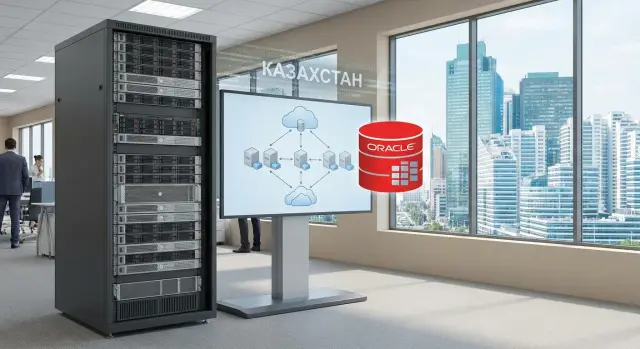
What's the issue with Oracle and virtualization in plain terms
When Oracle Database runs in a virtualized environment, it seems logical to license only what is allocated to the VM: a few vCPUs and some memory. In practice, licensing is often tied not to the "picture" in the hypervisor but to which physical resources the database could potentially access and how migrations, clusters and high availability are configured.
The main difficulty is that virtualization blurs boundaries. Today the database runs on one host, tomorrow it may move to another because of a failure, maintenance, or load balancing. If the environment looks like a shared pool where a VM can end up almost anywhere, in a dispute you'll need to prove which physical resources were actually in scope.
Unexpected license assessments usually arise not from "bad intentions" but from technical details that weren't documented in advance: live migrations enabled across many hosts, Oracle placed in a cluster with a shared resource pool, no strict binding of VMs to specific servers (or that binding is easy to disable), cluster boundaries that can't be proven, or buying hardware "with headroom" without agreeing how that headroom will be treated.
Important: this is not legal advice and does not replace a letter from Oracle or your contract. This is a practical checklist to gather facts and ask the right questions before buying servers and designing the site, not to find out after an audit.
Before talking to the server vendor or integrator it helps to prepare a simple "map of the future environment": how many Oracle instances (prod, test, standby), which hypervisor and which features are planned (cluster, migrations, HA), how many physical servers are in the pool and how they are grouped, whether dedicated hosts for Oracle are required or co-location is allowed, the availability requirements and what counts as acceptable downtime.
Key terms that commonly cause mistakes
Mistakes often start not from settings but from terms. People say "virtual machines" and "clusters" but mean different things, and then count resources and risks differently.
Physical server (host) - a concrete machine with processors, memory and network cards. Virtual machine (VM) - an isolated environment inside a host allocated some CPU, RAM and disk. Cluster - a group of hosts working together for high availability, load balancing and moving VMs between nodes.
CPU: sockets, cores, threads and CPU model
Socket - the physical CPU slot, i.e., how many physical CPUs are installed. Cores - the actual computation units inside a CPU. Hyper-threading (threads) increases the number of logical threads but does not turn one core into two physical cores.
Why it matters: reports can easily mix up vCPU, threads and cores. Also, the same "clock speed" in a price list doesn't guarantee identical performance: different CPU models differ in core count, generation and database workload behavior.
VM migrations and blurred boundaries
If the platform allows moving VMs between hosts (live migrations, automatic placement), the main question becomes: where could your Oracle actually run? The larger the host pool, the harder it is to prove that the database is limited to specific servers, and the higher the risk of disputed interpretations during an audit.
A separate nuance is shared storage and shared management network. When multiple hosts see the same SAN/NAS and operate on the same management network, the platform can more easily switch VMs during failures. That's convenient for operations, but for placement scenarios it's important to understand in advance: what counts as a single cluster, which hosts are in the pool, and whether it's technically possible to prevent Oracle VMs from starting outside a dedicated group.
A useful rule: record in one document what you call a host, cluster and pool, how vCPU differs from a core, and which servers make up the allowable zone for Oracle. Then the vendor, integrator and your team will count the same thing.
Placement options that usually reduce risks
The root cause of disputes is almost always the same: where your compute ends and the shared pool begins. The clearer the boundaries in hardware and management, the easier it is to justify licensing and the fewer surprises at audit.
1) Dedicated physical server for Oracle
The simplest option: one or more physical servers are used only for Oracle (prod, or separate prod and test). Then you control all processors on those servers and don't depend on VM migrations across other hosts.
This approach is chosen when simple rules and clear documentation are important: server serial numbers, CPU list, host assignment and prohibition of other workloads.
2) Separate virtualization cluster just for Oracle
If you need virtualization (HA, easier maintenance, platform standards), the next-clearest approach is a separate cluster meant only for Oracle workloads. Not just "logically separate" but a real, separate group of hosts.
The advantage is that you keep virtualization features without mixing Oracle with the "general farm" where VMs can move to any host. The downside is operational discipline: temporary exceptions quickly become permanent.
3) Isolation by host and resource pools
Sometimes a separate cluster is not affordable. Then Oracle VMs are restricted by pinning to specific hosts, migration rules and separate resource pools.
Important: not all isolation mechanisms are equally convincing for licensing. Only measures that can be proven with settings, logs and access rights work — and that an administrator cannot "just move" Oracle to another host without an agreed procedure.
Document in the project: the list of allowed hosts and prohibition of auto-migration, who can change these rules, how you verify compliance (reports, logs, procedures), and what you do in a failure so that a "temporary" move doesn't become permanent.
4) Separate physical resources for Prod and Test
Prod and Test usually have different rules: different maintenance windows, availability requirements and risks of accidental scope creep. If Test runs on the same hosts as Prod, it can expand the licensing footprint and make proving boundaries harder.
It's usually easier to plan separate physical resources or separate clusters for Prod and Test than to later investigate why a test VM ended up on the "wrong" host.
How to set boundaries: migrations, pinning and isolation
The risk is often not the VM itself but that it can technically run on any host in the cluster. If there are no clear, provable boundaries, later it will be hard to explain which physical resources were actually used.
VM migrations: fewer surprises
Start with a migration policy. Automatic moves are convenient but blur boundaries: today the DB runs on two hosts, tomorrow on ten. For Oracle it's usually safer to pick one of the options: forbid automatic migrations for DB VMs or allow them only within a pre-defined group of hosts where you are prepared to license all cores.
Pinning and isolation: make the boundary visible
Then pin VMs to specific hosts and resources. What matters is not a "clever setting" but simple logic: where the database may run, where it may not, and how that is proven.
It's sensible to configure and document:
- placement rules: Oracle VMs run only on selected hosts (affinity/anti-affinity according to your scenario)
- migration limits: forbid automatic transfers or allow them only by an agreed procedure
- CPU and RAM reservations: so a VM doesn't "spread" due to resource shortage
- separate networks: segments for DB traffic and administration, to show isolation more clearly
- separate storage: dedicated pools/volumes for Oracle data, to clarify where data lives and who has access
Example: a shared virtualization cluster has 12 hosts. For Oracle, two hosts are put into a separate group, strict VM pinning to that group is enabled and automatic migration out is forbidden. Additionally, a separate network segment and storage pool for DB files are used. The boundary is clear: the DB can only run on those two servers, and this is proven by settings and logs.
Step-by-step plan before buying servers
It's useful to describe where Oracle will live and how it will move. Without this, even good servers and virtualization become a source of disputes.
-
Capture Oracle workload profiles. Separate environments (Prod, Test/Dev, DR), estimate peak hours, maintenance windows, availability requirements and growth for 2–3 years. Note separately whether DR will be "hot" (often online) or "cold."
-
Choose the placement model that is easiest to explain and control. Usually the fewest questions come with a dedicated host for Oracle or a separate cluster for Oracle workloads.
-
Fix movement boundaries. Record on which hosts Oracle is allowed to run, under what conditions migration is permitted, and who approves it. Decide in advance whether automatic migrations will be used and how you will prove Oracle didn't move to "unauthorized" nodes.
-
Agree on server specs and change rules. Tie the configuration (CPU, sockets, cores, hyper-threading, RAM) to the chosen placement model and set up change control: what counts as a change, who approves it, and how quickly resources can be added.
-
Prepare a package for internal control. Cluster diagram, list of hosts, migration policies, CMDB extracts, operational procedures, and acceptance certificates.
If this plan fits on 1–2 pages and is understood beyond administrators, the risk of unpleasant surprises is already noticeably lower.
Common mistakes that become expensive later
The most costly mistake is assuming "if we bought licenses for a couple of VMs, everything else doesn't matter." Risks almost always stem from infrastructure details: where the DB runs, how the cluster is arranged and who can change it.
A typical scenario: Oracle hosts are in a shared cluster with many other workloads. Today the DB runs on two servers, but tomorrow it could be on any node due to automatic migration. Without strict prohibitions and clear boundaries, you create a situation that's hard to justify.
Another mistake is buying servers "by eye." If you don't lock in the CPU model and core count, you may later find the actual configuration requires more licenses than planned. That's especially painful when the hardware is already delivered and running and you only start checking afterwards.
People also underestimate blurred Prod, Test and DR boundaries. Internally it's easy to say "we only use DR rarely," but for licensing what's important is technical capability, not intention.
Another source of surprises is lack of rules and documentation. It must be clear who can add hosts to the cluster, change migration policies, enable extra sockets or cores, or expand the resource pool.
Checklist for self-check:
- Does Oracle have a separate cluster or dedicated hosts with migration prohibitions?
- Are CPU models, sockets and core counts documented in the procurement?
- Are Prod, Test and DR separated not just verbally but by settings and access?
- Is it defined who can change the cluster composition by request?
- Are there written agreements, not just "promises in a meeting"?
Questions to ask the vendor and integrator before purchase
While you haven't chosen servers and a virtualization platform, it's easier to reduce risks by asking the right upfront questions. Exact answers matter more than promises: where the DB will run, how movements are limited, and how to prove it at audit.
Questions about physical placement and boundaries
Ask for a target hardware-level diagram, not just a "cluster" slide in the presentation. It's useful to request a diagram and the list of hosts where Oracle may end up according to platform rules.
- On which physical servers will Oracle run (list hosts by name/serial number), and how many?
- Is there a shared cluster with other workloads, or is Oracle assigned to a separate cluster/pool? Where are the boundaries?
- Are live migrations (vMotion or equivalents) allowed? If yes, between which hosts specifically?
- Who manages migration rules: your team, the virtualization vendor or the integrator? What is the process for changing these rules?
- What logs or reports can be exported to prove Oracle did not migrate outside the authorized hosts?
An additional quick test of manageability: what happens if an admin accidentally removes a restriction or adds a host to the cluster? How will you notice and who is responsible?
Questions about VM pinning, CPU and DR
Next, address items that often change after procurement.
- What hard pinning mechanisms are available (affinity/anti-affinity, host pinning, dedicated pools), and how is their correctness documented?
- What is the exact CPU specification in the delivery: model, number of sockets, cores per socket? Are substitutes allowed if there's a shortage, and how is that agreed before shipment?
- If expansion is planned in 6–12 months, how will new hosts be added without diluting Oracle boundaries?
- How is DR arranged: where will Oracle be brought up in a failure, which resources are used, and is that site considered always-ready (warm/hot)?
- What documents are included: final hardware spec, placement diagram, migration rules, change procedures, and responsibilities of parties?
Documentation and support: what to lock down in advance
A common reason for license surprises is not a technical mistake but lack of written rules. Agree in advance who keeps the agreed boundaries: which hosts are in the cluster, where VMs may be migrated, and who can change settings.
Responsibility after go-live
Define roles in writing (at least in an operation procedure): who defines the allowed scheme, who enforces migration rules, and who periodically verifies adherence. Specify who makes decisions during an emergency when there's temptation to move a VM to any available host.
Record a short list of prohibitions and permissions: which host groups are for Oracle, whether auto-balancing is allowed, who may add servers to the cluster and under what conditions.
Reports and logs for audits
Agree in advance what evidence you can show during internal checks or an audit. Auditors usually want exports, not verbal explanations.
- inventory of hosts and VMs: where Oracle runs, which CPUs and how many sockets/cores are in the involved servers
- VM migration history and cluster events
- placement rules settings: host pinning, groups, forbidden zones, auto-migration parameters
- configuration change report: added/removed hosts, resource pool changes
- acceptance certificate with placement diagram and boundaries
Don't try to gather "all logs ever." Agree on a minimal package that is realistic to maintain monthly.
Hypervisor updates and migration rules
Hypervisor updates can change migration behavior and cluster policies. The update procedure should state: how maintenance is done (windows, rollback), what is checked after a patch (pinning rules, host-group availability, auto-balance parameters), and who confirms that Oracle boundaries are preserved.
Changes to cluster composition
The riskiest moment is adding a new server "just for capacity" and it automatically becoming part of the zone where Oracle VMs may run. You need a simple process: request, approval (IT + finance/licensing), update diagrams, export confirming reports, and only then add the host to the cluster.
Example scenario: how a company avoids licensing surprises
A clinic with branch offices runs Oracle Database for a medical system: patient records, lab results, and front-desk integration. Load peaks in the morning and evening, with a short maintenance window at night. Any unpredictability in performance or licensing hits the budget.
The team decides to keep Oracle within clear boundaries. Instead of placing the DB in a shared cluster with dozens of other VMs, they create a separate cluster just for Oracle. Automatic migrations for these VMs are forbidden so they don't "wander" due to balancing.
For production they fix a list of specific hosts where Oracle can run. Other hosts are out of scope. Test is put on a separate resource pool or a small separate cluster. That reduces the chance of a test VM accidentally ending up on production hosts or vice versa.
They design DR in advance: where Oracle may be started in a failure and in what order services are brought up. They do not leave this to unrestricted automation.
What they record before launch: allowed hosts for Prod and separately for Test, prohibition of auto-migration for Oracle VMs, reserved CPU/memory for Oracle, DR hosts for failover, and a change log (who and when expanded the perimeter).
Quick checklist and next steps
The cheapest way to reduce licensing surprises is to lock boundaries and rules before signing server and storage specifications. Afterwards it's much harder: hardware is purchased, the project runs, and migration rules and cluster composition float.
Before signing, check what's going to be documented:
- cluster boundaries: which hosts are included, which are excluded, and how the allowed host list is maintained
- VM migration rules: what is allowed (live migration, cold move), what is forbidden, and who can change rules
- CPU and configuration parameters: exact CPU models, number of sockets and cores, and what happens with replacements
- upgrade and expansion plan: which changes are equivalent and which require license review
- change control: who approves changes, how the journal is kept, and response times for incidents
A practical next step is to collect this into architecture and a document set that will live with the infrastructure: placement diagram, host list, migration rules, roles and responsibilities, report templates and verification cadence.
If you are choosing hardware and deploying, it's convenient when the vendor can cover both servers and system integration and when placement boundaries are reflected in project documentation. For example, GSE.kz (gse.kz) as a server manufacturer and system integrator in Kazakhstan often helps align hardware specifications and operational rules so that delivery and support match.
Frequently asked questions
Is it enough to license the vCPUs of an Oracle virtual machine?
Not always. In a virtual environment, not only the allocated vCPUs matter, but also the physical hosts on which the database may run or migrate. Before calculating licenses, define the permitted scope and verify it against your agreement and Oracle guidance.
Why does a shared cluster create a risk for Oracle?
It is a group of physical servers between which the platform can move virtual machines. If an Oracle VM can run on all nodes in a shared cluster, the usage boundary becomes broader and harder to substantiate.
Which Oracle deployment is easiest to control?
The clearest option is to dedicate one or more physical servers exclusively to Oracle. If you need virtualization high availability, use a separate cluster of pre-defined hosts.
Can live migration be used for Oracle?
Allow migration only within a pre-approved group of hosts, or disable automatic moves for Oracle VMs. For disaster scenarios, define in advance the hosts on which the database may run.
How can you prove that Oracle did not run on unauthorized hosts?
Configure VM placement rules, migration restrictions, and permissions to change those rules. Then regularly retain configuration reports and migration history to demonstrate that the restrictions are being followed in practice.
Which server parameters should be checked before purchase?
Collect the exact processor model, the number of sockets, and the number of cores on every host within the Oracle scope. Do not rely solely on CPU frequency or thread count, as they do not replace information about physical cores.
Do Prod, Test, and DR need to be separated?
It is better to separate them with physical resources or dedicated clusters. If the environments remain in the same pool, clearly restrict where each one may run and enforce this through configuration and access controls.
What should be considered for an Oracle DR site?
Plan it before go-live. Specify the exact DR hosts, startup sequence, and migration rules. Confirm licensing for the standby site against your Oracle terms and contractual documents.
Who should be responsible for changes in the cluster?
The restrictions should be supported not only by configuration, but also by change management. Define who can add hosts, change migration policies, or expand resources, and require approval for such actions.
What documents should be prepared for an internal review?
Keep a cluster diagram, a list of approved hosts, CPU specifications, placement rules, migration logs, and a change report. Update this set after every infrastructure change.
