8 min read
Oracle Audit Readiness: Which Artifacts to Keep in Advance
Oracle audit readiness starts with artifacts: inventory, topology, licensing documents, change control and retention periods.
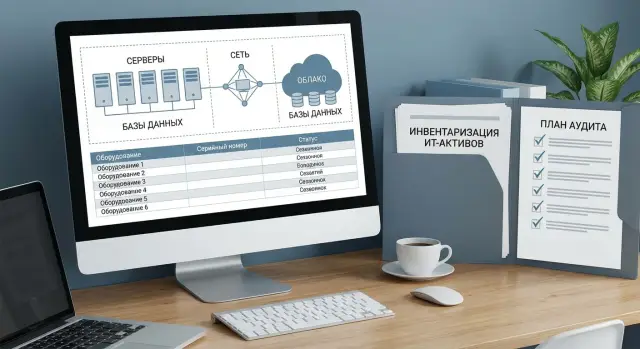
What auditors actually check and why you can't collect everything at the last minute
An Oracle audit in practice is not a conversation based on trust but a series of formal requests: which products are installed, where they run, how they are used and on what basis. Auditors usually give specific deadlines for responses and ask for exports, configuration snapshots, diagrams and copies of documents in a specified format.
Artifacts matter because they can be verified. Emails, verbal explanations and “it was roughly like this” almost never close the questions, especially if numbers differ between sources.
Requests typically fall into several types of evidence: inventory (servers and VMs, versions, options, owners), topology (where databases and applications run, dependencies, clusters, replication and DR), entitlement documents (contracts, specs, metrics and terms), governance (records of changes, tickets, approvals) and measurement results (reports and data-collection scripts with source explanations).
Collecting everything at the last minute is dangerous not because of volume but because of discrepancies. Resolving them usually takes more time than the collection itself. A common example: the inventory shows one set of hosts, but the operations team remembers a "temporary" VM for testing that has long since become production.
It's hardest to reconstruct after the fact what wasn't regularly recorded: virtualization history and VM migrations between hosts, changes to enabled options and parameters that affect licensing, actual users and environment purpose (dev/test/prod), old approvals (why a new core, server or instance appeared), exact install/migration/decommission dates.
If artifacts are maintained continuously, preparation turns from an urgent task into a routine folder check: everything is in place, versions match, and there are minimal disputed areas.
Roles and responsibilities: who stores artifacts and who is accountable
Audit readiness depends not on a single file but on a habit: someone collects data, someone confirms accuracy, someone stores final versions. If roles aren't assigned in advance, on the day the auditor requests information a hunt through chats begins and important details get lost.
Assign a process owner (one person) and a backup responsible. The owner is accountable for the overall picture: which artifacts should exist, where they are stored, when they were updated and who approved them. The backup covers vacations, sick leave or team changes.
Then split responsibilities by data sources:
- infrastructure: hosts, virtualization, clusters, server and OS parameters;
- DB team: Oracle installations, versions, options, parameters, actual feature usage;
- procurement and finance: orders, invoices, contracts, confirmations of volumes;
- security: access controls, admin-action logs, log retention rules;
- legal: license terms, amendments, correspondence about entitlements.
Decide in advance who approves final document versions. Typically IT confirms facts (what and where is installed), procurement and legal confirm the entitlement, and the process owner marks the final package as "current as of date". Without this, you can easily end up with two "official" files containing different numbers.
Assign a single contact for the auditor: name, role, who covers them, and which topics are redirected to whom (infrastructure, licenses, changes). Keep a short contact card next to the artifact registry so answers are fast and consistent.
Inventory: minimum dataset for hosts and Oracle
Inventory is the foundation of readiness. Without a single list, the dispute usually begins with a simple question: on which nodes does Oracle actually run and who is responsible for them?
Start a registry of all physical servers and virtual machines where something Oracle-related may be installed or running (including temporary migrations and stands). For each node not only names matter but also attributes that affect license calculations and usage boundaries.
It is practical to maintain a single "master registry" (a table or CMDB) with minimal fields:
- node identifier: hostname, IP (or subnet), site/data center, purpose (DB, app, batch);
- environment and owner: prod/test/dev, business service owner, technical contact;
- host parameters: model, CPU, number of sockets and cores, enabled limits (if any);
- virtualization: hypervisor type, cluster/pool, migration rules, VM pinning (if used);
- Oracle per node: DB instances, versions, options and components (e.g., RAC, Data Guard), where installed and where actually used.
Separate “installed” and “used”. A component may exist on an image but not be active in production. These are different risks, and the auditor will look at the facts.
Update frequency depends on change pace, but use a simple guideline: at least once a month and always after major work (migrations, upgrades, cluster expansion). Assign someone to confirm registry accuracy: usually the platform owner (infrastructure/DB) and the service owner on the business side.
Example: a VM with a test database was moved into a cluster that carries production load. If the migration is not reflected in the registry, it is later hard to prove that it was a brief relocation and that placement rules were followed.
Topology and dependencies: how to show where things are installed and used
Topology is not for a pretty diagram alone. It helps quickly answer questions: where do Oracle products actually run, who connects to them and which nodes can affect licensing. When answers are found in 10 minutes rather than 10 days, preparation becomes noticeably easier.
Start with a placement map by site. Keep it at a clear level: data centers and branches, main network segments, access zones (prod, test, dev), and who has admin access to interfaces and backup stores.
Then describe dependencies. It's important to show not only database servers but also consumers: applications, integration services, reports, batch jobs, thick clients and utilities on terminal servers.
A set of artifacts is usually sufficient: a site and network-zone map with hostnames and IPs (or a note that this is an export from the CMDB), a dependency matrix "application - database - environment" with owners and contacts, cluster and HA diagrams (RAC, Data Guard, replication, load balancing), DR site description and scenario (what is brought up, within what timeframe, on which resources), and a short note on virtualization and migrations (hypervisor clusters, vMotion/Live Migration rules, VM pinning).
Virtualization is a separate risk area. If an Oracle VM can move between hosts, predefine boundaries: which hosts are in the cluster, which migration policies apply, and where there are exceptions.
Example: terminal servers in branches have Oracle clients while the database is in the data center. The diagram shows this immediately: client installations are not equal to the database server, but they confirm usage points. If there is a DR site, note whether it is active-active or only activated in failover, and which systems switch with the DB.
Entitlement documents: what to keep to avoid disputes
If inventory shows Oracle installed somewhere, the auditor's next question is simple: on what basis are you using it? The faster you can present the chain of documents, the less room there is for interpretation and extra calculations.
Store the complete "deal package," not only the invoice or contract. Usually needed: the contract and all appendices (specs, amendments), invoices and payment documents, acceptance acts or delivery confirmations, and support renewal documents if support was purchased separately.
More than having papers, you must understand what was bought and under which terms. Record the licensing metric (by cores, by users, by processors, by options) and restrictions: which environments are covered, what counts as “usage”, which components are included and which require separate licenses. If terms were clarified in emails with the vendor or in correspondence with Oracle, keep those as part of the evidence.
Tie documents to a specific system and deployment date. A one-page cover card works well:
- contract/order number and date, vendor, product name;
- licensing metric and quantity, term (if limited), list of options;
- which system/project it relates to (environment, owner, responsible person);
- go-live date and reference to the change request/ticket.
Example: for licenses covering servers in a cluster, indicate not only the purchase details but also which hosts are in scope, since what date, and who approved it. This way questions about virtualization, migrations or test environments are closed with documents rather than searching for “why there are more than planned.”
Change control: which records prove manageability
An auditor often checks not only what is installed but how it is managed. You need to show a simple chain: the decision was made, the change was approved, executed in a window, documented, and, if necessary, reversible.
Start with a change management policy. It should be approved by IT leadership (or InfoSec if applicable) and answer basic questions: which changes are significant, who can initiate and who approves, how risks are assessed, testing and rollback. The policy needn't be long but must be current and clear.
Then maintain records that link an actual Oracle installation or configuration to a specific request. It helps when each change has a consistent set of evidence: a ticket for installation, update, move, shutdown or decommission; approval (CAB, manager, service owner) and chosen window; an execution and rollback plan (even 5–10 lines); a note of actual execution and checks; and a post-fact entry of exactly what changed (version, parameters, host, role).
Admin logs are a separate part. Useful logs include bastion/jump-host logs, sudo logs, actions in configuration management systems, and OS records of who changed configs, ran installers or adjusted parameters. For virtual environments, include migration logs and resource-change records (CPU/RAM) as these can affect licensing.
Example: a branch upgraded Oracle on a test server and later “temporarily” moved the database to a production host. If you have a ticket, approval, a work window and admin logs, the dispute usually ends quickly. If only chat messages remain, that is rarely accepted as evidence.
A practical approach is a monthly spot check: pick 5 Oracle-server changes (for example on racks or on GSE S200) and verify that ticket, approval and logs are stored together and can be retrieved without manual investigation.
Where and how to store artifacts: order, access, versions
If artifacts are stored “as they come,” by the time the auditor requests them you spend time searching instead of verifying. Good storage is built around three things: clear structure, access control and explicit versions.
Structure and consistent names
Agree on one folder and filename template so anyone can find what they need in a minute. It is convenient to divide by year, system and evidence type, and always include date and object in file names.
Example logic (aligned with your system registry):
- 2026/Oracle-Prod/01_Inventory
- 2026/Oracle-Prod/02_Topology
- 2026/Oracle-Prod/03_Licenses_and_entitlements
- 2026/Oracle-Prod/04_Changes_and_requests
- 2026/Oracle-Prod/05_Reports_and_correspondence
Make file names descriptive: 2026-01-10_Oracle-Prod_HostInventory_v03.xlsx, 2026-01-10_Topology_Oracle-Prod_v02.pdf. This makes it clear what the file is, what it relates to and how recent it is.
Versions, access and retention
With versions, avoid mixing drafts and approved documents. A simple status model usually works: Draft (data collection), Approved (confirmed by owner), Current (the version for operational use). Move old versions to an archive rather than deleting them.
Create a short access matrix: who reads and who edits. The idea is that data should be available for review but not accidentally overwritten.
- read: IT, security, procurement/legal, system owner;
- edit: assigned custodians by section (inventory, topology, licenses);
- approve: system owner and licensing responsible;
- audit trail: record who changed what (at least in file comments or a separate log);
- retention: keep primary documents (contracts, invoices, emails, confirmations) and retain them at least for the active usage period plus any internal retention time.
Practical example: after topology was updated following a migration to new servers, keep the old diagram in the archive and add a short note about what changed and under which request. This greatly reduces disputes.
Step-by-step preparation: how to assemble an evidence package in 1–2 weeks
If basic processes exist, the 1–2 week task is simple: gather evidence into a clear package so you answer with facts rather than searching email.
A plan usually fits into 10 working days if a package owner is assigned and systems are accessible.
-
Start with the current inventory. Export the list of hosts, VMs and clusters where Oracle may be present, and immediately reconcile with the CMDB or internal records. Record export dates and sources, otherwise numbers will diverge.
-
In parallel, gather entitlement documents. You need not only contracts and invoices but also emails with terms, specs, metric confirmations, amendments and support documents (if they affect upgrade rights). Arrange them so the chain reads quickly: what was bought, under which terms and since when.
-
Prepare a clear topology and dependency map. You don't need a perfect drawing. A simple scheme suffices: which environments (prod, test, dev), where DBs and middleware are located, which applications connect, and where admin and replication tools run.
-
Map installations to entitlements. This step usually surfaces gaps: an extra option enabled, an instance moved to another host, the number of processors increased but documents not updated. List disputed areas separately so they don't mix with the “clean” part.
-
Record a remediation plan. For each gap note the owner, action (disable, remove, purchase, reconfigure), closure date and the proof you will provide (screenshot, log, act, change record).
Example: some branch DBs moved to a new virtual cluster while records kept the old hosts. Within two days inventory and topology will show the move, and mapping to entitlements will reveal where metric clarifications and change requests are required.
Common mistakes and traps that cause findings
Most findings arise not from bad intent but from a gap between fact and documentation. The auditor looks at installations, usage and entitlements; if you can't quickly link one to another this appears as risk.
What most often breaks the picture
The most common mistake is mixing prod and test in one list without marking the environment. Test hosts then look like part of the production contour and metric calculations become inflated.
Second trap: inventory without assigned owners. If a table shows a server and Oracle versions but no responsible person or purpose, no one can confirm why it exists and who controls changes.
Problems also arise when procurement documents exist but it's unclear what they relate to. Invoices, specs and contracts are stored separately and the mapping of a particular license to a particular server pool is not recorded.
Finally, topology gets out of date after migrations. You move to another cluster, change virtualization, add a DR site and the diagram and dependency list remain "as was." Scanning data will expose this quickly.
If you need a short checklist, at least verify these points:
- the inventory explicitly marks environments (prod, test, dev);
- systems have an owner and someone responsible for licensing;
- procurement documents are tied to deployments and purposes;
- topology and dependencies were updated after changes;
- changes are not done "by request" without a ticket and approval.
How to avoid disputes over trivial matters
A simple rule helps: each installation must have a chain “where it stands — who owns it — on what basis — when and by whom it was changed.” After moving a database into a new virtual cluster, update not only the diagram but also the change record with date, approval and reason, and record which licenses now apply to that cluster.
If the infrastructure was delivered and assembled by an integrator (for example, on server delivery and deployment to a data center), ask them to document the final topology and environment boundaries right after commissioning. Then future migrations have a baseline.
Short checklist before responding to an auditor
When an auditor's request arrives there is little time to recall and search. What's more important than perfect documents is a clear, current and agreed set of evidence.
Before replying, check five things:
- the Oracle and host inventory is updated to a recent date: showing product locations, versions and enabled options, and a note who verified and approved (IT, licensing, service owner);
- there is a current topology: environments (prod, test, dev), clusters, virtualization, main databases and applications, plus a short dependency list (what connects to what and where it is used);
- the entitlement package is collected in one place and mapped to systems: contracts, specs, purchase confirmations, emails with terms, licensing metrics, and an adjacent table “entitlement - product - environment";
- the change log covers the requested period: installs, moves, migrations, enabled options and virtualization/core changes; each change has date, initiator, rationale (ticket/request) and result;
- contact persons are assigned and a “final folder” is defined: who answers, who prepares exports, who agrees wording, and where the versions safe to send are stored.
If you have doubts on any item, close the gap before sending materials. It's cheaper than arguing over facts you can't prove.
Real-world example: branches, virtualization and a documentation gap
A company with several branches ran services on two sites: a main data center and a backup in another city. Oracle was used for ERP and reporting. Some databases ran on virtualization and admins regularly migrated VMs between hosts to service hardware and balance load.
When materials were requested, an unpleasant fact surfaced: the license purchase was made "for Oracle Database for the company," but records did not clearly map "which licenses cover which clusters and where Oracle actually runs." Consequently a server appeared in the inventory but not on the topology, and several VMs migrated between clusters without documentation.
They closed gaps in 3 days with a simple plan. First they created a unified inventory: hosts, clusters, VMs where Oracle components live, plus usage facts (options, metrics, versions). Then they produced a clear topology: sites, segments, clusters and critical dependencies. Only then did they reconcile entitlements: retrieved procurement documents, vendor/partner emails, internal acceptance acts and identified which entitlements apply to which environments.
The final package included: current inventory of hosts, clusters, VMs and Oracle installations; a topology across two sites marking permitted Oracle placements; a mapping table "entitlement - specific clusters/servers"; confirmations from procurement and system owners (who approved what); and change exports for the period (migrations, expansions, new VMs).
After this, readiness stopped being a one-off "firefighting" task and became a set of documents updated as changes occur.
Next steps: how to keep readiness ongoing
Licensing problems rarely start from "bad accounting" and more often from a one-off approach. A working model is a habit: any infrastructure change leaves a trace in artifacts.
Embed artifact updates into regular IT processes. If you add a new server, move a DB, enable an option, change virtualization or add cores — it should be reflected in inventory, topology and change logs on the same day the change is closed.
To make this sustainable without manual heroics, keep a simple cadence of checks:
- quarterly reconcile the host and Oracle inventory with monitoring and CMDB/records;
- quarterly update topology and dependencies (where things run, who connects, clusters/virtual pools);
- monthly ensure new purchases and renewals are added to the entitlement registry;
- after each release or migration record exactly what changed and who approved it.
Maintain a single entitlement document registry with an owner. Practical minimum: one person responsible for the registry, one backup, and clear rules where contracts, specs, purchase confirmations, correspondence and final calculations are stored.
If processes are missing or rely on trust, it can be worthwhile to set them up once with a system integrator. For example, GSE.kz (gse.kz) as a vendor and systems integrator can help build infrastructure accounting, change control and data-center level support so artifacts are updated by event, not before an auditor's email.
Mini-rule for everyday work: any action that changes Oracle capacity or placement must also update your evidence.
Frequently asked questions
What materials are most often requested in an Oracle audit?
Auditors typically ask for evidence in four areas: actual installations and configurations, placement topology and dependencies, licensing/entitlement documents, and change history. The faster you can link “what is installed” with “on what basis” and “who changed it,” the fewer follow-up questions and recalculations you'll face.
Why can't you gather artifacts at the last minute?
Because the hardest part is not collecting files but reconciling discrepancies between sources. On the last day you usually discover temporary VMs, host migrations or enabled options that were not recorded, and clarifying those takes more time than exporting data.
Who should be responsible for audit readiness and storing artifacts?
Appoint one owner of the readiness process and a backup who are responsible for the completeness of the package and final versions. Then split responsibilities: infrastructure confirms hosts and virtualization, the database team confirms versions and options, procurement and legal confirm contracts and terms, and security provides access logs; without predefined roles the answers will contradict each other.
What must be included in the inventory for hosts and Oracle?
Keep a single master registry of all physical servers and VMs where Oracle might be present, indicating environment, owner, CPU parameters and virtualization characteristics. Record the export date and data source so you can later explain where the numbers came from and why they match or differ.
Why record both “installed” and “used” separately?
Separate “installed” from “used” and confirm both. A component may exist on an image or be installed by default but not be active; an auditor cares about verifiable signs of actual use, and this helps you quickly distinguish risk from mere traces of installation.
Why are virtualization and VM migrations a licensing risk area?
Because VM migrations can expand the actual contour auditors consider available for running Oracle. You need clear boundaries: which hosts are in a cluster, what migration policies apply, whether there were exceptions and on which dates, so this isn't argued from memory.
What documents are needed to prove the right to use Oracle?
Keep the full deal package, not just an invoice. Usually required: the contract with appendices, specifications, invoices and payment documents, delivery/acceptance acts or proofs of delivery, and documents about support renewals if they affect upgrade rights. Tie the licensing metric (cores, users, processors, options) to environments and conditions.
Which change records help pass an audit more calmly?
Show the chain: decision approved, change authorized, executed in the window, documented, and roll-back available if needed. Best evidence: a ticket for the install/update/move/decommission with approval, chosen window, execution and rollback plan, result confirmation, plus admin action logs and virtualization change logs.
How should artifacts and document versions be stored?
Start with a simple folder and filename template by system and evidence type, include date and version in file names, and separate drafts from approved documents. Do not delete primary documents (contracts, invoices, confirmations); keep them at least for the period of use plus any internal retention policy.
How can you collect a package of evidence in 1–2 weeks before an auditor's request?
First export the current inventory with sources and dates, then gather licensing documents and create a simple topology of environments and dependencies. Next, map installations to licenses and list gaps with a closing plan so you don't mix the “clean” evidence with problem areas.
