7 min read
OpenVAS Vulnerability Scanning: Schedules and Reports
OpenVAS vulnerability scanning: how to configure schedules, exceptions, prioritization and reports so scan results become real fixes.
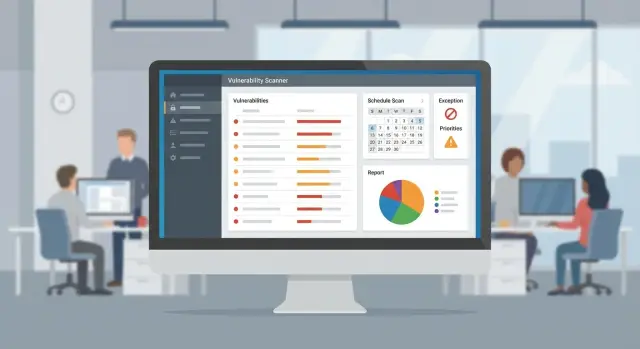
Why scans don't turn into fixes
Regular OpenVAS scans rarely make an environment more secure by themselves. They provide facts, but changes happen only when there is a clear path from a finding to closure: who will fix it, in what timeframe, and how to verify the result.
A typical simple scenario: a scan runs on schedule, produces hundreds or thousands of findings, the report is exported and then buried in e‑mail and chats. After a couple of months the team stops believing scans are useful, starts ignoring new results, and the “red” in dashboards grows. This is not laziness or “bad engineers.” It's a lack of process.
Signs that scanning isn't working as a remediation tool include:
- many findings, but no one can say how many were closed in a month;
- the same issues appear in every report;
- discussions focus on detection accuracy instead of what to fix today;
- fixes aren't verified by a rescAN, so things are “closed on word”;
- responsibility is blurred: infra points to development, development to admins.
For scans to lead to real changes you need three things: repeatability, rules, and owners.
Repeatability means a steady rhythm: when you scan, when you review, when you recheck. Rules answer disputed questions in advance: what is considered critical, when an exception is allowed, how long it lasts. Owners are simple: each asset group has a person or team who makes decisions and is accountable for results.
OpenVAS/Greenbone is especially useful for hygiene and change control: it quickly shows what is new after updates, migrations and onboarding of new servers. In organizations with large fleets (government, banking, healthcare) the value is not a one‑off check but a stable cycle: find — assign — fix — confirm with a rescAN.
Preparation: roles, goals and scanning boundaries
A scanner can find vulnerabilities indefinitely, but fixes start with agreements: who accepts risk, who fixes, and what you want to improve. Without this, results quickly become noisy reports that nobody acts on.
Who is responsible for what
Define a minimal set of roles up front, even if one person currently does both InfoSec and admin tasks. Typically you need: a process owner (InfoSec or an IT lead), administrators, service owners (mail, 1С, web portal) and a manager who can remove blockers (maintenance windows, budget, priorities).
After assigning roles, agree where decisions are recorded: ticketing system, standard, shared registry. This reduces repeated arguments after each scan.
Scanning boundaries and rules
Frame goals as what you control and what success looks like. For example: keep the external perimeter under control, monitor critical servers separately, and scan workstations less often with a gentler profile.
Agree on scan windows and acceptable load. During business hours limit speed and concurrency; run deep checks at night or on weekends. This reduces the risk of a scan overloading a weak service or saturating a link.
Success criteria should be measurable: criticals closed in N days, highs in M days, the share of recurring findings decreasing month to month. Without criteria, reports are “interesting” but useless.
Decide where artifacts live: tickets for fixes (one standard for all teams), an exceptions register with reason, expiry and owner, and a regular report in a single format for management and technical teams.
Inventory and grouping assets in Greenbone
Scanning doesn't start with the Start button — it starts with a clear list of targets. If the inventory is incomplete or different system types are mixed in one group, checks will either be noisy or risky for critical services.
A good Greenbone inventory includes not only IPs and hostnames but context: network segment, site, purpose, owner. Then results can be assigned directly instead of “everyone at once.”
Minimum data per target: IP or range and DNS name (if any), location (office, DC, branch), access zone (internal, DMZ, public), owner, criticality and restrictions (e.g. “no aggressive checks” or “only in night window”).
Group assets so each group has its own policy and scan frequency. Don’t mix domain controllers, databases and office PCs: they differ in criticality, maintenance windows and caution requirements.
A practical scheme is four layers: critical infrastructure (AD, databases, hypervisors), application servers, user devices (VDI and PCs), and “special” systems. “Special” often include medical devices, ICS and legacy OSs: scan them less frequently and with gentler profiles, sometimes with a limited set of checks.
Example: a clinic has a reception (office PCs), a patient database server and a separate diagnostic equipment segment. PCs fit regular night scans, the server is scanned more often with priority on authenticated checks, and equipment is scanned only in an agreed window with a careful policy.
This division makes schedules predictable, exceptions manageable and reports addressable.
Schedules: putting scans on rails
A schedule solves the main problem: checks become a routine procedure, not a one‑off action. For the team, a predictable rhythm matters more than “the most complete” scan, because it leaves time for review and fixes.
Usually 2–3 task types are enough.
Quick scans catch new open ports and coarse misconfigurations. Full scans are needed less often but give broad coverage. Authenticated checks are valuable where you can actually fix vulnerabilities at the package or configuration level rather than just observing them from outside.
A simple starting frequency matrix, refined by statistics:
- critical public services and VPN gateways — weekly;
- servers with personal data and key systems — every 2 weeks;
- other server zone — monthly;
- workstations and peripherals — quarterly;
- full control scan — after major changes.
Schedule runs at low‑load hours and consider sites. Server infrastructure is usually scanned at night local time; office segments earlier in the morning when fewer active sessions exist. For branches or “thin” links, split targets to avoid saturating the network.
A basic rotation works well: first the “core” (AD, mail, virtualization, main apps), then the “periphery” (printers, cameras, terminals). This delivers results faster where risk and remediation feasibility are highest.
Always add control scans after patch windows and changes: OS updates, new services, firewall rule changes. For OpenVAS these are short tasks with a narrow set of targets and a compact profile to confirm the problem is gone and no new issue appeared.
Authenticated scans without pain: access and security
Authenticated scans give Greenbone an inside view: package versions, patches, local configs. Results become more accurate: fewer banner guesses, fewer false positives, and more actionable tasks.
The main rule — do not use personal admin accounts. Use separate service accounts with minimal rights for scanning. It's convenient to separate access types per system:
- Windows: a dedicated domain or local account with only needed rights (WMI/SMB, registry read, access to update lists).
- Linux: a dedicated user, SSH key access, sudo limited to inventory and package‑check commands.
- Network gear: a read‑only account (SNMPv3 or SSH), no change rights.
- Virtualization and apps: dedicated accounts for APIs/consoles only where necessary for checks.
Store and rotate passwords via a single process: a password safe, fixed rotation period, a clear owner and issuance logging. For interactive access forbid service accounts from logging in like a person. On Linux this can be solved by disabling shell or restricting commands; on Windows by Deny log on locally/RDP while keeping protocols needed for the scanner.
Make sure authentication actually works and doesn't “silently fail,” turning the check into a plain network scan. After the first run verify simple signs: local checks appear in results (not only port findings), more details on versions and missing patches, task logs show no auth errors or blocks, and on a couple of hosts you manually confirm the scanner sees packages/updates.
Start with a test group of 5–10 machines, achieve stable authentication and then scale and schedule the whole group. This avoids hundreds of “empty” reports and loss of trust in the process.
Exceptions and false positives: rules, not chaos
Exceptions in Greenbone are not for “beautifying” a report but to record a conscious risk decision. It's acceptable to exclude a finding only if the risk is accepted, there are compensating measures (segmentation, WAF, strict ACLs, monitoring) and an owner is assigned.
Be precise about what you exclude, otherwise you may mute useful signals on adjacent systems. Common options: exclude a host, exclude a port/service, or exclude a specific check (NVT).
Any exception must be temporary. Set an expiry (e.g. 30–90 days) and a review date. An “infinite” expiry turns an exception into a process hole. The owner should be the service or system owner, not InfoSec, otherwise risk decisions become nobody's responsibility.
Record reasons so someone else can understand them in six months: “patch impossible due to unsupported OS version,” “fix depends on vendor release,” “update breaks integration, migration plan in place.” A couple of factual lines are required — vague notes are not reasons.
Track false positives separately from exceptions. First confirm: check package version, banner and config, rerun authenticated scan. A good rule: an exception = accepted risk, a false positive = detection error.
In each exception record keep minimum fields: what was excluded (target/port/NVT), where, why and until when, compensating controls, owner and review date, and a link to evidence (ticket number/check protocol — avoid external links).
Example: an accounting server shows a “vulnerable SSH algorithm,” but OpenSSH can only be updated with an OS upgrade. The team records an NVT exception for 60 days, restricts access via VPN and a separate network, and creates a migration task with a target date. The finding becomes an action, not something hidden.
Prioritization: what to fix first and why
OpenVAS reports can overwhelm: dozens of vulnerabilities with varying scores. CVSS shows technical severity, not the real risk for your organization. The same CVE on a lab PC and on an internet‑accessible server are different stories.
Decide which assets “carry” risk: external services, critical business systems, infrastructure (AD, VPN, mail), and machines with sensitive data.
A simple prioritization logic usually works best: exposure (internet or wide internal access), impact type (RCE and auth bypass almost always rank higher), availability of exploit and ease of attack, asset role (what stops business operations), and compensating controls (segmentation, WAF, no route, temporary isolation).
Map everything to four levels so there is less arguing: critical / high / medium / low. For example, a moderate CVSS on a public server may be “critical,” while the same issue on an isolated classroom workstation is “medium.”
Put this into SLA, otherwise priorities shift “by mood”:
- critical: 72 hours (sooner if actively exploited);
- high: 7–14 days;
- medium: 30–60 days;
- low: scheduled with normal update windows, quarterly;
- exception: only with system owner, review date and compensating control.
This turns findings into a clear work queue and makes progress measurable.
Reporting that people read and act on
A good report starts not with scanner details but with the question: what exactly needs to be done and by whom. If after a scan a person doesn't know where to look and what to fix, even precise results become a PDF archive.
Two reporting levels: execs and operators
For executives use a one‑page format: trend over the period, the riskiest areas, and where the process is stuck. Numbers must be comparable month to month without changing terms or criteria.
For admins provide a working document that can be used to create tasks. They need specifics: host, port, what was found, evidence and a short remediation plan.
The management view usually needs four blocks: trend (how many critical/high existed and how many remain), top risks, coverage (what was scanned and what’s out of scope), and overdue items (where SLAs are missed and why).
Make findings ticket‑ready
A lot of reporting pain comes from inconsistent vocabulary: one person writes “Win Server,” another “Windows 2019,” a third “AD.” Normalize system, service and environment names so reports can be aggregated without manual cleanup.
Link each important finding to a ticket: owner, deadline, status. If a ticket isn't created, assume the vulnerability isn't in the work process.
For technical tickets 4–5 stable fields suffice: asset (clear name, prod/test, owner), evidence (version, banner, check output), risk and priority (why it matters for you), remediation steps, and task linkage (ticket number, due date, exception if approved).
To keep reports alive track simple metrics: percent closed per month, recurrence (what comes back), mean time to remediation. In large fleets these quickly show where update windows are missing and where a baseline image causes repeated issues.
Example scenario: implement the process in 3 months
Assume two sites (head office and a small branch), an office network with workstations and printers, plus a few critical servers (AD, mail/gateway, accounting, a couple of VM hosts). The goal is not to “scan everything” but to turn results into clear tasks.
3‑month plan
Month 1 — lay the foundation: inventory targets, tidy IP ranges, choose a pilot segment (e.g. server subnet). Run several manual scans, assess noise and validate reality. Also agree who owns each node and who decides on fixes.
Month 2 — put the process on a repeatable rhythm: set schedules (light checks more often, full scans less), add authentication where feasible, and establish exception rules: what counts as false positive and who approves it. This is when you often discover scans can overload weak devices, so profiles and windows need tuning.
Month 3 — add discipline: SLAs for critical findings, a regular review meeting (short, weekly) and control of recurrences. A sign of maturity is when identical problems stop returning month to month because fixes are completed and verified.
A convenient rhythm:
- Month 1: inventory + pilot on one segment.
- Month 2: schedules + credentials + exceptions.
- Month 3: SLAs + weekly review of criticals + reduced recurrences.
What goes wrong and how to fix it
Failures are usually organizational, not technical. Common stumbling blocks: scan windows collide with backups (move to other hours), full checks overload network gear or old printers (put them in a separate group and lower intensity), lack of owners so findings stall (assign owners and one coordination channel).
With a capable internal IT team or integrator the third month is critical: scans stop being “reports to a drawer” and become regular work to reduce risk.
Common mistakes and traps with OpenVAS/Greenbone
The most painful problems are rarely about scanner settings and almost always about organization. Checks quickly become noise and then get turned off.
Typical traps:
- scanning “everything at once” with one large range, causing slow checks, task queues and network drops;
- running heavy scans during business hours, after which users complain about slowness;
- assets without owners, so findings have nobody to confirm or fix;
- making exceptions without reason or expiry, hiding real risks forever;
- generating hundred‑page reports without a short summary and no actionable fixes.
Large targets amplify chaos. Split infrastructure into small groups by criticality or network segments and scan them with separate tasks. It becomes easier to see what affects load and where a gentler profile is needed.
Start times matter more than you think. For branches, servers and user subnets schedule heavy checks at night or weekends and leave light scans or point rescans for daytime.
Without asset owners a report has no addressee. Practical minimum: each target group must have an owner — IT for OS/configuration and a service owner for maintenance windows and priorities.
Treat exceptions as agreements, not an off switch. Record reason, risk, compensating control and review date. Example: “vulnerability in legacy agent, update possible after release, access restricted until migration.”
Useful reporting often begins as a 10‑line page. One simple workflow: after the weekly server segment scan the team receives not a full dump but a list of 5–10 tasks with owners, due dates and mandatory rescAN verification.
Quick checklist and next steps
If after a couple of weeks reports pile up and fixes are few, run a short check. It quickly shows where the process leaks, even if scans themselves look successful.
- Inventory is alive: no “dead” IPs, duplicates or long‑offline test stands.
- Authentication works on key groups: results show more detail, fewer unknowns and no mass auth errors.
- It's defined who closes critical vulnerabilities and in how many days: a simple SLA and a weekly review exist.
- An exceptions register is maintained: each exception has a reason, owner and review date.
- Reporting links to action: scan results clearly state what to do now and who does it.
Then lock the process so it runs without heroics: less manual work, more repeatability, and clear rules for all teams.
Next steps for the coming month
- Tie findings to real tasks: one ticket format, one owner, one due date, and a short note on how to verify after the fix.
- Split scans by criticality: more often for the external perimeter and key services, less often for lower‑value segments.
- Agree baseline exceptions and scan windows with system owners so business processes are not disrupted.
- Schedule a regular 30‑minute review: top‑10 risks, what we fix now, what we defer, what was closed.
If you also need to build infrastructure (segmentation, server estate, reliable workstations, support), it's easier to do together with the team responsible for end‑to‑end results. In Kazakhstan such tasks are often handled via GSE.kz (gse.kz) as a vendor and system integrator with 24/7 support and experience in government, healthcare, education and finance.
Frequently asked questions
Why don't regular OpenVAS scans improve security on their own?
A scan produces a list of findings but doesn't create change by itself. Fixes happen when each finding has an owner, a deadline, and a clear verification step via a rescAN.
What minimum process is needed for scans to lead to fixes?
Start with a basic rhythm: run scans on schedule, review results the same day, create tickets and perform a control rescAN after fixes. If you can't review and verify, reduce frequency but make the cycle consistent.
Who should be made responsible for scan results?
Agree roles: who owns the process, who manages OS and network administration, who owns the service, and who removes blockers (maintenance windows, budget, priorities). Record decisions in tickets, an exceptions register, or a single report format.
How to define boundaries and groups of targets in Greenbone?
Don't scan the entire network as one range. Split targets at least into critical infrastructure, application servers, workstations and “special” systems so each group has its own windows, profiles and scan frequency.
How to choose scan frequency without overloading infrastructure?
Use a simple matrix: public perimeter and critical services more often, core servers less often, workstations even less. Always add quick control scans after patch windows and changes to confirm the issue is gone.
Why use authenticated scans and how to do them safely?
Authenticated checks are usually more accurate because they see package versions and patches from inside. Use dedicated service accounts with minimal rights and verify authentication actually works — otherwise you'll get a regular network scan and lots of noise.
When are exceptions acceptable and how to avoid turning them into chaos?
An exception is a risk decision, not a way to hide a problem. It must be temporary, include reason, owner, compensating controls and a review date — otherwise exceptions become permanent holes.
How to tell false positives from accepted risks?
A false positive is a detection error; an exception is an accepted risk. First recheck package versions and configuration, rerun the scan authenticated, and only after confirmation mark it as a false positive so you don't lose real signals.
What to fix first if a report contains hundreds of vulnerabilities?
Don't rely only on CVSS. First fix what is exposed to the internet or a wide internal network, what allows remote code execution or authentication bypass, and what affects critical systems (AD, VPN, mail, databases, core business services).
How to format an OpenVAS report so people actually act on it?
Provide two levels: a one‑page executive summary and a working list for operators. A useful report lets you immediately create a ticket: asset, evidence, priority, remediation steps and how to verify with a rescAN.
