7 min read
OpenNebula vs Apache CloudStack: choosing an on‑prem private cloud
Compare OpenNebula vs Apache CloudStack for an on‑prem private cloud: self‑service, quotas, networking, resource accounting and deployment scenarios.
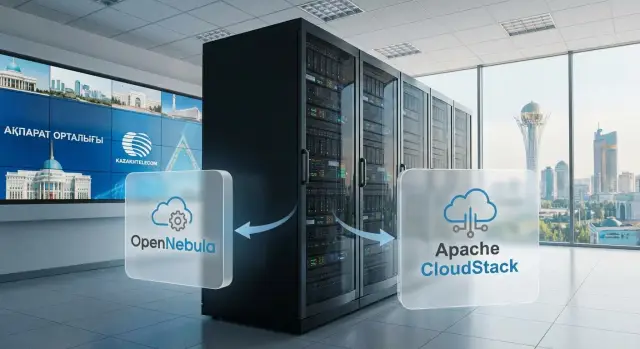
Why compare these platforms at all
People don't compare OpenNebula and Apache CloudStack out of curiosity. Usually the question appears when you need to quickly build a private cloud on your own infrastructure and stop provisioning VMs manually. The goal is simple: a user requests a VM and gets it in minutes, while IT sees who consumes what and can limit it.
If the cloud is planned for a government agency, bank, university or large enterprise, four topics surface almost immediately:
Self‑service reduces admin load and speeds up project launches. Quotas and limits prevent one department from taking all CPU and RAM and help keep costs predictable. Networking matters because isolation, addressing and access rules are in practice more critical than the VM “showcase”. Resource accounting is needed for internal charging, reporting and to answer the simple question: “why are we running out of capacity?”.
“Vendor neutrality” here means two things. First, the platform should run on your hardware and not force you to replace servers, network and storage for a single vendor. Second, you should keep freedom of choice in hypervisors, network schemes and integrations so you can upgrade infrastructure step by step, not in one expensive project.
In practice the decision is limited not only by features but by constraints: how many people will operate the cloud daily, pilot and launch timelines, segmentation and auditing requirements, how critical 24/7 support is, and how you want to measure consumption — by project, department or service.
A simple example: the dev team asks for 30 VMs “for a week”, security requires a separate network segment, and finance wants a cost report. A platform with roles, quotas, templates and clear accounting solves this without endless manual approvals.
Basic private cloud model in plain terms
An on‑prem private cloud turns your servers, network and storage into a service that can be requested on demand. Users see a self‑service portal and get resources in minutes, while IT keeps control, policies and accounting.
Architecturally these platforms look similar: hardware and low‑level services at the bottom, management and provisioning on top.
Key layers:
- hypervisor where VMs run
- storage for VM disks, images and templates
- network: VLAN or overlay, routing, IP assignment, basic security
- portal and API to create VMs, networks and rules without manual tickets
- accounting and limits: quotas, reports, sometimes billing logic
Day to day you work with entities: VMs (instances), templates (OS images and standard configs), networks (segments and access rules), datastores (where disks and images live), quotas (limits on CPU, RAM, disk, IP, etc.). The more standardized this is, the less chaos in production.
Roles are typical too. An administrator configures clusters, policies and integrations. A project owner manages their resource pool and limits. A user launches and controls VMs within granted rights. Support handles incidents and routine requests without unrestricted access.
Define responsibilities early. The cloud platform handles orchestration, rights, self‑service and accounting. Infrastructure owns power, hardware resiliency, network stability, storage performance, backups and hypervisor updates. If this boundary isn’t enforced by processes, the portal will look like a “cloud” but operate like ordinary virtualization with manual work.
Self‑service: portal, API and roles
Self‑service usually starts with a catalog: users see ready VM templates, OS images, size flavors (CPU, RAM, disk) and preconfigured policies. The less freedom in small details, the fewer “pet” VMs and the easier support. When comparing OpenNebula and Apache CloudStack, it’s important not only what functions exist but how easy it is to map the catalog to your rules.
Users mostly need simple actions: create a VM from a template, start/stop, increase disk on request, take a snapshot, grant access to a colleague, attach a network or a public IP (if allowed). A good portal doesn’t make users hunt for options and clearly shows what is allowed and what is not.
Check the operation lifecycle. In real organizations it’s rarely “click and get everything”. Some actions require approval: a VM is created automatically but external network access or quota increases may need sign‑off. Roles must be clear: who requests, who approves, who executes, and where status is visible.
Before the pilot quickly evaluate UX:
- limits are visible before provisioning, not after an error
- errors explain what to fix
- roles are separated by task (user, operator, admin)
- the action log is readable and fit for audit
- the API mirrors portal capabilities and does not bypass rules
If you deploy on‑prem in a government or large enterprise, plan how portal roles and access will map to your account management and regulations.
Quotas and limits: how to keep resources under control
Quotas in a private cloud are not about forbidding, but about preventing resource hoarding by a single project and enabling fair planning. On‑prem environments are especially sensitive: hardware is finite and user expectations tend to be unlimited.
Start with limits at the project/tenant and department level, and assign roles within projects: who can create VMs, who can only request templates, who approves expansions. Both platforms follow the same idea: tie quotas to logical boundaries (project, account, group) so responsibility is transparent.
Keep quotas in several dimensions:
- compute: vCPU, RAM and a limit on VM count
- storage: total disk volume and a separate fast pool
- network: number of public IPs and limit on networks/subnets
- additional limits: number of snapshots or images
To avoid endless “allow 4 more cores” requests, set exception rules in advance. A practical scheme: temporary expansion for 7–30 days with automatic reversion to the base limit and mandatory review of what was done during the period.
Accounting by time is another topic. Even without billing, metrics like vCPU‑hours and GB‑hours help compare projects, show imbalances and explain why one team needs a new node while another should delete idle VMs.
Example: in a government body, one department keeps dozens of test machines “just in case”. Quotas and vCPU‑hour accounting quickly show that 60–70% of resources are idle, and the fix becomes auto‑stop policies and clear limits rather than buying more hardware.
Networking: isolation, addressing, security
Network often solves more problems in a private cloud than the VMs themselves. If you have multiple departments or tenants, plan isolation from the start: where VLAN is enough and where VXLAN is needed (for example, when VLANs are exhausted or flexible cross‑rack segmentation is required). When choosing a platform, what matters is not “which one is cooler” but whether the network model matches your topology and security requirements.
Isolation and basic access policies
Minimum needed at the start: routing between segments, NAT for internet or shared services, and clear firewall rules. Best practice is to separate management, storage and user traffic, and keep admin access on its own segment.
To avoid drowning in settings, verify ahead of time:
- how isolated networks for different teams are created (VLAN/VXLAN) and who can change them
- whether VM‑level rules exist (Security Groups or equivalent)
- where NAT and filtering are performed (on hosts or gateways)
- whether IPs can be reserved for predictable addressing
- how understandable the default scheme is for on‑call staff
Integration, resiliency and operations
Rarely is a cloud built from scratch. Usually you must fit into an existing IP plan, DNS, DHCP and corporate access rules. If your organization enforces strict addressing and segmentation (typical for government and large enterprises), decide in advance who owns IPs: the cloud platform or the network team.
For resiliency consider not only redundant switches but gateways: what happens if a node running a virtual router or NAT fails. For operations you need diagnostics and logging: quick answers to “why is the VM not pinging” and the ability to link access rule changes to a specific user or project.
Hypervisors and storage: what matters for stability
Cloud stability most often breaks not at the portal but at the hypervisor and storage level. So start by asking: what hosts do you have now and what are you willing to support for the next 3–5 years?
For hypervisors, operational routines matter more than “is it supported”: how fast you add new hosts, perform VM migrations, detect CPU and memory degradation, and who will be on call at night. If your team already has expertise with a hypervisor, it’s usually cheaper to lean on that than retrain everyone for the “perfect” choice.
Choose storage according to workload profile. Local disks give good performance per cost but require cluster‑level resilience. SAN/NAS are familiar and simpler for classic VM workloads but can become bottlenecks. Distributed storage helps survive node failures but adds complexity in networking, upgrades and troubleshooting. Snapshots are useful for quick rollbacks but don’t replace full backups.
Separate responsibilities early: the cloud platform manages VM lifecycle and resources, while backup and restore policies require a separate plan, schedules, copy retention and regular tests.
Before production verify minimal operational readiness:
- compatibility of hypervisor, drivers and platform versions, and an update plan without long outages
- monitoring: CPU/RAM, IOPS and disk latency, network health, datastore capacity, host failure alerts
- procedures: adding a host, evacuating VMs, replacing a disk, recovering from failure
Example: for a government entity that values predictability and local support, teams often choose standard servers and storage with a transparent support scheme. In Kazakhstan such scenarios depend on spare parts and local service, so match hardware and storage choices with who will provide on‑site support.
OpenNebula and CloudStack: how to compare sensibly
Start comparing OpenNebula and Apache CloudStack not with a features table but with a list of your scenarios. Both solutions can build an on‑prem private cloud, but they are structured differently and feel different in operations.
1) Verify what you actually need from the cloud
Take 5–7 daily tasks: who creates VMs, how networks are provisioned, how resources are counted, what happens on failures, how corporate systems connect. Compare functional fit for these scenarios: self‑service, quotas, networking, accounting; predictability in production (updates, docs, common cases); deployment complexity (number of components and manual steps); integrations (AD/LDAP, monitoring, service desk); automation (templates, policies, API, IaC approaches).
Then evaluate practice: multi‑tenancy (isolation and roles), scalability (what happens with 50+ projects), HA (behavior on host, network or storage failure). Focus on the concrete setup and test, not just promises.
2) Count operational costs, not only deployment
Often the deciding factor is not the speed of first launch but how much time is spent on changes: adding a new network type, changing limits, adding a template, upgrading a cluster. Estimate how many people will operate the platform, required skills and the process for night incidents.
Run identical mini‑pilots on both platforms and measure:
- time to deliver the first VM through the portal
- quota setup and consumption reporting
- AD/LDAP integration and role mapping
- provisioning an isolated network and security rules
- connecting monitoring and alerts
For on‑prem cloud in government or large enterprises it’s useful to include integrations with accounting systems and IT processes, otherwise the platform will run “standalone”.
How to run a pilot and choose a platform in 2–4 weeks
To avoid a choice becoming a taste contest, the pilot should validate daily tasks. Define 5–10 actions users and admins perform. Example: order a VM from a template, extend a disk, grant project access, publish an image, restore from snapshot, investigate “everything is slow”.
Build a small testbed on limited hardware and in a network contour similar to production (smaller scale). A common mistake is testing in a lab without the usual VLANs, security rules and approvals. For on‑prem, 2–4 nodes and simple storage are often enough.
In week one set up roles, quotas and 2–3 realistic VM templates: a business app Linux, a test image, and an admin image. Ensure self‑service works with constraints, not “everything allowed”.
In weeks 2–3 run checks and record measurable results:
- network: tenant isolation, IP assignment, security rules
- reliability: host failure, VM restart, behavior on network/storage loss
- data: snapshots, clones, migrations, recovery
- upgrades: what breaks and downtime windows
- accounting: consumption reports, clarity of quotas and limits
In week 4 evaluate operations: routine task times, log clarity, incident troubleshooting speed. Make the final decision by TCO and staffing risk: operational complexity, availability of specialists, requirements for on‑call and backups.
Common mistakes and pitfalls during deployment
Problems usually start not with platform choice but with attempting to launch a private cloud without basic agreements. The result: self‑service becomes manual tickets and accounting becomes boardroom disputes.
The most frequent trap is starting without a clear IP plan and tenant isolation model. When users are few this is invisible, but as you grow you get address overlaps, complex routing and unexpected cross‑access between segments.
Another risk is eyeballing quotas. Too strict limits block teams; too loose lets one project take CPU, RAM and storage from later arrivals.
Many expect the platform to replace backups and disaster recovery. The platform manages VM lifecycle and networks, but backups, retention and DR still need separate design.
Mixing privileges is dangerous. When user and admin rights are blurred, accidental deletions and network changes happen and incident investigation becomes guesswork.
Finally, observability is often underestimated. Without metrics, logs and alerts you hear about problems from users rather than detecting them earlier.
Short example: the dev team runs test VMs without quotas and the network plan is not fixed. A month later addresses run out, services conflict by IP and projects must be stopped to “cut” the network.
How to reduce risk at the start
- Lock in an IP plan, tenant isolation and address assignment rules before the pilot.
- Set project quotas and review them based on actual consumption.
- Separate roles: platform admin, project admin, regular user.
- Create a test contour for upgrades and define maintenance windows in advance.
- Define minimal observability: key metrics, log collection, alerts and responsible parties.
If an integrator does the deployment, agree up front who owns operations after launch. For organizations with local production and support requirements this is critical.
Short checklist before production launch
Before production verify not only “does the portal work” but how you will live with the platform daily.
Start from the catalog: standard VM templates (e.g. Linux for apps, Windows for office services, a separate DB template) and clear update rules. Who publishes new versions, how quickly patches are applied, and how old images are retired. Without this, self‑service quickly becomes random VM distribution.
Then check access model: projects tied to owners, quotas for CPU/RAM/disk set consciously, and a clear process for requesting increases.
Network block: isolation, NAT and firewall rules must be reproducible and documented. Provide an IP plan: which ranges for users, which for services, how addresses are assigned and who approves exceptions.
Verify core processes:
- resource accounting: who reviews reports, how often, and rules for expansion
- backups: tooling, schedule, copy retention and restore testing
- update regulations: maintenance window, rollback and approvers
- access: MFA where possible, least privilege, action logging
- incidents: single intake channel, priorities, SLA, responsible teams
For government and large enterprises it helps to appoint a service owner in IT and secure 24/7 support so the platform doesn’t “hang between teams”.
Example: private cloud for a government agency or large enterprise
Imagine an organization with 3–5 units: central office, regional branches, IT, analysts and a separate contractor zone. You need a common server and storage pool but different trust levels and access rules. Here the OpenNebula vs CloudStack comparison becomes practical: it’s not features in a vacuum but how the platform keeps order with self‑service.
To prevent chaos set boundaries. IT locks standard templates (Windows for office, Linux for web, DB template), limits size flavors (2/4/8 vCPU, 8/16/32 GB RAM) and offers base networks: internal, public and a test network.
Resource accounting often suffices with monthly showback: VM uptime hours, storage used, IPs and networks in use, and projects holding idle resources. This disciplines teams more effectively than endless bans.
Scale pragmatically: add hosts to the pool, expand storage, reserve address ranges for new branches. If hybrid is needed (some services in your DC, some outside), keep common templates and access policies, and attach the external contour as a separate project with the same accounting and limits.
Next steps: from comparison to deployment
When platform differences are clear, the main risk is getting stuck in discussions. Translate the choice into a short plan: what to launch, who is responsible and which metrics show success.
Frame requirements as daily scenarios, not wish lists. Example: developers need test VMs for 3 days, security needs network isolation and action logs, finance needs consumption by department.
Fix pilot architecture and success criteria. Simple metrics are enough: VM provisioning time, share of operations done via self‑service, accuracy of resource accounting, number of network incidents, recovery time.
Go‑live usually depends on resource allocation rules and responsibility boundaries. Minimum agreements:
- who creates projects/tenants and who approves quotas
- which VM templates are allowed and who updates them
- how IPs are assigned and who approves network changes
- what the accounting unit is (vCPU, RAM, disk)
- where logs live and who reviews them
Plan 24/7 support in advance: what the internal IT team does and what is outsourced, response levels and when hardware vendor is engaged.
If you need a turnkey approach (hardware, deployment and support), it’s convenient to work with a system integrator. For example, GSE.kz (gse.kz) can act as manufacturer and integrator: supply servers and workstations, build on‑prem infrastructure on a vendor‑neutral platform and organize ongoing 24/7 support.
Frequently asked questions
When does it make sense to choose between OpenNebula and CloudStack?
You should compare them when you want to move from handing out VMs on request to a self-service model with clear rules. Then the decision comes down not to fancy features but to how the platform supports your scenarios: who creates VMs, how networks are provisioned, how resources are limited, and how incidents are investigated via logs.
Which private cloud features are most important at the beginning?
For a start you typically need a self-service portal, roles, VM templates, quotas for CPU/RAM/disk and a basic network model with tenant isolation. If these are missing or hard to operate, the “cloud” quickly becomes ordinary virtualization with manual admin work.
What to look for in the self‑service portal besides “can I create a VM”?
A helpful catalog with a limited set of templates and sizes reduces chaos and speeds up support. Users should see limits beforehand, errors should explain how to fix them, and the API must not allow bypassing rules enforced by the portal.
How to implement quotas without paralyzing teams?
Assign quotas at the project or department level and designate owners responsible for limits. Start with simple, easy‑to‑explain metrics: number of VMs, vCPU, RAM, total disk and IP limits. Add rules for temporary quota increases that revert automatically to the baseline.
What resource accounting is useful if we are not doing real billing?
Accounting by time and volume is usually enough to see who uses resources and what is idle: vCPU‑hours, GB‑hours and used storage. Such showback disciplines teams and helps justify infrastructure expansion without endless debates.
What network aspects are critical to think through before the pilot?
Start from an IP plan and a model for isolation — networks break production more often than the portal. Choose VLAN vs VXLAN based on your topology and security needs, decide where NAT and filtering run, and who may change network rules before the pilot.
How to choose a hypervisor to avoid operational pain later?
It’s easier to support long term what your team already knows and has procedures for. Choose a hypervisor not for popularity but for how you will add nodes, perform migrations, detect performance degradation and handle night‑time incidents.
Why snapshots in the cloud platform do not replace backups?
Snapshots are good for quick rollbacks, but they don’t solve long‑term retention, protection from user errors or full disaster recovery. Backups need a separate tool, schedule, retention policy and regular restore tests regardless of the cloud platform.
How to run a pilot so the choice is objective, not just “by taste”?
Run the same mini‑pilot on both platforms with 2–4 nodes in a network layout similar to production. Use measurable criteria: time to deliver first VM via the portal, role and AD/LDAP setup, creating an isolated network, consumption reports and behavior on host failure.
Which organizational mistakes most often break a private cloud launch?
Most failures stem from unclear roles and missing procedures: who approves quotas, who changes networks, where to view logs and who is responsible for recovery. If you need 24/7 support and clear responsibility for hardware, network and platform, formalize this with processes or an integrator beforehand.
