8 min read
Open Source Migration Map for the IT Director: Layers and Risks
An open source migration map: how to break a software replacement into layers, record success criteria, timelines and owners, and spot risk areas in advance.
Why you need a migration map and why things stall without one
The idea of “just swapping the product” almost always collides with dependencies and people. A commercial tool is usually embedded in many processes: authentication, backups, integrations with accounting, user habits and support procedures. Without a map you start changing one component, then suddenly find that critical services depend on it. The project stops for approvals, quick workarounds appear, and timelines slide.
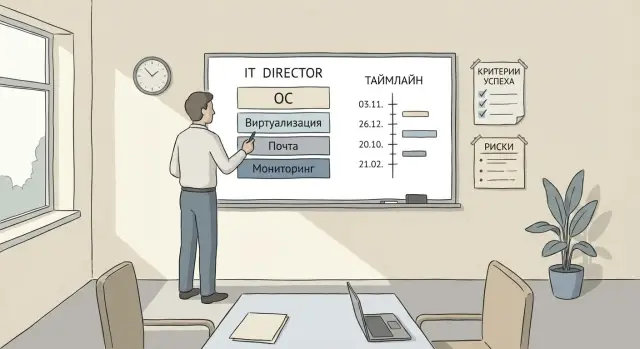
A migration map to open source is a clear diagram that breaks the replacement into layers. It marks dependencies, the order to proceed, and rollback points. It’s not a "task list" but a "flight plan": what we do first, what we touch only later, and what happens if the pilot fails.
Typically you start with parts that are easier to isolate and test: monitoring and logging, then virtualization or test environments. Later come layers that affect users and processes more: endpoints and mail. The reason is simple: a monitoring outage is unpleasant, but an outage in mail or endpoints will be noticed by the whole office.
Some choices can’t be made blindly: OS selection, virtualization platform, authentication method, backup and support model. Until you understand which services are truly critical (ERP, domain infrastructure, telephony, medical systems, etc.), you can’t honestly estimate timelines, risks and acceptable downtime. The map captures reality before purchases, migrations and the blame game begin.
Inventory: what exactly you are replacing and who will be affected
Inventory is not for a pretty table. It answers the main question: what does each commercial product actually do in your company. A license in the budget is not the same as a function for users. One product often covers several tasks (for example, mail + calendar + archive + mobile access), and it’s important to see that before choosing a replacement.
Start with a short description for each solution: functions, where it runs, who uses it and who owns it. The system owner (a person inside the organisation, not a contractor) must confirm which scenarios are critical and what will be considered a failure.
To make the migration map real, record at minimum:
- the product and its actual functions (how it’s used today, not how it “should” be)
- the owner, key users and incident on-call people
- integrations: AD/LDAP, mail, file shares, backups, monitoring
- criticality and allowable downtime windows (what cannot be stopped, what can be migrated in stages)
- basic metrics: uptime, incident response time, data volumes, number of mailboxes/VMs
Example: in the public sector, if mail relies on domain authentication and an archive, replacing it will affect not only users but also the security team, records management and support. Without an inventory of integrations and metrics you won’t know where you’ve actually “worsened” things versus simply changing the interface.
Layering: dependencies, order and rollback points
A good migration map starts not with choosing a distro, but with a layer diagram. It helps avoid confusing causes and effects: if “mail is down”, the issue is often not mail but DNS, time or certificates.
A convenient layout places foundational items at the bottom and user-facing services above:
- hardware and firmware
- network (VLANs, routing, DNS)
- OS and base configuration
- virtualization and storage
- identity (accounts, groups, MFA)
Label dependencies. For example, mail and collaboration depend on DNS, correct time (NTP) and the certificate chain. Monitoring and logging depend on the network and access rights, and on where data will be stored and for how long.
Note shared services that affect everyone: accounts, time, DNS, mail. It’s better to change these either at the start via a careful pilot or after the foundation is stable.
Predefine rollback points. Practical options: run two mail domains in parallel during migration, keep the old hypervisor until backups are validated, or freeze some groups on the old OS. Agree assumptions in advance: where hybrid operation is acceptable (e.g., some VMs remain on the old platform) and where a full switch is required by regulators or vendor support. This reduces disputes and helps keep timelines.
Success criteria: how to measure that migration succeeded
You can lose sight of success if the goal is simply “move to open source”. In the map, express goals in business terms: keep operations running, reduce security risk, maintain or lower TCO, and comply with regulations and procurement rules.
Define acceptance criteria for each layer so “works” means the same to IT and users. For the OS, this may be a list of supported PC models and scenarios (printing, digital signature, VPN). For virtualization — migrating VMs without unacceptable downtime and predictable recovery. For mail — delivery, calendar sync, mobile access, archive. For monitoring — coverage of critical systems and clear alerts.
Metrics you can check
Choose a few numbers you will measure weekly:
- RTO and RPO for key services (what and how quickly you restore)
- MTTR for incidents (average recovery time)
- share of successful backups and test restores
- mail delivery time inside and outside the domain
- number of critical incidents after migration compared to baseline
Who accepts the result
Record constraints up front: compliance, data locality, procurement rules and local content requirements (if relevant to your industry). Also specify the reporting format: who signs off each stage, which artefacts are needed (test protocols, metric reports, list of known risks and mitigation plans). That creates a clear finish line instead of endless tweaks.
Step-by-step plan: from pilot to production
Break work into short stages. Each should have a clear deliverable, deadline and readiness criterion. Start with the target architecture: which products by layer (OS, virtualization, mail, monitoring), versions, who supports them and where compromises are acceptable.
Then build a pilot contour. It should resemble production but with limited risk: a subset of users, several typical services, and a copy of key security and backup settings. In the pilot test scenarios, not just functionality: domain login, printing, file handling, mobile mail, and restore after failure.
A helpful sequence: finalise target architecture and dependencies, run a pilot and close gaps for key scenarios, split migration into waves and make a calendar, train admins and an initial user group, then perform the cutover in an agreed window with a rollback plan.
After go-live, consolidate results—otherwise a month later people quietly revert to old habits. Minimum checks: monitoring and alerts for new components, backups with restore tests, updated runbooks and support responsibilities.
If you update server and endpoints at once, stabilise virtualization and observability first, then expand the user wave. If you need local suppliers and a single party responsible for integration and support, organisations often involve GSE.kz at the pilot stage to agree server and workstation configurations, delivery times and a service model.
OS layer: standardisation, security and endpoint support
The OS layer looks simple until dozens of edge cases appear: different PC models, drivers, legacy utilities and access policies. Describe this layer precisely: what is standard and what is a temporary compromise.
Start with a standard image: one or two OS versions, a set of drivers, and common security settings (disk encryption, screen lock, least privilege). Fewer variants mean easier support and training.
Before mass rollout, test peripherals and painful apps. Printers, scanners, signing tokens, accounting clients and specialised medical or educational systems most often cause issues. In the pilot record not just works/doesn’t work but what will need to change: device, process or software.
Agree on update and repository management to avoid a messy OS landscape. Define who approves updates and how often, how critical patches are applied and rolled back, where the golden image is stored and who modifies it, and how exceptions are tracked.
Plan integration with domain/directory and access policies so users keep their usual login and rights. Also include backup of configurations and short documentation for first-line support, especially for large fleets of PCs and all-in-ones in offices, classrooms or reception desks.
Virtualization layer: clusters, storage and VM migration plan
Virtualisation often carries everything: business apps, test environments, backups and disaster recovery. Describe this layer as a platform: hypervisor + cluster + network + storage + backup.
First define goals: consolidation, automated failover, quick test environment boot, or predictable recovery. Without a clear goal you may get a working platform with worse downtime or harder operations.
Compare options across the whole stack. The same hypervisor yields different results depending on cluster layout, VM disk locations and backup approach.
What to check before choosing a platform
- hardware and driver support (HBA/RAID, NICs, GPU if needed)
- storage architecture: performance, latency, replication, snapshots
- network: bandwidth, traffic isolation, resilience
- VM backups: frequency, recovery granularity, restore tests
- resource headroom: capacity growth, replication, maintenance windows
Write the VM migration plan as scenarios. Check disk format compatibility and migration methods: where live migration is possible and where a stop is required. For each VM group set a downtime window, order, rollback criteria and a post-migration performance test.
A practical approach: migrate non-critical test VMs and internal services first, measure IOPS and latency, practise restore from backup, then move key systems. If you refresh servers for the cluster, confirm chosen nodes and controllers will be supported for the expected lifecycle. Vendors who cover manufacturing, integration and support (for example local providers and integrators like GSE) are useful here.
Mail and collaboration layer: scenarios, migration and communications
Mail breaks migrations more often due to habits than technology. Document real scenarios: how people use mail, calendar and contacts, shared mailboxes, delegation, distribution lists, mobile clients, archive and legally significant correspondence. Capture scenarios by role (secretariat, sales, support, executives).
Choose a migration approach. The safest is parallel operation: some users on the new system while others stay on the old. Migrating by groups (e.g., one branch at a time) or by domains is also common. Define rollback conditions up front: when you’ll revert and how long it takes.
Prepare mail “plumbing” before switching: DNS records, SPF/DKIM/DMARC, certificates, anti-spam and routing rules. Leaving this to the last day risks delivery chaos and mass complaints.
Plan data migration like logistics. Record mailbox sizes, export throughput, migration window and integrity checks (sample users and critical folders). Verify access rights to shared mailboxes and calendars — these are most often lost.
User communications are part of the plan. Prepare short guides (web, PC, mobile), email templates about timing and changes, an early adopter group, a hotline during cutovers and a clear escalation procedure.
If you lack 24/7 internal support, arrange external support (for example via an integrator) so cutover days aren’t manual firefighting.
Monitoring and logging layer: don’t migrate blind
Bring monitoring and logs online before changing critical services. Otherwise you’ll change the platform and have no way to tell if things improved or worsened.
Start with a minimal observability set. For most companies three streams are enough: metrics (load and capacity), logs (what actually happened) and events (restarts, errors, changes). Add tracing only if you run many microservices and need it to find latency causes.
Agree rules of engagement. Define SLOs and thresholds: what is an incident, after how many minutes it becomes an outage, who responds first and who escalates. Without this, alerts become noise and the team stops trusting them.
Split dashboards by audience: executives need availability of key services, incident counts and SLO performance; engineers need CPU, memory, disk, latencies, errors, queues and dependencies.
Plan log retention: retention periods, access rights, masking sensitive data and storage location (especially important for public and financial sectors). This is often more important than the choice of tool.
Test integrations before the pilot: notifications (mail, messenger), ticket creation, escalations and weekly reports. A simple test: take down a test service on a staging stand and see how quickly and by which channels the team is alerted.
Risk areas and how to record them in the migration map
Record risks next to each layer in the map rather than discussing them verbally. That shows where you can lose time, quality or user trust, and who is responsible for mitigation.
A convenient format is a risk table with six fields for each item:
- risk (what can go wrong)
- indicator (how you’ll know the risk is materialising)
- impact (downtime, money, security, reputation)
- likelihood (low, medium, high)
- mitigations (what you do now and during an incident)
- owner and control date
Common layer risks repeat across projects.
Record skill gaps not as vague comments but as a plan: topics to train, allocated time, mentors, and where external support is needed during the pilot and early production weeks.
Find hidden dependencies by interviews and integration checks. Next to each service list interfaces, ports, accounts, certificates and integrations. Add a mandatory pilot with real scenarios.
Data volumes and throughput are almost always underestimated. Don’t say “we’ll move it over the weekend.” Plan a test migration with real volumes, measure speed, downtime window and the rollback point.
Reduce DNS and certificate downtime risk with a checklist: who changes records, where keys are stored, TTLs, and pre/post checks. Reduce user resistance with early champions in departments and short how-to guides for frequent tasks (login, mail, printing, calendar).
Common mistakes IT directors make when moving to open source
The main reason migrations fail is not technology but sequence. Open source gives more options and more places to make organisational mistakes.
A classic trap is starting with mail and collaboration. These services are highly visible and tempting to finish quickly. But without authentication, domain records and certificates in place, you’ll face spam, delivery failures and overwhelmed support.
Choosing products based on reviews without piloting real scenarios is painful. Lab tests show the system runs, but not how it behaves under your peak loads, integrations and user habits.
Another common problem is no one accepting the result. If owners aren’t assigned and acceptance criteria aren’t fixed for each layer, migration becomes endless: “one more tweak and it will be like before.”
Before the first wave people often forget two things: backups and a rollback plan. The rollback must be in the map, not just in someone’s head: what we restore, how long it takes, who decides and where backups are kept and validated.
Typical errors:
- abruptly switching everyone at once without waves and limited scope
- no pilot on live data and production workflows
- no owners and clear acceptance for each service
- no tested restore and rollback scenario
Example: a company migrates mail without checking DNS and certificates. Mail is delayed, external partners don’t receive replies, and support drowns. This is avoidable by closing basic dependencies, piloting with one group, then expanding.
Short checklist before start and before each stage
Before start
The map is useful only if you can open it and immediately understand the work order. Check that layers (OS, virtualization, mail, monitoring) are laid out clearly and dependencies are labelled: what must be ready first and what can be done in parallel.
Then define how you’ll know the stage succeeded with metrics: login time, percentage of successful backups, mail delivery delay, monitoring coverage, and number of incidents after cutover.
Before each wave of changes
Before any migration (even the second or third layer) run through the same quick checklist:
- owner of the stage, deadlines, budget and the business-approved change window are clear
- the pilot ran on real users and typical load and there’s a protocol: what was tested, what broke and what was fixed
- rollback is prepared: restore point, rollback steps, decision maker and time estimate
- backups were validated by restore tests, not just backup reports
- communications are ready: what to tell users, where to send issues and how support will operate in the first days
A simple maturity test: if key people follow the same checklist on cutover day and agree on success criteria, you reduce the risk of prolonged migration and late-night incidents.
Example scenario: a mid-size company migrating by layers without heroics
Imagine a 500-person company with two sites (head office and branch). The server stack uses commercial virtualization, corporate mail and fragmented monitoring. The IT director’s goal is a migration map to open source so users barely notice and IT avoids late-night crises.
Waves prevent breaking everything at once. The logic: put eyes and ears first, then migrate the foundation, and only then touch daily user services.
First wave — monitoring and base services: unified metrics and logs, alerts, backups and a restore test. Second wave — virtualization: pilot cluster, migrate non-critical VMs, then core ones. Third wave — mail and collaboration: pilot group, mailbox migrations in batches, final domain switch and client updates.
Lock success criteria with numbers to avoid disputes on delivery day:
- critical service downtime no more than X minutes during the cutover window
- support reaction to incidents — within Y minutes (ticket and phone)
- internal mail delivery within Z minutes with no loss
- restore of a VM from backup within N hours
Typical risks: endpoints — peripherals (printers, scanners, tokens, special drivers). Mail — archives and accumulated rules plus legal retention. Between sites — bandwidth: VM and mailbox migration can saturate the link during work hours.
Cutover day is a short operation: on-call staff for infra, mail, network and user support. Every 30 minutes they check key service availability, mail queues, link load and number of user tickets. If metrics cross thresholds, they trigger the agreed rollback plan and restore the previous state.
Next steps: turning the map into a project plan
Once the migration map exists, ground it in a manageable project. A good sign: any IT manager can look at it and understand what we do, why, how we measure success and where we can roll back. If the map exists, gather everything in a living project document.
Record layers, dependencies, migration waves, acceptance criteria, timelines, owners and risk areas in one place. Include rollback points: what triggers rollback and how long it takes.
Select 2–3 pilots that will quickly validate the approach without stopping the business. Examples: a separate virtualization cluster for non-production, monitoring for key services, or mail for one group with clear scenarios.
Turn the map into a quarter plan:
- confirm the calendar: pilot, evaluation, scale-up
- assign owners per layer and communications leads
- allocate time for training and updating runbooks
- fix metrics: availability, response time, incident count
- approve budget for both rollout and ongoing support
Before starting, check the infrastructure base. Problems often come from old servers, weak networks, lack of redundancy and unclear RTO/RPO, not from open source itself.
If you need a partner, choose one that will take responsibility for infrastructure and 24/7 support, not just "install and leave". For organisations in Kazakhstan a turnkey project with GSE.kz — integration plus local servers and workstations matched to the target architecture and ongoing support — is often convenient.
Keep one simple rule: start each wave only after pilot acceptance criteria are met and the risk map is updated.
Frequently asked questions
Why create a migration map instead of just starting to replace products?
A migration map lets you see dependencies between services in advance and prevents the project from stalling on unexpected approvals. It records the order of actions, rollback points and acceptance criteria so timelines and risks are clear before mass changes begin.
Which layers should be included in an open source migration map?
A typical map lists layers from foundation to user services: hardware and firmware, network and DNS, OS and base configuration, virtualization and storage, identity and access, then mail, endpoints and business applications. This order helps stabilise the base first, then touch the systems that everyone will notice.
What should be collected during the inventory stage?
Start with what the product actually does in your organisation: where it runs, who uses it and who the internal owner is. Add integrations, criticality and allowable downtime windows, plus basic metrics like data volumes and incident response times — without this you can’t honestly estimate timelines and risks.
Why shouldn’t you start migration with mail?
Mail and endpoints are high-visibility services. If you start with them without first addressing DNS, time synchronization, certificates and authentication, even a good mail server will appear to fail to users and support will be overwhelmed.
What is a "rollback point" and how do you plan it correctly?
A rollback point is a documented way to return to the previous state if a pilot or cutover goes wrong. Define it in the map before starting: exactly what is restored, how long it takes and who makes the decision. That way rollback is quick and unambiguous.
How do you know the migration truly succeeded and not just that "something started"?
Formulate success criteria in measurable business terms: service availability, predictable recovery, normal mail delivery, stable login and access. When "works" becomes specific checks and numbers, IT and the business agree the stage is complete.
Which metrics should be chosen to monitor the migration?
A minimal practical set: RTO and RPO for key services, MTTR for incidents, percentage of successful backups with test restores, and user-visible metrics (e.g., mail delivery delay). Pick a few indicators and measure them regularly rather than producing long end-of-project reports.
How to run a pilot so it provides useful results?
The pilot must resemble production but with limited risk: a portion of users, representative services and real scenarios like domain login, printing, VPN and recovery tests. The pilot’s goal is to discover integration and process gaps before mass migration, not merely to prove the system starts.
What to pay attention to when migrating the virtualization layer?
Treat virtualization as a full platform: hypervisor, cluster, network, storage and backups. Before choosing and migrating, check hardware compatibility, VM migration scenarios and — crucially — restore from backup in a real test, otherwise downtime risk will be higher than expected.
How to reduce user resistance and support load during the transition?
Prepare short communications about what will change, where instructions are, where to ask for help and who is on duty during cutovers. If internal support is limited, agree on an external support line in advance and clear responsibility for integration and hardware; in Kazakhstan this is often handled by a systems integrator and manufacturer like GSE.kz.
