8 min read
On-prem Speech Recognition for Call Transcripts: Requirements
On-prem speech recognition for call transcripts: what quality metrics to use, how to manage dictionaries and where to store audio in a closed infrastructure.
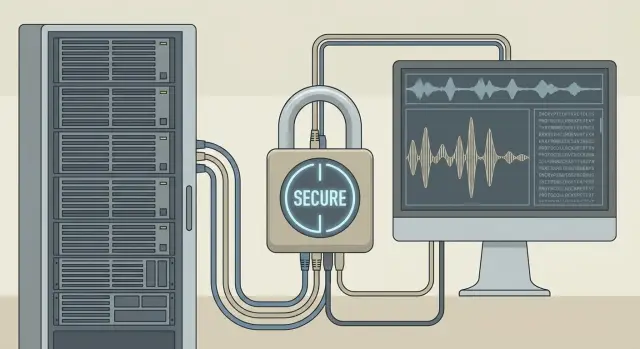
What organizations usually expect from call transcripts and why it's hard
Call transcripts are not needed just to have “text instead of audio.” They are expected where quickly finding facts in conversations and making decisions matters: contact centers, quality assurance, security, legal and compliance, and training.
Typically, people expect a few clear things from transcripts: fast search by phrases and topics (for example, “refund”, “complaint”, “suspicious operation”), reports on reasons for contacts and load, quality control (scripts, forbidden wording, tone), and incident analysis without hours of listening.
As soon as you talk about a closed infrastructure, it becomes clear why cloud isn’t always suitable. Reasons are usually practical: regulator requirements, prohibition on sending audio outside, and the desire to know exactly where recordings are stored and who can access them. In the public sector and finance this is common: better slower but inside the perimeter with clear audit.
The difficulty is that “on-prem speech recognition” is not a single module you just switch on. If you take the “we’ll tune it somehow” route, results quickly deteriorate: quality drops on noisy recordings, surnames and company names get mangled, reports become unreliable, and audio storage starts conflicting with access policies and retention rules.
Define success in advance: what exactly counts as a useful transcript, who uses it and how you measure value. Remember that it’s not only “text.” The workflow includes audio files, call metadata (who, when, from where, duration), the final transcript and sometimes annotations (keywords, topics, quality scores).
Example: in a bank an agent says “transfer by IIN,” but the system writes “by INN.” The meaning changes. For search and reports these are different cases, and without quality requirements and dictionaries transcripts stop helping.
Input data: from recording quality to call metadata
Transcript quality almost always depends not on the model, but on input data. For on-prem this is especially visible: you are responsible for what enters the perimeter, and “fixing the data later” is typically harder.
Telephony often uses narrowband 8 kHz mono audio, sometimes in heavily compressed formats. Such a signal is fine for the general gist, but worse at conveying endings, names and numbers. 16 kHz (wideband) usually delivers noticeably more accurate text, especially on fast replies and in noise. Also check whether double transcoding degrades quality: recording in one codec, then conversion on the server, then another conversion on export.
Common input audio problems: background noise (open space, road), echo from speakerphone, fluctuating volume, network dropouts and pauses, aggressive compression, overlapping voices. Simple rule: if a person struggles to understand a phrase by ear, models will too.
Channel separation often resolves half of quality disputes. Stereo with operator/client separation is useful for accurate attribution of utterances and when people speak at once. Mono is sufficient if you need a general text without strict authorship and turns are sequential.
Metadata is not “for decoration” — it’s needed for quality assessment, search and analytics. Minimum fields without which metrics and samples often lie: call identifier and start time, direction (in/out), queue or line (context), operator or group, and technical recording attributes (sampling rate, channels, duration, dropouts).
Example: if you don’t store a flag for “8 kHz mono,” a drop in accuracy can easily be blamed on the ASR, while the real cause is that some calls began being recorded with heavier compression after a PBX change.
Quality metrics: how to agree what “good” means
The most common dispute in ASR projects begins with: “Will accuracy be 95%?” Without clarification that’s meaningless. For call transcripts different things matter: overall sense, accuracy of key facts and stability on real recordings from your telephony.
WER is useful, but not enough
WER (Word Error Rate) shows the share of word errors. It’s handy for model comparison but poorly reflects business value. The same WER can mean “mixed up prepositions” or “mangled amount and surname” — consequences differ greatly.
Therefore WER is almost always supplemented with metrics for “important words” (entities). These are the items you search, verify and use in transcripts: full names, amounts, contract numbers, addresses, organization names, drugs, equipment models.
Agree before the pilot on: WER for the whole sample and separately for difficult calls (noise, interruptions, poor connection), precision and recall for important entities (for example, share of correctly recognized amounts and numbers and how many such entities exist), the share of “usable transcripts” (how many texts can be used without manual retyping), and time to transcript availability after the call if that affects processes.
Quality thresholds depend on the task
For archive search you can accept a lower threshold: the main thing is that keywords and entities appear in the text. For a readable transcript the bar is higher because people read the text. For script compliance control it’s more important to consistently recognize specific phrases and triggers than literary perfection.
Measure quality on your own sample, not on a demo. Collect 1–2 hours of calls of different types, annotate a gold reference and split data by recording conditions. Also agree when to revisit metrics: after codec or PBX changes, microphone updates or new terminology. Otherwise you will argue about what changed in the data, not ASR quality.
Dictionaries and terminology: how to make recognition useful
Even with good audio, recognition often fails on words important to your business. For call transcripts this is critical: a single mistake in a surname, device model or city name can make text useless for search and reports. In on-prem projects most gains usually come from working with the dictionary.
What typically breaks recognition
Problem areas repeat: full names (especially rare ones), geography (districts, villages, street names), brands and models, abbreviations. For example, an agent says: “Send it to the public service center, confirm by IIN,” and the text becomes a set of similar-sounding words. That transcript then won’t help find the call.
Build the initial dictionary not from memory but from your sources: CRM and ticket system exports (names, companies, products), internal directories (branches, cities, departments), frequent words from real calls, a list of abbreviations with expansions, and a list of typical slips and stop-words.
You will also need normalization rules: how to write numbers (12 or “twelve”), dates (01.02 or “1 February”), currencies and percentages, abbreviations and declensions. Good practice is to store "as said" and "as it should appear in the transcript" separately.
To keep the dictionary from becoming chaotic, introduce versions and ownership: who proposes new terms, who approves them, how often to update (for example, monthly), and how to resolve conflicts (a brand name matching a surname).
Evaluate dictionary effects honestly: test before/after on the same test sample with fixed metrics and separate accounting for critical entities (names, numbers, cities). Then you’ll see what truly improved and what remains an issue.
Storing audio and transcripts: retention, access, security
In on-prem projects storage often matters more than the recognition model itself. Audio, transcripts and metadata become part of the internal perimeter and are usually subject to security, legal and IT requirements.
Audio and text can be stored together or separately. Co-storage is simpler for search and investigations: the call card contains both recording and transcript. Separate storage increases control: audio is placed in a more restricted repository while text and metadata are provided more widely, e.g. to analysts. The downside is the need to reliably link objects (call ID, hash, integrity checks) and ensure links don’t break during transfers.
Retention depends not only on the desire to “keep longer.” It is influenced by internal policies, regulator requirements, investigation windows and quality improvement plans. A practical option is staggered retention: keep text and metadata longer, but audio for a shorter time if it’s mainly used for QA and disputes.
Baseline security for a closed network usually includes encryption at rest and separate key management, role-based minimal privileges (who listens, who reads, who exports), access and action logging (including dumps and bulk selections), file integrity checks and audit trails.
Plan pseudonymization in advance. In text you can mask numbers, IINs, addresses, emails and amounts. Audio is harder to “clean” without losing meaning, so access is typically restricted and retention shortened, leaving only necessary fragments.
Backups should not be treated uniformly. The most important part to recover is usually the linkage: call metadata, text, timestamps, dictionary and model versions. Example: a bank dispute arises three months later. If only the WAV remains without transcript and access logs, evidential value drops. If you have a transcript, access history and a quick path to the original recording, resolution is smoother.
On-prem architecture: solution components
On-prem speech recognition keeps the entire stack inside the closed network. To get stable transcripts it helps to break the solution into clear blocks and control points.
A typical flow: a call recording comes from the PBX or contact center platform to an ingest node, goes through a job queue, then the recognition module (ASR), after which text is improved by post-processing and only then stored with metadata.
Commonly the solution has five parts: audio and metadata collection, queues and task dispatching (so peaks don’t overwhelm the system), ASR services with models for your language and domain, post-processing (punctuation, speaker segmentation, number normalization, topics), and storage and search with exports for QA.
Operation mode depends on how transcripts are used. Online is required if text must appear almost instantly: for example, a supervisor reviews problem calls during a shift or you need fast search over new contacts. Batch mode fits when reports and analysis run later: you can process the whole set overnight and avoid holding extra capacity during the day.
Plan integration with PBX and contact center in advance: which codecs and sampling rates arrive, how the second channel (operator vs client) is delivered, how call identifiers are formed, and what to do with transfers and conferences. Without this you may get "drifting" metadata: text exists but it’s unclear which call it belongs to.
Design capacity with headroom. Peaks happen due to seasonality, campaigns or staff growth. For example, during mass outbound campaigns the queue can build up and online processing turns into delays. To avoid surprises, estimate maximum concurrent calls, 6–12 month growth, processing time per minute of audio on your hardware, scaling strategy (adding ASR nodes without downtime) and separate resources for post-processing and indexing.
In a closed infrastructure this stack is often deployed on dedicated servers in the organization’s datacenter. If you need a uniform hardware and support standard, ASR nodes are commonly deployed on server platforms like GSE S200 Series.
How to prepare requirements and run a pilot
A good on-prem ASR pilot starts not with model selection but with clear requirements. Without them you cannot fairly compare solutions: one may show attractive “average accuracy” but fail on key surnames; another may do the opposite.
Collect requirements in a short document that business, InfoSec and IT interpret the same way:
- Scenarios and users: who reads transcripts (QA, compliance, sales, service) and what decisions they make based on the text.
- Test set: 50–200 typical calls from different lines, shifts, regions, with varying noise and lengths.
- Acceptance criteria: target metrics and a list of important words (products, names, cities, contract numbers).
- Closed-network storage: where audio and transcripts live, retention, who gets access and how audits are recorded.
- Pilot in two iterations: first a baseline model, then with dictionary and rules enabled to measure gains from terminology.
Simple example: in a medical contact center not only overall accuracy matters but correct drug names, diagnoses and physician names. In the pilot mark these words in test calls and check how often they are recognized before and after adding the dictionary.
If the pilot runs inside a closed network, agree in advance how to transfer test data, who annotates errors and how quickly you can rebuild the dictionary. Deployment is usually on the customer’s servers and infrastructure. If you need an integrator, GSE.kz (gse.kz) can cover server selection and system integration for on-prem scenarios, but pilot criteria should remain yours and measurable.
Common mistakes when deploying in a closed network
The most frequent disappointment is wrong expectations. Teams look only at WER and are surprised that despite “good numbers” transcripts are hard to read. For business what matters is whether names, amounts, addresses and contract numbers are recognized and whether you can quickly find relevant fragments.
Second common mistake is hoping the model will fix everything. If recordings vary in volume, have echo, office noise or speakerphone audio, quality will fluctuate even with a good ASR. In a closed network this is more visible: you cannot augment data later, so input quality control is required from day one.
Dictionary stability is often broken. New terms, abbreviations or surnames are added and recognition or punctuation on older scenarios suddenly worsens. Without versions, a test set and rollback rules, updates become a lottery.
Storage is another risk area. Audio is stored “as is”: no access roles, no logs, no retention rules. Either too many people see sensitive calls, or nobody can quickly find a recording for an internal review.
Finally, people forget about dispute handling. Automated transcript does not replace manual investigation and claim handling. You need a manual review process and a clear record of what a human corrected.
Five things to catch early:
- measuring success only by WER and ignoring text usefulness
- not monitoring recording and microphone quality
- updating dictionaries without versions, tests and rollback
- storing audio without access controls and logging
- not planning manual review for disputed calls
Example: in a bank someone reads a contract number and an amount aloud. If the system swaps a couple of digits, WER might look acceptable but the transcript becomes dangerous. In practice, separate checks for numbers and names and a short manual verification where confidence is low help.
Pre-purchase and rollout checklist
Before selecting a platform and budgeting, check that requirements have no blind spots. Otherwise the pilot will look good in a demo but fail in production.
1) Why you need call transcripts
State 1–2 main goals and one secondary. For example: fast search and script compliance control, then operator training. Goals determine needed accuracy, annotation depth (who said what) and the criticality of errors in names, numbers and addresses.
2) How you measure quality
Agree metrics and the test set for acceptance. The set must resemble production: different operators, peak hours, poor connections, various client types. Decide upfront what’s more important: overall error rate or quality on key entities (names, amounts, dates, contract numbers).
3) What counts as “acceptable” audio
Fix formats and minimum recording requirements: one or two channels, sampling rate, presence of noise reduction, how pauses and holds are marked. Often the difference between “recording exists” and “recording is fit for recognition” decides a project’s fate.
4) Dictionaries and update process
Define dictionary rules: which terms are added (products, regions, surnames), who approves, how often you update and how you rollback if quality worsens. A solid process matters more than a one-time “big list.”
5) Storage and access in a closed network
Describe retention for audio and text, access roles (operators, QA, security), logging, backups and encryption requirements. For on-prem, specify where data physically resides and who administers nodes.
Quick pre-start check:
- goals and scenarios are prioritized
- metrics and test set are agreed and acceptance criteria recorded
- audio formats and recording requirements are documented
- there is a dictionary owner and update cycle
- storage, access, backups and security rules are written down
Example scenario: how requirements change the final result
A bank contact center records thousands of calls daily. Calls often include full names, amounts, cities, application numbers and product names. The goal is simple: quickly find phrases in transcripts and resolve disputes without long audio reviews.
The first on-prem deployment was “as is”: they used current recordings, ran a model and got texts. On average the text was tolerable, but the most important items were weakest. Surnames were mangled (“Kozhakhmetov” became “Kozha Akhmetov”), amounts dropped (“one hundred twenty-five” became “one hundred twenty”), and internal code words turned into ordinary words.
They rewrote requirements to protect the “important words.” They fixed a term list (products, cities, usual abbreviations, code words), rules for numbers (amounts, percentages, contract and application numbers), name formats (full name, initials, pronunciation variants, frequent mistakes) and prioritized quality for key entities: names, amounts, product and city.
The second iteration produced a clear effect: overall text improved moderately, but matches on surnames, amounts and product names became stable. They also defined access: operators see only text and metadata, while security can access audio on a need basis.
Result: transcripts became a working tool for search, QA and investigations rather than formal reporting.
What to do this week
Don’t try to build a perfect system in one go. In a week you can collect requirements and prepare a pilot so there’s no debate about results later.
Five practical steps:
- Choose 3–5 priority scenarios (sales, collections, support, internal approvals) and for each list what should appear in the transcript: summary, tasks, risk phrases, reasons for denial.
- Compile a list of important words: products, services, cities, surnames, abbreviations, slang. 50–200 terms with pronunciation examples is enough.
- Check recording quality on 20–30 real calls: one or two channels, 8/16 kHz, presence of noise, whether starts are trimmed. Decide how to store the raw audio archive.
- Estimate on-prem resources: hours of audio per day, need for near-real-time processing, and concurrent streams. This translates into requirements for CPU/GPU, RAM and disks.
- Plan a 2–3 week pilot: metrics, acceptance criteria, dictionary update schedule (for example, weekly).
For the pilot collect minimum data in advance: 1–2 hours of calls per scenario, an agreed method of anonymization and light annotation (where key words occur and how the final note should look).
If the pilot needs servers and closed-circuit integration, discuss this early to avoid placement and support constraints. In such projects it’s convenient when infrastructure and integration are built as one stack: for example, on a server base and with system integration support from GSE.kz (gse.kz), especially if you also need datacenter or AI infrastructure work.
Rule of thumb: if in a week you have scenarios, "important words", 30 checked recordings and a draft pilot plan with metrics, you are ahead of most deployments.
Frequently asked questions
Why do you need call transcripts if you already have recordings?
Transcripts are usually needed to quickly find facts in conversations and make decisions without listening to audio. The key value is search by phrases and topics, analytics of contact reasons, quality control and investigation of incidents using text and metadata.
Why do many choose on-prem recognition instead of cloud?
Because on-prem makes it easier to meet regulator requirements, internal policies and access audits. If audio cannot be sent outside, on-prem gives clear control over where recordings are stored, who sees them and how access is logged.
What should I check first if recognition quality is inconsistent?
Start by checking the source audio: sampling rate, number of channels, codec and whether there is double transcoding. Often the issue is not the ASR but noise, echo, dropouts, fluctuating volume or heavy compression that break word endings, names and numbers.
How critical is the difference between 8 kHz and 16 kHz for transcripts?
16 kHz usually provides more accurate text, especially for fast replies, noisy conditions and numbers. 8 kHz is enough to get the gist, but it transmits fewer details, so for transcripts and entity analytics 16 kHz often pays off.
Do I need two channels (operator/client) or is mono enough?
Two channels are useful when it’s important to know who said what or when people speak simultaneously. Mono is enough if you only need the general text and turns are sequential, but disputes and script compliance are easier to analyze with separated operator/client channels.
Which call metadata should always be stored with the transcript?
At minimum, store a stable call identifier and start time, direction, queue or line, operator or group, and technical recording parameters (sampling rate, channels, duration, dropouts). Without these it’s hard to fairly measure quality, make samples and understand sudden metric changes.
Why can’t we rely on WER alone?
WER is convenient for model comparison, but it doesn’t show how useful a transcript is in practice. The same error rate can mean swapped prepositions or corrupted sums, names or contract numbers. That’s why you must measure quality for important words and facts separately.
How to align the team on what counts as “good” quality?
Agree on metrics in advance and measure them on your own test set that resembles production. Usually you add precision and recall for important entities (full names, amounts, numbers), the share of "usable transcripts" and time to availability after the call if that affects processes.
How to approach dictionaries and terminology so transcripts become useful?
Build the initial dictionary from your data: CRM exports, tickets, directories, frequent words from real calls, abbreviations and expansions. Then set normalization rules for numbers, dates and abbreviations and keep dictionary versions so updates can be tested and rolled back.
How to store audio and transcripts in a closed network without security issues?
Separate storage and access for audio, text and metadata so you don’t over-grant permissions. A pragmatic approach is to keep text and metadata longer and restrict audio access more tightly, with audit logs and clear retention periods.
