8 min read
Citizen request tracking system: how to build omnichannel
A citizen request tracking system collects submissions from forms, phone and email, assigns them to executors, monitors deadlines and shows a transparent status to the requester.
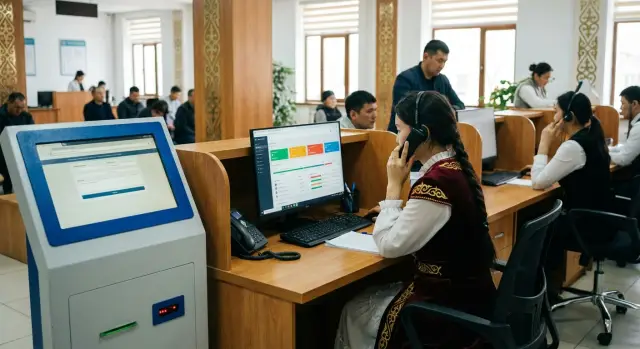
What breaks without a single tracking system and what it should look like
Without unified tracking, requests are easily lost. One employee wrote a call on paper, another asked to send an email, a third forwarded a message in a messenger. After a couple of days it's unclear where the "truth" is, who is responsible and whether there was any reply at all.
Three problems usually surface: duplicates (the same request is created multiple times), delays (no one monitors deadlines) and “ping-pong” between departments (requests get forwarded but never become a task for a specific executor). The requester gets upset and the organization spends time searching.
The principle is simple: each request is recorded as a separate record. Not as an email in an inbox or a chat comment, but as a card with a number, date, subject, responsible person and deadline. This creates a single source of truth: you can see what was received, what is in progress, what is closed and on what basis.
Requesters usually expect obvious things from such a system: a registration confirmation with a number, a transparent status without calls like “please check”, predictable deadlines, a polite reply in a consistent style and the ability to clarify details without starting over.
The value for the organization is just as large. You get workload control (who handles how many and where the bottlenecks are), deadline and topic reports, unified processing rules and an evidential base for disputes. Managers don't need to micromanage with calls and forwards.
It's important to set boundaries from the start. Such a system covers tracking, omnichannel intake, routing and deadline control. It does not replace a full process reform and won't improve answer quality on its own. But it enforces discipline: nothing is lost, deadlines are visible, responsibility is assigned and status is transparent.
Omnichannel: form, phone and email without fragmentation
Omnichannel is needed not for "another channel", but so any input is turned into a card with a status and deadline in the same way. Then a requester won't get different answers depending on where they wrote, and staff won't lose context between an email, a call and a form.
Web form: collect the minimum that saves days
A site form gives the best control if it already includes what you'll have to clarify later. Fields should be short and clear, and consent to data processing must be explicit.
In practice, the following are usually enough: a subject and short plain-language description; full name and contact details for a reply (phone and/or email); an address or district if the issue is location-based; attachments (photos, scans, proofs); and consent to process personal data.
After submission, the person should see the request number and the expected time for an initial response.
Phone: a call must also become a card
If a request came by phone, it cannot be "kept in someone's head" or in a notebook. The operator records in a card who called, the essence of the issue, what has already been checked and how the call ended (consultation, request created, forwarded).
If the caller cannot provide all details immediately, the card is still created and missing data marked as "needs clarification." The request doesn't disappear and immediately goes under shared control.
Email: a message should automatically become a request
An email with attachments is convenient because it already contains text and documents. Proper setup makes incoming email create a request automatically: the email subject becomes the request subject, the body becomes the description, attachments are attached and the sender is added to contacts. A registration notification with the number is sent in reply.
For omnichannel to work, rules must be the same for all inputs:
- unified statuses and clear deadlines for "received", "in progress", "needs clarification", "closed"
- unified quality requirements for replies (who replies, in what form, what must be included)
- a single history: all emails, calls and comments in one card
Repeated messages on the same issue should not create new requests. If a citizen writes again on the same topic, the new message is linked to the original card (or merged) and the requester sees that it's a continuation, not a "lost" request.
Request card: what data to collect immediately
The card sets the quality of further work: routing, deadlines, reporting and the reply to the requester. If little information is provided at intake, staff must call back, details are lost and the number of "stalled" requests grows.
Minimum required at intake
Start with a short but mandatory set. It's enough to understand the issue, find a responsible person and contact the requester:
- subject and category (for example: "Housing", "Healthcare", "Education", "Taxes")
- requester's contacts (full name, phone or email, preferred contact channel)
- request text (what happened, where, when)
- addressee or the expected agency/division (if known)
- attachments (photos, scans, documents)
At registration the system assigns a unique identifier and records date and time. This removes disputes about "when it was received," helps measure deadlines and gives the requester a clear reference in correspondence.
Priority and urgency: avoid complex scales
To ensure the team understands what is "burning," use simple levels that are easy to choose and explain:
- low: informational question, no risk of damage
- normal: standard processing according to regulation
- high: affects the institution's operations or many citizens
- urgent: risk to safety, health or a critical failure
It's important to separate "emotionally urgent" from "regulatorily urgent." A requester may be anxious, but priority is set by rules and facts.
Consider personal data and consent in advance: which fields are mandatory, how to store attachments with documents, who has access. For health or social support requests, visibility may need to be limited to the assigned group.
A mandatory block is the action history. The card should include a log showing who and when changed status, who was assigned, what comments were added and what replies were sent. Then managers quickly see what has been done and it's easier to explain progress to the requester without "finding someone to blame."
Example: a resident sends a photo of a pothole. The card needs an address, date, photo and contact. ID and registration time are fixed immediately, priority set to "high" (if the street is busy), access opened for the road service and the log will show when the request was forwarded to a contractor and when a notification about the planned repair date was sent.
Routing: how requests reach the right executors
Routing ensures a request doesn't "wander" through mail and offices but goes straight to those who can solve it. In a normal scheme it works the same for forms, calls and emails: the request gets an owner, a deadline and a clear path.
Start with categorization. Keep the topic tree shallow: 2–3 levels are usually enough. For example: "Housing -> heating", "Social support -> benefits", "Transport -> schedule." The deeper the structure, the more often operators make mistakes and requests end up in the wrong place.
Next define queues and roles. An operator accepts and clarifies data, an executor resolves the case, a manager assigns complex cases, and a controller monitors deadlines and answer quality. The key is that it's always visible who is responsible for the next step.
Assignment rules
Simple rules that can be explained in one sentence work best. Usually a combination of factors is enough:
- request category (by topic)
- territory (district, city, object)
- time (on-duty shift, weekends)
- workload (who has the fewest assignments)
- requester type (for example, priority groups or mass requests)
If the system sees "Transport -> stop" and district X, it routes to the appropriate division queue, and if overloaded — to the next available executor.
For reassignment and collaboration you need internal comments in the card, colleague mentions and small subtasks (for example, request a photo from a contractor or a clarification from accounting). This reduces forwards and loss of context.
When manual control is needed
Automation doesn't replace manual control. It's needed for disputed cases, complaints about staff, repeated requests on the same topic, and for requests with risks (safety, personal data, public resonance). In such cases raise the level: assign a manager as owner or require mandatory approval before answering.
Agree in advance who sets rules and who reviews them. Authorities, territory boundaries and workload change, so routing rules will need updates.
Deadline control: SLA, reminders and escalations
Deadlines have the biggest impact on requester trust. If they are not fixed in rules and not controlled automatically, requests will "live" in inboxes and chats and responsibility will blur. Deadlines must be measurable commitments, not wishes.
How to set SLA with simple rules
First define control points everyone understands: when a request is considered received, when the initial reply must be sent, when a decision should be made and when the request is closed. It's better to bind these points to separate timers rather than one "general deadline."
A common frame (adapt to your regulations) is:
- registration: immediately or within 1 hour of receipt
- initial reply: within 1 working day
- decision: e.g., 3, 7 or 15 working days depending on category
- closure: after confirmation of result or after a set waiting period for requester response
Then create an SLA matrix by category and priority. Simple example: "Social benefits - standard 7 days", "Emergency - high priority 1 day", "Information requests - 3 days." Category must be chosen at registration or the SLA won't apply.
Reminders, escalations and handling overdue requests
Deadlines alone are not enough. You need signals in advance; otherwise an overdue is found too late. Good practice: remind at 50% and 80% of the time before the deadline and trigger escalation on breach.
Example escalation rules:
- 24 hours before deadline — notify the executor
- on overdue — notify the group manager
- after 1 working day overdue — put on process administrator's control
- repeated overdue in the category — discuss root causes at the weekly meeting
An overdue should be logged with a reason. Not for punishment, but to improve the process: "waiting for data from requester", "need answers from another agency", "routing error", "insufficient info in card." After logging, the system should require a next step: request clarification, reassign, raise priority or agree a new deadline with a manager.
For transparent management, set up reports: how many requests arrived and closed, average time to first reply, average resolution time, share of overdue by category, workload by executors and divisions. These metrics quickly show where resources are lacking or where rules are obstructive.
Response templates and unified communication standard
Templates are not for "form replies" but to ensure each requester gets a clear and complete answer even when volumes are high and executors multiple. A uniform tone and structure reduce repeat calls and complaints about unclear actions.
What a good template should include
Start with 10–15 common topics (for example: landscaping, housing, certificates, appointment booking, portal outages). For each topic create a short template of 8–12 lines that's easy to read on a phone.
A template should usually include:
- confirmation of receipt and the number
- a short summary in plain language (1–2 sentences)
- what has been done or what will be done next
- the next step deadline and the expected date of final response
- a contact for clarifications (phone/email/office hours)
To make templates work, use variables. They should be filled automatically from the card so the operator doesn't make mistakes. Example variables: {FullName}, {Request_Number}, {Registration_Date}, {Response_Deadline}, {Responsible_Unit}, {Executor_Contact}.
Здравствуйте, {ФИО}!
Ваше обращение № {Номер_обращения} зарегистрировано {Дата_регистрации}.
Тема: {Краткая_суть}.
Следующий шаг: {Действие_1}. Срок: до {Срок_промежуточный}.
Итоговый ответ предоставим не позднее {Срок_ответа}.
Если нужно уточнение, свяжитесь с {Контакт_исполнителя}.
Quality control and approvals
Not all replies carry the same risk. A simple request (e.g., office hours) can be sent immediately. Replies with legal language, personal data, refusal or contentious situations should go through a second-level check: a unit manager or lawyer approves the text before sending.
To keep answers consistent, add a short knowledge base: one page per topic, plain language, with examples. Operators should see which documents to request, what cannot be promised, realistic deadlines and how to explain delays.
A short pre-send checklist helps:
- the answer is clear without bureaucratic words and long paragraphs
- there is a next step and a deadline, not only general phrases
- no unnecessary personal data or internal details are included
- the subject reflects the content correctly
- contact details and times for clarification are provided
A single standard is easier to maintain if templates and the knowledge base live in one place and are updated based on real cases and complaints.
Transparent status for the requester and notifications
Transparent status greatly reduces repeat calls and emails. When people see their request is registered and moving, they don't try to contact multiple times. This effect lowers contact center load and increases trust.
Statuses that are self-explanatory
Statuses should be short and human. Keep the set limited so requesters don't get confused:
- received: the request is registered and a number is assigned
- in progress: an executor is assigned and working on it
- needs clarification: more data is required to proceed
- awaiting requester response: the ball is on the requester's side
- resolved: an answer was given and the request is closed
Agree in advance what each status means within the team. For example, "in progress" should be set only after an executor is assigned, not immediately after registration.
Notifications: when and what to send
Notifications work best when short and timely. The basic minimum is a registration notice, then messages for each important status change and for closure. Use the channel the person specified: email, SMS or, where allowed, a messenger.
A notification should answer three questions: what happened, what will happen next, and what is required from the requester (if anything). Do not include internal details: staff surnames, task service numbers or interdepartmental correspondence.
A personal account is useful but not always required. Often verification by request number and, for example, by phone or an SMS code is enough. Show only what helps understand progress: current status and its change date, planned response deadline, a short comment for the requester, list of requested clarifications and the final reply with attachments, if allowed.
Separate "message for the requester" from "internal notes." Internal notes are for staff coordination and must not be exposed.
If data is missing, make clarification requests specific. Instead of "please clarify information" say "please provide the address, event date and a convenient contact method." A short template for the requester to copy and fill is good practice.
Small example: a complaint lacks an address. The system sets status to "needs clarification", sends an SMS asking for the address with a deadline. Once the address arrives, status changes to "in progress" and the requester is notified that processing has resumed.
Step-by-step implementation plan: from blueprint to pilot
To make the system work, agreeing on rules matters more than "installing software." With rules in place any channel (form, phone, email) will feed one clear queue instead of a chaos of messages and calls.
Start by mapping the real request path. Take 20–30 recent cases and analyze where they were lost: who accepted them, where copies were made, who approved, at what step deadlines were missed, what replies went out without checks.
Then fix the directories: categories (e.g., Housing, social issues, landscaping), statuses (received, in progress, needs clarification, resolved, closed) and deadlines for each type. This is the foundation for control and clear notifications.
A practical sequence that usually yields quick results without overloading the team:
- Describe "how it is now": request sources, responsible people, manual copy points and delays.
- Agree rules: categories, mandatory fields, statuses, deadlines, who can change status and close requests.
- Connect channels so requests are created automatically: forms create cards immediately, calls are logged by an operator with a short script, emails go into a shared queue rather than sitting in personal inboxes.
- Configure distribution and access: which categories go to whom, what managers see, what executors see, who can assign co-executors. Add a clear reason for return (e.g., "insufficient data").
- Run a pilot in one unit or for 1–2 categories, collect feedback and only then scale to the full flow.
Decide in advance how you measure pilot success: share of requests taken into work on the day of arrival; number of overdues; average time to first reply; repeat requests on the same topic.
Example: if phone requests often lack address and contact, make these fields mandatory and give the operator a short prompt. Fewer requests will then hang waiting for clarifications.
Common mistakes at launch and how to avoid them
The first version almost always has imbalances: people try to make it perfect and forget about habits and real workload. Channels split again, statuses aren't updated and deadlines remain "on paper."
Mistake 1: overly complex statuses and categories
When a system has dozens of statuses and long topic directories, staff start picking "something close" or skipping fields. Analytics degrades, routing fails and requesters see confusing words.
Start simpler: 5–7 categories and 5–6 statuses that executors and managers understand the same way. Add more later when real patterns and repeat cases appear.
Mistake 2: no process owner and no escalation rules
If no one is responsible for the process, the system becomes a "shared inbox." No one monitors overdues, disputes aren't resolved and staff get overloaded.
You need two roles: a process owner (who monitors rules and metrics) and a dispatcher/coordinator (who daily distributes and clarifies requests). Also define simple escalation rules: what to do on overdue risk, who to raise the issue to and within how many hours or days.
Mistake 3: no unified answer standard and quality control
Even with deadlines met, a person can receive a formal or incomplete reply. That leads to repeat requests and complaints.
Keep a basic set of templates: receipt confirmation, clarification request, final reply, refusal with explanation. Add quality control: spot checks and a short checklist "is it clear what was done?", "is there a concrete result?", "are deadlines and contact provided?"
Mistake 4: "forgotten" channels (phone and email remain separate)
Often a web form is implemented but calls stay in notebooks and emails in personal inboxes. Then omnichannel does not exist: the requester doesn't see a unified status and managers don't see the real queue.
Agree rules: any call requesting resolution becomes a request; any email is logged in the same system and replies are sent from the system using templates. It's about unified tracking and transparent deadlines, not controlling people.
Mistake 5: weak discipline on closure and result logging
If requests are not closed or closed without results, statistics become useless. You can't tell what was actually solved, where bottlenecks are or which topics repeat.
A simple rule helps: close only with a filled "what was done" field and a recorded result (short note, document number, photo if applicable). Use a separate status "needs clarification" instead of keeping a request "in progress" for weeks without movement.
Short example: an administration used 20 statuses and 60 topics. After a month half of requests were "under review" because staff chose different statuses for the same case. After reducing directories, appointing a coordinator and introducing a "request clarification" template, overdues dropped noticeably and citizens duplicated requests less often.
Quick checklist and next steps
Before launch check basic things. Without them even good tracking will quickly become mail and spreadsheets.
Pre-launch checklist
Go through these items and mark what is approved and what needs decisions:
- card fields: who is contacting, subject, address/object, channel, consent to data processing, attachments
- statuses: received, in progress, needs clarification, resolved, closed (with reason)
- deadlines: rules for initial reply and resolution, suspension rules, who confirms closure
- roles: operator, executor, manager, administrator, who sees personal data
- channels: form, phone, email and unified registration rules to avoid duplicates
Short test scenario: a resident submits a form, the system assigns a number and shows "received." The operator sees it in the queue, calls to clarify details, records the result in the card and moves it to "in progress." The executor resolves the issue, attaches proof, the operator sends the reply by the chosen channel and closes the request. The requester receives a notification and sees the final status.
For the first month simple metrics suffice: share of requests registered on the day of arrival; time to initial reply; percent of overdues; number of requests returned for clarification; repeat requests on the same topic.
Prepare operator workplaces in advance (headsets, reliable connection, dual monitors for high load) and a server environment for storing data and action logs: backups and access control are usually mandatory.
If implementing in a large organization, make sure everything rests on reliable infrastructure and support. In such projects it makes sense to involve a system integrator with local production and service experience, for example GSE.kz, especially if you need to select and install servers and workstations and then provide ongoing support.
Frequently asked questions
Why do we need a unified request tracking system if we already have email and phone?
A unified tracking system makes every request a card with a number, an owner, a deadline and an action history. This eliminates losses, duplicates and passing the case between departments, because each request always has a responsible person and a clear status.
What exactly does “omnichannel” mean in a citizen request system?
Omnichannel means that any incoming contact — web form, call or email — turns into the same card in a shared queue. Processing rules, deadlines and statuses are identical, and the history of messages and actions stays together instead of scattered across different places.
What fields are mandatory in a web form so we don't waste time on clarifications?
Collect the minimum that lets you start work immediately: a topic or category, a description of what/where/when, contact details for a reply and, if needed, an address or district. After submitting, the person should immediately receive the request number and the expected time for the first response.
How should phone requests be handled so they don't disappear?
A call must be recorded in the system right away, not in a notebook or memory. The operator creates a card, records the issue, contact details, what has been checked and marks any missing data as “needs clarification” so the request doesn't get lost and is tracked against deadlines.
How do you make incoming emails automatically become requests?
The best approach is to automatically create a card from the incoming email: the subject becomes the request subject, the body becomes the description, attachments are added, and the sender is saved as a contact. The system then sends a registration notification with the request number so the person can refer to it later.
What must be present in a request card?
A card must include a unique number and registration time, the responsible unit or executor, an SLA deadline and an action log. Also useful are category, priority and a field for pause or overdue reasons so issues can be analyzed without searching for who is to blame.
How do you set up routing so requests go straight to the right executors?
Routing works best with simple rules: category plus territory, and sometimes shift or workload. If the topic list is too deep, operators make mistakes more often, so 2–3 levels and clear queues by unit are usually sufficient.
How to set SLA and avoid drowning in overdue requests?
Define a few control points: registration, initial reply, decision and closure, and set deadlines for each. Then add reminders before deadlines and escalations on overdue so managers see risks in advance, not after a complaint.
How to make response templates useful rather than bureaucratic?
Templates should make answers clear and consistent, not bureaucratic. A good template includes the request number, a short summary, the next step, a deadline and a contact for clarifications. Use variables automatically filled from the card to avoid mistakes.
How to provide a transparent status and notifications for the requester without oversharing?
Give the requester short, human-readable statuses and notify only about important changes: registration, requests for clarification, movement in processing, and closure. Separate “message for the requester” from internal notes so internal details and staff personal data are not exposed.
