7 min read
Offline Server Firmware Updates: the SPP, DRM and UXSP Cycle
Offline server firmware updates in a closed network: how to assemble HPE SPP, Dell Repository Manager and IBM UpdateXpress repositories, set up verification and rollback.
Why an offline update cycle is needed and where problems arise
Offline firmware updates are necessary where internet access is forbidden or tightly restricted: closed segments of government, banks, healthcare, and industrial networks. In these environments you can't just run a utility and download packages from the internet. That's why a clear cycle is important: choose a version, assemble packages, transfer them, install and record the result. Without this, updates quickly become a set of one-off actions that are hard to repeat and verify.
It's important to understand that a "server firmware" is not a single entity. Typically you update BIOS/UEFI, the remote management controller (iLO/iDRAC and equivalents), RAID/HBA and backplane firmware, network adapters (sometimes with PXE/Option ROM), and disk/SSD firmware from the vendor.
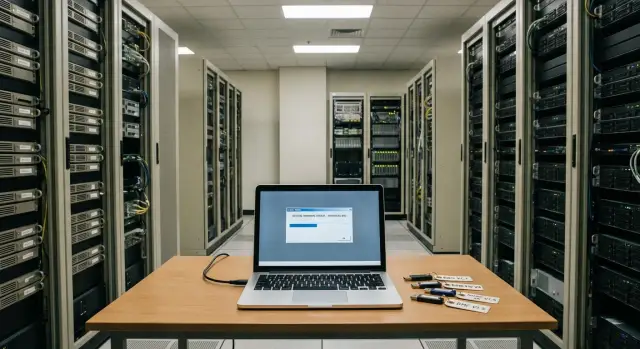
In a closed environment issues start even before installation. There is no direct access to update catalogs, so someone must assemble packages in an "open" zone, verify them, prepare transfer documentation and only then deliver them inside. Practical constraints are often added: strict rules for media, a ban on connecting laptops, no dedicated storage for repositories, and requirements for cryptographic signatures and logging.
The most common cause of incidents is fragmented updates without considering version relationships. For example, you update the BIOS but forget the RAID firmware, and after reboot the disk order changes or new modes enable and break boot. Or you update iDRAC/iLO and older TLS settings no longer allow console access. Without a baseline (recorded set of versions) and change history it's hard to prove what actually changed.
Usually several roles are involved. If responsibilities are not assigned in advance, the cycle falls apart:
- InfoSec: transfer rules, source verification, quarantine.
- Infrastructure admins: requirements, testing, installation.
- Service owner: maintenance window and success criteria.
- Procurement/contracts: access to subscriptions, licenses, support.
A good offline cycle answers two questions upfront: "which version and why are we installing it" and "how do we roll back if something goes wrong".
What to prepare before starting: people, rules, storage
Offline updates usually fail not because of tools but because of poor preparation. If you agree on roles, InfoSec rules and the storage location for packages in advance, the rest becomes predictable.
Start with an honest list of what you update. It's important to know not only server models but what runs on them: critical services, clusters, SAN/HBA, network cards, RAID controllers, BIOS and iLO/iDRAC/IMM versions. Separately note constraints: legacy OSes, special drivers, and dependencies on specific microcode versions.
People and decisions
Assign responsible people so there's no situation where "everyone thought someone else would do it." A typical scheme is:
- service owner (confirms the window and downtime risk)
- server admin (prepares the baseline and rollback plan)
- InfoSec specialist (authorizes transfer, verifies quarantine)
- datacenter engineer/on-call (physical access, console, on-site work)
- person who records results in the version registry
Then agree on maintenance windows and allowable downtime. Firmware usually requires a reboot, sometimes two. Decide in advance what to do if an update takes longer than expected: roll back, move the window, or failover the service.
InfoSec rules and storage
In a closed environment decide on permitted media and quarantine procedures. Document who may transfer files, which media are allowed, where verification happens (hashes, antivirus, logging). This removes disputes on the day of work.
Store artifacts in a single location with clear access rights: vendor "raw" files, assembled offline packages and application reports. The main rule: one source of truth for versions. This can be a table or a CMDB entry showing baseline per server group, installation date and actual result. Then in the next cycle you won't guess what was applied and what was only planned.
If a system integrator supplies and supports the infrastructure, clarify in advance who owns the registry and stores the packages so the process doesn't rely on a single person.
Basic terms: repository, baseline, quarantine
To avoid arguments on the day of work, it's useful to have the same understanding of three terms.
Repository — the update packages themselves: BIOS, BMC, RAID, NIC firmware, drivers and utilities. Catalog (metadata) — the repository description: which versions are inside, which models they suit, dependencies and installation order. In offline scenarios you usually transfer both packages and catalog. Without the catalog, a tool is less able to correctly pick updates for specific hardware.
Quarantine — an intermediate zone where packages are verified (checksums, antivirus, source and date recording) and, if possible, tested on a bench or pilot group. Only the "approved" set should reach production.
Baseline — the chosen "point of normality": a list of firmware and driver versions considered correct for a particular generation and role (for example, hypervisor, database, file server). Without a baseline divergence appears quickly: one server is updated to the latest, another is left as-is, and in a month it's unclear why symptoms differ.
A simple example: a datacenter has two hardware generations. Each gets its own baseline and two sets of packages are kept in quarantine. That way updates are predictable and rollbacks/investigations take hours, not days.
HPE SPP: assemble, transfer and apply offline
HPE Service Pack for ProLiant (SPP) is convenient because it provides a unified, tested set of firmware and drivers for specific ProLiant generations. In a closed environment it's important not only to download SPP but to pick the version that officially supports your server generation and controllers. A common mistake is taking the "newest" build and encountering incompatibility with older hardware or missing needed components.
After choosing the version, organize storage so that six months later it's clear what is in the archive and why it is approved for installation. In an isolated network you won't be able to quickly fetch a missing file or verify the source.
A simple practice helps:
- store SPP as an ISO in a dedicated folder with a clear name (version, date, approver)
- keep checksums and a short description nearby: supported models and intended baseline
- apply the "quarantine" rule: integrity check and bench test first, then move to production storage
Applying SPP offline usually follows two paths. First — bootable media (ISO on USB or virtual media via iLO): useful for updating a node from bare metal or when the OS is unstable. Second — run from a local repository/folder inside the network: suitable when you have OS access and want to update multiple servers with the same procedure.
To keep changes manageable, log at minimum: SPP version, list of target nodes, maintenance window, components updated (BIOS, iLO, RAID, NIC) and the outcome (success, rollback, items requiring re-run). For large fleets, update in waves: pilot 1–2 servers, then a group of identical models, then the rest.
Dell Repository Manager: assembling an offline repository
Dell Repository Manager (DRM) lets you collect exactly the update packages your fleet needs and then transfer them to a closed network. This reduces the risk of "bringing unnecessary items" and simplifies verification.
First set boundaries: which Dell models are in scope, which OS/hypervisor versions are used and the update level required (critical only or the full set). The more precise the inputs, the smaller and easier to verify the repository.
Practical DRM workflow:
- select models (or Service Tag) and target OS
- define baseline: "as of date X" or "only BIOS, iDRAC, RAID and NIC"
- generate the catalog and download packages to local storage in the open zone
- export the repository in a transferable format
- record the catalog version and assembly date so the process can be repeated
If there are multiple sites, two working approaches exist: a single central repository or per-site repositories. In practice a hybrid is common: a central "golden" quarantine repository and small site-specific slices.
Before transfer verify the contents: ensure there are no packages for unrelated models or OSs, check critical components are present, confirm versions match the baseline, and prepare a package list with versions for reporting.
In the closed network installation usually proceeds from a local source: copy the repository in, host it on a file share or admin station, and run updates with Dell's standard tools.
IBM UpdateXpress: packaging updates for a closed environment
IBM UpdateXpress System Pack (UXSP) is convenient because it's a preassembled set of firmware and drivers for specific server families and options. In a closed environment it lowers the risk of missing dependencies or choosing incompatible versions. Select the System Pack by model, server generation and installed components (RAID, NICs, HBA).
Before transfer record the baseline: current versions, target versions, and exactly what will be updated in this window. This prevents disputes afterward about why a node differs from others.
Transfer only via controlled media and verify integrity: download in the staging zone, check the hash, copy to the transport media and recheck inside the closed network. If there's a dedicated admin station inside the environment, keep UXSP there as a local archive and use media only as transport.
Apply updates either directly on the node (when console access exists) or from an admin station per procedure. For groups of 10–20 servers an admin station is common; for single critical nodes local execution is preferred so the operator can observe each step.
At minimum record:
- model and serial number
- current BIOS, BMC and controller versions
- target baseline (package ID and date)
- who applied it, when and the result
- notes on reboots and rollbacks
Before reboots verify things that most often break windows: UPS, backup currency, log warnings and realistic restart times (some updates need multiple cycles).
Step-by-step process: from update request to recording the result
Offline updates work best as a repeatable cycle: request, preparation, verification, pilot, roll-out, recording. That avoids the "one server done ad-hoc" scenario where another server ends up with different versions and behaves differently.
Simple rule: each group of servers needs its own baseline. A group is identical model, identical controllers and identical maintenance constraints.
Proceed with steps:
- Record the baseline: model, current versions, target versions, maintenance window and responsible people.
- Assemble packages for the baseline (HPE SPP, Dell DRM, IBM UpdateXpress) and place them in quarantine storage.
- Verify integrity (checksums, signatures), model compatibility and obtain InfoSec approval to admit the set.
- Transfer the set into the closed network and organize it in a clear structure (vendor, model, date, baseline ID).
- Run a pilot on 1–2 nodes: one typical server and one "most problematic" (for example, with the most drives or expansion cards).
If the pilot is clean, proceed to roll-out. During work agree on reboots in advance, verify console access and the rollback plan. After updates reboot, check controller and NIC status, review logs and then validate service operation.
Recording the result is a separate step. Update the baseline record, attach logs, note actual versions and downtime. Then the process becomes manageable instead of a one-off action.
Common mistakes and pitfalls in offline updates
Mistake 1: "Download everything, we'll sort it out later"
The trap is fetching updates without precise mapping to model, generation and installed options. Two similar servers may have different RAID controllers, NICs or backplanes, and an "almost right" firmware can cause outages.
Mixing packages from different dates and sources without labeling is equally dangerous. In a month nobody remembers why two baselines were in the same folder and which one was tested.
Mistake 2: skip the pilot and update the whole farm at once
When you apply updates to dozens of hosts at once, risk scales with scope. A pilot on 1–2 representative servers reveals unexpected issues: different installation order, longer reboots, BIOS setting conflicts.
Another pain is lacking a rollback plan. If current firmware and key settings are not recorded, rollback becomes a manual quest. In offline scenarios "restore to previous" must be a real scenario, not a hope.
What typically helps:
- keep a compatibility matrix: model, generation, controllers, current versions
- assemble a single signed baseline and mark it with date, source and scope
- account for firmware-driver-configuration dependencies
- run a pilot and record results before mass deployment
- plan the window realistically: POST, RAID rebuild and "warm-up" post-update often take longer than expected
Example: you update RAID firmware but not the corresponding driver in the OS image. The server boots but the disk subsystem behaves unstably and errors appear under load.
Short pre-run checklist
Offline updates are often derailed by small things: a wrong package, unchecked target versions, or an unconfirmed window. This short list catches such issues before start.
Before starting check:
- The package is self-explanatory: build date, vendor (HPE SPP, Dell DRM, IBM UXSP), purpose (baseline), who assembled and who approved it.
- Checksums are verified before transfer and after (on the media or in the storage from which you will install).
- There is a list of target servers and their current state: models, serial numbers, BIOS/iLO/iDRAC/UEFI versions, RAID, NICs and constraints (for example, "do not reboot more than 1 node of the cluster at a time").
- The maintenance window is agreed, service owners confirmed stop/degrade, and monitoring is configured to avoid false alarms.
- Rollback is prepared: who does what if the update fails or a server does not come up, and who is on-call for the entire work (duty engineer, site engineer, vendor/integrator).
After the update quickly confirm all critical services are up: compare applied versions with the plan, save a report (what was updated, where, which package, time, result) and close the change only after confirmation from the service owner.
Example scenario: updating a fleet in a closed network without surprises
Given: two sites (primary and secondary), a closed network without internet, a mixed fleet of HPE, Dell and IBM. Each site has a test segment and production. The goal is to follow a single baseline without ad-hoc package searches and disputed versions.
First agree with InfoSec on a process, not "file-by-file approvals." Designate one transport medium (or an internal folder if transfer via a gateway is allowed). Everything coming from outside goes to quarantine: hash check, antivirus, source and date recording. Only then do packages get the status "approved" and are distributed to sites.
Next split work into waves to avoid mass outages:
- Wave 1: test segment at both sites
- Wave 2: production at the secondary site
- Wave 3: production at the primary site
- Wave 4: exceptions (nonstandard configs, rare models)
In each wave use the manufacturer's native set: HPE SPP, Dell Repository Manager and IBM UpdateXpress. But the decision to start must be uniform: baseline approved, window agreed, backups and rollback plan in place. If a dependency appears (for example, BIOS requires iLO/iDRAC or backplane update first), mark the node as "deferred" with a reason, not "we'll finish later."
A single report should be vendor-agnostic and read as a change log: what was updated (before/after versions), what was deferred and why, who executed and when, and the post-reboot verification (health, logs, service tests).
Next steps: how to put the process on rails
Start simple: an up-to-date inventory and a basic set of firmware. Compile a table of server models, BIOS and key controller versions, service owners and available maintenance windows. Then choose a baseline for each product line (HPE, Dell, IBM) and mark it as "approved for installation" after verification.
To avoid one-off work, run a short pilot on 1–2 representative servers: assemble packages, transfer to the closed network, install, test, and validate the rollback plan. After the pilot adjust the procedures and log templates.
Minimum items to approve at start: periodicity (for example, quarterly plus emergency patches), a unified work log, quarantine rules and success criteria (versions, RAID health, NICs, a control reboot and service tests).
If you need an external accountability layer (especially for a large fleet and strict uptime rules), involve an integrator who runs updates as a repeatable process and links firmware changes to OS, hypervisor and storage changes. For example, GSE.kz provides system integration and infrastructure support, including server lifecycle processes, which helps build such a cycle without ad-hoc practices.
When the process is set, updates become predictable instead of a "firefighting" response to the next vulnerability.
Frequently asked questions
Why run an offline update cycle if you can "flash" a server once?
An offline cycle is required when the site has no internet access or it is restricted by InfoSec policies. It makes updates repeatable: you choose versions in advance, verify packages, transfer them in a controlled way, install and record the results so you don't start from scratch next time.
What firmware is typically updated on a server besides BIOS?
Commonly updated components are BIOS/UEFI, the remote management controller (iLO/iDRAC and equivalents), RAID/HBA and backplane firmware, network adapter firmware, and disk/SSD firmware from vendors. It's better to list components per model in advance because "server firmware" is rarely a single file.
How to start preparing for offline updates in a closed environment?
Start with an inventory: model, options (RAID/HBA/NIC), current versions and service criticality. Then pick a target baseline for each group of identical servers and collect packages only for that baseline — otherwise divergence and unpredictable post-reboot behavior appear quickly.
Which roles are needed so the process doesn't fall apart on the day of work?
The minimum set of roles: service owner (window and risk acceptance), server admin (baseline and rollback plan), InfoSec specialist (transfer and verification rules), on-site engineer or duty technician (console and physical access), and a person who records results in the version registry. Without assigned roles the transfer, rollback or reporting often stalls.
What is the difference between a repository and a catalog (metadata), and why transfer both?
A repository is the update packages and tools; the catalog (metadata) describes which versions apply to which models, dependencies and installation order. In offline scenarios you usually transfer both: without the catalog tools may pick wrong updates or fail to apply correct dependencies.
What is a "quarantine" for update packages and how does it help InfoSec?
Quarantine is a staging area where packages are verified before being allowed into production: checksums are matched, antivirus scans run, source and date are recorded, and ideally packages are tested on a bench or pilot group. This reduces the risk of introducing unwanted items into a closed environment and proves that only an approved set was used.
What is a baseline and why do incidents appear without it?
A baseline is a frozen set of versions considered the standard for a given model and server role. It ensures identical nodes have the same firmware, making investigations and rollbacks straightforward instead of manual hunts for "what was where."
How to choose the right HPE SPP version for offline updates?
Choose the SPP version that officially supports your server generation and installed controllers. Practical rule: don't chase the newest build; pick a proven package for your fleet, record it as the baseline and run a pilot on 1–2 nodes before mass deployment.
What usually goes wrong with offline updates and how to avoid it?
Most failures come from version incompatibility and incorrect installation order, not from the utility itself. Typical issues are changed boot order after a BIOS update, missing disks due to RAID firmware/driver mismatch, or iDRAC/iLO updates that break older TLS settings. Plan a pilot, record before/after states and keep a real rollback scenario.
When does it make sense to involve a system integrator for offline updates?
Bring an integrator on board when you have a large fleet, strict uptime requirements, multiple sites or insufficient internal resources to maintain the version registry, pilots and reports. A good integrator can run the repeatable cycle: inventory, baseline, package assembly, quarantine, staged waves, service checks and a unified change log. For example, GSE.kz provides system integration and infrastructure support, including server lifecycle processes, which helps build this cycle without ad-hoc practices.
