7 min read
OCR Comparison: ABBYY, Tesseract and Google Document AI
OCR comparison: ABBYY, Tesseract and Google Document AI — how to measure accuracy on your templates, set up quality control and calculate the cost per 1,000 documents.
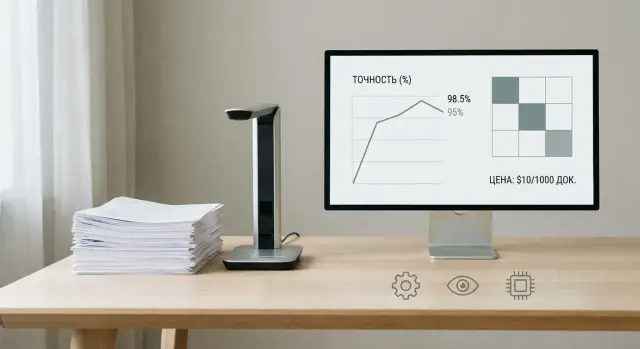
What exactly do you want to improve: text, fields or the process
Many people say “we need OCR,” but that often hides different goals.
The first goal is simply to get readable text from a scan for search and copying.
The second is to extract specific fields: IIN/BIN, invoice number, date, amount, address, full name.
The third is to improve the whole process: who scans, how checks are done, where data goes next and what happens on errors.
The same system can show different accuracy on different forms. Reasons are usually simple: scan quality, language and fonts, stamps and signatures over text, tables, skewed pages, and different layouts from suppliers. So when comparing ABBYY, Tesseract and Google Document AI, record not only the “document type” but its variations.
Before measuring quality, decide what matters most to you: recall (extract as much as possible, even with extras), precision (fewer mistakes, even if some items are missed) or speed (faster processing with more borderline cases). For archive search, text recall is more important; for accounting and contracts — field accuracy.
Answer these questions in advance:
- What output do you need: full text or field values with confidence scores?
- Which fields are critical and which can be entered manually?
- Where does an error cost the most: money, time or risk?
- What share of documents can be routed to verification?
OCR mistakes become real losses when they reach operations. A wrong invoice amount causes returns and reconciliations, a swapped date leads to missed deadlines, an incorrect IIN/BIN causes rejection and resubmission. Therefore, an “OCR accuracy assessment” should be tied to consequences, not a nice percentage in a report.
Your templates and requirements: how to fix the task
To make a fair comparison, first fix which documents you will process and what output you expect. Without that, any “98% accuracy” means little: invoices, acts and forms have different risks and error costs.
Start with a simple map of the input flow: document types, format (scan, photo, PDF), languages, page counts, how often stamps, signatures and handwriting appear. For a pilot this matters more than trying to pick the “best” engine immediately.
Then divide documents into “templates.” This is not only about identical layout, but predictability. Invoices from one supplier often look the same. Invoices from 50 suppliers are already a document class where fields can be in different places.
Next, describe field requirements and validation rules. Usually a short 1–2 page spec is enough:
- Document type and template (e.g., “invoice, supplier A” or “form, mixed sources”)
- Mandatory fields (IIN/BIN, date, amount, document number, name)
- Formats and constraints (IIN — 12 digits, date — DD.MM.YYYY, amount cannot be negative)
- Tolerances (spaces, commas in amounts, “O” instead of “0”)
- Error priorities (what’s critical and what’s acceptable)
The last step is to define success. For a form it may be “all mandatory fields filled and validated,” for invoices — “amount, date and IIN recognized without errors.” Simple example: if out of 1,000 documents 20 failed IIN validation, that’s not 2% but 20 cases that go to manual processing and affect process cost.
How to measure accuracy so the numbers are honest
OCR accuracy can be “improved” on paper if you measure the wrong thing. First decide what you assess: full text (e.g., contract), individual fields (invoice), or the end‑to‑end process (document passes without returns). Then pick honest metrics.
For system comparison three levels are usually sufficient:
- Character accuracy: shows text quality but can hide critical mistakes inside a field.
- Word accuracy: closer to human perception, but "1 000,00" vs "1000,00" may count as the same word and confuse results.
- Field accuracy: the most useful for data entry because it evaluates what actually goes into accounting systems.
Agree on what counts as an error. Omission, extra character and substitution are obvious. In practice small issues break quality: wrong comma in an amount, a swapped minus sign, “0” vs “O” in IIN/BIN. For fields it’s convenient to mark as error any result that changes meaning or fails validation.
Also set formatting rules: dates (01.02.2026 vs 1/2/26), currency, spacing in numbers, leading zeros in codes, letter case. If you need to store “000123” then “123” is an error even if "semantically" correct.
Confidence is useful as a hint but don’t trust it blindly. High confidence can appear for a wrong amount if the template looks typical. Use confidence as a quality control trigger: route fields below a threshold and fields that fail simple checks (date format, number length, checksum) for review.
Preparing the test set and ground truth
Comparisons fail not because of models but because of data. If the test set is small or contains only “perfect” scans, you’ll get pretty numbers that won’t hold in production.
Start with sampling per template. If you have 5 document types (invoice, act, application, contract, waybill), take at least several dozen documents per type. They must come from the real flow: different departments, MFPs and scanners, different years and print quality.
Before annotation, evaluate image quality. Even strong OCR struggles with skew, fold shadows, noise, low DPI and slight blur. Mark “problem” documents separately — they show system robustness, not just accuracy on easy cases.
Ensure the sample is “live”: various scan qualities, template versions (old form, new logo, new font), documents with handwriting if typical, and clear labeling of which template each file belongs to.
If documents contain personal data, anonymize without breaking annotation. Prefer masking values but keep length and format (e.g., a mask for IIN and phone), otherwise field metrics will be unfair.
Next you need ground truth — correct text and field values. Decide who annotates: operators, accounting staff, archive or a dedicated team. A practical option is double checking: one annotates, a second reviews disputed points.
Simple example: if testing IIN, amount and date extraction from applications, agree in advance what’s “correct” (date format, thousand separator, currency, rounding). Without rules two people may both be “right” but differ in format, and metrics will be less trustworthy.
Step‑by‑step comparison plan on your documents
Start with a baseline run: the same file set through each OCR without fine tuning. This gives a starting point and quickly shows where quality drops due to scans, fonts, stamps or mobile photos.
Then move from “recognize text” to “extract needed fields.” For invoices, claims, waybills and medical forms specific values matter: number, IIN/BIN, date, amount, address, table lines. Tuning varies: page zones, keyword search, date and amount rules, table parsing. The goal is to check not abstract text but what actually goes into the system.
To make comparisons repeatable, fix test conditions:
- identical test set and preprocessing (rotation, denoising, DPI)
- engine/model versions, recognition language, enabled modes
- common postprocessing rules (normalize dates, spaces, separators)
- identical output format (JSON, CSV, table)
Compare results in two layers: overall metrics and quality of critical fields. Metrics help overall understanding, but decisions often depend on a few values: if "amount" or "date" fail the process breaks even with high overall accuracy.
Summarize results in a simple table: by template, by field and by error type. For example: "confuses 0 and O", "misses text under stamp", "table misalignment", "mixes IIN and document number". This shows what can be fixed by tuning, what is caused by scan quality, and what requires a different extraction approach.
If you deploy document intake in organizations (government, banks, education), agree this protocol with IT and quality teams. In system integration projects this saves time on reruns and disputes.
Quality control in production: without constant full manual review
Good OCR doesn’t mean you can remove people completely. The goal of QC is to send to review only what’s truly doubtful and quickly identify error causes so they don’t repeat.
Confidence thresholds: what to block and what to let pass
Most OCR engines provide confidence at character, word or field level. Practical approach: set thresholds by field importance.
For IIN/BIN, account numbers, amounts and dates set high thresholds: if confidence is lower, route to an operator. For secondary fields (comment, address, department name) lower the threshold or flag risk without stopping the flow.
Make it work with a two‑tier check:
- Tier 1: automatic validation and confidence thresholds.
- Tier 2: the operator sees only flagged fields, not the whole document.
Validation rules: catching errors without an operator
Confidence helps but can’t catch logical errors. Add simple rules that verify meaning.
Quick wins come from format and length checks (IIN/BIN — 12 digits), ranges (date not in the future, amount > 0), checksums (where applicable), lookups (codes, MFO, BIC, organization names) and cross‑field consistency.
Example: OCR may confidently read a "8" instead of "3" in an amount. Confidence will be high, but a rule "total equals sum of lines" will catch the discrepancy and send only that field for review.
Quality log and controlled updates
In production it’s important not only to fix individual errors but to understand why they occur. Keep a quality log: share of documents with manual review, top error fields, reasons (bad scan, new template, unusual font). Add random sampling, e.g., 1–3% even at high confidence.
Treat rule and template updates as product changes: a separate version, test on a small flow, compare metrics before and after, then roll out. This way accuracy improves without surprises.
How to calculate cost for 1,000 documents
For a fair comparison count total cost, not only the price list, at the same volume and quality. A convenient unit is 1,000 documents (or 1,000 pages if lengths vary). Predefine target SLA: throughput and required response time.
Collect costs into one template. Four blocks are usually enough: vendor fees, infrastructure, labor and error losses.
Recognition fees include license or subscription, per‑page pricing, API call costs, extra charges for field extraction or classification.
Infrastructure covers servers or cloud, storage for scans and results, backups, network and monitoring. For on‑prem add depreciation and administration.
People: annotation for ground truth, template setup, post‑launch support, selective operator review and exception handling.
Processing speed directly affects price. If you need fast turnaround, costs grow for parallel pipelines, machine capacity or higher API tiers. If you can wait, some costs drop but queues and SLA risks increase.
Practical formula:
Total for 1,000 documents = recognition fees + infrastructure for that volume + person‑hours × rate + cost of errors.
Calculate three scenarios:
- Budget: minimal tuning, more manual checks, lower speed requirements.
- Standard: tuned templates, 5–10% selective checks, normal speed.
- Premium: maximal field accuracy, strict SLA, minimal manual work.
This shows not "price per page" but real processing cost for 1,000 documents at required quality and speed.
ABBYY, Tesseract and Google Document AI: what to watch for in reality
The point of comparison is not demos, but how a solution behaves on your scans, fields and flow.
Quality and template tooling
ABBYY often wins where ready components for document intake and easy form customization are needed. If you have many standard forms (applications, invoices, questionnaires) and fields matter (IIN, contract numbers, amounts), it’s usually faster to reach stable results: tools for rules, verification and correction exist out of the box.
Tesseract can be suitable for plain text, readable fonts and clean scans. But when tables, stamps, many languages and field extraction appear, the cost of custom work increases. You often need separate logic: image preprocessing, zone annotation, postprocessing, dictionaries and error checks. That’s fine if you have a team and will maintain the solution.
Google Document AI is convenient when speed to launch matters and there are pretrained models for document types. But test quality on your examples: models may work great on some templates and noticeably worse on others, especially local documents with nonstandard layouts or mixed languages.
Data, deployment and cost considerations
First practical filter is where documents will be processed and who can access them. For organizations with strict storage and audit requirements, on‑prem vs cloud often decides the choice.
Ask short questions to business and security:
- Which fields are critical and what is the error cost for each (amount vs comment)?
- Can documents be sent to the cloud and are there region restrictions?
- Is 24/7 operation needed and how fast must failures be handled?
- How will audits run: logs, access, storage of originals and results?
- What is expected volume: 1,000 docs/month or 100,000?
When reviewing price, look beyond per‑page rates. Include annotation, template maintenance, review of doubtful cases and integration with your systems. In real projects these items often determine final TCO.
Typical mistakes in OCR pilots
The most common mistake is a pilot “for show” that yields nice but useless numbers. Usually this happens when teams use 10 documents, run them through 2–3 engines and pick the “best.” On a small sample results are mostly random: one good scan can skew the average.
Second problem is mixing document types and sources in one test. MFP scans, phone photos and archive exports behave differently. If you don’t split tests by templates and channels (scanner, mobile, PDF), you won’t know what breaks quality and where tuning helps.
Another bias is reducing everything to a single "OCR accuracy" number. Text recognition and field extraction are different tasks. You can perfectly recognize paragraphs while regularly misreading IINs, invoice numbers or dates. Business cares about critical fields, not overall character percentage.
Many teams ignore bad scans as "noise." In reality these create the manual review queue. Sometimes it’s easier to fix the input (contrast, cropping, rotation, unified scanner settings) than endlessly tuning OCR.
Finally, cost is often counted only by recognition tariff. For honest assessment add operator time for selective review and corrections, the share of documents requiring manual entry, error costs (e.g., wrong contract number), and time for template setup and rule maintenance.
Example: if 12% of 1,000 invoices require manual checking for amount and BIN, ignoring these minutes can make a "cheap" engine more expensive overall.
Pre‑comparison checklist
Without preparation, pilot results are noisy: mixed document types, inconsistent error definitions and costs counted only by license.
Before start, fix at minimum:
- Template list: which documents are in the pilot and which fields are critical.
- Ground truth and rules: who annotates, date and amount formats, what counts as an error.
- Three scenarios: current (baseline), target (ready to launch), worst (what we do if some templates fail).
- Confidence thresholds and checks: where recognition is trusted, where operator confirmation is required, and where to reprocess or do manual entry.
- Quality owner after launch: who monitors metrics, updates templates and rules, and how fast the team reacts to new forms.
Short example: for invoices and acts allow automatic posting only when IIN/BIN and amount match, while date and document number with low confidence go to confirmation.
If the project includes integration with accounting systems and distributed support, decide in advance who will maintain rules and quality in production: internal team or an integrator with SLA.
Example scenario and next steps
Imagine a pilot: 1,000 invoices from 5 suppliers. Each supplier has a template, and you need the same 12 mandatory fields: IIN/BIN, number and date, supplier name, amount without VAT, VAT, total, currency, contract number, period, bank details and payment purpose. The goal is to get fields without manual correction.
Agree sampling and annotation rules. Take documents in real proportions: e.g., 600 invoices from the most frequent supplier, 200 from the second, and 100 from each of the others. Mark poor scans (blur, shadows, phone photos) to understand worst‑case behavior.
Organize annotation so it’s trustworthy:
- Manually annotate the 12 fields with precise rules (date format, rounding, spaces, zeros).
- Double‑annotate at least 10–15% and reconcile differences.
- Define errors: extra space in IIN/BIN, missing cent, wrong currency, etc.
- Separate causes: OCR text errors, field extraction errors, business logic errors (e.g., wrong VAT check).
Look at results by cause, not a single number. If failures repeat in the same places (e.g., "Total" confused with "Amount due"), improve templates and extraction rules. If errors come from input quality, it’s often better to improve scanning process: scanner settings, preprocessing and page completeness checks.
Moving from pilot to production is best done with SLAs on fields rather than a generic "OCR accuracy." Minimum set:
- target accuracy per each of the 12 fields and acceptable share of manual checks
- processing time for 1,000 documents and peak load
- escalation rules when quality drops (e.g., new supplier appears)
Next step: a short pilot on 200–300 documents to validate hypotheses, then capacity planning for required speed and storage.
If deploying on‑prem while building integration and support infrastructure, plan this with a systems integrator. For example, GSE.kz (gse.kz) supplies workstations and servers and helps with IT integration, simplifying capacity calculation for queues and availability requirements.
Frequently asked questions
Why formulate the task first if "we need OCR" seems obvious?
First clarify what exactly you want to improve: simply getting readable text, extracting specific fields (IIN/BIN, date, amount, etc.), or speeding up the whole document processing. For archive search, full text coverage is usually more important; for accounting and contracts — accuracy of critical fields. That determines both the engine choice and how to test it.
Why does the same OCR system give different accuracy on "identical" documents?
Comparing by a single "document type" is often unfair because there are many versions: different suppliers, fonts, stamps, signatures, tables and scan quality. Record not only the document name but its variations, and test each group separately. That way you'll see whether the problem is recognition or unstable layout.
Which OCR accuracy metrics are really useful in practice?
For continuous text you can start with character or word accuracy, but for business the most useful metric is field accuracy. A one‑character mistake may be insignificant in a paragraph but critical in an IIN or amount. If a document must be posted to accounting, focus on per‑field metrics and the share of documents sent for manual review.
How to agree on what counts as an error when evaluating fields?
Agree on what counts as an error before testing: date formats, thousand separators in amounts, leading zeros, acceptable spaces and substitutions like "O" vs "0". For fields, a practical rule is: an error is anything that changes meaning or fails validation. That way different engines are compared on equal terms and you avoid debates about whose percentage looks better.
How to prepare a test set and ground truth so the numbers are trustworthy?
Use documents from the real flow, not only "perfect" scans, and build a sample per template or document class. Include different sources (MFPs, phone photos, PDFs), different years and print quality; otherwise the pilot will overestimate performance. Ground truth values should be annotated with consistent rules and at least partially double‑checked by a second person.
Can we just trust confidence and skip manual checks?
Confidence is a helpful trigger but should not be trusted blindly. A practical approach is to set different thresholds by field importance and send for review only fields below the threshold or those failing simple format checks. This way an operator reviews risk points, not entire documents, reducing manual work.
Which validation rules give the most effect without heavy development?
Add simple semantic checks: length and format of IIN/BIN, reasonable ranges for dates and amounts, field cross‑checks and totals. Often OCR will "confidently" misread a digit, and only a rule like "total equals sum of lines" will catch it. Such checks give quick wins and reduce manual processing.
How to correctly compare ABBYY, Tesseract and Google Document AI on our documents?
Start with a baseline run: the same files through each OCR without fine tuning — this shows the basic level and weak spots. Then move from "recognize text" to "extract required fields" (invoices, claims, waybills). Fix identical test conditions: preprocessing, engine versions, languages, and normalization rules. Present results by templates and error types so it’s clear what can be fixed by tuning and what is an input quality issue.
How to calculate the real cost of OCR for 1,000 documents, not just the license?
Calculate total cost of ownership for the same volume: recognition fees, infrastructure, labor (annotation, configuration, review) and losses from errors. Use 1,000 documents (or 1,000 pages) as a unit. Often a lower per‑page rate becomes more expensive once manual review and error costs are included.
Which matters more: recognition quality or deployment and security requirements?
If you have strict requirements for data storage, access and processing transparency, the choice between on‑prem and cloud is often decisive before accuracy comparison. On‑prem gives more control but requires servers, storage and administration. In such projects plan capacity and pick infrastructure up front; for example, a systems integrator like GSE.kz can provide workstations, servers and help with integration and 24/7 support to move the pilot to stable operation faster.
