8 min read
Total Cost of Ownership for Nutanix NX: Licenses, Network, and Support
How to calculate Nutanix NX total cost of ownership over 3–5 years: licenses, upgrades, network, support, risks and service contract questions.
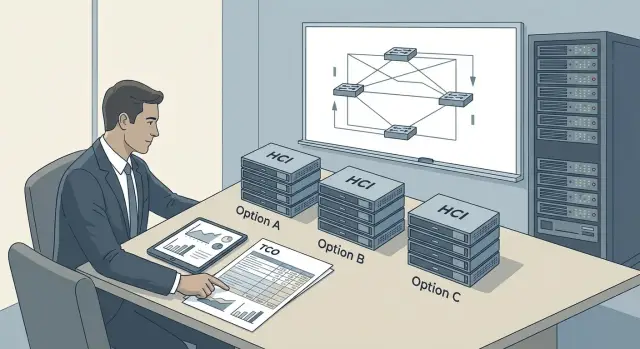
Why calculate TCO and support risks for NX Series
The sticker price for Nutanix NX Series usually looks straightforward: chassis, nodes, basic license bundle. But final costs almost always hide in details: subscription renewals, cluster growth, network requirements and how fast you get help during an outage.
A TCO calculation shows the full picture over a 3–5 year horizon. If you only compare purchase prices, it’s easy to compare “boxes.” When you calculate the total cost of ownership for Nutanix NX, you often see that an initial price difference is offset by 24x7 support fees, upgrades and the cost of the operations team.
Three groups of risks typically surface.
The first is support: SLA levels, contract exclusions, spare parts delivery times and what counts as an incident.
The second is growth: adding nodes can require new licenses, more power and rack space, and sometimes an architectural revision.
The third is network: ports, speeds, redundancy and compatibility with existing switching often need upgrades that weren’t budgeted.
TCO is especially important when you plan for load or data growth, require continuous availability (for example, 24x7 for a clinic or bank), have distributed infrastructure and depend on engineer response times, and when predictable renewal budgets matter.
A good calculation answers not “how much is the box,” but “which solution is safer and cheaper for the business.” Usually one of three decisions follows: buy now, renew support and continue operations, or replace the platform at the next cycle.
If you work in the public sector or a large organization, compare NX Series with alternatives using the same TCO model and identical service requirements. An integrator with local support experience (for example, with a 24/7 service network) will help verify real costs and response times, not just promises on paper.
What to include in the ownership model
First fix the planning horizon. For HCI people usually choose 3 or 5 years: 3 years fits budgets more easily; 5 years shows subscription renewals, upgrades and growing support needs. Seven years only makes sense if you’re sure the hardware and platform will last that long and you have a clear replacement plan.
Break costs into CAPEX and OPEX. CAPEX = one‑time purchases (hardware, initial licenses, initial installation). OPEX = recurring payments and ongoing costs (subscriptions, support, power, admin labor, and expansions as you grow).
To avoid an overly optimistic TCO for Nutanix NX, add commonly forgotten items: support and subscriptions (renewal terms, service level, price growth on expansion), upgrades (memory, disks, new nodes and implementation/testing work), network (ports, optics, switches, network feature licenses), downtime (at least a rough cost per hour of key system unavailability), and supply risks (lead times, part availability, currency dependence and price revisions).
Account separately for people. Who will administer the cluster, run updates, check backups and handle night incidents? If the same 1–2 engineers do it, their workload increases. If you lack internal skills, include training or contractor services. Savings on purchase quickly turn into firefighting costs otherwise.
Licenses and subscriptions: how not to get lost in metrics
TCO often drifts because of licenses: similar‑looking configurations differ by licensing metrics, subscription terms and what’s actually included.
First, fix the licensing unit: node, CPU socket, cores, or feature subscriptions. One wrong line can lead to extra costs when you expand the cluster.
Separate three layers that are often mixed in one commercial offer:
- HCI platform license (management, storage, availability features);
- hypervisor and its support (even if an embedded option is used, clarify who licenses and supports it);
- backup, replication, DR, monitoring and security (often sold as separate products or options).
Software support is usually a separate line: term (1–3–5 years), level (e.g., 8x5 or 24x7), renewal indexing rules and which versions are “supported.” Ask whether updates and patches are included and whether active subscription is required for updates.
With growth, licenses can change not only when you add nodes but also when you upgrade CPUs, increase core counts or change usage profiles. Precalculate two scenarios: “add nodes” and “upgrade existing,” and compare where licenses rise faster.
Before agreeing to purchase, request a license package you can put into the contract and the TCO model:
- specification of license composition by component (platform, hypervisor, backup, etc.);
- licensing metrics and rules for recalculation on configuration changes;
- subscription terms, start dates, renewal conditions and indexing;
- support level and incident response times;
- confirmation of update rights and list of limitations (versions, compatibility).
If you buy through a system integrator, ask to have these points in a single clear appendix, not hidden in price footnotes. This saves time at renewal and reduces the risk of unexpected cost growth.
Upgrades and expansion: cost of growth and solution lifetime
Cluster growth is rarely “just buy more hardware.” In TCO, describe how you will scale: add nodes, change components, or refresh the platform generation. Otherwise Nutanix NX total cost of ownership will rise because of downtime, rush purchases and out‑of‑hours work.
When adding nodes check two effects: licensing and network. Licenses are often tied to node count, sockets or resource volumes. The network may need upgraded ports, switches and cabling to handle replication and east‑west traffic.
Upgrades inside a node (CPU, RAM, disks) aren’t always free. Real‑world constraints include model compatibility, firmware requirements and the need for uniform configurations to preserve predictable performance. It’s usually easier to plan memory and disks in advance; CPU replacement can be blocked by platform generation and hypervisor support.
Items to include for growth
To keep comparisons realistic, track a short set of cost lines:
- cost of new node(s) and any increased licensing;
- installation, balancing, firmware updates and testing labor;
- network upgrades (ports, speeds, capacity headroom);
- maintenance windows and downtime risk for critical systems;
- disposal/logistics for old components and spare parts supply.
Lifetime and compatibility
Note warranty and support end dates and what happens when you replace some nodes. Before planned replacement check the compatibility matrix: can you temporarily run different generation nodes and software versions in one cluster?
Example: a bank plans 30% annual VDI growth. If it adds 2 nodes in 18 months, it may need not only licenses for new nodes but also switch upgrades to higher speeds to avoid network bottlenecks during peak backups and updates.
Network requirements: what to check before buying
Network for HCI is often underestimated and later covered by unplanned spending on switches, modules and labor. If the network isn’t ready, not only does downtime risk rise, but TCO for Nutanix NX increases due to unplanned upgrades and complex incidents.
Plan ports and speeds with headroom. Even with a minimal start, within a year you may need more nodes, replication, faster backups or separate networks for new services.
Minimum checks
Before purchasing agree who is responsible for each parameter (your team, integrator, carrier, security):
- ports and bandwidth: uplinks per node, current speed and required speed as the cluster grows;
- redundancy: dual switches, separated paths, a design without single points of failure;
- traffic separation: management, VM traffic and intra‑cluster traffic logically separated (VLAN) so they don’t interfere;
- basic settings: MTU, latency, VLAN, LACP — who configures and verifies them;
- security: segmentation, access control, logging and compliance with internal or regulator requirements.
Practical example
An organization starts a cluster in two racks and plans to add 2–3 nodes in 12 months. If you don’t reserve spare ports and uplinks up front, you’ll end up buying additional line cards or a second set of switches later. That is almost always more expensive than choosing a resilient scheme and a clear expansion plan up front, and documenting responsibilities in the project.
How to calculate TCO step by step: a simple process
To compare options fairly, start with baseline facts: which systems will run on the cluster, how critical they are and how fast they grow. That way Nutanix NX TCO is based on figures, not impressions.
Calculation steps
-
Gather inputs for 3–5 years: current CPU/RAM/disk, annual growth, availability requirements (e.g., 8x5 or 24x7), maintenance windows and downtime limits.
-
Create 2–3 scenarios: minimal (no growth), realistic (planned growth), and peak (surge or new project). The differences between scenarios are often more important than the absolute price.
-
Put everything into one comparison table. Use identical rows for each scenario: hardware, licenses/subscriptions, support, network, services (implementation, migration, training), and a reserve for unexpected replacements.
-
Request commercial terms in a single format: price validity, currency and recalculation rules, lead times, support renewal terms, possible indexing and exact scope of basic support.
-
Calculate yearly totals and compare not only the sum but also when payment peaks occur (renewals, expansions).
Document assumptions between steps. Example: with 60 VMs and 20% annual growth, you will need expansion by the end of year 3 — that must be a separate line in the table, not a hidden assumption.
Test the calculation with quick checks:
- what if load increases +30% over plan;
- what changes with currency fluctuations or invoice currency;
- how switching from 8x5 to 24x7 affects costs;
- cost of delayed delivery (temporary capacity, downtime, penalties);
- what network work appears if higher bandwidth is required.
If buying through an integrator, clarify who owns the full contour: hardware, licenses, network and support. In Kazakhstan the responsibility boundaries in the contract are often more important than the discount.
Support risks: where money and time are usually lost
Support risks rarely appear in the price list, yet they often determine real TCO. Losses usually come from a chain of delays: unclear SLA, no local spares, updates without rollback plans, and manual vendor escalation.
SLA: response is not recovery
Distinguish response time (when you get an answer) from recovery time (when service is back). A 15‑minute response sounds good, but if recovery is best‑effort, downtime can stretch for hours or days.
For critical systems define what recovery means: cluster restored, key VMs available, performance returned, incident closed.
Also clarify maintenance windows. “24x7 support” on paper can be “24x7 ticket intake” while actual engineer work happens only in business hours.
Spare parts, updates and vendor access
Weak points are logistics and responsibility. If spares are stored outside the country, delivery time becomes the main source of downtime. Also decide who performs updates (your team, contractor or jointly) and who is accountable if an update makes things worse.
Typical issues:
- spares “included” but not defined where they are stocked and delivery time to your city;
- not defined whether replacements are new or refurbished and whether equivalents are allowed;
- no agreed rollback plan or maintenance window, so updates are postponed for months;
- vendor escalation not described: who initiates it, in which language and during which hours;
- operations depend on 1–2 people, so staff turnover quickly creates dependence on a contractor.
Example: a regional organization keeps a cluster in a data center but has no local spare disks. An incident starts at night; support answers quickly but delivery takes 2–3 days. SLA on response is met, but the business suffers losses. Therefore specify spare stock, recovery and escalation conditions before purchase and renewal.
Service contract checklist: what to ask before signing
The service contract often decides whether Nutanix NX TCO will be predictable or turn into a series of urgent bills and outages. Get answers in writing: SLA, appendices and procedures.
Five groups of questions that cover most risks
-
Responsibility boundaries and access. Who does initial diagnostics (your team or subcontractor)? Who owns hypervisor, firmware, network config and backups? What privileged access is required and how is it granted?
-
Support mode and response. 8x5 or 24x7 — what exactly is included (ticket intake, remote access, engineer work, escalations)? Target times: response, workaround and recovery. How are incident priorities set and who confirms them?
-
Remote or on‑site. When is on‑site mandatory (disk, power or motherboard failure)? What are regional on‑site response times? Who provides access to the server room, who escorts engineers and who accepts the work?
-
Spares, swaps and logistics. Is there a local stock or swap pool and what are lead times for key components? Who pays shipping and customs (if applicable)? Is replacement new or refurbished?
-
Updates and SLA exclusions. How often are updates applied, is there a test environment, how are windows agreed and who prepares rollback plans? When does SLA not apply (force majeure, lack of access, third‑party network changes) and how is that recorded in tickets?
If you need 24x7 for clinics or banks, ask for a dedicated appendix listing on‑site spare parts and guaranteed response times for your city. This is usually cheaper than paying for downtime while waiting on logistics.
Common mistakes comparing NX Series and alternatives
Comparisons between Nutanix NX Series and other HCI or classic virtualization often fail not on hardware price but on operational details. “Cheaper upfront” can become higher TCO at the first renewal.
Mistakes that lead to overspend
-
Combining hardware warranty, platform support and admin work into one line. Warranty is about part replacement, software support is about updates and cases, and administration is separate labor with separate hours.
-
Ignoring the network. HCI is sensitive to bandwidth, latency and redundancy. If you later need 25/40/100GbE uplinks, new switches, optics and ports, the budget rises after purchase.
-
Planning resource growth without checking how it affects licenses and service conditions. New nodes or features can change licensing metrics, require higher support levels and different maintenance windows.
-
Not defining update procedures and responsibility for downtime. Who builds the plan, who does backups, who applies the update, who accepts the work, what is an outage and who pays if the update fails?
-
Failing to plan exit at 3–5 years. Without a migration plan and clear conditions for data, configuration and licenses, platform change becomes a separate project with downtime risks.
Example: a company chose the HCI with cheaper licenses. Six months later load grew, additional nodes and stricter SLA were needed. The network couldn’t handle replication, so they paid for new licenses, a network upgrade and emergency night work.
When involving an integrator (for example, an OEM and a system integrator with 24/7 support), ask for a cost breakdown by layer: hardware, licenses, network, implementation and support. That makes comparisons honest and risks visible before contract signing.
Short checklist before purchase and support renewal
Make a one‑page summary that shows Nutanix NX TCO and the biggest risks. This is useful for procurement, security and management.
Start by fixing the scope and responsibility boundaries. Most money is lost not on the node price but on the “little things” that appear after contract signature:
- delivery contents: node models, lifetime, warranty, spare kit (if any);
- licenses/subscriptions: what’s included, term, metric (nodes, sockets, cores, capacity);
- support: level (8x5 or 24x7), channels, languages, included services;
- network: speed, redundancy, ports, cables, switches;
- services: implementation, migration, training, regular updates, on‑site visits.
Then check SLA by scenarios:
- response time and recovery time (RTO) by priority;
- spare parts supply: local/regional stock, delivery times, replacement policy;
- on‑site conditions: who goes, geography, what’s included;
- escalation: levels, response times, who decides on node replacement;
- maintenance windows: can work be done at night/weekends without extra charge?
Also agree update responsibilities: who performs them, how often, where they are tested and what rollback plan exists. Updates frequently hit availability, network compatibility and security requirements.
Finally, assess growth. Ask how much one node costs, whether switches must be changed and how many ports are required. Note risks: delivery times, currency exposure, internal skills and dependence on a particular contractor or their subcontractors.
Example scenario: 3–5 years, growth and 24x7 requirements
An organization in Kazakhstan plans to renew virtualization: the current platform causes frequent outages and maintenance windows are scarce. Goal: stable 24x7 operation and predictable Nutanix NX TCO over 3–5 years.
Inputs for the model: 180 VMs today, average storage utilization 70%, 20–30% annual growth. Availability requirement: critical services must not stop; maintenance only at night by agreement.
Compare by full lifecycle costs rather than node price:
- purchase: NX nodes, base components, rack mounting;
- licenses/subscriptions: what’s included (virtualization, storage, DR/replication, management), term and what changes with CPU/cores growth;
- network: need for 25/40GbE, how many ports and optics, whether a separate management network is required, headroom for latency and MTU;
- services: VM migration, failover tests, admin training, backup policy;
- growth: adding 1–2 nodes in year 2–3 or upgrading disks/memory, plus possible downtime during work.
Support often favors options with local spares and a clear update regimen (who patches firmware/AOS/hypervisor and how recovery is defined). In Kazakhstan this is critical due to delivery times and customs.
Include in the service contract items that remove hidden costs:
- guaranteed response and recovery times for P1/P2 and proof method;
- location of spare parts and night/weekend delivery terms;
- who is responsible for updates (firmware, AOS/hypervisor) and how many such operations per year are included;
- what is excluded (migrations, expansions, network work) and hourly or fixed rates for those;
- renewal terms: price growth, linkage to configuration and penalties for delays.
Next steps: prepare the comparison and draft the contract
Collect baseline data and put it into one comparison matrix. The simpler the form, the higher the chance of a real decision. Usually 1–2 pages with clear fields suffice: cluster composition, term (3–5 years), expected growth, availability requirements and support responsibilities.
1) Build a comparison matrix
Fix identical conditions across options (NX and alternatives), otherwise numbers will drift. The matrix should contain six blocks: licenses/subscriptions, support and SLA, upgrades/expansion, network, operations (updates and monitoring) and risks (lead times, node replacement, engineer availability).
Quick checklist fields:
- license composition and metrics: what you buy and for how many years;
- growth plan: how many nodes and when, port/power headroom;
- network: current design, required speeds and redundancy, who configures;
- support: mode (8x5/24x7), response and recovery times, spare parts policy;
- operations: who performs updates, testing, maintenance windows.
A brief network and scaling audit before purchase often reveals “small” issues that later become expensive: lack of ports, missing redundancy, wrong cables or the need for a separate procedure during updates.
2) Draft a service agreement
Start with scope and responsibility boundaries. In the draft immediately fix: monitoring (who watches and how they notify), updates (who plans, applies and rolls back), on‑site visits (when and in what timeframes), and what “recovery” means (service up vs full performance returned).
If you need an independent assessment and turnkey integration, involve a system integrator to combine servers, network, security and operations. In Kazakhstan it’s also worth comparing with locally supported server platforms and on‑site service, for example GSE.kz (gse.kz), especially if delivery times, supply chain transparency and nearby engineers matter.
Frequently asked questions
What time horizon is best for TCO of Nutanix NX Series?
Calculate for at least 3–5 years. Within that period subscription renewals, cluster growth, network upgrades and ongoing support costs become visible — not just the upfront node price.
Which cost items must be included in an NX ownership model?
Start with CAPEX and OPEX. CAPEX: nodes, initial licenses, and initial installation. OPEX: subscription renewals and support, power, admin labor, scheduled updates and probable expansions as load grows.
Why do licenses most often break the TCO calculation?
Double‑check the licensing metric and what’s included. Two seemingly similar configurations can differ by licensing unit (nodes, CPU sockets, cores) and by which features are paid extras; a mistake here usually appears at the first expansion.
How to quickly understand what is licensed in an NX‑based solution?
Split the stack into three layers: HCI platform license, hypervisor license/support, and separate products such as backup, DR, monitoring and security. This makes it clear what is and isn’t included in the base package.
What to consider when expanding an NX cluster after a year or two?
Plan two scenarios in advance: adding new nodes and upgrading existing ones. Both can change license counts, require additional work for configuration and testing, and create new network and maintenance windows — growth is rarely only a hardware purchase.
Which network requirements are most often forgotten before buying HCI?
Count ports and bandwidth with headroom for growth, replication and backups. Confirm redundancy (dual switches/uplinks) and basic settings like MTU and link aggregation. An underestimated network often leads to unplanned spending on switches, optics and labor.
How to compare NX Series with alternatives fairly?
Use a single comparison table with identical cost lines for every option: hardware, licenses/subscriptions, support, network, implementation and operations. Also compare payment peaks by year — similar totals can hide very different cash flow patterns.
What is the most dangerous issue in a support SLA?
Specify both response time and recovery time in the SLA, and define what “recovery” means for your business (cluster up, key VMs available, performance restored). If recovery is only “best effort,” outages can stretch for hours or days despite fast response.
How to estimate the downtime risk caused by missing spare parts?
Ask where spare parts are physically located and the real delivery time to your city, including nights and weekends. If parts aren’t local, logistics become the main cause of downtime and must be reflected in TCO and risk assessments.
What questions should I ask before signing a service contract for NX?
Document responsibility boundaries, escalation procedures, on‑site response conditions, spare parts stock and delivery times, and an update regimen with rollback plans. The clearer these items are in contract appendices, the fewer surprises and disputes during incidents.
