8 min read
Nomenclature Normalization: Rules for Names and Units of Measure
Nomenclature normalization removes duplicates and confusion in units of measure so warehouse, purchasing, and sales work by the same rules.
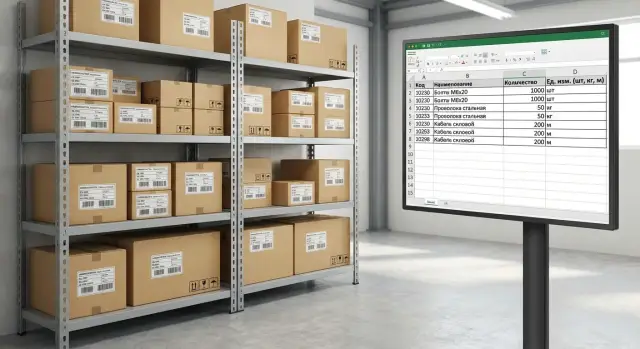
What breaks when each department uses its own names
The catalog is the directory of products and services that warehouse, purchasing, sales, and accounting rely on. Over time it unravels in almost every company: someone creates an item "as on the invoice", someone else "as on the box", another person copies an old card and changes a couple of words. As a result, the same physical item starts to exist in the system in several variants.
The problems are visible without complex analytics. The warehouse gets mix-ups: the product seems to exist but under a different name, and shipments are delayed. Purchasing places extra orders because the system says "out of stock" even though an equivalent sits under another name. Sales get confused in specifications and ship the wrong configuration because differences are hidden in small name details.
A common cause is simple: the "same product" in meaning becomes a different product in data. The purchaser writes "USB keyboard, black", the salesperson — "wired keyboard", the warehouse — "KB-USB". If units or packaging also differ (pcs, set, box), the cards stop being comparable. The chain is straightforward from there: different cards — different balances — different prices — different decisions.
How this shows up in reports
Reports display typical symptoms. Stock levels look odd: one name shows negative, another positive, even though everything is physically present. Prices "move" for no obvious reason because discounts and markups apply to different items. The share of manual adjustments grows: managers edit documents, accounting makes corrections, the warehouse "moves" balances between cards.
If you regularly hear clarifications like "it's the same thing, just named differently", the catalog already controls people, not the other way around. Normalization starts with a simple rule: stop creating new "synonyms".
Simple naming rules you can actually follow
To stop warehouse, purchasing, and sales from arguing, start with a basic principle: one product — one clear name. An item should have a single name template that doesn't change by department, supplier, or situation. Then search, reports, and orders work predictably, and normalization doesn't become endless editing.
A fixed word order helps: product type — key attribute — size or volume — material — brand (if needed). It's important that the first 2–3 words immediately answer "what is it", and details come later. This way the meaning is clear even in short lists, and sorting and filters produce less noise.
A set of rules you can usually follow day to day:
- Start with the type: "Cable", "Gloves", "Battery", "Filter".
- Add one key attribute — the feature that most often distinguishes the product when choosing (for example, "USB-C", "nitrile", "HEPA").
- Write size and volume consistently: "1 m", "500 ml", "A4". Do not allow variants like "0.5l/500ml/500 ml".
- Add brand only if it affects choice or accounting. Fix one spelling for it.
- Name modifications with descriptive words, not "creativity": color, volume, kit, version.
Decide separately about abbreviations. Allow only those that are universally understood and unambiguous (for example, "pcs", "m", "mm", "USB"). Forbid creative abbreviations like "glv.", "bat.", "cons." — those break search and multiply duplicates.
Examples for consumables:
- Bad: "Cable for charging Samsung blk 1m". Good: "USB-C cable 1 m black Samsung".
- Bad: "Gloves nitrile M 100". Good: "Nitrile gloves size M 100 pcs blue".
- Bad: "Office paper 80 A4 (pkg)". Good: "A4 paper 80 g/m2 500 sheets".
When the template is fixed, there's nothing to argue about: a new product simply "fits" into the rules instead of being reinvented.
Item attributes: what to record so there are no disputes
The name should be short and readable. Everything needed for precision is better stored in attributes. Then warehouse, purchasing, and sales see the same item even if everyone is used to speaking differently. In normalization this is one of the fastest ways to remove disputes.
The minimal set of attributes is almost always similar. If it's filled, you can already search, build reports, and compare equivalents properly:
- Category (for example: server, PC, all-in-one)
- Brand or manufacturer
- Model or series
- Main characteristic (the key parameter for the category)
- Packaging or configuration (if it affects accounting)
It's important to separate roles. The name helps a person choose quickly. Attributes help the system avoid mistakes.
Keep in the name only what distinguishes the item in selection, invoice, or specification. Move everything that can be filtered, sorted, or validated into attributes in a single format.
Value lists: attributes won't work without them
If you have "black" in one place, "blk." in another, and "Black" in a third, that's not an attribute — it's a new source of chaos. You need value lists (colors, materials, packaging types) and an owner who adds new variants.
Required fields: where you can't leave blanks
Make attributes mandatory where they are needed to complete a purchase, receipt, or sale. For other fields use a clear value like "Not applicable" instead of leaving them empty. For example, series and the key parameter are critical for servers, while an accessory may only require category and manufacturer.
Good attributes improve search and reports: sales see what exactly they're selling, the warehouse finds items faster, and purchasing matches equivalents more accurately. When series (L200, M200, S200) and the key parameter are set separately in the catalog, it's easier not to confuse similar items and not to order "almost the same".
Units of measure: base, purchase, and sales units
If an item card lacks clear units of measure, errors appear quietly: the warehouse shows one balance, purchasing counts in another, sales promise a third. Units are one of the first items in nomenclature normalization because accounting, prices, and reports depend on them.
The base unit of account is what you store stock and perform inventory in. Choose it by a simple rule: what is actually convenient to count in the warehouse and control losses with. For piece goods it's usually "pcs", for bulk and liquids — "kg" or "l".
When purchase, storage, and sale occur in different units, that's fine. But it must be described in the item card as a set of alternative units with fixed conversion coefficients. For example, you buy by the box, store by piece, and sell by piece or by package.
Typical conversion chains:
- 1 box = 24 pcs
- 1 pallet = 40 boxes
- 1 kg = 1000 g
- 1 coil = 100 m
- 1 canister = 20 l
Set conversion coefficients once and approve them with the responsible people: usually the catalog owner together with warehouse and purchasing. Do not "tune" coefficients to match price or discount. They must reflect physical reality and the supplier's packaging.
A separate trap is rounding. If you sell fractional quantities (for example, cable by the meter), decide the minimum shipment step and rounding rules in advance. Otherwise, "losses" appear in stock: documents match, but in practice a scrap of product becomes unsellable.
In practice: if the base unit is "pcs" and the sales unit is "pkg", then price, discounts, and minimum order should be linked to the unit the customer orders in. The warehouse balance is always stored in the base unit so there's no argument about how much is actually on the shelf.
Codes and identifiers: how not to get confused with articles
When bringing the catalog into order, codes are often remembered last. As a result, the same product lives under three "articles", and barcodes and SKUs get mixed up. To make warehouse, purchasing, and sales speak the same language, agree in advance what each identifier means.
Article, code, SKU, barcode — what's the difference
An article usually refers to the manufacturer's or supplier's code. SKU is your internal product code in the catalog. A barcode (EAN/UPC/Code128 etc.) most often relates to a specific packaging and is used for scanning on receipt and at sale. The "product code" in an accounting system often means the same as SKU, just the field is named differently.
It's most practical to treat the internal SKU as the main identifier and store all external codes as attributes.
Uniqueness rules
To keep rules from breaking over time, fix a few simple principles:
- SKU is always unique in your catalog and is never reused.
- A barcode is unique within the packaging type (e.g., piece or box).
- A supplier's article does not have to be unique (different suppliers may use the same article).
- A product has one main SKU, and packaging variants are stored as packaging records, not duplicate products.
If different suppliers share the same barcode, first check whether it's the same product under different supply conditions. If the products are different (this happens with unbranded goods), don't try to "merge" them. Store the mapping "supplier + their code" as a separate external identifier, and use your own SKU in the system.
It's convenient to store packaging codes like this: one product, several packagings (pcs, box 10 pcs), each packaging has its own barcode and conversion factor. Then selling by pieces and buying by boxes does not create two different catalog entries.
Choose an SKU format with room to grow: fixed length, only digits or letters with digits, without "smart" semantic parts that later change. For example, 8–10 characters with leading zeros will survive an assortment increase and won't "run out" in a year.
Step-by-step normalization plan: from chaos to a unified catalog
Start by appointing a catalog owner. It does not have to be one person, but there must be someone who makes the final decision in disputes and is responsible for the rules. Without this, normalization quickly turns into endless discussions.
Next, gather all sources where names and units live: warehouse exports, purchase requests, supplier price lists, sales (CRM or invoices), accounting. Often the same product already exists in 3–5 variants — just hidden in different files and systems.
Then do an initial cleanup and don't try to perfect everything at once. First remove what prevents work: obvious duplicates, meaningless items ("test", "other"), and records without key parameters. For example, if you have "cable 1m", "cable 100cm", and "cable 1 meter", consolidate them into one item with clear attributes.
After that, agree on naming and units rules and fix examples. Examples are more important than a long regulation: they are easier to train on and to check.
A practical working plan for 2–4 weeks:
- Appoint the catalog owner and a short agreement procedure for disputed cards.
- Combine all sources into one table, mark the "source" field and the "responsible department".
- Remove garbage and merge obvious duplicates, leaving notes on why the chosen "master" was selected.
- Approve the name template and allowed units, add 10–20 reference examples.
- Configure new item creation: required fields, duplicate check, quick quality control.
The last point is key. Without a process for adding new products, order won't hold and within a couple of months the catalog will unravel again.
Duplicates and legacy: how to tidy up without stopping work
Duplicates appear unnoticed: the same product is created "as the supplier", "as the warehouse", and "as in sales". Add old items that are no longer sold but still surface in documents and reports. The right tactic is to clean gradually without breaking current processes.
It's better to search duplicates in several ways. Names find "almost identical" items, but it's more reliable to supplement checks with attributes (brand, model, size, color, capacity), barcode, and the "supplier + their article" combination. Often everything matches except one field that was once filled differently.
When duplicates are found, you need a clear consolidation principle. Usually the master card is the one used more often and contains fuller, verified data. Do not delete the second card; move it to status "closed" or "archived" and note where it was merged.
To avoid stopping work, keep simple rules:
- new documents are created only from the master card
- in selection (search, scanner, autocomplete) set up replacement
- history is preserved: old documents remain as they are
- keep a mapping table "was -> became" for reporting
- appoint an owner to decide disputed cases
Be careful with items that already appear in posted documents. Re-linking past lines can "break" reports and reconciliations. It's often safer to leave history unchanged and consolidate at the analytics level or via code mapping.
Archive obsolete items rather than deleting them: this preserves prices, purchases, and warranty cases. If a product is replaced, mark it as an "analog" or "replacement" in the master card. Then employees pick the correct variant and don't create a new duplicate "just to be safe".
Common mistakes and traps in normalization
Rules often fail for one reason: they are formally accepted but inconvenient to follow. Then people revert to free input, and within a month the catalog diverges again.
Mistake 1: free input without restrictions
When anything can be typed, dozens of variants of the same product appear: different word order, extra abbreviations, different languages, stray characters. Even good normalization won't survive if item creation isn't controlled.
Another trap is stuffing the name with things that should be attributes. A frequent example: "10 kg" or "500 ml" directly in the name. Later the packaging changes, and you have to create new items instead of changing one field.
Mistake 2: creating new items instead of fixing existing ones
A user sees a "nearly identical" product and creates another to avoid investigating. Duplicates then grow faster than you clean them. You need a clear path: how to quickly find an existing item and how to request a correction if it's poorly filled.
Typical recurring issues:
- units, size, and brand mixed into the name while attributes are empty.
- copying an item "for another department" instead of one shared product.
- making edits bypassing the rules because "we urgently need to ship".
- no data owner, so no one makes final decisions.
- trying to clean the whole catalog at once without a pilot.
To avoid getting stuck, predefine simple control mechanics:
- one catalog owner and clear escalation for disputes
- forbid creating similar items without checking search and filters
- name templates and mandatory attributes for key groups
- pilot on 1–2 high-turnover categories
- regular small audits: new items per week and suspicious duplicates
This reduces chaos without stopping purchasing, warehouse, and sales.
Short checklist before going live
Before switching to a unified catalog for warehouse, purchasing, and sales, run a short check. It helps catch small things that later cause duplicates, wrong balances, and document confusion.
5 checks before start
- Name template is approved and clear: there are 2–3 examples for each key category and they look consistent (word order, abbreviations, language, case).
- Mandatory attributes are 100% filled: fields without which you cannot create an order, shipment, or specification (for example, brand, model, type, key sizes, color, configuration).
- Units of measure are agreed: base unit selected, and conversion coefficients and rounding set for purchase and sale units.
- Identifiers are clean: articles, internal codes, and barcodes checked for uniqueness, length, and format.
- Change process is defined: who creates a card, who checks, who approves, and how long it takes for changes to go live.
Quick life test
Take 10 popular items and run them through the chain: price request -> order -> receipt -> sale -> return. If at any step questions arise like "is this definitely the right item?" or "why a different unit?", the rules need clarification.
A good readiness sign: after normalization the same product is easy to find by name, filters, and code, and documents are assembled without manual edits and interdepartmental messages.
Practical example: warehouse and sales speaking the same language
In one company that bought and sold computers, the same product existed in three variants: "All-in-one 23" touchscreen", "AIO Touch 23 M200", "M200 23 touch". The warehouse searched by one name, sales by another, and purchasing attached invoices to a third. People constantly clarified details, and balances diverged because of duplicates.
They started with a simple rule: the name must read the same for warehouse and managers, and disputed details move to attributes. They chose the structure: product type + series or model + key parameter that distinguishes the item. It became: "All-in-one M200, 23" touchscreen". Everything else (memory, SSD, color, keyboard layout) went to attributes so the name wouldn't become a wall of text.
To keep the rule alive, they fixed a small set of attributes: model, diagonal, screen type, CPU, RAM, storage, configuration, warranty. These fields became mandatory when creating a new item.
Units created conflicts too. Purchases came in boxes (5 units per box), warehouse accounting was "as it happens", and sales were almost always by piece. The solution: base unit = piece. Purchase unit = box with conversion coefficient 5. Sales unit = piece. After that, incoming boxes were automatically converted to pieces, and managers sold without manual recalculation.
Within a couple of weeks search sped up, shipment errors fell, returns for "wrong item" decreased, and inventory showed more accurate balances.
Check metrics after 1–2 months:
- share of duplicates in the catalog and their rate of appearance
- percent of order lines with manual edits
- discrepancy between accounting and physical stock
- returns due to mix-ups and packing errors
- order processing time from request to shipment
Next steps: how to keep order and avoid backsliding
Catalog order is maintained not by a one-time cleanup but by rules that work daily. After normalization, it's important to fix who creates cards, who approves changes, and what counts as an error.
Usually three things are enough: a short 1–2 page regulation, training for those who create items, and assigned responsibles. A practical setup is one catalog owner (MDM role) and one representative each from warehouse, purchasing, and sales for disputes.
Quality control: small and regular
Make mini-audits a habit, not a project. For example: weekly check of new cards, monthly spot-check of top-200 fast-moving items, quarterly search for duplicates and "silent" units (unused but confusing).
A convenient control rhythm:
- weekly: fill errors, empty attributes, wrong units
- monthly: duplicates, different names for the same item, manual abbreviations
- quarterly: review templates and mandatory fields
What to automate in the accounting system
The fewer manual decisions, the less rollback. Useful features: validations (for example, mandatory base unit and coefficients), name templates, roles and permissions for creation/editing, and input hints (search for similar items, duplicate warnings).
Involve an integrator and revisit master-data architecture if the catalog lives in multiple systems, discrepancies occur often, or you plan growth (new warehouses, branches, sales channels). Then you need a single data circuit and clear exchange rules.
If you need to connect warehouse and office systems and ensure stable operation of accounting solutions, GSE.kz (gse.kz) can help as a system integrator and select infrastructure (servers, workstations) for the required load and 24/7 mode.
Frequently asked questions
Why does a catalog turn into chaos over time?
Most often duplicates of the same product appear: different names, different units, different codes. Because of this, the system treats them as "different products by data" even though physically it's the same item, and then stocks, prices, and purchasing decisions break down.
What signs show that the catalog has already 'gone off the rails'?
Typical signs are mix-ups and strange balances in reports: one item shows negative, another shows positive. Another sign is constant clarifications like "it's the same thing, just named differently" and an increase in manual corrections in documents.
How to quickly agree on a clear product-name format?
Choose a single template that works for all departments and don't change the word order. A practical option: product type, then the key attribute, then size or volume, then material or color, and only after that the brand if it really matters for choice or accounting.
What to keep in the name and what to move to attributes?
The name should help a person quickly distinguish the item in a list or a document, so it must be short and readable. Everything needed for accuracy and filters is better moved to attributes so the system compares items by fields, not by "free text".
Which product attributes should be mandatory?
At minimum: category, manufacturer or brand, model or series, the key parameter for that category, and packaging or configuration if it affects accounting. If these fields are filled consistently, searching and matching analogs becomes much easier.
Why do you need value lists for colors, materials, and packaging?
Because without fixed values attributes will live in variants like "black", "blk.", "Black", and filters stop working. It's better to create value lists (colors, materials, packaging types) and agree who adds new variants so you don't multiply "synonyms" inside fields.
How to choose a base unit of measure and not get confused with packages?
The base unit is what you actually count stock and do inventory in, usually "pcs", "kg", or "l". Purchase and sale units can differ, but then the item card must list alternative units with fixed conversion coefficients that reflect physical packaging, not price.
How not to lose stock due to rounding and fractional units?
If you sell fractional quantities, set the minimum shipment step and a single rounding rule in advance. Otherwise, documents will balance but the warehouse will accumulate "tails" and losses because the remaining fraction becomes impractical or unsellable.
How to correctly distinguish SKU, supplier article, and barcode?
Make your internal SKU the main identifier and store supplier article numbers and barcodes as external identifiers in attributes. This way you won't depend on how suppliers name goods and can keep one item with multiple packaging variants and their barcodes without creating duplicates.
Where to start normalization if the catalog is large and time is limited?
Start by appointing an owner of the catalog and a simple approval process for disputed items, otherwise decisions will hang. Then gather all sources in one table, remove obvious garbage, merge obvious duplicates, approve a name template and units, and configure controls for creating new items so the order doesn't fall apart again.
