8 min read
NGFW subscriptions: how to compare vendor quotes and calculate 3‑year cost
How to read NGFW proposals: what the base license includes, which modules are sold separately, and how to calculate a correct 3‑year TCO.
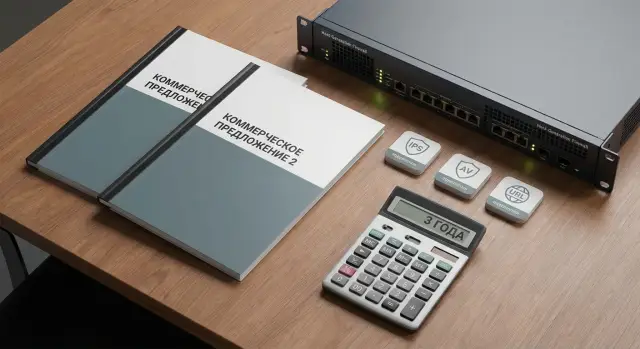
Why NGFW proposals are hard to compare
NGFW proposals often look similar: model, performance, price, delivery time. But real cost and protection level are almost always hidden in the details. That’s why comparing NGFW subscriptions is harder than simply choosing the cheapest option.
Why numbers in proposals are not comparable
Different vendors use different licensing logic. One includes some features in the base, another places them in separate packages. Sometimes subscriptions are sold “per device,” sometimes “per user,” “per core,” “per throughput,” “per branch,” or “per service bundle.” Two similar lines on paper can therefore mean different capabilities.
Important items are often buried in notes and footers. The price may exclude update renewals. IPS may only work with an active subscription. SSL inspection might require a separate license. And “support” might mean only ticket registration without SLA or on‑site service.
Comparing only the hardware price is risky. Device cost is only a part of NGFW expenses. If one quote has cheaper hardware but requires multiple subscriptions and extended support over 3 years, the final sum can easily be higher. There may also be hidden limits: performance drops with inspection enabled, VPN limits, policy or logging caps.
To make a fair comparison, agree with vendors in advance what you consider the same “protection set” and the same “service set.” It helps to ask a few standard questions up front:
- Which functions are included in the base license and which will stop working without renewal?
- What exactly does the security package include (IPS, antivirus, web filter, DNS, sandbox, etc.)?
- For what period and in what form is support provided (level, hours, SLA, updates)?
- Are VPN, SSL inspection, centralized management, or logging licensed separately?
- What performance figures are given for enabled security functions, not just the “ideal” ones?
A simple example: two quotes for a 200‑person office might match by model and price, but in one quote all updates and IPS are covered for 3 years, while in the other those lines only appear after follow‑up questions.
Typical components of an NGFW proposal: break it down
A proposal rarely boils down to a single device price. Usually it’s a set of line items. If you compare only final totals without breakdown, you may buy the wrong thing or miss second‑ and third‑year expenses.
1) Hardware and performance — under what conditions?
The first part lists the device model (or virtual form) and advertised performance. Make sure the numbers relate to your scenarios: with IPS, web filtering, antivirus and TLS decryption enabled, not “lab maximums.” Ask for expected throughput and concurrent sessions with key functions turned on.
2) Software entitlements, subscriptions and support — different cost buckets
Next come licenses. People often confuse basic usage rights (the “base license”) with NGFW security subscriptions. The base usually provides firewall and routing features, while advanced traffic inspection requires an active subscription.
For clarity, mentally split the quote into blocks:
- platform (device, modules, power supplies, rackmounts)
- software entitlements and functionality (what is included permanently and what is time‑limited)
- security subscriptions (which ones and for what period)
- support and updates (service level and terms)
- services (commissioning, migration, training, ongoing support)
Example: one quote may be “all inclusive for 1 year,” while another lists subscriptions separately. Initially the first looks cheaper, but renewals in years 2–3 add multiple services and the total changes.
Commissioning and services commonly appear as separate lines. Policy tuning, rule migration, branch on‑boarding, commissioning and documentation can cost more than expected — but these tasks determine how soon the system will actually protect the network instead of just “sitting in the rack.”
What typically stays in the base: functions without subscriptions
In most proposals the base license provides the device “skeleton”: traffic handling and rules, but not some advanced protections that depend on regular updates. So when comparing NGFW subscriptions, first fix what each vendor calls the base.
Usually available without subscriptions are routing and NAT, access rules (L3‑L4), network segmentation via zones and VLANs, basic objects (address groups, services), and standard HA scenarios if not tied to a separate license.
VPN is often like this: site‑to‑site IPsec is usually included in the base, while remote access VPN may have nuances. Tunnels themselves are often free, but surrounding items can be paid: a branded client, advanced authentication methods, concurrent connection limits or integration with an external identity system.
Management matters too. Local web console is almost always included, but a central controller for multiple devices (shared policies, templates, centralized updates) is often licensed separately or requires a higher support level.
Logs and reports in the base usually include event collection, search and basic reports. But long retention, advanced compliance reports, one‑click SIEM exports or application‑level analytics may be limited.
Check which base limitations appear without update services:
- no up‑to‑date IPS/IDS signatures, anti‑bot or malicious URL feeds
- web filtering and app control may function partially or without categories
- reduced threat detection and recognition capabilities
- no access to cloud reputation and domain/file checks
- support may be best‑effort only or exclude hardware replacement
Example: VPN between an office and two branches will come up out of the box and access rules will work. But without subscription renewals, after six months protection from new attacks will be merely formal and audit reports will be too simplistic.
Common subscriptions and how to verify them
In most proposals subscriptions look like optional “add‑ons,” but in practice they are different update sources and different usage conditions. A common mistake is comparing feature names instead of what you actually get for 1–3 years.
IPS/IDS is typically sold as access to signatures and updates. Check the term (12 or 36 months), whether updates are included in the price, and whether there is a split between “basic” and “advanced” signatures. Sometimes a feature is listed but without rights to current signature databases.
Antivirus and anti‑bot are not just checkboxes. Clarify which protocols are inspected (web, mail, file transfers) and whether traffic type limits apply. The proposal should state whether engine and database updates are included and how often they’re released.
URL filtering varies by category quality. Ask how many categories are available, update frequency, localization (for example, correct classification of local language sites) and how new domains are handled.
DNS protection and reputation databases are often tied to external sources. Verify what you pay for: IP/domain reputation access, update frequency, and what happens if the subscription lapses (is the feature disabled or frozen?).
Sandboxing can be cloud‑based or on‑prem. Cloud sandboxes are paid by term and limits (number of files or requests). On‑prem requires a separate appliance or VM plus support.
SSL inspection almost always raises licensing and performance questions. Ask whether a separate license is needed, whether there are limits on inspected sessions and how throughput changes when inspection is enabled.
How to verify subscriptions in a proposal
To compare NGFW subscriptions fairly, ask the same questions to each vendor:
- Which subscriptions are included and which are optional, and what is the term for each item?
- What exactly is updated (signatures, reputation, categories) and how often?
- Are there limits (requests, objects, users, traffic) and what happens when they’re exceeded?
- What stops working after subscription expiry?
- How do subscriptions affect hardware: do you need a higher model for SSL and IPS enabled?
Example: two quotes may both list “URL filtering,” but in one it’s only static categories with rare updates, while in the other it’s live reputation feeds. That materially changes protection and 3‑year cost.
Support and updates: what to look at besides price
It’s easy to focus on hardware price and feature lists, but real differences often lie in support and access to updates. Two proposals may look similar until you discover one includes 24/7 TAC and fast replacement while the other only offers basic business‑hour ticketing.
First clarify support level. Typical tiers are standard (5/8), extended, and 24/7. What matters is the detail: how are tickets accepted, is there a local‑language line, who provides support (vendor or partner), and what counts as an incident.
Check SLA terms. Proposals should specify response times (for example, 15 minutes or 4 hours) and target recovery times. If the SLA only covers response and not recovery, the risk is shifted to you.
RMA terms directly affect downtime. Clarify timelines: next business day, local stock availability or waiting for regional shipment. If the NGFW sits at your network edge, an extra 2–3 days can cost more than any equipment discount.
Update lines can be confusing: security patches, major firmware releases and signature databases might be quoted separately. For NGFW subscriptions this is critical. Without an active subscription you may keep basic filtering, but lose up‑to‑date signatures and part of your protection.
Ask vendors these questions before comparing:
- What exactly is included in updates: patches, firmware versions, signatures, URL reputation?
- Is there a separate fee for portal access, knowledge base or TAC?
- What are the SLA response and recovery times for critical incidents?
- What are the RMA terms and where will replacement units come from?
- Is support business hours or 24/7, and for which types of requests?
Example: for an office and two branches without an IT person on site, a slightly higher price that includes 24/7 support and quick RMA usually reduces downtime risk more than a hardware discount.
How to compare proposals correctly: a step‑by‑step approach
Comparing NGFW proposals typically breaks on details: different feature sets, licenses and assumptions about load. To be fair, first agree on a common baseline, then look at price.
Start with a short, concrete description of your scenarios. Not just “office + branches,” but how many users, what links, VPN needs, guest Wi‑Fi, critical services, share of encrypted traffic, and which functions must be on continuously (for example, IPS, web filter, antivirus, sandbox). This determines required subscriptions and how performance will change.
Then ask all vendors to provide proposals in the same structure. If suppliers send different formats, you’ll end up comparing presentation rather than TCO.
A practical workflow usually clarifies things in 1–2 iterations:
- Fix requirements and traffic profile: users, Mbps, VPN, TLS share, growth over 3 years.
- Normalize proposals into the same blocks: device, subscriptions, support, services (deployment, migration, training).
- Normalize licenses: what’s in base, what’s bought, for how many years, per device or per user, and any limits.
- Verify performance for enabled features (not just “max throughput”) and capture assumptions.
- Put everything in one table and mark disputed items: included, excluded or needs clarification.
Also agree how to count growth. For example: “+20% users and +30% traffic over 3 years” or “add one branch per year.” If one vendor counts only current numbers and another includes headroom, the cheaper option may simply have under‑estimated needs.
When your comparison table is ready, ask a control question: “If we enable all required features and include growth, will the solution still meet performance and budget constraints?” This quickly filters out options that are cheap only on paper.
How to calculate 3‑year cost: a simple TCO model
To compare proposals fairly, calculate the 3‑year cost of ownership rather than the box price. The idea: separate one‑time purchases from recurring fees and bring everything to the same horizon and currency. This matters when proposals contain subscriptions with different terms.
First collect the lines that must be in any estimate:
- One‑time: device(s), modules (if any), rack mounting, optics/patch cords (if included).
- Annual: security subscriptions, support (SLA), updates, license renewals.
- Services: implementation, rule migration, VPN setup, training, handover.
- Reliability: HA (second node), its licenses, support and subscriptions for both nodes.
- Commercial: currency, VAT, indexing/exchange rate and price validity terms.
Then use a simple formula:
TCO(3 years) = one‑time costs + (annual payments × 3) + services + optional items (HA, etc.).
Account for subscription durations. If one vendor offers a 1‑year subscription and another sells 3 years upfront, normalize to three years: add two renewals for the annual offer or divide the 3‑year price by 3 to compare on a per‑year basis. If monthly plans exist, multiply by 36 and note renewal pricing trends.
Check whether you’ll need to upgrade licenses later. Example: today you have 300 Mbps, but after a year an added branch pushes you to 600 Mbps. Include potential upgrade or device replacement costs in the estimate.
For HA, at minimum count the second node plus its subscriptions and support for 3 years. Sometimes the second node is cheaper, but subscriptions and support still apply to both, and differences disappear quickly.
Finally, request renewal terms (indexation rules or pricing principles) so a cheap initial quote doesn’t become the most expensive later. If you work with an integrator, ask them to separate the estimate into explicit lines — it’s easier to see what you pay for and where renewals will occur. In particular, GSE.kz as a systems integrator typically helps record assumptions and produce a single consolidated calculation.
Common traps and mistakes when choosing NGFW from proposals
The most common issue is comparing apples and oranges. One quote has NGFW subscriptions for 1 year, another for 3 years, and the table shows a single total. It may seem that the second offer is more expensive, while on the same term it could be better.
A second trap is the “base price” that excludes subscriptions required for your use case. For example, you need IPS, web filtering or malware inspection, but the quote lists only hardware and basic support. That’s honest on paper, but you’ll have to buy the missing packages and the budget will jump.
Performance is another story. Datasheet numbers are often for “clean” traffic without SSL inspection or IPS. In a real network you enable checks and throughput falls dramatically. If assumptions about “enabled features” are missing from the quote, you risk buying a device that hits its limit immediately.
Management and visibility licenses are another risk. Centralized management, extended logging, event storage or reports are sometimes sold separately. The proposal may show a nice feature set but not say where it runs or how it’s stored.
Check for limitations that later become critical:
- limits on concurrent VPN users or site‑to‑site tunnels
- caps on number of policies, objects or virtual contexts
- separate license or limits for SSL inspection
- contents of delivery: second power supply, SFP modules, rackmount kits
- subscription requirements for signature and database updates
Example: one quote is “cheaper” but lacks IPS subscriptions and a second PSU, and performance is listed without SSL. The other quote is pricier but includes required functions and rack kit. On a 3‑year, scenario‑based calculation the picture often flips.
Quick checklist before the final decision
Before signing, normalize all proposals to one logic. Otherwise you’ll compare different terms, feature sets and support levels and any price difference will be “painted” rather than real.
Verify and document these items (20–30 minutes of work that often saves weeks later):
- Terms and composition: all lines recalculated to the same period (usually 36 months), and separate display of hardware, subscriptions, support and renewals.
- Base vs subscriptions: clear what is available immediately and what requires a separate license (IPS/AV/Anti‑Bot, URL filtering, DNS protection, sandbox, mail protection, etc.).
- In‑field performance: confirmed throughput with IPS, antivirus and SSL/TLS inspection enabled. Ask what exactly was measured: single stream or realistic traffic, packet sizes and number of rules.
- Support and replacement: defined support level (8×5 or 24×7), response and RMA terms, spare on hand or local stock, inclusion of signature and firmware updates.
- Limits and growth: clarified license limits (users, nodes, tunnels, virtual contexts, clusters), assumptions on traffic growth and renewal pricing for years 2–3.
If an integrator collects proposals, ask them to present the calculation in one format and list assumptions. That makes final comparison much faster.
Example: comparing two proposals for an office and branches
Typical scenario: a head office and 5 branches, one device at each site. The head office has two internet links (primary and backup) and stable site‑to‑site VPN is required. Requirements: IPS, web filtering, SOC‑ready reporting (events are collected, stored and searchable).
Two quotes arrive.
Option A is cheaper upfront: hardware and base license cost less, subscriptions are offered yearly and some functions are separate. Option B is more expensive initially but includes NGFW subscriptions and support for 3 years.
To be fair, first fix the same feature set per site: site‑to‑site VPN, IPS, web filter, signature updates, centralized reporting, support. Then build a 3‑year cost table.
| Item (3 years) | Option A (cheaper start) | Option B (3‑year package) |
|---|---|---|
| Hardware (6 devices) | 6,600,000 | 7,200,000 |
| IPS + Web subscriptions (3 years) | 5,040,000 | included |
| Reporting/logging for SOC (3 years) | 1,260,000 | included |
| Support & updates (3 years) | 900,000 | included |
| Total TCO for 3 years | 13,800,000 | 7,200,000 |
Even with different numbers, the pattern repeats: “cheaper at start” often means buying a base and then repeatedly adding critical functions and support. Over 3 years the higher initial payment can be cheaper and simpler to operate.
Next steps: how to close comparison into a decision
When the price table is ready, lock down details and close gray areas. Otherwise you’ll be comparing not NGFWs but different feature sets and conditions.
Collect final questions and send the same request for clarification to all vendors. Ask them to answer item by item: what’s in the base, which subscriptions are included, for what term, what happens when subscriptions end, and any limits on users, VPN and logs.
Request performance calculations for your enabled features. “Gigabit in the box” is almost never equal to real speed with IPS, web filtering and TLS decryption active. Give every vendor the same profile: for example, 30% VPN traffic, IPS and SSL inspection enabled, logs forwarded to SIEM.
A pilot often saves more money than haggling over price. Test the pain points: VPN for staff and branches, SSL inspection for popular services, IPS tuning to avoid false positives. Example: if accounting can’t open the bank client because of TLS decryption, you need a clear process for exceptions and fast fixes.
Plan migration and rollout in advance. Agree how to migrate objects, NAT, policies, exceptions, certificates and routes. Define a maintenance window and rollback plan: what happens if a critical service “falls over” after cutover.
If you lack resources, involve a systems integrator. For example, GSE.kz can help prepare a unified questionnaire, request correct performance calculations, estimate 3‑year TCO and organize pilot and deployment in your infrastructure.
Frequently asked questions
Where should I start when comparing NGFW proposals to avoid mistakes?
Start by defining a single “protection package” and “service package,” then ask every vendor to price the same scope over the same period (usually 36 months). Without that, you end up comparing different feature sets, subscription terms and support levels instead of true total cost of ownership.
Why can two proposals with the same line items provide different levels of protection?
Because identical wording in proposals can hide different scopes and limitations. One vendor may include IPS or URL filtering in a package, while another sells them as separate subscriptions or makes them work only with active updates.
What typically comes in the NGFW base license without subscriptions?
By default, consider the “base” to cover the network skeleton: L3–L4 rules, NAT, segmentation, basic administration and often site‑to‑site VPN. Anything that requires continuous updates and analytics (IPS signatures, reputation, URL categories, cloud checks) is usually tied to subscriptions — and you must check these lines explicitly in the proposal.
How can I tell what will stop or degrade after a subscription ends?
Ask directly which features stop working after a subscription expires and which remain but are “frozen” without updates. This matters more than the statement “the feature exists,” because without up‑to‑date IPS signatures, URL reputation and anti‑bot data, protection quickly becomes purely formal.
What performance metrics should I demand so the numbers are honest?
Don’t rely on marketing throughput. Require performance figures with the actual features enabled: IPS, antivirus, web filter and especially SSL/TLS inspection. Ask for a calculation based on your traffic profile (share of encrypted traffic, VPN usage, number of sessions) and record these assumptions in writing or in the comparison table.
Why does SSL/TLS inspection often break comparisons for price and performance?
Because a lot of traffic is encrypted and decryption consumes resources and sometimes needs a separate license or session limits. Ask whether SSL inspection requires a separate license, whether there are limits on simultaneous inspected sessions, and what the throughput will be with your inspection policies enabled.
What should I check in support and SLA besides price?
Look for specifics: support hours (8×5 or 24×7), response times and target recovery times, and RMA/replace‑on‑failure conditions. If the NGFW protects your perimeter, the difference between next‑business‑day replacement from a local stock and waiting for a shipped unit can be far more important than a purchase discount.
Do I need to pay separately for centralized management of multiple NGFWs?
Check whether centralized management is included or sold separately, and what “management” actually means (templates, unified policies, centralized updates). If you have many devices, a separate controller license and its support can materially change the TCO.
What questions should I ask about logs, reporting and SIEM integration?
Basic logging is typically included, but long‑term storage, useful compliance reports, proper analytics and easy SIEM integration may require a separate license or product. Ask how many days of events are retained, what volumes are supported and what extending storage and reporting will cost over 3 years.
How can I quickly calculate 3‑year TCO for NGFW to compare offers?
Take one‑time costs (devices, modules, rack mounting), add recurring annual payments (subscriptions, support, updates), include implementation work (deployment, migration, training), and multiply recurring payments by 3. If you need high availability, add a second node plus its subscriptions and support for the same period — otherwise the total will be understated.
