6 min read
Network change automation: Ansible, Nornir and vendor controllers
Automating network changes reduces manual edits, provides audit trails and lowers errors. A practical comparison of Ansible, Nornir and vendor controllers.
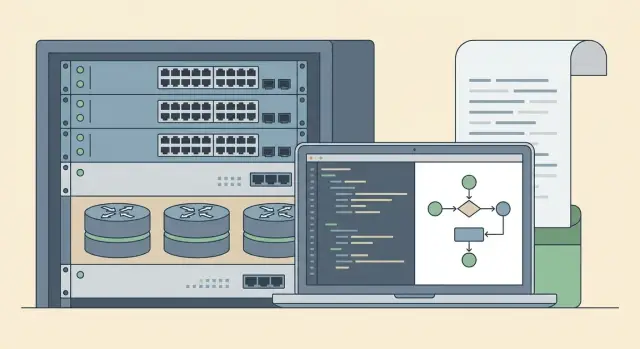
Why move away from manual network changes
Manual edits often start as a “quick fix one port” and end in downtime. Networks have chains of dependencies: one extra rule or a wrong VLAN can affect dozens of services, and issues usually surface after the change.
Most failures are in basic, routine things. A VLAN mistake can place devices in the wrong segment. A wrong ACL or NAT can block access to an application or unexpectedly open access to the outside. A route or policy-based routing can steer traffic the wrong way, and QoS can throttle a critical service because the class or bandwidth was mixed up.
The problem isn’t only errors but investigating them. When changes are made manually via console or web UI, answers to three questions quickly disappear: who changed it, what exactly was changed, and why. At best you have scattered chat threads and a few commands in terminal history. At worst — nothing except “it worked yesterday.”
For the business, four risks usually matter most: availability (even a 10–15 minute outage), security (a single wrong rule), timelines (everyone fears touching the network without a rollback), and cost (night work, emergency trips, SLA penalties).
Network change automation turns “manual magic” into a repeatable process: changes are applied consistently, validated before deployment, and leave a clear trail. For example, when adding a new VLAN for accounting you can check in advance that it’s created on the correct switches, ACLs match policy, and a rollback is prepared.
Goals to set for automation
Automation only helps when you clearly define what you want to improve. Otherwise you end up with a set of scripts known to one person and feared by the rest.
Good goals are simple and measurable: less time, fewer errors, more control. Start with common changes: add a VLAN, change an ACL, update a port description, connect a new site. If these tasks repeat weekly, automation should primarily shorten the request–execute–verify cycle. Measure a baseline: how long tasks take now and how many incidents follow manual edits.
Quick wins
Pick 3–5 goals you can verify: speed up routine changes (e.g., “VLAN on 20 switches in 15 minutes instead of 2 hours”), make actions repeatable (one template and process), get audit trails (who ran it, when, what commands applied, what changed), simplify rollback (a clear procedure), and reduce dependence on a single engineer.
What this looks like in practice
Imagine a hospital or bank network: you need a new VLAN for devices and must restrict access only to a few servers. The manual path often involves copying commands, risking a wrong interface, forgetting one switch, or not saving the config. Automation makes this a single run with checks: gather current state, apply changes from a template, compare the result and generate a report.
Agree metrics ahead of time: execution time, number of rollbacks, count of manual exceptions, share of devices managed uniformly. These metrics help expand automation as the network grows and new sites appear.
Ansible, Nornir and vendor controllers: what’s the difference
Three common approaches are used for network change automation. The tasks are similar, but logic and expectations differ.
Ansible is chosen when you need a clear, repeatable process. You describe the target configuration, use templates and variables, and run the same playbook against dozens of devices. It’s convenient for routine changes: enable NTP, update ACLs from a template, or apply the same settings to a group of switches.
Nornir is closer to programming. It’s a Python orchestrator that’s well suited for checks, complex logic and non-standard steps. For example: first collect facts and interface state, then decide where it’s safe to apply a change, and only then perform the changes. If pre- and post-checks, state comparison and conditional branches matter, Nornir is often more convenient.
Vendor controllers (SDN controllers for campus, Wi‑Fi or data centers) provide centralized policy and device management. You change the “intent” and the network pushes the implementation to devices and monitors compliance. This approach is valuable where many identical nodes exist and uniform policies are required.
Practically: Ansible usually handles mass template-based changes, Nornir handles checks and complex scenarios, and controllers manage policies and compliance within the vendor ecosystem.
Often a combination wins. For example, a controller sets policy, Nornir verifies actual state and collects reports, and Ansible applies things the controller does not or should not manage.
How to choose the right approach for your network
The choice should be driven by network structure and who performs changes, not trends. Start with inventory: which vendors and models you have, where they sit (DC, branches, perimeter), and which changes are most common. This shows where automation gives the most value and where risks are higher.
If control, repeatability and audit matter, configuration-as-code usually wins: parameters live in files, templates prevent copy/paste errors, and change history shows who did what. This suits routine tasks like adding VLANs, configuring access ports, updating NTP/DNS lists, and changing SNMP.
Another path is policy-driven: describe intent (e.g., “this segment is isolated”, “this access rule applies”) and let the controller implement details. There are fewer manual settings but more dependence on the platform and its data model.
Hybrid is common: the controller manages the DC fabric (EVPN/VXLAN, spines and leafs), while Ansible or Nornir manage the edge, legacy devices and special cases. This matters with mixed equipment when part of the network is controller-managed and part uses classic CLI.
Before choosing, define responsibilities: who approves and executes changes, where the single source of truth is for addresses, VLANs and port roles, which changes are allowed without a maintenance window, how rollback is performed and what counts as success (audit, speed, fewer incidents).
What to prepare before the first automated change
Prepare source data or you’ll quickly automate wrong changes.
Start with inventory: an up-to-date list of devices — type, role (core, aggregation, access, firewall), site, owner, contact for approvals and maintenance window. Forgotten switches or a neglected branch are common sources of surprises.
You also need a single source of truth for parameters used by scenarios: IP plans, VLANs, interface addresses, VRFs, ACLs, and service names. This can be a spreadsheet, CMDB or a simple database. The key is a single, verifiable source, not “each engineer’s version.”
Consistent naming and tags help a lot. If a device has different names in monitoring, documentation and inventory, errors are almost inevitable. Agree on naming rules and embed them in templates.
Access control is another topic. Provide separate accounts and roles: a read-only account for facts and auditing, and a change account with logged actions. Start safely with read-only to verify inventory and commands.
Minimal prep checklist: current inventory, unified IP/VLAN data, naming rules and tags, separate access roles, baseline configuration standards and a definition of “normal.”
Example: adding a VLAN and opening server access. Without a unified IP plan and naming standards, automation might pick an already-used VLAN ID or apply a rule to the wrong segment. Fix the data and norms first so the change is predictable and deviations show up immediately.
Step-by-step process to roll out change automation
Start small and repeatable. A common mistake is trying to automate everything at once. Pick one clear change type, such as adding a VLAN on a group of switches in one office. This yields quick impact with lower risk.
Steps:
- Capture the initial state: collect device parameters and back up configurations.
- Describe the desired state: which VLANs, where, names, access policies and exceptions.
- Convert the description into templates and variables so the scenario works for 5 and for 50 devices without manual edits.
- Run a pilot: test lab or a small group of real devices with minimal impact.
- Expand gradually: one floor or rack first, then the whole site.
After changes, don’t stop at “no errors.” Run consistent checks: what changed, where are discrepancies, which devices didn’t apply the config and why.
Audit and traceability: how to record changes
Manual changes often lose key info: who and why changed something, what exactly changed and how to revert. Automation solves this with disciplined artifacts and a single storage place.
Artifacts to keep
Consider the result not only as device config but as a set of documents and logs you can inspect later. Usually five items are enough: the change request (reason, risk, window, expected effect), the execution plan (steps, checks, success and rollback criteria), run outputs and logs, the list of affected devices (with roles and software versions), and final status with next steps.
Keep before-and-after snapshots: running-config or relevant sections, interface states, routing tables and ACLs. A before/after comparison should be part of the report, not a visual eyeballing.
Versions, environments and reproducibility
Store playbooks, templates and variables in version control. You can then see what changed in code, who approved it and which version to roll back to. Separate logic (repo) and data (managed files with clear names and revisions).
Make inputs and checks consistent so runs are repeatable. For example, if a scenario adds a VLAN and access rules, pre-check that the VLAN doesn’t already exist and post-check that it appears on the right ports and ACLs are applied to the correct interfaces.
Use environments: syntax tests, pilots on a small device group, then production.
Common mistakes and pitfalls
The top failure cause is starting automation without a clear network picture. If the inventory is stale, some devices are unaccounted for, and site roles live in one person’s head, automation becomes a lottery.
Second pitfall — applying configs without checks. Automation speeds work but also propagates errors faster. Example: adding a subnet for a branch without checking overlaps with existing plans or VLAN duplication.
Mixing manual edits and automation without priority rules is dangerous. If some people edit devices directly while others run playbooks, the configuration drifts: one day this state, the next another.
Lack of rollback and maintenance windows is risky. A template can fail due to unreachable devices, site quirks or firmware behavior. Without backups, rollback plan and a limited window, you risk extended outages.
Universal templates rarely work across vendors and OS versions. The same command can have different names or parameters on different devices.
Before running check your baseline: is inventory up to date, is the source of truth accurate, are pre-checks in place (address plan, subnet overlaps, used VLANs, required interfaces present), are backup and test runs ready, and are templates separated by vendor/model/OS version?
Quick pre-run checklist
Take 5 minutes before any run and verify basics. Ensure the device list is current and roles (core, distribution, access, edge, special segments) are clear.
Check organizational aspects: one owner for the change responsible for results, and a clear approval flow. If approvals are scattered across chats, it’s hard to prove who agreed to what.
Minimum safeguards: a fresh config backup (and where it’s stored), a rollback plan with estimated time, before-and-after checks (3–5 commands or tests), and a change log.
Also plan service-level checks: record adjacency, routing tables and interface error counters before the change; repeat the same commands after and add an application-level test (service availability or traffic in the VLAN).
And most importantly: don’t start with the entire network. Run the change on a pilot group first: 1–2 access switches or one representative branch.
Practical example: adding a VLAN and access rules without chaos
A new department needs a separate segment. You must add a VLAN on access switches, extend it to distribution, enable it on trunk ports, and apply ACLs at the segment boundary so the department reaches only required servers.
Manual runs often repeat mistakes: failing to check if a VLAN ID is already used, not updating a trunk, reversing ACL direction, or applying a rule to the wrong interface. Minor omissions are then hard to find: consistent VLAN number and description, full device and port lists, checking allowed VLANs on trunks, agreed ACL templates and rule order, and a record of who changed what and when.
With Ansible the process is calmer: create a VLAN template (ID, name, description) and an ACL template, then run a playbook against the access and distribution groups. First run a check to see what lines will be added and where there are discrepancies, then apply the change so everyone ends up consistent.
Nornir is great for parallel checks. It quickly collects facts across many devices: does the VLAN already exist, which trunks are active, is the interface in the correct state. Then it makes changes only where needed and immediately rechecks that the VLAN and ACL are in place.
The important result isn’t just “it works” but how it’s proven. You get a report: devices changed, commands applied, before and after state. If a problem appears, rollback is faster: restore the previous template or apply the inverse action on the affected group.
Next steps: rollout plan and how to lock in results
Start automation with a short, repeatable pilot. Over the next two weeks pick 1–2 scenarios where manual errors are common and results are easy to verify: for example, adding VLANs on access switches and updating ACLs on edge devices, or mass-changing NTP and SNMP parameters.
A practical pilot plan: document the scenario as a checklist (inputs, steps, verification, rollback), prepare inventory and access (separate accounts with minimal rights), configure storage for configs and change logs, run changes on a test group then prod, and enforce that every change follows the same process.
Agree metrics up front: time for a typical change (request to completion), incidents after changes, percent of rollbacks with reasons, and share of changes done via the standard process.
Assign roles early: network engineers for templates and checks, security for access rules and logging, operations for scheduling and windows, and service owners for success criteria (acceptable downtime).
For large infrastructure projects, involve a systems integrator to build a unified change-management and audit process across sites. For example, GSE.kz (gse.kz) can act as vendor and integrator to assemble orchestration-ready infrastructure, integration and ongoing 24/7 support.
Frequently asked questions
When does it make sense to start automating network changes?
Automate when recurring changes happen weekly and sometimes cause incidents or long investigations. If adding VLANs, editing ACLs, configuring ports and updating standard settings regularly take hours and rely on individual memory, they’re good candidates for automation.
What’s the best way to start so you don’t break the network on the first run?
Start with one small, easy-to-verify scenario: for example, adding a VLAN on a group of access switches or updating NTP/SNMP to the standard. The scenario should have clear inputs and a simple verification so the pilot builds confidence with minimal risk.
What should be prepared before the first automated change?
At minimum — an up-to-date device inventory and a single source for parameters the scenarios will use: VLAN IDs, IP plans, port roles, VRFs and baseline policies. If the source of truth differs between people and files, automation will quickly reproduce incorrect settings.
Which to choose: Ansible or Nornir for network tasks?
Ansible is convenient for repeatable, mass changes using templates when you want identical results across many devices. Nornir is stronger where complex checks, conditional logic and flexible Python-based flows are needed, especially when you must gather state first and then decide what to change.
When is a vendor controller better than scripts and playbooks?
A vendor controller typically manages policies and compliance inside that vendor’s ecosystem and works well where there are many similar nodes. Its downside is being tied to the platform’s data model and limited for non-standard devices; controllers are often complemented by Ansible/Nornir for the edge, legacy gear and special cases.
How do you ensure changes have audit and traceability?
Consider a change successful not just when commands applied, but when you have the full trace: who ran it, which devices were affected, what was before and after, and why the change was made. Save run logs and before/after comparisons so you can reconstruct the picture later without guesswork.
How to organize rollback for automated changes?
Rollback must be part of the process before you start: a fresh backup, a clear return step and criteria for when to roll back. In practice, workflows that run pre-checks, then apply changes and immediately run post-checks work best: if checks fail, revert to the known previous state using the prepared path.
Can manual edits and automation coexist?
Mixed mode is acceptable only with a clear priority rule: either all changes go through automation, or manual edits are recorded and then merged back into templates and data. Without that, configurations diverge and the next automation run may unexpectedly overwrite manual exceptions.
How to automate a multi-vendor network with different OS versions?
Version templates and commands and separate them by vendor, model and OS version, even if changes look similar. Run fact collection and compatibility checks before applying because the same command can differ in name or behavior across platforms.
How to measure automation benefits and when to bring an integrator?
Set measurable metrics: time to complete a typical change, number of incidents after changes, share of devices managed uniformly and count of rollbacks with reasons. If you need a process across multiple sites and 24/7 support, it makes sense to involve a systems integrator — for example, GSE.kz — to formalize standards, audit and ongoing operations.
