8 min read
NetApp AFF A-Series for Databases and VDI: How to Choose
NetApp AFF A-Series for databases and VDI: how to choose controllers and drives, what to ask about deduplication and compression, and how to run a pilot without downtime.
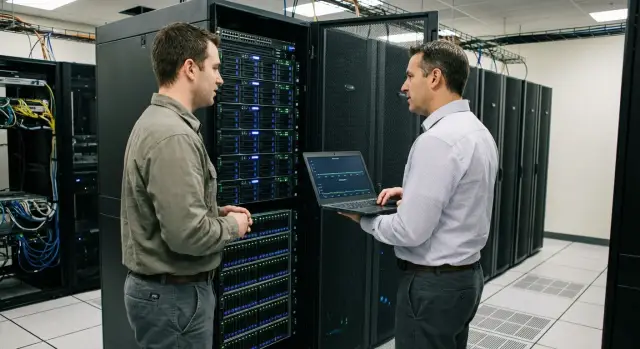
Where to start: databases and VDI need different approaches
If you are considering NetApp AFF A-Series for databases and VDI, start simple: these workloads "hurt" in different ways, and the same IOPS number does not always tell the real story.
Databases usually care about latency and its variance. Average IOPS can look fine, but if response time alternates between 1 ms and 20 ms, both users and applications will notice. Typical symptoms: slow transactions during peaks, increased query times, disk queues, missed backup or maintenance windows.
VDI often hits short "storms." A boot storm happens when many virtual desktops start simultaneously (typically in the morning). A login storm occurs when many users sign in at about the same time and the system reads profiles, policies and caches en masse. In normal hours VDI may be calm, but during peaks it rapidly needs more resources and is very sensitive to latency.
A practical rule:
- For databases, stable latency matters more than "maximum IOPS on paper."
- For VDI, behaviour during short peaks and how quickly the system recovers to normal is most important.
Before discussing controllers and drives, agree on what success looks like. Usually 3–5 metrics are fixed: SLA for latency (specify where it is measured — on the host, in the OS or in the application), VDI login time and desktop readiness, VDI density per host (how many desktops per server without complaints), actual RTO/RPO and backup window, and behaviour during peak times (for example at 9:00 and at month-end).
Next, be honest about constraints. Often they have more impact on configuration than expected:
- rack space, power and cooling
- existing SAN/LAN and what can realistically be changed during the project
- budget, procurement timelines and local support requirements
- encryption, network segmentation and backup policies
Example: you have one critical DB with regular write peaks and VDI for 300 users. For the DB you set the goal "latency no higher than X ms during peak," for VDI — "login no longer than Y seconds in the morning." With such goals it's easier to argue about verifiable pilot results, not brochure numbers.
What data to collect before choosing a configuration
Collect facts about the workload before discussing controllers and drives. Otherwise the choice will be "by feeling," and for AFF that often leads to overpaying or unexpected latency under a peak.
Capture real storage metrics for a typical working period (preferably 7–14 days) and separately for the "bad hours" (end-of-day closing, morning logins, backups). Look not only at averages but at tails.
Metrics you cannot skip
Minimum set:
- latency p95/p99 (separate for reads and writes) and maxima during peaks
- IOPS and throughput (MB/s) for the same periods
- size of the working set: how much data is actually "hot" during the day
- queues and queue depth on hosts to understand whether the limit is storage, network or servers
Workload profile: blocks and I/O nature
Record:
- block sizes (4K/8K/16K and larger) and the share of each
- read/write ratio by hour (for VDI writes often spike at login)
- random vs sequential I/O and what makes it sequential (backup, ETL, reports)
Also estimate growth for 12–36 months. Forecast databases and VDI separately: DBs typically grow in data and logs, VDI in user count and profile sizes.
Describe the environment: hypervisor, OS version, VDI type (persistent/non-persistent), profile type (local, roaming, containers), database type and critical operations (OLTP, reporting, batch). Saying "10:00–11:00 mass login of 800 VDI users + end-of-day DB closing" is far more useful than "load is high."
Also state availability requirements: target RPO/RTO, allowable maintenance windows, and whether there are any "quiet" windows. These answers immediately constrain architecture and how to run a pilot without risking production.
How to choose AFF A-Series controllers for your load
The main risk is selecting controllers that handle average load but fall short at peaks. So start with latency and concurrency: how many simultaneous I/O streams at peak, what portion are small operations, how often spikes occur (morning VDI logins, nightly DB jobs), and how fast load grows.
HA pair: what to check in advance
AFF is typically deployed in an HA pair to survive a controller failure without downtime. In practice "no downtime" depends on details. Before picking a model and configuration check:
- which applications are sensitive to short pauses (especially VDI and transactional DBs)
- how host path failover will behave (MPIO, timeouts)
- whether there is spare performance on a single controller during an outage or maintenance
- how updates and planned operations are handled
If in degraded mode a single controller already pushes latency near limits, the design is "tight."
Ports and connectivity: avoid network bottlenecks
A common mistake is sizing a system by IOPS and then running into port and uplink limits. Databases often use FC or iSCSI; VDI commonly uses NFS/SMB (depending on the virtualization platform and chosen architecture). The idea is simple: have enough ports and bandwidth so you are not operating at 60–70% utilization in year one.
Quickly verify before procurement: how many hosts and what port speeds they have, how many paths you can actually route (for redundancy and load balancing), whether there are separate networks or fabrics for storage traffic, and how much uplink headroom you leave for growth and noisy periods.
Cache and memory help when the workload is repetitive and fits the cache (frequently read blocks). But if the network is narrow or host parameters are wrong, cache won't save you. Evaluate the controller together with network and host tuning plans.
Also clarify which licenses and features will be included in the pilot and production. If the pilot used a basic setup and production adds protocols, encryption or extra services, controller requirements may change significantly.
How to choose drives and shelves: capacity, buffer and fault tolerance
In all-flash systems you can fall into the trap of buying "more TBs" expecting low latency. In reality, milliseconds under load are more often limited by drive parallelism and write distribution than by total capacity.
Capacity vs performance
A large SSD alone does not make the system faster. Databases need stable write latency; VDI needs to handle morning spikes and storms during updates. Often a configuration with many smaller drives performs more evenly than one with a few very large SSDs.
Set priorities in advance: maximum usable capacity or performance headroom for peaks. This determines how many drives and shelves you need initially.
Headroom: growth, snapshots and rebuild
Free space is needed not only for future data but also for system tasks: snapshots, temporary write spikes, and rebuild operations after a drive failure. If the array is constantly nearly full, predictability suffers.
Before buying, fix expected growth for 12–18 months, how much space snapshots and test copies will consume, reserve for rebuilds and peaks, and decide whether DB and VDI will share pools or use separate ones.
RAID in simple terms: risk and usable capacity
RAID lets you survive a drive failure without downtime. More protection reduces risk but also reduces usable capacity.
Simply put: double protection tolerates two drive failures, triple — three. Triple protection is safer for large drive groups but consumes more usable capacity. The choice depends on service criticality and how painful even rare failures would be.
Expansion plan: avoid reworking production
A shelf is not only capacity but additional drives — i.e., parallelism. Plan expansions so they are straightforward: rack space, power, cooling, free ports and an obvious step size.
If you work through an integrator, ask for a "today and in one year" plan: which shelves will be added, how data protection will change and how much usable capacity will remain after reserves. This prevents the situation where expansion is theoretically possible but requires stopping or reworking half the system.
Deduplication and compression: questions to ask and checks to run
Deduplication and compression on all-flash often give good savings, but only if you understand what data will reside on the array and how it changes. VDI usually has many identical blocks (OS images, similar profiles). For databases the picture depends on data type, encryption, and how backups and logs are handled.
Ask for a forecast tied to your data and the conditions under which it is achievable. A good estimate is always concrete: how many identical VDI images, which DBMS, whether TDE or other encryption is enabled, block sizes, and how logs and temp tables are stored.
Questions to ask
Formulate questions so answers include numbers, assumptions and applicability:
- expected data reduction separately for VDI and DB data (data, logs, backups), and under what conditions
- whether deduplication works within a volume or across volumes, and what that means for VDI pools and clones
- whether compression is inline or post-write, and whether any scenarios noticeably affect latency
- how savings change with DB- or application-level encryption enabled
- what capacity and performance margin to plan if the real reduction is half the forecast
Distinguish system-wide ratios from reality on working sets. VDI can yield 4:1 or higher, while encrypted DBs or already-compressed backups may be close to 1:1.
How to check performance impact
Savings must not degrade responsiveness. In the pilot agree upfront which reports and charts you will receive and what is considered acceptable: p95/p99 read and write latencies (not just averages), IOPS and throughput during peaks, controller CPU utilization and signs of CPU saturation when efficiency features are enabled, share of random writes and impact on write latency.
Don't count on big savings where data compresses poorly: encrypted data, already compressed backups or highly unique media. In such cases plan capacity and performance conservatively and treat dedupe/compression as a pilot-proven bonus.
Connectivity and network: where performance is most often lost
Even a well-sized system can underperform if the network and connectivity are "just put together." In a pilot this becomes evident quickly: latency jumps, IOPS don't scale, and the cause is often not the storage.
FC, iSCSI or NFS/SMB: choose by skills and risk points
The most reliable choice is usually what the team already supports in production.
- FC is often selected for critical DBs when predictable latency and SAN switches/zoning experience exist.
- iSCSI is easier to extend on Ethernet but sensitive to configuration quality (MTU, queues, uplink congestion).
- NFS/SMB fits VDI and virtualization when managing datastores at file level is preferable.
If the infrastructure is mixed, do not try to "average" requirements. For DBs prioritize stable latency and correct multipathing; for VDI focus on wide bandwidth and avoiding hypervisor-side bottlenecks.
Resilience and multipath: minimum for an honest pilot
Plan a "2 switches, 2 paths" scheme and verify multipath works on hosts. A typical problem is one path being active and the other idle, so you test only half the available bandwidth without realizing it.
Common pilot killers:
- mismatched MTU (jumbo enabled only on some nodes)
- overloaded uplink or shared trunk where VDI, backups and production contend
- incorrect FC zoning or chaotic IP addressing and ACLs
- too-small queues and limits on hosts or HBA/NIC that increase latency
- one "weak" switch port becoming the bottleneck
Separate traffic: production DB and VDI should be isolated from replication and backup at least by VLAN/VRF and uplink groups. Otherwise tests will look fine until real nightly replication causes latency spikes.
Before starting, do a quick network check to ensure the network won't spoil the pilot: throughput tests between hosts and target ports (both directions), baseline latency and variance under light load, verification that both paths are active and used, and port error checks (drops, CRCs, micro-losses).
Example from pilots: VDI was tested over NFS but the same uplink carried nightly backups. During quiet hours everything was fine, but under realistic load users experienced stalls. The lesson is not about storage but about traffic separation and port discipline.
Pilot without stopping production: a step-by-step plan
Run pilots so they don't depend on luck or require late-night heroics. The logic is simple: test realistic scenarios in an isolated contour, measure with the same metrics, and keep a clear rollback plan.
Pilot goal and safe connection
First, agree what you want to prove. For DBs this is usually stable write latency and predictability under peaks. For VDI — behaviour during morning logins and speed for mass image operations.
Then choose a safe connection method: separate test volumes and LUNs (or a separate pool) and restricted access (separate host groups, initiators, zoning and masking). This prevents a test from touching production LUNs or competing for resources at the wrong time.
Data transfer, measurements and rollback
Transfer data so the test is realistic but doesn't require stopping production. For DBs this is typically a restored copy from backup or replication to a test instance with a short final sync before load tests. For VDI, take a reference image, clone it and bring up a small test pool with the same profile and antivirus policies. Coordinate with security for access, logging and masking or anonymizing data.
To compare results, measure "before" and "after" in the same time windows and under similar load. Usually enough metrics are:
- p95/p99 read and write latencies (on host and storage)
- IOPS and throughput
- queue depth and CPU utilization on hosts
- VDI login time and application launch time
- time for image operations (refresh, recompose, updates)
Have a recorded rollback plan. Define who can stop the test and what counts as degradation: p95 write latency for DBs exceeding a threshold, VDI login time growth, I/O errors, or violating maintenance windows.
If final verification requires a brief switchover, schedule a short window: freeze changes, final sync, switch, validate apps and monitoring, then revert following documented steps.
Example pilot: one database and a small VDI pool
A common scenario: an existing SAN, a DB that generally works but occasionally experiences latency spikes (during backups or heavy reports). Simultaneously VDI slows down in the morning: long logins and app pauses, load rises due to boot storms.
To get a clear answer, don't try to move everything. Choose 1–2 critical but portable services and a manageable VDI pool. For example: one DB (a copy or secondary instance where you can replay load) and a VDI pool of 30–80 users with the same role so the scenario is comparable.
Define pilot boundaries up front: which LUNs/volumes move, which hosts connect, allowable switch windows and how to roll back. Production stays on the old SAN and you test copies or a segment that can be returned without lengthy downtime.
Run a short set of checks reflecting real peaks, not just synthetic numbers: morning VDI login, mass launch of 2–3 main apps, DB backup (or its simulation) concurrent with normal work, heavy DB queries (reports, sorts, batch jobs), and a small write stress (logs, temp, updates).
Compare tails, not averages:
- latency percentiles (p95/p99) for reads and writes
- VDI login time and key app startup time
- stability: how quickly the system returns to normal after a peak
- network: port saturation, MTU, queues and errors
Typically conclusions fall into two categories. One: storage handles peaks but problems remain — then network, multipath, host tuning or VDI profile are likely at fault. Two: tail latencies are still high — then you decide concretely whether to change controller model, add more SSDs, change shelf step or separate DB and VDI workloads.
Common mistakes when selecting and piloting AFF for DB and VDI
Disappointment with all-flash pilots usually comes from wrong expectations and measurements. For DB and VDI this is especially visible: their I/O profiles differ and users notice rare delays rather than averages.
Common errors:
- focusing on average IOPS and latency while ignoring peaks and p95/p99
- treating deduplication and compression as guaranteed savings (often true for VDI, but DB gains can be small and affected by encryption or app-level compression)
- loading too many tasks into the pilot and then not knowing which change produced the effect
- not reserving capacity for snapshots and growth: pilots run on small datasets, but production fills space quickly
- leaving network and hosts "as is" and blaming storage: wrong MTU, overloaded ports, outdated drivers, multipath errors and incorrect queue settings can cause high latency even on a fast array
Small example: a pilot with one DB and VDI for 50–100 users shows good averages, but at 9:05 p95 latency spikes and VDI slows. Often the cause is not disks but a network or hypervisor bottleneck: insufficient bandwidth, wrong queue settings, or traffic concentrated on a single path.
To avoid such issues, predefine which metrics you compare (including p95/p99), which data you use to verify efficiency, how much space you reserve for snapshots, and what network and host settings you change. If an integrator runs the pilot, ask for a short protocol: what was measured, what was changed and the observed effect.
Short checklist and next steps
To make a decision without endless arguments, use two short checklists: one before procurement and one before the pilot.
Before procurement ensure you have input data that really affects controllers, drives and network: workload profile (IOPS, average and p95 latency, throughput, block sizes, read/write share, peaks), growth (volume and rate, working set), availability requirements (RPO/RTO, maintenance windows, acceptable degradation on failure), connectivity (protocols, hosts and port counts, MTU, uplinks), and an expansion plan for 12–24 months.
Prepare the pilot so it is representative and safe: test isolation (separate VLAN or zone, separate LUNs/volumes), realistic data transfer (replica, restore from backup, representative tables not just the "easy" ones), success criteria (DB — write latency and tail stability; VDI — login time, profile opening and no degradation in morning peak), a clear rollback plan, and separate verification of actual dedupe/compression savings and their impact on latency.
A handy format for vendor or integrator is a one-page file with 10–15 numbers: IOPS/latency/throughput, capacity, growth, protocols, number of hosts, RPO/RTO, pilot target metrics. This speeds up sizing and reduces the risk of misconfiguration.
Decide after the pilot by "sufficient improvement": for DBs this means predictable latency in peaks and spare CPU/port headroom on controllers; for VDI — stable operation during mass logins and a clear capacity per desktop.
Next steps typically include design (network diagram, protocols, resilience), a pilot environment, phased migration and commissioning, then regular checks and support. If you need a partner, GSE.kz can act as a system integrator: covering not only storage but server infrastructure for VDI and DBs, and providing 24/7 support after launch.
Frequently asked questions
Where to start when choosing NetApp AFF A-Series for databases and VDI?
Start by fixing success criteria: for databases — predictable write latency under peaks; for VDI — login time and desktop readiness in the morning. Then collect real metrics for 7–14 days and separately during the “bad hours” so you rely on facts rather than brochure IOPS.
Why is latency more important than “maximum IOPS” for databases?
For databases, stability of response — especially on writes — matters more than average IOPS. Look at p95/p99 latencies and peak values: rare spikes of 10–20 ms are the ones that break transactions, reports and maintenance windows.
What matters most for VDI when choosing AFF A-Series?
VDI often behaves smoothly most of the time but causes short bursts that heavily load storage (massive boots and logins). Success is not record IOPS but surviving the morning spike without long logins and returning quickly to normal latency levels.
Which metrics should be collected before choosing controllers and drives?
At minimum — p95/p99 read and write latencies, IOPS and throughput for the same periods, the size of the hot working set, and queue depths on hosts. These help determine whether the limit is storage, network or host settings and avoid overpaying for unnecessary capacity.
How to know if the chosen AFF A-Series controllers will handle peaks?
Size the controller for peak parallelism and I/O profile, not average load. Understand how many concurrent I/O streams will occur at peaks, the share of small operations, and how often spikes happen. Otherwise a system can sustain the average but fail during critical minutes.
What should be checked in an HA pair to avoid surprises on failure?
Verify that a single controller can sustain the load during a failure or maintenance and test how host path failover behaves (MPIO, timeouts). If latency in degraded mode is already near unacceptable levels, the configuration is too tight and risk of complaints is high.
How to choose FC, iSCSI or NFS/SMB and avoid losing performance on the network?
Choose the protocol and topology that your team can operate reliably: - FC is often used for critical DBs where predictable latency and SAN experience exist. - iSCSI is easier to extend on Ethernet but sensitive to MTU, queues and uplink congestion. - NFS/SMB is common for VDI and virtualization when file-level datastores are preferred. Most important — ensure you have enough ports and uplink capacity and that multipath is correctly configured; otherwise the bottleneck will be the network, not the storage.
How to choose drives and shelves: is capacity or performance more important?
In all-flash, performance often comes from parallelism across drives, not individual terabyte sizes. Databases need consistent write latency; VDI needs to absorb morning spikes. Often more smaller SSDs give steadier performance than a few very large drives.
How to realistically estimate deduplication and compression for DBs and VDI?
Expect higher data-reduction on VDI where many identical blocks exist, and modest or no gain for databases — especially with encryption or already-compressed backups. On the pilot, measure reduction separately for VDI and database data and monitor p95/p99 latencies to ensure savings do not degrade responsiveness.
How to run an AFF A-Series pilot without stopping production and with a clear rollback?
Create an isolated test contour with separate LUNs/volumes and controlled access so the test cannot affect production. Move realistic copies of data (restore DB from backup or replicate; create a test VDI pool from a reference image). Measure before/after in identical windows and predefine stop thresholds and rollback steps.
