7 min read
Modular ERP Implementation for Small Businesses: Accounting and Warehouse
Modular ERP implementation for small businesses: sequence accounting-warehouse-sales-finance, readiness criteria for each stage, timelines, roles and common mistakes.
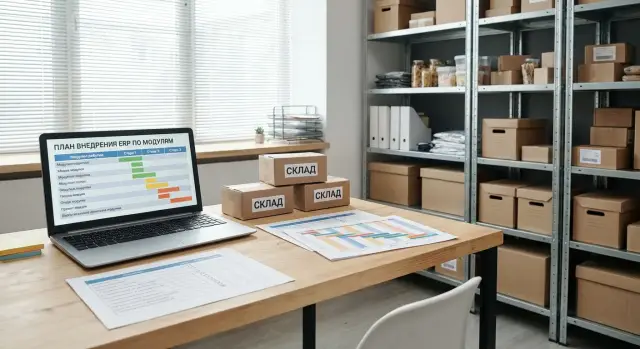
Why implement ERP in modules and what it delivers
Small businesses more often stumble not over the choice of system, but over trying to implement everything at once. When accounting, warehouse, sales and finance are launched as one big project, data errors and inconsistent rules multiply, and the team gets tired before results appear. Phased implementation reduces risk: you change processes one at a time and clearly see what has improved.
This approach brings order: unified directories appear, roles become clear, document discipline improves, and there are fewer manual spreadsheets and “agreements in chat.” But ERP won't fix chaos by itself. You need a process owner, pricing and discount rules, and a team ready to work consistently.
Most often it makes sense to start with accounting. Accounting operations are usually familiar: primary documents, counterparties, items, and period closing. This is the base on which the warehouse and sales later "sit." If you start with warehouse or sales, you'll quickly run into disputed stock balances, different product names and uncoordinated prices.
Success is measurable goals, not the feeling that things have become "more modern." For example:
- closing the month in 3–5 days instead of 10–15
- 95–98% of documents processed in the system with no duplicates
- discrepancies in stock for top items not exceeding 1–2%
- a margin report available the next day, not "by week’s end"
After each module record a concrete result. After accounting — clean directories and stable period closing. After warehouse — manageable stock levels and clear costing. After sales — unified prices, order statuses and fewer shipping errors. After finance — control of cash, a payment calendar and regular management reports.
Preparation: people, data and project boundaries
Phased projects more often fail not because of settings, but because of preparation. If you agree in advance on roles, data rules and the boundaries of the first cycle, the stages "accounting-warehouse-sales-finance" will proceed smoother and without constant rework.
Start with a minimal participant list and make responsibility explicit. In a small business one person can combine roles, but there still must be a single accountable person.
- Owner (priorities and rules)
- Accountant (records, taxes, period close)
- Warehouse manager (stock, receiving, shipping)
- Head of sales or sales manager (orders, prices, discounts)
- Project manager (timelines, task control, acceptance)
Next, map current processes: how products and prices are created, how stock is written off, how sales are processed, where payments are recorded, and how cash and stock are reconciled. It's useful to document 5–7 typical scenarios: “10 units received”, “customer return”, “partial payment”, “transfer between locations”.
Prepare directories separately. Minimum: items, counterparties, price list and pricing rules, accounts, cash desks, banks. Set simple data rules: units of measure (pcs, kg, m), VAT (rates and how prices are handled), currencies, a single format for SKUs and names. If the same product is called different names in the company, the system will keep creating duplicate items.
Define the boundaries of the first cycle in advance. Honestly choose what you will not do now: complex bonus schemes, integrations with every marketplace, detailed manufacturing, "custom reports like before." It's better to close the basic loop and lock data discipline. If an integrator leads the implementation, formalize the boundaries in writing so timelines and budget don't spread.
Stage 1 - Accounting: what to implement and readiness criteria
Accounting almost always should be first. It sets the rules by which warehouse, sales and cash should later reconcile. Here it’s important to agree not on every system capability, but on daily operations.
What to implement in accounting at the start
Start with a basic contour that covers common movements and gives clear costing:
- receipts (goods, materials, fixed assets, services)
- write-offs (consumption, spoilage, internal use)
- purchase and sale of services, if you provide delivery, installation or service
- cost calculation rule (for example, weighted average) and where it is recorded
To prevent scope creep, decide in advance what you will not do now: complex allocation of overheads, detailed production accounting, rare exceptions "for a single case."
Readiness criteria: when to move to warehouse
The main sign of readiness is unified rules for recording operations. There should be no situation where the same document is recorded differently by different people.
A simple test: for 1–2 weeks the team gets the same result for the same operations without manual edits.
- chart of accounts and analytics approved (counterparties, items, projects, warehouses if needed)
- rules described for key documents: receipt, sale, write-off, services
- roles and month-close deadlines assigned: who collects primary docs, who checks, who closes the period
- minimal reports available: turnover-and-balance report (trial balance), receivables and payables, basic profitability by business line
- duration of parallel accounting understood: usually 1 full month, max 2
If month close goes according to plan and reports are stable, the warehouse module can be connected without surprises: accounting already defines rules and the warehouse starts to feed it with accurate movements.
Stage 2 - Warehouse: steps and signs you can move on
A single wrong warehouse movement quickly turns into “the system shows it’s in stock, but the shelf is empty.” That’s why the second step after accounting is to bring the warehouse to a clear model and consistent operating rules.
First choose a storage model. If there is one warehouse and items are stored “as convenient,” start without address-based storage: use zones (receiving, main, scrap) and simple rules. If you have multiple warehouses or many similar SKUs, address storage (aisle-rack-slot) reduces confusion but requires discipline and labeling.
Then fix movement rules so any employee does the same thing: receiving by document and with inspection, transfers only after processing (no “I’ll enter it later”), a separate flow for returns, separate holding for damaged goods with a reason for write-off, and clear reserve rules for orders.
After setup perform an initial inventory. The goal is not to count everything perfectly, but to establish a baseline and remove chaos in key SKUs. A practical approach: count top-20 by turnover and top-20 by margin, reconcile with documents, then expand coverage. Ongoing, small cyclic checks are better than one big annual stress.
Signs you’re ready to move to sales:
- for key SKUs stock accuracy 95–98% for at least 2–4 weeks
- receiving and shipping occur without "after-the-fact fixes"
- returns and damaged goods are not left "in the air": movements have status and a responsible person
- reports reconcile: stock on date, shortages against orders, turnover by group
When a "shortage" for a fast-moving item is visible in a report before a manager promises delivery, the warehouse already supports sales rather than blocking them.
Stage 3 - Sales: how to connect without chaos
When accounting and warehouse work stably, you can safely connect sales. This stage often breaks order if managers want to “quickly issue invoices” while the warehouse still lacks reserve and shipping discipline. So start with a minimal funnel and clear rules.
Minimal funnel and documents
Usually four steps are enough: inquiry, commercial offer, invoice or customer order, shipment. It’s important each step leaves a trace in the system: who created it, what was promised, by which date, what amount and which items.
Agree on one source of price. A base price plus a few clear exceptions (customer discount, volume discount, special contract conditions) works better than constant manual last-minute edits.
Link with warehouse and receivables
Sales must rely on real stock. A practical flow: a customer order creates a reserve, then the warehouse picks/assembles, and shipment is recorded. If an item is missing, it must be visible immediately.
At the same time enable receivables control. Even in small businesses this quickly becomes a risk point: goods shipped but money "stuck." Set limits and payment terms per customer and assign who monitors overdue payments.
Signs the Sales stage is ready:
- orders and invoices are not lost and always have a status
- shipment in the system matches reserves and stock
- prices and discounts are calculated by rules
- receivables visible per customer: amount, due date, overdue
- the sales rep knows what can be shipped today without calling the warehouse
Stage 4 - Finance: cash control and management reports
The finance module makes sense to connect once accounting, warehouse and sales already produce stable primary documents. Then "money" in the system stops being a set of statements and becomes a manageable process: you see what and when to pay and why the cash desk doesn’t reconcile.
What to configure first
Start simple: bank and cash, unified rules for entering payments, and a payment calendar for the coming weeks. If there are many payments, without agreement a "gray list" of bills someone promised to pay will quickly appear and they won’t be recorded anywhere.
A short role-based regimen helps:
- initiator creates a payment request (invoice, contract, article, due date)
- approver confirms limit and priority
- executor performs the payment and records the fact (payment order, receipt, statement)
- accountant allocates by accounts and counterparties
Then add a payment calendar: planned payments and expected receipts. It reveals cash gaps in advance. For example, sales grow but customers pay in 14 days while suppliers need payment today.
Readiness signs
More important than a “pretty report” is matching money to documents.
Check during a week of operation:
- bank and cash balances in the system match reality (statement, cash book)
- every payment is linked to a basis (invoice, shipment, contract) and an accounting article
- overdue items are visible: who owes you and whom you owe
- there is a cash flow forecast for 2–4 weeks and it is updated daily
- period closing time decreases thanks to automation of routine tasks
Start automating tax and period close tasks that consume the most hours: bank statement allocation, reconciliations with counterparties, VAT control and a checklist for period close.
Links between modules: preventing divergences
Errors often arise not because of people but because different figures appear in different places. The phased approach only works when you agree in advance which data is the source of truth and where it is created.
Where numbers must match
Typical flow: a customer order reserves goods in the warehouse, shipment writes off stock and posts to accounting as a sale. Payment from the bank closes receivables and is posted as a cash movement. If even one link is kept manually in an external sheet, discrepancies are almost inevitable.
To catch them quickly, regular reconciliations are enough:
- sales vs warehouse: all shipments against orders are written off, no "sold without stock"
- warehouse vs accounting: stock and cost agree on key items
- accounting vs bank: payments confirmed by statements
- finance vs accounting: cash flow by article matches actual payments
Unified directories and access
Most often the problem is not documents but directories. Items, counterparties, contracts and cash flow articles must be unified, otherwise "ТОО Ромашка" and "Ромашка ТОО" will become two different customers and reports will lie.
Assign directory owners: who creates item cards, who updates them, who only views. Access rights should protect key fields (units, VAT, accounting accounts, cash flow articles), otherwise a single "small edit" breaks the chain from warehouse to cash.
Example: a manager changed an item’s unit from "pcs" to "pack". Sales started in packs, the warehouse stayed in pcs, and accounting got a strange cost. The usual solution is: only the responsible person can change the directory.
How to implement changes
Even in a small business you need a light change process:
- request: what we change, why, who is affected
- test: check on a copy or test database with 2–3 scenarios
- rollout: short instruction and start date
- control: reconcile metrics after launch and have a rollback plan
This keeps module links clear and discrepancies are found the same day, not a month later.
Typical mistakes in phased implementation
A common trap is treating the project as "installing software." In reality it is a change of habits: how items are created, how end-of-day is closed, who is responsible for stock and cash. If this is not agreed, the system will show "nice numbers" that don’t match reality.
What usually slows projects
- automating chaos: contradictory rules are just moved into the system and employees retreat to Excel
- starting with sales when accounting and stock aren't in order
- not cleaning directories: duplicates, mixed units, different barcodes
- no process owner and close rules: who confirms receipts, who does inventory, when the period is closed
- training by buttons instead of scenarios: receiving, return, reclassification, shift close
How to avoid these pitfalls
A useful test: take one real day and run it in the system from receipt to payment. If at each step it’s clear who does what, you’re on the right path.
Also help simple agreements: one person responsible for item creation and naming rules, weekly stock checks on selected SKUs, a day-close regimen (receipts, write-offs, cash, bank).
If you work with an integrator, require not just "turn the module on" but documented operating rules. That usually saves more time than any "fine tuning."
Short readiness checklist by stage
A checklist helps decide whether to move to the next module or close gaps first. Practical rule: start a new stage only when the previous one provides stable figures and a clear work routine.
- Stage 1 (accounting) can start if: main directories are created, accounting rules are documented (who posts documents and how errors are fixed), and data quality and period-close owners are assigned.
- Stage 2 (warehouse) can launch if: opening balances and upload method agreed, receiving/transfer/write-off regulations exist, roles and control points defined.
- Stage 3 (sales) can connect if: there is a single price list and discount rules, document templates are prepared, and reservation/confirmation rules decided.
- Stage 4 (finance) can be enabled if: cash movement articles configured, payment calendar approved (who approves and limits), and bank/cash reconciliation and close routines defined.
A small test: ask different employees to perform the same typical operation (e.g., receive goods and create a sale) and compare results. If the outcomes are identical and explainable, you can move on.
Example scenario: a small business with sales and a warehouse
Imagine a company: one warehouse, 5–10 employees. It sells products (e.g., consumables and equipment) and occasionally provides services (delivery, installation). Currently accounting runs in an accounting program, warehouse and sales partly in Excel, and some data lives in messengers.
To avoid falling into chaos they choose phased implementation: first tidy up accounting, then connect the warehouse, then sales, and only after that finance and management reporting.
How this might look by weeks
The plan often fits into 8–10 weeks if you don’t try to do everything perfectly from day one:
- Weeks 1–2: accounting. Directories, input rules, document statuses, period-close order.
- Weeks 3–4: warehouse. Receiving, transfers, initial inventory, write-off and return rules.
- Weeks 5–6: sales. Order, reserve, shipment, return, services as separate items.
- Weeks 7–8: finance. Payment calendar, payment control, VAT and receivables reports.
Between stages it’s important not just to “turn on a module” but to check readiness. For example, after warehouse do a control inventory and reconcile physical stock with the system.
What is checked and what problems surface
At each step they watch simple metrics: stock levels, period-close time, receivables, VAT (plan vs actual). Typical problems surface: duplicate items (the same cable created 3 times) fixed by cleaning directories and rules for creating new items; wrong units (pcs instead of meters) fixed by a unified item template and prohibiting free entry; overdue payments reduced when sales aren’t considered complete without payment status or an agreed credit limit.
In 2–3 months the result is practical: fewer manual spreadsheets, warehouse reflects real stock, month-end close is faster, and receivables and VAT are visible daily.
Next steps: a 90-day plan and IT preparation
A 90-day plan helps keep pace and not drift into miscellaneous tasks. First, fix the project goal: "close month in 3 days", "see stock without manual reconciliations", "calculate margin by order." Then appoint module owners (accounting, warehouse, sales, finance) — people who decide on rules.
90-day plan
- Days 1–30: document current processes, agree rules (units, warehouse zones, order statuses), collect directories and clean data.
- Days 31–60: configure accounting and warehouse, run a pilot on a limited set of SKUs and operations, fix data and regulations errors.
- Days 61–90: connect sales and finance, start regular reports, consolidate training and data quality control.
Plan training by role and real tasks: warehouse worker (receiving, transfers, inventory), manager (order, shipment, return), accountant (postings, period close), leader (reports and deviations).
IT checklist
Technical details often slow implementation more than system setup. Check basics ahead: workstations (PCs, printers, scanners), convenient warehouse working points, stable network and Wi‑Fi in storage areas, backups, a test environment, and a clear support ticket process.
Example: if you have 2 warehouses and 6 managers, test Wi‑Fi at racks and print speed in the first month. Otherwise the pilot will look like an ERP problem while the cause is infrastructure.
If you want to solve basic IT and support in advance, it’s convenient to do this with the integrator who is responsible not only for settings but also for the hardware base. For example, GSE.kz (gse.kz) as a manufacturer of computer equipment and systems integrator can help with workstations, servers and 24/7 support so the project doesn’t stall on downtime or weak workstations.
Frequently asked questions
Which module is best to start ERP implementation with for a small business?
Start with accounting because it defines unified rules for documents, cost calculation and period closing. If you start with warehouse or sales, you will quickly hit disputed stock balances, different product names and manual prices — and then constant rework.
How do I know the first stage (accounting) is ready and the warehouse can be connected?
Move on when identical operations produce the same results without manual corrections and the team follows the same rules. A practical benchmark is 1–2 weeks of stable operation and a clear month-end close after which reports don’t "float."
Why should directories be cleaned before the start and not "on the go"?
Because the main issue is usually data, not settings: duplicate items, inconsistent units of measure, different supplier or customer names. If directories aren’t standardized, the system will keep creating errors and staff will return to Excel.
What roles are critical for phased implementation if the team is small?
At minimum you need an owner who makes decisions about rules and priorities, and people responsible for key areas: accounting, warehouse, sales and project management. One person can combine roles, but responsibility must be assigned clearly, otherwise decisions will be unresolved and deadlines will slip.
Which metrics should be set so implementation delivers measurable results?
Set goals in numbers, not impressions. Useful metrics are month-close time, share of documents entered in the system, stock accuracy for key items, and time to obtain a margin report.
Do you need a full inventory before launching the warehouse module?
Do a startup inventory as a baseline and count the most important SKUs first to remove the biggest sources of chaos. Then keep accuracy with regular small checks — that way discrepancies are caught quickly and don’t turn into an annual crisis.
How long does parallel accounting last and why is it needed?
Typically 1 full month of parallel accounting is enough, sometimes two months if there are many errors or unstable balances. The point of parallel runs is not to live with double records for long, but to confirm that the new rules produce stable results and the team knows how to correct errors properly.
How to connect sales so as not to break warehouse discipline and pricing?
Start with a short sales funnel and mandatory statuses so every step leaves a trace in the system and nothing gets lost. Agree on a single source of price (base price plus a few clear exceptions) right away, otherwise managers will make manual last-minute edits and margin reports will be unreliable.
When does it make sense to turn on the finance module and payment calendar?
Enable finance after accounting, warehouse and sales already produce stable primary documents; otherwise you’ll be managing bank statements rather than processes. At the start, agree simple rules for recording payments, link payments to their basis, and update the short-term cash forecast daily.
How to avoid discrepancies between modules after a phased launch?
Decide in advance where key data is created and what is considered the source of truth: price, stock, shipment, payment. Then run regular reconciliations between sales, warehouse, accounting and bank to catch discrepancies the same day, and restrict directory editing rights — one harmless edit can break the chain.
