8 min read
Migrating to HPE Nimble AF Series: preparation and cutover
Migration to HPE Nimble AF Series: preparation plan, cutover sequence, and a list of before/after metrics to show business the speed, stability and impact.
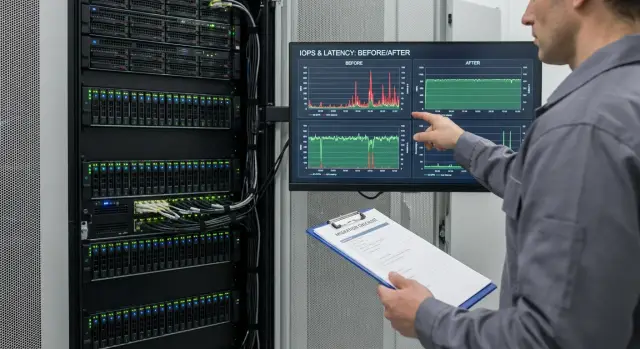
Why migrate and what the business wants to see
Moving to an all‑flash storage array usually isn't driven by a desire to "upgrade" but by concrete pain. The old system accumulates latency, application response times fluctuate, there’s not enough space for database growth, and maintenance work becomes a downtime risk. Over time organizational risks appear: spare parts are hard to find, support gets more expensive, and the maintenance window shrinks.
Business cares about predictability, not brand or model: what will change for key services, how much downtime will there be, and what risks are you taking on. So start the migration by answering the questions owners and finance teams will ask.
Before starting, it’s useful to cover four topics: whether a planned outage is required (and when); which systems are in wave one and which are deferred; data risks and a clear rollback plan; and who has the authority to say “switch” and by what criteria.
Success is best defined in outcome terms. IT teams often look at latency, IOPS and stability, while service owners look at what end users will notice.
Typically “success” looks like this: lower latency and fewer stalls during peak hours; faster report and batch job completion; fewer storage-related incidents and easier maintenance planning; and spare capacity/performance for growth.
A small example: if accounting complains that month‑end close takes until late at night, the business wants to see that after cutover the key report runs faster and consistently, not with a lottery of “fast today, slow tomorrow.”
Show the effect to different audiences: IT — with technical metrics; finance — with reduced risk and cost of downtime; service owners — with improved service indicators. If an integrator handles the project (for example, GSE.kz), agree in advance which results and in what format you will present at the final meeting.
Define the scope and project boundaries
To avoid an endless migration, first fix what is being moved and what explicitly stays. This is necessary for the work plan and for honest business expectations about risks and timelines.
Start with an inventory of systems and dependencies. It’s important not only to list arrays and LUNs, but to understand what resides on them: virtualization (VMware/Hyper‑V), databases, file services, VDI, applications, backups. Note which hosts are connected via FC or iSCSI, which datastores are used, and which volumes are mapped directly into OSes.
Then set project boundaries with simple questions: which systems are in the first wave and which are postponed (archives, test environments); who owns each system and who confirms downtime; which maintenance windows are actually available; what critical dependencies exist (AD/DNS, licensing servers, integrations); and what acceptance criteria we will use (availability, performance, no data loss).
Tie criticality to RPO/RTO. RPO — how much data loss is acceptable; RTO — how quickly must the service be restored. A common mistake is writing "0 and 0" for everything. Realism depends on transfer technology, intersite link speed, amount of data change per hour, and whether the application supports consistent snapshots.
Don’t forget constraints that often surface late: network and SAN capacity (throughput, latency, free ports, VLANs, MTU, multipathing); compatibility (OS, hypervisor versions, HBA/drivers, MPIO, encryption requirements); licenses (migration limits, hardware ties, caps on replication or backup); and regulations/internal rules (where data can be stored, retention, access policies).
Example: an organization may have a virtualization cluster, an accounting SQL server, an HR file share and a VDI for a call center. SQL and VDI usually demand the shortest windows and strict consistency controls, while the file service can be moved in a longer night window. These differences define realistic boundaries for the first migration wave.
Preparation plan: what to collect and agree in advance
Preparation delivers half of the success. The goal is simple: on cutover day you follow the plan, not debug which driver is on a host and who can approve a service shutdown.
Collect an inventory that can be checked and signed off. Keep everything in a single table (by hosts and services), and confirm critical items with screenshots or exports.
Minimum items that most often cause surprises if missing:
- Hosts and roles: OS, versions, hypervisor (if any), service criticality and owners.
- Storage connections: SAN or NAS, protocols, zoning/masking, IP/FC addresses.
- Drivers and paths: HBA/NIC, multipath versions, balancing policies, timeouts.
- LUN/volume map: who uses what, sizes, growth, mount points or datastores.
- Backups: where backups live, backup windows, recovery speed, and responsible parties.
Next, document current data flows: how data travels from applications to disks. Bottlenecks are often not the old array but the network or the hosts themselves (overloaded interfaces, incorrect multipath settings, queue limits).
Also agree communication and risk management: who approves the cutover window, who is on call at each step, and what constitutes a rollback signal.
Practice: if you have three key systems (ERP, file service, virtualization), assign one responsible person from IT and one from the business for each. This speeds decision‑making. As an integrator, GSE.kz often requests an agreed rollback plan and a test restore from backups on a sample to calm the business’ main fear.
What to measure before migration: baseline metrics
Without a baseline you will end up arguing impressions rather than facts. To make the result look like an improvement, capture the “before” metrics and agree how you will compare them.
Start with storage performance from the current array and from the host perspective. Record not only averages but also tails: p95/p99 read and write latency. Those tails are usually tied to user complaints and rare but painful stalls.
Then look at load dynamics: morning sign‑on, end‑of‑day peaks, nightly batch jobs and backups. Collect metrics for at least a week, preferably two, to capture typical peaks and problem hours.
Capacity and growth are a separate block. Record current used volume, monthly growth, and the largest volumes or datastores. This helps calculate headroom and estimate the effect of dedupe/compression if you plan to enable them.
Gather stability indicators: I/O errors, reconnects, timeouts, path failures, and downtime incidents. These explain why users suffered even when averages looked normal.
To make the migration effects understandable for managers, add 2–3 business metrics: response time for a key operation, report runtime, backup window duration.
Example: an accounting report takes 45 minutes and the backup window doesn’t fit nightly. After cutover, compare the same operations under similar load and show numeric differences. An integrator (for example, the GSE.kz team) will typically help define which business metrics are important so the final results are convincing.
Designing the target architecture for Nimble and the environment
A target design prevents the all‑flash transition from becoming a piecemeal move. If you eliminate inconsistencies in network and LUN access at the design stage, cutover is calmer and the new storage’s benefits are visible immediately.
Protocol and topology: FC or iSCSI
Protocol choice is usually driven by what’s already in the rack and what the team knows. FC is easier to keep “clean” and predictable. iSCSI is cheaper and faster to scale but requires network discipline.
Plan redundancy: two independent paths from host to storage (two FC fabrics or two iSCSI network pairs), two switches, separated ports and correct MPIO. For iSCSI use dedicated VLANs and avoid mixing storage traffic with user traffic.
Standardize settings in one document: MTU (and where jumbo frames are enabled), VLANs, zoning (for FC), MPIO rules and timeouts, and host queue policies. A common cause of unexpected slowness after migration is inconsistent settings across cluster nodes or hosts.
Data placement and security
Separate data by workload profile: dedicated volumes/LUNs for databases, VDI, file services and test environments. For virtualization decide in advance how many datastores and what sizes to create so you don’t end up with a single huge datastore that’s hard to manage.
Follow least privilege for access: admin roles, separate automation accounts, change auditing and a clear process for modifications. This is important when multiple teams are involved.
Before moving production data, prepare a short test checklist for the target design:
- Verify all paths (both controllers, all hosts, correct MPIO failover).
- Basic latency and throughput tests on single and multiple hosts.
- Recovery after a link or switch outage.
- Ensure LUNs are visible only to intended hosts (zoning/ACL).
- Confirm monitoring and alerts work before migration begins.
If these items are agreed and validated, data move and cutover become a checklist exercise rather than problem hunting.
Migration strategy: moving data without surprises
The main idea is to reduce risk. Perform transfers iteratively, not as one big leap: validate the approach on simple systems first, then expand to critical ones.
There are several practical transfer methods; choice depends on acceptable downtime and what’s already available in your infrastructure:
- Online replication with a short cutover window.
- Host‑level transfer using OS or hypervisor tools when array‑side replication isn’t available.
- Array‑level transfer if both source and target support it.
- A hybrid approach: large databases via replication, file shares and secondary volumes via host tools.
Plan migrations in waves to avoid unexpected downtime. Typical order: test and non‑critical systems, then medium‑criticality systems, and finally the most critical ones (ERP or core virtualization).
Before each wave define readiness criteria: performance and functional tests passed on the pilot group; fresh verified backups and a tested recovery plan; agreed window and responsible personnel for infrastructure, applications and business; clear change scope (volumes, path changes, multipath, snapshot policies); and a prepared rollback target and maximum time to return.
A useful practice is to log changes per iteration. For example: first wave migrates one datastore and only changes access paths; second adds snapshot policies; third enables replication. Failures are easier to contain and rollback when you change one thing at a time.
Cutover procedure step by step (no extra theory)
Cutover should happen in an agreed window with clear decision points. For HPE Nimble AF Series the logic is the same as for any storage: stop changes first, then carefully change paths, and only then return load.
Five steps that work in practice
Before starting, re‑confirm which systems are switched, acceptable thresholds, and who is on call from the application side.
-
Freeze writes. Block big deployments, stop jobs that heavily write (backups, ETL, heavy batch), and confirm the maintenance window.
-
Final sync and integrity check. Compare checksums where applicable and ensure replication/copy finished without errors.
-
Switch access to the new volumes. Update zoning/mapping, verify hosts see the new LUNs/volumes, refresh multipath and ensure paths are active and not flapping.
-
Start services in the correct order. Bring up infrastructure services first (AD, DNS, databases), then applications. Watch latency, I/O errors, queue depth and response times for key transactions.
-
Observe under real load for 1–2 hours. Compare with the baseline and note where things improved and where new bottlenecks appeared (for example, network or host settings).
When and how to roll back
A rollback plan must include clear triggers: p95 above agreed thresholds, filesystem errors, multipath instability or degraded response in a critical business scenario. Record the exact rollback steps: which services to stop, how to remap to old volumes, and how to verify integrity after fallback. Also assign who decides about rollback during the first 15 minutes of observation.
What to check immediately after cutover and during the first day
The first 30–60 minutes after cutover are as important as the migration itself. The goal: verify volumes are attached correctly, applications work normally, and metrics haven’t degraded compared to the baseline.
Immediate technical minimum
Start with path and basic stability checks. Problems typically appear as host stalls, latency spikes or intermittent errors.
Check four things: all hosts can see volumes and there are no dead paths; multipath policy is correct; host and hypervisor logs show no timeouts or resets; there are no frequent path failovers and FC/iSCSI ports are healthy; backups and replication start and complete without a flood of errors.
Then run quick application checks. For databases — simple transactions and representative reports; for file services — create and search files; for integrations — exchange with adjacent systems. Also inspect job queues and scheduled tasks: they often fail silently.
Compare with baseline and report to the business
Match before/after using the same metrics and time windows: p95/p99, average latency, IOPS/throughput, and backup window duration. Use concrete statements like: “p99 for the payments DB was 18–25 ms, now 3–6 ms; nightly backup fell from 5 hours to 2.5.”
Capture results in a short table (metric, before, after, comment) and add 3–4 conclusions: what improved, what stayed the same, and what risks were reduced.
Schedule daily checks for a week: p95/p99 for critical volumes, I/O errors and MPIO events, backup duration and actual RPO/RTO, port utilization and network bottlenecks, and user complaints and response times.
Common migration mistakes to avoid
All‑flash removes disk bottlenecks, but it doesn’t guarantee instant success. Mistakes usually come from how the environment is prepared and how comparisons are made.
1) Looking only at averages
Don’t rely solely on average latency and IOPS. Averages can look fine while users suffer from short spikes.
Capture p95/p99 and how often tails occur. For example, an average 2 ms latency looks great but p99 of 30–50 ms during reporting windows breaks business processes.
2) Mixing workloads and losing predictability
It’s tempting to put everything into one pool on new storage. If VDI, databases and file shares share the same pool, resource contention can cause unexpected degradation.
Agree priorities in advance: which systems are critical and which can tolerate slowdown. It’s easier than explaining later why “everything is faster except the main system.”
3) Blaming storage for every latency increase
After migration latency increases often come from network, HBA/NIC, multipath settings, overloaded hosts or drivers, not the array.
Check end‑to‑end: host → network → storage. If a host queue or CPU is saturated, new storage won’t help. Network loss or jitter also causes floating latency even if the array is stable.
4) Failing to agree changes and causing downtime
Cutovers fail more because of people than technology. If freeze wasn’t agreed, owners weren’t warned, or access wasn’t prepared, the window stretches.
Predefine who decides go/no‑go, who confirms service stops, how to rollback, and who is on call from the application side.
5) Overestimating benefit due to incorrect comparison
Compare before and after on comparable intervals. Don’t compare a peak day on the old array with a quiet weekday after cutover.
Pick comparable periods (same weekday and hours) and show both speed and stability: fewer p99 spikes, fewer timeouts, fewer incidents, and faster typical operations.
Short cutover readiness checklist
Before switching, ensure you are ready technically and organizationally. This checklist is a final validation.
- Maintenance window confirmed and roles clear: storage admin, virtualization admin, network admin, application owner and a business representative for final OK.
- Backups not just taken but verified: fresh backups and at least one test restore (one VM or database) to understand real restoration time.
- Baseline and success criteria agreed: before metrics captured and thresholds defined for latency, IOPS, throughput, host CPU/memory and application response times.
- Network and paths validated: VLAN/MTU, port availability, correct multipath; loss of one path does not drop volume access.
- Dry run and rollback plan ready: a test migration on a small volume was performed, copy/sync time estimated, and rollback steps documented and clear to the on‑call team.
Practice: if your window is 01:00–04:00, decide in advance at what minute you stop trying to fix in place and start the rollback. This prevents disputes when time is running out.
Example migration scenario: a typical company and three systems
Imagine a typical company with 600 employees, virtualization, and an aging array with mixed disk shelves. Complaints are the same: reports are slow, ERP stalls at peak hours, and the file archive hangs during large copies.
Choose three systems: ERP (critical, steady load, latency sensitive), reporting/BI database (heavy reads, report speed and batch windows matter), and file archive (many small files, access speed and support calls matter).
Pilot on a medium‑critical system with clear success criteria — in this case BI: concrete metrics (report runtimes, nightly load time) and usually simpler cutover than ERP.
Wave plan example:
- Wave 1 (night, minimal outage): BI, if replication/sync is available and final cutover pause is short.
- Wave 2 (weekend, short downtime): ERP, because it needs tight control and an option to rollback.
- Wave 3 (no downtime or minimal pause): file archive, often moved in pieces while the archive continues on the old storage until all tails are migrated.
To show impact, capture “before” metrics and compare with “after” on the same scenarios: runtimes for 3–5 popular reports, storage latency in peak (e.g., 95th percentile), nightly task durations, and number of support tickets about slowness per week.
Prepare two deliverables. For executives — one slide with 3 metrics: before/after and a short note on operational change (e.g., reports from 18 minutes to 6, fewer ERP waits at month‑end). For IT — a detailed report: metric exports/screenshots, wave cutover descriptions, risks and how rollback was ensured, plus a list of further optimizations. If working with an integrator like GSE.kz, ask them for templates so you’re not compiling everything after the fact.
Next steps after migration and how to lock in gains
Work doesn’t end at cutover. Quickly capture results for the business and move the system into steady operations with clear responsibilities.
Produce a consolidated before/after report and agree which numbers will feed KPIs. Business cares about clear outcomes: key systems run faster, fewer outages, and predictable maintenance windows. Include latency for critical volumes and apps, peak IOPS/throughput, runtime for typical operations (for example, ERP report generation), availability and incidents during the observation period, and indirect effects like shorter backup windows and faster snapshot restores.
Then prepare a short 2–4 week optimization plan. Often the bottleneck after migration is not the storage but network, host paths, multipathing, or overloaded volumes. Check load distribution, multipath correctness, snapshot and backup policies, and heavy job schedules.
Also lock roles: who inspects daily metrics, who owns backups and restores, and who approves changes. Practical reaction flow: if latency rises above threshold first check host and network, then path settings, and only then storage.
Do not retire the old array immediately. Keep a safety period (2–4 weeks) and decommission safely: final data reconciliation, stop replication, remove configs, sanitize media per security requirements, and update diagrams and runbooks.
If you lack internal resources or want independent validation, an integrator can handle assessment, migration, monitoring setup and support. In Kazakhstan teams like GSE.kz often provide integration and 24/7 support, which is useful when you must also agree runbooks, security and downtime with the business.
Frequently asked questions
Where is the right place to start a migration to HPE Nimble AF Series so it isn’t just an upgrade for the sake of upgrading?
Start from the pain and the expected outcome: where users see slowdowns, which services suffer most, and what level of downtime the business can accept. Then fix measurable success criteria (for example, p95/p99 latency and time for key operations) and only after that choose the migration method and a cutover window.
What results does the business usually want to see after switching to an all‑flash storage?
Business typically expects predictability: fewer stalls during peaks, stable application response times, shorter reports and batch windows, fewer incidents and clearer maintenance windows. Present results as simple "before/after" comparisons on key scenarios, not as a list of storage specs.
How to scope the work so migration doesn’t become endless?
Define the project boundaries: which systems go in the first wave and which are postponed, who owns each system and who signs off on downtime. Tie criticality to RPO/RTO and pre-check network, SAN, OS/hypervisor versions, drivers and licenses so these issues don’t appear on cutover day.
What information should be gathered in advance to ensure a smooth cutover?
Collect an inventory that can be validated: hosts and roles, access protocols (FC/iSCSI/NAS), LUN/volume mapping and owners, driver versions and multipath settings, and the backup scheme and realistic restore times. The goal is not to discover on the day who is responsible and how a service is connected to storage.
Which metrics must be measured before migration to prove the effect later?
Capture a baseline for at least one week, preferably two, and record not only averages but also the tails: p95/p99 for read and write latency. Include capacity and growth, I/O errors and path events, and 2–3 business metrics such as report runtime or backup window so the before/after comparison is honest.
Which to choose for Nimble: FC or iSCSI, and what does it depend on?
If you already have FC and your team is used to it, FC is often the most predictable option. iSCSI is usually cheaper and easier to scale, but requires network discipline: dedicated VLANs, correct MTU, stable latency and careful MPIO settings — otherwise the all‑flash storage won’t deliver the expected stability.
How to choose a migration strategy when downtime must be minimized?
The safest approach is a wave strategy: start with test and non‑critical systems, then move to medium‑criticality systems, and finally migrate the most critical services. For each wave define readiness criteria: successful tests on the target setup, fresh verified backups, an agreed maintenance window and a clear step‑by‑step rollback plan.
What is the normal order of cutover to the new storage step by step?
Typical cutover flow: freeze writes and stop active jobs, perform final sync and integrity checks, switch access to the new volumes and update zoning/mapping and multipath, start services in the correct order and monitor under real load while comparing metrics to the baseline. Those facts determine whether you stay on the new storage.
When should we roll back and how to define rollback triggers in advance?
Rollback must be based on clear triggers: p95/p99 above agreed thresholds, filesystem errors, unstable multipath, or degraded response times for a critical business workflow. The rollback decision should have an owner and a time limit so you don’t stretch the window trying to fix the issue in place.
What must be verified in the first hours and the first day after cutover?
Immediately check path stability and the absence of timeouts on hosts and hypervisors, then perform quick application checks and integrations, and only then go into fine‑tuning. During the first day, compare the same load windows for before/after and prepare a short business report. Integrators like GSE.kz usually help agree which metrics and formats to present at the final review.
