8 min read
Migrating Conversation and Document History to a New System
Migrating conversation and document history: how to choose storage, set up indexing for search, and correctly transfer access rights after migration.
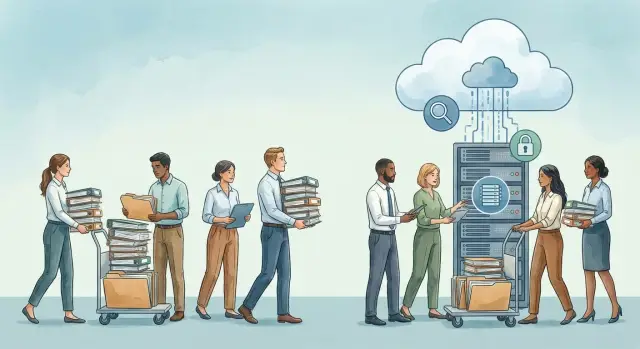
Why preserve conversations and documents when changing systems
Conversations and files are not just "history for history's sake." They contain decisions, agreements, deadlines, document versions and the reasons why a particular choice was made. If you migrate only the final files and leave discussions in the old system, you lose context. With that goes speed of work and the confidence that you are acting correctly.
During migration, important details often "silently" disappear: attachments in messages, signatures and subjects, dates, reply chains, "message-document" links, and metadata (author, version, flags like "urgent"). Access rights also often break: someone suddenly sees more than they should, while others lose access to working materials.
Context matters especially where approvals are required. A simple example: accounting asks why the amount in the contract differs from the invoice. The answer is often not in the file but in the conversation: who asked to change a clause, when it was confirmed and which version was considered final. Without this chain you get guesses, repeated approvals and conflicts.
The main risks of losing history usually boil down to three:
- Legal issues (you need to prove an approval or delivery of a document on a specific date).
- Unavailability (at a critical moment employees cannot find needed emails or attachments).
- Leaks (after migration rights are configured incorrectly and sensitive data becomes more widely available than it should).
A successful migration is when history opens quickly, search finds what’s needed by subject and attachments, and roles and permissions match the real work structure: people see only what they should, and nothing important is "lost in transit."
What to gather before migration: data, rules and owners
Before transferring conversations and documents, it is important to understand exactly what you are migrating and under what rules. Without this, migration turns into "we moved everything," and in the new system no one can find anything or knows who is responsible for what.
Start with an inventory of sources. History is almost always scattered across different locations, and some "official" correspondence lives where you don’t expect:
- Corporate mail (employee mailboxes, shared mailboxes, newsletters).
- Messengers (work chats, project groups, channels).
- File storage (network drives, department folders, personal directories).
- Business systems (CRM, Service Desk, ERP, request portals).
- Local archives (PST files, exports, "a folder on a desktop").
Next, agree on data classes: working materials, confidential documents, personal data, financial and contractual files. This is not a box‑checking exercise but a way to decide in advance what can be indexed for search, what must be encrypted, and what cannot be migrated without extra measures.
Estimate volume: number of messages, size of attachments, total storage and growth rate. These numbers directly affect timelines, storage costs and whether you need a separate archive.
Finally, and critically: define rules and owners. Briefly record who approves retention periods and who makes access decisions:
- Data owner (usually the head of the unit).
- Classification owner (security/compliance).
- Source owners (mail admins, CRM/file admins).
- Business sponsor for search (who needs quick and accurate findability).
Example: Sales asks to migrate correspondence on contracts, while Legal clarifies retention periods and the circle of people who may view attachments. These decisions are better made before the first export than after an incident.
What to migrate besides files
When people talk about migrating conversation and document history, they often imagine a simple folder of files. In practice, value is usually in the context: where something was discussed, who took part, what was decided and which version was considered current.
Conversations can take many forms: one-on-one chat, group chat, channel with threads, forum topic, email chain. It’s important to preserve not only text but also structure: channel or thread name, participants, message order. For email this also includes the subject, recipients (To/Cc/Bcc) and reply relationships.
Attachments and versions are a particular risk area. The same file may have been emailed many times, edited and labeled "final" in several places. Agree in advance what counts as the original: a document management system’s copy, the last approved version, or an attachment from an email.
Metadata matters just as much. Metadata makes search and reporting possible: author, creation and modification dates, participants, tags, contract or ticket numbers, owning department.
Also preserve relations and traces of activity:
- reply chains and discussion threads;
- links between message and document or task;
- read receipts, reactions, flags, statuses;
- audit logs (who downloaded, who edited, who deleted).
Simple example: a lawyer sent a contract by email, discussion happened in a chat, and the final version sits in a shared folder. If you migrate only the file, the approvals and timelines are lost. If you migrate chains, versions, statuses and metadata too, the new archive will be truly useful.
Storage options after migration: active, archive and backup
After migrating history, deciding where data will live next is important. A mistake here leads either to expensive "keep everything" storage or to "ask IT" access to the one necessary email.
Active storage is for daily work: fast access, collaborative editing and predictable permissions. But it’s a poor fit for "permanent history": volumes grow, search slows down, and version and retention control becomes harder.
An archive is for correspondence and documents that are rarely opened but must be kept and quickly retrieved when needed. Immutability is often important: records should not be silently edited after the fact, and access should be logged. An archive does not need to be as fast as an active system.
Typically history is split like this after migration:
- Active: conversations and documents from recent months, high speed, frequent changes.
- Archive: closed projects, contract history, "read-only" or tightly controlled edits.
- Backups: for recovery from failures or user errors, kept for a limited time and not intended for regular search.
By data "temperature" the logic is similar: "hot" — opened every day; "warm" — occasional retrievals; "cold" — long-term storage at low cost with longer access times.
Choosing between on‑prem, cloud and hybrid depends on organizational needs: regulation, data sensitivity, access speed in regions, budget and 24/7 support availability. For example, government agencies or banks often choose hybrid: active data close to users and archive separate with stricter access rules.
The main point — don’t confuse backup with archive. An archive is needed for finding and proving facts. A backup is needed to quickly restore operations after an incident.
Preparing data: cleanup, formats and agreed rules
Before migration it’s useful to normalize data. Otherwise the migration becomes a set of disparate copies where search and permissions break on day one.
Start with unified identifiers. A common problem is the same person having different logins across systems (e.g., ivan.petrov, ipetrov, petrov_i), while a shared mailbox like "sales@" may not be tied to an owner. Reconcile users and departments in advance so duplicates and orphaned files do not appear after migration.
Next — normalize names and dates. If one system uses 12.01.2026 and another 01/12/26, sorting and filters will confuse users. Same with filenames: "Contract_final", "Contract final 2", "dogovor_final" — better to convert to a clear template and enforce naming rules.
Check encodings and languages separately. When conversations contain Russian, Kazakh and English, wrong encoding produces gibberish and search stops finding words by parts. On a test export open several typical chains and ensure subject, sender, attachments and text display identically.
Before upload remove obvious junk, but carefully:
- temporary and autosave files (e.g., ~$ .docx);
- empty duplicate attachments (0 KB);
- repeated copies differing only by storage path;
- obsolete technical exports that aren’t used.
Also compile an exceptions list: what you will not migrate and why. Examples: personal chats outside work projects, test folders, files without an owner, data past retention periods. This list reduces disputes after go‑live: "where did the document go?" — "it was in the agreed exception list."
How to migrate conversations and documents: a step-by-step plan
Treat history migration as a project with clear control points. The goal is not just to copy files but to preserve context: who wrote, when, what it relates to and who is allowed to see it.
First agree the target data model. Where will conversations live (spaces, projects, cases), what are folder names, which fields are mandatory (date, author, department, contract number). Without a common structure the new system becomes tidy chaos.
Then move step by step:
- Define structure and naming rules so the same thing is not stored in three places.
- Do a test export for a small set (e.g., one department and one document type) and check quality: encodings, attachments, dates, duplicates.
- Run the bulk migration with logging. For large volumes use checksums or other integrity checks to detect loss or corruption.
- Reconcile after upload: object counts, total size, and spot checks of different data types (email chains, attachments, file versions).
- Move users over during an agreed window: freeze changes in the old system (or enable read-only), fix a cut-off date and rules for new messages/files during the transition.
If the business cannot stop, provide parallel access. Typically: the new system handles current work while the old one stays in read-only until reconciliation and training finish. For example, when migrating message archives in government entities you can keep access to old conversations for 2–4 weeks while staff check their folders and mark missing items.
The more meticulous the test run and reconciliation, the fewer surprises on day one.
Indexing and search: making history truly findable
After migration, search often becomes the main source of complaints: "everything was migrated, but nothing is findable." Usually the issue is not the interface but what was included in the index and how it is updated.
First decide what should be available via search. Useful information can be in message text, metadata and attachments.
What to prioritize for indexing:
- message and comment text (including subjects, quotes and signatures if important);
- attachments: documents, spreadsheets, presentations — not just their filenames;
- metadata: dates, statuses, contract numbers, tags, folders, project codes;
- participants: authors, recipients, assignees, groups and roles.
There are two practical indexing approaches. One — build the index before go‑live so search works for key periods and projects on day one. Two — load data and index gradually on a schedule, starting with recent months and the most used folders. In any case agree in advance how much "history" must be searchable from day one.
Scans and images are a special case. If the archive contains many signed scans, without OCR search will only find file names. OCR quality depends on the source: contrast, skew, readable font. Sometimes it’s easier to rescan critical documents than to search manually for years.
To make results useful, configure filters people actually use: by date, author, project, document type, department. Good results not only find matches but quickly narrow them down.
Test search accuracy on real queries. Take 10–15 typical situations: "contract number X", "correspondence with vendor for May", "email from specific employee with an attachment." Compare results with the old system and record what must match and what can be improved later.
Access rights after migration: how not to expose too much
A common problem after migration is data moved but rights missing. As a result someone can’t see what they need, or someone unexpectedly gets access to others’ contracts or internal conversations. Plan permissions as carefully as the migration itself.
Rights usually come from different places: directory groups, system roles, folder and project permissions, and in messengers — team and channel membership. Choose a single source of truth in advance. Otherwise you end up with "double management": a role allows access but a folder denies it, and people start circumventing rules.
User mapping deserves special attention. For dismissed employees it's easier: accounts are archived and rights reviewed by data owners. For external contractors set explicit access expiry and separate groups so rights don’t "spread" by inheritance.
Inheritance is convenient but risky. One mistake at a top-level folder or project can open an entire archive. A simple rule helps: assign top-level access only to stable teams and put sensitive materials in isolated spaces.
Minimum rights practices usually include:
- classifying data into 3–5 categories (public, working, confidential, personal);
- assigning an owner for each class and for key folders/projects;
- granting access to groups rather than individuals;
- restricting download and forwarding where critical;
- testing permissions with accounts representing different roles.
After launch you need auditing: who viewed, who downloaded, who performed bulk exports. Ensure event logging is enabled, retained long enough, and that responsible people know how to reconstruct actions quickly in an incident.
Common mistakes and traps during history migration
Biggest problems are usually not volume-related but detail-related: where and how to store, what counts as "truth", which fields are crucial for search and who will get access. These mistakes typically surface after go‑live when users can’t find a needed email or suddenly see others’ attachments.
What most often breaks a migration:
- Confusing archive with backup. Backups are for recovery; archives are for convenient reading and search.
- Migrating without a test run. Attachments get lost, dates change, and some reply chains are "broken."
- Migrating files without metadata. Without sender, subject, participants, tags, or links to project or contract, search is almost useless.
- Ignoring attachment-level and shared-folder permissions. Especially dangerous when an email is visible to a group but the attachment should be restricted to legal or accounting.
- Having no rollback plan. Any failure then turns into chaos: it’s unclear where to return and which data is final.
Practical example: when migrating procurement correspondence and contracts, emails in the new system might become visible to all project staff while contract scans should be available only to a restricted role. If this isn’t tested on a staging database and rights aren’t compared "before and after," leakage risk exists even with a correct file load.
Best remedies are a short pilot, a list of required metadata for search and an agreed rollback scenario with responsible people and deadlines.
Short checklist before switching on the new system
Before enabling the new system make sure history migration is complete not just "by feel" but by facts. One missed source or incorrect role often appears on the first working day.
Check you have a full list of sources and assigned owners. This includes mail and chats as well as shared folders, personal network drives, CRM exports, archives on removable media, and old projects in file stores. Each source should have a responsible person who confirms: "yes, this is everything to migrate."
Agree storage rules and retention: what remains active (daily work), what goes to archive, and what is kept only in backups. For each category record retention period, owner and deletion rule. This makes it easier not to bring unnecessary data to the new system and not to keep things "forever" that must not be kept.
Before go‑live run brief checks:
- Test access rights on 10–20 typical scenarios: department employee, manager, accounting, legal, security, dismissed employee, external contractor.
- Test search: 5–10 key queries from real work, plus search inside attachments (PDFs, scans, contracts).
- Produce reconciliation reports: object counts, total volume, list of errors and what has been fixed.
Ensure the system has a safety cushion after launch. Backups should be configured in advance, and monitoring should show import failures, indexing errors and access problems. A good test is to simulate "restore correspondence for last week" and verify you can do it within the required window.
Example scenario: migrating a department’s correspondence and contracts
Imagine a company changing email and corporate messenger and moving away from shared network folders. The sales and project teams have accumulated emails, deal chats and contracts with edits across different folders. The task is to migrate history so employees can quickly find what they need and sensitive items are not accidentally exposed to everyone.
First, agree a simple storage model. Everything needed for current deals (for example, the last 12 months and active projects) goes to "active." The rest goes to a separate archive that is opened less often and does not interfere with daily work. Backups live separately and do not replace the archive.
To make search work, introduce consistent project tags for conversations and attachments: project code, counterparty, document type (contract, amendment, invoice). Contract attachments must be indexed so you can search by contract number or amounts in text, not only by file name.
Permissions were set by roles. The project team has access to their projects, managers have broader access, and finance has separate rules: access to contracts and invoices, while technical chat may be closed. For sensitive folders apply "closed by default" and grant access on request.
Before launch they did a short check:
- spot-checked several projects: emails, chats, attachments, dates and authors;
- tested search by tags and by text inside attachments;
- tested permissions for employee, manager and finance roles;
- ran a 30-minute briefing: how to search, where to store new files, how to request access.
As a result, employees did not lose history, the archive did not interfere with current tasks and rules reduced the risk of accidentally exposing contracts to everyone.
Next steps: consolidating results and maintaining the system
After migration it is important to lock in rules and responsibilities. Otherwise in a few months search will stop finding things, permissions will drift and retention rules will be violated.
Gather requirements into one document and agree them between the business and security teams. You need concrete answers: what we keep, how we search, who sees what, how long we retain and what auditing is recorded.
Approve acceptance criteria in advance so it’s clear the migration succeeded:
- Search finds emails and attachments by key fields (subject, sender, date, contract number).
- Access rights match the original logic and do not expose extra data.
- Retention and deletion run per the approved rules.
- Audit logs record access and changes (who, when, what).
- A tested recovery plan exists from backups.
Next decide where data "lives": active contour for daily work, archive for rare retrievals and backups. Practically this is a choice between own servers and storage arrays, hosting in a data center or a hybrid setup. Decide in advance where the search index lives and how much resources it needs; otherwise the system will begin to slow down.
After launch assign process owners. It must be clear who processes role and access requests, who updates rules when employees transfer, and who is responsible for index quality and reindexing procedures.
If you need infrastructure and a turnkey integrator, it’s convenient to work with a systems integrator who will cover servers, endpoints and support. For example, GSE.kz supplies locally produced PCs and servers for the corporate environment and also provides systems integration and 24/7 technical support — this helps reduce downtime risks after the transition.
Frequently asked questions
Why can't we migrate only the final files without the conversation?
The minimum set is the conversation together with attachments, subjects, dates, participants and reply links. If you migrate only final files, you lose the reasons for decisions, approvals and version history, which quickly leads to disputes and repeated approvals.
What is most commonly lost during migration of conversations and documents?
Most often attachments disappear, reply chains break, message subjects are lost, dates get scrambled, and metadata like author and version vanish. Another common risk is incorrect access rights: data may become inaccessible to those who need it or visible to too many people.
What should be collected and agreed before the first transfer?
First, collect a full list of sources: mail, chats, network folders, CRM/Service Desk/ERP, local archives like PST. Then assign data owners and agree rules: what to migrate, what not to migrate, who approves retention periods and who decides on access.
What elements are important to migrate besides the files themselves?
Usually you also migrate the discussion structure (threads, reply chains), participants, statuses and markers, and metadata such as date, author, project, contract or task number. Without these, search and reconstructing history work poorly even if the files are present.
How to decide which document version is the original?
By default, choose the "source of truth" in advance: for example, the approved version from the document system or the last agreed version according to project rules. If you don't, the new system will have multiple "final" files and people will start using different variants.
How does an archive differ from a backup after migration?
An active store suits daily work and frequent changes, an archive is for rare access and fact verification, and backups are for recovery after incidents. The archive is intended for quickly finding and presenting history; backups are for restoring the system to working order.
How to prepare data so that after migration everything sorts and reads correctly?
Create a reconciled directory of users and departments, check date formats and encodings, and then carefully remove obvious junk like zero-size attachments and temporary files. Also record an exceptions list so there are no disputes later about why a document «disappeared».
What is the safest migration plan when the volume is large?
Start with a pilot for one department or one data type and verify quality: text readability, correct dates, presence of attachments, integrity of chains. Then run the bulk migration with logging and reconciliation of object counts and spot checks of typical cases.
How to make search over history actually work?
First decide what will be indexed: message text, metadata and content of attachments, not only file names. Test on real user queries and ensure the index is updated on a clear schedule; otherwise everything may be migrated but nothing will be searchable.
How to avoid opening too many documents after migration while not breaking access?
The most reliable approach is rights by groups and roles rather than individual assignments, with clear data owners for folders and projects. Before launch, test access with accounts representing different roles and enable auditing so incidents and disputes can be resolved quickly.
