8 min read
Medical Equipment Management System: Records, Verification, Service
Medical equipment management system: how to keep equipment records, handle verification and calibration, plan service and get reminders about inspections.
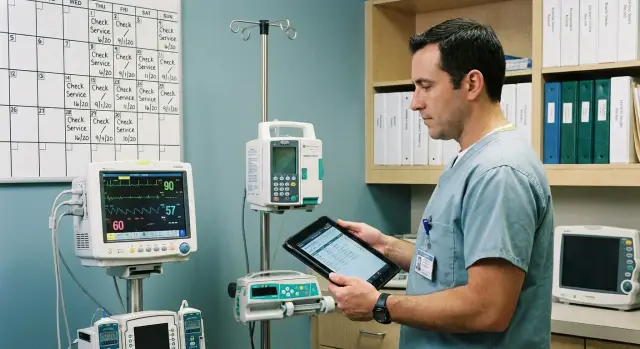
Why you need a medical equipment management system
A medical equipment management system ensures that devices are working, not idling because documents were lost, verifications expired or repairs were unplanned. In healthcare any pause affects schedules, quality of care and budgets.
Without tracking and reminders, risks quickly accumulate: a device unexpectedly goes offline, engineers spend time searching for passports and acts, inspectors find overdue items, and procurement buys consumables and service in emergency mode. The result is fines, canceled exams and unhappy patients.
Managing equipment means handling its lifecycle from acceptance to decommissioning. It’s not just a list of devices but a clear picture: what the device is, where it is, who is responsible, what its condition is and what will happen next.
It’s important to regularly monitor documents and recurring events year after year: passport and completeness at commissioning; verification and calibration (with dates, statuses and protocols); scheduled maintenance and service work; repairs, downtime, part replacements and consumables; relocations, upgrades and disposal.
This helps not only the engineering team. Procurement can better plan contracts and spare parts, hospital leadership can see departmental risks, and quality officers and inspectors get confirming documents without emergencies.
Measure system success with simple indicators: fewer downtimes, fewer overdue verifications, clear reports on status and costs, and a predictable work plan for the coming month. For example, if the radiology department has a calendar of verifications and maintenance, a CT breakdown won’t derail the schedule: the service window is visible in advance, contractor contact is available and the device’s documentation package is complete.
What data to store: passport, inventory and history
For the system to be truly helpful, each device needs a full and tidy record, not just a name. Then any staff member quickly understands what the device is, where it’s located, who is responsible and which mandatory checks are coming up.
The basis is an inventory card. It records parameters that uniquely identify the equipment and its location:
- model and type (for example, infusion pump, ultrasound scanner)
- serial number and asset number
- department, room, installation spot
- responsible person and contact
- status (in use, under repair, in storage, decommissioned)
The second part is the passport and the set of documents. Store scans and versions: user manual, product passport, registration documents (if applicable), warranty coupons, acceptance acts, commissioning acts, service contracts. It’s important that documents are attached to the specific serial number; otherwise inspectors can be confused.
The third part is dates and control points: commissioning date, last verification or calibration, next date, scheduled maintenance date. If the device has consumables with replacement schedules (filters, sensors), add them too.
Also mark criticality. A simple approach: note whether a failure affects patient safety or will stop departmental operations. For example, a defibrillator in the ER and a patient monitor in the ICU need stricter timing control and faster repair paths.
Finally, history. Log repairs, part replacements, downtime, causes of failure and who performed the work. After 6–12 months this becomes practical analytics: which models fail more often, where operating rules are violated and what is more cost-effective to replace than to repair repeatedly.
Verification and calibration: what they are and how to track them
Verification is required when a measuring instrument falls under state regulation and must officially confirm its accuracy. Essentially, verification answers: can this device be used for measurements that regulators and inspectors will accept?
Calibration is often used as internal or contractual quality practice. It shows how much the device’s readings deviate from a standard and helps determine whether adjustment or repair is needed. Calibration itself does not always replace verification if the device specifically requires verification.
Typically, measuring devices and components affecting safety and accuracy go into regulations: blood pressure monitors, thermometers, scales, dispensers, analyzers, defibrillators (parameter control), infusion pumps (flow control), sterilizers (temperature and time control).
To make tracking work, record details for each procedure, not just the fact it was done. A minimal set of fields usually includes:
- procedure type (verification or calibration) and basis (order, contract, internal regulation)
- methodology and standards or test bench used
- results (passed/failed, values, tolerances, conclusion)
- document number (certificate), issuer, issue date and validity
- next due date and person responsible for organizing the work
Store scanned documents in the equipment card and in the specific check entry so they can be found by asset number and by date or certificate number. For example, if an infusion pump’s verification expires in 30 days, the system should show this in the task list and allow opening the previous certificate scan in 2–3 clicks.
Lifecycle processes: from acceptance to disposal
It’s useful to describe a device’s lifecycle as a chain of repeatable steps. If these steps are recorded in the system, it’s easier to prove the equipment is safe, serviced on time and used according to rules.
It starts with acceptance after purchase. It’s important not only to add the equipment to the balance sheet but also to check completeness (sensors, cables, consumables, software, keys), apply clear labeling and collect initial documents: contract, delivery notes, warranty terms, certificates. Good practice is to create the card and attach scans immediately so you don’t have to search a year later.
Next is commissioning. This usually includes installation, connection, first start, basic function checks and an act of commissioning. Also record staff training: who was trained, on which model and when. This reduces errors, especially when shifts change frequently.
In operation two things matter: scheduled checks and handling user requests. Keep scheduled checks short and clear (visual inspection, filter cleaning, cable check, self-test). Accept repair requests through a single channel and attach them to the equipment card so history is preserved.
Repairs and service require discipline. Record the diagnosis, what was replaced, which parts were installed, who performed the work (in-house engineer or contractor), plus confirming acts and downtime. This helps control costs and spot recurring failures.
Disposal and replacement should be as documented as commissioning. Reasons vary: wear, irreparable condition, obsolescence, end of support. Record the final condition, remove from inventory, and transfer remaining accessories and documents to the replacement device.
Many clinics use a simple set of statuses:
- Accepted
- Commissioning
- In use
- Under repair
- Decommissioned
Example: an ultrasound unit returned from service. If the system requires an act, list of replaced parts and the date of the next check before switching the status to “In use,” the department won’t start using it by a phone call until formalities are closed.
Step by step: how to implement inventory, service and reminders
To make the system work daily, start with simple rules and a minimal data set. First prioritize cleaning up the registry and processes, then add fields, integrations and reports.
Implementation steps that usually deliver quick wins
Create a unified registry: walk departments, verify asset and serial numbers and location, and standardize names (for example “ECG, 12-lead” instead of ten variants). Then create an equipment card template with required fields: type, manufacturer, model, serial number, department, responsible person, commissioning date, criticality.
Set inspection intervals: verification, calibration, maintenance, plus separate schedules for consumables if needed. Then set up tasks and statuses to avoid confusion:
- Planned (has due date and responsible)
- In progress (accepted for execution)
- Waiting (needs parts or access)
- Closed (has result)
- Overdue (requires action)
Attach documents directly to the card: passport, verification and calibration protocols, service acts, warranty terms. This saves time during inspections and helps new staff get up to speed.
Example: two devices in an X-ray room had the same name but different serial numbers. After linking protocols to each card, it became clear one had an overdue verification while the other’s warranty was expiring soon.
Run a pilot in one department for 2–4 weeks and record what gets in the way: which fields are redundant, which statuses are missing, who doesn’t receive reminders. After the pilot, formalize rules with an order and scale to other units.
Reminders and planning work: simple rules
Reminders only work if people see them. Choose 1–2 primary channels per role: engineers prefer in-system notifications and calendar integration, department heads often use email, and for front-line staff a simple printed weekly schedule sometimes helps. The key rule: the system is the single source of truth; other channels only duplicate notifications.
To avoid last-minute rushes, set a consistent reminder rhythm for verification, calibration and maintenance:
- 30 days before: preliminary planning and window agreement
- 14 days before: confirm date, request access, prepare documents
- 3 days before: final reminder, check consumables and tools
Overdue items are inevitable, so have a simple, uniform escalation:
- day 1 overdue: notify the performer and the equipment owner
- day 3: notify the service/metrology manager
- day 7: email the head of the department where the device is located asking to allocate a window
- then: record the reason (no access, no parts, no contractor) and set a new date with agreement
Plan work not only by calendar dates but also by team load. Divide the month into weeks and limit the number of field visits and complex jobs per week to avoid overloading engineers and taking many devices out of service at once. Good practice is to reserve 10–20% of time for unplanned repairs.
Also account separately for device downtime. For each task indicate expected duration and downtime type: “can operate until inspection” or “requires full stoppage”. The system can then suggest convenient windows like nights or low-patient days. Record actual downtime in the task card to improve future planning and justify requests for extra resources or backup devices.
Roles and responsibilities: so the system works every day
Without assigned roles the system becomes a file folder where no one is sure data is current. It’s best to decide upfront who owns the data and who approves changes: the engineering service or a dedicated coordinator (for example, a metrology engineer or maintenance administrator). The important thing is a single owner for directories and rules.
A functioning system relies on personal responsibility for each device. Each device must have an assigned owner — usually an engineer — and a departmental user who confirms the device is available for work. During vacations assign a substitute in the system, otherwise tickets and approvals will stall.
Who does what
Assign responsibilities so each step has an owner:
- Coordinator (data owner): maintains cards, statuses and schedules; ensures records are complete.
- Responsible engineer: accepts requests, plans work, closes tasks and records results.
- Department representative: submits requests, describes symptoms, confirms downtime and return to service.
- External contractor: performs work and delivers reports in the agreed format.
- Department head: approves long stops and priorities when schedules conflict.
To prevent people sending requests in messengers or verbally, set a single clear intake: a form in the system, a dedicated phone number, or at least an email template. Every request should immediately go into the equipment card and become part of the history.
Tools and integrations: what you really need
When building a system from scratch, order is more important than fancy features: one card per device and clear actions for people. Many clinics start with simple tracking but quickly run into lost documents, missed deadlines and scattered spreadsheets.
Minimum set of tools
A basic kit can cover daily needs:
- equipment registry with cards (passport data, location, responsible persons)
- tasks and work calendar (verification, calibration, maintenance, repairs)
- document storage (passports, protocols, acts, contracts)
- reports (overdues, engineer workload, total cost of ownership)
- event log (who did what, when, and why)
This is enough while request volume is small and service work goes according to plan. When there are dozens of daily requests, many contractors and the need for approvals, CMMS or a service-desk system often helps: queues, prioritization, SLA control and convenient messaging between departments, engineering and procurement.
Integrations that save real time
Integrations are useful where data already lives in other systems: procurement (to import delivery data), spare parts warehouse (to consume parts in repairs), accounting (asset numbers and depreciation), and access control (single sign-on and roles).
Add barcodes or QR codes to speed up inventory: staff scan the label and instantly open the card, see due dates and attached protocols. Plan backups and document permissions: medical equipment often undergoes inspections and “accidentally deleted file” should not become a risk.
Reports and control: what to show management and inspectors
Managers want short answers: what’s overdue, what will stop in the next month, where are patient and budget risks. Inspectors need proof: each device has a passport, a valid verification or calibration if required, and records of maintenance and repairs.
The most useful report is the overdue list. It should show not only red items but also the reason: no next verification date, protocol not attached, device in repair, department didn’t agree on a window. It’s convenient to break down by type: verification, calibration, maintenance, warranty.
To plan load and stoppages, make a one-month schedule. It should be readable in a minute and include:
- department and room
- device and work type
- date and responsible person
- whether a stoppage is required and for how long
- approval status
A repair history report is also useful: failure recurrence, average downtime, spare-part and service costs. It shows which device consumes engineers’ time and why total cost of ownership is growing. If the same module is replaced every 3–4 months, it’s a reason to review operating conditions, staff training or consider replacement.
For data quality control use a “passport readiness” indicator: what percent of cards are fully filled. Usually required fields are serial number, installation location, commissioning date, accuracy class (if applicable), documents, check intervals and service contact.
Before an inspection use a “department package” mode: with a few clicks collect device lists, passports, latest verification and calibration protocols, and maintenance and repair acts. For example, an ICU head nurse can export a package for all infusion pumps and monitors and immediately see missing documents or deadlines within two weeks.
Common mistakes and how to avoid them
The most frequent problem is building a system for appearances, not daily use. Deadlines are missed, documents are lost, and staff fill data once and never again. A good system should help employees, not add unnecessary steps.
Confusing verification and calibration
These terms are often used interchangeably, which shifts deadlines and misplans work. Simple rule: create separate work types and fields for dates, intervals and confirming documents. Then the calendar and reminders will be accurate.
Data scattered across multiple spreadsheets
Without a single directory of models, serial numbers, departments and rooms, the same item is named in different ways and reports become useless. Start with short reference lists and prevent free text where it breaks accounting.
To avoid typical failures use these rules:
- attach files (passport, protocol, service act) to the specific equipment unit, not a department folder
- configure not only reminders but also a responsible person, vacation substitution and simple escalation on overdue items
- require a minimum set of fields: what is needed for safety and inspections; add the rest later
- pilot on 1–2 departments and 30–50 units, then scale
- record the result of each job: what was done, who did it and how it was confirmed
Example: if a reminder is sent in the X-ray room but no responsible person is assigned, the task stalls. If a technician is responsible and an escalation is sent to the equipment engineer after 3 days, the overdue becomes visible and is resolved faster.
Short checklist before launching the system
Before launching an equipment management system check basic things. This saves weeks of fixes and helps start working by the rules instead of fixing on the go.
First make sure the registry is complete. The list should include every unit, including portable devices and equipment in seldom-used rooms. For each item include serial number, asset number (if any), exact installation spot and department.
Next check documents. If passport, registration data, manuals, commissioning acts and service contracts are scattered across folders, gaps will appear quickly. It’s better to attach key files to each unit at the start, even if some documents are still being recovered.
Before go-live run through this short list:
- the registry covers 100% of equipment: serial numbers and installation spots are present for every unit
- each unit has a passport and key documents attached (commissioning act, manuals, service contract, previous acts)
- verification, calibration and maintenance intervals are set and responsible persons assigned for each task
- reminders are sent in advance and overdues are visible in a single clear report
- repair history is recorded without verbal agreements: requests, performed works and part replacements are logged
One more rule that keeps order: do a short quarterly reconciliation of the registry with on-site facts. It’s enough to spot-check departments, verify presence, serial numbers and installation spots, and immediately fix discrepancies.
Example: if before launch the clinic finds 12 devices without an assigned room and 5 without a last verification date, it’s better to correct that in a day than chase overdues and documents before an inspection.
Example scenario: how a hospital gets organized in 60 days
A city hospital has about 200 units of medical equipment. Some passports are stored in departmental folders, and verification dates and service records are written in notebooks or kept in the head engineer’s head. As a result, inspections are sometimes overdue and repair requests arrive only after downtime.
The 60-day goal is simple: collect the database, enable reminders and ensure every device has a clear history and work plan in one management system.
60-day plan
Start with 40–50 most critical devices: ventilators, defibrillators, monitors, infusion pumps, sterilization equipment. You’ll see impact faster here.
- Days 1–10: digitize passports, serial numbers, locations, responsible persons and service contacts. Scan paper passports and attach them to cards.
- Days 11–25: create a schedule for verification, calibration and maintenance; set reminders at 30, 14 and 3 days; and add escalation to the head for overdue items.
- Days 26–40: standardize the repair request process and logging: what failed, what was done, which parts were used and how long it took.
- Days 41–60: onboard other departments and standardize device names, work types and failure reasons.
Assign owners so tasks don’t blur: the department’s senior nurse is responsible for device location and access, the engineering service manages work planning, and external service closes acts and confirms procedures.
After a month you’ll often need three reports: overdue verifications and maintenance, the weekly work plan with responsible persons, and a top-10 list of devices by failure frequency (to identify repeatedly repaired items and candidates for replacement).
Then scale the approach to all equipment and add integrations with ticketing, spare-parts inventory and procurement as needed.
If internal resources are limited, bring in a system integrator. For example, GSE.kz (gse.kz) provides system integration and infrastructure services for organizations, including process design and 24/7 support, which helps stabilize inventory and service practices more quickly.
Frequently asked questions
When does a hospital really need a medical equipment management system instead of a spreadsheet?
Yes — when you have more than a few dozen units and there are verifications, maintenance and repairs to manage. A system reduces downtime and emergency work: deadlines, documents and responsible people become visible in advance, and the work history is not lost.
What data is mandatory in an equipment record?
Start with an inventory card: type and model, serial and asset numbers, exact installation location, status and responsible persons. Add dates of commissioning, last and next verification/calibration/maintenance and attach key documents to the specific serial number.
How does verification differ from calibration, and can one replace the other?
Verification confirms compliance with official requirements and is needed when the device is a regulated measuring instrument. Calibration shows deviations from a standard and is used for internal quality control; it does not always replace verification when a verification is specifically required for the device.
How to record verification and calibration correctly so there are no issues during inspection?
Record not just the date but the result, document number, who performed the procedure and the document’s validity period. Always store a scanned confirming document both in the specific check entry and in the equipment card so it can be found by equipment number or by date.
How to configure reminders so deadlines are not missed?
Minimum working setup — reminders at 30, 14 and 3 days before the deadline so you can agree on a window and prepare documents. If the deadline is missed, notifications must go not only to the performer but also to the manager, otherwise the task will stall.
Which task and equipment statuses help avoid confusion?
Use short, unambiguous statuses so the situation is clear at a glance: for example, “in work”, “under repair”, “awaiting parts”, “closed”. The key is that moving to “in work” requires an assigned responsible person, and “closed” must record the result and the confirming document.
What exactly should be recorded in repairs to make the data useful later?
Record the reason for the request, the diagnosis, what was replaced, who carried out the work and the downtime duration. After a few months these data show which models fail most often and whether it’s more economical to replace rather than repeatedly repair.
How to implement the system step by step without drowning in data entry?
Pick one department and 30–50 critical devices, create cards and start reminders for 2–4 weeks. After the pilot, remove unnecessary fields, add missing statuses and formalize rules so everyone enters data the same way.
Who should be responsible for data and updates in the system?
Assign a data owner who maintains directories, cards and schedule accuracy, and assign responsible persons for each device. The department should have someone who confirms access to the device and the downtime, otherwise even good planning will fail.
Which reports are most often needed by management and inspectors?
Keep at hand an overdue report and upcoming deadlines for 30 days, a work plan with stoppages, and a downtime and repair-cost history report. Before inspections, collect a “department package”: a device list and proof of verifications, maintenance and repairs so nothing needs to be searched at the last minute.
