8 min read
Maya pipeline in the studio: assets, textures, naming and references
Maya pipeline in the studio: how to arrange assets and textures into folders, set naming rules and keep references between scenes under control.
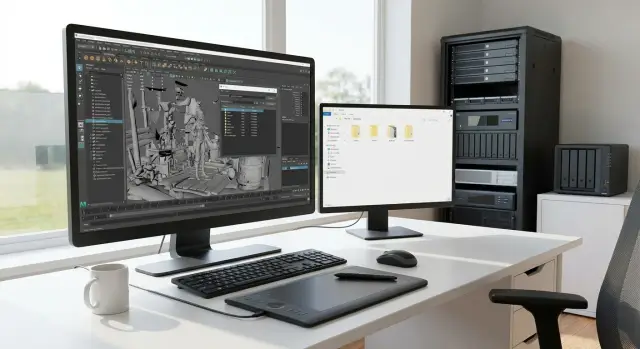
Why bother organizing assets and references
When textures and references go missing in a scene, it breaks more than the image. It breaks time: an artist spends hours hunting files, rebuilding shaders and manually relinking paths. Then the next person repeats the same work because the problem was not a single file but the way the project is organized.
The most common scenario: you open a shot on another machine and instead of the character you see empty groups or gray materials. Maya stores file paths exactly as the author had them: another drive, another folder, another asset version. Without shared rules, scenes become "tied" to one computer and one person.
Messy names feel minor until you need to quickly find and fix something. When a project contains file1, final_final, new, test, nobody knows what is safe to edit and what is not. Changes end up in the wrong place, versions get mixed, and you may “fix” one shot but break the neighboring one.
What usually collapses first: textures "get lost" when moving files because paths are absolute or folders are named differently; references pick up the wrong file because of similar copies; asset updates don’t reach shots because shots reference different versions; searching for objects and materials in a scene takes longer than the actual work; handoffs between people turn into "where to put files and how to open them" threads.
A one-off task differs from a studio process by repeatability. If an asset will be used in multiple shots, if more than one person may open a scene, if a project lives longer than a few days, you need a basic system: predictable storage, verifiable names and reference control. It's cheaper than constantly putting out fires.
Basic project folder structure
To make Maya scenes open the same for everyone, start with a simple rule: one project = one root folder. Inside it, agreements about assets, shots, caches and textures start to work predictably, even for a small team.
It's practical to keep a standard structure you can copy for each new project:
assets/- assets (characters, props, environment) and their working filesscenes/- shots and assembly scenessource/- original sources that shouldn't be directly referenced in shots (scans, PSDs, highpoly, references)publish/- published versions of assets and shots (safe to use)cache/- simulations, Alembic, geo caches and other heavy files
The most common mistake is mixing "drafts" with files that others use. So inside assets/ and scenes/ it's better to separate responsibilities from the start:
work/- personal working versions (can be broken and experimented on)publish/- released versions (referenced by shots and other departments)
Reference scenes for assets usually live in assets/<asset_name>/publish/ (or next to it), and shots in scenes/shots/<seq>/<shot>/work/ and scenes/shots/<seq>/<shot>/publish/. Then the "source of truth" for a character is not inside a shot.
Agree on paths. The safest option for a team is relative paths inside the project, so the project can be moved to another drive without manual fixes:
- always set Project in Maya to the project root
- avoid absolute paths like
D:\\in textures and references - make sure references point to
publish/, not someone’swork/ - use Latin folder names, no spaces
How to package an asset so it’s portable
A portable asset is more than a model. Usually it includes geometry, materials and shaders, textures, rig (if needed), a simple preview and short notes. The less "magic" in a scene, the easier it is to open the asset on another machine or in another shot and get the same result.
Agree that each asset lives in its own container folder and doesn’t pull files from outside without a clear reason. It's also useful to split assets by type: char (characters), prop (props), env (environment), fx (effects). This speeds up both artists and those assembling scenes.
Asset folder as a container
A good minimum is to have separate places inside the asset for key parts: geo, lookdev, rig, textures, docs. Then it's clear where to find the original model, the scene with materials, and the final rig.
Quick packaging checks for an asset:
- The Maya file (.ma or .mb) opens without missing textures or unknown paths
- Textures sit nearby in a
texturesfolder, in common formats (e.g..png,.tif,.exr) - There is a simple preview (render or screenshot) and a short description in
docs - No links to temporary drives,
Downloadsor personal working folders - Caches and simulations are stored separately (e.g. at the shot level in
cache/) if they are heavy and updated often
Example: a kitchen prop. Inside the asset there’s a clean geo scene, a separate lookdev scene with materials and a textures folder with required maps. If the prop changes, only its folder is updated and shots don’t break due to accidental paths.
Naming rules: simple and checkable
Unified names save hours spent searching, reopening scenes and fixing broken paths. This is especially visible when a single asset is handled by modeller, rigger, shader artist and layout.
The core idea is simple: a name must be human-readable and unambiguous for scripts. A working pattern is type_name_variant_v###, where the version is always at the end and fixed length. Examples: chr_knight_base_v003, prp_lamp_red_v012.
Case and separators
Choose one style and stick to it. In practice the fewest problems come from lowercase and _ as separator. Spaces, dots, brackets and symbols like #, @, : often break tools, exporters and cross-OS paths.
Rules that are easy to check automatically:
- only Latin letters, numbers and
_ - lowercase
- no spaces or special characters
- version only as
v001,v002, etc. - same type prefix for all scenes
Groups, geometry, shaders, meshes
For DAG objects suffix names by role: *_grp for groups, *_geo for render geometry, *_col for collision geometry, *_loc for locators. Separate shaders and shadingGroups explicitly: mtl_ for material and sg_ for shadingGroup. In Hypershade it becomes clear: mtl_knight_armor_v005 and sg_knight_armor.
Tag temporary items so they can be safely removed in bulk: tmp_, wip_, test_. For example: tmp_camMatch_v001.
And about non-English words: avoid inconsistent transliteration. Either use short English names or maintain a small glossary (for example, stol always maps to table) and follow it across the team.
Texture storage and UDIM organization
Textures break scene assembly faster than geometry: paths get lost, versions get mixed, and identical files sit in five different places. So it helps to separate sources from files actually used by shaders.
A practical approach is to keep two zones near each asset: source (what came from the artist) and textures (what plugs into Maya). Source files can stay untouched while scenes always use predictable files.
Example asset texture structure:
asset/tex/source(psd, sbsar, krita, scans)asset/tex/textures(final render maps)asset/tex/converted(previews, compressed versions, intermediate converts)asset/tex/lookdev(test sets, if needed)
Inside textures it’s convenient to keep folders by purpose: basecolor, normal, roughness, metalness, masks. Add extra maps (ao, emissive, displacement) only when they are actually needed.
UDIM and tiling: agree on a pattern
UDIM works only if names are stable. A simple, clear template:
<asset>_<material>_<map>_<UDIM>.<ext>(for example,heroBody_skin_basecolor_1001.exr)- UDIM is always 4 digits:
1001,1002, etc. - one file = one purpose (don't mix roughness and masks in one file without rules)
Format, size and converted files
Fix the format and bit depth for final maps. Often EXR/TIF for important maps, PNG/JPG only where acceptable. Reduce sizes consciously: secondary masks or distant props can be compressed, but don’t downscale normals and maps that provide in-frame detail.
Store converted files separately (converted) so you can return to the source and rebuild textures without loss.
Controlling references between scenes
References in Maya are usually more important than they look in studio work. They let you update a model, rig or prop across shots without manual copying. But without rules scenes quickly become a set of broken paths and mysterious duplicates.
Import and reference solve different tasks. Use import when an object should become part of the scene permanently and not be updated (one-off edits, temporary kitbash, final shot assembly). Use reference for anything that lives as an asset and will be improved: characters, rigs, environment, repeating props.
Single source of truth: each asset should have a master file (usually a publish scene) from which all shots reference. Shot scenes should not become new masters. A typical example: a rigger fixes skinning in the master character, and animators open shots the next morning — the update pulls through references without manual work.
To make references easy to swap, use clear node names and namespaces. Names should indicate which asset and role in the scene they belong to, not random numbers.
Rules to avoid breaking scenes:
- shots reference assets, assets do not reference shots
- don’t reference a scene that already references you (this causes cycles)
- always reference
publish, not personalworkfiles - keep consistent project root paths across the team
- check Reference Editor for warnings and duplicates before sending a scene
If paths are lost after moving files, first restore the root project structure (don't fix each shot manually). Then repoint paths through Reference Editor and make sure all references point back to master assets, not random copies.
Versioning and publishing assets
Asset versions and shot versions are different things. An asset lives long and is used in many scenes. A shot is a specific scene with animation, camera and lighting. A shot may update daily, while an asset should change cautiously or you'll break assembled scenes.
A working rule: edits happen only in work, and only checked versions go into publish. Work can be messy: tests, temporary textures, rig experiments. Publish should be predictable: only what is safe to reference in shots.
For history, v001, v002, etc. is usually enough. This format sorts and reads easily. Datetime is handy for autosaves but worse for team discussion: "which version to take?" A compromise: counter versions for publish and datetime in work filenames.
Mark compatibility explicitly. If topology, UVs or rig structure changed, it may be incompatible with animation and caches. Agree on a tag in the publish comment or name (for example, _BREAKING) and require a quick test on one or two shots.
Before publishing run a short check:
- the asset opens without errors and unknown nodes
- all textures are inside the project and paths are not absolute
- naming and namespaces are clean, no
pCube1 - the reference updates in a test shot without losses
Rollback must be quick: previous publish versions are not overwritten. If an update breaks scenes, switch the reference back to the previous version and continue work, while the problematic change is fixed in work before the next publish.
Step-by-step: how to start a unified pipeline for a new project
Start small and test rules with real files. If you agree on a basic structure and paths from the beginning, the project won't depend on individual habits.
Minimal starter set
Create the project root and standard folders first. It's important everyone knows where scenes, assets, textures, caches and previews live. Then set Project in Maya so paths are relative and test if a scene opens on another computer without manual relinking.
Next, prepare asset templates: identical folders, starter files, a place for previews. This saves time and reduces the chance someone will drop textures in a random place.
A sequence you can realistically complete in a day:
- create the project root and folders (
scenes,assets,textures,cache,renders,preview) - set Project in Maya and verify relative paths with a test scene
- make an asset template: folder, scene, preview, place for textures/UDIM
- agree on naming rules and write a short memo (2–3 screens)
- build a test asset, reference it into a shot, then move the project and repeat the test
Who publishes and who is responsible
Decide who publishes each asset and what they are responsible for. Example: modeller publishes geo, rigger publishes rig, and a designated "asset owner" performs final checks. Make a simple rule: only one person publishes at a time, following a clear versioning scheme. After publish, references in shots should update without surprises.
Quick checks before handing off a scene
Before handing a file to lighting, render or assembly, do a short technical pass. Pipelines usually break not in complex places but in small details: one absolute path, one forgotten test shader, one reference that won't load on another machine.
2-minute checklist
Run through the scene and fix things that will definitely bite the next person:
- check texture and cache paths: they should be relative to the project and not point to your local drive (e.g.
C:\\orD:\\) - open Reference Editor and make sure references are present, not missing and not pulling from personal folders
- find duplicated textures: the same image shouldn't live in two places under different names
- remove test objects, temporary materials and old geometry versions kept "just in case"
- look at warnings on scene open: every warning should be explainable and have a clear fix
Simple quality rule
If you see a warning and can't say in 10 seconds why it's normal, it's a bug, not a feature. Fix it or leave a short note in the version name or task comment.
Example: you hand over a shot but textures load from D:\\textures\\final. Everything looks correct on your machine, but the render farm doesn't have that drive. Fix: move textures into the project, update paths, relink files and only then submit.
Common mistakes and traps
Main pipeline problems are rarely about "advanced tools" and more about small choices that later cost deadlines. As a project grows, any inconsistency in names and paths turns into a chain of broken references.
Most frequent errors:
- names done ad-hoc: Cyrillic, spaces, mixed separators. Search fails and publishing tools start to error
- moving folders after scenes already reference files. Absolute texture and cache paths break and the scene opens "naked"
- copying an asset into a shot instead of referencing it. It’s convenient for the first two days, but later rig or model updates won’t reach shots and fixes are repeated manually
- textures on the desktop or in personal folders. Visible on the author’s machine, black materials on render nodes or another artist's machine
- updating an asset without checking compatibility with old shots. Renamed controls, removed groups, changed scale — and old animations or caches stop working
Simple example: a character rig was updated to add facial controls. If old control names are changed or hierarchy altered, shots with existing animation can break or have shifted keys. Safer is to add new elements while keeping old names and attachment points, publish as a new version with notes and run quick tests.
A good rule: if an action can break someone else’s scene, it must be either forbidden or done through a clear procedure (versioning, testing, notifying the team). It’s cheaper than fixing dozens of shots later.
Example: a small project with a character and several shots
Two artists make a short: one handles the character (modeling, rigging), the other assembles and animates five shots. Deadline is close and the main risk is chaos, not quality: rigs break, textures vanish, shots pull different versions of the same file.
How it looks in practice
The character lives as a separate asset and shots are separate scenes that reference it. The character has a working area and a clear publish that is safe to hand into shots.
Example character folder structure (names matter less than intent):
assets/char/hero/work/- working scenes, draftsassets/char/hero/publish/rig/- published rig versionsassets/char/hero/publish/geo/- published geometry (if separate)assets/char/hero/textures/- character texturesassets/char/hero/lookdev/- materials, test scenes
Each shot is stored separately: shots/010/work/shot_010_anim_v003.ma, and inside it hero_rig_v012.ma is referenced. Important rule: the shot does not copy the rig into its folder but references publish. The rigger publishes a new version and the animator decides when to update.
Version conflicts: what to do
If a rig update breaks an old shot (controls renamed, bones added, skin changed), lock the shot to the published version until migration time.
Update consciously: open the shot, switch the reference to the new version, check key poses and then save. If necessary, the rigger makes a backward-compatible rig (keeping old names) or provides a temporary adapter.
If part of the team works remotely on different machines, basic path hygiene helps:
- keep everything inside the project and use relative paths
- name the project root consistently for everyone
- don’t reference textures from the desktop or downloads
- run a missing textures and missing references check before sending a shot
- agree that only one responsible person updates
publish
Next steps: lock rules and prepare infrastructure
Rules only work when written down and actually applied. Create one short document: folder structure, file naming, where textures live, versioning and how references work. Keep it alive: if you find a common problem (lost texture paths, accidental renames), add a point and an example of the correct fix.
Assign one person responsible for publish. This is not a "boss" but someone who ensures assets are published consistently, versions aren’t confusing and scenes don’t pull stray files. In a small team this can be the lead 3D artist; in a larger team a pipeline coordinator.
Plan storage and backups in advance so you don’t lose assets. Even a simple shared drive helps, but define principles: who writes where, what is the source of truth, and how quickly you can recover.
Check yourself with a short list:
- there is a single place for published assets and textures, not copies scattered in chats and on USBs
- backups run on a schedule and recovery is tested occasionally
- permissions are set: not everyone can edit published files, but everyone can read them
- you know when to move from a shared folder to a server (team growth, many shots, large textures, remote work)
- there is a simple procedure: where the “last stable version” lives and how to roll back
When a project grows, centralized server storage usually pays off quickly: fewer broken links, fewer "it won't open for me", easier version and access control. A systems integrator often helps to pick servers, workstations, network, backups and support. GSE.kz can provide computers, servers and integration locally if you need to connect storage and workstations and don’t have infrastructure in place.
Lock the rules, assign responsibility and provide reliable storage — then the pipeline will rely on clear habits, not heroics.
Frequently asked questions
Why do textures go missing when I open a scene on another computer?
Start from a single shared project root and agree that all scenes and textures live inside it. In Maya always set Project to that root so file paths stay relative and the project can be moved to another disk without manual fixes.
How not to break shots when updating an asset?
Separate working versions from what others can safely use. By default, edit only in `work`, and put checked versions into `publish` for shots to reference. That way you won't accidentally break other scenes with experiments.
When should I use reference and when import in Maya?
Use `reference` when an object will be used in multiple scenes and should receive updates without copying. Use `import` for one-off items that shouldn't receive updates; importing everything will make version control harder.
What does “single source of truth” for an asset mean?
Keep one published master scene for each asset and reference only that. If every shot contains its own copy, rig and material updates won't propagate and fixes must be repeated by hand.
What file and version naming format is most convenient for the team?
Use a simple template like `type_name_variant_v###` and always keep the version at the end with fixed length. This makes sorting, searching and automated checks easy and reduces the chance of grabbing the wrong file.
Why can't we use Cyrillic and spaces in folder and file names?
Use Latin letters, lowercase and a single separator, typically `_`. Spaces, Cyrillic and special characters often break paths, render nodes and tools across OSes, so it's simpler to ban them.
How should textures be organized so they don't get mixed up or duplicated?
Keep what is plugged into shaders separate from source files so scenes always use predictable files. Keep source archives for rebuilding, and store final maps in a single stable folder inside the asset.
How to avoid confusion with UDIM textures in Maya?
Agree on a stable naming pattern where UDIM is four digits like `1001`. When names change randomly, Maya can pick the wrong tiles or fail to load some tiles.
What should I quickly check before handing a scene to another artist or to render?
Check that there are no warnings about missing textures or missing references and that the scene doesn't pull files from personal or temporary folders. If a warning looks "unclear but working", fix it or leave a short note, otherwise the next person will waste time investigating.
When is it time to move from a shared folder to a server and who can help with infrastructure?
When the team grows, caches get large, many shots appear or remote work starts, a shared network folder begins to cost time in broken paths and version conflicts. At that point centralized storage, backups and proper networking help; system integrators typically handle this, and GSE.kz can be an option if you're building infrastructure in Kazakhstan.
