7 min read
Managing 4G/5G Routers and SIM Cards: Inventory and Alerts
Managing 4G/5G routers and SIMs helps control tariffs, limits, usage geography and receive alerts before overage occurs.
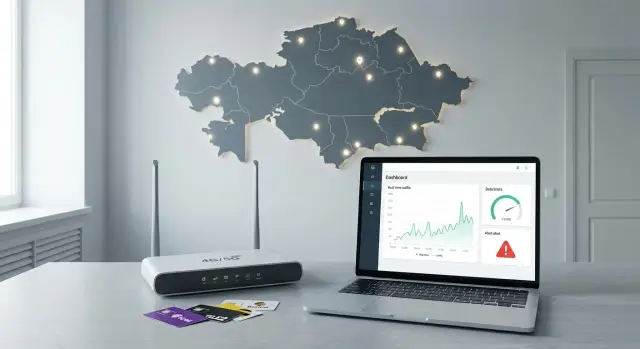
Pain points when managing 4G/5G routers and SIMs
When you have only a few SIMs and 4G/5G routers, it seems manageable. But once branches, mobile crews and backup links appear, costs and incidents start popping up unexpectedly. Usually the problem isn’t the connection itself but the lack of clear inventory and rules.
The most common surprises are overage bills, paid roaming, forgotten paid options and SIMs that sit in devices for years without a responsible owner. Even worse is when a backup router should save the day but its package is exhausted or the SIM is blocked, and the branch simply goes offline.
Without a system, data spreads out: part in Excel, part in emails with the provider, part in the administrator’s head. As a result it’s hard to answer simple questions: where is this SIM now, what tariff does it have, what is its traffic limit, who pays, and why did it work yesterday but not today?
In practice, managing 4G/5G routers and SIMs means a few things: seeing which devices are active and where they’re used; understanding tariffs, limits, remaining balances and renewal dates; reducing risk (rules for roaming and limits); getting warnings before overage; and quickly knowing who to call and what to do.
Imagine a field crew: the router provides Internet for laptops and cameras. Usually 20–30 GB is enough, but if updates or video uploads to the cloud start, the package can be gone in a couple of hours. Without alerts you learn about it only from the bill. With alerts you can switch traffic, lower video quality or temporarily restrict tethering in time.
A good result is simple to measure: costs become predictable per branch and per SIM, and downtime due to connectivity becomes less frequent and shorter. In a distributed network of offices and sites this often has an effect comparable to buying more powerful hardware: fewer incidents and less stress.
Data you must track so inventory doesn’t fall apart
Inventory fails not because systems are complex but because of small details: a SIM has no owner, a router moved to another branch, a tariff was changed by phone and not recorded. The first goal is a single registry where every SIM and router has a clear card.
The minimal set that usually prevents chaos:
- Router: model, serial number, IMEI (if any), issue date, responsible person.
- SIM: operator, ICCID, IMSI, number (MSISDN), PIN/PUK (store with restricted access).
- Tariff: name or code, included package, price, overage terms, next billing date.
- Assignment: where it’s installed (branch, vehicle, crew, backup node) and purpose (primary or backup).
- Status and lifecycle: active, spare, being replaced, lost, blocked (with change dates).
A common mistake is storing only the phone number. Numbers change when a SIM is replaced, while ICCID (printed on the SIM) and the router’s serial number remain anchors. ICCID is usually on the plastic, IMSI can be seen in the operator’s account or device info (depends on model), and the router’s serial number and IMEI are on the sticker or in the web UI.
Location assignment should be specific, not approximate. If you have branches and mobile crews, record not only the city but the exact site: for example, “Astana branch, cashier area, backup channel” or “Service vehicle #7, crew 2.” Then when overage occurs it’s clear who to call and what to disable.
Keep a change history. A simple rule: any action with a tariff, SIM or device should leave a trace — who, when, what changed and why. In organizations with many sites and contractors, without history you’ll spend time investigating instead of controlling every month.
Tariff and limit tracking: simple rules that work
With many SIMs, tariffs quickly become messy: packages, conditional “unlimited” plans, night options, and “free” megabytes for specific services. Costs grow unnoticed and no one can quickly explain why. To avoid manual bill-checking, agree on simple rules.
Record the tariff in terms of money: subscription cost, what’s included, what’s billed separately, when the package renews and when conditions change. The operator’s tariff name is secondary.
For each SIM keep at least: operator and tariff, subscription fee and next billing date; included traffic (if day/night split exists), restrictions after exhaustion; connected paid services (static IP, roaming bundles); “unlimited” conditions (often speed or traffic-type limits); and a monetary spending threshold if the operator allows it.
Decide whether you control risk by traffic or by money. A traffic cap is simpler for branches and mobile crews (clear gigabytes). A monetary cap helps where roaming and paid options are the main danger. Often a combination works: a primary traffic limit plus a monetary safety cap.
Standard thresholds are useful so alerts are comparable:
- 50% — notify the responsible person and check for scenario changes.
- 80% — investigate the cause and prepare action (buy package, switch, apply limits).
- 100% — execute a pre-agreed decision: purchase data or enforce a strict limit.
Backups need a separate rule: data only during an incident. A SIM in a backup router shouldn’t be used “for convenience.” You can keep a small package but with an earlier alert, for example at 50%: if a backup is consuming data, it means it’s already acting as a primary link.
Don’t forget add-on services. They often cause unexplained extra charges: roaming options, subscriptions, static IP, automatic extra data packs. Make a one-time list of permitted extras and forbid the rest — it’s cheaper than monthly bill investigations.
Geography of use: avoid roaming surprises
The largest unexpected bills often come from where a SIM was used, not how many extra gigabytes were used. Home region is usually cheaper; on trips conditions can change, and roaming rates are almost always the harshest. Geography should be part of the record, not a “notes” field.
For each SIM or router record allowed zones. Exact coordinates are not required; city/region/country level and a list of exceptions usually suffice. The key is agreement: where connectivity is mandatory and where offline work is acceptable.
Mobile crews are harder than branches: they constantly move and have different norms. A practical approach is to tie a SIM to a role and scenario (for example, “emergency crew”) and pre-approve geography for that scenario.
Signals that almost always mean a roaming risk: a device appears in a new zone outside the rules; roaming turns on; a SIM changes regions frequently; traffic spikes immediately after a zone change; a SIM operates for a long time where it shouldn’t.
Practical example: a branch has a 4G/5G router as a backup and its SIM should only work in one city. If the SIM suddenly appears in another region, it’s usually moved equipment, an inventory mistake or someone using the SIM while traveling. Define actions in advance: notify the responsible person, temporarily limit traffic or block roaming until clarified.
Overage alerts: configure and attach actions immediately
An alert is useful only when a clear action follows. This is crucial: overages are often noticed only after the bill, and a simple channel is discovered only when a branch “disappears.”
Which alerts to set first
Four groups cover most problems: traffic, money, geography and availability. For traffic, 50%, 80% and 95% of the monthly limit usually give time to react. A monetary alert is needed if pay-per-MB billing is possible or paid options are enabled.
Geography matters even without international roaming: a SIM can travel with a mobile crew to another region while you continue to count it as a branch SIM. Availability alerts should distinguish “router turned off” from “network disappeared” so you don’t mobilize people unnecessarily.
Where to send alerts and to whom
Use two channels: a fast channel (messenger or SMS) and an official one (email or a ticket in the service desk). Recipients depend on the alert type: IT handles availability and SIM replacement, finance/procurement handles tariffs and bills, the site manager handles physical access to routers, and duty staff handle night incidents.
To prevent alerts from “dying” in chat, define escalation: if there’s no response in 30 minutes (or 2 hours for non-critical cases), the notification escalates to the next level and a task is created.
Predefine short action templates: temporarily limit bandwidth or enable an “eco mode”; disable a SIM at risk of a large bill; buy a package or plan a tariff change; replace a SIM or router for recurring dropouts; switch the site to backup.
Example: a branch has a 200 GB limit. At 80% IT and the site manager get a notification. The site manager confirms that video inventory started; IT applies bandwidth limits and plans a package increase for next month. If 95% is not handled, notification goes to the duty engineer and a ticket is created automatically.
Step-by-step: organize management from scratch in 1–2 weeks
To keep 4G/5G router and SIM management from becoming chaotic, start simple: one registry, clear rules and a regular check rhythm. This is feasible in 1–2 weeks even without complex systems.
10 working day plan
Day 1–2. Collect a full list: routers (model, serial numbers, IMEI), SIMs (ICCID), operator, current tariff, activation date. Assign an owner (a person or a role) and link to the object (branch, vehicle, crew).
Day 3–4. Categorize sites by scenario. Three profiles usually suffice: branch (steady load), mobile crew (spikes and moves), backup channel (rare but critical). For each scenario set traffic limits, allowed regions and priorities (for example, cashier and telemetry are more important than updates).
Day 5–6. Set up data collection and reporting rhythm. Don’t try to see everything in real time at first. Agree how often you check: daily — sudden spikes and roaming; weekly — top consumers, inactive SIMs, frequent dropouts; monthly — tariff review, retiring unused SIMs, procurement planning.
Day 7–8. Enable alerts and test them initially at a soft threshold, e.g. 70%. Check not just the notification but “what happens next.”
Day 9–10. Formalize the process with a short procedure: who changes tariffs, who confirms SIM transfers between sites, how SIMs and routers are written off, and where the history is stored. Define roles: registry owner, tech support, finance/procurement, and policy owner for scenarios.
Example scenario: branches, mobile crews and backup internet
Imagine a company with 12 branches, 6 mobile crews and 8 backup channels (a 4G/5G router next to the main provider that is used in outages). The goal is simple: keep connectivity working and avoid surprise bills.
How to split tariffs and limits
Branches usually need stable predictable traffic: tills, video surveillance, workstations. Mobile crews need coverage and clear rules for travel. Backup channels often only need a minimal tariff but with strict limits.
A practical approach: branches — fixed packages sized by site (for example, 200–500 GB); crews — smaller packages (30–80 GB) but with priority for coverage; backups — small packages (5–20 GB) and a ban on sharing to prevent the backup turning into a “free Wi‑Fi.”
Alerts: thresholds and recipients
Configure alerts by usage type. For example: 70% — notify site owner or crew lead; 90% — notify IT and the division manager; roaming activation — notify IT and the SIM owner immediately; unusual night traffic — alert IT as a sign of updates, leaks or unauthorized connections. Always attach a clear plan: who confirms overuse, who approves extra data, who records the cause.
Typical incident: a mobile crew went to a border area, the SIM entered roaming, and 2–3 GB was used on video calls and cloud uploads in an hour. Quick actions: contact the crew, disable auto-updates and sync, limit tethering, switch to a local spare SIM if needed, and then set the rule “roaming — essential apps only.”
End-of-month short report is useful: costs by branches, crews and backups (with deviations); top SIMs by overuse and reasons; how often backups kicked in and for how long; roaming cases and resulting changes; suggestions for packages and tariffs.
Common mistakes and traps in tracking and control
The most common problem is simple: unclear responsibility. A SIM sits in a router on a site, the site is nominally assigned to a branch, but the bill goes to HQ. When an alert arrives everybody assumes someone else will react.
A second trap is identical limits for all. A branch with video and VPN needs more than a small pickup point or a temporary site. One-size-fits-all leads to overpayment or constant breaches and manual interventions.
Geography is often forgotten. A SIM that works fine in the city may roam at a regional border or during a crew trip. Result — expensive traffic, operator block or zero connectivity when you need the backup.
Another pain is alerts without actions. Notifications arrive but nobody confirms, limits aren’t applied, packages aren’t purchased and incidents aren’t recorded.
Finally, spare SIMs left unchecked for years. Numbers get reassigned, tariffs closed, PINs changed. On the day of an outage the backup channel won’t come up and you discover the problem too late.
How to avoid these mistakes
A few rules usually suffice:
- Assign an owner for each SIM (name or role) and a backup responsible.
- Create limit profiles by usage type (branch, cashier, camera, crew, backup), not one limit for all.
- Record allowed geography and decide in advance what to do on exit.
- Attach an action to every alert: who does what within 30–60 minutes.
- Test spare SIMs and routers monthly with a short connectivity check.
Example: a mobile crew went to another region, the SIM entered roaming, auto-updates consumed data and the package burned in a day. With an owner, a profile limit and a roaming rule (for example, block traffic except VPN), the situation is resolved within an hour, not after the bill.
Short checklist before launch and for monthly checks
Good inventory is based on simple habits. Before launch confirm every SIM has an owner and purpose, and that overages won’t cause chaos.
Before launch
Store the result in one place (spreadsheet, service desk, registry — it doesn’t matter as long as it’s used):
- Each SIM and router has an owner (name/role), an object (branch, vehicle, crew), an emergency contact and a short task description.
- Tariff is clear: what’s included, when the package renews, which paid options are enabled and why.
- Limits and alert thresholds agreed (for example 70% warning and 90% critical), plus a separate threshold for unusual night activity.
- Geography of use defined: where it’s allowed and where it’s forbidden.
- There is a 30-minute plan for overage: who decides, who calls the operator, who switches to backup and who notifies the business.
After launch run a short test: put load on a backup channel, confirm alerts arrive and actions are clear.
Monthly check (15–30 minutes)
Do a quick monthly reconciliation so inventory doesn’t drift due to device swaps, staff changes and moves:
- Compare actual usage with intended tasks (backup shouldn’t carry main traffic regularly).
- Check anomalies: top SIMs by overuse, spikes, recurring breaches.
- Update geography: new routes, business trips, roaming condition changes.
- Confirm contacts and roles.
- Test backup: a short switch and record the result.
Next steps: pilot, standards and careful integration
The fastest way to get order is a pilot with agreed rules. Choose 1–2 branches and one mobile crew. On this scale typical problems appear quickly: undocumented SIM swaps, roaming, traffic spikes, unexpected dropouts.
Answer key questions in the pilot: where traffic most often “escapes” (updates, video, sharing Wi‑Fi), who decides on SIM replacement, and what happens when a channel fails (who calls, who goes on-site, who approves expenses).
When the pilot proves value, document a short standard for everyone: SIM card sheet (operator, tariff, limits, period, allowed geography, owner, where spares are stored); router card (model, IMEI/serial, installation point or crew, primary/backup mode, who can change settings); alert rules (thresholds, recipients, reaction times, what counts as resolution). If a rule can’t be explained in 30 seconds people won’t follow it.
As you scale the bottleneck is usually not inventory but the surrounding infrastructure: where the monitoring system lives, who administers it, how backups are made, and failure procedures. Plan these in advance.
If you are in Kazakhstan and want to reduce device variety and simplify support, it helps when supply and integration follow a single standard. For example, GSE.kz as a manufacturer and system integrator can cover parts of infrastructure (PCs, servers, implementation and support) so registry and procedures rely on uniform models and a clear service rather than fragmented agreements.
Frequently asked questions
Where should we start if we already have dozens of SIMs and several routers across branches?
Start with a single registry where every SIM and router has a card, an owner and a precise link to the site. Then set traffic alert thresholds and a simple reaction rule so you learn about issues before a bill or downtime arrives.
Which fields in the registry are mandatory to keep the inventory intact?
Keep at least: ICCID, operator, tariff with subscription fee and billing date, limit and alert thresholds, status (active/spare/lost), owner and usage location. For routers add model, serial number, IMEI (if any), issuance date and the person responsible for the site.
Why can’t we track only by phone number (MSISDN)?
Because phone numbers change when a SIM is swapped or reissued, and you lose the physical anchor for tracking. ICCID ties to the physical SIM and makes it easier to reconcile bills, history and location.
Which traffic alerts are useful and not just noisy?
Use consistent threshold logic, for example 50%, 80% and 95% of the monthly limit, so you have time to react. Immediately assign an action to each threshold: who checks the cause, who limits sharing, who buys extra data or records the incident.
Who should receive alerts so they don’t get lost and people actually act?
Separate alerts by type: quick messages for fast reaction and an official channel for record and control. Assign recipients by role: IT — availability and replacements; site manager — physical access and scenario confirmation; finance/procurement — tariffs and bills.
How to reduce the risk of expensive roaming if we have mobile teams and field work?
Record allowed geography for each SIM or use scenario and enable an alert on exit. If a SIM suddenly ends up in another region or country, follow a pre-agreed rule: contact the responsible person, temporarily limit traffic and check whether roaming started.
How to set up the SIM in a backup router so it won’t fail during an outage?
Create a separate profile for backup: a minimal package, early consumption signal and a ban on using it “for convenience.” Regularly run a short connectivity test for the spare SIM and router; otherwise, on the day of an outage you may discover the SIM is blocked or the tariff closed.
What typically eats a team’s or branch’s data package unexpectedly?
Most often it’s auto-updates, video uploads, sharing Wi‑Fi broadly, cloud sync and sometimes paid operator add-ons. A practical step is to limit background updates in advance and decide which traffic is crucial so a package isn’t consumed in a few hours.
How to keep a history of changes so incidents and bills can be investigated quickly?
Make a rule: any change of tariff, SIM transfer, device replacement or block must be logged with date, executor and reason. Without history you’ll spend time investigating instead of managing costs and availability.
How does SIM/router inventory relate to choosing an equipment supplier and integrator?
When equipment and support are standardized, it’s easier to maintain uniform models, firmware, spare parts and a clear service process. For companies in Kazakhstan you can consolidate procurement and integration with one supplier and integrator, for example GSE.kz, so the registry, rules and support rely on consistent devices and clear responsibilities.
