8 min read
LLM Sandbox: Safe Experiments Without Production Risk
An LLM sandbox lets you test prompts and models without production risk: isolation of environments, synthetic data, quotas, logging and access control.
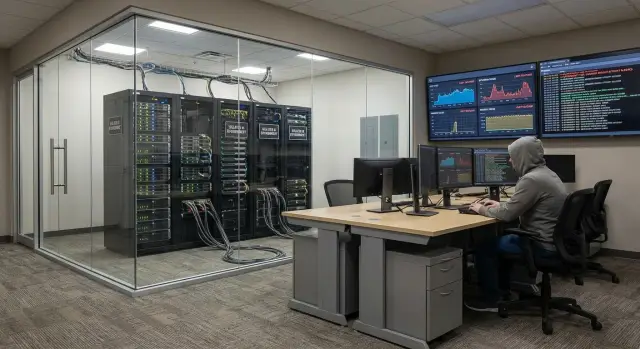
Why you need a sandbox and what risks it mitigates
Testing LLMs directly in production is dangerous for a simple reason: models do not behave like ordinary code. One bad prompt, a new plugin, or an unexpected data format can produce not only a bug but a data, cost, or access incident.
The most common risks when experimenting in a live environment are leaks and traces. A model can send personal data, internal documents, or fragments of correspondence in a request. Even if the response to the user looks harmless, the provider or your integrations may retain logs containing sensitive fields. For organizations in the public sector, finance, and healthcare, this quickly becomes a compliance issue.
The second risk is money and stability. LLMs easily "eat" the budget: long contexts, parallel tests, repeated requests, and automated agents. Plus there’s the load on your APIs and databases if the model is connected to internal systems. The result can be unexpected bills and performance degradation for real users.
Why isn’t a regular staging environment enough? Because LLMs are often embedded in chains: search, documents, tools, access rights, and external models. Staging usually copies the application but does not provide the specific restrictions and observability needed for model behavior. That’s why you need an LLM sandbox: a separate contour where you can try scenarios quickly but strictly within rules.
A sandbox typically addresses several tasks at once: isolation from production (data, networks, keys, integrations), safe test data (synthetic or anonymized), limits and quotas for requests and budgets, logging and audit, and clear roles and approvals among IT, security, legal and the business.
Practical example: a team builds an internal assistant and adds access to a ticket database. Without a sandbox, a single test query can pull real names and phone numbers and then end up in logs or training datasets. In the sandbox, the same scenario is tested on synthetic data, with limited keys and full tracing. You can fail fast and safely without risking production systems or reputation.
For companies building infrastructure in-country and working under regulatory constraints (as often seen with GSE.kz clients), a sandbox helps show controllability in advance: who ran experiments, what data were used, how much it cost, and why it’s safe.
What a practical LLM sandbox looks like
An LLM sandbox is a separate place where teams try ideas with models and prompts so mistakes, data leaks and surprise bills don’t affect live systems. Important: a sandbox is not just "another server." It’s a set of rules and guardrails that make experiments predictable.
In practice, a sandbox usually includes several required parts: an isolated environment (accounts, networks and keys), test data (synthetic or anonymized sets), team roles and access, observability (logs, quality metrics, cost, errors, response times) and "limiters" (quotas, resource caps, bans on risky integrations, whitelists of sources).
The difference from staging is simple: staging aims to be a copy of production to validate releases. A sandbox is built for fast trial and error: less data and safer data, more freedom, but stricter protections.
The difference from a pilot is also clear. A pilot validates value with real users and processes, where stability and support matter more. In a sandbox speed and safety are more important.
The output of sandbox work is not a "successful chatbot" but reproducible artifacts: prompt versions and message templates, test suites (questions, expected answers, criteria), short reports (what was tried, results, cost), and risk decisions (what’s banned, what needs approval).
Set limits in advance. For example: a maximum of N requests per day, a ban on uploading files with personal data, log retention of 30 days, and a rule "no direct integrations with production databases." Then experimenters won’t "break" the contour or surprise finance.
If you build a sandbox in an organization with heightened requirements (public sector, finance, healthcare), include audit and access control from the start. Rules should be part of the infrastructure, not an afterthought.
Segmentation: how to isolate experiments from production
The core idea of an LLM sandbox is simple: any experiment must be able to "fail" without affecting customers, data or key services. Design the boundary between test environment and production first, then connect models, data and teams.
Physical isolation is appropriate when risk is high: personal data are present, regulators impose constraints, or processes are critical (government services, finance, healthcare). In that case the sandbox runs on a separate cluster or at least dedicated servers and storage, with separate keys and admin consoles.
Logical isolation is cheaper and faster: separate projects, namespaces, networks and policies inside shared infrastructure. Use this when experiments don't touch sensitive data and strict technical isolation is sufficient.
Network and identities
Isolation usually starts with network and identities. Create separate user and service accounts for the sandbox, and provide access through VPN and MFA. A good practice is temporary roles: access for hours or days for a task, not "forever."
A quick checklist to verify contours are separated:
- a separate VPC or network segment with whitelist-only egress
- different accounts and keys for sandbox and production
- secrets and environment variables do not overlap
- separate queues, databases and storage for tests
- default-deny access to production logs and data
Ban direct integrations at the start
While the team is experimenting, do not grant the sandbox direct integrations with critical systems (CRM, payments, registries, HR). Use stubs and test APIs. Even a harmless assistant can accidentally send a request in the wrong direction or leak a token into a log.
Example: when testing an internal support assistant, give the team a schema copy and synthetic tickets first, and only enable production access after rights, network rules and failure scenarios are reviewed.
The principle of least privilege should apply to everyone: users get only what they need for the experiment, and services get only specific permissions to specific resources. This reduces damage if something goes wrong.
Data: synthetic, anonymized, and retention rules
The fastest way to turn a model experiment into an incident is to give it access to real customer or employee data. In a sandbox, data must be safe to share within the team, move between stands, and show in demos.
Tests usually require more than plain text. Documents (PDFs, emails, manuals), log and chat fragments, filled forms, and reference lists (department names, service codes, typical tickets) often appear. The closer the format is to the live scenario, the sooner you find weak spots.
Anonymization is suitable when structure and style matter but personal details do not. For instance, replace names, phones, document numbers, addresses and IDs with stable markers that preserve relationships in text: "Client_12", "Contract_8841". But when the source contains many rare details (medical cases, financial transactions, unique phrasing), simple replacement may not suffice: the person can still be identified by context. Then prefer synthetic datasets.
Synthetic data work if produced thoughtfully: templates of typical requests, rule-based generation of examples, mixed sets (anonymized "skeletons" plus synthetic details) and special cases for edge conditions: very short and very long texts, typos, language switching, and "malicious" requests.
Treat data quality as seriously as code. Minimal checks: realism, scenario coverage, absence of personal data (auto-scan for ID templates, phones, emails), and reproducibility (dataset version, date, author, generation rules).
Retention rules matter too. Test sets should have a lifetime: e.g. 30–90 days for drafts and longer only for reference regression sets. Deletion should be scheduled and recorded. This is critical for organizations with strict compliance requirements.
Access and team rules
Without clear access rules a sandbox quickly becomes either chaos or a "museum" where no one dares to try anything. Rules should not be about bans but about preventing experiments from touching production, data and budgets.
A simple role model usually helps:
- the experimenter runs scenarios, writes prompts and records results
- the admin configures the environment, quotas, access and integrations
- the reviewer checks changes before pilot or release
- security/compliance defines rules for data, logs and incident reviews
Limit who can add data sources. A working rule: the experimenter uses only approved sets (synthetic, anonymized exports, test DBs), and an admin adds a new source after a short review: where the data come from, whether personal or internal data are present, where it will be stored and how it will be deleted.
Secrets deserve special attention. Keys and tokens must not appear in chats, notebooks or prompts. Store them in a secret manager or at least in environment variables on the infrastructure side, with rotation and separate keys for test and production. Grant access on a "least necessary" and time-limited basis.
For prompts set a minimum standard: forbid inserting confidential information (names, IDs, contract numbers, internal emails), require placeholders and test examples. Check realism via anonymization or synthetic data, not by copying fragments from live systems.
Resolve disputed cases quickly: a short request form (1–2 paragraphs), a shared discussion channel, and a decision in 1–2 business days. For sensitive domains it helps to maintain a pre-approved list of "red lines" so every dispute isn’t a fresh debate.
Resource limits and cost control
Sandboxes often break not because of model quality but because someone started a heavy run overnight, GPUs filled up, bills spiked, and the rest of the team was blocked. Set limits from day one, even if experiments are few.
Start with infrastructure-level caps. They are easier to enforce at the cluster and queue level than by manual agreement:
- CPU/GPU: per-job resource limits and queue priorities
- RAM and disk: memory and storage ceilings, quotas for artifacts
- network: outgoing traffic limits and default ban on broad integrations
- runtime: request timeouts and maximum job durations
- parallelism: max concurrent tasks per user and project
Next, quotas per people and projects matter most. Each project should have a clear "wallet": how many GPU-hours or tokens are allowed per day or week, and what happens when exceeded (soft block, priority downgrade, manual approval). This makes spending predictable.
Limit the LLM itself too: context size, requests per minute, overall token cap per session. A simple rule: start with short context and infrequent calls, and only increase limits for a specific task and time window.
For long jobs add auto-stop and scheduling. For example, heavy runs are allowed at night or on weekends, and anything running longer than X hours without progress is automatically terminated and marked "needs review." In practice this saves more money than any prompt optimization.
Alerts must be simple and intelligible:
- sudden cost spikes (GPU-hours or tokens) per project
- error surges (5xx, timeouts, quota rejections)
- latency increases above threshold
- disk or memory usage above 80–90%
- unusually high outgoing traffic
Example: a team testing a RAG assistant accidentally includes the "all documents" context. With context size and timeout limits, the experiment ends with a log warning rather than a nighttime bill. On high-performance infrastructure, including GSE S200 Series servers, such guardrails are especially important: high performance can make mistakes costly quickly.
Logging, metrics and audit: make everything verifiable
Without decent logs you can’t reproduce an experiment or explain a failure. Logging and metrics make the work manageable: you can see what was tested, how much it cost, and why it behaved a certain way.
From day one capture not "everything" but what helps reconstruct the picture:
- who and when ran a request, from which scenario (experiment ID)
- prompt version and runtime parameters (model, temperature, limits)
- input data (in a safe form) and model output
- errors and failure reasons (timeouts, limits, policy blocks)
- technical context (environment, service version, traces)
Separate logs into two layers: technical events and content. Technical events can be retained longer and accessed more broadly. Content of requests and responses should be available only as needed and by role, with clear deletion rules.
Masking and retention are crucial for content. Anything resembling IDs, document numbers, phones, addresses, bank details and names should either not appear in logs or be masked. Set retention up front (e.g. 7–30 days for content, 90–180 days for technical logs) and a deletion procedure.
Minimal metric set
Metrics are useful beyond engineers. They help explain to leadership and security that the sandbox is under control:
- quality: share of successful answers by checklist, number of critical errors
- speed: average latency and 95th percentile
- cost: tokens, requests, cost per scenario and per user
- resilience: share of timeouts and retries
- security: number of policy triggers, attempts to access forbidden data
Reporting for security and leadership
A good report is short: what experiments ran, what data were used, incidents and fixes, what limits triggered. If a team tests a new prompt for request handling, the audit should show which prompt version improved quality, how many requests went to the sandbox, and that no real personal datasets ended up in logs.
Store reports on dedicated infrastructure within the organization's contour, with restricted access and regular exports of aggregated metrics.
Step-by-step: deploy a sandbox in 1–2 weeks
With a focus on a minimally useful version, you can build a sandbox in 1–2 weeks. Agree that this environment is for validating hypotheses, not another production.
6-step plan
Start with a short plan and owners. The initial goal: any team member can safely run a test and get a clear report.
- Define 5–10 scenarios and success criteria: answers to typical questions, fact extraction from documents, ticket classification. Criteria should be measurable (accuracy, failure rate, response time).
- Choose the model stack and prepare the environment: where models run (cloud or on-prem), orchestrator, and artifact storage (prompts, model versions). The key is to record versions.
- Set up isolation: separate accounts, roles, storage and network. Keep secrets in a secure store, not in code. Set quotas for CPU/GPU, memory and request counts.
- Build test datasets: baseline cases, negative examples, edge cases. Add synthetic data and anonymization to avoid moving real data around.
- Enable logging and metrics: save prompt, response, model version, parameters, tokens and failure reasons. Prepare a simple report template so results across teams are comparable.
The sixth step is a short pilot and migration plan. Choose 1–2 scenarios, try them with several prompt variants and settings, then record decisions: what works, where risks are, and what rules are needed. If data sovereignty is required, start with an operator-facing assistant on anonymized requests, then move to a restricted on-prem contour after the pilot.
Common mistakes and pitfalls
The most frequent problem is a sandbox that looks separate but actually pulls production data, access or integrations. This often doesn't show up on day one, but appears when teams try new scenarios and loads increase.
Mistake 1: testing on real data without masking
Even one exported file with personal data, a contract or a medical record turns an experiment into a risk. People copy text into prompts, save responses in notebooks and share examples. Without rules and technical controls such data spread.
A simple rule: if you wouldn’t show the test dataset to an auditor, it’s not suitable for the sandbox. Use synthetic data or anonymization so a person, company or document number cannot be reconstructed.
Mistake 2: keys and tokens "temporarily" left in code
Keys in notebooks and repos are classic. They get committed, shared in chat, or stored in a common archive. The result is long-lived access that’s hard to trace.
Minimum rules that work:
- store secrets only in a protected secret manager, not in project files
- issue short-lived keys
- separate test and production keys physically and by permissions
- disable broad rights by default and grant access on request
Mistake 3: no quotas and one test consumes everything
Without limits on GPU, CPU, memory, tokens, requests per minute and budget, a single run can "take down" the environment. This is especially painful when multiple teams share the sandbox.
Practice: limit resources per project and user and provide a clear stop signal: what was exceeded and how to request more.
Mistake 4: logs exist but are unusable
Sometimes logging is enabled but retention, access rights and format are undefined. After a week the needed records are gone, or what's left cannot be connected: who ran it, which data, which model and what was the result.
Agree up front which events are mandatory (run, dataset, prompt version, parameters, cost, errors) and who can view content.
Mistake 5: early integrations with mail, CRM, ERP
Connecting live systems too early turns the sandbox into hidden production. Example: a team hooks corporate email to test on real messages and a misrouted rule sends responses to customers.
First simulate integrations: stubs, test mailboxes, copies of references, and queues with manual confirmation. Connect live systems only after control scenarios and clear responsibilities are defined.
Quick readiness check and next steps
Before letting a team run experiments, perform a short check. It takes 10–15 minutes but often prevents data leaks, surprise bills and disputes about "who ran this prompt."
Mini readiness checklist
Confirm basic security and manageability are enabled:
- Contours are separated: the sandbox runs separately and has no direct connections to production databases, queues or secrets.
- Test data are safe: synthetic or properly anonymized sets with retention and deletion rules.
- Quotas work: limits on CPU/GPU, memory, tokens and parallel jobs, plus auto-stop for long or stuck runs.
- Logs and metrics are enabled: prompts, responses, parameters and costs are visible, with access restricted by role.
- There are criteria to "proceed": an experiment report template and conditions for moving to pilot then production.
Simple example: a clinic team testing LLMs for draft discharge notes. If the sandbox still has access to real medical histories or no auto-stop for long jobs, one failed experiment can become a regulatory breach and a budget overrun.
Next steps
After the check, move to a controlled pilot. Start with 2–3 scenarios where mistakes are not critical and effects are easy to measure: ticket classification, knowledge-base search, draft emails.
Then evaluate infrastructure for the pilot: number of users, peak loads, need for GPU, and log storage. If you plan on-prem deployment for sandbox and pilot, verify hardware and support availability. Practically, this often means selecting servers for expected loads, designing contours and organizing support — tasks where system integrators like GSE.kz typically assist.
Finally appoint a sandbox owner (responsible for rules and limits) and establish a short cadence: weekly reviews of experiments and decisions to "close, repeat, or promote to pilot."
Frequently asked questions
Why do we need an LLM sandbox if there is a test staging environment?
A sandbox lets an experiment "fail" without consequences for customers, data or bills. It restricts access, networks, keys, data and budgets so mistakes in prompts, formats or integrations don't turn into incidents.
How does an LLM sandbox differ from staging?
Staging typically mirrors production to validate releases and often tempts teams to use real data and integrations. A sandbox is built for fast iterations with strong guardrails: safe datasets, bans on risky connections, quotas and clear logs so results are reproducible and explainable.
How is a sandbox different from a pilot?
A pilot validates value with real users and processes, so stability, support and low failure rates matter more. A sandbox is a preparatory stage focused on tuning prompts, tests, metrics and safety rules so the pilot is predictable.
What components are mandatory in an LLM sandbox?
At minimum — a separate environment with distinct accounts and keys, safe test data, roles and access rules, observability for quality and cost, and resource/request limits. Without these basics a sandbox quickly becomes either a “mini-production” with risks or a chaotic set of unreproducible experiments.
How to properly isolate a sandbox from production?
Start from a clear boundary: separate accounts, service identities and secrets, plus a network segment with whitelist-only egress. For initial experiments forbid direct connections to production databases and critical systems, and use stubs or test APIs so a model's accidental request can't touch live data.
What data can be used in a sandbox to avoid leaks?
By default, use synthetic data or properly anonymized datasets that are safe to share within the team and show in demos. Real customer or HR data in a sandbox almost always creates leak risks via logs, notebooks, caches and request histories, so they should be blocked technically and organizationally.
When to choose anonymization and when to use synthetic data?
Use anonymization when the structure and style of real data matter but personal details are not needed and re-identification by context is unlikely. If data are rare or identifiable (unique medical cases, specific financial operations), synthetic data are safer because simply replacing names and numbers may not remove identification risk.
How to avoid unexpected bills and sandbox overload from LLM usage?
Set quotas per project and user and limit the model by context size, request frequency and total tokens per session. Add timeouts and auto-stop for long runs so a single overnight job won't consume all GPUs, crash the environment or produce surprise bills.
What to log in the sandbox and how to avoid logs becoming a leak source?
Log what helps reproduce the experiment: who ran it, prompt version, model and parameters, tokens used, runtime and outcome. Log content only when necessary and with masking for sensitive fields, and set retention policies up front so logs don't become a data warehouse.
What are the most frequent mistakes when launching a sandbox and how to quickly check readiness?
Common mistakes include leaving keys in code, integrating production systems too early, and testing on real data without masking. Before starting, verify that contours are actually separated, test data are safe, quotas are active, and each experiment produces a clear artifact: prompt version, test set and a short report showing quality and cost.
