8 min read
Integrating LLMs with 1C: patterns, trust and common mistakes
Integrating LLMs with 1C: common patterns (data-backed search, drafts, error explanations), architecture, security and mistakes that destroy trust.
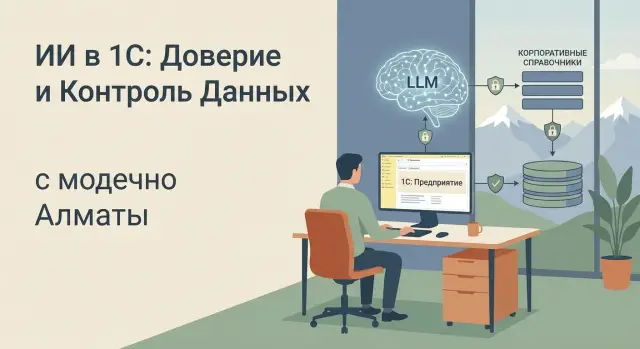
The task in simple terms: what an LLM next to 1C delivers
If you already have 1C, the main value of an LLM is not to replace accounting or "think instead of the accountant." The benefit is simpler: an assistant helps find what you need in your data faster and prepares drafts that a person will review and correct. Integration of an LLM with 1C usually starts from this.
Most often people want four things from an LLM beside 1C: answer questions about the database and procedures in plain language (with reference to documents and records), prepare drafts of emails and internal texts, explain errors and suggest where to look for the cause, and help newcomers with typical actions like "how to process a return" or "which fields are required."
At the start, it's better not to touch processes where a mistake immediately becomes monetary or legal risk: automatically posting documents without confirmation, payments, HR orders, month-end postings. In such areas LLMs are usually limited to giving suggestions and producing drafts.
The most common expectation trap is "let it figure things out by itself." An LLM doesn't know your default rules, may miss a contract exception, and sometimes confidently makes mistakes if it wasn't given precise data.
How is this assistant different from a regular search or chatbot? Search returns a list of documents, while an LLM can compile a short answer and explain where it came from. A chatbot follows scripted scenarios, while an LLM can hold a conversation and ask clarifying questions.
Simple example: a manager asks, "why won’t the consignment post?" The assistant clarifies the organization and warehouse, finds a typical cause in the error log and offers a short checking plan — instead of a long back-and-forth with support.
What data is involved: 1C and directories without illusions
When people talk about integrating an LLM with 1C, they often imagine the model will "see the whole database" and immediately answer like an experienced accountant or analyst. In practice an LLM only works with what you give it, in an understandable form and within access limits. So it's important to categorize data in advance.
1C typically contains three layers of useful information: documents (invoices, sales, transfers), registers (stock, receivables/payables, cost), and reports with built-in logic. Separately there are business rules: why a discount is calculated a certain way, how a warehouse is chosen, which statuses are allowed. These rules are not always "in tables" — some are embedded in the configuration, some live in user habits.
Corporate directories provide context: what counts as the same item, who a counterparty is, how employees, projects and units are linked. These often hide the reasons users later complain "the LLM is lying."
There is also informal knowledge: regulations, instructions, procurement emails, Service Desk tickets, correspondence about exceptions. Typically these must be found manually, and it's convenient to give them to the assistant as a knowledge base.
The quality of directories is almost always more important than the model choice. If your catalog has duplicates ("Cable UTP" and "UTP cable"), different units of measure or obsolete SKUs, the assistant will honestly present "facts," but the user will see a mess.
Example: an employee asks "why the sale won't post." In 1C the cause can be negative stock on one warehouse while the directories contain two similar warehouse names. The LLM will show "not enough product," but won't guess the document is linked to the wrong warehouse.
Before connecting an LLM it's useful to do minimal cleanup:
- remove duplicates and agree on naming in directories;
- fix units of measure and conversion rules;
- document key statuses and document routes;
- define which regulations are considered current;
- configure rights so answers don’t exceed the user's role.
Basic pattern: search and data-backed answers (RAG)
The safest way to use an LLM with corporate systems is to make the model rely on found facts rather than invent answers. That's the point of RAG: first search your data (1C, regulations, directories), then form an answer only from what was found.
For 1C this is critical: users expect exact details, statuses, contract conditions and current rules. If the assistant answers "from its head," trust disappears after a couple of cases.
Typical RAG flow
In practice it's a short chain:
- the user asks a question (for example: "Why won't the sale post for counterparty X?");
- the system retrieves relevant fragments from 1C and related knowledge bases;
- the model builds the answer from these fragments and notes where each piece came from;
- the user sees the answer and can open the original source in the system by object name and identifiers.
The key point is a "data-backed answer": each important statement should have a clear, human-friendly reference to a source (a document, directory, or regulation), not just confident text.
Indexes: where to keep them and how to update
Search indexes are usually kept separately from 1C to avoid extra load and to simplify maintenance. It's convenient to update the index by deltas: when a document or directory element changes, only that delta goes to the index, not the whole dataset. For critical data add scheduled full syncs so discrepancies don't accumulate.
To make answers verifiable and manageable, each retrieved fragment needs minimal metadata: source (which database, which 1C object or document), date of relevance or change, data owner, access level and record identifier so the original source can be quickly located.
These details may seem small, but they make RAG a working tool that can be controlled and audited, not just a "chat."
Pattern: generating drafts in 1C that are easy to edit
The most practical LLM scenario with 1C is not "let the model decide," but "let it make the first version." A draft saves time on routine tasks while responsibility and the final decision remain with the employee.
Usually you start with familiar templates: a client reminder for overdue payment, an internal note for approval, a comment on a sale or receipt, a short report summary for a manager. It's important that the model inserts facts from the document rather than inventing them.
How to set style and constraints
It's easiest to lock rules in the prompt or in a "template profile" for a specific text type. Typically five constraints are enough: tone (neutral, businesslike, no blaming or slang), length (e.g. up to 900 characters or 6–8 sentences), prohibition on assumptions (if there's no data, say so), format (subject line + body, or a 3-point summary), and mandatory phrasing such as "please confirm" or "we propose the following options."
Required fields and binding to requisites
For a draft to look credible, the model must receive and explicitly insert requisites: document number and date, counterparty, amount and currency, deadlines, responsible person, basis (contract or order), and what exactly is required from the recipient. A good practice is to add a "Check before sending" block listing: amount, date, counterparty, deadline, attachments. Then a person can quickly see what to verify.
Example: a manager opens a sale in 1C and clicks "Generate letter." The model drafts a letter using the amount and payment terms from the document, offers two polite variants of the text, and if the payment term is missing writes: "The document does not state a payment term; please confirm before sending."
Where people are needed in the loop: pick a variant, adjust wording for context, verify numbers and dates, then approve or send for additional approval. This speeds things up while keeping control.
Pattern: explaining errors and giving diagnostic hints
When something breaks in 1C, users usually get a short error message and feel left on their own. A good LLM next to 1C translates the message into plain language and gives a diagnostic checklist, without pretending it fixed everything.
Common requests sound like: "Document won't post," "balances don't match," "period won't close." In such cases the assistant can:
- explain what the error message means and where it shows up in accounting;
- list 2–4 likely causes based on context (document type, organization, period, warehouse);
- suggest short diagnostic steps the user can realistically perform.
It's better to fix boundaries in advance. The assistant should not perform actions without proper rights, run regulatory processes, or change accounting logic "for correctness." In phrasing prefer verification language: "check," "compare," "clarify" rather than "fixed."
What a helpful answer looks like
Imagine an accountant writes: "Month won't close, errors about negative balances." Instead of vague statements the assistant requests minimal context (organization, warehouse, item, date) and suggests a sequence: check where the negative occurred (stock balance report by date, movements for the item), find the source document (return, write-off, sale, misplacement), verify units and batches if batch accounting is on, and re-run the closing after fixing primary documents rather than "tweaking" summary registers.
When integrating an LLM with 1C, it's useful to add an explicit note in the answer: "I do not change data. I propose steps you can perform with your rights." This preserves trust and reduces the risk of hidden errors, especially in production.
How to roll out: from pilot to production
To avoid an endless experiment, start with a narrow pilot. Integration of an LLM with 1C fits scenarios where value is easy to measure: less time spent searching, fewer mistakes in documents, faster user responses.
Choose 1–2 clear cases. For example: an accountant searching rules for a counterparty and contract in directories, and a support specialist getting hints for a typical posting error. Results should be verified against data, not impressions.
Agree which data sources the assistant can access and who can see what. In 1C this is usually roles and departments, plus separate restrictions on payroll, HR and financial data. If not fixed immediately, the first disputed answers will quickly erode trust.
A practical plan looks like:
- define scenarios and goals (what we speed up and by how much);
- list sources: which directories, documents and databases, and with what rights;
- prepare reference answers: 20–50 typical queries and correct results;
- build a prototype: a simple interface in 1C or alongside it, request log, feedback button;
- run a pilot with a small group (5–15 people) and review errors weekly.
To keep the pilot honest, measure not only "liked or not," but concrete metrics: share of answers with data backing, average task time before and after, number of edits to drafts, number of support requests on the same topics.
Move to production when quality stabilizes on typical queries and there is a clear incident handling process: who reviews logs, who fixes data, who updates prompts. Then the assistant becomes a regular tool, not a two-week toy.
Security and access: preventing the assistant from revealing too much
Security starts not with the model but with whose identity it uses to view data. The assistant must see exactly what the user sees in 1C and related directories, no more. Otherwise one well-phrased question can become a leak.
Role-based access: the assistant sees "through" the user’s eyes
The simplest principle: queries run in the 1C rights contour. If an accountant has no access to payroll, the assistant must not infer payroll data from another report or cache. This requires a unified authorization layer for all sources, including corporate directories and knowledge bases.
Masking and minimization: less data, less risk
Even with correct roles it's useful to limit what goes into the model context. Mask personal IDs, account numbers, card numbers, phones and addresses. For payroll and personal data provide only aggregates or ranges. Trim document "tails": signatures, extra requisites, attachments. Where possible provide identifiers (e.g. request number) instead of full cards.
Logs are needed not to monitor staff but to investigate incidents and quality issues. Log who requested and under which role, which sources were used, what was returned to the user, whether masking occurred and what was hidden, and the versions of prompts and rules.
Another question is where computations run and what "goes outside." If part of the processing is in the cloud, decide in advance which fields are forbidden to send, how caches are stored and who has access to logs. For public sector and financial data this is often a key requirement.
Finally, update policies. When directories, regulations or document forms change, the assistant must update sources and masking rules on schedule, and critical changes should go through a quick review of tests and access rights.
Errors that break user trust
Trust in the assistant for 1C is built on predictability and verifiability, not on "clever" wording. In integrations failures are usually caused not by rare model outages but by small interface and data choices that make answers look true but uncheckable.
First problem: answers without reference to sources. If the assistant confidently writes "price 12,500" but doesn't show which document, register or item card it came from, users will start double-checking everything manually. After a few such cases they stop using the assistant.
Second cause: mixing versions of directories and environments. A company can have a test database, an archive copy and a production one, or separate directories for branches. If the assistant pulls old counterparty details or last year's prices, the result looks plausible and is therefore especially dangerous.
A separate class is hidden changes. The fastest way to lose trust is when the assistant "helped" and changed something (posted a document, switched an account, corrected an address) without explicit confirmation and a changelog.
Another trigger is unpredictability. The same question from two employees should yield the same answer if data and access are identical. If answers "float" without reason, users decide the system cannot be trusted.
Tone is important too. Categorical statements like "error due to the accountant's mistake" or overly confident conclusions sound harsh and are often wrong.
Most common trust-breakers are:
- no backing to primary data (document, register, update date);
- using outdated or "foreign" directories and versions;
- assistant making changes without confirmation and change logs;
- different answers to the same question without explanation (data, rights, context);
- a confident, categorical style instead of cautious phrasing and alternatives.
A good rule: if an answer cannot be quickly verified in 1C, it should not be considered production-ready.
A short quality checklist before trusting an answer
Even a good assistant makes mistakes, especially if the question is vague or data is incomplete. Before acting on an answer, a quick check takes a minute and greatly reduces the risk of wrong decisions.
Check:
- what the answer relies on: is a specific document, number, register, directory or at least a search period named;
- key facts in 1C: sums, dates, counterparties, items, contract (one wrong number often leads to wrong conclusions);
- that this is indeed your data and within your permissions (the assistant should not show what the role lacks access to);
- "signs of honesty" in the text: unknowns and ambiguities are noted (for example, "I don't see a document for the requested period," "there may be two counterparties with similar names");
- the ability to quickly leave feedback if the answer is wrong (1–2 words is enough: "date wrong," "different counterparty").
Small example. A user asks: "Why won't the sale post under the contract with Alfa?" A useful answer does more than "check VAT." It shows which sale was found, date and counterparty, and honestly lists which fields were checked and which the user lacks rights to view. If an answer has no document backing and no caveats, treat it as a hypothesis and re-check in 1C manually.
Practical example: one request, fact search, draft answer
A client manager opens the assistant chat next to 1C. The client asks: "Remind me of the contract terms and why the invoice hasn't been paid." Manually this means: find the contract, gather recent invoices, check payments, then carefully draft a reply.
The assistant clarifies what could cause mistakes: "Confirm the counterparty (TIN or name) and contract number if available. Check across all organizations or a single one?" After the reply it searches 1C and related directories and returns conclusions based only on found facts.
Steps:
- finds the counterparty card and related contracts;
- extracts key terms (payment term, penalties, contact person) from the contract or addenda;
- collects invoices and acts for the period, checks payment statuses and dates;
- produces a summary: what was issued, what’s paid, what’s overdue, which documents need attention.
Then the assistant offers a draft email to the client. It inserts only verifiable fields: document numbers, dates, amounts, and the contract's payment term. At the end it adds a neutral sentence where data is missing: "If you have a payment order, please send the number and date so we can reconcile."
The user quickly verifies sources: next to each fact the assistant shows which document it came from (e.g. "Invoice N... dated ...", "Receipt on account dated ..."). The manager opens 2–3 key documents, adjusts the tone, and sends.
If data is missing or there is a version conflict (e.g. the contract and an addendum state different payment terms), the assistant does not pretend certainty. It writes: "I found different terms in two documents; an addendum usually takes priority. Please confirm which applies," and lists the documents to check.
Next steps: how to prepare and who should own the rollout
To prevent integration of an LLM with 1C from becoming an endless experiment, start with small but clear preparation. The goal is simple: pick 1–2 scenarios with measurable quality and quickly get value.
Collect a set of tasks that repeat every day: questions about stock, counterparties, contracts, approval statuses, and drafts of emails and internal notes based on templates.
Practical minimum preparation:
- list 20–30 frequent user questions and 10–15 document types where a draft is needed;
- tidy directories: remove duplicates, agree on naming conventions, assign data owners;
- decide where a local contour is needed and which infrastructure meets security and load requirements;
- define answer validation rules: what the assistant may do itself and what it should only propose;
- plan training: how to formulate queries, which fields to clarify, how to quickly reconcile answers with 1C.
Next, assign responsibilities. Projects often stall when it's unclear who owns the data and who accepts results.
Typical roles needed: process owner (accounting, procurement, warehouse), data owner for directories, 1C team (analyst and developer), plus security and infrastructure.
If you also need system integration and infrastructure (servers, workstations, support), it's practical to discuss with GSE.kz (gse.kz) as manufacturer and integrator. In such projects it's often important that one team is responsible for hardware, deployment and support, especially when it concerns 1C, access contours and 24/7 operation.
Frequently asked questions
What can an LLM do alongside 1C?
LLMs are best used as assistants alongside 1C: to find facts, explain errors, and prepare drafts. Accounting, document posting, payments, and period closing should remain under an employee's control.
How should you start integrating an LLM with 1C?
Start with one or two recurring scenarios where the result is easy to verify. For example, finding contract rules, providing guidance on posting errors, or drafting emails to clients.
What is RAG in a 1C integration?
RAG first searches for information in approved sources: 1C documents, directories, and regulations. The model then formulates an answer based on the data it finds and shows which document or record supports it.
Which actions should not be delegated to an LLM without review?
Do not allow the model to post documents, change journal entries, initiate payments, or issue HR orders on its own. In these scenarios, it can prepare an option and suggest checks, while an employee makes the decision.
What data is needed to draft an email from 1C?
The model should receive the document number and date, counterparty, amount, currency, due date, contract, and purpose of the email. If a field is missing, the draft should clearly state that it needs to be clarified before sending.
How does an LLM help analyze errors in 1C?
The assistant can explain an error message in plain language, ask for the organization, warehouse, period, or item, and suggest several verification steps. It should not claim to have fixed the problem if it has not performed actions in the system.
Why should you keep directories organized?
The quality of directories directly affects the answers. Duplicate items, similar warehouse names, outdated SKU numbers, and different units of measurement create confusion even when the model works correctly.
How can you restrict an LLM's access to 1C data?
The assistant should operate with the same permissions as the user in 1C. You should also mask taxpayer identification numbers, bank details, phone numbers, addresses, and other personal data not needed for the answer.
How can you quickly verify an assistant's answer?
Check the source of the answer, date, amount, counterparty, contract, and period. If the assistant does not identify a document, register, or directory, treat its conclusion as a hypothesis and verify the data manually.
Why do users stop trusting LLMs in 1C?
Most often, users lose trust because of answers without sources, outdated data, different results for the same query, and changes made without user confirmation. You need clear references to the original source, an activity log, and careful wording when uncertainty remains.
