7 min read
Licensing Linux in the Enterprise: Subscriptions vs Free Installations
A clear look at Linux licensing in the enterprise: how support subscriptions differ from free installs and which items should be in a maintenance agreement.
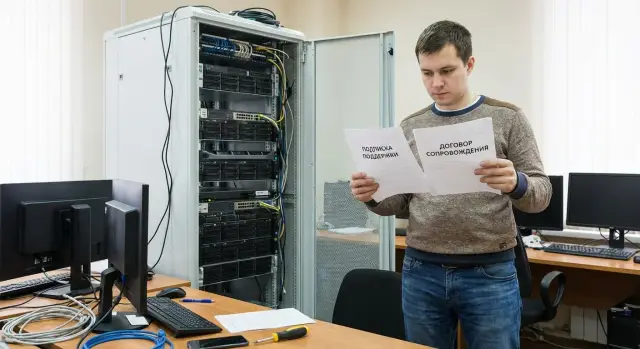
What people argue about when they say “Linux is free"
The phrase “Linux is free” sounds like a promise: you install the system and pay nothing. In one sense that’s true. Many distributions are released under free/open licenses: you can download, install and use them without buying an installation license.
The argument starts when this idea is moved into the enterprise. In a company the total cost of ownership isn’t limited to the act of installation. Questions arise about security updates, compatibility with your software and hardware, incident response times, and who is liable if something breaks.
Confusion usually comes from mixing three different things under the single word “license”: the actual licenses for Linux and components (open source terms), a subscription for support of a specific distribution (SLA, updates, consulting, knowledge base), and implementation/maintenance services from an integrator (installation, configuration, migration, monitoring, 24/7).
Procurement and audits are another pain point. Audits rarely ask “did you pay for Linux?” More often they check whether there is proof of rights to commercial components, who provides updates, whether license terms are followed, how changes are documented and who is contractually responsible. If your infrastructure includes proprietary drivers, backup agents, DBMSs or security tools, the “free” story ends quickly.
Keep a simple thought in mind: the right to install a system and the right to operate it reliably under business requirements are different things. Support and a maintenance agreement are not about “buying Linux,” but about documenting risks, responsibilities and the expected service level.
“Free installation”: what is actually allowed and what you take on
When people say “Linux is free,” they usually mean the source code and most packages are available under open source licenses and can be used without purchasing an installation license. But “free” does not mean “without obligations” and certainly not “without risks.”
In the enterprise you install not just “Linux,” but a set of components: the distribution, kernel, system libraries, utilities, cryptography, drivers, monitoring agents. Different parts can have different licenses and conditions. Proprietary elements often appear nearby (for example, microcode, firmware, vendor drivers). So licensing questions always depend on the exact composition of your build.
What is actually allowed
Most licenses allow installation, running and copying the software within the organization, and changing configuration and code if needed.
But when distributing outside the company (for example, delivering images to a contractor or subsidiary as a “ready product”), conditions may differ. Some licenses require preserving notices, including license texts, and sometimes providing sources for modifications.
What you take on
If you choose the “download and install” model, operational responsibility becomes yours. Practically this means regular patch management and vulnerability tracking across all packages, building and storing repositories/images with integrity controls, testing updates for compatibility with business systems and hardware, troubleshooting incidents (kernel, driver, package, configuration), and planning version lifecycles and migrations.
A simple example: a hospital server running a medical system and bracelet printing receives a kernel update that fixes a critical vulnerability but changes a network card driver’s behavior. Without a test environment and a clear rollback procedure, a “free installation” becomes downtime: you must urgently diagnose, roll back packages, secure configuration and document the fix.
So “downloaded and installed” almost never equals “deployed in an enterprise.” Installation is free, while reliability and predictability appear only where people, processes and change control are allocated in advance.
What a Linux support subscription is and why it’s not a “Linux license”
A Linux support subscription is payment for a service, not the purchase of the right to “install Linux.” Linux components are often distributed under open licenses: you can install them for free, but no one is obliged to respond to failures for free, issue fixes for your environment or guarantee response times.
Subscriptions usually pay for SLA (response and recovery times, incident priorities), regular security updates and fixes, access to repositories (packages, patches, sometimes certified builds), consulting and deep-dive troubleshooting (kernel, network, filesystems, virtualization), and lifecycle support: what is currently supported and how to transition.
It is important to understand roles. There is the distribution developer (vendor) who sets support rules and issues updates. There is a partner or integrator who can be the first line and help with implementation. And there is your IT department, responsible for in‑perimeter operations: access, configuration, backups and changes.
Subscriptions are almost always tied to volume: number of physical servers, CPU sockets, virtual machines, cluster nodes. This is a way to measure support load and the volume of updates, not an arbitrary rule.
Example: a bank runs 20 Linux VMs. A “free installation” provides the base system, but for a critical vulnerability the patch, compatibility checks and fast deployment become your responsibility. A subscription offers an official update channel and a clear escalation path. For large deployments involving hardware and integration, separating responsibilities is crucial: hardware supply and the project can be separate, while OS support is defined as a measurable service.
How this differs in risks, timelines and responsibility
The difference between “installed for free” and a subscription is most noticeable during an incident. In the first case, responsibility lies with your team: they find the cause, pick a fix, test it against other services, and then explain to auditors why that path was chosen. With a subscription, a second party has an obligation to help: diagnostics, recommendations, patches and often formal response times. This changes risk management and how the issue appears to leadership.
Downtime differences are usually measured in hours or days. Without support, an incident easily turns into a chain of “checked forums, rolled back a package, built a custom kernel.” With support you know ahead of time where to escalate and which steps are considered correct.
On practice, expectations diverge on several questions: who fixes (your engineers or jointly with the vendor/integrator), who provides proof for security and audit (internal explanations or official recommendations/patch IDs), who is responsible for recovery and DR (in-house plan or agreed procedures), and whether fixed SLAs exist for response times.
Another topic is predictability of updates and version lifecycles. A “free installation” does not promise that a year later you’ll still receive security updates for that branch or that changes won’t be unexpected. With support it's easier to agree on stable repositories, update windows, testing rules and what constitutes a “supported” configuration.
Finally, compliance. Regulators and internal policies care less about the words “open source” and more about manageability: tracking components, vulnerability control, patch management processes and audit trails. Support helps cover these with documents and procedures, not with heroic efforts from the team after an incident.
How this should be reflected in a maintenance agreement
In the maintenance agreement it’s important not to mix two layers: software usage rights (licenses of specific components and redistribution rules) and support services (contractor obligations). Confusion often arises from this mix.
Start with the subject: what exactly are you buying as a service. This can be installation and configuration, regular updates and patches, consulting, incident registration and investigation, security recommendations. If support includes access to vendor repositories or knowledge bases, state that separately to avoid “all-inclusive” expectations.
SLA should be worded so it can be verified by logs and tickets: response and recovery times by severity, support hours (24/7 or business hours), channels (phone, email, portal), rules for ticket acceptance (when the timer starts), and reporting (how often and in what form).
The perimeter must be concrete: a list of servers and environments (prod/test/dev), deployment types (physical, virtualization, private cloud), and who is responsible for hypervisor, storage and network. Without this, you can end up with “OS under support” while the actual problem lies at the interface and parties argue over responsibility.
Exclusions are equally important. Explicitly state what is not included: custom packages, unsupported third‑party drivers, experimental kernels, manual changes without agreement. Also define what counts as billable work.
Describe escalation and third‑party interaction: who and when involves hardware vendors, cloud providers or application developers. Example: in a hospital two nodes lose service. If the contract states that the Linux contractor manages the incident but will escalate RAID diagnostics to the hardware vendor and you provide access and maintenance windows, there will be little to dispute.
Version lifecycle and updates: what to agree on in advance
Arguments most often focus on price and “freeness.” Money and risk are usually hidden in the version lifecycle: how many years the system receives fixes, how quickly vulnerabilities are addressed and who is responsible for upgrade planning.
LTS (long-term support) provides predictable security updates and bug fixes within a branch. ESM (extended support) typically kicks in after the main term ends, when you can’t upgrade quickly but leaving the system unpatched is unsafe. If you run critical services, staying on one version for 5–7 years without clear support terms leads to crises.
In the contract it’s useful to record in advance: which versions and editions are covered and from what date, the support term for a branch (LTS) and rules for extending to ESM, what constitutes an “update” (patch, minor, major), who approves transitions, response times for critical vulnerabilities and how recommendations are delivered, and who is responsible for testing and possible downtime during updates.
Discuss change rules separately. Large organizations schedule updates: staging, pilot group, then prod. If something goes wrong, a pre-agreed rollback plan is required.
For vulnerabilities agree not only on “patches,” but on communication: how you are notified, timelines for release and installation, temporary measures if a fix takes time. For 24/7 infrastructure these details often matter more than the initial installation.
Step by step: how to choose a support model and get the scope right
Two questions are often confused: what the software license allows and what support guarantees. To avoid overbuying or ending up without contractor responsibility, follow these steps.
First, describe where Linux is critical. For a database or patient-recording service a 2-hour outage may be unacceptable, whereas for a test environment it’s tolerable. Immediately set acceptable downtime and response times.
Then choose a support mode that matches real load. If incidents occur at night or on weekends, you need 24/7 and clear escalation. If services run business hours, support during those hours may be enough. Decide separately whether on-site engineers are required or remote assistance suffices.
Next define how volume is measured. This commonly causes mistakes: charged by physical servers, virtual machines, sockets or cores. Clarify the perimeter: prod, test, DR, clusters, container nodes. Otherwise a migration to virtualization may suddenly increase subscription costs.
Then agree on updates and changes: who schedules maintenance windows, who tests patches, how rollback is done, who maintains the repository and how quickly critical vulnerabilities are closed.
Finally, fix reporting and metrics: monthly incident and SLA reports, vulnerability status and change lists.
Example: an institution deploys rack servers and workstations, with some services that must stay online. It makes sense to count critical servers with 24/7 coverage separately, while leaving educational or office VMs on business-hours support.
Common procurement and support mistakes
The most frequent mistake starts with “it’s free.” Yes, many Linux components are open source, but that doesn’t remove obligations: comply with license terms, maintain component inventories, be responsible for updates and security, and have an incident plan.
A slightly less frequent problem appears after buying support: the contract doesn’t specify which environments are covered. Test environments then suddenly become “not our responsibility,” and dev updates run unchecked and break compatibility. Better to describe prod/test/dev, instance counts (or nodes), criticality and support hours in advance.
Five things that most often lead to disputes and downtime
Conflicts and downtime usually arise from the same causes. Support may technically exist, but there’s no clear responsibility and escalation: who opens tickets, who confirms downtime, who accepts work. Maintenance windows are not agreed and reboots for patches hit reporting periods or patient intake. Drivers, firmware and compatibility weren’t checked, and a kernel update breaks the network adapter or RAID. The contract is vague about what is an “incident” versus “consultation,” and response times are interpreted differently. Package and change tracking is verbal, making audits and compliance difficult.
Concrete example: an organization bought distribution support but updated servers without matching controller firmware. After a planned update one node lost storage visibility. Formally it looked like a “hardware problem,” although the root cause was version compatibility.
In short: things usually fail not on paper but in process details. The more precisely those details are written down, the fewer surprises in operations.
Short checklist before signing the contract
Before signing, walk through a few points. It takes little time but saves weeks of disputes when something breaks or an inspection arrives.
First make sure you understand the current picture: where and which Linux versions are installed (servers, VMs, workstations, test environments). If there is no inventory, the contract will likely be “about everything and nothing.” Support in reality starts with inventory.
Then define which services are critical and which SLA is needed. A file server for a department is different from a system that handles patient intake, public services or payments. SLA must be tied to response and recovery times.
Before signing agree on: who performs updates and in which windows, who accepts results; who manages rollback if an update breaks a service; what counts as an incident versus a change; how escalation works; whether there is an end-of-life plan and migration path.
Also fix reporting and security requirements: which reports you receive (incidents, updates, vulnerabilities), how often and in what form, and what constitutes task closure.
Practical point: if you have a “free installation” with no subscription, updates and vulnerability fixes may be entirely your responsibility. Put this in the contract explicitly so there’s no question of “we thought you updated.”
Practical example: one task, two approaches
A bank moves some internal services to Linux: monitoring, logging and a supporting API that must be available 24/7. The distribution is the same, but support is arranged differently. The difference shows not in installation but after the first major incident.
Option A: “installed for free”
An administrator installs Linux from public repositories, configures everything in-house and treats it as “no licenses.” No OS maintenance contract is signed and updates are applied when possible.
After a routine package update the service stops responding at night. The on-call team sees a generic failure and can’t identify the cause: kernel, driver, library or configuration. A scramble begins over “who installed it,” “which versions,” and “who has access.” Recovery drags on because there is no unified escalation channel or agreed response time.
Option B: subscription and maintenance contract
In the second case the bank signs a support subscription and defines SLA in advance: severity levels, response times, maintenance windows, rollback procedures and responsible parties. This isn’t a “Linux license,” but paid assistance, access to tested updates and formal responsibilities.
During the night incident the on-call opens a P1 ticket. The response includes a data collection checklist, confirmation of the next contact time and a clear escalation path. After recovery the bank receives a report: cause, actions taken, prevention measures and planned updates.
Before the project starts it’s useful to decide and document: who is responsible for updates and security and how often they’re applied; which SLA is needed (24/7 or business hours) and what counts as downtime; how escalation works and who decides at night; what reports are needed for internal control and audits; where responsibility boundaries lie (OS, apps, hardware, integrations).
The conclusion is simple: a “free installation” works while everything runs smoothly. But at the first failure the cost of uncertainty often exceeds the price of a subscription and a clear contract.
Next steps: how to prepare and who to discuss maintenance with
Start with basics: how many servers and VMs, which critical services run on them, who will administer them and what downtime the business can tolerate.
It’s useful to prepare a short document with SLA expectations: support hours (8/5 or 24/7), response times, temporary workaround times, security update requirements and who will make configuration changes.
When talking to a support provider or integrator, straightforward questions clarify the real service level: how updates are managed (windows, test environment, rollback), how escalation works (who is on call at night, how the third line is involved), which reports you’ll get (incidents, patches, vulnerabilities, compliance), where responsibility ends (OS, kernel, packages, hypervisor, middleware), and how volume is verified (nodes, sockets, virtual instances, clusters).
Linux maintenance rarely lives separately from infrastructure. Coordinate how it ties to servers, storage, network and backups: where repositories are stored, how updates affect drivers and firmware, who is responsible for monitoring and recovery.
If your team lacks time or expertise, some work can be delegated to a system integrator. For example, GSE.kz combines system integration with server supply and 24/7 technical support, which is convenient when you need responsibility for the OS–hardware interface consolidated in one environment.
Frequently asked questions
Is it true that Linux can be used completely free in a company?
If we only mean the right to download and install most distributions, then yes: a separate “installation license” is usually not required. However, in a company costs arise from obligations for updates, security, compatibility and responsibility during failures, as well as from possible commercial components alongside the OS.
How is a support subscription different from a Linux license?
Open source licenses are the legal terms for using and distributing code. A subscription is a paid service: security updates, access to repositories, SLA, consultations and escalation during incidents; it does not “buy the right to install Linux,” but it reduces operational risks.
What do I take on if I just "download and install" Linux?
Without support you are responsible for patch management, vulnerability control, testing updates, storing repositories/images and incident handling. With support, a second party accepts defined responsibilities and response times, which usually reduces downtime and simplifies explanations for security and audits.
What changes during an outage: without support and with support?
When an update breaks compatibility, without support you search for the solution yourself: diagnosis, rollback, version selection and documentation. With a subscription there is a clear escalation channel and recommendations, sometimes fixes for supported configurations, plus formal SLA response times.
What do auditors typically ask about Linux and updates?
Auditors usually care about manageability: component inventories, legality of commercial parts, the update process and change control, and who is contractually responsible. Saying “we paid nothing” rarely helps if there are no verified update sources and no clear security process.
Which items must be included in a Linux maintenance agreement?
Start with the subject: which services are purchased (updates, incidents, consulting, implementation) and for which perimeter (prod/test/dev, list of nodes). Then record the SLA so it can be verified via tickets, and separately define responsibility boundaries at the OS/hardware/network/storage/application interfaces.
What usually isn't included in support and causes disputes?
Typically excluded are custom packages, unsupported third‑party drivers, experimental kernels and manual changes made without agreement. State these explicitly to avoid disputes during incidents, and define which works are billable extras.
How do I avoid getting trapped by version lifecycles (LTS/ESM)?
Agree in advance which versions are covered, how long a branch is supported and what happens after end-of-life (LTS/extended support). Fix update rules: what counts as a patch, minor or major release, who approves upgrades, how testing is done and how rollback is executed.
How should I count support volume: servers, VMs or sockets?
Clarify the billing model: by physical servers, CPU sockets, virtual machines or cluster nodes — and immediately specify environments covered (prod, test, dev, DR). Otherwise, after virtualization or growth, the support scope can suddenly increase and parts of the infrastructure may not be covered.
When does it make sense to involve an integrator together with hardware supply?
When you install Linux on servers and also need responsibility for the hardware–OS interface, it's convenient to have one contractor handling compatibility of drivers, firmware and updates. In that format, a system integrator supplying servers and offering 24/7 support helps resolve incidents faster and consolidate responsibility in one contract, as GSE.kz does.
