7 min read
Managing a Linux PC Fleet: Inventory and Updates
Managing a Linux workstation fleet: which features you need instead of SCCM, which reports matter to leadership, and how to set up update rings without outages.
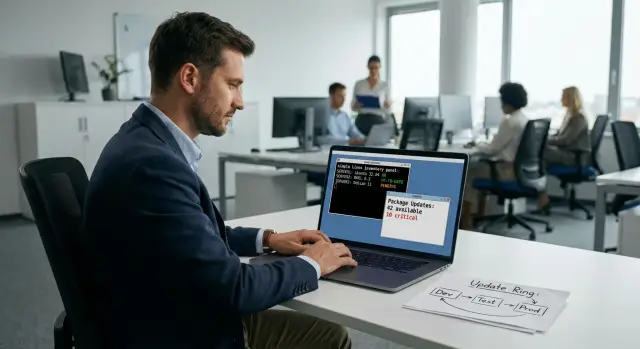
What's the problem with a Linux fleet without centralized management
When Linux PCs appear "bit by bit" in different teams, things may look manageable at first. But without a common inventory and controlled updates the fleet quickly starts following different rules. After a few months it becomes hard to answer basic questions: how many machines are on the network, which OS versions are installed, where updates are disabled, and where they are applied chaotically.
Many look for an "SCCM alternative for Linux" as a single program. In practice, SCCM‑level results come not from one tool but from a set of processes: a single device catalog, clear policies, change control, reporting and a defined order for who gets updates and when.
Without this, the same risks almost always arise:
- Security: vulnerabilities are not patched everywhere or on time, and you have no proof otherwise.
- Downtime: an update ships a new driver or kernel and some workstations fail at the worst moment.
- Version divergence: identical PCs use different repositories, packages and settings.
- Heavy support load: support spends time figuring out "what is installed" instead of fixing the issue.
- Painful audits: infosec and auditors ask for evidence, but data is collected manually.
This becomes especially visible in distributed organizations. The head office applies updates on schedule. In regions someone disabled them after a single bad experience. Some staff work remotely. The same incident repeats because causes and versions differ everywhere.
Managing a Linux fleet usually involves several roles: IT is responsible for operability, security for requirements and control, service owners for compatibility, and managers for risk and predictability. Without a centralized approach everyone sees only a piece of the picture and overall responsibility blurs.
SCCM‑like needs: the minimum feature set
If you have dozens or hundreds of workstations, the bottleneck isn’t "the admin’s skill" but the lack of basic features: uniform rules, repeatable actions and verifiable reports. Think in terms of tasks to be solved centrally and predictably rather than specific tools.
A typical minimum set looks like this:
- Inventory with clear freshness: model, serial number, CPU, RAM, disks, peripherals, OS and version, installed packages. It’s important to see when data was last updated and which devices haven’t checked in for a long time.
- Mass remote actions without manual SSH: install and remove packages, apply settings, run scripts, collect logs—by groups with clear execution status.
- Updates as a process: maintenance windows, exceptions (for critical workplaces), reboot control and a rollback plan in case of failure.
- Reporting for security and audits: who and when received critical patches, where vulnerable versions remain, which hosts don’t meet baseline policy (encryption, password rules, protection agent). Reports should suit both executives and auditors.
- Role separation and action audit: different roles for admins, security and support, and change logging that answers "who did what and why".
A typical example: accounting complains that a printer driver stopped working after an update. With the minimum above you quickly see which machines in the accounting group received the package, stop the rollout to others, roll back the affected machines and log an exception until the issue is fixed. Without centralized statuses and audit this becomes chaos and long investigations.
For organizations with high reporting and support requirements (public sector, finance, healthcare) this minimum is not optional but mandatory.
Before you start: prepare the infrastructure
To prevent management from turning into endless manual exceptions, agree basic rules first. It’s the boring part, but it determines whether inventory and updates will yield clear reports and predictable results.
Start with network and access. Agents and update nodes need a stable path to the management server and repositories: via VPN, corporate proxy or dedicated segments. Plan for remote sites and offline points (workshop, training lab, branch without constant internet). Those often require a local package mirror and a sync schedule.
Next—device catalog. If today PCs are named haphazardly, tomorrow you won’t be able to say "which 50 machines in accounting didn’t update." Define a scheme in advance: hostname, department, owner, role (office PC, engineering workstation, kiosk), criticality and tags (e.g., "perimeter", "pilot", "VIP").
Decide on accounts before rollout. The ideal is a single source of accounts (domain or SSO), with local admins as exceptions: limited, time‑bound and with a clear reason. This simplifies assigning rights, disabling access for leavers and collecting audits.
A separate block is package sources. Decide in advance which sources are allowed: official distro repositories, internal mirrors, signed in‑house packages. Verify trust, signatures and assign an owner for the "allowed set."
A minimum to document:
- access rules (VPN, proxy, segments, offline sites)
- naming scheme and tags for reporting
- account model and admin rights
- approved repositories and signature checks
- security rules: who approves changes and how exceptions are documented
Example: a branch with a slow link is placed in a separate segment, gets a local mirror and the tag branch-low-bandwidth. Updates for it are scheduled at night and it isn’t mixed in reports with an office where an update takes 10 minutes.
Inventory: step by step so data is fit for reports
Inventory is needed not for a "device list" but for trust in the numbers. If data is incomplete or names differ by department, you can’t show a truthful picture to executives and IT can’t safely plan updates.
First agree the minimum fields. Usually: model and serial number (or another stable identifier), OS and kernel version, device criticality, owner (department and responsible person), role (workstation, kiosk, lab). If the fleet includes different PC lines (desktops and all-in-ones), record them as separate categories so reports don’t mix incomparable devices.
Then decide the collection method. An agent gives the most complete picture (including packages and configs). Agentless polling is easier to start but limited to what can be read remotely. A hybrid approach often works: agentless to gather the device "passport" and an agent for software state.
To make data reportable, normalize it:
- standardize OS and edition names (no ad‑hoc abbreviations)
- record package source (official repo, internal mirror, manual install)
- agree rules for detecting forbidden components
- store package versions in one format
- clearly separate physical PCs and VMs if you count both
Set schedules and completeness checks: who hasn’t reported for N days goes to a special list. For "unknown" and "lost" devices define a simple process: find the owner, bring it back online, reinstall the agent or formally write it off. Otherwise inventory quickly becomes a set of spreadsheets no one trusts.
Reports typically needed by management and security
Executives don’t need a package list for every PC. They need a clear answer: is the fleet under control, where are the risks, and how much time IT spends keeping order. Security needs verifiable state: which devices are updated, which are not, and why.
Basic report—fleet status: total number of devices, how many are active, how many haven’t checked in for 7 or 30 days. This quickly reveals "missing" devices: laptops on trips, test machines, PCs in branches that dropped out of management.
Second report—update coverage. Simple shares work best: how many PCs are on the current update level, how many have critical patches installed, how many are overdue. Always break this down by departments and sites to show whether the issue is organizational or technical.
For security the key block is vulnerabilities and risks. Start with measurable items: devices with outdated kernels, old OpenSSL/SSH versions, missing security updates, and machines where updates are disabled or "frozen." This turns "we think we update" into a list of concrete nodes.
Also provide a compliance report: presence of mandatory software (protection tools, inventory agent, disk encryption settings) and absence of forbidden ones. Even in Linux fleets someone may install a convenient remote access tool or add third‑party repos.
IT reports typically focus on operational metrics: mean time to remediate after patches, count of recurring failures and top reasons why machines don’t update (no disk space, broken repo, package conflicts, user turns off PC overnight). Make findings actionable: "in branch A 18% of PCs don’t update due to a full /var; expand that partition or implement cleanup policy."
Update rings: how to plan who updates first
Update rings exist for one reason—to reduce the risk of a mass outage. Even a standard kernel, driver or browser update can break VPN, printing or a critical extension. Updating everyone at once turns a single failure into a department‑wide outage.
A practical ring setup often looks like:
- Pilot: IT and support (5–10% of the fleet)
- Early users: employees ready to give quick feedback
- Main mass: most workstations
- Critical: cash desks, reception, dispatch, accounting during close periods
Placement into a ring should be criteria‑based, not "who shouts loudest." Four effective filters are role, department, key apps (e.g., a specific e‑signature client) and acceptable downtime.
Moving between rings must be formalized so you know when to expand. Useful short rules: what counts as success (no critical incidents, support calls within norms), coverage thresholds (e.g., 10% -> 30% -> 70% -> 100%), observation pause (2–5 working days) and rollback mechanics (pre‑verified method and responsible person).
Record exceptions as requests: reason, owner, review date. Example: "Lab PC with instrument X keeps driver version until certification; review monthly." That prevents exceptions from becoming permanent.
How to organize updates: process for IT
Choose a clear model so updates aren’t a lottery. For most orgs fixed windows (e.g., every two weeks in the evening) are easiest to coordinate with the business. Continuous updates are possible only with strict controls and fast rollback.
Testing must reflect reality. One "lab" machine is not enough. You need control PCs of different roles: accounting, a workstation with a printer, an engineering PC with drivers, a VPN laptop. Before release run a short repeatable checklist: domain/SSO login, printing, starting key apps, connecting to corporate resources.
A typical workflow fits five steps:
- fix the schedule and release model
- choose control machines and test checklists
- classify updates and installation rules
- prepare and pre‑test rollback
- configure notifications, logging and error collection
Agree update types in advance. Common categories: security (install quickly), functional changes (after testing), drivers and kernel (most cautious mode, especially on rare hardware).
Rollback must be real, not theoretical. Snapshots help (if infra and filesystem allow), local package cache and a clear version‑rollforward plan: who decides, how fast, and what to do with devices in transit.
Finally, transparency matters. Users should receive short notices about maintenance windows, and IT needs logs on installs, errors and reboots. This saves hours in investigations: you’ll know which machines failed and why instead of a vague "something broke after the update."
Common mistakes and traps
Most painful problems aren’t the tool itself but the rules around it. Even an active process can be undermined by a few "small" issues that produce incidents hard to explain to the business.
Repositories, mirrors and package trust
A typical trap is mixing repositories without rules. Some machines update from official distro repos, some from third‑party sources, and someone added a test branch for one package. The result—floating versions, dependency conflicts and errors that don’t reproduce on a neighbor PC.
Equally dangerous is having a mirror and package signing process with "no owner." Without an owner and procedure (who publishes, who signs, where keys are stored, how revocation works), you risk supply‑chain compromise or sudden unavailability of updates.
Rings and updates that exist only on paper
A frequent cause of outages is updates without windows, approvals and communication. An employee boots up in the morning, gets a kernel update that requires a reboot, but they have a client meeting or are seeing patients. This is solved with windows, reboot rules and clear notifications.
Rings fail when they exist but have no success criteria or rollback plan. Then every update is a gamble.
A short self‑check:
- each repository has a clear purpose and allowed audience
- a mirror owner and signing process exist, keys are protected
- updates are scheduled with windows and notifications
- each ring has defined success criteria and rollback timeframes
- inventory influences decisions, not just "checkbox" reporting
Another trap is collecting inventory and not using it. If reports don’t reflect reality (OS and kernel versions, critical packages, encryption status, compliance), executives stop trusting the data and IT can’t prioritize risks. Control starts when inventory becomes the basis for update plans and exceptions.
Short checklist: is your fleet ready for managed updates?
Before starting, check the basics. Without them updates will be a lottery: some machines won’t check in, some will update ahead of schedule, and reports will contradict reality.
Minimum you shouldn’t start without
- Every device has an owner (or responsible department) and criticality is known. No "nobody’s" machines.
- Inventory covers nearly the whole fleet: at least 95% of PCs regularly report (OS version, kernel, packages, last sync date).
- There are 3–4 update rings and simple rules for moving between them.
- A weekly patch status report is produced: how many machines updated, how many lag, and a separate list of exceptions with review dates.
- Rollback is planned and tested: which packages to roll back, where past versions are stored, who can call "stop" and who triages incidents.
With this in place you have manageability: patches are released predictably rather than "as it happens."
Quick self-test
If you answer "no" to any question below, close the gap first:
- Can you list all PCs that haven’t checked in during the last 7 minutes in 10 minutes? (Note: in original text 7 days; adjust to actual policy)
- Is it clear which machines cannot be updated during working hours and why?
- Is there a responsible person who will stop a rollout in case of a mass problem?
Example: companies with branches often lose devices in travel or storage. Until they appear in inventory they are likely the most vulnerable—and the first to receive chaotic manual updates.
Example scenario: how to implement update management
A company has 300 Linux PCs across branches. Internet varies: stable in some places, mobile‑only in others. Some workstations are critical (cash desks, reception, dispatch) and even 30 minutes of downtime causes complaints.
IT sets the goal: move from manual updates to a managed process with clear metrics—always seeing what’s installed, what’s updated, where risks are and who approved exceptions.
How to split the fleet into rings
Rings are chosen by risk and feedback speed, not by department importance. A commonly working example:
- Ring 0: IT pilot (10–20 PCs in IT and advanced users)
- Ring 1: a whole branch (to catch network and proxy issues)
- Ring 2: other branches (mass rollout)
- Ring 3: critical workplaces (last, in maintenance windows)
Set rules in parallel: which updates are always installed (critical), which can be postponed (functional), and which require manual approval.
Weekly deliver short reports to management and security: inventory coverage (how many PCs are visible), share of PCs with critical vulnerabilities closed, and a list of exceptions with reasons and review dates.
What to do on a failure after an update
If an application breaks in a branch after an update, the process should be the same every time: stop advancing to further rings, apply rollback (or pin the package version), collect data and find the root cause. The decision must be reflected in the update rules and in the exception list.
To solidify the process, assign roles (process owner, exception owner, branch contact), a calendar of maintenance windows and KPIs for coverage. Example: 95% PCs in inventory and 90% of devices with critical patches installed within the target timeframe.
Next steps: how to move from scattered PCs to a managed fleet
Centralized management starts not with tool selection but with requirements: what mandatory data to see per PC, how quickly to apply updates, who has which rights, and what audit trails must exist. Without this any system will be either "too complex" or "shows nothing."
At the start, lock down:
- mandatory inventory fields (model, serial number, OS, package versions, encryption, agent, owner)
- update types for central installation (security, functional, drivers)
- reports for management and security (coverage, overdue, exceptions, incidents)
- role model (IT, security, department managers)
- which actions are logged (who triggered updates, what installed, what rolled back)
Then run a pilot on 20–30 carefully selected PCs across types: accounting, developers, office, remote. The pilot goal: reports must match reality and updates run without surprises. If security distrusts the data, scale‑up is premature.
In parallel finalize rings and windows: test group, then IT, then main departments, and only after that critical workplaces in strict windows (night or weekend). Immediately agree who accepts risk and who approves moving to the next ring.
One practical step—standardize workstations: fewer hardware models and OS images, fewer exceptions, easier inventory and support. If you need an end‑to‑end "hardware plus integration" contour for organizations with high support and supply transparency needs, consider working with GSE.kz (gse.kz) for workstations, servers, system integration services and 24/7 support aligned with your management process.
Frequently asked questions
When is it time to move Linux PCs to centralized management?
Centralized management is needed when you want to stop "relying on admins" and know the fleet’s state for sure. It provides a single device registry, predictable updates, reboot control, an action log and reports you can show to security and management.
Why does an "SCCM alternative for Linux" rarely boil down to one tool?
It’s usually not a single program that’s missing, but a set of functions: timely inventory, mass remote actions, managed updates with windows and exceptions, patch and compliance reporting, and role separation with auditing. If two or more of these blocks are manual, the fleet quickly drifts into "everyone does their own thing."
Which inventory fields are truly mandatory to produce decent reports later?
Define a minimum inventory: model and serial number (or another stable identifier), OS and kernel version, owner/department, device role and criticality. Agree on a unified naming and tagging format from the start, otherwise reports will contradict reality.
What’s better for inventory: agent or agentless collection?
An agent usually provides the most complete and reliable picture of packages, configurations and statuses, so it’s often better for regular reporting. Agentless collection can be a quick start for a device "passport", but decide up front which data you won’t see and how to close those gaps.
How to handle machines that "don’t check in" and spoil the picture?
Make it a separate process: devices that haven’t checked in for N days automatically go into a remediation list. There must be a simple path—find the owner, restore access/agent or officially decommission the device; otherwise "lost" machines pile up and become the most vulnerable segment.
How to plan update "rings" so you don’t take down an entire department at once?
Start with 3–4 rings: pilot (IT), early users, the main mass and critical workplaces. Formalize transitions between rings with success criteria and observation pauses, and record exceptions with a reason and review date so they don’t become permanent exemptions.
What must a rollback plan include to work during a real incident?
At minimum you need a pre-checked way to stop the rollout, restore the previous package version or pin the problematic version until a fix is ready. The rollback decision must follow defined roles and procedures, be logged, and include a clear status for affected devices—not decided informally in chat.
Which reports are actually needed by management and the security team?
Management usually needs a simple controllability status: how many devices are active, which ones fell out of management, patch backlogs and likely downtime risks. Security needs verifiable patch status for critical updates, a list of exceptions with reasons and review dates, and evidence of baseline compliance (mandatory agents, banned components).
How to avoid drowning in repositories, mirrors and "everyone has their own packages"?
First, decide where software may be installed from and forbid ad‑hoc third‑party sources without approval. Assign an owner for mirrors and signing processes, secure keys and document mirror update rules—otherwise you’ll get drifting versions, dependency conflicts and problems that are hard to reproduce and investigate.
What to do about branches, slow links and offline sites during updates?
For branches and remote sites plan a reliable path to the management server and package sources over VPN or proxy; for weak channels use a local mirror and a separate sync schedule. Tag such sites so reports and schedules treat them separately from offices where updates take minutes.
