8 min read
Licensing 1С and SQL Server on a Server: How Not to Overpay
We analyze licensing for 1С and SQL Server on a server: important rights and limits, how to calculate, and what to check before upgrade or migration.
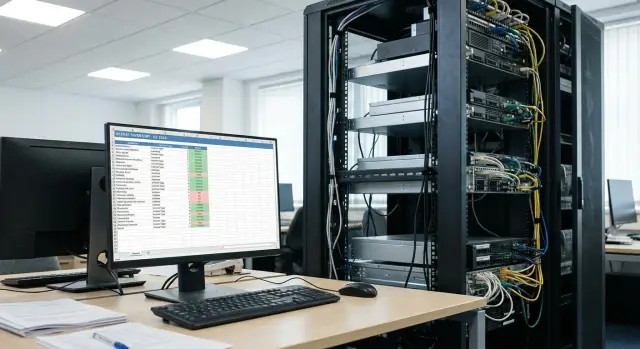
What's the typical problem when 1С and SQL Server are used together
The most common scenario is this: a company runs 1С and SQL Server on a server for years, the budget is understood, and licenses seem "in order". Then the server becomes outdated and is replaced with a newer, more powerful one, often with more cores or virtualization. Suddenly it turns out that licenses and their restrictions cost more than the upgrade itself.
This usually appears when CPUs are changed, the number of cores grows, or you move to a virtual environment, because some licenses are tied to the server or are calculated by "capacity." The old server might have had 8 cores, the new one 24, and for SQL Server this often changes the math. If one physical machine becomes several virtual ones, placement, migration and runtime rules come into play.
Costs typically rise not for a single item but for several at once:
- SQL Server — core-based model or "Server + CAL", plus virtualization rules.
- Windows Server — core licensing and separate CALs.
- 1С — server license and client licenses (depending on access scheme).
- Remote access — RDS CALs and other rights if people work via terminal.
In haste people often decide "just get it running", and later that proves more expensive. For example, buying SQL Server "with extra cores" although real load is modest. Or trying to "move it as it was" without accounting that old licenses might be non-transferable or that VMs now live on a different host.
Another common mistake is not separating "what is technically needed" from "what licenses allow." Licensing for the 1С + SQL Server bundle is about rights and restrictions that change with architecture. If you upgrade hardware first and sort out licenses later, you almost always end up with the most expensive option.
What licensing consists of in the 1С + SQL Server bundle
It's important to separate what you buy: rights for 1С, rights for the DBMS (SQL Server), rights for the OS (usually Windows Server), and rights for remote access if users work through terminals. Problems begin when all of this is treated as "one package."
Separate the roles by fact. The 1С server (1С cluster) may be on one machine, SQL Server on another, and remote user access via a separate terminal server. Sometimes everything runs on one host, but licensing doesn't get simpler — it becomes layered.
What is usually licensed by users and what by cores
There are different models in this bundle, and that's why surprising sums turn up during upgrades:
- 1С most often depends on the number of users (client licenses) and the chosen server option.
- SQL Server can be licensed as "Server + CAL" or "by cores" (depends on edition and scenario).
- Windows Server has its own scheme and separate CALs if users access Windows services.
- Terminal access (RDS) usually requires separate RDS CALs.
Items licensed by users do not get cheaper because of new hardware. Items counted by cores are almost always sensitive to CPU upgrades.
Account for virtualization and what is actually used
In a virtual environment extra questions appear: what exactly are you licensing — the physical host entirely or a specific VM, how many virtual cores are assigned to SQL Server, and whether VMs can be migrated between hosts without recalculating rights.
A common trap is "installed but not used." SQL Server is sometimes installed with extra components and services, and 1С enabled modes that imply server variants. Before buying it's useful to record a simple picture: where the 1С server is, where the database lives, how users connect, how many concurrent connections there really are, and which server roles are used daily.
A practical example: a company upgraded to a CPU with many cores while SQL Server was licensed by cores. Even if the number of users didn't change, the final bill changed simply because cores increased.
1С licenses: what affects cost and risks
In the 1С + SQL Server bundle people often think only about SQL, but 1С licenses frequently produce unexpected costs. The reason is simple: cost depends not on server capacity but on how users connect and how many environments actually run.
The key question is your access model. In a client-server setup two layers matter: the 1С server (where services/cluster run) and client licenses (by users or devices — depends on your scheme). If you add a terminal server, VDI or simply more workstations, the need for client licenses can grow even if headcount stays the same.
One risk area is "environments" that get forgotten. People often count only production, then test, development, training copies or an update stand appear. Sometimes those are covered by existing rights, sometimes you need to buy more, and sometimes it is important to document them properly for audits.
Also note that file-mode and SQL-mode are different system lifecycles. Moving to SQL usually means switching to client-server architecture and therefore changes requirements for the 1С server, concurrent connections and license accounting discipline. It's useful to fix in advance how access will be organized: who connects directly, who via terminal, and which databases will be active.
Four things most strongly affect 1С license cost and risks: actual users and devices with access; terminal connections and shared workstations; the number of persistent environments (prod, test, dev); and how you store and prove rights (agreements, invoices, registration data).
During audits they usually ask for documents and a clear ownership picture rather than screenshots: contracts and invoices, registration confirmations, a list of servers and environments, and a roster of users and devices with access.
If you move 1С to a new server, keep not only hardware specs but also the chosen licensing scheme at hand. This is critical for regulated purchases (public sector, finance) or when the integrator sizes hardware with extra capacity: spare capacity should not turn into extra licenses due to an incorrect access model.
SQL Server: where unexpected cost increases usually occur
The bill "suddenly grew" most often because of how SQL Server licenses are counted. Especially when a server is changed to a more powerful one with more cores or moved to virtualization. If you don't reconcile the model in advance, rules begin to apply differently.
1) Cores or accesses (CAL): what to choose and what to clarify
SQL Server typically has two approaches: core-based licensing or "Server + CAL", where the server license is bought separately and access licenses for users or devices are acquired. Before calculating, clarify four things: how many real users/devices you have, whether there are external users (clients, contractors), expected growth within the year, and which option is easier to manage. Server + CAL often seems cheaper initially but gets more expensive as users grow or when access isn't limited to 1С.
2) Hardware upgrade: cores and sockets change the math
A common scenario: an older server had 8–12 cores; a new one has 24–32 cores, and core-based licensing increases almost proportionally. Performance gains for 1С may not scale linearly with more cores.
Before buying check: how many physical cores (not threads), how many sockets, how this affects the rules of the chosen edition, and whether you're taking extra cores for a task that would benefit more from higher frequency, memory or disk. Sometimes it's better to take fewer cores with higher frequency than many cores at any cost, because licenses count cores.
3) Virtualization: paying for the host, the VM, or both
In virtualization surprises appear when SQL Server is placed on a large host with many cores, and the license is bought as if SQL used the entire host. Or you plan one VM and a month later add another for testing or failover — formally rights may be insufficient.
Define in advance how many SQL VMs there will be, on which hosts they can run (migration), whether clusters and live migrations are used. The more freedom of movement, the higher the licensing requirements.
4) Editions: avoid buying too much or the wrong product
SQL Server edition affects price and features. Overpaying happens when a higher edition is bought "just in case" while needed features are unused. The opposite risk is buying a cheaper edition and later hitting resource or feature limits.
Typical example: a company upgrades hardware with extra cores and moves SQL into a VM. They end up licensing more cores, add a second SQL instance for testing, and chose an edition with unnecessary extras. Fixing the number of VMs, required features and optimal core count beforehand can noticeably lower the bill.
Server replacement: transfers and overlooked restrictions
Replacing a server isn't just buying new hardware. For rights transfer, two things matter: what the license is tied to (device, cores, users) and how often it can be reassigned. This is where expensive surprises usually occur during upgrades.
For SQL Server the tricky points are core licensing and virtualization. Licenses are assigned to a specific server and many editions have a reassignment rule: you can reassign no more than once every 90 days (unless you have Software Assurance or other rights). Counting on temporary reassignments during migration may violate rules.
1С transfers often hinge on license registration, the composition of the license set (server, client, additional licenses) and how the application server and clusters are set up. A typical mistake: the new server and cluster are deployed but some clients cannot connect because licenses were not transferred or conflict by parameters.
Before work, capture a "passport" of the current environment. Basic data is enough, but without it you can miscalculate:
- CPU model and number of physical cores;
- how many sockets are used and whether Hyper-Threading is enabled (don't confuse threads with cores);
- virtualization platform and whether VMs have dedicated resources;
- roles: where SQL Server runs, where the 1С server runs, and where file services and backups are located;
- current editions and versions (SQL Server, Windows Server, 1С).
Plan parallel operation of old and new servers even if you think migration will be quick. For 1С this reduces downtime risk: you can run a test migration, verify rights, performance and correctness, then switch users in a planned window.
To avoid losing availability during database and app server migration, plan the cutover: test transfer and recovery time measurement, freeze window, verify user login and background jobs on the new server, rollback plan, and the moment to reassign SQL licenses (if applicable).
Step-by-step plan: prepare for an upgrade without surprises
Server upgrades for 1С often start with choosing CPU and RAM and end with increased licensing costs. To avoid surprises, follow a simple plan.
First, document the current setup. Not only "1С + SQL" but also who connects how: terminal sessions, thin clients, integrations, scheduled jobs, and test databases.
Next, collect license facts. Not "it seems we bought everything" but specifics: contracts, invoices, registration data, keys and bindings, who holds rights, which SQL Server edition and licensing scheme apply.
Then model the target scheme after the upgrade: a single physical server or virtualization, separate VMs for SQL and 1С, do you need a failover node, and is user growth expected.
5 steps to complete before procurement
- Describe current architecture and user access points.
- Check documents and the license register, including reassignment history.
- Draw the target scheme with virtualization and redundancy.
- Recalculate licenses for the new configuration and operating mode (cores, CALs, 1С users).
- Agree on a migration window, tests and rollback plan, and only then approve the purchase.
After recalculation, include contingencies: user growth, temporary parallel operation of old and new servers, and possible audit requirements.
Mini-scenario
Before: 8 cores and 60 active users. After: 16 cores and an added VM for reporting. If the recalculation is done after purchase, core-based SQL and additional access rights can sharply increase the budget. If done beforehand, you might pick a different configuration (e.g., fewer cores with higher frequency) or distribute roles differently.
If an integrator handles procurement and implementation, ask them to provide the license calculation as a separate document. This disciplines the project and reduces the risk of "buying urgently and at a premium."
Common mistakes and traps in licensing and migration
The most frequent reason for overpaying is estimating licenses "by eye." People take employee count and multiply, without fixing who actually connects, from where, and what rights are needed on the server and database. In the end the chosen scheme doesn't cover real access.
Another trap is hardware upgrades. A new CPU brings more cores and core-based SQL licensing spikes even if users remain the same. On paper it looks like "upgrade for speed" but in practice it moves you into a different price band.
Where mistakes commonly occur
Problems usually stem from small decisions:
- Buying a server "with extra cores" without estimating how SQL Server licensing will react.
- Mixing production, test and development on one server and assuming a single set of licenses covers all.
- Not documenting access channels to 1С: thick client, web client, terminal, integrations.
- Starting migration without an inventory: where keys are, what contracts and registration data exist, and who is responsible.
Why migration often breaks estimates
Changing a server changes technical parameters and sometimes the operating model: VMs appear, a separate test server, or SQL moved to another node. Each step affects how to correctly count rights.
A pragmatic move is to capture a "picture of usage" before migration: concurrent connections, user roles, where SQL runs, and which environments are truly needed. Then choose server configuration.
Short example: a company upgraded to a CPU with many cores "for the future." Performance rose, but core-based SQL licensing was recalculated and the final budget exceeded the upgrade cost. This could have been avoided by choosing licensing first and then hardware.
If a system integrator supplies the server, ask not only for hardware specs but also written assumptions on licensing. For vendor-level suppliers like GSE.kz this helps spot future cost increases in advance.
Quick checklist before buying servers and licenses
Before ordering a new server, spend 20–30 minutes gathering facts. Most "sudden" extra payments appear because hardware specs and licensing rules are counted differently.
5 questions to fix in advance
- Which 1С version and edition do you use, and how are client licenses distributed: by user, by device, via terminal or mixed?
- How is SQL Server used: one database or several, one instance or multiple, and where does it run (physical or VM)?
- How many physical cores will the new server have and which processors are used?
- Do you need parallel operation of old and new servers during migration?
- Are there separate test and development environments and who accesses them?
Mini-check before estimating costs
Create a short table: current server (cores, where SQL runs, how many 1С users) and future server (cores, virtualization plan, parallel runtime). Then ask: what changes in terms of rules, not performance.
Realistic example: upgraded hardware and a changed bill
A company with 60 employees used 1С:Enterprise with SQL Server. Previously everything ran on one physical server: 8 cores, 64 GB RAM. They had 50 client licenses in 1С, users connected with thin clients, one database and no complex clustering.
After a few years reports slowed and backups grew. They decided to upgrade hardware and move to virtualization: buy a 32-core server and run two VMs — one for 1С and one for SQL Server. On paper it was simple: move databases, allocate more resources, continue work.
The SQL Server bill unexpectedly rose. The cause: SQL Server licensed by cores, and the increase in cores on the host changed the numbers. Virtualization added nuance: if rules require covering all host cores, you may pay for more cores than planned even if SQL runs in a single VM.
The budget issue came from assumptions about SQL, not 1С. The mistake was not recalculating licensing before purchase.
What could have been done: compare core-based SQL calculations for the physical server and the VM scenario; compare with Server + CAL if applicable; decide where SQL will run (separate smaller host or limit VM cores); and separate roles both technically and by licensable resources.
Document decisions: current access scheme, chosen SQL edition and licensing model, host and VM parameters (cores, migrations), and reconciliation of purchased licenses and reassignment rights during server replacement.
Next steps: lock the decision and scale calmly
After you map the current scheme, don't just buy licenses once — fix the rules you'll live by. Then hardware upgrades, virtualization or user growth won't turn into an unexpected bill.
Start with a short inventory: where roles actually run, how users connect, which Windows and SQL editions are used, how many cores, the access method (RDP, terminal farms, direct connections), and actual load patterns (peaks, nightly jobs, reports).
Next, define the target architecture and simple rules. For example: SQL runs on one server, the 1С cluster is separate from SQL, reports run on a separate instance, and the test environment is isolated and resource-limited. Decisions like these affect costs more than picking the most powerful CPU.
Ask for license calculations in several variants, not just one. Compare SQL models (cores vs Server + CAL) based on your access patterns and growth. Record assumptions: how many cores, which CALs, what happens when a second VM is added, and how the failover node is counted.
To keep the decision stable, create a 1–2 page "licensing passport": which servers and VMs are part of the 1С/SQL contour, the chosen model, growth points (users, cores, new environments), events that trigger recalculation (CPU replacement, VM migration, adding branches), where documents are stored and who is responsible.
If you need a new server for 1С and SQL, choose configuration not only by performance but also by how it affects licensing. It's convenient when a vendor and integrator cover hardware and design together. For example, GSE.kz as a producer and integrator helps plan infrastructure (including S200 Series servers) and check that the chosen architecture doesn't conflict with licensing rules.
A simple guideline: if you can explain in 10 minutes where SQL runs, how many resources it has, and which licensing model applies, then the scheme is fixed and scaling won't come as a surprise.
Frequently asked questions
Why do licenses suddenly become much more expensive after replacing a server for 1С?
Usually the “math” of licenses changes: the new server has more physical cores, virtualization appears, or additional instances are added, and what used to be acceptable becomes subject to different rules. Most often the bill grows for SQL Server and Windows Server, even if the number of 1С users has not increased.
How to decide which is better for SQL Server: core licensing or Server + CAL?
If there are few users and they are all internal, the "Server + CAL" model often looks cheaper and more predictable. Core-based licensing is usually chosen when there are many users, external access, or it's hard to count and control CALs. Note that core-based costs tend to rise roughly proportionally with the number of cores on a new CPU.
Which CPU parameters affect SQL Server licensing costs the most?
The main thing — don't confuse threads with physical cores: licensing is usually tied to physical cores, not Hyper-Threading. Before buying, check how many physical cores will be in the target configuration and whether you're adding "extra cores" for tasks that are solved faster by higher CPU frequency, more memory, or a better disk subsystem.
Why does virtualization often complicate licensing for 1С + SQL Server?
Surprises occur when SQL Server is run in a VM on a large host and you assume licenses are needed only for that VM, but rules may require covering more of the host. Before migration, fix how many VMs will run SQL, whether they can migrate between hosts, and whether parallel environments are needed during transfer — these factors often change licensing requirements.
Do I need to consider Windows Server licenses and CALs if I already have 1С and SQL?
Windows Server has its own core-based licensing, and separate Windows CALs may be needed for users or devices that access Windows services. A common mistake is to count only 1С and SQL and then discover you need additional access rights for Windows.
When do terminal access and RDS cause additional license costs?
If users work through a terminal server, RDS CALs are usually required because remote sessions are separate rights. Even with the same number of employees, costs can grow if new devices, shared workstations, or a changed access scheme appear.
What really determines the cost of 1С licenses in a client-server setup?
For 1С, cost usually depends on the access model and the number of client licenses, not on server power. Risks appear when the way users work changes: terminal, VDI, more workplaces, or when additional environments like test and development appear and must be properly licensed.
Should test and development environments be licensed separately from production?
Test, development, training copies and update stands are often forgotten, and then licenses are urgently purchased or usage is disguised. It's better to list all permanent environments in advance and understand who accesses them and how so rights cover actual usage.
What restrictions prevent quickly moving licenses to a new server during migration?
You often cannot reassign a license back and forth during migration because of reassignment limits (for example, a 90-day rule for some scenarios). Plan parallel operation of old and new servers so you don't rely on temporary reassignments without checking the rules.
What should be done before buying a new server to avoid overpaying for licenses?
Prepare a «passport» of the current system: where 1С runs, where SQL runs, how users connect, how many concurrent connections there really are, which versions and editions are used, and how many physical cores will be in the new configuration. Model the target architecture with virtualization and resiliency, and recalculate licenses before purchase; ask the vendor or integrator to provide the license calculation as a separate document.
