7 min read
Transferring Licenses When Replacing PCs and Servers: What to Check
How to transfer licenses when replacing PCs and servers: what contract clauses matter, which documents prove entitlement, and what to check before migration.
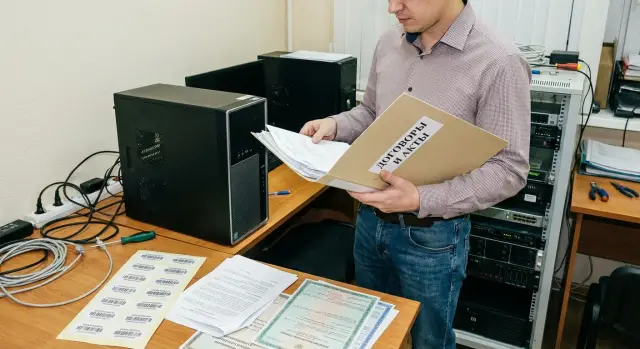
What's the issue when replacing PCs and servers
When you replace a PC or server, it's not just the "hardware" that changes. Often the environment where the software runs changes too: a clean install instead of cloning a disk, a different OS version, a new activation method. Sometimes the environment changes from physical to virtual or vice versa.
The main difficulty is that the right to use software is usually tied not to a device "in general" but to the license terms. So transferring a license is less a technical step and more a verification of what the agreement actually allows and how you can prove it.
Even if after reinstalling everything seems to work, legally you can end up in a situation where the license is still assigned to the old device and the new use is not covered. This typically surfaces later: during an audit, when contacting vendor support, in procurement processes, when changing contractors, or when migrating to a virtual environment.
Typical risks:
- denial of support or inability to renew services due to unconfirmed activation;
- audit back-charges and fines;
- downtime of critical systems if keys get blocked or fail validation;
- unnecessary expenses when licenses are bought "just in case."
Transfer is usually possible if the license explicitly permits reinstalling and changing the device, and the old device is decommissioned with documentary proof. This is common in corporate licensing programs or subscriptions where rights are tied to an organization or accounts.
Transfer is almost always prohibited or tightly restricted when the license is bound to specific hardware or parameters: motherboard, serial number, BIOS, hardware key, a particular server, or to a count of processors/cores without redistribution rights.
Example: an organization renews its office PC fleet and plans to move the office suite and some specialized applications. If the old licenses were OEM and shipped with the previous machines, they are often non-transferable legally even if the key technically activates. As a result, the new PCs will need new licenses or a different agreement type.
The right approach is to resolve this before procurement and migration: first understand what will change in infrastructure, then verify transfer rights and collect evidence in advance.
Common license types and how they differ
The ability to transfer depends on the license type and what the license is tied to, not the product name. Before planning work, determine what was purchased: perpetual license, subscription, corporate agreement or OEM preinstallation.
Common types:
- OEM (preinstalled): usually tied to a specific device and, in most cases, not transferable to another computer.
- Retail/boxed (FPP): bought separately and more often transferable, but normally on condition that you remove it from the previous device and use it only in one place.
- Corporate (Volume): the rules depend on the agreement, accounting metrics and whether redistribution is allowed.
- Subscription: usage rights apply while the subscription is paid. Transfer is usually possible but you must not exceed limits and must follow assignment rules.
Another distinction is perpetual licenses vs. subscriptions. A perpetual license usually grants indefinite use of a specific version (sometimes with limited updates). A subscription grants the right to use while payment is active, and legal use may end when payment stops. For hardware replacement this changes the verification focus: for perpetual licenses check "is reassignment allowed"; for subscriptions check "how access is assigned and what counts as active use."
Also verify which metric the license is measured by. Mistakes here are often costly: licensing can be per device, per user, per core/processor, per instance/VM, or a mixed model.
Server-side licensing, CALs and virtualization are a special area of risk. Server software may be licensed per server or per core, while access by users/devices is covered by separate CALs. Moving to a new server changes serials and parameters — core count, host configuration and number of VMs — so previous rights may not cover the new setup even if functionality is similar.
Which contract clauses govern transfer rights
In transfer matters, the decisive factor is not "what's convenient for IT" but what the license conditions explicitly allow. In the contract and appendices look for terms like transfer, reassignment, assignment, or wording about changing the device.
Transfer rights and limitations
Look for an explicit allowance to transfer a license to another device. Sometimes transfer is permitted only once, only in case of failure, only for warranty replacements, or only within the same legal entity.
There is almost always a requirement to uninstall: before activating on new hardware you must remove and stop using the software on the old device. If this isn’t done, the transfer becomes a case of "double use" even if the purchased volume was honest.
Bindings and rules between transfers
Check what the license is tied to: device, user, account or organization. For activation-bound products, rules for reactivation and freeing the old activation matter.
Some vendors impose a minimum interval between transfers (e.g., once every N days) and special clauses for virtualization and clusters. This affects replacement plans, especially when updating a fleet in phases.
Also verify territorial scope and restrictions across corporate groups. "Group of companies" is not always the same as a single holding: transfers between legal entities can be prohibited even under a common brand.
Quick contract checklist:
- is transfer allowed and how many times;
- is full uninstall from the old equipment required;
- is there a minimum interval between moves;
- what is the licensing binding and activation process;
- are there geographic or inter-company restrictions.
Example: if your contract permits transfer only within one legal entity and requires uninstall, then moving a license to equipment of another group company or keeping the old PCs as backup without removing software already violates the agreement.
Documents that prove the right to own and use software
In transfers the problem often isn’t the hardware but the paperwork: names don’t match, quantity isn’t confirmed, keys are missing, or purchases were made via a reseller with incomplete documentation.
Basic document set
Start with documents that define usage rules: the license agreement, EULA, corporate program terms, or subscription conditions. Transfer rules can be hidden in appendices, Product Terms or a separate letter from the rights holder.
Next — proof of purchase and the supply chain: invoice, delivery note, purchase agreement and specification. The specification often decides disputes because it shows exact product names, editions and quantities.
Third — proof of allocation of rights: certificates, keys, records in licensing portals, handover acts or letters from the copyright holder or distributor. For some products a single key doesn't prove the right to use without purchase documentation.
Minimum package:
- license terms (contract and appendices with transfer rules);
- purchase documents (invoices, delivery notes, specifications, acts);
- proof of rights allocation (certificates, keys, portal records, letters/acts);
- proof of quantity, edition and version;
- history of previous transfers and audit results (if any).
What must match in the paperwork
The same license can be named differently by the supplier and the rights holder, but key items must match: product, edition, license type, quantity and the owning legal entity.
Check:
- the legal entity owner in the contract and in purchase documents;
- the exact product name and edition;
- the quantity and unit of measure (device, user, core, socket);
- purchase date and term (for subscriptions);
- transfer terms and limitations, including hardware bindings.
Example: if the invoice says "office software package" without edition or device count, proving rights for the new fleet becomes difficult. When buying new machines from a manufacturer and integrator, ask them to list products, editions and quantities precisely in specifications and acts, and store these with the license terms.
What to reconcile between the contract and the hardware
Transfer most often fails on the simple question: what exactly is the license tied to. In the contract it may be a device, user, VM, location or a supply type (OEM, boxed, corporate).
Before work, it helps to consolidate contract data and identifiers of old and new hardware in one table. In practice you should check not only serial numbers but inventory tags — they frequently appear in acts and accounting systems. When replacing in batches it's easy to lose track of "which went to which" and break the evidence chain.
What to link "contract -> evidence -> device":
- the licensing object (device, user, VM, physical/virtual environment);
- which identifiers must match (serial number, inventory tag, model, configuration if required by terms);
- movement documents (commissioning, transfer, write-off of old, acceptance of new);
- proof of installation and activation, including proof of uninstall on the old device;
- internal approvals for changes (IT request, memo, protocol, letter from rights holder, if required).
If there are physical license markers (for example COA stickers), photograph them and keep the photos with the inventory card. Otherwise it will be hard to prove that a particular license belonged to a specific device during an inspection.
Step-by-step checks before transfer
The aim is simple: understand what can be transferred, under what conditions, and how to prove it.
What to do before transfer
-
Conduct a software inventory: what is installed, where it runs (PCs, physical servers, VMs, terminal servers), and which versions and editions.
-
For each product determine the license type and accounting metric: device, user, cores, sockets, concurrent connections, subscription.
-
Retrieve the contract and purchase proofs. Reconcile owner, transfer rights, deactivation/uninstall rules, and limits on timing, territory and legal entities.
-
Record decommissioning of old devices: serial or inventory numbers, dates of decommissioning, disposal or transfer to reserve, and confirmations of deactivation (if applicable).
-
Perform the transfer and activation on new hardware and keep traces: activation logs, vendor correspondence, support ticket numbers, screenshots of registration.
Afterwards update the asset registry and the "license folder": bind rights to new devices and save a final checklist so you won't have to recreate everything a year later.
Common mistakes and contract/document pitfalls
The most common mistake: "we bought a key, so it can be transferred." A key or sticker is an activation method, not the legal right to transfer. The right is defined by license type and contract terms.
The second trap is an incomplete document set. During a fleet refresh it may suddenly turn out there are no invoices, acts, specifications or proof of quantity. Then it's impossible to prove how many licenses you own and which products they cover.
Frequent error sources
OEM licenses often "travel" with an employee's device, but legally they are bound to the device. If documents indicate OEM or that the license was part of a PC, transferring it to another computer is usually prohibited — even when activation works, an audit will flag it.
On servers people forget licensing model differences. Replacing hardware changes core counts, sockets and VM counts, and the old scheme may become insufficient. CALs are a separate issue: purchased "to a server" but counted by users or devices.
Another problem is transferring without recording the old device's decommission. If the contract requires uninstall and stopping use, you must be able to prove it at least with an internal act, a Service Desk record and a date.
Finally, in corporate groups licenses of different legal entities are often mixed. If the purchase documents show one owner while another entity uses the software, without proper paperwork this appears as lack of rights.
Quick red-flag test
- Does the contract explicitly state whether transfer is allowed and under what conditions?
- Does the specification list product name, edition and quantity precisely?
- Is it clear what the license is tied to (device, user, cores, VM environment)?
- Is there proof of uninstall or decommissioning of the old hardware?
- Are the documents issued to the same legal entity that uses the software?
If you’re replacing a fleet via a vendor with new PCs or servers, ask in advance for separate specification lines: what belongs to the hardware and what to licenses, and what transfer rights apply to each item.
Short checklist: 15-minute quick review
When time is short, the priority is to quickly determine if transfer is allowed or the risk is too high.
Open the license agreement (and appendices) and search for words like transfer, reassignment, assignment to another device. If there is no explicit allowance, a device binding rule often applies or a vendor-specific procedure may be required.
Then check:
- are edition/version, quantity and licensing metric specified;
- are there restrictions on time, territory, affiliates or number of transfers;
- is uninstall from the old device required and how to prove it;
- do device identifiers match those in purchase docs (serials, inventory tags, hostnames, CPU/core parameters for servers);
- is the internal registry updated: where it was installed, where it was moved, and on what documents this is based.
To save time keep in one folder: contract and appendices, invoices and acts, keys/certificates/letters from the vendor (if any), and inventory exports for old and new devices.
Mini-scenario: when replacing office PCs and writing off the old ones, it's critical that the inventory tag in the write-off act matches the one tied to the license and that the registry records the uninstall.
Example scenario: updating a company's fleet
A company replaces 30 office PCs and 1 server. The PCs run an OS, an office suite and several specialist apps. Some software was bought outright, some is subscription-based (mail, antivirus, cloud services). The goal is to replace equipment without leaving usage rights on the old hardware.
First gather documents from two sources: the software supplier and finance/procurement. From the supplier request not only the invoice but confirmation of license type and transfer conditions.
Typically you will request the contract/terms (with appendices), a specification with product names and quantities, invoices and closing documents, license certificates and keys, and for subscriptions — validity periods, lists of users or devices and admin account details.
Then sort items into three groups:
- transferable items (usually corporate licenses and some retail ones under conditions);
- non-transferable items (commonly OEM and licenses with explicit transfer bans);
- subscriptions, which are reassigned in the admin console rather than transferred.
In practice this might look like: of 30 PCs, 10 had OEM OSs legally tied to the retired devices. These 10 OS licenses must be purchased anew for the new PCs. The office suite under a corporate agreement is reassigned after deactivation on the old machines. Antivirus subscriptions are reissued on new devices ensuring active installations do not exceed the paid limit.
Simultaneously prepare the equipment trail: write-off acts for old PCs and the server with serial and inventory numbers and dates, assign inventory numbers to new devices and, if needed, a table mapping "old device -> new device."
In the "evidence folder" keep the contract and appendices, invoices and acts, payment confirmations, the list of keys and their allocation, screenshots from subscription portals, write-off acts for old hardware and acceptance acts for new equipment.
Next steps after verification and replacement
After reconciling contracts, documents and actual hardware it’s important to record the outcome, otherwise the next replacement starts from scratch.
Assign an owner for the process (IT manager or procurement officer) with authority to request documents and to halt commissioning if the paperwork is incomplete. Then create a single registry: licenses, devices, key documents and dates.
Formalize procurement rules for planned replacements. Many problems come not during migration but because the wrong license type was bought earlier, tied to hardware. Agree internally which licensing options are acceptable for workstations, servers and virtualization.
A useful minimum standard:
- a unified asset and license registry tied to serial numbers and dates;
- a supplier document checklist (contract, specification, proof of purchase, terms of use);
- a rule: equipment is not put into production until documents are received and verified;
- a licensing plan for the new configuration before procurement (cores, virtual environments, server roles);
- regular registry reviews.
Plan licensing for the future configuration, not the old one. For example, replacing a server with a more powerful one may change core-based calculations or VM limits. Then a "transfer" can turn into an urgent purchase and the maintenance window can be disrupted.
If procurement and implementation are one project, it's easier to coordinate serial numbers, acts and support. In such projects involving a manufacturer and a systems integrator, for example GSE.kz (gse.kz), it's convenient to specify documentation and support requirements up front, but transfer rights are still determined by the license terms, not the hardware supplier.
Frequently asked questions
Why is license transfer not just a simple reinstall?
The key is to check whether the license allows transfer or reassignment to another device. Technically the software may activate, but legally the right to use it can remain tied to the old PC or server — this usually appears during an audit or when contacting support.
Which licenses are usually not transferable to a new PC?
Transfer is most often prohibited or strictly limited for OEM licenses that were bundled with a specific computer and are tied to that device. Transfer is usually easier for retail (boxed) and corporate licenses, but you almost always must stop using the software on the old device.
Can a retail (boxed) license be moved to another computer?
Usually yes, if the retail license terms explicitly allow transfer and you remove the software from the old device. It's important that the license is not used on two PCs at the same time and that you keep purchase documentation proving ownership.
What should I check about a corporate (Volume) license before replacing hardware?
Corporate (volume) licenses are governed by the specific agreement: what the unit of measure is, whether rights can be redistributed and how often. Before migration, review the terms, reconcile accounting metrics and confirm that the new hardware and deployment model (e.g., virtualization) fit those rules.
How does transfer differ from reassignment with subscriptions?
Subscriptions are generally not ‘‘transferred’’ in the old sense but reassigned via an account or admin portal according to the vendor's rules. The critical points are not exceeding the paid installation/user limits and recording who was assigned access after the replacement.
Which contract clauses determine the right to transfer?
Look for wording about transfer, assignment, reassignment to another device and any nearby limitations. Often the same clause will specify uninstall requirements from the old device, minimum intervals between transfers and restrictions by legal entity or geography.
What documents are required to prove the right to use software during transfer?
At minimum — the licensing terms (contract, appendices, EULA or program conditions), purchase documents (invoice, delivery note, specification, acts) and proof of rights issuance (certificates, keys, portal records). A single key without purchase documents often isn’t sufficient evidence of the right to use.
Why is it important to consider cores, virtualization and CALs when replacing a server?
Because licensing may be counted by cores, sockets, number of VMs, or require separate Client Access Licenses (CALs). Replacing a server can change these parameters so that the previous entitlement becomes insufficient even if the functionality appears the same.
How can I properly prove that software was removed from the old hardware?
If the license requires uninstalling and stopping use on the old device, you must prove that. Common evidence includes an internal act, a Service Desk ticket with timestamps, a note in the asset register, and a write-off or decommissioning act for the old device.
Where should I start when preparing to update a fleet of PCs and servers?
Start with an inventory: what is installed, where it runs and how it is licensed. Then reconcile license types, accounting metrics and transfer rights, and only after that plan procurement and the migration schedule — even if an integrator (for example, GSE.kz) runs the project, the organization should keep responsibility for correct entitlements.
