6 min read
License and Subscription Management in SMBs: Registry and Renewal Control
Keeping track of licenses and subscriptions helps SMBs maintain a registry, assign service owners, and renew access on time without extra costs.
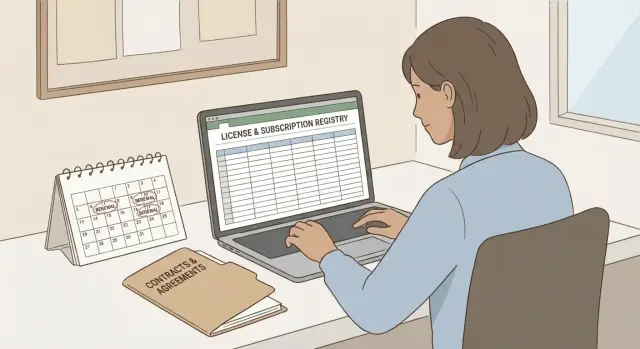
What usually goes wrong with licenses and subscriptions in SMBs
Licenses and subscriptions break not because of malice, but because of everyday details. Someone paid with a personal card, someone activated a second plan “just in case” and then left the company. A few months later this becomes double charges, lost access, and unpleasant conversations with finance.
The root cause is almost always the same: there’s no single place that shows what was bought, under what terms, and who is responsible. Without such a list it’s easy to miss that another department already has licenses for the same tool, that some employees lack rights, or that some seats are unused. People remember tracking only after something goes wrong: a service is suspended or an unexpected invoice arrives.
Losses are not only financial. Other risks typically appear:
- Downtime: sales can’t access the CRM, accounting can’t issue invoices, the team can’t access email.
- Fines and disputes: license terms were violated, user counts exceeded, purchase documents weren’t kept.
- Security: former employees still have access, a service has no owner, MFA is not enabled.
- Reputation: clients notice delays, deadlines slip, internal chaos grows.
Tracking becomes truly necessary when the number of SaaS services grows beyond 8–10 and no one can name them all, when there are branches/remote workers/contractors, staff turnover increases, and purchases are made “wherever convenient” (IT, finance, team leads, urgent requests).
The good news is that most problems are solved by a simple registry and clear rules for service ownership. This is not bureaucracy but insurance against outages and extra charges.
Which licenses and subscriptions to track
It’s more important to track not "everything at once" but what can suddenly stop work or quietly eat the budget. Start with a minimal set and expand the registry as purchasing stabilizes.
It helps to record subscriptions by billing model because their risks differ: in some cases you overpay for extra users, in others forgotten devices, or limits on servers.
Common models include:
- By users: email, office suites, CRM, service desk, design, analytics.
- By devices: antivirus, MDM, remote access, POS software.
- By server/cores: databases, virtualization, backups, security gateways.
- By project/team: task trackers, repositories, CI/CD, testing.
- By volume: cloud storage, e-signature, mailings, telephony (minutes, numbers).
Then come payment realities. Subscriptions can be monthly or yearly, with auto-renewal or without. The most painful combo is a yearly subscription with auto-renewal and no pre-allocated budget. The charge happens unexpectedly, and cancellation often doesn’t refund the amount.
Separately check where the expenses actually “sit.” The registry should record the payment source and purchase channel: corporate cards (including virtual), invoices from partners/resellers, marketplaces and app stores, and in-service add-ons (seats, storage, minutes).
If resources are limited, start with the critical items: accounts and email, file access, accounting, sales and support, backups and security. A typical risk scenario: a manager paid for an email marketing service “on trial,” enabled auto-renewal, left the company, and three months later charges accumulated while the customer base is tied to the tool. The registry exists to make it clear what was bought, who paid, and what happens at renewal.
Service owners: who is responsible for what
If a service has no owner, it quickly becomes “nobody’s”: subscriptions renew by inertia, access rights expand, and charges are noticed after the fact. So the registry should record not only names and amounts but the specific people who make decisions.
A service owner is not necessarily IT. Often it’s the head of the function that receives the value: finance for accounting, sales for CRM, HR for hiring, marketing for mailings. Their job is to confirm the service is needed and that license counts and plans match actual use.
Roles are usually divided like this:
- Service owner: confirms the need, user list and plan level, approves changes.
- Finance (or payments owner): monitors charges, stores documents, controls limits and payment method.
- Technical admin (IT, infosec or contractor): manages access, settings, integrations and security.
- Backup owner: substitutes for the main owner during leave or after departure.
It’s useful to separate “who decides” from “who pays.” For example, the sales lead decides how many CRM licenses are needed next quarter, while accounting ensures payments are made by the company and not tied to a personal card.
Security also needs a named responsible person: who revokes access for leavers, who enforces MFA, who checks admin rights. It doesn’t matter if this is an internal employee or an external admin — what matters is that a name is in the registry.
To keep responsibility from disappearing, define rules for replacing owners: a backup person, admin access via corporate accounts, and mandatory handover when someone leaves.
A simple registry: what to record so it works
The registry doesn’t have to be perfect. It should answer three questions in a minute: what was bought, who is responsible, and when we decide about renewal. For SMBs a single table (Excel/Google Sheets) and a clear update process is usually enough.
A compact basic field set:
- Service and purpose.
- Type and plan.
- Quantity and cost (monthly/yearly, VAT separately if needed).
- Vendor and payment (contact, invoice/order number, payment method, currency).
- Dates and renewal (start, end, auto-renewal yes/no, reminder date).
Add what actually saves access: who is the admin and their backup, where credentials are stored (vault/password manager and who has access), and what to do when an employee leaves (transfer admin rights, change billing email, enable MFA).
Statuses are useful but keep them simple. Agree on two or three clear options, for example: active, under review, to be cancelled. “Under review” means the owner gathers facts (usage, needed licenses, risks) by the reminder date. “To be cancelled” means the decision is made and a plan to export data and stop the service is being prepared.
How to set up tracking in 7 steps
You need a single list, assigned owners and renewal reminders. A quick start can be done in an evening and then maintained with 10 minutes a week.
-
Choose a place for the registry. A shared table editable by 2–3 responsible people is often enough.
-
Build the initial list. Pull bank statements and invoices for 3–6 months, invoice emails, corporate card payment history, and lists of apps from admin consoles (Microsoft 365, Google Workspace, CRM, etc.).
-
Reconcile who actually pays. Check personal cards and contractor payments separately. If a service is critical, payment should be on the company.
-
Assign owners. Each service needs a business owner and a technical contact.
-
Check users and plan. Compare active users in the service with what you pay for. Savings are often in unused seats and forgotten accounts.
-
Set renewal dates and reminders. Minimum: reminders at 30 and 7 days before charge, plus a note about auto-renewal.
-
Prioritize. Mark critical services (email, accounting, telephony, access) and “quick wins” (subscriptions with seat overuse). If 25 CRM licenses are paid for but only 18 are active, remove extra accounts and downgrade the plan.
Renewal control: calendar and decision rules
Even with good tracking, money is often lost on renewals: subscriptions charge automatically, plans increase, and users stop logging in. The cure is discipline and short rules rather than complex systems.
A convenient reminder scheme is 60–30–7:
- 60 days: the owner checks facts and prepares options.
- 30 days: a decision is made and purchase/tariff change is initiated if needed.
- 7 days: final check that invoice is paid, accesses are safe, and auto-renewal is set correctly.
Before renewal, don’t debate on “seems like we should.” Quickly check:
- activity in the last 30–90 days (not just number of created accounts);
- whether the plan fits real use;
- duplication of functionality;
- changed requirements for security/storage/reporting;
- what breaks if you don’t renew and whether there’s a plan B.
To avoid uncontrolled charges, keep a simple rule: auto-renewal is enabled only where there is an owner and a clear limit (budget or seat count). For everything else, disable auto-renewal and renew manually by decision.
Record the decision in the registry in one line: renew as is, reduce (seats/plan), replace (and migration timeline), disable (and export date).
Purchase and change process: so the registry doesn’t get outdated
The registry becomes outdated not because it’s “bad,” but because purchases and changes bypass it. For SMBs one rule is critical: any new service, subscription increase or one-off purchase must be added to the registry the same day the decision is made.
Create a single intake for requests: one email, a chat with a fixed template, or a short form. Predefine who can request a new service: usually team leads and 1–2 responsible people from IT and finance.
Mini approval form
Approval should be short but mandatory. Five items are enough:
- purpose (why and for whom);
- owner (who is responsible for access and renewal);
- budget (amount and source);
- period (monthly, yearly, one-off);
- alternative (what we already use and why it’s not suitable).
If there is no owner, don’t buy: later no one will be responsible for renewal and shutdown.
Rule for trial periods
For new SaaS, agree that every trial has an end date and a person who decides. For example, marketing takes 14 days for a mailing tool: the owner records the end date in the registry and sets a reminder 3 days before — “buy or close.” Without this, trials quietly turn into paid subscriptions.
Changes inside subscriptions should go through the same intake. Bought 10 extra seats — update quantity, price and next charge date. Bought a one-off license — mark “not renewable” but note where the key and documents are stored and what to do when replacing a device. This is especially important when hardware and infrastructure are purchased in parallel: changes must converge in one source of truth.
Common mistakes and traps
The first problem in SMBs is the registry lives in one person’s head. Today it’s the “office manager who remembers everything,” tomorrow they’re on leave or gone and nobody knows renewal dates, who is the admin, or which card is used. The registry must live in the process, not in someone’s memory.
The second trap is “the service is shared so it’s nobody’s.” Without an owner, renewal becomes a scramble 1–2 days before the charge: someone asks to pay “so it won’t be turned off,” and then for months people argue whether the service is needed.
The third, silent but costly mistake is licenses not tied to people and teams. Then you pay for departed employees and buy a new license for a newcomer because “no free seats.” Also when several departments share one plan, no one is accountable for seat distribution.
A separate risk is admin access. Often you track users and costs but forget the main administrator, backup login, recovery email and MFA. Losing one account can cut access to everything.
If you want a simple set of “red flags,” catch these early:
- the registry is edited by one person without a substitute;
- a service has no owner to decide “renew or cancel”;
- payments go from personal cards or there’s no clear legal-entity scheme;
- admin accounts and recovery contacts are not recorded;
- there are more licenses than active users.
Quick checklist: what to check regularly
To keep tracking from being a one-off project, use a short regular check. Twenty minutes on schedule is better than an unexpected outage or extra charges.
A practical rhythm for most SMBs:
- Monthly: compare the registry with card/invoice statements, note new subscriptions and unexpected charges, check user changes.
- Quarterly: review the top 10 expenses and ask owners to confirm usage; pick 1–2 candidates for optimization.
- Yearly: inventory contracts and terms, and separately check auto-renewals and trigger dates.
Two moments when mistakes usually cost most: before renewal and when an employee leaves. Before renewal get owner confirmation and decide in advance: renew/reduce/disable/replace. On the day of departure disable access, transfer ownership (admin, billing email, payment access), then decide if the license can be reused.
A real SMB example: a registry for 12 services
A company of 40 people grew quickly and added tools as needed: CRM, video calls, email, accounting, tasks, file storage and other subscriptions. They ended up with 12 services bought by whoever had time.
The problem surfaced in one month when two big renewals coincided. One was paid at the last minute, the other was missed because the invoice went to a former employee. A service blocked access, sales lost the CRM for half a day, and accounting spent a long time with an emergency payment and fine.
The solution was simple: one registry in a table, named owners and a renewal calendar. The registry kept only what helps make decisions: service and purpose, owner, payment type and period, number of licenses and who they’re assigned to, renewal date and payment deadline.
Owners became function heads: sales for CRM, finance for accounting, HR for onboarding, IT for email and access. They agreed that any change must be updated by the owner.
Within two months the difference was visible: fewer emergency payments, clearer budgets, faster onboarding of newcomers, and dead licenses no longer hanging around for years.
Next steps: formalize the process and scale control
When the registry works, the next risk is growth: more services, branches, stricter security and compliance, and access being granted faster than it can be controlled. At some point a single table may truly be insufficient.
Choose the next step based on real pain. If money is the problem — strengthen renewal controls and notifications. If access and security suffer — start with rights, groups and deprovisioning on exit. If approvals and reporting lag — plan integration with procurement and tracking systems.
To make the transition smooth, assemble a basic “data package” in advance: list of services by department, owners and backups, renewal rules and decision criteria, access principles and offboarding plan, payment history and documents.
In a small company IT and finance usually lead changes: one is responsible for access and users, the other for payments and limits. If services multiply, there are branches or audit requirements, it’s often easier to involve an integrator while keeping owners and control inside.
If you need help organizing corporate services and infrastructure, GSE.kz as a systems integrator can step in: from designing access control and process setup to 24/7 support so key systems run reliably and predictably.
Frequently asked questions
Where to start tracking licenses and subscriptions if there is almost no time?
Start with the critical services: corporate email, file access, accounting, CRM/support, telephony, backup and security. These are the subscriptions that, if cut off, immediately halt work or create major risks.
Do I need a separate system, or is a spreadsheet enough?
A simple spreadsheet is usually enough if you have up to a few dozen services and discipline to keep it updated. The key is that the registry quickly answers: what was bought, who owns it, and when to decide on renewal.
Which fields are essential in the registry so it actually helps?
The standard minimum: service name and purpose, tariff and licensing model, quantity and cost, who is the owner, who is the tech admin, payment method and vendor, start/end dates, auto-renewal and reminder date. Add where admin credentials are stored and who is the backup responsible person.
Why assign a service owner if there is IT and finance?
Because without an owner a subscription becomes “nobody’s”: seats grow unchecked, auto-renewals charge money, and no one can approve changes. An owner confirms the need for the service, the required number of licenses, and renewal decisions.
When is it better to keep auto-renewal on, and when to turn it off?
Turn on auto-renewal only where there is a clear owner and a known limit (budget or seat count). For other services it’s safer to disable auto-renewal and renew manually by decision to avoid unexpected annual charges.
How many days before renewal should I set reminders?
A practical reminder scheme is 60–30–7: - 60 days: the owner gathers facts and prepares options. - 30 days: a decision is made and purchase/tariff change is started if needed. - 7 days: final check that the invoice is paid, accesses won’t be lost, and auto-renewal is set correctly. This reduces last-minute payments and accidental outages.
How to quickly find extra licenses and stop overpaying?
Compare active users in the service with what you pay for, close inactive accounts to free seats, and then reduce the plan or reallocate licenses so newcomers aren’t bought extra seats when free ones already exist.
What to do if a service is paid with an employee's personal card?
First, find all payments in bank statements and link them to services and owners. Then move payments to the company and secure a corporate payment method. Also update the billing and recovery email to a corporate address so the subscription doesn’t depend on a particular employee.
Which security measures are critical for subscriptions and admin access?
At minimum: record in the registry who is the administrator and who is the backup, enable MFA, use corporate accounts for admin and recovery. On the day of an employee’s departure, disable their access, transfer ownership, and check whether the license can be reused so you don’t keep paying for departed staff.
How to keep the registry from becoming outdated after the first two weeks?
Create a single intake for requests and a rule: any new service or subscription change is entered into the registry on the same day the decision is made. For trials, always set an end date and a responsible person so a trial doesn’t quietly become a paid subscription.
