7 min read
Lenovo ThinkSystem SR650 V3 for Private Cloud: Configuration
Lenovo ThinkSystem SR650 V3 for a private cloud: how to assemble a reference node for a virtualization cluster and which parameters to request from vendors to compare quotes.
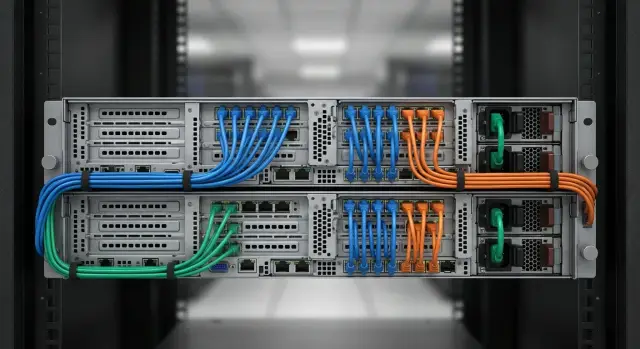
Task: a reference SR650 V3 node for a virtualization cluster
Lenovo ThinkSystem SR650 V3 is often chosen as a base server for a small private cloud: typically 2–8 nodes in one rack or across two sites. By “private cloud” here we usually mean a virtualization cluster (VMware, Hyper‑V, Proxmox, etc.) where VMs run either on a shared storage system or on local disks of nodes (for example in an SDS/vSAN approach).
The cluster goal is practical: services survive a single node failure, the hypervisor and hardware can be serviced without a global outage, and scaling is just adding another server with the same settings. This is especially important when IT staff is 1–2 people and there is no time to manually maintain a configuration “zoo”.
The key idea: identical nodes and pre‑agreed component tolerances. For example, replacing an SSD with an equivalent by class and endurance is acceptable, but swapping a 25GbE NIC for 10GbE or replacing a RAID controller with a model lacking cache and protection is not.
Problems often start not in hardware but in commercial proposals: some parameters aren’t disclosed and comparison becomes unfair. Commonly “lost” items are exact NIC models and port types (SFP28/RJ‑45), RDMA support, controller model and cache protection (CacheVault/supercapacitor), disk class and endurance (DWPD/TBW), the real disk layout (backplane and number of available bays), and the BMC level and remote management licenses.
So the task becomes simple: assemble a single reference SR650 V3 node configuration and use it as the procurement and scaling baseline.
Inputs: what to clarify before choosing hardware
Before building a Lenovo ThinkSystem SR650 V3 for a private cloud, lock down initial requirements. This avoids buying a server that looks powerful but lacks ports, drive bays, or serviceability without downtime in the cluster.
Start with scale: how many hosts are you buying initially and what size do you expect in 12–36 months. Also define the growth path: adding nodes or upgrading within the same chassis. This affects NIC choice, disks, power margin and available expansion slots.
Then define the workload profile. “Virtualization” varies: VDI is sensitive to storage latency and cache, 1C and databases often need RAM and IOPS, file services need capacity, and analytics or AI may require GPUs and faster networking.
A short survey for business and operations helps:
- How many VMs and which are critical (RTO/RPO).
- Do you require an N+1 scheme and can a node be serviced during business hours without stopping services?
- Where do data live: locally on nodes, on external SAN, or in a hyper‑converged layout?
- How are backups performed and what are backup windows?
- Who administers and how: requirements for remote management, site access, and change control.
Also gather site constraints: rack depth, available PDUs and plug types, actual power per rack, cooling and noise limits, and how quickly someone can access the server room after hours.
Example: an office cluster of 3 nodes for 1C and file services with growth to 5 nodes in a year. If you don’t clarify N+1 and maintenance windows, you may buy a configuration lacking network or disk headroom and then hit downtime during expansion or drive replacement.
CPUs, memory and compute profile of the node
When choosing Lenovo ThinkSystem SR650 V3 for a private cloud it’s important to understand workload profile. The same server can be built to favor many “light” VMs or fewer “heavy” VMs sensitive to frequency.
If you run many infrastructure services (AD, DNS, file, small DBs, web), more cores usually win. For 1C, some databases and applications that prefer frequency, higher clock speed can matter more even with fewer cores. In practice there’s a mix, so estimate the share of VMs that need frequency vs. those that just need more vCPUs.
Memory is often a harder limit than CPU: it runs out sooner. A good rule is to cover current VMs and include significant headroom for growth and peaks (updates, antivirus scans, new services). Also pay attention to slot population: identical DIMMs and symmetry across channels on both processors. Uneven population can unexpectedly reduce performance.
If hardware accelerators (GPUs for VDI, CAD or AI) are needed, this affects more than price. You will need free PCIe slots, sometimes different risers, more power and stricter cooling. Address these at design time, not after purchase.
For a cluster it’s critical to standardize node characteristics. Otherwise VM migrations and load balancing will be limited by CPU, memory or available capacity differences.
To compare quotes without surprises, ask the vendor to specify:
- exact CPU models, base frequency and TDP, and number of processors per node;
- RAM capacity, type (RDIMM/LRDIMM), frequency and slot population scheme;
- how many slots remain free and up to what capacity you can expand without replacing DIMMs;
- presence and model of GPU (if required) and riser/power requirements;
- confirmation that the configuration is identical across all cluster nodes.
Storage: boot, datastore and fault‑tolerance approach
For SR650 V3 it’s convenient to split storage into two parts: drives for hypervisor boot and drives for virtual machines. This avoids overpaying for ‘‘expensive’’ media where it’s unnecessary and makes quote comparisons easier.
For boot a practical option is two M.2 drives in a mirror. The hypervisor usually doesn’t need extreme speed—predictability and easy replacement matter more. An alternative is two small front hot‑swap SSDs in a mirror if you want hot‑swap and a uniform servicing approach.
VM datastore: what to choose and role distribution
Local datastores for VMs are commonly built on SSD or NVMe. With mixed workloads (office services, 1C, VDI) NVMe gives lower latency, but look beyond raw speed to endurance and steady behavior.
Keep a simple role logic:
- Boot: 2x M.2 SATA/NVMe in RAID1.
- VM datastore: 4–8x SSD/NVMe in RAID10 (or another layout depending on requirements).
- For SDS (vSAN, Ceph, Storage Spaces Direct): separate capacity drives and cache drives.
Choose RAID or HBA passthrough depending on where fault tolerance lives. Hardware RAID is simpler for small teams: the controller handles mirrors and arrays. For SDS, HBA passthrough (or JBOD) is preferred so the software storage can manage disks and replicas directly.
What to request from the vendor to compare quotes correctly
Request disk parameters and their roles, not just “SSD 3.84 TB”. Minimum details: interface and form‑factor (SATA/SAS/NVMe, 2.5", E1.S, etc.), class and endurance (DWPD/TBW, read‑intensive or mixed‑use), fault‑tolerance scheme (RAID level or HBA/JBOD for SDS, hot spare presence) and compatibility (is the disk model on the platform compatibility list?).
Example: two quotes may offer identical 3.84 TB NVMe, but one uses low‑end read‑intensive drives and the other mixed‑use drives. For virtualization that affects lifetime and write‑error risk.
Storage controllers: what’s critical to list in the spec
The storage controller can affect results as much as the disks. The same set of drives can behave differently depending on controller mode, cache and port limits.
Use a RAID controller if you want hardware RAID (RAID1 for boot, RAID10 for datastore) and predictable writes. Use an HBA if you prefer the server to expose disks directly for SDS. For virtualization write cache matters: if a RAID controller has cache, specify its size and protection (BBU/supercap/NVCache). Without protection the controller may switch to write‑through and write performance will drop—this is visible during IOPS peaks (Monday morning, mass updates, backups).
Also check disk connectivity: port types and speeds (SAS/SATA/NVMe), compatible backplane, and whether tri‑mode is supported (a controller that handles SAS and NVMe). Clarify how NVMe is attached: via backplane (U.2/U.3) or via PCIe adapters, and whether they are managed by RAID or a separate NVMe/HBA.
For quote comparison ask explicitly for:
- exact controller model and mode (RAID or HBA/IT);
- cache size, protection type and whether write‑back is enabled;
- ports and speeds (e.g., 12G SAS, PCIe Gen4/Gen5), compatible backplane;
- supported RAID levels and limitations on disk types;
- who updates controller and backplane firmware during deployment.
If a vendor uses vague terms, you risk receiving an “equivalent” controller with different cache behavior and lower performance.
Network for the cluster: a simple scheme without unnecessary complexity
Cluster networking is often overcomplicated without real benefit. The goal is simple: management, migration and VM traffic should not interfere with each other, and the failure of one switch or port should not take down a node.
Practical minimum: separate networks logically (VLANs) and only physically separate what yields tangible benefit: management, migrations (vMotion), VM traffic and storage traffic (if storage is over the network: iSCSI/NFS/CEPH).
Choose speeds based on actual workload. For a small cluster with moderate migrations and no network storage, 10G is often sufficient. 25G is common when there’s heavy vMotion, dense VM consolidation, active network backups or expected fast growth. 40/100G makes sense if storage and east‑west traffic are truly heavy.
A reasonable starting node scheme: 2x 25G (or 10G) ports to different switches (ToR A and ToR B) plus a separate 1G for BMC if security policy prefers. Use VLANs for virtual networks and provide redundancy with two physical links and two switches. Verify that the chosen NIC supports VLAN tagging, LACP (if used), SR‑IOV (if required), hypervisor compatibility and drivers.
Optics or copper: commonly forgotten items in quotes
The issue is often not server ports but the missing “other half” of the link: transceivers, DACs, cables and free switch ports.
Include in the RFP: NIC port types (SFP28/SFP+/RJ‑45) and exact model, transceivers or DACs with brand compatibility and speed, cable type and length, and check switch port availability.
For fair comparisons ask vendors to break down per‑node networking: how many physical ports for which traffic, how redundancy across two switches is implemented, and what is included up to the switch (NIC, modules, cables).
BMC and remote management: so you don’t need to visit the data center
BMC (Baseboard Management Controller) is a separate microcontroller inside the server that works even when the host is off or the OS doesn’t boot. On Lenovo ThinkSystem SR650 V3 this role is often performed by the XClarity Controller. It enables remote power on/off, hardware status monitoring, remote console and recovery without visiting the rack.
In practice BMC saves hours of downtime. For example, after a hypervisor update one node fails to boot: via BMC you open the console, see the boot error, attach an ISO as virtual media, boot into recovery and return the node to the cluster.
Which functions are actually needed
For virtualization the essential features are remote KVM console, virtual media (ISO), power control, sensor data (temps, fans, PSUs), events and logs. Also check role‑based access and audit so you can trace who changed what.
Separate management network and what to request from the vendor
Put BMC on a separate management network: its own VLAN/subnet, static IPs, isolated from user traffic. Access via a jump host or VPN, restrict by source addresses and replace factory passwords.
For quote comparison request:
- which BMC license is included (basic or advanced) and which features it enables (KVM, virtual media, remote updates);
- access security: RBAC, auditing, directory integration (if required) and password policy requirements;
- whether a dedicated management port is included or shared, and what is supplied in the kit;
- license limitations (term, hardware binding, concurrent sessions);
- who is responsible for firmware updates and availability of packages.
Otherwise one proposal may include full remote management while another provides only basic monitoring.
Step‑by‑step: assembling a reference node configuration for virtualization
First decide where storage will live. For SR650 V3 there are three common approaches: local disks per node, SDS (distributed storage from node disks) or external SAN. This determines disk set and controller type.
Then fix the node baseline so all quotes are compared to the same template: selected CPUs (socket count and exact models), RAM with module breakdown (for example, 16x32 GB rather than “512 GB”), and separate boot drives for the hypervisor.
A helpful order to avoid missing items:
- Choose storage architecture and target fault‑tolerance level.
- Fix CPU, RAM and boot disks (usually RAID1) and expansion requirements.
- Define the VM disk profile: NVMe or SSD/SAS, capacity, endurance (DWPD) and controller type (RAID or HBA).
- Agree on the network and per‑node port plan: how many 10/25/100GbE ports, which networks for management/storage/VMs, and whether a dedicated BMC port is needed.
- Check mechanics: PSUs (e.g., 1+1), power type, rails, rack units and rack constraints.
The final step is a single specification table for procurement requests. It must include exact part numbers, quantities, compatibility (backplane, trays, cables), BMC licenses and what is included in delivery.
Common mistakes in configurations and commercial proposals
The main issue with SR650 V3 quotes is vague wording that makes it impossible to know what is actually offered. Buyers end up comparing prices rather than functionally identical nodes.
1) “2x CPU, 512 GB” with no exact models
Two CPUs can differ widely by cores, frequency, TDP and feature set. The same for RAM: type, frequency, module count and population scheme matter. Without exact models or part numbers, comparison is invalid.
2) “BMC included” but unclear what that means
Saying “remote management is included” says nothing without license level and function list. Verify if KVM and virtual media are available or sold separately.
3) “SSD” without class and endurance
“Ssd” may hide drives of very different levels. For virtualization lock interface and form‑factor, class (read‑intensive/mixed‑use), endurance (DWPD/TBW) and power‑loss protection.
4) “10/25G” with extra charges for small items
Without NIC model you don’t know port types and modes. Most importantly, confirm inclusion of transceivers/DACs, cables and sufficient switch ports.
5) Power and cooling mismatch in the rack
If power and PSUs are not specified, a node may fit physically but fail electrical or cooling constraints. Specify PSU count and power, plug types, PDU requirements, heat dissipation and installation conditions.
Short checklist: what to request to compare quotes
Ask all vendors for the same explicit set of parameters. If they omit something, treat it as not included.
Minimum set:
- CPU: exact models and count, base frequency, TDP.
- RAM: total capacity, frequency, type (RDIMM/LRDIMM), number of modules and population scheme, free slots.
- Drives: for each disk specify interface (SAS/SATA/NVMe), class and endurance (DWPD/TBW), capacity and role (separate boot from datastore).
- Controller: exact RAID/HBA model, mode (RAID or passthrough), cache and cache protection, NVMe limitations.
- Networking and remote management: NIC model, port speeds and counts, included modules/cables and what is supplied; for BMC — license level and active features.
A good verification: ask for part numbers and quantities for each line. This reduces the risk of comparing “similar” nodes that are actually different.
Example scenario: a small cluster for office and branches
A typical start: an office and several branches, 60–120 VMs (AD, mail, 1C, file services, apps) with a requirement to service hardware without downtime. A practical choice is 3 SR650 V3 nodes to start and +1 node in 6–12 months. This allows you to service one node while services remain on the other two.
Keep networking simple but clearly separated. Keep management (BMC and hypervisor management) separate from VM traffic. Two switches per rack provide redundancy and let you service one switch without downtime.
Storage is commonly evaluated in two approaches.
Option A: local disks per node with SDS. Pros—no external SAN, easier start, good fault tolerance. Cons—higher network and disk requirements and more licenses and SDS setup.
Option B: external SAN. Pros—separate storage layer, predictable scaling and backup model. Cons—additional cost and support, and you must define connections and ports in advance.
To make quotes comparable fix a common baseline: exact SR650 V3 model, identical CPU/RAM and a clear expansion plan; NICs with fixed speeds and port counts; disks specified by type, capacity and endurance; controllers with mode and cache; and included cables, modules and rails.
Next steps: how to quickly move to procurement and deployment
Start with a single requirements table and send it to all vendors in the same format. Then proposals become comparable by content, not presentation.
In the table lock parameters that are often hidden in fine print: exact CPU models, RAM composition and layout, disks and backplane, controller (RAID/HBA) and cache, network ports and module types, BMC licenses and service terms.
Ask for two variants: “minimum to start” and “optimum for 2 years”. The first helps you start on budget, the second shows total cost of ownership with headroom.
Before final selection verify that nodes can be upgraded without pain: are there free PCIe slots, enough ports and required transceivers available, is the needed drive tray supported, and are licenses and BMC options clearly stated.
If you need speed while keeping specification details, involve an integrator who can produce a unified RFP and compare quotes by part numbers. For example, GSE.kz as a system integrator can help prepare requirements, pick compatible components and provide deployment and support plans.
Frequently asked questions
Why fix a “standard” SR650 V3 node configuration for the cluster?
A standard node makes cluster behavior predictable: VM migrations work without compatibility limits, and scaling is just adding another server with the same parameters. It also simplifies support because you maintain one set of firmware, drivers and component replacement tolerances.
Which parameters are most often “lost” in commercial proposals and what should be demanded explicitly?
Ask not for “512 GB RAM and 2x CPU” but for exact CPU models and memory layout to know frequency and channel symmetry. For disks, fix interface, form-factor and endurance (DWPD/TBW), and also the real disk layout and backplane. For network, require NIC model and port type (SFP28/SFP+/RJ‑45), supported modes and whether transceivers/cables are included; for BMC, specify license level and remote console/virtual media functions.
What matters more for virtualization: more cores or higher CPU frequency?
If you have many lightweight VMs and need consolidation density, more cores at reasonable frequency are usually better. If you run 1C, terminal servers or latency-sensitive apps, higher per-core frequency and stable single-thread performance matter more. Practically, assess which VMs are frequency-bound and fix one CPU profile across nodes to avoid migration limits.
How to plan RAM capacity and slot population correctly?
Memory runs out faster than CPU in virtualization, so budget headroom for growth, updates and peaks rather than only current needs. Use identical modules and install them symmetrically across memory channels on both processors—uneven population can noticeably reduce performance despite the same GB count. In specs, fix not only total capacity but module count and free slots for expansion without replacing DIMMs.
What is the most practical disk scheme for hypervisor boot?
The simplest reliable option is two boot devices in a mirror so a single device failure does not bring down the host. Often this is two M.2 drives in RAID1 because the hypervisor doesn't need extreme speed but needs predictability and easy replacement. If you want hot‑swap and a unified servicing approach, a mirrored pair of small front‑hot‑swap SSDs works, though it usually costs more in usable storage.
How to choose disks for VM datastore: SSD or NVMe, RAID or SDS?
For a local VM datastore you can use SSDs or NVMe; choose not only by raw speed but by endurance and steady write behavior. If you use hardware RAID, fix RAID level and disk count so all nodes have the same capacity and behavior. For SDS/vSAN/Ceph, separate disks into capacity and cache roles and ensure the controller mode does not interfere with the software storage layer.
When to pick a RAID controller vs HBA/passthrough, and why is cache important?
Choose a RAID controller with write‑back cache and cache protection (BBU/supercapacitor/NVCache) if you want predictable hardware RAID performance—without protected cache controllers often fall back to write‑through and write performance drops. For SDS where software handles replication, an HBA or passthrough/JBOD mode is usually preferred so the storage stack manages disks directly. Always require exact controller model, operation mode and cache/protection details in the quote.
What is a basic network scheme for a cluster and when to choose 10G or 25G?
A practical baseline is two high‑speed ports per node connected to two separate ToR switches, and network traffic logically separated by VLANs. 10GbE is often sufficient for small clusters without heavy network storage and few migrations; choose 25GbE if you expect active vMotion, dense VM consolidation or rapid growth. Fix the same NIC speed and class for all nodes to avoid the network becoming the bottleneck when scaling.
What to consider with SFP28/DAC/optics to avoid small extra costs later?
Surprises appear when the quote covers only the NIC but not transceivers, DAC/optics or available switch ports. Before procurement, lock the server and switch port types and ensure the package includes both ends of the link; otherwise you'll face extra costs and delays. Also define cable lengths and routing so rack cabling does not need rework.
Which BMC features are really needed in a cluster and how not to err with licensing?
Minimum required functions are remote console (KVM), virtual media for installation and recovery, power control and access to hardware event logs. These features often depend on BMC license level, so the quote must state which license is included and which functions it unlocks. From a security viewpoint, use a separate management network, change factory passwords and restrict access by roles with auditing so you can manage systems remotely without losing control over changes.
