8 min read
Launch a Service Catalog and Knowledge Base in 60 Days: an ITSM Plan
Launch a service catalog and knowledge base in 60 days: a simple week-by-week plan, article structure, request and incident processes, and metrics that show real value.
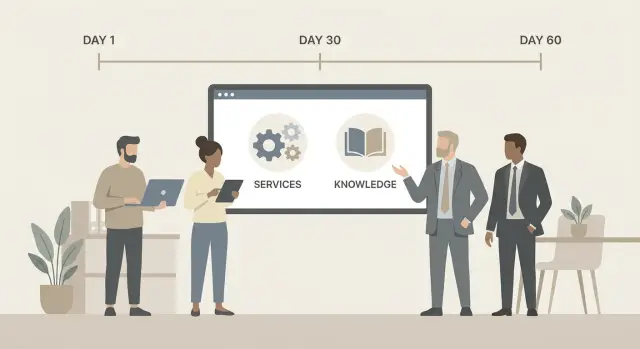
Why a company needs a service catalog and knowledge base
Without a service catalog and knowledge base, IT usually works by the loudest-voice principle. Requests arrive by email, messengers and personal chats. The same question is asked to different people, and status must be clarified manually. Time is wasted on forwards and clarifications, frustration grows, and IT looks slow even when the team is trying.
A service catalog provides one clear entry to support: where to go and what exactly can be requested. It reduces channel chaos and helps treat similar requests consistently.
A knowledge base solves the second big pain — repeated questions. A good article with simple steps often fixes an issue faster than a conversation and unloads the first line.
In 60 days the goal is not “perfect ITSM” but a working minimum: a small catalog with the most common services, clear rules for requests and incidents, and a knowledge base of articles that actually help. That gives quick wins: fewer handoffs between performers, faster first responses, fewer repeats and a clearer explanation of what IT does.
Users need it to get help faster and see status. IT needs it to fight fewer fires and avoid repeating the same work. Department managers need it to understand what IT is responsible for, how long support takes and where hours are lost.
Set expectations early:
- Not everything can be automated right away: tidy up first, then add complexity.
- The first release doesn't need the entire catalog: start with 10–20 most frequent services.
- Knowledge base content isn't written “for the future”: close the most recurring questions first.
If you act pragmatically, in two months you'll have a clear entry to support, predictable request handling and first metrics that show value to people, not only to IT.
Define terms and boundaries: incidents, requests, services
To keep the launch from turning into a debate about words, agree on three terms in advance. This reduces confusion for users and helps the support team work consistently.
Incident — something is broken and needs to be restored as quickly as possible. Examples: corporate mail won't open, a store checkout doesn't print receipts, a server is unreachable.
Request — when a user needs a service, access or standard assistance that can be performed by a clear scenario. Examples: grant access to a system, install software, connect a printer, explain how to file a travel order in the portal.
Service — a clear outcome IT promises the business. Not “PC support” but “Employee workstation”, “Corporate email”, “Access to 1С”. Always link requests and incidents to a service: otherwise statistics and ownership become fuzzy.
Fix a single workflow early, even if the tool is simple:
- intake (email, phone, portal)
- classification: incident or request, choose service
- fulfillment and communication with the user
- closure with result and reason (if any)
- short feedback
Boundaries of the first release matter more than perfect coverage. Pick what brings quick impact: 10–20 most frequent services and 3–5 incident types that most often “break” work. Put rare requests, one-off projects and major infra changes into the next cycle.
Keep roles named simply. Service owner sets rules and expectations (what's included, timelines, who gets it). Dispatcher accepts and classifies correctly. Assignee does the work and records the result. Article author turns solutions into straightforward guides.
Mini-example: “I can't sign in to email” — incident (needs restoration). “I need access to the department shared mailbox” — request (requires setup and approval). If both link to the “Corporate email” service, the user chooses more easily and you measure value better.
Days 1–7: inventory requests and draft the catalog
The first week is not for pretty schemes but to understand what people actually ask IT every day. Quickly gather facts and make a draft you can show.
Start with the top 20 requests. Pull the last 4–8 weeks and collect requests from their current places: email, messengers, Excel, notes, oral requests. Then do 6–10 short interviews of 10–15 minutes: 3–5 support staff, 2–3 department managers, 1–2 typical users. The goal: what repeats, what annoys, where it burns the most.
Then pick 10–15 services to start. Evaluate by what will bring results in the first month: frequency, pain (how many people affected), risk (security, outage), execution time. Typical candidates: password reset, shared folder access, software installation, workstation setup, hardware replacement.
Keep each service description simple: what the user gets, conditions and target times. Test: any employee should understand the text without a glossary.
Make request forms minimal so they don't annoy:
- what is needed (short, one sentence)
- who needs it (name or department)
- where (location or device)
- when (routine or urgent)
- contact for clarifications
Set realistic timelines at the start. Don't promise “perfect SLAs” without data. Honest guides like “usually 4 hours”, “up to 2 business days”, plus a simple rule for urgent cases (e.g., higher priority if work is blocked) set expectations and reduce “what's the status?” questions.
Days 8–14: catalog structure and handling rules
In week two, make the catalog clear for users and usable for support. If a user opens the catalog and sees “Infrastructure Department” or “Structured Cabling Sector”, they get lost. Group by tasks instead: “Accesses”, “Workstation”, “Mail & Calendar”, “Network & Wi‑Fi”, “Business systems”.
Give each service a consistent card. A uniform format saves time and reduces clarifying questions:
- what the service is and when to choose it
- who can access it and conditions (role, branch, equipment)
- what the user must provide to start (data, screenshot, asset number)
- fulfillment time and what counts as a done result
- when approval is required and where to escalate if something goes wrong
At the same time, define incident categories so they help speed and analysis. For a minimum, track: service/system, problem type, impact (how many users affected) and urgency. That's enough to see what breaks most often and where to fix root causes, not just symptoms.
Keep approvals only where there's risk or cost: access to financial data, issuing new equipment, changing rights in critical systems. Convert other actions to “allowed by default” — otherwise launch stalls in approval queues.
To align with the business, prepare a one‑page regulation: which services exist, who owns them, target times, when approvals are needed and how users can get status. For organizations with many workstations, set simple rules: “password reset” without approval, “access to accounting” requires manager confirmation.
Days 15–28: request fulfillment process without extra complexity
By now you have a catalog draft. Make sure users always know where to go, what to enter and when to expect results. Without that, requests continue to go to chats, emails and personal asks.
A single entry point isn't for control but for predictability. Announce it briefly and practically: where to create a request, when you'll respond, and what happens if they bypass it. “It will be faster for you this way” works better than “it's required by policy.”
Three statuses everyone understands
Start with only three statuses: “accepted”, “in progress”, “completed”. Don't expose internal states like “assigned” or “queued” to users. Keep internal fields for the team if needed, but show a simple view outside.
Routing should be simple. For the first two weeks rules by service, category and location usually reduce manual reassignments. Optionally consider user type and equipment type if they truly affect queues.
Reply templates and clear closures
Use 3–5 templates: data request, confirmation of timelines, completion note, refusal with reason, request for approval.
Make closures useful: say exactly what was done, what the user should check and where to go next. If there's a knowledge base article, mention its title plainly, no extra commentary.
By day 28 you should have a minimal stable process: single entry, clear statuses, basic routing and a closure that saves time for users and support.
Days 29–42: incident process and managing expectations
Now agree on basics: what counts as an incident, who decides and how you inform users about outages. An incident is when a service performs worse than normal or stops (e.g., corporate mail won't open, shared printer won't print, VPN login fails).
Declare a major incident when the issue affects many people or a critical service, even if the exact cause is unknown. Practical rule: if multiple similar requests arrive within 10–15 minutes or a whole department's service is down, don't wait. Keep the incident name and status consistent across channels to avoid confusion.
Prioritization works only if staff understand it. The clearest model is an impact × urgency matrix. Give short examples so people can pick priority without arguments:
- high impact + high urgency: checkout/payment/patient registration down right now
- high impact + low urgency: shared folder broken but there's a one‑day workaround
- low impact + high urgency: a manager's presentation won't open before a meeting
- low impact + low urgency: one user requests an email signature setup
Escalations are not for punishment but to avoid wasting time. Define a simple ladder: when the first line can't restore service within N minutes or another team decision is needed, escalate. Appoint one coordinator so there’s no “everyone is doing something but nobody leads.”
Communications during an outage significantly reduce repeat requests. Agree on short updates and a clear cadence:
- first message: what is broken, who is affected, what to do now
- updates: every 30–60 minutes, even if there’s little new
- closure: what was restored, next steps, where to report if problems persist
- single voice: who speaks for IT (the duty officer or incident manager)
After recovery hold a short 15‑minute review: what happened, what helped, what blocked work and one improvement to lower repeat risk. The outcome should turn into a concrete change: a message template, a diagnostic checklist or a new knowledge base article.
Days 43–49: knowledge base — article structure and quality rules
The goal here is a knowledge base that actually reduces repeated requests. Don’t write an “IT encyclopedia.” Take request exports for 1–3 months and pick the top 20 topics by frequency and pain (what blocks work).
For a start, five groups usually suffice:
- password resets and sign‑in issues (AD, mail, VPN)
- connecting to Wi‑Fi and work resources from home
- installing and updating standard software (office, browser, antivirus)
- printing and scanning (queues, drivers, “won't print”)
- “computer not working”: slow, frozen, no network
Use a single article template. A good article is read in 1–2 minutes and leads the person step by step:
- title: in users’ words (“No email arriving”, “VPN won't connect”)
- for whom: employee, accounting, new hires, remote
- symptoms: 3–5 signs so the user recognizes their case
- step‑by‑step solution: short actions, one per line
- if it didn't help: what to check and what data to attach to a request (screenshot, time, device name)
Keep style simple: short sentences, no internal jargon, expand acronyms on first use. Add screenshots only where they prevent mistakes (for example, selecting the right button in a VPN client).
To make articles discoverable, title them with wording from actual requests and add 3–6 tags: service (mail/VPN), problem type (sign‑in/error), role (remote/new hire). Test search with real phrases: “shared drive won't open”, “error 691”.
Set an update process: each article has an owner (usually the service lead) and a quick quarterly check for relevance. Update out‑of‑schedule when software changes, instructions change or incidents on a topic spike.
Days 50–56: pilot and tuning with real requests
The pilot verifies the catalog and knowledge base against live requests while changes are still easy. Choose a pilot group of 20–50 people: some office users, some managers and 2–3 heavy users. Assign one business contact to gather feedback as a list of concrete fixes.
Agree test scenarios in advance and run them across different users. In a production company like GSE.kz this often includes system accesses, workstation setup, printing failures and site network issues.
Cover at least these cases:
- 10 typical requests: accesses, software, hardware, replacements, accounts
- 5 typical incidents: network down, service outage, printing failure, slow PC, mail problem
- 2 cases of wrong service choice
- 1 urgent case (priority and expectations check)
Measure simple indicators: response time, resolution time, share of requests via the catalog (not bypass), percent self‑service (user found an article and did not create a ticket). Low self‑service usually means titles and search need improvement, not people.
Fix without big reworks: rename 3–5 services, shorten forms, add field hints, remove extra statuses, update reply templates. The week's goal is a predictable flow: chose service — knew what happens next — got the result.
Close the pilot with a one‑page user memo: where to go, how to pick a service, what statuses mean, where to find deadlines, how to cancel a request and when to call (e.g., for incidents). This reduces identical questions sharply.
Days 57–60: company rollout and reinforcement
At the finish, don’t just “publish the catalog” — help people change habits. The message to users should be short and practical: what changed, how to request now and what benefit they’ll get (clear status, faster resolution, single entry). One email is not enough: post in the main work channel and repeat after 3–5 days.
A “what changed in 60 days” format with 3–4 bullets and one example works well. For example: “For system access, choose the ‘Access’ service, specify role and period. You’ll immediately see an estimated completion time and current status.” This cuts clarifying questions and makes the new order clear.
Decide what to do with old channels: close them gradually or keep as a fallback. The key is to avoid parallel realities where some people keep doing things the old way.
- Set a date after which personal messages or emails are not processed unless registered in the system.
- Configure an auto‑reply: “we registered this request for you; next time use the catalog.”
- Keep one emergency channel (e.g., duty phone) for critical cases and define what counts as an emergency.
Run a short 30‑minute internal training for IT. The goal is not to read ITIL but to lock in discipline: how to tell an incident from a request, which statuses to use, when to ask for extra info and what to write in the resolution. If the company has multiple sites (office, production, branches), add clear rules for priority and response times to avoid arguments in chat.
To keep order, agree on a simple ritual: a daily 15‑minute queue review. In that time check new requests, “stuck” tickets, classification accuracy and clarity of user comments.
For the second release, pick 3–5 improvements rather than everything at once:
- auto‑fill fields (department, location) and reply templates
- deadline notifications and simple reminders
- add 5–10 frequent services and link them to knowledge base articles
- integrations with inventory or monitoring systems (if there's a clear need)
- a business‑facing report: “which requests were resolved faster and why”
This makes the launch a stable habit, not a one‑off campaign.
Value metrics: what to measure and how to explain results
Metrics are not for pretty dashboards but for users to feel that IT became easier and clearer to contact. Agree metrics early to avoid post‑launch debates about whether things improved.
Metrics users care about
Users value speed and predictability. Start with a few simple indicators and explain them plainly:
- time to first response: how quickly someone acknowledges the request
- time to resolution: how long to restore or complete
- predictability: share of requests closed within the promised time
- status transparency: share of requests with clear status updates rather than silence
Metrics for IT and leadership
IT needs to see behavioral change and load distribution. Leadership needs to know how much time the business loses and availability of critical systems.
- share of requests via the catalog
- repeat incidents: what keeps failing again and again
- load by category: which services and systems create queues
- availability of critical services (simple uptime share for key systems)
- satisfaction (CSAT): how users rate help, not only speed
Collect CSAT without spamming: one question after closure (“How satisfied are you with the solution? 1–5”) and an optional comment. Send ratings not for every ticket but for selected categories or a random sample.
Show value monthly on one page: several charts, 5–6 conclusions and one real example. For instance: “In January time to first response on access requests fell from 4 hours to 50 minutes, and catalog use rose to 70%,” plus a short note on what changed and next steps.
Common mistakes when launching a catalog and knowledge base
A frequent issue is trying to make the start “perfect.” The project drags on while users keep writing the same way.
First trap — too large a catalog with dozens of services. For the first release pick 10–15 high‑frequency requests that can be executed by clear steps.
Second mistake — forms that look like a 20‑field survey. Long forms don’t improve quality; they reduce catalog adoption. Keep the minimum: what, who, when, contact. Let assignees request extra info by template.
Third problem — “catalog and knowledge base are shared, so nobody owns them.” If a service has no owner, rules aren’t updated. If an article has no owner, it becomes stale and harmful.
Quick pre‑launch checks:
- each top service and knowledge base section has an owner
- each service lists input data and result (what the user receives)
- articles have a review cadence (e.g., quarterly)
- it’s clear who resolves priority disputes
- bypass channels (email, chat) are closed or have clear exceptions
Fourth mistake — fuzzy priorities. If everyone marks things as “urgent,” the queue stops working. Fix with a simple rule: priority depends on impact (how many users affected) and urgency (how soon damage occurs), not on how loud the requester is.
Fifth — launching without communication. Users need to be told what changed, where to find answers and expected timelines. A short “before vs now” with 3 examples and a promise to iterate on feedback works well.
Quick checklist and next steps
Before announcing the company‑wide start, do a final check. This list shows gaps quickly:
- catalog: have 10–15 common services, user‑friendly titles, timelines and conditions (what requester must provide, what’s included/excluded)
- processes: single entry, clear statuses, simple priority rules and defined escalation
- knowledge base: 20–30 articles on top questions, consistent template, searchable by real phrases
- metrics: selected 5–7 indicators, each with a data source (ticket system, survey, telephony, email)
- communications: short launch text and 1–2 examples of correct request creation and self‑help
Then add features only as demand dictates.
Next 30–90 day steps
Focus on a few directions: expand the catalog based on demand, add needed integrations (mail, chat, telephony) and keep simplifying statuses and templates so they remain clear.
If blocked by infrastructure, hardware procurement or support requirements, consider a systems partner. For example, GSE.kz as a manufacturer and systems integrator in Kazakhstan can handle infrastructure, data‑center solutions and 24/7 technical support so your internal team can focus on processes and service quality.
Frequently asked questions
Why do we need a service catalog and knowledge base if IT already answers in chats?
A service catalog provides a **single clear entry point** to support: a user immediately sees what they can request and where to go. This reduces chaos in chats and email, simplifies routing and makes deadlines more predictable. A knowledge base removes repeated questions: a short instruction often resolves an issue faster than back-and-forth messages and eases the load on the first line.
Which services are best to start with to show results in 60 days?
Start with facts: pull requests from the last 4–8 weeks and build a frequency-based top list. Then choose 10–20 services by three criteria: - **frequently requested** - **painful** (affects many users) - **has a clear fulfillment scenario** Put rare and custom requests into the second release.
How to quickly explain the difference between an incident, a request and a service?
Agree on simple definitions and keep them in one place: - **incident** — something is broken and needs quick restoration - **request** — a standard help/access/setup that follows a known process - **service** — the outcome IT promises the business (e.g., “Corporate email”) Practice: link both requests and incidents to a service — it makes it easier for users to choose and for you to measure load.
What fields must remain in the request form so it doesn't annoy users?
Keep the form short: only what the technician must have to start work. Usually enough: - what is needed (1–2 sentences) - who needs it (name/department) - where (location/device) - when (regular/urgent) - contact for clarification Ask other details later via a templated follow-up; long forms push people to bypass the catalog.
Which request statuses should be visible to users at the beginning?
At the start, three statuses are enough and easy to understand: - **accepted** - **in progress** - **completed** Keep internal statuses (e.g., “assigned”, “in queue”) for the team, but show users a simple picture — fewer “where is my request?” questions.
Where are approvals necessary and where do they only slow the process?
Keep approvals where there is **risk or cost**: - access to sensitive data and critical systems - issuing or replacing equipment - raising rights in financial/accounting systems For frequent safe actions prefer “allowed by default”; otherwise approvals will create a bottleneck.
When to declare a major incident and what to tell users?
Declare a major incident when a problem affects many people or a critical service, even if the root cause is unclear. Practical rule: if several similar reports arrive within 10–15 minutes or a department’s service is down — notify right away. Keep communication short: - what is down and who is affected - what to do now (if there is a workaround) - when the next update will be (e.g., in 30–60 minutes)
What should a knowledge base article template look like so people actually use it?
Use a single template so articles are read in 1–2 minutes: - title as users say it (“No email received”, “VPN won't connect”) - who it’s for - symptoms (3–5 signs) - step-by-step solution (one action per line) - if it didn't help: what to check and what data to attach to the request (screenshot, time, device name) Write simply and add screenshots only where mistakes are likely (for example, selecting the right button in a VPN client).
How to run a pilot to quickly find weak spots in the catalog and knowledge base?
Choose a pilot group of 20–50 people (some office users, some managers, plus 2–3 heavy users) and run predefined scenarios: - 10 typical requests: accesses, software, hardware, replacements, accounts - 5 typical incidents: network outage, service down, printing failure, slow PC, mail failure - 1–2 cases of choosing the wrong service - 1 urgent case (to check priority and expectations) After the pilot, make focused fixes: rename 3–5 services, shorten forms, improve search. The goal is a predictable path: select service — know what happens next — get result.
Which metrics prove value, not just count tickets?
A compact set that is meaningful for users and leadership: - time to first response - time to resolution - share of requests via the catalog (vs bypass) - share of requests resolved by articles (self-service) - repeated incidents for the same cause - short post-closure rating (1–5) with optional comment Show results on one page and link improvements to concrete changes (what was changed and the effect).
