8 min read
Kubernetes Licensing: accounting for nodes, instances and support
Kubernetes licensing: how containerization changes node and instance accounting, affects CPU metrics and supported configurations, and what to check before an audit.
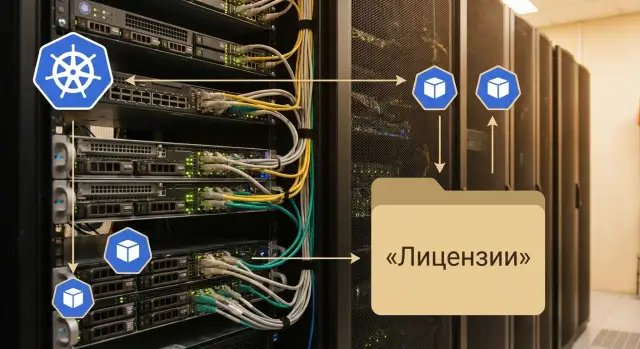
The problem: containers break traditional license accounting
In classic infrastructure it was simple: there is a server with software installed, and the license is tied to that machine, number of sockets, cores, or instances. With Kubernetes this logic often no longer matches reality. Containers move between nodes, replicas are created and removed automatically, and some components live as services without a single fixed host.
Because of this, license accounting in Kubernetes quickly turns into a debate about what to count: cluster nodes, the number of runs (pods/containers), active application instances, actual cores under load, or the maximum capacity of a pool.
Questions usually come from three sides at once. Procurement wants to know whether you pay per node or per core, count by peak or average, and what to do with ephemeral nodes created by autoscaling. Security wants proof: where exactly did a container with commercial software run, who had access, and how to separate licensed components from the rest. Operations thinks practically: what restrictions to apply so you don’t accidentally scale a licensed service, and what happens if you move it to another node pool.
Risks usually appear not immediately but at renewal or audit. Then it becomes clear that actual consumption diverges from what was purchased and budgeted.
This most often leads to three problems: overpaying (buying with a buffer because no one is sure how to count dynamics), under-licensing (autoscaling or workload relocation increases consumption unnoticed), and denial of support (the vendor won’t accept the configuration if the product ran on unsupported versions, node types, or without required binding).
This is especially sensitive when the cluster is deployed on-prem. In that case it’s important to agree in advance on accounting rules and enforce them technically, not only on paper.
Kubernetes terms that matter for licensing
To count licenses correctly, it’s important to speak the same language. In Kubernetes familiar words often mean one thing, while vendor licensing rules mean another.
Basic concepts (plain language)
Kubernetes cluster – a group of machines that run applications under common rules. For licensing the cluster itself is rarely the accounting unit, but it defines boundaries: which nodes are included, where pods may land, and who can access resources.
Node – the concrete machine where code actually runs: a physical server (bare metal) or a virtual machine. Most contentious points come down to nodes because many licenses count hosts, CPUs, or number of nodes.
Node pool – a set of similar nodes with shared settings (for example, prod, test, GPU nodes, or nodes in another zone). For licensing this is convenient: a pool helps separate where software with one license may run and where another license applies.
Pod – the minimal scheduling unit in Kubernetes. A pod contains one or more containers that live together and scale together. Important: a pod is not a server and usually not an instance of a product in the licensing sense.
Container – a packaged process with its dependencies. It can start, stop and move to another node within seconds. That’s why counting by instances becomes slippery: there can be many containers, while a license is often counted by nodes or cores.
Namespace – a logical separation inside a cluster. It’s convenient for team and project boundaries, but rarely matches how a vendor wants to see a separate product installation.
Why an application instance is not the same as a product instance
In Kubernetes you can spin up 10 replicas of a service (10 pods) and call that 10 application instances. But infrastructure software licensing can count differently: one product instance may mean installation on a node, an active process, a separate control component, or even all CPUs on hosts where the product could potentially run.
Simple example: a team increases replicas from 2 to 20 to handle load. For Kubernetes this is normal scaling. For licensing this may either change nothing (if accounting is by node or cores) or increase tenfold (if the license is tied to the number of active product instances).
Where code actually runs
For licensing the lower layer is almost always important: where containers physically run.
Containers can run directly on physical servers (bare metal), inside VMs, or in a mixed setup where some nodes are on-prem and some in the cloud, with different CPU or GPU types.
If you use infrastructure supplied and maintained by a local integrator, clarify up front whether the license sees VMs, physical servers, or the entire node pool. This often determines how many licenses you actually need.
How infrastructure software usually counts licenses in Kubernetes
When software moves into Kubernetes, it doesn’t become cheaper. Packaging changes: instead of a VM or physical server you now have pods and containers that can quickly move between nodes. So it all comes down to what the vendor considers an instance.
In practice the most common models remain tied to hardware or hosts, even if the software runs in a container. Typical accounting is by CPU cores or sockets (often the whole host where software could run), by cluster nodes (worker nodes, sometimes including control plane), by VM (if Kubernetes runs on virtualization), by instances (each run or separate component), or by subscription to a particular configuration (edition, limits, environment).
Then the key question is how the vendor interprets a container. Some treat a container simply as a process on a node and license by host resources. Others equate a container with a separate instance, especially if the product installs an agent per pod or raises a separate replica. A third group focuses on the VM level if the product only sees the virtual infrastructure.
A contentious area is what counts as the physical environment. Some rules include the entire cluster because any pod could land on any node. Others count only a specific node pool if you technically restricted placement (for example, dedicated nodes for a given product).
To substantiate accounting you usually need traces in your systems. Useful artifacts are: inventory of nodes (CPU, cores, roles, environments), Kubernetes exports (list of nodes, namespaces, replicas over a period), monitoring or CMDB reports, records of placement restriction settings (taints/tolerations, nodeSelector/affinity), and a short architecture description and responsibility boundaries.
If you deploy the cluster on your own servers, agree in advance which metrics will be considered authoritative. Then audits and renewals go much more smoothly.
Nodes, autoscaling, and why accounting becomes dynamic
In classic infrastructure licenses are often tied to clear objects: specific servers, VMs, or core counts. In Kubernetes everything moves. Today the load runs on one set of nodes, tomorrow the scheduler moves it to others. So license accounting becomes continuous monitoring rather than a one-time calculation.
Autoscaling introduces the main risk: licensed capacity becomes a matter of peak usage. If the cluster normally runs on 6 nodes but spikes to 12 by schedule or load, those 12 may become the fact of usage. Even if additional nodes existed for only an hour, formally you used more instances or cores than planned.
Ephemeral nodes complicate the picture. The autoscaler may add nodes and then remove them a few hours later, replacing them with others. In vendor reports or cluster logs this may remain fragmented. At audit time it’s hard to prove how many nodes participated and which products ran on them.
Restarts and migrations add a "here today, there tomorrow" effect. The same service may move several times because of upgrades, failures, or resource rebalancing. If the license is counted by installation on a node or by an agent run, you need traces linking the run to a specific period and node pool.
Mixed environments add another layer of confusion. Often some load runs in virtual machines and some on bare metal. For example, an on-prem cluster on server hardware may follow one accounting rule, while a VM-based part follows another. Without separation by pools and clear responsibility boundaries it’s easy to double-count or undercount.
To keep accounting under control, the following practices help: record the maximum nodes (and/or cores) during the reporting period, separate clusters or node pools by license types and environments (VM vs bare metal), keep scaling event history and a list of nodes even if they were temporary, and plan a buffer for peaks if the license is sensitive to short-term growth.
Step by step: how to prepare license accounting for Kubernetes
It’s best to set up accounting before your cluster grows and changes. The idea is simple: fix in advance where specific products may run and how you measure their consumption.
Start with inventory and tie it to real operations:
- Describe clusters and environments: prod, test, dev, plus DR and responsibility zones. Specify node pools and how they differ.
- Collect hardware and virtualization parameters for each pool: CPU, core and socket counts, hypervisor licensing model, and resource limits you give to pods.
- List infrastructure products and their roles in the cluster: databases, monitoring, backups, middleware, security agents. Note not only product names but what is actually running (server, agent, operator).
- Map products to licensing metrics. Some count by host cores, others by sockets, some by number of instances or hosts where a pod might run.
- Fix placement rules that make the calculation verifiable: separate node pools, nodeSelector/affinity and taints/tolerations so licensed components don’t drift onto unpaid nodes.
After that, create a short document describing how you count licenses in Kubernetes: which metrics you take, which nodes are included, and what happens with autoscaling and failover. Coordinate it with procurement and contract owners so contractual terms match how the cluster operates.
Example: if monitoring is licensed by cores, allocate a separate node pool solely for monitoring and enforce it with taints and placement rules. Then application growth in another pool won’t accidentally expand the licensed contour.
Supported configurations: where support is most often denied
A supported configuration is the set of conditions under which a vendor agrees to troubleshoot incidents and release fixes. In Kubernetes these conditions can easily diverge because of many layers: node OS, Kubernetes version, container runtime, and how you connected network and storage.
A common case: an agent or application was installed per instructions, but nodes run a different OS version, or the cluster was upgraded to a Kubernetes version not listed in the support matrix. For licensing this matters too: if support is formally invalid, confirming correct use of the product (during an audit) can turn into endless correspondence.
Where support breaks: typical reasons
The phrasing is often the same—configuration unsupported—but reasons repeat:
- The OS and its patch level on worker nodes aren’t in the supported list or don’t meet requirements.
- Kubernetes version differs by minor or patch (for example, vendor supports 1.28.x, but you run 1.29).
- Container runtime is different or at the wrong version.
- Network and storage are connected via CNI/CSI plugins the vendor does not test or explicitly excludes.
- Standard security policies or kubelet parameters were changed so an agent or driver is unstable.
Near-identical versions are often not considered supported because tests, fixes, and known limitations are tied to specific releases. Practically this means troubleshooting will start only after the cluster is brought to a supported matrix.
Responsibility boundaries: who supports what
Fix in advance what the vendor supports and what remains your responsibility: Kubernetes distro, CNI/CSI configuration, OS updates, cluster update policy, diagnostics of cloud or on-prem infrastructure.
A good practice is to reconcile the matrix before support renewal: Kubernetes, OS, runtime, CNI/CSI versions and planned updates for the next 3–6 months. That’s cheaper than rolling back the cluster during an incident.
Placement practice: how to bind licenses to cluster rules
The goal is simple: prevent licensed software from accidentally running on extra nodes. In Kubernetes this is achieved not by paper accounting but by scheduling rules that restrict where a Pod can land. This approach is especially useful when licensing is by node or socket, because any unexpected move can become a risk.
The clearest tactic is dedicated node pools for specific products. A commercial database and a host-licensed monitoring agent can be kept on dedicated servers. This makes audits easier: boundaries are clearer, it’s simpler to maintain required OS and driver versions, and autoscaling surprises are fewer. Downsides include lower utilization, potential difficulty handling peaks, and higher cost of configuration mistakes.
CPU/RAM requests and limits help distribute resources more precisely but don’t directly solve licensing. If a product is counted by node or host cores, a small container on the wrong node can still make that node subject to license. Limits are discipline, not a license safeguard.
A typical set of mechanisms is sufficient: node labels and binding workloads to labels (nodeSelector/affinity), taints/tolerations so other pods don’t land in the licensed pool, splitting node groups by different licensing metrics, and admission policies to forbid running without required labels.
A separate cluster is worth it when a component is expensive or sensitive to supported configurations: commercial DBs, proprietary brokers, backup tools. Then the boundary becomes physically obvious: which nodes and software versions are in the support zone.
Common mistakes and traps when licensing in Kubernetes
The most common mistake is applying old accounting logic to containers without checking how the vendor actually counts usage. As a result, actual and contractual numbers diverge, and this surfaces at renewal or audit.
Frequently seen errors
Typical problems look like this:
- Counting pods because they are visible in monitoring, while the license may be by nodes, sockets, cores, or the whole cluster.
- Ignoring ephemeral nodes: autoscaling adds nodes for hours, but rules consider peak values over the period.
- Mixing dev, test and prod in one cluster without clear boundaries, while license and support conditions differ by environment.
- Confusing the right to use with the right to updates and support: software runs, but support has lapsed.
- Not recording Kubernetes, OS and runtime versions, then finding the configuration unsupported.
A typical example: an organization deploys a cluster on its own data center servers and at peak borrows a couple of nodes from a reserve pool. The report shows 8 nodes total, but peak usage was 10, and the contract requires counting the peak.
How to reduce audit risk
Set rules in advance:
- For each product, approve the accounting unit: node, core, instance, or cluster.
- Define what counts as peak and how it’s measured (daily, monthly, reporting period).
- Separate environments by node pools or clusters and document this.
- Create a cluster passport: versions, OS, CNI/CSI, node parameters and who can change them.
This removes disputed areas before checks.
Example scenario: one cluster, two node pools, different licenses
Imagine a cluster with two node pools: prod and test. prod has autoscaling because service load varies by hour. test has fixed nodes used for checks.
There’s a licensed component—e.g., an infrastructure database or middleware—that by company rules should run only in prod. The problem is containers can move between nodes: a pod may start in prod today and, due to scheduler settings, end up in test tomorrow; during a peak autoscaling may add new nodes and the number of licensed machines becomes disputed.
A practical solution is simple: allocate a dedicated node pool for the licensed component and lock down placement.
Typically this looks like:
- a separate node pool
prod-licensedwith a defined CPU type and clear size - taints on
prod-licensednodes and tolerations only on the required pods - nodeSelector or node affinity to prevent pods from running outside the pool
- autoscaler limits, e.g. min 3 to max 6 nodes
- a clear list of supported versions: Kubernetes, node OS, component version
To prove the license contour at audit, collect a snapshot of facts: node list and characteristics (CPU and sockets if relevant), autoscaler settings (min/max), manifests or placement policies, and actual platform versions.
Budget-wise this is usually cheaper than licensing the entire prod pool. You get an upper bound (for example, max 6 nodes in prod-licensed) and fewer grounds for vendor disputes.
Quick checklist before an audit or support renewal
Before an audit, quickly remove major risks: what you license, where it runs, and whether your platform matches vendor-supported configurations. In Kubernetes this is harder because of autoscaling and constant movement between nodes.
Reduce everything to a simple question: for each product what is the licensing metric? Some vendors count by host cores or sockets, others by number of nodes, VMs, or running instances. Until this is fixed, accounting is guesswork.
Check these basic items before talking to auditors or support:
- Each infrastructure component has a recorded metric and data source (node inventory, hypervisor report, cluster data).
- Environments prod, test, dev and DR are clearly separated and placement rules prevent test on production-licensed nodes.
- The autoscaling upper bound is fixed: maximum node count and total capacity that may appear at peak.
- A platform passport is collected: Kubernetes version, node OS, container runtime, CNI and CSI, and it’s aligned with vendor support matrices.
- There is a single accounting document and an assigned owner who updates numbers after cluster changes.
For self-check, simulate: what happens to licenses if the cluster doubles overnight and some workloads move to another node pool? If you cannot confidently name which limits will be exceeded and where that shows in accounting, an audit will likely find discrepancies.
Next steps: making accounting clear and manageable
If accounting floats with containers, it’s rarely a one-person problem. It touches IT, operations and procurement, so start with agreements and a simple, regularly updated source of truth.
Create a single registry of truth for infrastructure software: which products are in and around the cluster (OS, hypervisor, backup, monitoring, databases, middleware), what their licensing metrics are (cores, sockets, nodes, instances), who owns the contract and renewal dates. Mark risk zones: ephemeral nodes, unclear limits in supported configurations, mixed editions.
Next, hold a short joint session with IT, procurement and operations. Agree on what counts as a node for licensing during autoscaling and ephemeral nodes, which node pools are allowed for specific software (by OS, CPU type, virtualization vs bare metal), how limits are fixed (max nodes, total cores or a separate cluster), who approves changes (adding nodes, changing instance types, migrations), and how the audit package is assembled (reports, CMDB exports, change history).
If the cluster is on-prem, evaluate server platform and capacity buffer in advance so adding power doesn’t break the licensing model. If needed, involve a system integrator: GSE.kz, for example, can help design infrastructure, select servers for the cluster (S200 Series) and provide 24/7 operational support.
Frequently asked questions
Where should I start if I need to calculate licenses for software in Kubernetes?
Start with the license agreement and fix a single “unit of accounting” for each product: node, cores/sockets, VM, instance, or the whole cluster. Then technically restrict where that product can run so that accounting matches real cluster behavior.
Why can’t I just count pods or containers?
Because in Kubernetes a pod is just a scheduling object that can appear and disappear, and a container is a process that easily moves between nodes. Vendors more often tie licenses to hosts, cores, or VMs, so pod counts may not reflect licensed consumption at all.
How should I account for autoscaling: by average or by peak?
By default, count by peak value for the accounting period unless the rules specify otherwise. Autoscaling can add nodes temporarily, but for many license schemes that temporary increase still counts as actual usage and shows up during audits.
How do I avoid accidentally "replicating" a licensed service by autoscaling?
Make licensed components runnable only on a dedicated node pool and limit that pool’s autoscaler maximum. Then even if the rest of the cluster grows, you keep a clear upper bound on the nodes or cores that fall under the license.
What if the license is counted by node but pods migrate between nodes?
Use dedicated node pools and scheduling rules so pods with commercial software cannot run on other nodes. If a product is licensed “on any host where it could run,” you must demonstrably narrow that contour to specific nodes rather than rely on team discipline.
What data do audits typically request for Kubernetes license checks?
Auditors usually ask for facts about where and when the component ran: list of nodes and their characteristics, scaling history, placement restriction settings, and confirmation of platform versions. The faster you can show node boundaries and the usage period, the fewer disputed interpretations there will be.
Why might a vendor refuse support even if the product runs?
Check the support matrix before upgrades and keep a platform passport: Kubernetes version, OS on nodes, container runtime, and network/storage plugins. Many vendors treat “almost the same version” as unsupported, which can block support and complicate audit arguments.
How should I separate prod/test/dev so I don’t get confused with licenses?
Separate environments by clusters or at least by node pools and enforce placement rules. Otherwise test pods can end up on licensed production nodes or vice versa, and it will be hard to explain why the product ran in a mixed contour during an audit.
Do CPU/RAM limits help solve licensing problems?
No. Limits help manage resources but don’t guarantee license compliance. If a license is tied to a node or host cores, even a tiny container on the “wrong” node can make it licensed. Placement restrictions matter more than requests/limits for license control.
When should I involve a system integrator for Kubernetes licensing?
It makes sense to bring an integrator when you need to design hardware, node pools and placement boundaries to match specific licensing models and support requirements. For example, GSE.kz can help choose on-prem servers for the cluster and organize operations so accounting is enforced by configuration as well as documents.
