8 min read
KPI for Quality of Equipment Delivery with Installation: Metrics and Data Collection
KPI for quality of equipment delivery with installation: list of measurable metrics, formulas, data sources and a simple collection scheme based on tickets, acceptance acts and site visits.
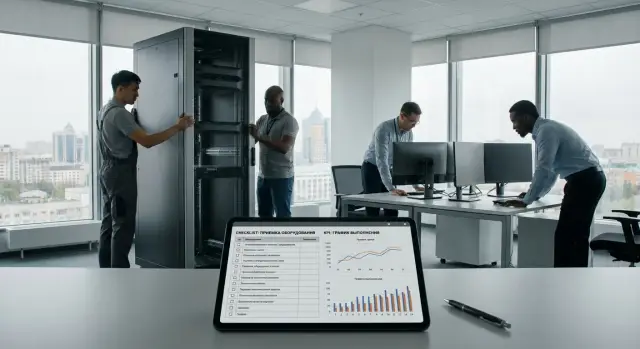
What we actually measure in delivery-and-installation projects
Delivery with installation is not just bringing equipment. Typically it includes transport, unpacking and mounting, connecting to network and peripherals, basic setup (accounts, domain, policies, drivers), transferring required parameters, tests, on-site training and commissioning with an acceptance act.
Without KPIs, quality almost always becomes a matter of dispute. Procurement looks at delivery and paperwork, IT — at operability and compliance with the spec, users — at whether they can work immediately. The same situation is judged differently: procurement thinks everything is closed, while IT says it still "hasn’t taken off."
Metrics only work when they capture the typical problems that most often harm perception and budget:
- repeat engineer visits (and reasons: missing data, configuration error, on-site issues)
- rework after handover (what had to be redone and why it wasn’t done initially)
- defects at acceptance (packaging, kit completeness, appearance, basic tests)
- delays and pauses (waiting for access, passes, network readiness, customer decisions)
Reports should also be "role-aware." Management usually needs a short weekly summary of projects and deviations. The project office needs stage-level detail and reasons to manage risks. Service teams and engineers benefit from a daily list of problem spots and repeats to reduce visits and rework on subsequent sites.
If you deploy equipment in the public sector, healthcare or education, it’s useful to record KPIs consistently across equipment types (PCs, all-in-ones, servers). That makes comparisons between sites fair and clear.
How to choose units of account and not get lost in numbers
To avoid KPI disputes about "whose numbers are right," first agree what you are counting. The same issue looks different if measured by tickets, by devices or by sites.
Pick the unit of account to match the metric’s meaning. "Defects at acceptance" is logical to count per device (how many units arrived with a problem). "Repeat visits" are often clearer per site or per ticket (how many times a team returned to the same point).
Units of account: what usually fits
Usually 3–4 levels are enough:
- Ticket (request): convenient for service and root-cause analysis of repeats.
- Device: suits defects, reconfigurations, replacements and rejects.
- Site (branch, room, server room): shows quality of on-site work organization.
- Project: needed for final evaluation and comparing contractors or teams.
Then set the reporting period. For process control, a week or a month is convenient to see spikes. For large deployments, count "per project until close"; otherwise some rework may drop out of the stats.
Keep units simple: percentages (share of devices that needed reconfiguration), counts (number of repeat visits), hours (downtime or waiting), tenge (cost of rework), "devices per visit" (efficiency of visit planning).
A core rule: each KPI must have one owner and one data source. For example, the dispatcher logs repeat visits in the ticket system, while acceptance defects are confirmed by the warehouse or acceptance commission via checklist. If a KPI has two sources, numbers will diverge in the first week.
Example: when installing workstations in a government office in one city, count defects per device and repeat visits per site. That shows whether the issue is logistics or on-site organization.
KPIs for repeat visits: formulas and cause classification
A repeat visit is an engineer’s trip after the work was closed for the same reason. Do not confuse it with planned work (e.g., expanding the fleet) or with a new unrelated problem.
To avoid term disputes, fix two things in advance: what counts as closure (act, ticket status) and the period you treat as a repeat (commonly 7–30 days).
Basic metrics and formulas
Usually 2–3 indicators are enough and easy to compare across sites:
- Repeat visits per 100 devices = (number of repeat visits in period / number of installed devices in period) x 100.
- Repeat visits per site = number of repeat visits / number of sites where work was completed.
- First Time Fix (FTF), % = (tickets closed on first visit / all tickets with a visit) x 100.
Thresholds depend on equipment type and scale. For example, with 200 workstations installed on one site, six repeat visits look different: 3 visits per 100 devices, but 6 visits for one site. It’s useful to track both slices.
Cause classification: what to count and how to avoid disputes
Make cause a required field in the ticket (single choice from a catalog). The catalog should be short:
- Warranty defect (confirmed hardware failure).
- Configuration/installation error (drivers, domain, policies, software).
- Site not ready (power, network, access, passes).
- Change in customer requirements (asked to do something different after close).
This separates quality of work from external delays. In integration projects (e.g., delivery and setup of PCs and servers) this is crucial: the same repeat rate may mean an implementation problem or simply that the site had no network.
For data collection, discipline in one place is usually enough. Each ticket should include: closing date, repeat-visit flag (yes/no, with link to original ticket) and catalog cause. Then KPIs are produced without manual spreadsheets and endless investigations.
Percentage of reconfigurations: how to define and measure without arguments
A reconfiguration is any change after initial installation and agreed acceptance that was needed to meet requirements. Distinguish it from normal installation: if a step was planned and in the acceptance checklist, it’s not a reconfiguration.
To avoid blame games, set a rule: count a reconfiguration only when there is a record with the reason, requester and description of what changed. Then the indicator is comparable across sites.
How to calculate the metric
The clearest metric:
Reconfiguration percentage = (number of installed units that had at least 1 reconfiguration / total number of installed units) x 100%.
Also useful are two time-related metrics to see impact on launch:
- Average reconfiguration time (hours): total actual engineer hours on reconfigurations / number of reconfigurations.
- Acceptance delay due to rework (days): planned acceptance date minus actual acceptance date when the cause is marked as reconfiguration.
Unified work-type dictionary
Avoid wording disputes by using a limited reason catalog, e.g.: OS and image, drivers and firmware, domain join, security policies, application software and licensing. This quickly shows what most often fails: wrong policies, missing drivers, domain nuances.
Make data collection simple: a separate ticket type in the service desk (e.g., “Post-acceptance reconfiguration”) or a separate line in the act. Required fields: serial/inventory ID, site, type of reconfiguration, cause (implementation error or change request), engineer time, closing date.
Example: 40 workstations were installed; 6 required reconfiguration of domain policies and software. Reconfiguration percentage = 15%. This shows the issue is not hardware but policy alignment before the visit.
Defects at acceptance: what to record and how to calculate the metric
Acceptance defects are issues you can confirm immediately, before full operation. Agree terms in advance: a defect is damage or malfunction of the item; a spec mismatch is a wrong configuration or setup (e.g., wrong RAM or incorrect OS image).
The acceptance record should contain at minimum: external condition, kit completeness, serial numbers and models, basic functional tests and the acceptance result (accepted, accepted with remarks, rejected).
Photo evidence is mandatory; otherwise the metric becomes an opinion. Attach 3–5 photos: general view, close-up of defect, serial-number sticker, packaging (if impact marks exist) and a screenshot of an error if functional.
Count in two views:
- Defects per 100 units = (number of defective units / number of accepted units) x 100
- Share of acceptance rejections = (number of units rejected at acceptance / number of units presented for acceptance) x 100%
Separately track transport damage and manufacturing defects. Transport damage is usually supported by packaging evidence and delivery act; manufacturing defects are indicated by recurrence in a batch and failure patterns. If some devices fail power tests on site, that looks like an item defect. If the spec requested one SSD and another arrived, that’s a spec mismatch and should be tracked separately from hardware defects.
If you work with a domestic manufacturer and integrator like GSE.kz, separate accounting helps quickly identify whether the cause is logistics, assembly or project kit completeness.
Timelines and pauses: KPIs on time without penalizing for others’ delays
Deadlines in delivery-and-installation projects often slide not because of the team but because of site access, network or electrical readiness. To keep the metric fair, measure not only calendar days but also active working time with stop-hours excluded.
Time KPIs to set
Usually three indicators suffice and are easy to explain and verify:
- On-time delivery, %: share of deliveries that arrived no later than the planned date.
- On-time installation completion, %: share of sites where "ready for acceptance" occurred no later than planned.
- Lead time on site, hours or days: from "arrival at site" to "ready for acceptance."
Lead time is best calculated in two ways: calendar and active working time (excluding confirmed pauses).
How to account for pauses and avoid manipulation
Count a pause only with a reason and confirmation. For example, the engineer logs "waiting for access to server room," and the customer confirms this the same day in the ticket or act.
Typical pause reasons: no access, no power, network not ready, no accounts, waiting for the customer’s responsible person, waiting for permission to work.
Minimum dates and statuses to collect in any ticket system:
- order date and planned delivery date
- shipping date and arrival at site
- start of work and ready-for-acceptance date
- acceptance date
- pause intervals: start, end, reason, confirmation
Example: equipment was delivered Monday, work started Tuesday, but 6 hours were spent waiting for access and 4 hours for account provisioning. Calendar-wise the run looks long, but active work time shows the team’s real speed and the preparation gap on the site.
Stabilization after deployment: metrics for the first 30 days
After handover, the main quality check is how equipment behaves in real use. Define a stabilization period: the first 7 days (quick issues) and the first 30 days (cumulative effect).
KPIs to track in the first 7 and 30 days
These are easy to compare between sites and batches if you fix the commissioning date in advance:
- Share of units without incidents: % of devices with no tickets in the first 7 days and separately in the first 30 days. Formula: (devices without incidents / total devices) x 100%.
- User tickets per 100 devices: (number of tickets in period / number of devices) x 100.
- Share of tickets due to configuration rather than usage: % of tickets where cause is OS image, drivers, policies, permissions, domain join, network profile, printing, corporate apps.
How to collect data without disputes
Every ticket must be unambiguously linked to a specific delivery. Add mandatory fields in the service desk and acceptance act: serial number, model, site (address/code), commissioning date, installation ticket ID, OS image version, responsible engineer.
Example: 120 all-in-ones were installed; 18 tickets arrived in 30 days, 11 due to printing and permissions. That’s 15 tickets per 100 devices, and 61% of tickets are configuration-related. Next steps are clear: update the standard image, add a short user guide and adjust the acceptance checklist (e.g., test printing and login before handover).
Work organization and communication: simple KPIs without extra reporting
When equipment is delivered with installation, quality often breaks not at the hardware but at coordination: no responsible person on site, work window not confirmed, server-room access closed, the ticket got "lost" in correspondence. Add a few simple communication KPIs.
Minimal communication KPIs
The first indicator is share of rescheduled work with a recorded reason. It quickly shows who more often disrupts the schedule: customer or contractor. Count reschedules by calendar events or task system actions.
Second — response time to a customer request in the project (e.g., "we need the list of ports", "confirm the commissioning date"). Define in advance that response means the first meaningful message with a plan of action, not just "taken into work."
Third — share of works where the window was agreed in time (e.g., no later than 2 working days before the visit) and contact persons were assigned on both sides.
To collect metrics automatically, keep an "agreement log" in the same system where tasks live. A few required fields are enough: site, date and work window, reason for reschedule (customer or contractor), time of first response, responsible persons.
How not to turn this into bureaucracy
Keep 3–4 required statuses per ticket so everyone sees where work is stuck:
- Scheduled (window confirmed)
- In progress (engineer on site)
- Completed (act or result accepted)
- On hold (waiting for customer, reason specified)
Example: installing workstations in an academic building was rescheduled due to lack of access to classrooms. Mark the event as "rescheduled — customer reason" and next cycle require written confirmation of access. The metric then prevents recurring failures rather than punishing anyone.
How to collect data: sources, required fields and rules
To avoid KPI disputes, agree a simple principle: one fact — one record in the system, and each record has a minimal set of required fields. Then repeat visits, reconfigurations and acceptance defects are counted the same across sites.
Data sources usually already exist. Tickets and site visits are recorded in the service desk. Movements of equipment and serial numbers are in ERP and warehouse systems. Contacts and approvals live in CRM. Plans and work statuses are in project tasks. Critically, don’t move everything into one manual spreadsheet — decide where the "single source of truth" for each indicator is.
Minimal required fields for any ticket/act/task:
- serial number (or list of serial numbers) and model
- site (address, building/floor/room) and customer/unit
- work type (installation, diagnostics, replacement, reconfiguration)
- reason for visit (from the unified catalog)
- result (accepted, partial, rescheduled) and date/time
A unified cause catalog must include separate codes for "repeat visit", "reconfiguration", "defect", "site not ready" (e.g., no power, no network, no access, site not prepared). That way you don’t penalize the team for others’ delays and see the real picture.
Data quality depends on validation rules. A practical rule: forbid closing a ticket/task without serial number, site and reason, plus automatic format checks (serial not empty, address chosen from list, reason from catalog). Weekly, review "suspicious" records: identical reasons for all, empty sites, overly general comments.
Photos, acts and checklists provide evidence. Store at minimum: photo of serial number and installation, signed act/checklist. Use clear file names: date_site_serial_documenttype (e.g., 2026-01-31_Almaty_Site-03_SN12345_Act).
Quick KPI checklist: 10 minutes to see if things are under control
If there’s no time to dig into reports, do a short weekly check on recently closed work (e.g., last 7 days). It shows whether metrics are within norms or problems are accumulating.
10-minute check
Note five things:
- Acceptance: kit matches, serial numbers recorded, basic checks done and reflected in the act.
- Site readiness: power and network available, access confirmed, accounts and permissions issued before the visit.
- Repeat visits: share of repeats for the same installation not higher than 3% per week.
- Reconfigurations: post-handover work (permissions, policies, drivers, network) not above 7% of installations.
- Acceptance defects: on-site issues (won’t boot, damage, missing parts) not above 1% of units.
To trust the numbers, audit a 5–10% sample of installations monthly: compare the act, checklist, photo of marking/serial and actual operation (power on, network, basic load).
If thresholds are exceeded
Start corrective actions for two weeks and watch dynamics rather than hunting blame:
- break down causes by category: site, logistics, image/software, human factor, factory defect
- remove top-2 causes: update checklists and mandatory fields (e.g., “account ready” before visit)
- introduce a stop-rule: don’t plan a visit without confirmed site readiness
- run short training on common errors and assign owners
- after 14 days, recalc the same 3 KPIs and compare
Real-world example: how KPIs work on an actual site
A school receives equipment for several classrooms: 28 desktop PCs and 6 touch all-in-ones, plus network setup, accounts and printing. Delivery and installation are scheduled the same day, but some tasks depend on the local administrator and access.
To avoid disputes later, tracking is done per classroom as well as per site. Each classroom has a work card: list of equipment, serial numbers, responsible person, start and end times, status (delivered, installed, configured, accepted). Serial numbers are recorded at unpacking and enter the act and registry immediately; photos of the nameplate and the desktop showing the PC name are attached as proof.
On this site, three problems usually surface: network access not available (port down), accounts and permissions not ready (domain, mail, system access), schedule changes (room occupied, lessons, events).
Metrics separate work quality from external delays. After a month the picture may look like:
- First Time Fix: 90% of classrooms closed without repeat visit
- Reconfiguration percentage: 18% of workstations required additional setup (printer driver, proxy, domain policy)
- Acceptance defects: 2% of units with remarks (dead pixel, packaging damage, missing parts)
Critically, repeat-visit reasons are coded: "customer access", "customer network", "image build error", "defect", "installation error." Then it’s clear where process treatment is needed.
After the first month the team updates the classroom acceptance checklist, improves the standard image (e.g., pre-enable needed policies and drivers) and runs short training for engineers. In deployments by a manufacturer–integrator like GSE.kz this typically reduces reconfigurations and increases First Time Fix on the next delivery.
Common KPI implementation mistakes and how to avoid them
The most common mistake is mixing different event types. For example, a customer-side server-room access delay ends up in the same metric as an engineer’s configuration error. Numbers then look bad but are not actionable.
Second, counting only percentages and forgetting volume. 10% repeats on 10 tickets and 10% on 1,000 tickets are different stories. Always record both relative share and absolute counts: how many visits, how many devices, how many sites and for what period.
Third, no unified vocabulary. One engineer calls driver installation a reconfiguration, another only counts BIOS changes, a third treats any user request after handover as reconfiguration. The same applies to repeat visits: they may be warranty, requirement change, defect or missing initial data.
Fourth, no link between device and ticket. If acts and tickets lack serial numbers, it’s hard to prove which PC, server or all-in-one had an incident and why.
A practical fix in 1–2 weeks:
- separate metrics into project (delivery, mount, handover) and service (post-handover incidents) and don’t merge them
- define clear definitions: what is a repeat visit, reconfiguration, acceptance defect and which causes are allowed
- update act and checklist templates: require serial number, ticket ID, reason, who initiated, date and result
- set up a simple QA check: a 10-minute sample review weekly
- agree denominators: define whether reconfiguration % is of devices, visits or sites and record this in regulations
Next steps: how to set up KPIs in a month and lock the process
Start simple: agree terms. One page with 6–8 indicators, formulas and accounting rules is usually more useful than a "pretty dashboard."
Then follow a four-week plan: collect data, check comparability, and only after that draw conclusions.
One-month plan
- Week 1: agree KPI list and definitions. For example, define what is a repeat visit (any visit after ticket closure or only when the performer is at fault), what counts as reconfiguration, and when an acceptance defect is recorded.
- Week 2: add required fields in the service desk and act templates. Minimum: site, serial number, date, reason for work, who initiated, result, photo/note for defects.
- Week 3: run a pilot on 1–2 sites. Check data quality: no “other” reasons, no empty fields, consistent names for the same problem.
- Week 4: do the first root-cause review and assign corrective actions. Record not only the metric but the fix: update checklist, change packaging, add a verification step, retrain engineers.
Example: the pilot shows reconfigurations often stem from different customer network settings. Add a short pre-visit questionnaire and a “network readiness” field in the ticket. Within a month the metric falls without pressuring the team.
Assign one owner for the metrics and hold a 30-minute monthly review to lock the process. If the contractor covers full cycle (delivery, installation, support) — as GSE.kz does as a manufacturer and system integrator in Kazakhstan — it’s easier to link acceptance defects, repeat visits and root causes into one chain rather than argue about "whose fault."
Frequently asked questions
Which KPIs should be set first in an equipment delivery with installation project?
First, agree what “delivery with installation” includes and what counts as closing the work — typically an acceptance act or a status in the service system. Then pick 6–8 indicators that capture the usual problems: repeat visits, post-acceptance reconfigurations, acceptance defects and delays due to pauses. These immediately reduce disputes between procurement, IT and users.
How to choose the unit of account — devices, tickets or sites?
Choose the unit of account according to the meaning of the metric and document it. Defects and configuration mismatches are naturally counted per device; repeat visits are usually clearer per site or per ticket; the overall picture is easiest to view at the project level. Mixing levels makes numbers ‘correct’ for everyone but not comparable.
What should be considered a repeat visit and what should not?
Count a repeat visit as an engineer’s return after work was closed for the same reason within a predefined period, often 7–30 days. To avoid ambiguities, define what ‘closed’ means and how the engineer links the repeat to the original ticket. Planned expansions and new unrelated issues should not be included.
Which formulas are best for KPIs on repeat visits?
The simplest and most comparable metric is “repeat visits per 100 devices” to compare batches and sites of different sizes. Also include a per-site slice (visits per site) because a large site can skew percentages, and First Time Fix to see the share of issues resolved on the first visit. The key is the same denominator and period across reports.
How to classify causes of repeat visits to avoid disputes?
Keep a short reason list and make a single-choice required field when closing a ticket. Typical categories: warranty defect, configuration/installation error, site not ready (power, network, access), and change in customer requirements. That separates team quality from external delays and avoids disputes over wording.
Where is the border between “installation” and “reconfiguration”?
A reconfiguration is a change made after initial installation and agreed acceptance that was needed to meet requirements. If the step was part of the plan and in the acceptance checklist, it belongs to installation, not a reconfiguration. Record a reconfiguration only when there is an entry showing the reason, who requested it and what was changed.
How to calculate the reconfiguration percentage so it’s comparable across sites?
The clearest metric is the share of installed units that had at least one reconfiguration over the period or per project. Also useful are average reconfiguration time (total engineer hours / number of reconfigurations) and delay to acceptance caused by rework (planned acceptance date vs actual acceptance date when reconfiguration is the reason). That shows frequency and impact on schedule and cost.
What should be considered an acceptance defect and how to record it?
Record what can be confirmed immediately: external condition, kit completeness, serial numbers, basic functional tests and the acceptance result (accepted, accepted with remarks, rejected). Separate transport damage, manufacturing defects and configuration mismatches in the spec — otherwise one indicator will mix different processes. Photos and serial-number marks make this KPI evidence-based rather than subjective.
How to measure timelines and pauses so the metric is fair?
Measure both calendar timelines and active working time excluding confirmed pauses so the team isn’t penalized for lack of access, network or accounts on the customer side. A pause should be recorded only with a reason and confirmation. Report both adherence to planned dates and the lead time from arrival on site to readiness for acceptance.
How to collect data for KPIs without manual spreadsheets?
Assign one owner and one data source per KPI: for example, repeat visits are logged in the service desk, acceptance defects are confirmed by the warehouse or the acceptance commission with a checklist. Add mandatory fields that prevent closing a ticket or act without site, serial number, work type, reason from the catalog, result and date. If the supplier covers the full cycle, as with GSE.kz, linking acceptance, installation and first-30-day incidents is usually easier because the data chain isn’t broken between parties.
