8 min read
Juniper QFX5120 for Data Centers: choosing 25/100GbE ports
Juniper QFX5120 for data centers: how to pick 25/100GbE ports, compatible modules and run link and latency tests before commissioning.
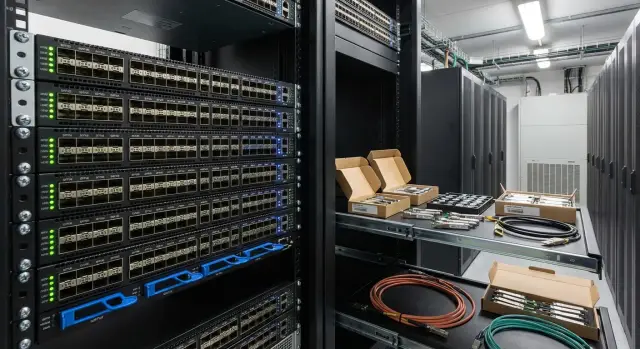
Where to start: what do you need the QFX5120 to do in your DC
Before choosing optics and counting ports, fix the switch role in your topology. A Juniper QFX5120 in a data center can be a leaf in a rack (servers on 25GbE, uplinks at 100GbE), a switch for storage, or a node for inter-rack links. The role affects not only port counts but interface modes, cable types and latency requirements.
In practice, 25/100GbE often fails not because of "speed" but because of compatibility: which SFP28/QSFP28 modules are supported, whether you can use DAC/AOC, how breakout works (for example 100G to 4×25G), and which FEC and autoneg settings are required. If you ignore these details before procurement, the typical result is a link that won’t come up, CRCs appearing, or latency becoming unstable under load.
Before choosing a configuration, gather basic inputs. A short questionnaire is enough: which NICs are installed and planned (10G/25G/100G) and which modules they support; distances (within rack, to neighboring rack, to spine) and cable routes; topology (spine-leaf, two ToRs per rack, LACP or EVPN multihoming); which traffic is critical (east-west, uplinks to core, storage, backups); and requirements for resiliency and maintenance without downtime.
Example: 40 servers in a rack with 2×25G each, two ToRs for redundancy and 2×100G uplinks from each ToR to the spine. In this case, verify whether the server adapters support the needed SFP28 (or DAC), what cable lengths are actually required and what FEC settings are needed on 25G and 100G.
If you buy a turnkey solution, involve an integrator to check compatibility and prepare an acceptance-test plan. In GSE.kz projects we usually start with gathering inputs and verifying the module and port-mode matrix before delivery.
Port math: thinking about 25G and 100G on the QFX5120
QFX5120 commonly uses two interface types: 25GbE on SFP28 for servers and 100GbE on QSFP28 for uplinks (to spine, neighbor rack, core or aggregation). It’s easier to start from roles: how many 25G “down” ports and how many 100G “up” ports you need so you don’t run out of uplinks.
For ToR the rule is simple: 25G to servers, 100G as uplinks. A quick estimate: 32 servers × 25G = 800G potential southbound traffic. Plan northbound uplinks so you don’t create a permanent bottleneck. Oversubscription is acceptable if calculated against workload profile (virtualization, backups, storage, east-west traffic).
Breakout is another topic: one 100G QSFP28 can split into four 25G ports (a 100G → 4×25G cable). This helps when you need more 25G ports without adding a second ToR, to attach 25G devices on the 100G side, or to use one 100G port as four independent 25G links.
Breakout is not free: you consume a 100G port, lose potential uplink capacity and complicate optics and cable accounting. Determine how many 100G uplinks you need first and consider breakout only from the remaining ports.
A practical technique is to map ports by role on paper: “server 25G”, “uplink 100G”, “spare/growth”, “inter-rack”. If you plan an expansion in six months, reserve some ports now or you’ll have to redesign later.
Important limitation: details depend on hardware revision and Junos version. Before purchasing, check documentation for your exact model: which speeds are supported on specific ports, which breakout modes are available and which transceivers/cables are allowed. These details determine whether the link will come up immediately or you’ll see "why is the module not recognized" at the rack.
25GbE scenarios: servers, virtualization, storage
25GbE is typically deployed at ToR when 10G can’t keep up: more VMs per host, denser east-west traffic between services, faster backups and replications, or large GPU nodes. 25G provides headroom without the cost and power jump of putting 100G on every server.
A common server setup is 2×25G in LACP for resiliency and predictable bandwidth: if one link fails the server remains reachable, and under normal conditions you can get up to 50G aggregated (note that a single flow usually stays on one physical channel). Port math in a rack is straightforward: 20 servers × 2 ports = 40 ×25G ports. With 24 servers it’s 48 ports, which often hits a ToR’s boundary.
10G may still be fine when hosts run few VMs, there are no heavy backups, and most traffic goes outside the rack. But with dense virtualization and microservices, east-west grows quietly and 25G pays off by reducing queues and eliminating many bottlenecks.
For storage decide early whether peak throughput or predictability matters more. For iSCSI/NFS/replication, stable latency and zero loss are usually more important than raw peak gigabits. Plan buffers and QoS accordingly and avoid saturating uplinks constantly.
To estimate oversubscription use three numbers: number of servers in the rack, 25G ports per server (1 or 2), uplinks up (e.g., 2×100G), and the workload profile (steady, bursts, nightly backups).
If you have 48×25G down (1.2Tbps) and 2×100G up (200Gbps), that’s a 6:1 oversubscription. That may be acceptable for virtualization with rare peaks, but risky if storage and backups share those same uplinks concurrently.
100GbE scenarios: uplinks, spine and inter-rack
100GbE on leaf is usually needed not for speed’s sake but to avoid uplink saturation. For QFX5120 in DC this is typically leaf-to-spine uplinks, inter-rack connections between leaf pairs (e.g., MLAG) and aggregating traffic from many 25GbE ports toward the core.
100G makes sense when aggregated server load regularly approaches the capacity of 25G uplinks or when predictable latency matters more than optics cost. Typical case: rack with 32–48 25GbE ports for virtualization and storage where syncs and backups can easily consume uplink bandwidth.
Plan for redundancy: a minimum that rarely disappoints is 2×100GbE to separate spine switches for failover; scale to 4×100GbE if the rack is dense or east-west is heavy; consider a separate 100G pair for inter-rack links if you run leaf pairs and need resilience to a single switch failure.
Future-proofing is cheaper where replacements are most expensive: spine and row backbone. Running 100G to every server is usually unnecessary if 25GbE meets workload needs.
100GbE choice affects cabling: QSFP28 optics, DAC or AOC have different length and bend-radius limits, and thick passive copper can strain trays and organizers. Check routes, tray fill and maintainability to avoid kinks, tension and accidental pulls when working in the rack. If you use an integrator like GSE.kz, ask them to include cable routing, not just port counts.
Transceivers and cables: SFP28, QSFP28, DAC and AOC in simple terms
For QFX5120 the question is not “which module is best” but what fits your route length, rack density and operations. A 25/100GbE link can be built many ways; cost, risk (overheating, errors, replacement complexity) and flexibility differ.
DAC, AOC or optics: pick by use case
DAC (Direct Attach Copper) is a copper cable with transceivers attached. It’s usually cheaper and fine for short runs but heavier and less flexible in dense racks.
AOC (Active Optical Cable) looks like a ready-made optic with electronics inside. It’s lighter and more flexible—good for racks—but typically pricier and replaced as a whole.
Transceiver + patchcord (SFP28/QSFP28 + fiber) provides flexibility for lengths and fiber types and is common for mid-range and inter-room links. Plan connector types and cross‑connect budget in advance.
Rule of thumb: inside a rack and to a neighboring rack use DAC or AOC; for row/hall where neat routing matters use AOC or transceivers; for inter-room links use optics to avoid length limits.
SFP28, QSFP28 and breakout without surprises
SFP28 is the form factor for 25GbE (server ports, ToR → servers). QSFP28 is for 100GbE (uplinks, spine-leaf, inter-rack).
Breakout (QSFP28 → 4×SFP28) multiplies one 100G port into four 25G ports. Common mistakes involve using the wrong breakout type, missing support on the switch or NIC side, or mismatched expectations about how the port is presented logically.
A practical rack pattern: servers use SFP28 DAC/AOC, uplinks are 2–4×100GbE on QSFP28. Use breakout when you need additional 25G ports and have spare 100G ports.
Module compatibility: avoid surprises before delivery
The mantra “25/100G is just a speed” is wrong. A frequent problem is module EEPROM contents (firmware and encoding): the switch may reject a transceiver as unsupported or enable a port in a shaky mode. Modules from different vendors that look identical can behave differently—from CRCs to link flaps.
Before procurement for QFX5120 check three things: Juniper qualified module list, the breakout mode, and FEC requirements. Breakout matters as more than QSFP28 → 4×25G: confirm the cable and transceiver support the switch port wiring and mode. FEC affects operation: 25G often requires RS‑FEC; 100G may use a different mode. If FEC settings differ between ends, the link may not come up or will be error-prone.
The worst surprises happen at interoperability points: QFX5120 to a server NIC or to a peer switch from another vendor. For example, a server adapter may expect a different FEC or react differently to autonegotiation than the neighbor switch.
Quick checklist before ordering:
- Match exact part numbers of optics/cables with the compatibility matrix and Junos version.
- Lock SR/LR/CR choices and allowable DAC/AOC lengths.
- Document breakout usage and port mode for each link.
- Agree FEC settings for each port pair (switch, NIC, peer switch).
- Plan a pilot batch and lab tests before the main delivery.
Practical approach: buy 2–3 sets of the project’s exact parts and run rack-level tests: link bring-up, error counters, re-plugs, thermal soak, NIC compatibility. As a systems integrator GSE.kz typically starts with this verification to avoid surprises in the live DC.
Step-by-step: how to build a port and module spec for your project
To avoid procurement failures, start with use cases, not modules. A good spec answers: how many ports do you need today and what will you attach in a year.
1) Define requirements and growth
Create a simple table: number of servers in the rack, average and peak load, and nodes to be added in 12–36 months. If you plan a virtualization cluster or storage, mark where guaranteed 25GbE is required and where headroom is acceptable.
2) Describe physical routes
Length and connection type matter more than you think. For every link note distance (meters), whether it goes through a patch panel or cross-connect, and whether DAC, AOC or optics are preferable. This reduces the risk of a chosen module missing the optical budget or being impractical in the rack.
3) Choose port scheme and redundancy
Define rules: 25G to servers, 100G up to spine/aggregation/inter-rack. Decide if LACP is used for server uplinks, how many uplinks per ToR and how you tolerate failures (single port, single switch, single route).
4) Produce a line-item list with precise positions
Each line in the spec must be unambiguous: port type, module type, cable type, length and compatibility. Minimal fields: endpoint A and B (device and port), speed (25G/100G), connection type (DAC/AOC/optics), length, form-factor (SFP28/QSFP28), part number and allowable substitutes.
5) Lock port parameters before delivery
For each link record: autoneg or fixed speed, FEC (enabled and which), whether breakout is used and how. Example: if the server NIC needs RS‑FEC on 25G but the port defaults to something else, the link can behave as a bad module.
If you work with an integrator like GSE.kz ask them to attach a "port–module–cable–settings" matrix so installation and commissioning follow a single document.
Configuration example: a rack with 25GbE servers and 100GbE uplinks
Typical rack: 32 servers with 2×25G each (64 server links). Two ToRs (A and B) per rack, and each ToR needs 2×100GbE uplinks to spine for headroom and redundancy. This design is common when predictable upgrades and clear maintenance are priorities.
Option A: servers on SFP28, uplinks on QSFP28
Simple logic: server ports are SFP28 25GbE, uplinks are QSFP28 100GbE.
Layout:
- Each server connects with two 25GbE cables: one to ToR A, one to ToR B.
- Each ToR has 32×25GbE ports for servers.
- Uplinks: 2×100GbE from each ToR to different spine switches.
If using LACP to a ToR pair, aggregate channels so one physical link goes to A and the second to B, and ensure your multi-homing tech (MC-LAG or EVPN multihoming) supports it. Otherwise a single ToR failure can take down half the connections.
Option B: breakout 100G → 4×25G to add 25G ports
Breakout is useful when you lack 25G ports and want to add them quickly without new hardware. One 100GbE port becomes four 25GbE ports for additional servers or storage.
The compromise is obvious: you sacrifice a potential 100G uplink. Lock the minimum uplinks first and allocate remaining 100G ports for breakout.
Before installation verify cable lengths (especially for DAC), routing convenience and labeling. A good rule: cables should be removable without disturbing neighbors and excess length should not form a tangle that impedes servicing.
Link test plan: speed, errors and stability
Before stress testing ensure the basics are correct. On QFX5120 most 25/100GbE issues stem from the physical side: module, patchcord, polarity, or dirty connectors.
1) Quick physical check
Run a short pre-load test and verify predictable behavior:
- Link is up at expected speed with no flaps (up/down transitions).
- For optics check RX/TX levels (if available) and ensure no clear imbalance between ends.
- FEC and autoneg are agreed (if used) and there are no constant renegotiations.
- Interface types match (SFP28↔SFP28, QSFP28↔QSFP28), breakout is enabled where expected.
- Verify port pairs and LACP logic if used.
2) Errors and load: how to test correctly
Clear error counters, apply traffic and compare before/after. Monitor CRC, symbol errors, drops and queue discards. Example scenario: 10 minutes at 90–95% line, then 1–2 hours at 60–70% and recheck.
Test throughput in two modes: single-link (e.g., 25GbE from a server) and aggregated (e.g., 2×100GbE uplinks). Beware: a single flow may not spread across LACP buckets—use multiple flows or different address pairs.
After runs record a baseline for future incident comparison:
- Speed, FEC, MTU and enabled features on the port.
- Module/cable type and length.
- Error counters and drops before and after test.
- Achieved throughput (single-link and aggregated).
- Test duration and load profile (percentage, number of flows).
Latency test plan: how to measure and interpret
Latency matters differently across services. For typical corporate apps average stable latency may be fine; for virtualization, databases, VDI and some storage use-cases p99 and jitter are critical because they show rare spikes.
What to measure and where
Start with clear paths and compare them: measure server–server within the same rack (via ToR), server–server across racks (ToR → spine → ToR), server–gateway, ToR-to-ToR links, and behavior during an uplink failure to ensure latency doesn’t spike.
Use ICMP (ping) and TCP metrics for a basic view. For p99 and jitter use UDP tests or specialized tools that show distribution and losses, not just averages.
Reduce noise in results
Compare like-for-like conditions:
- Same MTU across servers and ports; avoid mixing 1500 and jumbo where it matters.
- Same background load: tests with no background and with a realistic background (e.g., 30–50% utilization).
- Fixed packet sizes (e.g., 64B and 1500B as separate scenarios).
- Repeat runs (3–5) and record p50, p95, p99 and loss.
A problem is often not a high average latency but spikes in p99, occasional micro-losses and strong load dependence. If p99 grows 5–10× at 40% background, inspect queues, buffers, ECN and congestion-control settings.
Keep results in a single table: scenario, path, background load, MTU, packet size, p50/p99, jitter, loss, conclusion and recommended action. This helps decide whether to change optics, QoS, uplink topology or port settings.
Frequent mistakes and traps with 25/100GbE on QFX5120
Even with enough ports and rated speeds, problems usually start with small details. QFX5120 tends to fail on compatibility and link settings rather than bandwidth.
A common case: mixed batches of modules and cables from different vendors, with tests beginning only at the rack. The link may come up but later flaps or CRC appear. Piloting 2–4 ports before mass procurement saves weeks.
FEC is another trap. On 25G and 100G it’s often required, but modes differ (RS‑FEC vs FC‑FEC). If one end has FEC enabled and the other not (or a different type), you’ll see instability, errors or no link at all.
Breakout can bite: not every QSFP28 breakout behaves the same. Ensure type (100G → 4×25G), encoding and port support match. A symptom: the physical link is present but logical subinterfaces don’t appear.
Don’t rely on a single speed test. Issues surface on long runs: different traffic patterns at night, heating, or after replugging. Also check route lengths and optical budget: cheap optics for a short link may fail if the real path goes through a cross-connect and becomes marginal.
Quick pre-launch checklist:
- Lock FEC modes at both ends for each link.
- Verify breakout: model, 100G → 4×25G mapping and port support.
- Match lengths and optics to the real route and patchcords.
- Run 2–4 hour traffic tests and capture error counters.
- Keep 1–2 reference ports with known-good modules for later comparison.
Quick pre‑launch checklist and next steps
Before commissioning a QFX5120 in a data center run a short verification that catches most problems before users notice degradation.
Pre‑go-live checklist
Confirm hardware-to-hardware details: what is connected where and why it should work.
- Match transceivers and cables by part numbers: SFP28 and QSFP28, DAC or AOC, and declared reach against the real route.
- For each port confirm speed and mode: 25GbE, 100GbE or breakout (100G → 4×25G), and that the other end uses the same mode.
- Verify FEC: links can appear up but behave poorly if FEC differs between ends or is disabled where required.
- Ensure MTU consistency across the path (important for storage and overlays) and consistent LACP settings if aggregating.
- Check resiliency: uplinks to separate devices, separate power supplies and diverse routes—not two lines into the same switch.
Then move from link presence to quality checks.
Minimal acceptance plan
Basics: link up, no CRCs or other errors, correct autoneg or fixed settings. Then run load in both directions near line speed and a long soak (e.g., overnight) to catch rare errors and thermal issues. Separately measure latency and jitter for your packet sizes and record a "normal" baseline.
Create an internal standard: which modules and cables are allowed, what lengths to keep in stock, and baseline port settings (speed, FEC, MTU, LACP, breakout). This simplifies future expansion and reduces the risk of incompatible surprises on the next purchase.
If you need help designing and testing a DC network, engage a systems integrator such as GSE.kz to produce a spec and an acceptance plan that avoids unnecessary risks.
Frequently asked questions
Where should I start when choosing a QFX5120 configuration for 25/100GbE in a data center?
Start by defining the switch role: a leaf (ToR) for servers, a switch for storage, or a node for inter-rack links. That determines the balance between 25G "down" and 100G "up", whether breakout is needed, and the requirements for latency and resiliency.
What information should I gather before buying modules and cables?
Collect the basics: which NICs are in servers and what SFP28/QSFP28 they support; actual distances and cabling routes; the topology (spine-leaf, ToR pair, LACP or EVPN multihoming); which flows are critical (east-west, storage, backups); and which failures must be tolerated without downtime. These inputs immediately eliminate “nice-looking” options that won’t bring the link up.
How do I decide how many 25G ports and 100G uplinks I need?
Typically, use 25GbE (SFP28) to servers and 100GbE (QSFP28) for uplinks to spine, inter-rack or aggregation. First calculate how many 25G ports you need now and for near-term growth, then size the 100G uplinks so they are not constantly oversubscribed.
When does it make sense to use 100G → 4×25G breakout and what are the risks?
Breakout is useful when you don’t have enough 25G ports and you have spare 100G ports you can convert to 4×25G. The trade-off is obvious: you lose a potential 100G uplink and add complexity in cable accounting and port modes. Secure the minimum required uplinks first and only use leftover 100G ports for breakout.
Why might a 25/100G link fail to come up on a QFX5120 even though everything seems connected correctly?
A common cause is mismatched FEC, autonegotiation or port mode—not ‘bad speed’. Another frequent issue is a specific DAC/AOC/optical module incompatibility due to transceiver encoding, which can make the switch treat the module as unsupported or cause flaps and errors.
What should I choose: DAC, AOC or transceiver + fiber?
For very short, inexpensive runs inside a rack DAC is common—cheaper but heavier and stiffer. AOC is lighter and more flexible, easier for dense racks but typically more expensive and replaced as a whole. Transceiver + patchcord (SFP28/QSFP28 + fiber) gives flexibility for longer runs and different fiber types but requires attention to connectors and optical budget.
How can I check module and cable compatibility in advance to avoid surprises on site?
Verify exact part numbers of modules and cables against the Juniper qualified list for your model and Junos version—not just the form-factor and speed. Agree SR/LR/CR locations, the breakout mode and the FEC required on each link. The best practice is to buy a small pilot set and run lab tests before mass purchase.
What minimal link tests for 25/100GbE should I run before go-live?
Start by checking the physical layer: make sure the link stays up at the expected speed without flaps. Zero error counters, apply load, then compare CRC, symbol errors and drops before and after. Many problems only show up during long runs or when the equipment is warmed up. If using LACP, test with multiple flows because a single flow may not exercise aggregated capacity.
How should I measure latency and know when it's unacceptable?
Look at p99 and jitter, not just average latency, and compare measurements with and without background load. Measure several paths: same-rack via ToR, cross-rack via spine, and scenarios during an uplink failure to ensure latency doesn’t spike during reconvergence. If p99 grows sharply at moderate load, investigate queues, buffers and congestion control.
What are the typical implementation mistakes with 25/100GbE on QFX5120 and how to avoid them?
The most common mistakes are mixing different module types without verification, not aligning FEC settings at both ends, and underestimating route lengths and optical budget. Use an owner-approved kit of tested modules as a reference, run a pilot on several ports, and lock down port settings (speed, FEC, MTU, LACP, breakout) so installation and acceptance follow a single document.
