8 min read
Jira settings for management reporting: Jira, YouTrack, Redmine
How to configure Jira for management reporting: set up internal SLAs, record changes and collect clear reports in Jira, YouTrack and Redmine.
What problem tracker settings solve
When an issue tracker is set up "however it happened," reporting and SLAs fall apart even if the team is disciplined. People create tickets, leave comments, move statuses, but managerial numbers come out odd: deadlines drift, priorities don’t match reality, and the reason for delays gets lost in the discussion.
The problem is usually not that the team works poorly, but that the tracker records the same events inconsistently (or not at all): when work actually started, when it was paused, who approved a change, what exactly changed. Without that you can’t honestly calculate load, response time, or delivery speed.
Managers need simple answers: what we’re doing, how long it will take, where the risk is, who the bottleneck is, and whether we keep promises to internal customers. But you can only measure what is clearly recorded in fields and statuses. "Time to resolution" can be calculated if it’s clear when a ticket entered work and when it became done. And you can’t retroactively get the “reason for delay” if it was never recorded.
It’s useful to separate expectations from what can actually be gathered without manual interpretation:
| Expectation | What can be measured reliably |
|---|---|
| “How many tasks were done this week” | Number of closed issues by type and team |
| “Why we missed a deadline” | Time spent in statuses + explicit pause reason (field) + number of moves to waiting |
| “How fast we react” | Time to first response or to being taken into work |
| “Change control” | Who and when changed key fields + link to a change request |
Changes usually get lost in four places: statuses don’t reflect real work (no pause for approval), important decisions go to email or chat, details hide in unstructured comments, and required fields can be skipped. As a result, a ticket can be “Closed” but it’s unclear whether testing or approval happened or the team just stopped discussing.
So reporting setup typically starts not with dashboards but with a simple rule: every managerially important event should leave a trace. That trace must be visible in a status, a required field, a linked task or the change log.
Jira, YouTrack and Redmine are similar in basic features (issues, statuses, comments) but differ in depth of control. Jira is strong in flexible workflows, permissions and role-based reports. YouTrack is often simpler to configure and convenient for dev teams thanks to flexible fields and queries. Redmine is more basic and relies heavily on plugins, so reporting and SLAs often require more manual control.
Imagine an internal IT team in a large organization: some tasks are user support, some are system enhancements. If everything lives in a single "Open/Closed" queue without types, pauses and required reasons for changes, a manager will see only a stream of tickets. They won’t see where time is actually lost or why some requests take an hour while others take a week.
Minimum data model: issue types and statuses
For reports, SLAs and change control to work, first agree on consistent definitions. Otherwise the same case will be counted as an "incident" or a "task" and numbers stop being useful.
A shared glossary can be reduced to four terms:
- Incident: something is broken and blocks work now.
- Request: a service or access is needed, but nothing is urgent.
- Development task: planned work on a product or internal tool.
- Change: an intervention in production or infrastructure that carries risk and requires control.
Then choose a small set of issue types that cover 80% of cases. The fewer the "zoo," the fewer classification errors and the easier it is to maintain reports. In practice 4–6 types are enough: incident, request, task/story, bug, change, sub-task (only if truly needed for decomposition).
Statuses follow the same logic. Managers need clear high-level stages, not the entire internal "kitchen." Often 4–5 statuses are enough: "New", "In progress", "Pending/Approval", "Done", and sometimes "Cancelled". Define in advance what "Done" means (for example, deployed to production and confirmed by the user). Otherwise SLAs and delivery speed will be calculated inconsistently.
Start by making only the data mandatory that are essential to manage the ticket: type, short summary, priority, owner (assignee or responsible group), and service/system (at least broad categories). Other fields (components, reasons, detailed categories) are better added later when discipline forms and it’s clear which slices are actually needed.
Do not mix support and development in one backlog. In organizations where integration projects and user support coexist, incidents typically live in a separate queue with SLAs, and development tasks sit in their own backlog with planning. Link them (for example, “incident caused bug”), but don’t combine them into one pile.
Workflow for change control without bureaucracy
Change control is not about slowing work but about ensuring every change has a clear reason, an accountable decision-maker and a trace in history. It’s better when the process is the same for small and large changes, and strict steps are only required where risk is actually high.
A common mistake is trying to approve everything. A more practical approach: keep ordinary tasks in the normal flow, and introduce a separate type Change Request (or a subprocess inside an epic) for changes affecting production, data, security or deadlines. Then the team immediately sees: this is not "just another task" but a request with specific rules.
Minimal Change Workflow
Provide a short path from request to deployment with one formal decision point. For example: "Draft" → "Under review" → "Approved" → "In progress" → "Ready for release" → "Released". If a change is rejected, the "Rejected" status should record the reason rather than just close the card.
Specify who approves and what counts as a decision. Not "all leads" but a specific role: product owner, service manager, architect or change manager. Usually three decisions suffice: approve, reject, send back for clarification.
To record reason and risk without long texts, add a few simple fields: "Change reason" (pick list), "Risk level" (low/medium/high) and "Rollback plan" (short text). That is usually enough to later explain schedule shifts and emergency releases.
Keep transition permissions narrow. For example, only the approver role moves the issue to "Approved", and only the release manager (or on-call) moves it to "Released". Transition to "Ready for release" can be gated by filling risk and reason fields.
Traceability without manual discipline
Traceability must happen automatically, otherwise it won’t. Minimum required: link the Change Request to the original ticket (incident, business request or user report) and tie it to a release or version.
Example: an internal service requests a logic change in a report. Create a Change Request linked to the "Request from finance" ticket, set the release version, and keep development and testing in sub-tasks. After deployment the manager sees not only that the change was released but who decided, what the risk was and what was changed.
SLAs for internal teams: what to measure and how
SLAs for internal teams are not for punishment but to set clear expectations: when a ticket is considered accepted into work, how quickly the first reaction should be, and how long until a solution is delivered.
A practical start is two metrics:
- Time to first response: when the assignee confirmed they saw and understood the ticket.
- Time to resolution: when the ticket is closed with a clear outcome (fixed, deployed, rejected for an agreed reason).
For SLAs to be fair, define the events that start and stop the timer in advance. Usually start is the transition to a status like "Open" or "Queued" and finish is the transition to "Ready" or "Closed". Important: use the same statuses across projects, otherwise reports lie.
Priority matrix must answer one question: what affects the deadline. Usually it’s not who created the ticket but the business impact and urgency. A simple rule: set priority by two fields (impact and urgency) and take target deadlines from a table. A critical incident that halts a service can’t share the same deadline as a request to install software.
SLA should be paused in clear cases. If the timer keeps running while a ticket is waiting for approval or more information, you’ll see artificial breaches and quickly lose trust in metrics. Typical stop-statuses are: "Waiting for requester", "Under approval", "Waiting for vendor", "Planned".
To keep urgent issues visible, SLAs should be linked to queues. The idea is simple: the assignee sees tasks with nearly expiring first responses at the top, then tasks at risk of missing resolution deadlines, and separately those already overdue with a reason for the pause.
Different internal teams operate to different rules. Support often works with short first-response SLAs (especially with 24/7 duty), development needs longer resolution times with planning taken into account, and security often requires a separate approval stage. This is fine if differences are encoded in types, components and SLA pause rules.
Fields and links needed for managerial reports
Reporting breaks not because people are bad but because tickets are described inconsistently. Then you can’t quickly answer: which services fail most often, where time is spent, what delivers value and what creates noise.
The basis is a few required fields filled consistently. Often four are enough: service (what we support), component (where exactly), category (what happened) and root cause (why it happened). Then reports start to work: you can slice by service, see hot components, and separate symptom from root cause.
To make data comparable, fields should not be free-text but reference lists: dropdowns or autocomplete from agreed values. Decide who fills what: requester, duty operator, analyst, team lead. A reasonable split is: service and category at registration, component and cause during investigation.
Links between issues are as important as fields. A typical chain for change control: incident → problem → change → release. The incident answers "what hurts now", the problem — "why it repeats", the change — "what we do", the release — "when users get it". These links give managers a complete picture instead of disconnected tickets.
Versions and releases, so things don’t live in comments
If releases are only recorded in discussions, the "what went into the release" report becomes a word search. Make versions (Fix Version, Affected Version or equivalent) a required field for changes and defects. Then you can easily list issues by version, estimate scope, see unfinished items and compare plan vs fact.
Labels and components: rules and discipline
Labels are convenient but quickly become a heap of synonyms. Use them for temporary slices and keep a stable structure in components and services. Simple rules help: one service per ticket, consistent component names, a limited set of people allowed to create labels and periodic duplicate cleanup.
Main principle: every custom field must answer a specific managerial question. If a field isn’t used in reports or decisions, it’s extra burden. Better 6–10 required, actively used fields than dozens of checkbox fields "for the record".
Dashboards and reports: the basic set for a manager
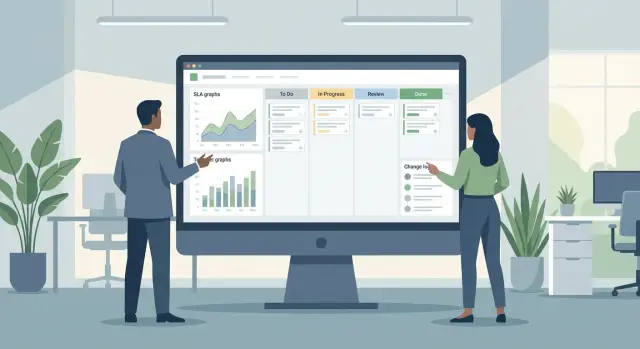
A manager doesn’t need a screen full of charts. They need to understand in a couple of minutes: how much work is ongoing, where deadlines are slipping, who is overloaded, and what changed. Build dashboards around decisions, not widgets.
A good basic set answers four questions: volume, deadlines, breaches, load. Volume — how many tasks are in progress and how many closed in the period. Deadlines — how many tasks should be done by the end of the week/month. Breaches — how many tasks are past their due date and for how long. Load — where queues build up and which roles or teams are bottlenecks.
To avoid dashboard drift, keep a minimum of tiles. Usually enough: a queue by statuses with number of overdue, completed over period with trend, breaches by priority, load by assignee/team, and a list of risks (tasks without a deadline, without an owner or stuck in a block).
SLA reports for internal teams are useful by both team and service. Agree in advance what starts the timer and what counts as completion. For example, for service desk the start is "In progress" and completion is "Resolved" (not "Closed", if the user closes it later). This way a manager sees not only average time but share of tasks meeting SLA and main causes of breaches.
A change report helps control risk. It’s useful to see how often requirements and priorities change, how many tasks are sent back between statuses and why. If the number of returns from testing to development spikes in a month, that signals issues with readiness criteria, test data or team overload.
Regular slices should become a ritual. Weekly — incoming flow, outgoing flow, breaches and blockers. Monthly — SLA performance, average cycle time, share of urgent tasks, dynamics of requirement changes. Then the dashboard becomes a management tool, not a showcase.
The most common reason reporting fails is lack of a single source of truth. Rules are needed: all tasks and changes are recorded in the tracker, statuses change only based on facts, deadlines and priorities are mandatory for certain types. If some work lives in chats or Excel, dashboards will contradict reality.
Example: support and development in one organization
Imagine an internal service desk (1st line) and a development team that maintains a main product (for example, a corporate portal). Users write in the same tracker and managers need clear numbers: how many incidents, where the bottlenecks are, what changes were released and why something was delayed.
Incidents are opened as tickets with a category (for example, "Access", "Error", "Performance") and required fields "Service/Module", "Impact", "Urgency". The first line takes the ticket, records the time of first response and either resolves it or escalates to development. It’s important that an "incident → change" transition is done via a link: the incident gets a linked task of type "Change" or "Bug" while the incident itself remains in status "Awaiting release".
Make SLAs simple and transparent: 30-minute response, 8-hour resolution. To keep metrics honest, define exceptions: "Waiting for user", "Waiting for external vendor", "Planned maintenance window". In trackers these are usually separate statuses and rules that pause the SLA timer.
When development picks up a task it follows a short workflow: "In progress" → "In testing" → "Ready for release" → "Released" → "Closed". Release is recorded by version/build and deployment date. Then at the end of the week you can gather status without manual spreadsheets.
Approvals are a frequent pain. If a ticket sits in approval and ruins metrics, don’t try to fix it by manually editing times. It’s simpler to add two rules:
- a separate status "Under approval" with SLA pause and a required field "Who approves"; and
- a dashboard counter "Approval > 2 days" and a list of such tickets.
This keeps SLAs honest while managers still see approvals that block progress and can help remove the blockage.
Step-by-step: how to set up reporting, SLAs and change control
Start with agreements, not screens and plugins. Otherwise people will keep working the way they’re used to and reports will turn into an argument about what you actually measure.
Hold a short working session of 60–90 minutes and document responsibilities: who creates tickets, who fills fields, who approves changes, who is accountable for data quality. Often a one-page RACI and a short glossary (incident, request, release, breach, waiting, etc.) are enough.
Then proceed step by step and test on real cases:
- Reduce issue types to a minimal set and mark required fields.
- Configure statuses to reflect real work. A good rule: a status answers "what prevents finishing right now?".
- Add approvals only where there is risk, and make control points explicit: "for estimation", "under approval", "ready for release".
- Enable SLAs and test pause rules on 5–7 live scenarios (waiting for user, waiting for vendor, night shift).
- Build 2–3 dashboards for different roles and run a short training (15–20 minutes).
Test example: create a high-priority incident, move it to "Waiting for user" for 30 minutes and back. If SLA keeps running during waiting, the breach report will scream even though the team acted correctly.
Enforce a simple rule: add new fields, statuses and approvals only after answering which managerial question they solve.
Common mistakes that break reporting
The problem is almost never "missing a report". More often data in tickets differs between people, and timing and responsibility rules don’t match real work. Then even pretty dashboards show the wrong picture.
Common mistakes:
- Too many statuses and exceptions. The team starts bypassing the process: moving tickets arbitrarily, forgetting to record waiting, closing quickly to stay "green".
- SLA measured by the wrong events. Time runs while the ticket is no longer with the team: under approval, with the customer, waiting for access or procurement.
- No required fields. "Service", "reason", "work type" or "component" are left empty and many tickets end up in "no value" buckets.
- Roles and permissions aren’t set. Anyone can change priority, close a ticket or remove a blocker. This breaks change control and statistics.
- Support, projects and changes are mixed in one queue. Metrics become meaningless: average resolution time improves because of many small tasks while critical incidents get lost.
A good test: take 20 random tickets from the last week and try to answer without guessing three questions: who owned the SLA, why the ticket waited, what exactly changed. If you can’t get answers from fields and history, the process doesn’t rest on real work rules yet.
A small example: an issue "server unreachable" waits 6 hours for system owner confirmation, but the ticket stayed in status "In progress" the whole time. The report shows an SLA breach even though the problem is the statuses and the missing pause.
Fixes are usually simple: reduce statuses to those that change responsibility, clearly separate waiting and external steps, make 3–5 key fields required and lock permissions (who changes priority, who closes, who approves). After that reports start matching what people see in daily work.
Quick checklist and next steps
Before building pretty reports, check the data. If ticket fields are incomplete or statuses "live their own life", managerial reporting will be disputed even with ideal dashboards.
A quick checklist that often yields the most impact in 1–2 days:
- Each ticket has type, service or component, priority and owner filled.
- Changes have a separate route, and a change request isn’t hidden inside an ordinary ticket. There must be a link to the release.
- SLA pauses only in agreed statuses ("Waiting for user", "Under approval", "Waiting for vendor") and this is visible in reports.
- Dashboards are readable in 2 minutes: minimal charts, maximum answers (what’s burning, where the bottleneck is, what changed this week).
- Updates are automatic: no manual transfers into Excel.
To validate the setup, pick a small live process: one service with both support and enhancements. Run 20–30 real tickets through the new workflow for the past 2–3 weeks and see if numbers match managers’ and teams’ perceptions.
Next steps usually look like: pilot on one service, appoint a process owner (who decides statuses, SLAs and fields), short training for the team and one official manager dashboard. After the pilot, scale to other services without changing rules every week.
If you need help with process implementation, tracker integrations and infrastructure for corporate systems, this can be done together with GSE.kz (gse.kz). The company acts as a systems integrator and provides 24/7 technical support, which is especially useful where SLAs require around-the-clock operation.
Frequently asked questions
Why do reporting and SLAs fall apart even when the team updates tickets properly?
Most often the data aren’t comparable. The team moves tickets, but the tracker doesn’t record the same important events consistently: start of work, pauses, approvals, requirement changes. As a result, metrics for deadlines, workload and reasons for delays don’t match reality, even if the team works disciplined.
Where should I start configuring the tracker so metrics become honest?
Start with one rule: every managerially important event must leave a trace in a status, required field, linked task or change log. Then align the vocabulary of task types and a minimal set of statuses so identical cases are counted the same way.
Which task types should I create to avoid a "zoo" of options?
Keep a short set that covers most requests: incident, request, development task, defect and change. The fewer variants, the fewer classification mistakes and the easier it is to report on flow, SLAs and causes of delays.
How many statuses are needed for a useful managerial view?
Usually a high-level set is enough: “New”, “In progress”, “Pending / Awaiting approval”, “Done” and sometimes “Cancelled”. The important part is to agree in advance what “Done” means, so closing a ticket always reflects the real outcome, not just the end of discussion.
Which fields should be mandatory at the start?
Make only what’s necessary mandatory: type, short summary, priority, owner (assignee or responsible group) and service/system. Add other fields later when it’s clear which slices are actually used for decisions rather than just "in case".
How to organize change control without drowning in approvals?
Move changes into a separate type (for example, Change Request) or a subprocess when the change affects production, data, security or carries risk. Keep a single explicit decision step and record reason, risk and a rollback plan in simple fields so delays and emergency releases can be explained later.
How should SLA be counted: when does the timer start and when does it stop?
Define common start and finish points for each class of tasks; otherwise reports will lie. Then set clear “stop” statuses where the SLA timer is paused, for example when waiting for the user or during approval, so violations aren’t reported artificially.
Should support and development live in the same project/queue?
Separate support and development into different queues: support needs faster first response and clear pause rules, development works with planning and releases. Link tasks between queues so an incident can spawn a bug or change, but avoid turning an incident into a rewritten copy of a development ticket.
Why link incidents, problems, changes and releases together?
Links create the chain “what hurts” → “why it repeats” → “what we change” → “when users will get it”, giving a coherent picture without manual tables. If release versions are stored as a field for changes and defects, the “what was included in the release” report is built automatically, not hidden in comments.
What dashboards does a manager need and when to involve an integrator?
Build one manager screen that answers four questions: how much work is in the flow, where deadlines are at risk, what is already overdue and where the overload is. If you need process implementation for 24/7 operations and infrastructure integrations, involve a systems integrator with round-the-clock support so SLA rules and business hours are reliably maintained.
