8 min read
ITSM Platforms for the Public Sector in 2025: Criteria for Choosing
ITSM platforms for the public sector: comparison criteria, demo questions and checks to choose a system that manages processes, not just a ticketing tool.
Why it's easy to buy a "ticketing system" instead of ITSM
A "ticketing system" is a tool where it's convenient to accept requests and forward them between performers, but there is almost no process management. There are queues, statuses and notifications, but typically no rules: who does what, in what timeframes, by which approvals and how this is verified.
On demos such solutions often look great: a neat portal, fast search, forms and reports "out of the box." But a pleasant interface doesn't mean processes are actually defined and controlled. In ITSM it matters less how quickly a ticket is created and more what happens next: classification and prioritization, SLAs, escalations, changes and problems, knowledge base, quality control.
Three to six months after purchase the same issues usually surface:
- SLAs exist "on paper", but the system can't reliably calculate times and record violations.
- Regulations are bypassed manually: approvals go to email, statuses are set "the way people are used to."
- Reports don't answer management questions: where are bottlenecks, who is overloaded, why late tasks increase.
- Any change to a form or route turns into a mini-project with custom development.
This is especially painful for the public sector. Reproducible rules, execution control and evidentiary records are required: who approved what, when and on what basis. If you're choosing ITSM, separate in advance "convenient request intake" from "service management." Simple example: an incident in a critical system. It's important that priority be set by impact, escalation triggered, all actions recorded, and the result included in availability and compliance reports—without manual workarounds.
Start with context: which public-sector problems are you solving
Choosing ITSM starts not with brand comparison but with the question: who and why will create requests. In the public sector it's usually not only the IT department and staff, but also contractors, subordinate organizations, and sometimes citizens (via a contact center or portal). This determines whether you need a single intake with different rights, separate service views and strict routing.
Next, define which services will be in the catalog and what counts as a result. For example: "grant access to a system," "replace a workstation," "connect a user to videoconference," "issue a digital signature." Each service must have a clear outcome (access granted, equipment issued, account updated), not just "ticket closed." Many implementations degrade into a ticketing system when results aren't tied to assets, permissions and approvals.
At the start, three processes are usually enough: incidents, service requests and changes. But define the boundaries in advance: what counts as a change, who can initiate it, and how to run standard changes without unnecessary manual bureaucracy.
To make demos useful, record the constraints that most often break implementations: deadlines and SLAs for different user categories and critical systems, mandatory approvals and their provability, audit and action logging, data storage and hosting requirements, and operation in isolated networks or with classified information (if applicable).
Also prepare a list of required integrations: email, AD/LDAP for single sign-on, telephony or contact center, asset tracking or CMDB, and sources of requests from external systems.
Example: if the agency has 3,000 employees and several contractors, then a "request for access" must pull data from AD, start role-based approval, record the result and update inventory. If this is missing in the demo, you are buying an interface for correspondence, not a process.
Comparison criteria: not just features, but governability
Different ITSM platforms have similar surface features: tickets, approvals, reports, integrations. The difference is usually how much the system can be governed without constant custom work and "manual mode." It's useful to separate two layers: "what the product has" and "how it actually works in your organization."
Processes: not checkboxes, but quality control
Ask to see not a list of modules but a connected cycle: incident - request - problem - change - release. It's important to see where decisions are recorded, how experience accumulates, how roles and permissions work, and what happens with exceptions (for example, an urgent change outside the standard window).
Evaluate the service catalog and knowledge base as living processes. Who can create articles, who approves them, how often is content reviewed, and what happens to outdated instructions? If the knowledge base is "written by inspiration," self-service won't work and you'll get another support queue.
CMDB and asset tracking often turn out to be the weakest link. Clarify how data is populated (manual entry, import, integrations), who owns each data class, and how the system catches errors: duplicates, empty fields, "dead" links. For the public sector this is critical because of audits and transparency requirements.
Reports, SLAs and protection against manipulation
A good test is measurability. Where do SLA data come from, can they be changed retroactively, are edits visible, is there an event log? On the demo ask to show reports "as they are" on real examples, not ideal dashboards.
To make the comparison fair, lock in these questions beforehand:
- Which process steps require code and which are configurable in the UI?
- How are roles, approvals and exceptions controlled?
- Who is responsible for CMDB data quality and how is it verified?
- How are SLAs calculated and how is manipulation prevented?
- What breaks during upgrades if there are customizations?
Processes and control: how to check maturity
A sign of a mature ITSM system is simple: it doesn't just accept tickets, it enforces the same process across people and departments. This is especially important in the public sector because of approvals, regulations and audits.
Start with roles and responsibilities. On the demo ask to show how rights are configured: who creates requests, who assigns performers, who approves, who closes and who can send a ticket back for rework. A good test is to see what happens if an employee tries to close a ticket without the required role or without mandatory data.
Then check approvals. It's not enough that a route exists—you need to know if rules can be changed without development: by service type, organization, criticality level, asset ownership, or procurement amount. Ask to build two routes during the demo and show where rules change, who can change them, and how changes are recorded.
To prevent "empty" tickets you need templates and required fields. For example, for "Access to a system" the mandatory fields often include department, system, justification, duration and approval owner. On the demo ask how the platform blocks submission when fields are missing and how this varies for different services.
Next—SLAs, escalations and calendars. Don't accept the phrase "SLA is supported." Ask to account for holidays, shortened workdays and shift schedules, then show exactly when an escalation will trigger.
Ask to demonstrate these in numbers:
- change history on a ticket (who changed what, with timestamps)
- prohibition on deleting key events and comments
- audit export to a file for a selected period
- report on SLA violations with breakdown of reasons
Mini-scenario for verification: a request to replace a work PC. Have an employee create the request from a template, a manager approve, IT assign a performer, then change the priority; the system recalculates SLA by calendar, and at the end you export a full audit of the action chain.
What to ask to see on the demo: scenarios instead of slides
Demos often turn into an interface presentation. To avoid buying a ticketing system, ask to show live scenarios from ticket creation to control and reporting.
Have the vendor or integrator run 4–5 typical situations on a test instance with roles of real participants: user, dispatcher, second line, service owner, security, manager.
- Critical incident: registration, automatic prioritization, escalation, recording reaction and recovery times.
- Access request: verification of justification, approval route (manager, security, system owner), audit of who and why approved.
- Change: risk assessment, work and rollback plan, mandatory checks, CAB decision and recording of results.
- Major incident: linking requests, unified communication, notification templates, status for users.
After each scenario open the "internal settings": where rules are defined and who can change them. If the priority matrix or approval route is changed—show the configuration screen, access rights and the change log.
Clarify practicalities: how many clicks to the desired action, what can be done without development, how the system behaves on exceptions (missing approver, SLA overdue, role conflicts). If much in the demo is done only by an administrator or you hear "we'll configure this during the project," mark that as a risk and factor it into time and cost.
Service catalog and self-service: reduce manual workload
The service catalog is where IT stops being a "mailbox for tickets" and becomes a clear service provider. In the public sector it's important the catalog reflect real service structure: workstation, access, communications, printing, security, and application support.
You can recognize a good catalog by details: hints, autocomplete (e.g., department and address), required fields and attachments (memo, scanned request). Check whether different forms can be created for different roles (employee, manager, contact-center operator) and how easy it is to change forms without "a developer for a week."
Self-service reduces load only when the requester sees a clear status and next step. On the demo ask to show how a user tracks a request, receives notifications, adds information and leaves feedback after closure.
Must-check demo scenarios
Ask for short scenarios using live data:
- "Grant system access" with manager and security approvals.
- "Replace or issue a laptop" with mandatory attachments and deadlines.
- Creating a ticket from the portal and from an email to compare form quality.
- Phone request: how an operator quickly finds the service and avoids form mistakes.
The knowledge base should be integrated into both the portal and the performer's workflow: approval roles, versions, noticeable search. Ask how the platform avoids a "dump of articles": is there an article owner, review period, view statistics and linkage to services.
If requests arrive through multiple channels (portal, email, phone) it's important to see how the system merges duplicates and preserves context. Low survey scores should also trigger actions: analysis, comments, reopen or a task to the manager.
In distributed agencies with mixed hardware (including locally produced PCs and servers) self-service especially helps reduce support load. In such projects system integrators often connect not only process configuration but also infrastructure and support. For example, GSE.kz provides system integration and 24/7 support, which can be useful when ITSM is deployed alongside workstation and server refresh.
CMDB and asset tracking: where implementations most often fail
CMDBs are often promised as the "single source of truth," but they fail in practice not because of technology but because of agreements. If you don't decide in advance what you track and who is responsible, you'll end up with a pretty form and empty fields.
The first point of risk is the data model. For the public sector it's useful to separate an "asset" from a "configuration item." An asset is for accounting and responsibility (who owns it, where it is, service life). A configuration item is for service management (what affects what, which components are linked). One object can be both, but rules must be clear.
The second point is how data get into the CMDB. Manual entry doesn't scale and quickly becomes outdated. Excel import helps to start, but without regular synchronization it becomes an archive of errors. In the demo ask to show the real update cycle: what happens if a new laptop is found, a server is moved or the responsible person changes.
The third point is relationships. Without relations a CMDB becomes a directory. Relations are needed to understand change impact and quickly find root causes: which service will be affected by a node reboot, which departments depend on an application, where the bottleneck is.
Questions to check:
- Who owns data for each CI type and how does the platform show "trust" in the source?
- How are reconciliations and discrepancy resolutions handled (duplicates, conflicting sources, outdated records)?
- What does the service card look like: which relations are mandatory and who maintains them?
- What reports exist for audits: completeness, freshness, changes over a period?
- What happens when a component is retired or replaced and how is this reflected in services and tickets?
A good CMDB helps make decisions: approve changes with impact in mind, reduce time to find root causes, prepare audit reports and plan infrastructure refreshes.
Total cost of ownership: licenses, customizations, upgrades
TCO for ITSM is almost always more important than a beautiful demo. In the public sector you must understand the 3–5 year horizon: how costs grow, who makes changes, what happens during upgrades and security checks.
Start with licensing. Clarify what you pay for: named or concurrent users, agents or all requesters, separate modules (catalog, CMDB, reporting), integrations, test instance. Check how costs change as you scale: e.g., year one 300 employees, year two opening subordinate institutions and growing to 1,500.
Usually five things inflate total cost: growth of roles and permissions, custom forms and routes, support and administration, upgrades and regression testing, infrastructure and security requirements (hosting, redundancy, logs).
Customizations matter not only for price but for manageability. If changes are made "around" the rules you get dependency on specific people and painful updates. Ask to show how a change request is filed, who approves it, where the description is stored and how the effect is measured.
Ask direct questions about upgrades: how often releases come out, how long an upgrade typically takes, what usually breaks, is there a test environment and rollback process, what are performance requirements with growth in tickets and integrations, which hosting models are supported and how to configure access, audit and data separation.
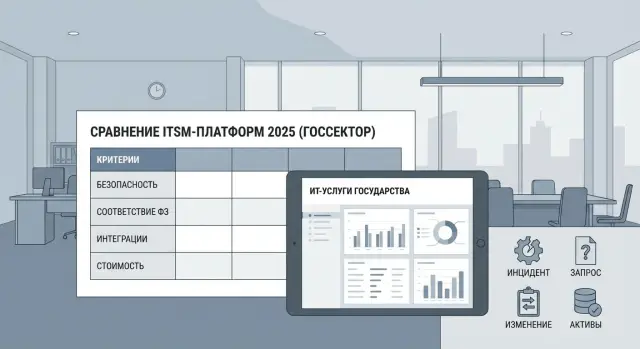
If you compare platforms, record answers in a table. Then procurement discussions are not about "cheaper license" but a forecast: how many people and how much money are needed for the system to live and evolve, not become a ticketing system.
Typical mistakes in selection and implementation
The most common problem is buying a solution as a "ticket system" rather than a way to manage services. Tickets arrive, but causes, responsibilities and improvements never appear.
People often choose "by a feature checklist," but don't run real scenarios on the demo: from a user's ticket to service restoration on a weekend and recording changes. On paper everything exists, in practice approvals are inconvenient, roles don't match agency structure, and notifications and SLAs live outside the process.
Another common mistake is early customization. Instead of enabling baseline practices (incidents, requests, changes) and agreeing on rules, the project turns into building a unique interface that is hard to update and maintain.
Five signals your implementation is going off-track:
- no process owner on the client side; decisions "hang" between IT and the business
- CMDB is filled once without data discipline and ownership for currency
- metrics are gathered "for reports" but nobody uses them to make decisions
- roles and permissions grow chaotically, losing control and security
- instead of an end-to-end case they show slides
Example: an agency implements ITSM but doesn't assign owners for workstation and server data. After three months incidents can't be tied to specific assets and finding recurring causes takes much longer.
To avoid this, assign process owners in advance, agree on CMDB data rules and demand a "live" ticket path on the demo. If an integrator leads the implementation, split responsibilities: who owns the process, who owns the platform, who owns data and changes.
Short checklist before signing
Before signing the contract, lock in verifiable items, not promises. Public-sector requirements for control, security and reporting are usually stricter than in business.
First agree on the verification format. A demo must run your scenarios on your data, even a small set (20–50 tickets, 5–10 typical services, a few users and roles). If the vendor says "we'll configure later," the risk of buying a ticketing system rises sharply.
Check that there is a minimal "management map": processes are described (incidents, requests, changes at least at a basic level) and roles. It's not about perfect ITIL descriptions but clarity: who is the service owner, who is accountable for SLA, who approves changes, who maintains the knowledge base.
Short verification before decision:
- Demo scenarios preapproved and already run on your examples.
- SLAs formalized: what counts as start and end, which fields provide times, how pauses and transfers are handled.
- Service catalog and knowledge base ready to start for a small set of services, with templates and clear wording.
- Migration and integration plan is clear: email, telephony, AD/LDAP, monitoring, document workflows (if needed).
- Security and control requirements agreed: action audit, data storage, access separation, backups, regulator requirements.
If at least two items are "in the air," stop and run a short pilot with acceptance criteria. It's cheaper than living for years with a system that has tickets but no manageable processes.
Example comparison scenario for an agency: how to run a pilot
Typical situation: requests arrive by email, task status is kept in Excel, and deadlines and responsibility depend on individual people. The pilot is needed not for the interface but to see if the platform can become a governed process.
Start small. Choose 2–3 processes that deliver quick results and are easy to measure: incidents, service requests and, for example, access management (if you have many approvals). Limit the service catalog to 10–15 most common services so the pilot doesn't drown in details.
Use only your scenarios, roles and rules in the demo and pilot. Ask to configure a test org structure and approval flows (requester, manager, security, IT, accounting or procurement—whatever you use).
For a fair comparison of ServiceNow, Jira Service Management, Naumen and SimpleOne run the same set of tests on identical input data and timeframes (e.g., 2 weeks of setup + 2 weeks of operation on real tickets): automatic incident assignment, a service request with two-stage approval, SLA (start, pause, escalation, notifications, overdue report), action audit and change history, management reports on workload and root causes.
Differences often come down to details: how rights are configured, how transparent the action log is, how many manual clicks a dispatcher needs and what happens if a regulation changes.
After the pilot request artifacts, not general conclusions: process models (how it's configured), a list of configurations and customizations with estimates, a launch plan with phases and responsibilities, and a risk list (integrations, migration, security requirements, update support). This will be the basis for the decision.
Next steps: how to prepare for a pilot and implementation
To prevent the pilot becoming a "showcase," agree in advance who will decide and by what rules. Without involvement from security and service owners you will test only the interface, not governability.
Form a small working group (5–7 people): IT, security, procurement and 2–3 business service owners (e.g., "workstation," "accesses," "communications"). In this group set criteria and weights: processes and control, integrations, security requirements, reporting, TCO.
Prepare 2–3 test cases for 1–2 hour demo sessions. Simple example: an employee requests access, the system starts approvals, checks the role, creates a task for the admin, records SLA, and you get a report on delays and causes.
Before the pilot it helps to:
- agree the list of services and 10–15 typical requests
- prepare security requirements: roles, logging, data retention, integrations
- define mandatory integrations (email, AD/LDAP, monitoring, document workflows)
- write acceptance criteria and minimum metrics for the pilot (SLA, processing time)
From the vendor or integrator ask not for promises but a staged plan with boundaries for custom work: what is done by configuration, what requires code, how to upgrade, who is responsible for regulations and training. If infrastructure and ongoing support are needed, consider a comprehensive project with system integration and 24/7 support, possibly involving GSE.kz.
Frequently asked questions
How does ITSM differ from a regular ticketing system?
A ticketing system accepts and routes requests. An ITSM platform manages the full service lifecycle: priorities, SLAs, approvals, changes, audits, and reports. If the system does not enforce these rules, it will not provide a manageable service.
Which processes should be launched first?
Start with incidents, service requests, and changes. For a pilot, add the 10-15 most common services, such as granting access, replacing a workstation, and connecting to video conferencing.
How can you check SLAs in a demo?
Ask to see the calculation for a specific ticket: start time, pause, working calendar, holidays, escalation, and the resulting breach. Then open the event log and make sure the system records changes to deadlines and their reasons.
Which scenarios should be shown in a demo?
Walk through a critical incident, an access request, a risk-assessed change, and a major incident. In each case, check roles, approvals, notifications, audit trail, SLAs, and the final report.
How do you make a service catalog useful?
For each service, define required fields, approval conditions, deadlines, and a clear outcome. For example, an access request should include the system, justification, duration, department, and approval owner.
Why do you need a CMDB in ITSM?
A CMDB stores configuration items and the relationships between them: services, applications, servers, and workstations. It helps assess the impact of a change, find the cause of an outage faster, and prepare data for an audit.
How do you prevent a CMDB from becoming an empty directory?
First, assign data owners for each object type. Then set up regular imports or integrations, duplicate checks, discrepancy resolution, and reports on record completeness and freshness.
What is included in the total cost of ITSM ownership?
Do not count licenses alone. Include process configuration, custom development, integrations, administration, update testing, infrastructure, redundancy, and information security requirements in a 3-5 year budget.
How do you verify roles and action controls?
Check who can create, assign, approve, close, and return tickets. The system should block actions without the required role or mandatory data and retain a complete change history.
What are the most common mistakes when implementing ITSM?
A common mistake is buying a platform based on a feature list and starting with extensive customization. First agree on process owners, SLA rules, data quality, and core scenarios, then test them in a pilot.
